
Business IP telephony fault isolation and recovery planning
Zycoo IP PBX Troubleshooting in Dubai, UAE
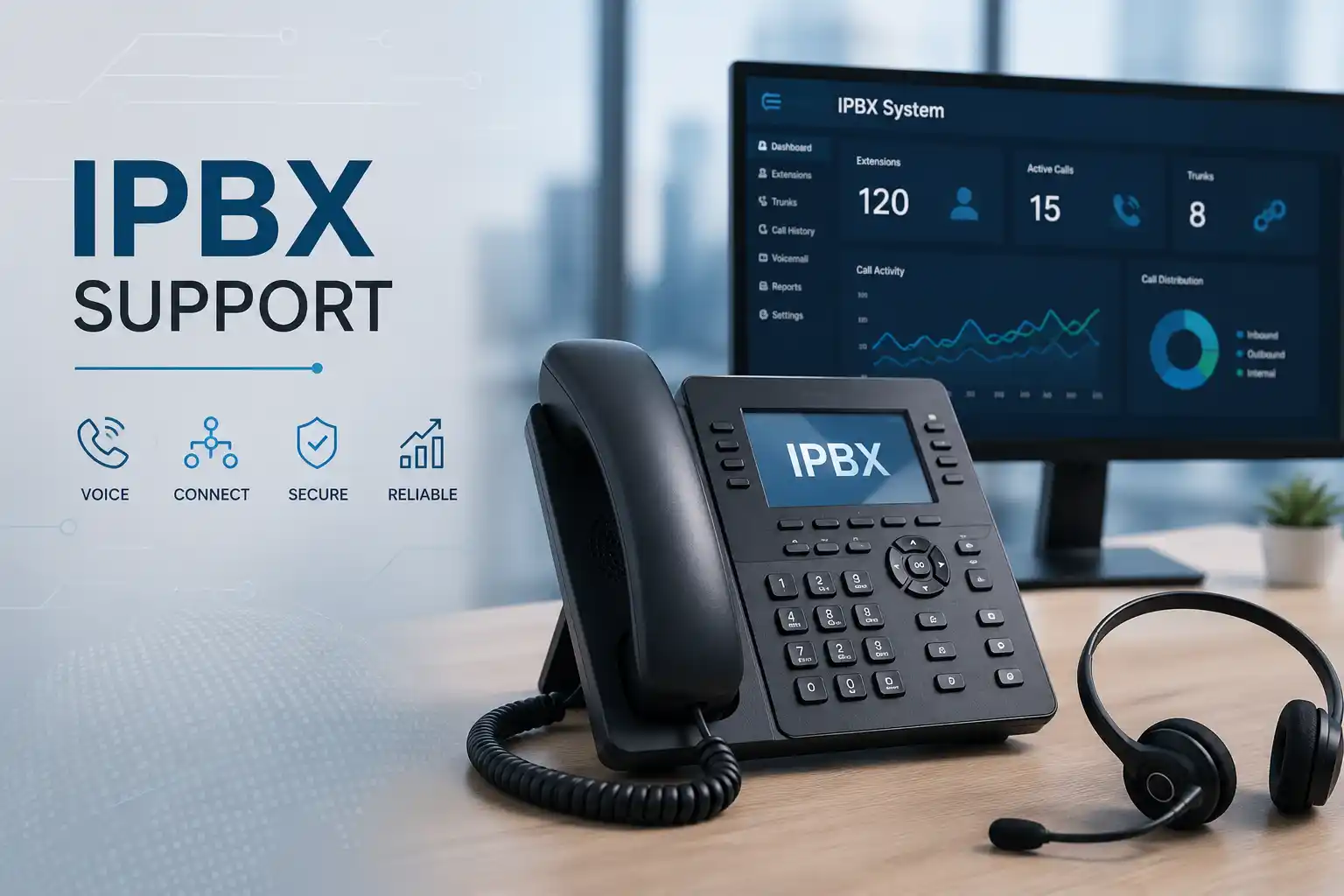
When calls fail, phones lose registration, audio becomes unreliable or routing stops matching the business workflow, the PBX is only one part of the path that must be checked. FourTeck helps businesses investigate ZYCOO IP PBX faults across extensions, SIP trunks, call rules, IP phones, LAN switching, voice VLANs, firewalls, internet links and provider dependencies so corrective work can be based on evidence rather than repeated resets.
Identify who, what and which call direction is affected.
PBX, phone, switch, firewall, internet and carrier may all matter.
Back up settings and plan rollback before material changes.
Test real inbound, outbound and internal call scenarios after work.
What is ZYCOO IP PBX troubleshooting?
ZYCOO IP PBX troubleshooting is the structured process of identifying why business calling, phone registration, SIP trunks, call routing, voicemail, remote extensions or related telephony functions are not behaving as expected. It is mainly used when users report failed calls, intermittent service, one-way audio, missing ringing, incorrect routes, trunk errors, phones that will not register, or repeated faults after a network or configuration change. Businesses should consider support when the issue affects daily communication, cannot be isolated safely by an internal administrator, or involves several connected systems. Before work is confirmed, prepare the PBX model and firmware information if available, the number of affected users, examples of failed calls, the time the problem began, recent changes, network or carrier details and authorised access. Exact troubleshooting scope remains access, environment and provider dependent.
What the troubleshooting service may cover
Depending on the confirmed scope, assistance may include extension registration checks, SIP trunk status, inbound and outbound routing, call permissions, ring groups, queues, auto-attendant behaviour, office-hours rules, voicemail, caller identification, call forwarding, IP phone connectivity, remote extensions, network addressing, voice VLANs, switch ports, PoE delivery, firewall paths, NAT behaviour, internet quality and provider coordination.
The objective is not to change every setting. It is to establish the fault pattern, test the technical layers that can produce that pattern and make controlled changes only where there is evidence to support them. Where a ZYCOO model or firmware version presents different menus or capabilities, the actual interface and vendor documentation for that environment should guide the assessment.
Who may need this service
This service may suit businesses that already operate a ZYCOO IP PBX and need practical help with an incident, repeated fault or unclear configuration. Typical environments include professional offices, reception-heavy businesses, clinics, warehouses, retail locations, property teams, hospitality operations, training centres and companies with branch or remote users.
It can also be useful after an office move, ISP change, firewall replacement, switch upgrade, SIP trunk modification, extension rollout or phone replacement because those events can alter the path that voice traffic follows. The same approach can support organisations that inherited a PBX without reliable documentation and need to understand the current call flow before changing it.
Common symptoms that should be investigated in context
A telephony symptom does not prove a single cause. A phone that shows unregistered status may have incorrect account details, an addressing problem, a blocked network path, a provisioning mismatch or a PBX-side issue. One-way audio may involve NAT, firewall handling, routing, endpoint configuration or provider behaviour. Failed outbound calls may come from a trunk problem, dial rule, permission, number format, carrier rejection or connectivity failure. The first diagnostic step is therefore to record the symptom precisely rather than replacing equipment immediately.
Phones will not register
Check whether one phone, one subnet or all phones are affected. Registration uses account, network and PBX reachability together, so the scope of the failure is important evidence.
Inbound calls do not reach users
The call may stop at the carrier, trunk, DID mapping, time condition, IVR, queue, ring group, extension or phone. Test the complete incoming route.
Outbound calls fail selectively
Number pattern, permission, selected trunk, provider requirements or only certain destinations may be involved. Record examples of working and failing numbers.
Audio is missing or one-way
Voice signalling can succeed while media fails. Network, NAT, firewall, routing and endpoint conditions must be considered before changing the PBX.
Calls drop or sound unstable
Packet loss, congestion, unstable links, ISP conditions, provider behaviour, power issues or endpoint problems may affect call quality and continuity.
Routing changed unexpectedly
Recent edits to office hours, ring groups, queues, forwarding, dial permissions or trunk rules should be reviewed against the intended business call flow.
Business impact when a PBX fault remains unresolved
A telephone fault can affect more than the person who first reports it. Reception may be unable to transfer calls, sales teams may miss inbound enquiries, service desks may be difficult to reach, remote staff may lose extensions, and managers may no longer know whether unanswered calls reached voicemail or another route. Repeated call problems also create support uncertainty because employees start using personal mobile numbers, informal workarounds or duplicated forwarding rules that are difficult to manage later.
The appropriate response depends on business impact. A fault affecting one optional feature can often be investigated in a planned window, while loss of inbound or outbound calling for a whole site requires faster triage and clear communication with the relevant carrier or internet provider. FourTeck can help separate the immediate restoration task from longer-term recommendations such as documentation, network improvements, firmware review, replacement planning or configuration cleanup.
Service-fit matrix: what the symptom may point to
| Observed issue | Possible technical areas | Recommended next step |
|---|---|---|
| One extension is unregistered | Phone account, password, provisioning, local port, address or endpoint settings | Compare the affected phone with a working extension and verify PBX registration state. |
| All phones at one location fail | LAN, switch, VLAN, gateway, firewall, PBX reachability or power | Check the site-wide path before editing individual extensions. |
| Only external calls fail | SIP trunk, provider, dial plan, outbound permission or internet path | Collect failed call examples and check trunk state and carrier response. |
| Incoming calls reach the wrong team | DID mapping, time condition, IVR, queue, ring group or forwarding | Write the intended route first, then compare it with the current configuration. |
| One-way audio | Media routing, firewall, NAT, endpoint or provider path | Use controlled test calls and packet or log evidence where authorised. |
| Calls are clear internally but poor externally | WAN quality, ISP congestion, provider route, firewall handling or bandwidth use | Compare internal and external call paths and coordinate with the carrier if needed. |
Buyer-focused service information
| Service Topic | ZYCOO IP PBX fault diagnosis and corrective support. |
|---|---|
| Main Purpose | Identify the technical layer causing call, registration, routing, trunk or voice-service issues and define controlled next actions. |
| Typical Systems Involved | ZYCOO IP PBX, SIP phones, gateways, switches, VLANs, firewalls, internet service, SIP trunks and remote users. |
| Assessment Method | Business-impact review, configuration and status checks, call testing, log or packet evidence where appropriate, and dependency isolation. |
| Remote Support Suitability | Suitable for many configuration, registration, call-flow, log and provider-coordination cases when secure access and connectivity are available. |
| On-Site Support Suitability | Recommended when phones, switches, cabling, PoE, gateways, racks, power or local testing must be physically checked. |
| Customer Access Required | Authorised PBX and relevant network access, subject to the approved scope. Credentials should be shared securely, not through public-page channels. |
| Testing and Validation | Scope dependent; may include internal, inbound, outbound, transfer, voicemail, queue, remote-user and failover scenarios relevant to the reported fault. |
| Vendor Coordination | May be required when a SIP carrier, ISP, manufacturer or third-party gateway is part of the failing path. |
| Service Location | Dubai and UAE coordination, subject to issue type, access, scheduling and approved quotation. |
| Scope Dependency | Environment dependent. Model, firmware, number of users, recent changes, provider involvement and documentation affect the final work. |
| Quotation Requirement | Contact FourTeck to confirm the troubleshooting scope, service method, timing and commercial terms. |
Remote troubleshooting or an on-site visit?
Remote support may be appropriate when
The PBX and network are reachable, secure remote access is authorised, and the fault appears to involve extension settings, call routes, dial permissions, SIP trunk configuration, logs, remote-extension settings or other software-controlled functions. A local user or administrator may still be needed to make a test call, read a phone display or reconnect a device.
Remote work is also useful for initial triage because the technician can often identify which physical components or provider contacts will be needed before a visit. It does not guarantee that the problem can be completed remotely.
On-site assistance may be appropriate when
Physical inspection is necessary for phones, gateways, switch ports, patch panels, racks, cabling, PoE delivery, power, analogue interfaces or devices that cannot be accessed over the network. An on-site visit may also be more efficient when several users are affected across a floor or site and the local network needs direct testing.
Site access, building procedures, available maintenance windows, equipment condition, required replacement parts and engineer scheduling can affect the service plan. The visit scope should be confirmed before attendance.
A structured diagnostic process from symptom to verified result
Confirm whether the fault affects one extension, a department, remote users, one call direction or the entire site. Identify critical numbers and any temporary workaround already in use.
Trace the expected route through phone, switch, PBX, firewall, internet and carrier for the failing scenario. Compare it with a working call where possible.
Record timestamps, numbers called, extension states, error messages, trunk status, logs and packet evidence where authorised and appropriate.
Back up configuration or document material settings before changes. Confirm access authority and understand which users or call routes could be affected.
Test the smallest useful set of variables. Avoid broad resets or unrelated changes that remove evidence or create a second fault.
Make the agreed configuration, network, endpoint or provider-side adjustment and keep a rollback path where the change carries operational risk.
Verify the specific call flow that failed, then check connected functions that could have been affected by the change.
Document findings, work completed, dependencies still open and recommendations for monitoring, maintenance, provider escalation or future improvement.
Why ZYCOO troubleshooting often involves more than the PBX
Current ZYCOO IPPBX documentation describes SIP-based extension and trunk operation and includes diagnostic functions such as packet capture or channel capture in relevant models and software versions. That matters because voice problems frequently cross system boundaries. A SIP registration attempt travels from the endpoint through the local network to the PBX. An external call may continue through firewall and internet paths to a service provider. Audio media can follow a different path from signalling. A remote extension adds internet and remote-network conditions. For this reason, a useful investigation should not stop at whether the PBX web interface is reachable.
The exact menu names, options and diagnostic capabilities may differ by ZYCOO model, firmware family and deployment method. FourTeck should therefore assess the live environment before recommending changes. Unsupported or older firmware can also limit available options, and firmware work may require compatibility review, configuration backup and a planned maintenance window rather than being treated as a routine first step.
When provider escalation is necessary, accurate call examples are valuable. A timestamp, calling number, called number, extension, direction and result can help correlate PBX logs with carrier records. Evidence-led escalation is more useful than describing the issue only as “calls are not working.”
Capability focus: faster fault isolation without random changes
Repeated rebooting can temporarily restore a service while hiding the condition that caused the failure. It can also erase useful state information and make it harder to determine whether the original problem was endpoint, PBX, network or carrier related. A stronger troubleshooting method starts by comparing working and failing cases. If internal extension-to-extension calls work but outbound calls fail, the investigation naturally moves toward the trunk, dial rules, permissions, firewall, internet path and provider. If one phone fails while another phone on the same switch and VLAN works, the affected endpoint becomes a stronger candidate. If every phone loses registration after a network change, a site-wide dependency should be examined before individual accounts are edited.
This comparative approach reduces unnecessary disruption because it narrows the investigation before changes are made. It also helps management understand the likely scope. A single phone replacement is a different engagement from a network-wide voice VLAN problem or a carrier-side incident. FourTeck can help translate the technical evidence into a practical next action, whether that means configuration correction, on-site network testing, provider escalation or planned replacement.
Capability focus: controlled call-flow changes that match the business
Many PBX support requests begin as “small” changes: add an extension, change a reception route, make several phones ring together, forward unanswered calls or adjust office hours. Those changes can affect a wider chain of settings. A direct number may enter through a trunk, match a route, pass through a time condition, reach an auto-attendant or queue and then ring users with their own forwarding or voicemail behaviour. Altering one element without understanding the desired business outcome can create unexpected results.
Before configuration work, it is useful to write the intended call journey in plain language. For example: “During office hours, the main number should ring reception for fifteen seconds, then overflow to the customer-service group, and finally go to a shared voicemail message.” The technical configuration can then be tested against a clear requirement. This approach is especially important when the PBX has been edited by different administrators over time or when there is no current documentation.
FourTeck can assist with reviewing the existing logic, identifying dependencies and planning approved changes. Any modification should include validation for the scenarios that matter to the business, not only a successful test from one phone.
Capability focus: better visibility for recurring voice-quality problems
Call quality complaints are difficult to resolve when they are reported only as “bad audio.” Useful evidence includes when the problem happened, whether it affected one or both directions, whether internal calls were clear, whether the user was in the office or remote, whether other internet applications were slow at the same time and whether the same destination repeatedly showed the problem. These details help distinguish endpoint and local-network issues from WAN or provider conditions.
Voice traffic is sensitive to unstable links, packet loss, congestion and changes in delay. A network may appear acceptable for web browsing while still producing poor call quality. Switch port errors, overloaded links, incorrect voice VLAN configuration, wireless phones on weak coverage, competing traffic or ISP issues can all contribute. The solution therefore may be network remediation rather than a PBX setting.
FourTeck can help collect and organise the technical evidence, test the relevant path and coordinate with the network or telecom provider when the fault lies outside the PBX. Continued monitoring or a wider network assessment may be recommended if the issue is intermittent and cannot be reproduced during the first session.
Dependencies, access and information that may be required
Effective PBX troubleshooting depends on access to the systems that form the voice path. The PBX administrator interface may be required for extension, trunk, route and diagnostic checks. Network access may be needed when the problem involves VLANs, switches, addressing, gateways or firewall rules. The SIP or telecom provider may need to confirm account status, number routing, authentication, allowed source addresses or rejected call examples. Remote phones may require information about the remote internet connection or router. Analogue gateways or FXO/FXS interfaces can add another layer when traditional lines or analogue devices are involved.
The customer should nominate an authorised technical or management contact who can approve access and changes. Do not send passwords in a public web form description or ordinary public content. Credentials should be shared only after identity and authority are confirmed, using a secure method agreed for the support engagement. If the existing administrator credentials are unavailable, account recovery or vendor assistance may become a separate dependency.
Before any higher-risk change, it is sensible to confirm whether the current configuration can be backed up, whether there is a known rollback path and whether the business has a suitable window for call disruption. The exact preparation depends on the model, firmware, existing documentation and proposed corrective action.
Testing, validation and handover after troubleshooting
A technical change is not complete merely because one indicator turns green. The validation plan should reflect the business symptom. If outbound calls were failing, test the destinations and number formats that previously failed as well as a normal working number. If inbound routing was wrong, call each affected direct number or main route during the relevant time condition. If phones were unregistered, confirm registration after reboot and check basic calling. If audio was one-way, test both directions and more than one endpoint where practical.
Where queues, ring groups, transfers, voicemail or remote users are part of the environment, those functions should be included only if they could reasonably have been affected by the corrective work or were part of the reported fault. The goal is useful validation, not indiscriminate testing of every PBX feature.
A concise handover can record what was reported, what was checked, what was changed, the result, any remaining dependency and recommended follow-up. This record helps internal IT staff understand the current state and reduces the chance that a future technician repeats the same investigation. If the root issue sits with a third party, the handover should identify what evidence was collected and what information was passed to that provider.
Risks, limitations and exclusions to understand before work begins
Intermittent faults may not be reproducible immediately. Missing logs, unknown credentials or undocumented provider settings can limit the first assessment.
Carrier routing, SIP account status, ISP performance, cloud services or manufacturer-specific issues may require action outside FourTeck’s direct control.
A failed phone, gateway, power supply, switch or PBX appliance may require parts or replacement outside the initial diagnostic labour scope.
Firmware, network, trunk, routing or restart work may require a maintenance window. A backup and rollback plan should be considered when practical.
Older firmware, unsupported endpoints, outdated gateways or undocumented integrations may need staged improvement rather than a single configuration fix.
On-site work, replacements, provider coordination, upgrades, documentation and ongoing maintenance should be clearly included in the approved quotation or service agreement.
Business environments where ZYCOO PBX troubleshooting may be useful
A PBX has different importance depending on how the organisation handles calls. Professional offices may depend on receptionist transfers, direct numbers and voicemail. Clinics may require reliable reception and appointment calls. Warehouses and logistics businesses often need communication between office staff, dispatch teams, gates and branch locations. Retail operations may route calls to sales counters or back offices. Property and facilities teams may use extensions across several sites. Training centres and schools may have reception, administration and department call flows. Hospitality environments may combine reception telephony with staff extensions and provider services.
The troubleshooting priority should follow the operational role of the affected call path. A reception number that no longer reaches staff is different from a non-critical internal extension. Multi-site businesses also need clear branch information because a problem may exist only across one WAN path, one remote location or one carrier connection. FourTeck can help document these differences so the corrective work is aligned with business use rather than treating every extension as equal.
Operational, security and maintenance considerations
A business telephone system combines user accounts, network access, provider connectivity and administrative controls, so maintenance should address more than call features. Administrator access should be restricted to authorised people. Extension and remote-user settings should be reviewed when employees join, change roles or leave. Provider credentials and PBX administrator details should be stored securely. Internet-facing services should be exposed only where required and should follow the capabilities and security guidance of the deployed model and network design.
Configuration backups are useful before material changes and after an approved configuration reaches a stable state. The organisation should know where the backup is stored, how old it is and whether it can be used on the actual model and software version. Firmware planning should consider vendor guidance, compatibility, maintenance windows and rollback options. Applying an update during an active incident without understanding its impact can complicate diagnosis.
Documentation can include extension ranges, direct numbers, trunk providers, main call routes, office-hours logic, remote-user dependencies, network addresses, voice VLAN details and responsible contacts. This does not need to expose passwords. The purpose is to give future support teams enough context to understand the environment safely and quickly.
Before you contact FourTeck about a ZYCOO PBX fault
Preparing a small amount of accurate information can reduce the time spent establishing the basic fault pattern. You do not need to diagnose the cause yourself. The purpose is to provide evidence that helps the technician decide whether the first step should be remote access, provider coordination or an on-site visit.
- The Dubai or UAE service location and the main on-site contact.
- The ZYCOO PBX model and firmware version, if available.
- How many users, extensions or departments are affected.
- Whether the problem concerns internal, inbound, outbound or remote calls.
- Examples of calling and called numbers, with approximate timestamps where possible.
- Phone display messages, registration state or other visible errors.
- When the issue began and whether it is constant or intermittent.
- Any recent firewall, ISP, switch, cabling, PBX, trunk or phone change.
- The SIP or telecom provider name and available account or support reference information.
- Whether PBX administrator access is available to an authorised person.
- Whether network or firewall administration is controlled internally or by another vendor.
- Whether a current PBX configuration backup exists.
- Any special business call flows such as reception, queues, IVR, after-hours or shared voicemail.
- The business impact and any temporary workaround already being used.
- Whether secure remote access is possible or a physical visit is likely to be required.
Service evaluation checklist for quotation and engagement
The final quotation should match the environment rather than assume a standard fault. Confirming the following points helps define what troubleshooting, corrective work, testing and documentation may be included.
How FourTeck can assist with an existing ZYCOO environment
FourTeck’s role is to clarify the reported problem, identify the systems that form the affected call path and organise the appropriate technical response. That may begin with a remote review of extension, trunk and routing status or with an on-site check where physical network and phone dependencies are central to the fault. Where the issue crosses into a carrier, ISP, firewall or third-party device, FourTeck can help gather technical evidence and coordinate the information needed for escalation.
Corrective work can include approved configuration adjustments, endpoint checks, network changes, documentation updates or recommendations for replacement and upgrade planning where an existing component is no longer dependable or compatible. The exact work is confirmed after assessment rather than assumed in advance.
For broader information about the company and its support approach, visit the FourTeck IT Services company page or review the FourTeck IT support website. A service quotation can then be based on the affected users, systems, access, site conditions, provider dependencies and the agreed technical outcome.
Dubai and UAE service coordination
For a Dubai ZYCOO IP PBX issue, the initial support method depends on the type of fault and available access. Remote troubleshooting can be useful when the PBX is reachable, an authorised administrator is available and physical testing is not required. An on-site visit may be recommended when the PBX appliance, gateway, phones, rack, cabling, switch ports, PoE or local network must be examined directly. A mixed approach is also common: remote triage first, followed by a planned visit with the correct tools and scope.
Service timing depends on engineer availability, customer access, site procedures, urgency, required equipment, carrier or ISP participation and the confirmed work scope. Building access, parking, security approvals and maintenance-window restrictions can also affect on-site planning. Contact FourTeck to confirm the service scope and scheduling options rather than assuming a fixed attendance or resolution time.
Support coordination across Dubai, Abu Dhabi, Sharjah and Ajman
Businesses with offices in Dubai, Abu Dhabi, Sharjah and Ajman can discuss ZYCOO PBX troubleshooting, planned on-site inspection, network and telephone testing, configuration assistance and related project support with FourTeck. The appropriate plan depends on where the affected PBX and users are located, whether secure remote access is possible, the number of sites, building access, travel requirements, equipment availability and any third-party provider involvement. Multi-site incidents may be investigated site by site because a branch with a local internet, switch or firewall problem can show different symptoms from the main office even when both connect to the same telephone platform. Scheduling and commercial terms are confirmed against the approved scope; the service should not be assumed to include permanent local coverage, fixed visit times or unlimited support in every emirate.
Questions businesses ask before requesting ZYCOO IP PBX troubleshooting
The most useful support request is not the one with the most technical language. It is the one that describes the business symptom clearly enough to choose the next diagnostic step. The following questions address common decisions Dubai and UAE customers may need to make before arranging support.
Can a ZYCOO IP PBX problem be checked remotely?
Many PBX configuration and status issues can begin remotely when the system is reachable, secure access is authorised and a local user can help with test calls. Extension registration, trunk state, call rules, office-hours behaviour, queues, forwarding, voicemail and logs are examples of areas that may be reviewed without immediately visiting the site. Remote diagnosis is less suitable when the PBX cannot be reached or when the suspected cause is cabling, switch hardware, PoE, analogue wiring, gateway hardware, physical phone faults or power. Starting remotely does not mean the entire issue will be resolved remotely; it can simply identify what must be checked on site.
Why are internal calls working while external calls fail?
Internal calls staying available is useful evidence because it suggests that at least some phones, extensions and PBX functions are working. External calls introduce additional dependencies such as the SIP trunk, dial rules, outbound permissions, firewall, internet connection and telecom provider. The exact cause still needs evidence. A support technician may compare a successful internal call with a failed external call, check trunk status, confirm the number format, review the route and capture relevant log information. If the carrier rejects the call or the trunk is unavailable, provider coordination may be required.
What should we do when only one phone is unregistered?
A single unregistered phone should be compared with a known working phone before any broad PBX change is made. Useful checks include whether the phone has a valid network address, whether it can reach the PBX, whether the assigned extension is enabled, whether the authentication details match and whether the switch port or voice VLAN is correct. If a second phone can register using the same network location, that comparison can narrow the issue. Avoid changing passwords or resetting multiple phones without first recording the current configuration, because that can turn a one-device incident into a wider support problem.
What if several phones lost registration after a switch or firewall change?
The timing of the change is an important clue, but it should not be treated as proof. A network or firewall modification can affect addressing, VLAN membership, routing, DHCP, DNS, NAT or allowed traffic, any of which may influence phones or trunks. If many endpoints fail at the same time, checking the shared network path is usually more efficient than editing each extension. FourTeck can review the affected segment and PBX reachability, while the network administrator may need to confirm what changed and whether a rollback or correction is appropriate.
Why do we have one-way audio when the call connects?
Call signalling and audio media are related but not identical. A call can establish successfully while the media path is blocked or routed incorrectly. Firewall, NAT, routing, endpoint configuration, remote networks and provider behaviour can contribute. The correct investigation depends on whether the problem affects internal calls, external calls, remote extensions or only certain endpoints. Controlled test calls, timestamps and packet or log evidence can help identify the direction in which media is missing. Broadly disabling firewall protections is not an appropriate troubleshooting shortcut; changes should be targeted, authorised and tested.
How can we investigate calls that drop or sound poor?
Start by recording when the problem happens and whether internal calls remain clear. Note whether all users are affected, whether the issue occurs only at busy times, whether remote staff report the same condition and whether the internet connection shows instability. Voice can be affected by packet loss, congestion, link errors, poor wireless conditions or carrier routing. A technician may review switch interfaces, network usage, WAN quality and provider evidence depending on the pattern. If the fault is intermittent, a single clear test call does not prove the issue is resolved; continued observation may be necessary.
Should we repair the existing PBX problem or plan an upgrade?
That decision should be based on supportability, hardware condition, firmware status, compatibility, recurring fault history, business requirements and the cost or risk of continued maintenance. A stable environment with a correctable configuration issue may not need replacement. An ageing appliance with unsupported components, repeated failures or limited compatibility may justify a separate upgrade assessment. Troubleshooting can provide the evidence for that decision, but a repair session should not silently become a migration project. Any upgrade should have its own scope, dependency review, call-flow documentation, backup, testing and rollback planning.
Is one-time troubleshooting enough, or should we consider maintenance?
One-time support is appropriate when the business has a defined fault and otherwise maintains the system adequately. Recurring incidents, undocumented changes, frequent user moves, multiple sites or reliance on several providers may make an ongoing maintenance approach more useful. Maintenance can include agreed preventive checks, documentation updates, backup review and controlled change handling, but actual inclusions depend on the service agreement. Troubleshooting should first restore clarity around the current incident; maintenance planning can follow if repeated patterns show a need for longer-term support.
What information helps obtain a more accurate quotation?
Provide the site location, PBX model, number of affected users, symptom, call direction, approximate start time, recent changes, whether remote access is available and whether network or carrier coordination is likely. If an on-site visit may be needed, mention rack location, building access requirements, working hours and any maintenance-window limits. If the problem involves several branches, identify which sites are affected and whether they share a provider or central PBX. This information helps distinguish a remote configuration review from a multi-system or physical troubleshooting engagement.
What should we expect after the first troubleshooting session?
The useful outcome may be a confirmed fix, a narrowed technical cause, a requirement for provider action, a need for an on-site visit or a recommendation for further monitoring. Some issues can be corrected during the first authorised session; others depend on evidence that appears only during a failure or on third parties responding. The handover should make the next step clear: what was checked, what changed, what remains uncertain and who owns the next action. Avoid judging success only by whether one test call worked immediately after a restart.
When should we contact FourTeck rather than continue trial-and-error changes?
Contact support when the fault affects business communication, repeated changes are not producing a stable result, several technical layers may be involved, the environment is undocumented, provider escalation needs technical evidence, or the next change could interrupt working calls. It is also sensible to seek assistance when you need an independent assessment before a firewall change, office move, provider migration or PBX upgrade. Prepare the symptom, affected users, recent changes and access situation; FourTeck can then help define whether the next action should be remote troubleshooting, an on-site assessment, vendor coordination or a separate project quotation.
Related FourTeck IT services
ZYCOO PBX incidents often touch other parts of the business infrastructure. The FourTeck services overview provides broader information about network, telephone, internet, firewall and business IT assistance that may be relevant when the fault sits outside the PBX itself.
Office network support
Useful when phones, PBX and SIP traffic are affected by switching, addressing, VLANs, cabling or gateway problems.
IP phone support
Useful for endpoint registration, provisioning, local network connection, PoE and user-phone issues.
Firewall and internet support
Relevant when trunks, remote extensions, NAT, external call paths or WAN quality are part of the problem.
Telephone system maintenance
Suitable when the business wants preventive checks, documentation and an agreed process for recurring telephony support.
Why businesses contact FourTeck for PBX troubleshooting
A PBX fault often becomes difficult when each provider looks only at its own device. The carrier may say the trunk is active, the network vendor may say internet access works, and the phone may still fail to register or pass audio. FourTeck approaches business telephony as a connected service path. That means looking at the affected users, phones, network, PBX, firewall, internet and provider dependencies together where they are relevant to the incident.
The practical value is clearer ownership of the investigation. FourTeck can help organise remote and on-site checks, preserve useful evidence, explain what a finding means to the business, coordinate with third parties and document the work performed. When the incident reveals a wider issue such as undocumented call routing, an ageing network or repeated provider dependence, the next action can be separated into a planned improvement rather than mixed into emergency troubleshooting.
For an overview of FourTeck’s broader service approach and company information, the verified about FourTeck IT Services page explains the business technology focus. The actual ZYCOO troubleshooting engagement remains subject to assessment, access, schedule and approved quotation.
Frequently asked questions
What does ZYCOO IP PBX troubleshooting cover?
It may cover extension registration, SIP trunks, inbound and outbound routing, call permissions, queues, ring groups, voicemail, remote phones, IP phone connectivity, network dependencies, firewall paths and provider coordination. The exact scope is confirmed after the environment and symptom are reviewed.
Can FourTeck guarantee the cause before checking the system?
No. The same symptom can be produced by different layers. A useful diagnosis requires evidence from the affected call path, recent changes, system status and relevant network or provider dependencies.
Can troubleshooting start remotely?
Yes, when secure remote access is authorised and the required systems are reachable. Remote work is suitable for many configuration, registration, call-flow and log checks, but physical faults may require on-site assistance.
When is an on-site visit usually needed?
An on-site visit may be recommended for phones, gateways, cabling, switch ports, PoE, rack work, power issues or local network faults that cannot be verified remotely. Site access and scheduling are scope dependent.
Do we need to provide PBX administrator access?
Many configuration and diagnostic tasks require authorised administrator access. Access requirements depend on the fault. Credentials should be shared only through an approved secure method after identity and authority are confirmed.
Can the SIP provider be part of the problem?
Yes. External call service can depend on provider registration, routing, account status, number formatting and the internet path. FourTeck can help collect call examples and technical evidence for provider coordination where needed.
Will troubleshooting require a PBX reboot?
Not automatically. Restarting equipment can interrupt service and may remove useful evidence. A reboot should be used only when it is appropriate to the diagnosed condition and the business impact has been considered.
Can FourTeck help after a firewall or ISP change?
Yes. Changes to routing, addressing, NAT, VLANs or internet service can affect PBX connectivity and SIP traffic. The exact checks depend on what changed and which call scenarios are failing.
What happens if hardware has failed?
The assessment can identify likely hardware failure, but replacement parts or new equipment may be outside the initial troubleshooting scope. Compatibility, availability and quotation should be confirmed before replacement.
Do you support offices outside Dubai?
FourTeck can review requirements across the UAE, including Abu Dhabi, Sharjah and Ajman. Remote or on-site arrangements depend on the issue, site access, scheduling, travel, equipment and confirmed work scope.
Can troubleshooting include documentation?
Yes, when included in the approved scope. Useful handover information may record extension ranges, providers, call routes, relevant network details, work completed and remaining recommendations without publishing sensitive passwords.
How is the final troubleshooting scope confirmed?
FourTeck reviews the symptom, users, PBX environment, access, site, provider dependencies and required outcome. The quotation should state remote or on-site work, expected testing, documentation, exclusions and any separately chargeable items.
Request a ZYCOO IP PBX troubleshooting assessment
Share the affected location, number of users, PBX model if known, the call symptom, recent changes and whether secure remote access is available. FourTeck can review the information and help determine whether the next step should be remote troubleshooting, an on-site inspection, provider coordination or a separate improvement project. The final service method, timing and commercial scope depend on access, environment, scheduling and the approved quotation.