
BUSINESS TELEPHONY CHANGE PLANNING
Yeastar IP PBX Upgrade in Dubai, UAE
An IP PBX upgrade can affect every incoming call, extension, queue, voicemail path, SIP trunk and remote user. FourTeck helps businesses plan the change around the current Yeastar environment, document dependencies, protect the existing configuration, test critical call flows and coordinate a controlled handover instead of treating the upgrade as an isolated software task.
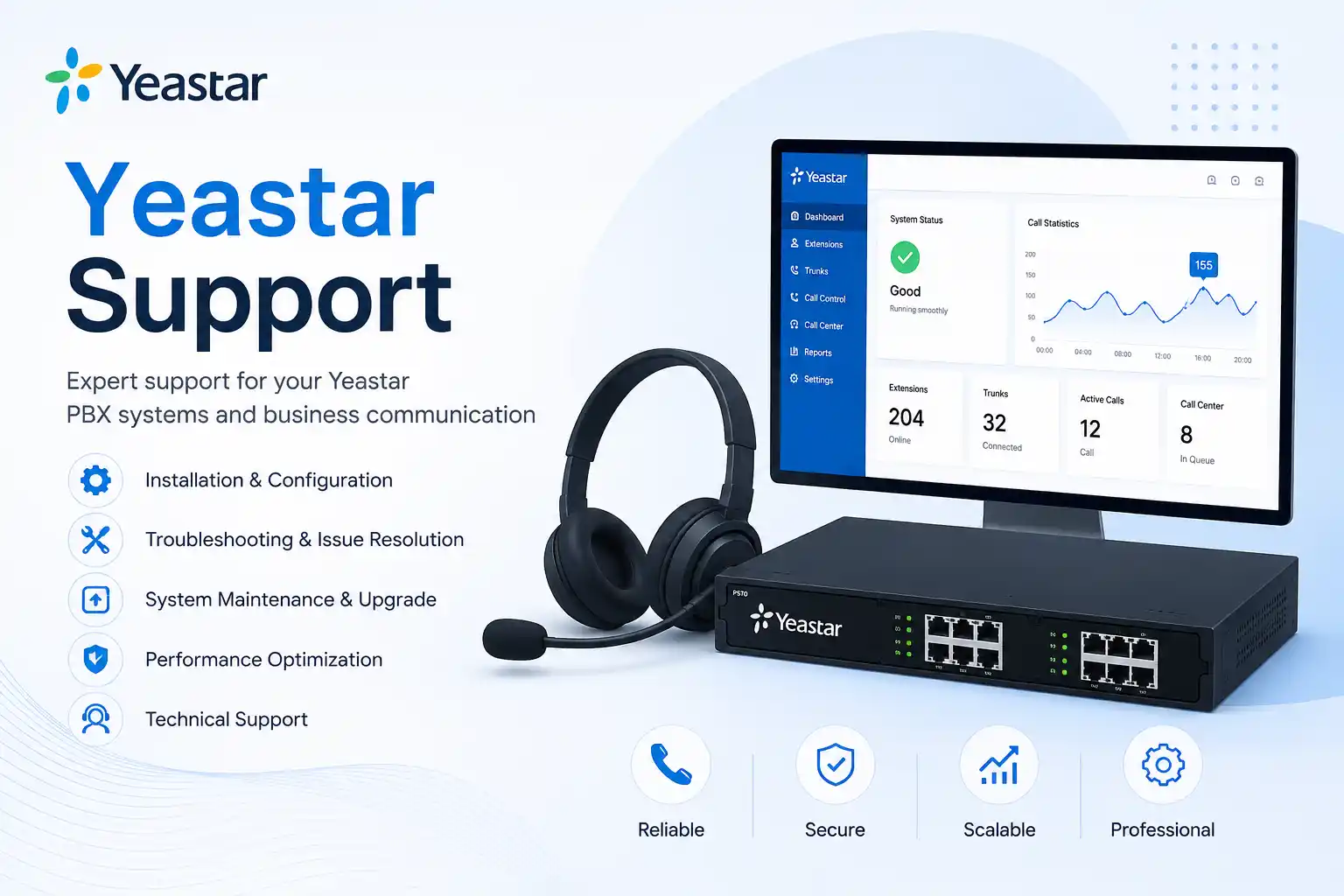
Model, edition, firmware and call flows should be confirmed before change planning.
Configuration protection and a practical recovery path are part of responsible upgrade preparation.
Reception, inbound numbers, outbound calls, queues, voicemail and after-hours routes need testing.
Licensing, hardware, phones, provider requirements and migration effort vary by environment.
What does a Yeastar IP PBX upgrade service involve?
A Yeastar IP PBX upgrade service is the assessment, planning, backup, compatibility review, implementation, testing and handover work required to move an existing Yeastar telephone environment to a newer supported state. Depending on the installed system, that may mean a controlled firmware update, a platform edition change, replacement of an older appliance, migration from an S-Series environment to a suitable P-Series deployment, or a broader redesign of call routing and user access. Businesses should consider an upgrade when the current PBX is ageing, difficult to maintain, missing required functions, affected by compatibility limits, or being changed alongside office growth, provider changes or network work. Before the scope is confirmed, the customer should prepare the exact PBX model or edition, current firmware, extension and phone inventory, SIP trunk information, key call flows, backup status, administrator access availability and preferred maintenance window.
Why an IP PBX upgrade needs more than a firmware file
A business telephone system sits between users, desk phones, mobile clients, SIP providers, internet connectivity, network switching, firewall policies and customer-facing call routes. A change at the PBX can therefore affect more than the administration screen. A firmware update may alter supported features, provisioning behaviour, security requirements or management workflows. A hardware or platform migration may also change how extensions are licensed, how phones are provisioned, how recordings are stored, how remote users connect and how trunks are registered.
The first question is not simply whether a newer version exists. It is whether the planned target is suitable for the specific Yeastar model or edition and whether every important dependency has been reviewed. Yeastar publishes separate firmware families for different product lines and editions, and production upgrades should follow the applicable vendor guidance rather than assuming that one image works across all platforms. In particular, appliance and software deployments use different firmware paths, and older S-Series systems have version-specific upgrade and migration requirements. These differences make inventory and version checking a practical part of the service rather than an administrative detail.
FourTeck approaches the work as a business change. The existing call behaviour is documented before approval, the configuration is protected where supported, affected users and departments are identified, the maintenance window is agreed, and the post-change validation list is prepared in advance. This gives the customer a clear definition of what success means: not merely that the PBX reboots, but that important numbers ring the correct destinations, staff can call out, reception works as expected, voicemail remains usable, remote users reconnect where applicable, and any agreed integrations continue to operate.
What the service may cover
Depending on the confirmed scope, assistance may include current-state discovery, configuration backup, firmware path review, call-flow documentation, user and extension inventory, SIP trunk checks, IP phone compatibility review, network readiness checks, licensing review, maintenance-window planning, upgrade execution, migration preparation, test calling, voicemail checks, remote-user validation, administrator handover and post-change documentation.
The service can also include coordination with the voice carrier, internet provider, internal IT team, phone supplier or application vendor when their systems are part of the dependency chain. This is useful when a telephone upgrade is linked to a new SIP trunk, office move, new firewall, VLAN change, internet circuit replacement or wider communications project.
Who may need this service
The service may suit offices that rely on Yeastar for reception, departmental routing, sales or support queues, branch calls, remote users, voicemail, IVR menus or general internal telephony. It is also relevant when an existing PBX has been in service for several years and the business wants to understand whether it should be updated, retained, expanded or replaced.
Multi-site organisations can use the assessment to identify whether all locations follow the same extension plan, whether phones are still supportable, whether remote connectivity is stable and whether provider dependencies are documented. Smaller offices may use the service to reduce uncertainty before a one-time upgrade, while larger environments may need a staged project with pilot users, formal testing, user communication and a more detailed rollback plan.
Common reasons businesses consider a Yeastar PBX upgrade
Ageing or difficult-to-support platform
An older PBX may still place calls but become harder to maintain as firmware, hardware, phones or integrations age. An upgrade assessment helps separate what can be retained from what introduces ongoing support risk.
Office expansion or staff growth
New departments, remote users, extra branches or more extensions can expose capacity, numbering, licensing and network limitations that were not important when the original system was installed.
New provider or connectivity design
A SIP provider change, firewall replacement, internet circuit move or network redesign can be a useful point to review the PBX rather than reproduce an undocumented configuration on new infrastructure.
Repeated call-flow or administration problems
If changes regularly break reception, office hours, queues or forwarding, the problem may be weak documentation or accumulated configuration complexity rather than the hardware alone.
Remote and mobile user requirements
Changes in working patterns can create new requirements for remote extensions, mobile applications, secure access and consistent call handling outside the main office.
Security and lifecycle housekeeping
A planned review can identify outdated software, unmanaged administrator access, old accounts, unused extensions, weak documentation or unnecessary exposure that should be addressed as part of a controlled change.
Business impact of an unmanaged PBX change
A rushed upgrade can create problems that are not obvious from the PBX status screen. Incoming numbers may reach the wrong destination, outbound permissions may change, a queue can stop distributing calls as expected, remote phones may fail to register, voicemail delivery may differ, a trunk may require renewed settings, or a handset may no longer provision correctly. Even when basic calling works, the business may discover later that after-hours routing, a rarely used direct number or a departmental overflow path was not tested.
The operational effect depends on how the company uses telephony. A professional office may miss client calls; a clinic may have difficulty routing appointments; a warehouse may lose a direct line used by dispatch; a retail site may be unable to reach another branch; a support team may have incorrect queue behaviour. The purpose of change control is not to suggest that every upgrade will fail. It is to make the important dependencies visible before work begins and to prepare a verification process that matches actual business use.
A well-scoped project therefore includes both technical and operational questions. Which numbers are critical? Which users must be available first? Which call flows are used outside office hours? Are recordings, prompts or voicemail messages business-critical? Who can approve a rollback if testing reveals a problem? Answering these questions before the maintenance window reduces uncertainty and gives the engineer a practical order of work.
Service-fit matrix for Yeastar upgrade planning
| Business situation | Relevant assistance | What must be confirmed |
|---|---|---|
| The PBX is stable but running an older firmware release. | Version-path review, backup, release-impact review, maintenance window and post-upgrade testing. | Exact model or edition, current version, vendor-supported path, backup status and critical call flows. |
| An older Yeastar system is being replaced with a newer platform. | Inventory, migration planning, compatibility review, configuration mapping, test plan and staged cutover where appropriate. | Source version, target edition, phone support, trunks, recordings, licensing, integrations and rollback options. |
| Calls are already unstable before the proposed upgrade. | Pre-upgrade troubleshooting across PBX, network, firewall, provider and phones before deciding whether upgrading is corrective or separate work. | Fault pattern, affected users, logs, provider status, recent changes and whether the issue can be reproduced. |
| The office is moving or expanding at the same time. | Combined telephony and network readiness review, extension plan, phone mapping, provider coordination and phased activation. | New site readiness, cabling, PoE, VLANs, internet, number-porting or trunk schedule and user move sequence. |
| The business wants better documentation before future support. | Configuration review, extension list, trunk record, call-flow map, administrator dependencies and change notes. | Available access, existing records, authorised contacts and what documentation the business wants to maintain. |
Yeastar IP PBX upgrade service information
| Service topic | Yeastar IP PBX upgrade, migration and related change planning. |
|---|---|
| Main purpose | Move an existing telephone environment to an appropriate newer software or platform state while protecting important call functions and documenting dependencies. |
| Typical systems involved | Yeastar PBX, IP phones, SIP trunks, switching, voice VLANs, firewall, internet service, remote clients, voicemail, queues, IVR, recordings and selected integrations. |
| Assessment method | Remote review, on-site inspection or a combination, depending on access, physical dependencies and the planned work. |
| Customer access required | Authorised administrator and relevant provider access may be required. Credentials should be shared only through an approved secure method after authorisation is confirmed. |
| Backup considerations | Configuration backup, restore viability and rollback options are reviewed according to the installed platform and change type. |
| Testing and validation | Scope dependent; may include internal calls, inbound and outbound calls, direct numbers, reception, queues, voicemail, office hours, remote users and selected device provisioning. |
| Vendor coordination | May be required for SIP trunks, internet, licensing, hosted services, support entitlements, applications or device compatibility. |
| Service location | Dubai and wider UAE coordination, subject to confirmed scope, access and scheduling. |
| Quotation requirement | The final work scope, implementation method, on-site requirement and commercial terms depend on assessment. |
When remote assistance may be suitable
Remote work can be effective for discovery, configuration review, backups, log collection, firmware-path checks, call-flow documentation and software-led changes when the PBX is reachable through an authorised secure method and the customer has a reliable internet connection. A local contact should be available during any change that might require device checks or a physical restart. Remote support is especially practical when the telephone issue or upgrade task does not require cabling, rack access or hands-on inspection.
Remote access does not remove the need for change control. The same questions about backup, target version, maintenance window, provider dependencies and test calls still apply. If the PBX becomes unavailable in a way that cannot be recovered remotely, an on-site step may still be necessary.
When on-site support may be recommended
An on-site visit may be appropriate when the work involves an appliance replacement, power or rack checks, new network connections, phone re-provisioning across many desks, local gateway hardware, cabling, voice VLAN changes, physical port testing or a cutover that requires immediate local verification. It can also be useful when the existing system has weak documentation and the engineer needs to identify connected equipment before planning the upgrade.
On-site attendance depends on the service location, building access, engineer scheduling, confirmed scope and any required equipment. FourTeck can help determine whether the first assessment should be remote, on-site or mixed so the quotation reflects the actual work rather than assumptions.
How FourTeck assesses an existing Yeastar environment
A useful upgrade plan begins with evidence. The first step is to identify the PBX model or deployment edition, current firmware, user count, extension plan, connected phone models, trunk providers and critical call behaviour. That information helps determine whether the request is a straightforward maintenance update, a larger platform migration or a project that should first solve existing telephony or network problems.
Identify whether the change is preventive, driven by faults, linked to growth, required for a new feature, or part of a wider office or provider project.
Record the PBX, firmware, phones, gateways, trunks, remote users, key extensions, direct numbers and major integrations.
Document reception, departments, queues, IVR choices, forwarding, office hours, voicemail and any exception routes that must survive the change.
Confirm authorised administration, available backups, restore options and any secure provider portals needed during implementation.
Review target platform requirements, phone provisioning, trunks, network, firewall, licences, storage and integrations before defining the cutover.
Decide in advance which calls, numbers, queues, voicemail paths, users and remote functions will be tested and who will confirm acceptance.
Planning the upgrade, migration or replacement
Once the current state is understood, the next step is to define the target and the safest route to it. A firmware update should use the correct release family for the installed model or edition and should follow the vendor’s supported upgrade path. A migration to a newer platform requires a broader review because a configuration that exists on the old PBX may not map one-for-one to the target. The plan should identify settings that can be transferred, settings that need to be rebuilt and items that need user or management approval before they change.
For an older S-Series environment, the assessment may include whether a migration to P-Series is technically appropriate and what source-version prerequisites apply. For a P-Series deployment, the team should confirm whether it is an appliance, software or cloud edition, because edition-specific requirements affect how upgrades are handled. Beta or evaluation firmware should not be treated as a default production target. The business should also understand which licensing, storage, hosting or support dependencies belong to the target design before a maintenance window is approved.
The implementation sequence is then matched to business priority. A small office may be able to schedule one maintenance window with a complete test list. A larger organisation may prefer a staged approach, especially if many phones, departments or branches are involved. A pilot or pre-production review can be useful when phone compatibility, remote-user behaviour or an integration is uncertain. The exact method depends on the installed environment, available equipment and the risk the business is prepared to accept.
Testing, validation and handover after the change
The upgrade is not complete when the PBX reports that it has started successfully. Validation should be based on how the business actually uses the telephone system. The test list may include extension-to-extension calls, inbound calls to main and direct numbers, outbound calls through required routes, caller identification, reception handling, queues, ring groups, IVR selections, voicemail, forwarding, office-hour behaviour and remote users. Where call recording, conferencing, paging, door access, analog devices or other integrations are important, they should be included only when they are part of the confirmed scope.
Phone provisioning should also be checked. A handset that registers does not necessarily have the correct name, keys, time settings or permissions. Representative models can be tested first, followed by a wider spot check for larger estates. Network quality should be considered if users report one-way audio, clipping, delay or intermittent registration after the change; these symptoms can involve the PBX, firewall, VLAN, internet service or carrier and should not automatically be attributed to the upgrade.
Handover can include a record of the completed change, current PBX version, backup location, extension and trunk notes, known limitations, outstanding risks, provider contacts and recommended next actions. The level of documentation depends on the project. For a business without an internal administrator, concise records are especially valuable because they reduce guesswork when a future user change, provider issue or maintenance task occurs.
Capability: clearer call-flow control
An upgrade is a useful opportunity to confirm whether the existing call flow still matches the way the company operates. Departments may have changed, old extensions may remain in ring groups, after-hours messages may be outdated or queue overflow routes may no longer reflect staffing. FourTeck can map the desired behaviour before the technical change and use that map as part of validation.
The objective is maintainability rather than unnecessary redesign. If the current flow works well, it may be better to preserve it and document it. If the business wants changes, those changes should be listed separately so it is clear which issues are upgrade-related and which are new configuration requirements.
Capability: safer version and platform changes
A controlled change process reduces the risk of selecting an unsuitable firmware image, skipping an important prerequisite or discovering an unsupported endpoint only after cutover. The service reviews the installed edition, source version, target version, backup state and connected devices before implementation. This is particularly important when moving between product generations or between appliance and software-based deployments.
Compatibility still depends on the exact environment. A successful upgrade on one Yeastar system does not prove that the same path is appropriate for another model, firmware branch or integration. FourTeck uses the specific environment and current vendor guidance to define the proposed work.
Capability: better support documentation
Telephone systems often accumulate undocumented changes over time. An upgrade project creates a practical reason to record key numbers, trunks, extensions, queue destinations, office hours, phone models and administrator dependencies. Better records make future troubleshooting faster because support staff can understand the intended configuration before changing it.
Documentation is not a substitute for backups or vendor support, and it should not expose passwords. Its role is to preserve operational knowledge: what the system is expected to do, which providers are involved, which settings are business-critical and what changed during the project.
Dependencies to confirm before a Yeastar upgrade
Telephone projects fail most often at the edges between systems. The PBX may be functioning correctly while an external provider, phone profile, firewall rule or network change prevents the expected result. The following dependencies should therefore be reviewed according to the confirmed scope.
- PBX edition and firmware: the exact source and target must be identified before choosing an upgrade method.
- SIP trunks and phone numbers: provider authentication, addressing, routing, number presentation and any IP restrictions may affect cutover.
- IP phones: models, firmware, provisioning method and required user functions should be checked before deciding that existing devices can be retained.
- Network and voice VLAN: switching, DHCP, DNS, routing, PoE and segmentation can affect registration and call quality.
- Firewall and internet path: remote users and SIP services may rely on stable connectivity and correctly designed traffic handling.
- Licensing and subscriptions: feature availability and migration options can depend on the chosen Yeastar edition and current licensing state.
- Recordings and storage: retention, export, migration or continued access should be discussed when recordings are important to the business.
- Remote users and applications: user sign-in, device registration and external connectivity should be included in the validation plan where relevant.
- Third-party integrations: CRM links, paging, door systems, gateways or other applications may need separate verification or vendor coordination.
Risk, limitation and exclusion guidance
The exact upgrade outcome depends on the condition and supportability of the current PBX, the target platform, available backups, administrator access, phone compatibility, provider dependencies and the quality of existing documentation. Some environments can be updated with limited change, while others require a migration or hardware replacement. A successful test does not remove the need for routine backup, maintenance and monitoring after the project.
Downtime cannot be assumed to be zero. The maintenance window should reflect the change method and the business’s tolerance for call interruption. If an existing fault is discovered during assessment, it may need to be diagnosed separately before the upgrade can proceed safely. Hardware failure, replacement parts, licensing, provider fees, new phones, cabling, network equipment or third-party engineering may sit outside the initial support scope unless included in the quotation.
Legacy or unsupported equipment may limit available options. Recordings, prompts, templates or integrations may not transfer exactly between platforms. Configuration changes should be made only with customer authorisation and a defined rollback or recovery approach where practical. Credentials should not be posted on public forms or pages; secure access methods should be agreed after the responsible customer contact has been verified.
FourTeck can explain the identified dependencies and propose next actions, but final project timing depends on access, engineer scheduling, customer approval, site conditions, required equipment, vendor response and service-provider coordination. Commercial terms are based on the approved scope and quotation.
Business environments where upgrade planning can be useful
A Yeastar PBX can support very different operating patterns, so the upgrade plan should reflect the environment rather than applying one generic checklist. In a professional office, reception routing, direct numbers, executive extensions and meeting-room phones may be central. A clinic may care about appointment lines, overflow handling and reliable front-desk calling. A warehouse or logistics operation may depend on direct extensions between administration and dispatch, while a retail or hospitality location may need predictable after-hours routing and branch communication.
Multi-branch organisations introduce additional dependencies. Each site may have its own internet service, firewall, phone models, local contacts and operational hours. A change should therefore define whether the PBX is centralised, how branches reach it, what happens if a WAN link fails and which test calls should be made from each location. The upgrade itself may be technically simple while the validation is wider because more people and network paths are involved.
Growing companies may also use the project to standardise extension naming, user records, phone templates and call-flow documentation. Standardisation can make onboarding and troubleshooting easier, but it should not be imposed without considering department-specific requirements. FourTeck can help distinguish useful clean-up work from changes that should be deferred to a separate project.
Operational, security and maintenance considerations
A PBX upgrade is also an opportunity to review how the telephone environment is maintained. Administrator accounts should belong to authorised people, obsolete users should be reviewed, backups should have a known location, and provider contacts should be documented. Remote access should follow the business’s security policy, and unnecessary exposure should be avoided. These are maintenance practices rather than guarantees of security, but they reduce avoidable uncertainty when future changes are required.
Update planning should also become a repeatable process. Instead of applying changes only when a fault occurs, the business can decide who reviews vendor releases, who approves maintenance windows, where backups are stored and which calls are tested after a change. The frequency depends on the platform, business risk and agreed support arrangement. Automatic update options may exist on supported Yeastar products, but a production business should still consider whether unattended installation is appropriate for its change-control requirements.
For environments without internal telephony expertise, an ongoing maintenance arrangement can help keep records, backups and upgrade decisions current. The actual tasks, visit frequency, remote support scope, exclusions and chargeable project work should be defined in the service agreement rather than assumed to be unlimited.
Before you contact FourTeck about a Yeastar upgrade
Providing a clear starting point helps separate a simple version review from a larger migration project. You do not need to solve the technical problem yourself, but the following information can make the first discussion more productive.
Service evaluation checklist for quotation planning
The quotation should make clear what FourTeck is expected to assess, change, test and document. These points can be used to define the engagement without assuming that every activity is automatically included.
- Confirm the exact upgrade or migration objective.
- Confirm the number of users, phones and sites involved.
- Identify the existing PBX edition, version and hardware state.
- Define required administrator and provider access.
- Decide which tasks can be remote and which need on-site attendance.
- List call-flow changes separately from upgrade-preservation work.
- Confirm whether phone or gateway compatibility testing is required.
- Confirm backup, restore and rollback expectations.
- Agree the call scenarios and users included in validation.
- Confirm any documentation or administrator handover required.
- Identify third-party provider or vendor coordination.
- Agree the preferred maintenance window and approval contact.
- Record exclusions such as new hardware, licences or cabling unless separately quoted.
How FourTeck can assist with the upgrade and quotation process
FourTeck can begin by clarifying what has triggered the request. Some customers already know they need a specific firmware update. Others are experiencing repeated issues and want to know whether an upgrade is the correct remedy. A third group may be replacing an older PBX as part of an office move or communications refresh. Defining the reason matters because the assessment and evidence required are different.
The team can review the current telephone environment, identify the technical layers involved, document business-critical call routes, check available backups, examine network and provider dependencies, and determine whether the work is mainly remote, on-site or a combined project. Where a migration is proposed, FourTeck can help map source settings to the target system, identify compatibility questions and build a staged validation plan.
After the environment is understood, the quotation can describe the intended work, assumptions, customer responsibilities, access requirements, testing scope, documentation and exclusions. If provider action, new hardware, licensing or cabling is required, those dependencies can be separated rather than hidden inside an uncertain estimate. The purpose is to give the customer a practical change plan with clear decision points before implementation begins.
For a wider view of the company’s approach, customers can review FourTeck IT service and support information or visit the FourTeck IT Services UAE home page.
Dubai and UAE service coordination
For businesses in Dubai, Yeastar upgrade work can be coordinated as remote support, a planned on-site visit or a combination. The correct format depends on the existing PBX, whether hardware must be handled, whether phones or network ports need local testing, the number of users, business urgency, available remote access and the approved work scope. A remote assessment can often collect enough information to define the project before an on-site visit is scheduled.
On-site work may be recommended for appliance replacement, rack or power checks, phone deployment, local gateway work, cabling, network segmentation, multi-floor testing or cutovers where several physical elements must be coordinated. Building access, parking or loading restrictions, security procedures and local contact availability should be discussed before scheduling. Service timing also depends on engineer availability, customer approval, equipment readiness and any provider action that must occur before or during the maintenance window.
Customers should avoid assuming that an upgrade can be completed within a fixed duration before the environment is assessed. A single supported firmware change and a multi-branch migration are both called upgrades in everyday language, but their planning and testing requirements are very different. FourTeck can help convert the initial request into a defined scope so the customer knows what is being changed and how it will be verified.
Coverage coordination for Dubai, Abu Dhabi, Sharjah and Ajman
FourTeck can review Yeastar upgrade requirements for businesses with operations in Dubai, Abu Dhabi, Sharjah and Ajman. Coordination may involve remote discovery, planned on-site assessment, installation work, configuration, migration, testing or post-change support depending on the confirmed scope. Multi-site projects should identify which PBX or call services are central, which locations have local phones or gateways, which internet and firewall paths are involved, and who can assist at each site during testing. Scheduling, travel, building access, site conditions, equipment availability and third-party provider dependencies can affect the service plan. Contact FourTeck to confirm the appropriate support method and quotation for the locations involved.
Related FourTeck IT services that may matter during a PBX upgrade
IP PBX and office telephone support
Call routing, extensions, queues, voicemail, SIP trunk coordination and post-upgrade troubleshooting may be part of a wider telephone support requirement.
Office network support
Voice registration and call quality depend on switching, VLANs, PoE, routing, DNS, cabling and the path to the internet or provider.
Firewall and connectivity coordination
Remote users, SIP trunks and hosted communication paths can rely on firewall and internet settings that must be considered during change planning.
Ongoing maintenance planning
After the upgrade, backup checks, documentation, user changes and future update planning can be included in an agreed maintenance arrangement.
Explore the broader business IT service and support scope to understand how telephony can be coordinated with network, firewall, user and infrastructure requirements.
Why businesses contact FourTeck for planned PBX changes
Businesses often need help because the telephone system touches several technical areas at once. An internal user may know that the PBX needs updating but not have current records for the SIP carrier, phone models, firewall rules or original call-flow design. FourTeck can bring those dependencies into one assessment, explain what is known, identify what still needs confirmation and separate the upgrade itself from unrelated faults or optional improvements.
The value of the service is practical coordination. That can include remote review, on-site inspection, safer change planning, backup checks, business-call testing, documentation and provider communication. Findings are explained in business terms so managers can understand what needs approval and technical teams can see what must be prepared. Where the work is not yet sufficiently defined, the next step can be an assessment rather than a guess-based implementation.
FourTeck does not need to present every change as a replacement project. In some environments, retaining the current platform and applying a supported update may be appropriate. In others, lifecycle, capacity, compatibility or support limitations may justify migration planning. The recommendation should follow the evidence and the customer’s operational priorities.
Questions businesses ask before deciding on a Yeastar PBX upgrade
Customers researching a telephone-system change usually want more than a statement that upgrading is possible. They want to understand whether the current system really needs to change, what information an engineer needs, whether the work can be remote, what downtime might occur, whether existing phones can stay in use, and how to avoid losing important call behaviour. The answers below are designed to help with those decision points before a support or quotation request is raised.
Can a Yeastar PBX be upgraded without replacing the hardware?
Sometimes, but the answer depends on the exact model, firmware branch, support status and business objective. A supported appliance may only need a controlled firmware update. An older system may have lifecycle, capacity or compatibility limits that make migration to a newer platform more appropriate. The correct decision requires the current model and version, not just the Yeastar brand name. The assessment should also consider whether the existing phones, gateways, trunks and integrations will continue to meet business needs after the change.
How do we know whether we need a firmware update or a full migration?
Start with the reason for change. If the PBX is supported, stable and only needs maintenance or a vendor-recommended update, a firmware project may be sufficient. If the system is ageing, difficult to support, capacity constrained, incompatible with required devices, or unable to meet a new business requirement, migration should be considered. Existing faults should be diagnosed before assuming a new platform will solve them. A network issue, SIP provider problem or failing phone can remain after a PBX replacement if the underlying dependency is not addressed.
Can the upgrade be checked and completed remotely?
A large part of the assessment may be possible remotely when secure administrator access and reliable connectivity are available. Version checking, configuration review, backup, logs, call-flow documentation and some software-led upgrades can be handled without a site visit. However, physical appliance replacement, rack work, cabling, network-port testing, gateway checks or widespread phone provisioning may justify on-site support. A local contact should also be available when a remote change could require a physical restart or device check.
What should we back up before changing the PBX?
At minimum, the supported PBX configuration backup process should be reviewed and the location of the backup should be known. Depending on the platform and scope, the business may also need records of extensions, trunks, call routes, IVR prompts, office hours, phone models, licence information and provider details. Recordings require separate attention because configuration backups do not necessarily mean that historical media is protected or transferable. The engineer should confirm what the platform can restore and what must be documented separately.
Will all our existing IP phones work after an upgrade?
That cannot be assumed without checking the phone models, firmware, provisioning method and target PBX platform. A handset may support basic SIP registration but still differ in automatic provisioning, programmable keys, directory functions or newer security requirements. For a migration, representative phone models should be reviewed before the cutover. If many phone types are in use, the business may choose to test a sample of each model and decide whether unsupported or difficult-to-maintain devices should be replaced in phases.
What can cause calls to fail after a PBX upgrade even when the PBX is online?
The same call depends on several layers: phone registration, PBX routing, SIP trunk status, network switching, firewall handling, internet connectivity and provider behaviour. A system can appear healthy while one trunk has incorrect authentication, a firewall rule is no longer suitable, a phone profile has changed, or a route was not recreated correctly. Post-change testing should therefore include real inbound and outbound scenarios rather than relying only on dashboard status.
How much downtime should we plan for?
The downtime is scope dependent and should not be guessed before the environment is assessed. A supported update on a small system is very different from replacing an older appliance, migrating configuration, re-provisioning phones and coordinating a SIP provider cutover. The project plan should identify which calls may be unavailable, whether temporary routing is possible through the provider, who must be present for testing and what conditions would trigger rollback. The maintenance window should then be agreed with the customer based on operational risk rather than a generic duration.
Should we upgrade the PBX while we are also changing the firewall or internet circuit?
It can be efficient to coordinate related projects, but combining too many changes into one window can make troubleshooting harder if something fails. The business should understand which dependency is changing and in what order. For example, if the firewall and PBX are both replaced, test points should be defined after each major step so a trunk or remote-phone issue can be isolated. In some cases it is safer to stabilise the network first and upgrade the PBX afterward. The correct sequence depends on available fallback options and the project schedule.
What information helps FourTeck prepare an accurate quotation?
The most useful inputs are the exact PBX model or edition, current version, number of users and phones, SIP provider, branch count, important call flows, remote-user requirements, known faults, backup status, preferred change window and whether on-site work is expected. If the customer wants new features or call-flow redesign at the same time, those requirements should be listed separately. This helps distinguish the core upgrade from optional configuration work, new hardware, licences or third-party services.
What if our Yeastar system is already having call-quality problems?
The issue should be assessed before the upgrade is used as a remedy. Poor audio, dropped calls or one-way speech can involve packet loss, bandwidth, VLANs, cabling, firewall behaviour, internet quality, SIP provider routing, phone firmware or PBX settings. An upgrade may still be appropriate, but the project should record the pre-existing symptom and, where possible, identify its technical layer. Otherwise the business may complete a successful PBX upgrade and still experience the same network or carrier fault afterward.
Can we clean up extensions and call routes during the upgrade?
Yes, if those changes are included in the confirmed scope, but they should be treated as planned configuration work rather than hidden inside the upgrade. Removing old users, renaming extensions, redesigning queues or changing office-hour logic creates additional testing requirements. A useful approach is to document the existing configuration, list the requested business changes, approve them separately and then validate both preservation and new behaviour after implementation.
When is an on-site visit usually worth including?
On-site support is useful when physical work is part of the risk: appliance replacement, rack access, cabling, PoE, local gateways, many desk phones, multiple floors or an environment that cannot be reached reliably from outside. It can also help when documentation is poor and the engineer needs to trace what is actually connected. If the system is well documented, remotely accessible and the planned change is software led, an initial remote assessment may be more efficient.
What should we test before staff return to normal calling?
Testing should mirror the business call journey. Confirm internal calling, the main incoming number, direct numbers that matter, outbound calling, caller identity, reception, queues or ring groups, IVR choices, voicemail, forwarding and office-hour rules. Then test representative phones and remote users where applicable. If a provider or integration is part of the project, include a test that proves the full path. Record any non-critical issue that can be addressed after service restoration rather than making unplanned changes during the cutover.
What happens if the target version or platform is not compatible with part of our environment?
The incompatibility should become a decision point before implementation. The options may include retaining the current component, updating its firmware, replacing it, using a different migration path, changing the target design or postponing that part of the project. The correct option depends on the function of the affected device or integration and the available vendor support. A controlled assessment makes this visible early enough for the business to approve cost, timing and risk rather than discovering it after the cutover begins.
Is a one-time upgrade enough, or should we plan ongoing PBX maintenance?
A one-time upgrade may be suitable when the system is stable and the business already has internal ownership for backups, user changes, updates and provider coordination. Ongoing maintenance can be useful when nobody is assigned to review firmware, record changes, remove old users, verify backups or maintain call-flow documentation. The service plan should state exactly what is included, how remote and on-site work is handled, what project work is separate and which customer contacts can authorise changes.
How should a multi-branch business prepare for the project?
Identify which sites use the PBX, how each branch connects, which internet and firewall services are involved, the number of phones at each site and a local contact for testing. Make a list of branch-critical numbers and hours. If locations have different phone models or connectivity, test those differences rather than assuming one successful site proves all others. The project plan should also explain whether all sites will change together or in stages and how the business will communicate the maintenance window to users.
Frequently asked questions about Yeastar IP PBX upgrade support
Does FourTeck support both firmware upgrades and PBX migrations?
FourTeck can assess both types of work. The final scope depends on the installed Yeastar platform, current version, target state, compatibility, access, licensing and business requirements.
Do we need administrator access before assessment?
Basic discovery can begin without credentials, but version checks, backups, configuration review and implementation normally require authorised access. Credentials should be exchanged securely after the responsible contact is confirmed.
Can our SIP provider be involved in the project?
Yes, when trunk settings, number routing, IP restrictions, porting or provider-side changes are relevant. The exact coordination depends on the provider and approved scope.
Will call recordings automatically move to a new platform?
This should not be assumed. Recording storage, retention and migration depend on the source and target platforms, available storage and the required history. Recordings should be reviewed as a separate project dependency.
Can the upgrade include new extensions and users?
It can if included in the quotation. New users add provisioning, permissions, phone assignment and test requirements, so they should be listed during planning rather than added informally during cutover.
What if our phones are from several different brands?
The models and required functions should be reviewed. Basic SIP compatibility and full provisioning capability are not the same, so representative testing may be needed before deciding which devices can remain in service.
Does a firmware update guarantee better call quality?
No. Call quality also depends on the phones, LAN, VLAN configuration, firewall, internet service and SIP carrier. Existing audio problems should be diagnosed across those layers.
Can the project be done outside normal office activity?
A preferred maintenance window can be discussed, but scheduling depends on engineer availability, customer access, provider coordination and the confirmed scope. No fixed attendance or duration should be assumed before approval.
What documentation can be included?
Depending on scope, handover can record the PBX version, extension ranges, key call routes, trunks, provider contacts, backup notes, known limitations and completed changes without exposing passwords.
Do you provide support after the upgrade?
Post-change support can be included in the agreed project or arranged separately. The quotation should define the validation period, follow-up tasks, maintenance requirements and any exclusions.
Can FourTeck help if we are unsure which Yeastar platform we have?
Yes. The first assessment can identify the model, edition and current version where access is available, then determine what additional information is needed before upgrade planning.
How do we request a quotation for Dubai?
Share the PBX details, user count, reason for upgrade, provider information, preferred support method and change window. FourTeck can then confirm whether further remote or on-site assessment is needed before quoting.
Plan the next Yeastar PBX change with a defined scope
If your business is considering a Yeastar firmware update, platform migration, appliance replacement or wider telephone-system refresh, start by documenting the current environment and the call paths that matter most. FourTeck can review the information, identify missing dependencies, recommend whether remote or on-site assessment is appropriate and prepare a quotation around the approved work.
The aim is to make the change understandable before it becomes disruptive: know what will be backed up, what will be changed, what needs third-party coordination, how users will be informed, what calls will be tested and what happens if the target state cannot be accepted. This approach is especially useful for businesses that depend on reception, queues, remote users or multiple UAE locations.
A practical next step for your internal team
Before contacting FourTeck, ask the person responsible for telephony to capture the PBX model or edition, current firmware, a current configuration backup if possible, the list of critical numbers and a brief description of the reason for the upgrade. If there is a fault, record when it happens and who is affected. If the project is planned, note the preferred change window and any related firewall, internet, office-move or provider work. This small amount of preparation gives the assessment a reliable starting point and helps the quotation focus on the real technical and business scope.