
Business telephony integration and controlled change planning
Yeastar and Avaya IP Office Integration in Dubai, UAE
Connect two established business phone environments with a plan built around call routing, SIP interoperability, network readiness, security, licensing, testing and a clear fallback path.
Start with the required call behaviour
A successful PBX interconnection is not simply a matter of creating a trunk. The design must define which users can call across systems, how numbers are translated, where inbound calls land, which platform owns each service, and how the business will operate if the interconnection is unavailable.
FourTeck can review the current environment and prepare a scope before configuration begins.
SIP-based interconnection where compatible
Licensing, versions and network path
Backup, approval, testing and rollback
Remote or on-site, scope dependent
What does Yeastar and Avaya IP Office integration mean?
It means creating a controlled telephony path between a Yeastar environment and an Avaya IP Office environment so that approved calls can pass between them according to defined routing rules. Depending on the models, software releases, licensing and network design, the interconnection may use SIP trunking and associated inbound and outbound routes. Businesses may consider this approach when retaining an existing Avaya IP Office while adding Yeastar at another site, introducing a new department, using a gateway, or preparing a phased migration.
Before any work is confirmed, the customer should identify the exact Yeastar platform, Avaya IP Office platform and version, current extension ranges, external telephone numbers, SIP trunk licensing, network addresses, firewall or SBC position, carrier dependencies, backup status and the call scenarios that must continue to work. The exact scope remains configuration, access and compatibility dependent.
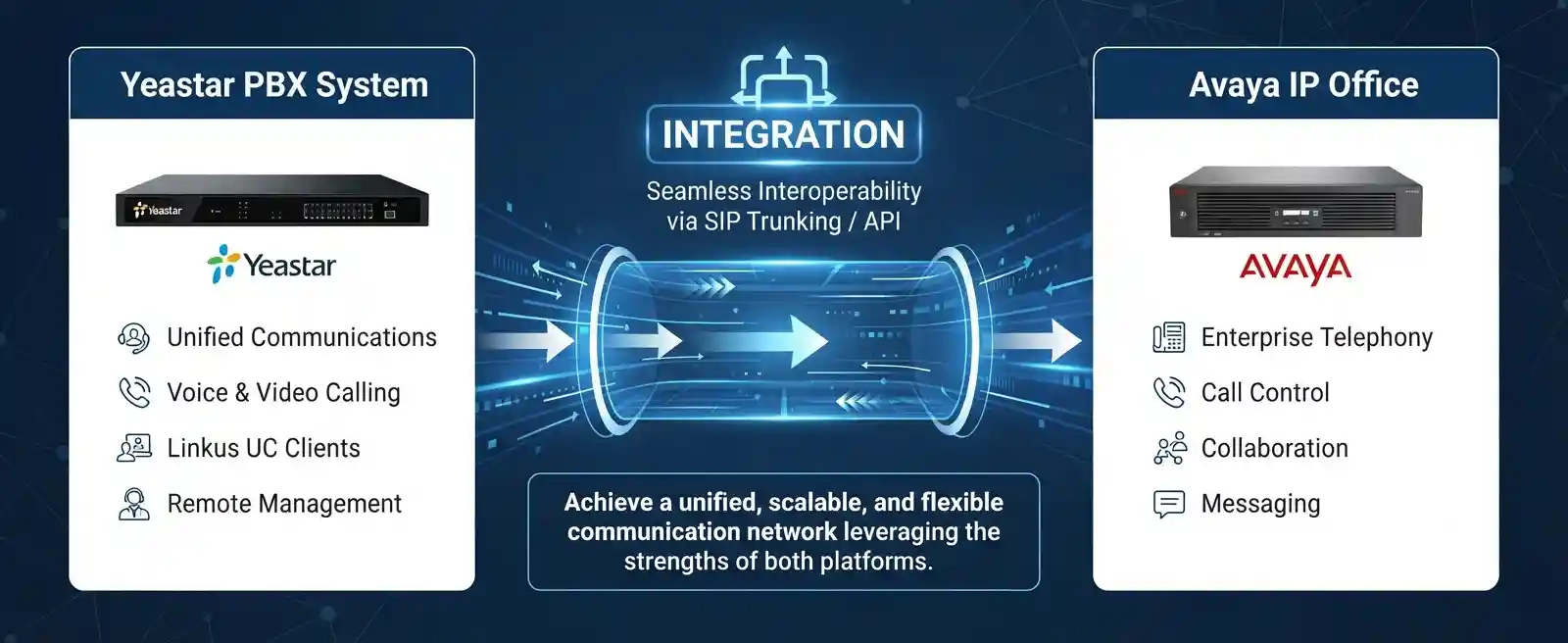
What the integration service may cover
The work can begin with discovery and documentation rather than immediate configuration. FourTeck may review the two PBX systems, current call flows, extension plans, external trunks, network paths, firewall policies and administrative ownership. Where a SIP-based interconnection is appropriate, assistance may include peer or account trunk planning on the Yeastar side, SIP line or trunk configuration on Avaya IP Office, route creation, number translation, caller-identification handling, media-path checks and controlled test calls.
Depending on the confirmed scope, the service can also include backup of existing settings, change-window planning, VLAN or network checks, gateway review, vendor or carrier coordination, user acceptance testing, post-change documentation and recommendations for ongoing maintenance. Not every activity is required for every site, and some tasks can depend on third-party licenses, provider settings or platform support.
Who may need this service?
This service is relevant to organisations that have a business reason to keep Yeastar and Avaya IP Office operating together, either temporarily or as a planned multi-system design. A head office may retain Avaya IP Office while a branch uses Yeastar. A company may introduce Yeastar for a new department before moving other users. Another environment may use a Yeastar gateway or PBX to extend a specific call path while keeping existing Avaya call handling in place.
It may also suit businesses inheriting a mixed telephony environment after an office move, merger, system takeover or vendor change. In these cases, the first goal is often to understand what each platform currently controls. Reception, hunt groups, voicemail, external numbers, direct inward dialling, recording, remote users and emergency or special-number handling should not be assumed to transfer automatically between systems.
Common reasons businesses plan a Yeastar–Avaya connection
PBX integration is usually triggered by an operational requirement rather than by technology alone. A business may have a functioning Avaya IP Office at one site but want to deploy Yeastar at a new location. It may need selected extension-to-extension calling between two offices, or it may want incoming calls received on one platform to reach users on the other. A migration project may require both systems to remain available during a staged cutover so that departments can be moved in controlled groups instead of in a single disruptive event.
Branch connectivity
A new branch uses Yeastar while an existing site continues to use Avaya IP Office, and users need defined internal calling between locations.
Phased migration
Teams are moved gradually from one platform to another while important call routes remain available during the transition period.
Mixed inherited environment
The organisation has acquired or inherited two systems and needs a documented plan instead of ad-hoc forwarding and manual workarounds.
Special call routing
A selected department, gateway, service number or overflow path needs to reach users managed by the other PBX.
Other triggers include extension-range changes, provider migration, office relocation, replacement of older phones, remote-worker requirements, a need to retain selected legacy features during an upgrade, or repeated failures in an undocumented trunk. These situations require assessment because a symptom such as failed calls, one-way audio or wrong caller identification can come from several layers: the PBX configuration, network addressing, firewall, SIP headers, media negotiation, routing rules, provider behaviour or licensing.
Why unmanaged PBX interconnection can affect business operations
When two telephone systems are connected without a clear routing and ownership plan, users can experience problems that are difficult to trace. Calls may loop, fail, reach the wrong destination, display an unexpected number, lose audio, or bypass the intended office-hours behaviour. Reception staff may not know which system controls a call. Administrators may change a route on one PBX without realising that a matching rule exists on the other. If the connection also crosses a firewall, VPN or public network, a configuration change outside the PBX can break an otherwise correct dial plan.
These issues can delay customer response, affect sales and support queues, interrupt communication between branches, complicate after-hours coverage and increase the time spent coordinating multiple vendors. The goal of a structured integration project is therefore not simply to make one test call succeed. It is to establish an understandable call path, validate the required business scenarios, record dependencies and make future support less dependent on guesswork.
Possible service scope after assessment
The final quotation should identify exactly which tasks are included. Depending on the confirmed environment, assistance may include the following activities.
Discovery and backup
Inventory the Yeastar and Avaya systems, confirm versions and ownership, map extensions and trunks, review existing documentation, and secure appropriate configuration backups before approved changes.
SIP interconnection planning
Determine whether a peer-style or registration-based relationship is appropriate, confirm addresses and ports, review SIP transport, and identify licensing or platform prerequisites.
Dial-plan design
Define extension ranges, prefix rules, incoming and outgoing groups, route priorities, caller-number presentation and how overlapping numbers will be handled.
Network and media checks
Review IP reachability, VLANs, routing, NAT, firewall policies and media flow. Where calls cross untrusted networks, security controls and SBC requirements should be considered.
Call-flow configuration
Build approved inbound and outbound routes, map required numbers, preserve intended reception or departmental behaviour, and avoid broad routing rules that create unintended destinations.
Testing and handover
Run a test matrix for both directions, confirm audio and signalling behaviour, document results, record remaining dependencies, and provide a supportable handover for administrators.
Service-fit matrix
| Business situation | Relevant assistance | What must be confirmed |
|---|---|---|
| Avaya IP Office at head office and Yeastar at a new branch | Inter-site SIP routing, extension plan, network path and call testing | Versions, licenses, addressing, firewall/VPN design and required call directions |
| Phased migration from Avaya to Yeastar | Temporary coexistence, routing, number mapping, user migration stages and rollback planning | Which services remain on each PBX, provider ownership, maintenance window and fallback |
| Intermittent or one-way calls across an existing trunk | Signalling and media diagnosis, route review, network and firewall checks | Reproducible call examples, logs, topology, recent changes and remote access |
| Extension ranges overlap | Dial-plan redesign, prefixing or number translation | Business numbering preference and which system owns each range |
| External numbers must reach users on both platforms | Inbound route mapping and provider coordination | Carrier handoff, DID ownership, SIP headers, failover expectations and test numbers |
Service information at a glance
| Service topic | Yeastar and Avaya IP Office integration, routing and interoperability support |
|---|---|
| Main purpose | Enable approved call exchange or planned coexistence between two PBX environments |
| Typical systems involved | Yeastar PBX or compatible gateway, Avaya IP Office, IP network, firewall/SBC where relevant, SIP providers, IP phones and dial plans |
| Assessment method | Configuration review, call-flow mapping, license and version checks, connectivity validation and test-call evidence |
| Remote support suitability | Often suitable when secure administrative access, working internet and a local contact are available |
| On-site support suitability | Useful for physical gateway, cabling, switch, VLAN, rack or handset checks, and where remote access is unavailable |
| Customer access required | Authorised administrator access and any relevant firewall, network or provider access; credentials should be shared through an approved secure method |
| Testing and validation | Scope dependent; normally includes defined call scenarios in both directions, audio, number presentation and route behaviour |
| Scheduling dependency | Maintenance window, business call volume, site access, engineer availability and third-party coordination |
| Quotation requirement | Final scope and commercial terms depend on assessment and approved quotation |
Remote configuration or on-site integration: which is appropriate?
Remote assistance
Remote work may be suitable when both PBX systems are already reachable over a stable network, authorised administrative access is available, backups can be taken, and a customer representative can place or answer test calls. Configuration review, route mapping, SIP settings, log checks, number normalisation and many signalling tests can often be handled without physical access to the equipment.
Remote support still depends on secure access and a working network. It should not be used as a reason to expose PBX management interfaces directly to the public internet. Where a firewall, VPN or SBC is part of the design, the access method and security boundary should be agreed before changes begin.
On-site assistance
An on-site visit may be required when the integration depends on a physical gateway, legacy interface, switch port, voice VLAN, cabling, rack equipment or local handset testing. It can also be useful when the customer has limited remote administration, undocumented network paths, or several users experiencing inconsistent symptoms that cannot be reproduced from outside the office.
On-site attendance does not remove the need for configuration preparation. Site access, rack access, administrator availability, building restrictions and an agreed maintenance window should be confirmed first so that the visit is focused on the tasks that require physical presence.
How FourTeck can assess the existing telephony environment
A careful integration begins by understanding the business outcome and the current state before changing either PBX. The assessment process can be adapted to an active fault, a new interconnection or a migration project, but a useful sequence normally includes the following stages.
- Define the required call scenarios. Identify who needs to call whom, which external numbers are involved, which reception or department routes matter, and whether the connection is permanent or temporary.
- Identify each PBX platform. Record the Yeastar model or edition, Avaya IP Office platform, software releases, current licensing and administrative ownership. Capabilities can differ by version and deployment type.
- Map extensions and number ranges. List extension patterns, direct numbers, prefixes and special routes. Overlapping extension ranges should be identified early because they can create ambiguous routing.
- Review existing trunks and call flows. Determine which system connects to the carrier, whether both systems have external trunks, and whether one PBX will act as the primary ingress or egress point for selected calls.
- Confirm network reachability. Check addressing, routing, VLANs, firewalls, VPNs and NAT conditions. SIP signalling can succeed while voice media still fails, so both signalling and RTP paths need consideration.
- Check backups and rollback options. Existing configuration should be protected where possible before changes. The business should know what can be restored if testing reveals an unexpected effect.
- Review security boundaries. A PBX should not be exposed unnecessarily. Where SIP crosses external networks, appropriate firewall controls and, where required, an SBC or secure private connectivity should be considered.
- Collect test evidence. For an existing fault, note calling and called numbers, direction, time, result and whether audio was present in both directions. This helps distinguish routing, signalling and media problems.
- Prepare the approved change. Define the trunk relationship, route rules, translations, priorities and test plan. Changes that can affect live calling should be scheduled with the customer.
- Validate and document. Confirm required scenarios, record relevant configuration relationships, note unresolved third-party dependencies and agree the next support action.
Planning the SIP interconnection without treating it as a one-click task
Both platforms can participate in SIP-based telephony, but that does not mean every combination of versions and settings is automatically interoperable. Yeastar P-Series environments support general SIP trunk types including peer-style and account-style trunks. Avaya IP Office supports SIP lines and uses incoming and outgoing routing relationships associated with those lines. Avaya also requires appropriate SIP trunk licensing for supported SIP call capacity. These capabilities provide a technical foundation for integration, but the actual configuration must be matched to the specific systems and business requirement.
1. Decide which system is authoritative for each call path
Before entering SIP settings, decide which PBX owns the external number, which platform should apply office hours, where voicemail should reside, and how calls should return. If a public number enters Avaya IP Office and then needs to reach a Yeastar extension, the inbound route and the inter-PBX route must agree. If a Yeastar user makes an external call through an Avaya-connected carrier, the route back through Avaya should be deliberate rather than created by a broad catch-all rule. Clear ownership also helps when a provider needs to be involved.
2. Define extension ranges and number translation
Non-overlapping extension ranges make inter-system routing easier because a number pattern can be associated with one destination. If both PBXs use the same ranges, a user dialling an extension may match a local object before the call can reach the other system. That does not always make integration impossible, but it may require prefixes, translations or a numbering redesign. The agreed approach should be understandable to users and documented for support staff.
3. Match signalling expectations
SIP involves more than an IP address. The systems may need agreement on transport, source and destination addressing, ports, domains, authentication style, number presentation and header handling. A trunk that appears reachable can still fail for specific call types if the remote side rejects the number format or expects different routing information. Changes should be based on test evidence rather than random adjustments to advanced settings.
4. Plan the media path as carefully as the signalling path
Successful call setup does not guarantee two-way audio. Voice media may follow a different network path from SIP signalling and can be affected by NAT, firewall rules, asymmetric routing or incompatible media expectations. Testing should therefore include audio in both directions, call hold and transfer where required, and representative internal and external calls. Network quality also matters: packet loss, latency, jitter, congestion and unstable switching can create poor call quality even when both PBXs are correctly configured.
5. Protect the PBX boundary
Avaya security guidance recommends that externally connected SIP trunks are protected by a properly configured firewall and that an SBC be considered for stronger SIP security. This is particularly relevant when a PBX-to-PBX connection crosses public or untrusted networks. A private routed link or VPN may change the design, but security should still be reviewed. Management interfaces, passwords and administrative portals should not be broadly exposed for convenience.
6. Use a maintenance window for disruptive changes
Changes to SIP line configuration can interrupt active calls, and routing changes can affect more users than the engineer who is testing. For that reason, the customer should identify the least disruptive period, the people who can approve changes, and the calls that must be checked before normal operation resumes. If the integration is part of a migration, the fallback state should be agreed before the change window begins.
Testing should prove the business call flow, not just trunk status
A connected or registered trunk status is useful, but it is not a complete acceptance test. The test plan should reflect how the company actually uses telephony. A simple environment may require extension-to-extension calls in both directions, an external inbound call to each platform and outbound calling through the intended carrier path. A more complex environment may also need reception transfers, ring groups, hunt groups, voicemail, call forwarding, after-hours routes, caller-number presentation, remote users and selected feature codes.
Each test should record the source, destination, expected result and actual result. If a call fails, note whether the failure occurs before ringing, during answer, after transfer or only in one direction. Audio should be checked both ways. Where DTMF is business-critical for IVR navigation, it should be included in the agreed test plan. If call recording or compliance-related features are used, their continued behaviour should be validated within the customer’s authorised scope rather than assumed.
Testing also needs to cover failure and fallback expectations where these are part of the project. If the inter-PBX link is unavailable, should the call fail, divert to a public number, remain on the originating PBX, or follow another route? That decision belongs to the business and may depend on provider capability. FourTeck can help turn those requirements into a practical validation checklist and document the result after implementation.
Capability focus: controlled migration between two PBX environments
One of the most useful reasons to connect Yeastar and Avaya IP Office is to support a staged change rather than a sudden cutover. A company may want to move one department, one floor or one branch first, validate the new call behaviour, then continue in phases. During this period, the two systems may need to exchange internal calls and pass selected external calls according to a temporary migration plan.
The key dependency is clarity about which functions remain on each platform at each stage. If reception remains on Avaya while a sales team moves to Yeastar, incoming routes and transfer behaviour need to reflect that temporary state. If voicemail remains on the legacy platform, forwarding and unanswered-call behaviour should be checked. If the carrier trunk moves before all extensions, the old PBX may need a route through the new platform for external access, or the reverse. These dependencies should be mapped before users are moved.
A controlled migration also benefits from explicit rollback criteria. A rollback is not a failure; it is a planned way to protect business communication if a critical dependency appears during the change. Backups, documentation, test numbers, user communication and ownership of carrier changes all contribute to a safer migration. The exact migration sequence depends on system versions, phone compatibility, licensing, provider arrangements and the customer’s operational tolerance for disruption.
Capability focus: clearer multi-site calling and extension planning
For organisations with multiple offices, PBX interconnection can create a more natural internal calling experience, but only when the numbering plan is designed with growth in mind. A branch should not be added with an extension range that later conflicts with head-office users or another site. The numbering plan can reserve ranges by site, department or function so that routing remains predictable as more users are added.
Network design is equally important. Voice between sites may travel through a private WAN, site-to-site VPN, managed provider network or other routed connection. The path must allow the required signalling and media traffic without exposing PBX services unnecessarily. Quality of service may help on congested links when correctly implemented, but it cannot repair an unreliable internet circuit or eliminate all provider-side problems. Capacity, packet loss, latency and failover expectations should be considered according to the business dependency on inter-site calls.
Documentation turns a working link into a maintainable one. Useful records can include site names, PBX addresses, extension ranges, trunk purpose, route prefixes, firewall dependencies, provider ownership, backup location and a simple test procedure. Sensitive credentials should remain in the customer’s approved secure system rather than in general documentation. With this structure, future support teams can understand the call path without rediscovering it during an outage.
Capability focus: faster fault isolation when calls fail between systems
An existing Yeastar–Avaya connection may fail completely or only for certain numbers, directions or times. The same symptom can have very different causes, so the investigation should narrow the problem by layer. If no calls pass in either direction, basic reachability, trunk state, licensing, firewall changes and system availability become important. If only one direction fails, route matching, source restrictions, number format and return-path behaviour deserve attention. If calls ring but have one-way audio, the media path, NAT and firewall behaviour become more likely areas to inspect.
Call examples make troubleshooting more efficient. A useful example includes the calling extension, called extension or external number, direction, time, result and whether the call reached the destination. PBX logs or trace information can then be correlated with network evidence where authorised. A recent firewall change, IP-address change, software update, carrier modification or office move can also provide context, but it should not be treated as proof of the cause until testing supports it.
FourTeck can help organise evidence across the PBX, network and provider boundaries. When the issue belongs to a third party, the customer receives a clearer escalation path rather than a generic statement that “the line is down.” The exact diagnosis still depends on access, logs, reproducibility and the condition of the environment.
Dependencies and customer inputs
Integration work becomes more predictable when the customer can provide accurate information. Important inputs may include the Yeastar model or deployment type, Avaya IP Office control unit or server details, software versions, current extension lists, telephone-number ownership, trunk providers, network diagrams, firewall platform, public or private addressing, VPN or WAN design, relevant licenses, recent configuration changes and any known faults.
Authorised administrator access to both PBX systems is normally required for configuration work. Access to the firewall, router or carrier portal may also be needed if the call path crosses those systems. Credentials should not be published or sent through an insecure public channel. They should be shared only through an approved secure method after identity and authorisation are confirmed.
The business should also identify a local or technical contact who can approve the maintenance window, make test calls, confirm expected behaviour and coordinate with users. Without a clear owner, a technically correct change can still fail acceptance because no one can confirm whether the final call flow matches business expectations.
Risk, limitations and exclusions
Interoperability depends on the exact platform versions, licensing, configuration and network conditions. SIP is a standard framework, but vendors can implement options differently, so a combination that works in one environment should not be assumed to work identically in another. Legacy releases or unsupported systems may have limited options.
Some issues require action from a telecom carrier, internet provider, software vendor or manufacturer. Hardware replacement, new licenses, carrier changes, structured cabling or separate network projects may fall outside an integration labour scope unless specifically included in the quotation. Configuration changes can also require a maintenance window and may interrupt active calls.
No service should be presented as guaranteeing zero downtime or universal compatibility. A successful test confirms the scenarios tested at that time; it does not eliminate the need for monitoring, maintenance, documentation and future change control. Final commercial terms depend on the approved quotation or service agreement.
Suitable business environments and practical use cases
Mixed PBX integration can appear in many types of organisations. A professional office may have a long-established Avaya IP Office system at headquarters and choose Yeastar for a new branch. A warehouse may need a limited extension range for operational staff while keeping central reception on the existing platform. A retail group may acquire a site with a different PBX and need temporary interconnection until standardisation is planned. A hotel, clinic, school or training centre may need a carefully staged transition because telephony is closely tied to reception, administration and customer communication.
Multi-branch businesses often benefit from clear site numbering and route ownership. Instead of relying on public telephone numbers for every internal conversation, selected inter-site calls may be routed through the approved PBX link when the network and licensing allow it. The design should still consider what happens if the private path fails and whether external calling must remain independent at each site.
Project offices and temporary sites can create a different requirement. The business may need short-term connectivity to a central system while a permanent communications design is prepared. In that case, the integration should be simple enough to remove later without leaving undocumented dependencies. The right solution depends on the expected lifetime of the connection, user count, network availability and the importance of the calls being carried.
Operational, security and maintenance considerations
A PBX interconnection becomes part of the operational network and should be maintained accordingly. Changes to IP addresses, firewalls, VPNs, SIP providers, extension ranges or routing can affect the link even when neither PBX is replaced. For that reason, the integration should be included in change records and considered during future network or telephony projects.
Security should focus on controlled exposure and authorised access. Management interfaces should be reachable only through approved methods. SIP services should not be opened broadly to the internet simply because a remote peer needs connectivity. If the path crosses a public or untrusted network, firewall controls and an SBC or other appropriate protection may be required depending on the architecture. Passwords, keys and administrator details should be stored securely and access should be limited to authorised personnel.
Maintenance planning can include periodic checks of trunk status, route documentation, backup availability, software support status, network dependency and test procedures. This does not mean every system should be upgraded immediately. Updates should be evaluated against compatibility, vendor guidance, business risk and an available rollback path. The aim is to avoid discovering during an outage that the only working configuration is undocumented or that no current backup exists.
Capacity should also be reviewed when user counts or call volume increase. Avaya IP Office SIP calls depend on licensed trunk capacity and available system resources, while Yeastar capacity depends on the specific platform and configuration. An integration designed for a small group may need a different plan if it later becomes the main path for hundreds of calls or multiple branches. Capacity changes should therefore be assessed rather than assumed.
Before you contact FourTeck
Preparing a concise set of information helps determine whether remote assessment is possible and what should be included in a quotation. You do not need to publish or send passwords in the initial request.
- Business location and main technical contact
- Yeastar model, edition or hosted deployment type
- Avaya IP Office platform and software release if known
- Approximate number of users or extensions on each system
- Current extension ranges and any known overlap
- External telephone numbers or trunks involved
- Required call directions and business call flow
- Existing network, VPN or WAN relationship between sites
- Firewall or SBC details if relevant
- Available administrator access and ownership
- Current backup status for both PBX systems
- Recent changes or known faults
- Preferred remote or on-site service method
- Required maintenance window and business impact
Service evaluation and quotation checklist
The engagement should be defined around the business outcome rather than a generic “connect the PBXs” instruction. Before work begins, confirm the following points so that responsibilities and testing are clear.
- Exact call scenarios required across the systems
- Number of sites, users and extension ranges involved
- Which PBX owns external trunks and public numbers
- Licensing or subscription dependencies
- Remote versus on-site work expected
- Firewall, VPN or SBC configuration responsibility
- Backup and rollback requirement
- Maintenance-window approval
- Test and user-acceptance scenarios
- Documentation and administrator handover required
- Carrier or vendor coordination included or excluded
- Post-change support or maintenance expectation
How FourTeck can support the integration and quotation process
FourTeck’s role is to turn the requested business call behaviour into a practical technical scope. That can begin with a discussion of the existing telephone environment, followed by review of platform details, network connectivity, extension plans, licenses and administrative access. Where remote assessment is possible, the configuration can be examined before deciding whether an on-site visit is necessary.
For a new integration, FourTeck can help define the SIP relationship, routing plan, numbering logic, security boundary, implementation sequence and test matrix. For an existing faulty connection, the focus can shift toward evidence collection, call traces, route matching, media flow, recent changes and isolation of the affected layer. If a third-party provider or vendor controls part of the path, FourTeck can organise the technical information needed for escalation.
After the scope is understood, the quotation should identify the planned work, dependencies, exclusions, service method and any requirement for a maintenance window. Configuration work should proceed only with authorised access and appropriate backup or rollback preparation. At completion, the agreed call scenarios can be tested and useful documentation handed over so the customer knows what was changed and what remains dependent on another party.
Dubai and UAE service coordination
FourTeck can coordinate telephony integration assistance for businesses in Dubai and across the UAE, subject to the confirmed scope, access and scheduling. Remote work may be suitable for configuration review, route planning, log analysis and approved PBX changes when secure access is available. An on-site visit may be recommended when the task requires physical gateways, switch or cabling checks, local handset testing, rack access or troubleshooting that cannot be reproduced remotely.
Service timing depends on engineer availability, customer access, site conditions, the maintenance window, required licenses or parts, and any telecom or internet provider involvement. Customers should confirm building access and local contacts before an on-site visit, particularly where PBX equipment is located in a controlled server room or shared facility. Installation, migration, provider changes and additional network work should be clearly identified in the approved quotation.
Dubai, Abu Dhabi, Sharjah and Ajman in one service plan
For organisations operating across Dubai, Abu Dhabi, Sharjah and Ajman, the service plan can combine remote assessment with scheduled site work where the technical requirement justifies it. A multi-site project may involve reviewing the central PBX remotely, coordinating a branch visit for local network or gateway work, testing calls with staff at both locations, and documenting the final route relationship. Travel, building access, site conditions, equipment availability and third-party scheduling can affect the plan, so these factors should be confirmed before attendance is promised.
Related FourTeck IT services
Explore FourTeck service coverage for call routing, extensions, SIP coordination and business telephone administration.
Network and connected IT support
Review the wider support model for networks, firewalls, users, servers and communication systems that influence IP telephony.
FourTeck service approach
Understand how FourTeck combines business-focused troubleshooting, infrastructure review, documentation and vendor coordination.
Request an assessment
Share the current PBX environment, required call flow and service location so the next step can be scoped.
Why businesses contact FourTeck for mixed telephony environments
A mixed PBX problem rarely belongs to one menu or one vendor. The call may originate on a Yeastar extension, cross a switch and firewall, reach an Avaya SIP line, follow an incoming or outgoing route, pass to a carrier, and then return through another path. FourTeck approaches the requirement as a connected service rather than assuming that one device is responsible.
This can help businesses clarify the reported problem, identify the affected layer, organise remote and on-site work, plan controlled configuration changes, document the call path and coordinate with carriers or other vendors when required. The emphasis is on practical findings and a clear quotation scope rather than unsupported promises. If the best next step is assessment before configuration, that should be stated. If a carrier change, new license, hardware replacement or separate network project is required, it should be identified as a dependency rather than hidden inside the integration description.
Questions businesses often ask before choosing an integration approach
Can Yeastar and Avaya IP Office be connected directly? A SIP-based interconnection may be possible where the specific platforms, versions, licensing and network design support it, but the correct method should be assessed rather than assumed. Yeastar P-Series systems support general SIP peer and account trunk options, while Avaya IP Office supports SIP lines and SIP routing. The actual design depends on whether the systems are on the same private network, connected through a VPN or WAN, or separated by public networks and security controls. The next action is to identify both platform versions and the required call flow before choosing the trunk type.
Do we need a SIP trunk license on Avaya IP Office? Avaya IP Office requires appropriate SIP trunk licensing for SIP calls. The number of simultaneous calls and the specific deployment model should be checked against the installed license state and platform capacity. A project should not assume capacity simply because a SIP line can be created in the management interface. Before requesting a quotation, provide the current Avaya version and available license information if known.
What if our Yeastar and Avaya extension numbers overlap? Overlapping ranges can make routing ambiguous because a number dialled by a user may match a local extension before it is sent to the other PBX. The integration can sometimes use prefixes, number translation or a revised extension plan, but the best choice depends on user habits and future growth. If the connection is part of a migration, temporary translation can be useful, while a permanent multi-site design may benefit from a cleaner numbering plan.
Can the work be completed remotely? Much of the assessment and configuration may be suitable for remote support when both systems are reachable through an authorised secure method, the internet connection is stable and someone is available to place test calls. Remote work is less suitable when physical gateways, cabling, switch ports, VLANs, rack equipment or on-site network conditions must be inspected. A remote first review can often establish whether an on-site visit is necessary.
Why do calls connect but have no audio in one direction? One-way audio often points toward the media path rather than only the dial plan. NAT, firewall policies, routing, address advertisement and network design can influence how voice packets travel. The correct diagnosis requires a real call example and visibility into both PBX and network conditions. Broadly opening firewall ports is not a safe troubleshooting strategy; changes should be controlled and limited to the required traffic.
Can we keep Avaya IP Office during a gradual move to Yeastar? A staged coexistence plan may be possible and is one of the common reasons for integrating two PBXs. The migration should identify which users, public numbers, voicemail services, reception functions and carrier trunks remain on each system during each phase. The test plan should follow the same stages so that the business can confirm expected behaviour before the next group is moved. Rollback and user communication should be part of the plan.
Should external calls use Avaya, Yeastar or both? There is no universal answer. Some businesses keep the existing carrier trunk on Avaya and route selected Yeastar outbound calls through the inter-PBX link. Others move the provider connection to Yeastar and keep Avaya users reachable during transition. A multi-site environment may retain independent external trunks for resilience or local-number reasons. The decision should consider carrier contracts, licensing, failover, emergency calling, number ownership and operational simplicity.
What information helps troubleshoot a failed inter-PBX call? The most useful evidence includes the calling number, called number, direction, exact time, whether the destination rang, whether audio worked both ways, and whether the failure affects every call or only certain patterns. Recent changes to PBX settings, firewalls, IP addresses, VPNs or carrier services should also be noted. This information helps separate routing problems from signalling or media faults and makes vendor escalation more efficient.
How should we secure a PBX-to-PBX SIP connection? The answer depends on whether the path is private or crosses an untrusted network. At a minimum, unnecessary public exposure should be avoided, firewall rules should be limited to required traffic, administrative interfaces should use controlled access, and credentials should be protected. Avaya guidance specifically recommends a properly configured firewall for external SIP connections and consideration of an SBC for stronger SIP security. The chosen design should also consider VPNs, NAT and the customer’s existing security architecture.
Will the integration preserve every PBX feature? Not necessarily. Basic voice calling may be achievable even when proprietary features do not pass cleanly between different systems. Functions such as presence, advanced transfer behaviour, voicemail indication, proprietary buttons, recording, application integration or specialised reporting can depend on vendor-specific implementations. The project should identify which functions are business-critical and test them explicitly rather than assuming that a successful extension call proves full feature interoperability.
What should we confirm before an on-site visit in Dubai or another emirate? Confirm the site address, building access, equipment-room availability, local contact, maintenance window, administrator access, network diagram if available, affected users and any physical gateway or switch involved. If the work depends on a telecom carrier or another IT vendor, their availability should also be considered. This avoids using on-site time to discover that the required equipment or credentials cannot be accessed.
How do we decide whether to repair an old integration or redesign it? Start by assessing the business importance of the link, the age and support status of both platforms, documentation quality, recurring failure history, extension growth and the purpose of the connection. A simple configuration fault may be worth correcting. A heavily modified, undocumented trunk on legacy systems may justify a cleaner redesign or migration plan. The decision should compare operational risk and maintainability, not only the time required to make the next call work.
What does a good handover look like after integration? Handover should include the purpose of the link, the PBX roles, extension or prefix rules, network dependencies, provider ownership, backup references, test procedure and any remaining limitations. Sensitive credentials should be stored separately through the customer’s secure method. The document does not need to expose every advanced setting, but it should give future administrators enough context to understand the call path and know where to begin troubleshooting.
Frequently asked questions
What is normally included in Yeastar and Avaya IP Office integration support?
Depending on the approved scope, support may include discovery, backup review, SIP interconnection planning, route configuration, extension-number mapping, network and firewall checks, test calls, documentation and vendor coordination. The exact tasks depend on the existing systems and the outcome requested.
Does FourTeck guarantee that every Yeastar and Avaya version will interoperate?
No. Compatibility depends on the specific platforms, releases, licenses, features and network design. The environment should be assessed and the required call scenarios tested before the connection is treated as accepted.
Can the integration be used for a branch office?
It may be suitable when a branch uses one PBX and another location uses the other. The project should review extension planning, inter-site connectivity, security, call capacity and what should happen if the link between sites is unavailable.
Can we route public telephone calls from one PBX to users on the other?
Potentially, yes, when the carrier arrangement, route design and licensing permit it. Incoming-number ownership, SIP headers, call permissions and the return path should be confirmed so that the route does not create loops or unexpected caller identification.
Do we need access to the firewall?
Not in every case, but firewall or network access may be required when signalling or media crosses protected network boundaries. The access need should be confirmed during assessment, and broad security changes should not be made without authorisation and a clear purpose.
What happens if the PBX systems are in different locations?
The inter-site network becomes part of the design. VPN, WAN routing, public addressing, NAT, firewall policy, bandwidth and voice quality can all influence the result. The security and reliability requirements should match the importance of the calls carried between sites.
Can the integration be part of an Avaya-to-Yeastar migration?
Yes, a temporary interconnection may support staged migration when compatibility permits. The migration plan should define which services stay on each PBX, how users move, what will be tested, and how the previous state can be restored if a critical issue appears.
Will existing IP phones work across both systems?
Phone compatibility depends on the phone model, provisioning method, firmware, licensing and PBX support. The integration between PBXs does not automatically make every handset interchangeable. Existing phone reuse should be reviewed separately where it matters to the project.
How is caller ID handled between the two PBXs?
Caller-number presentation can depend on route rules, SIP header handling, number translation and carrier requirements. The expected display for internal and external calls should be defined and included in testing rather than left to defaults.
What documentation can be provided after the work?
Documentation can include the purpose of the link, extension or prefix relationships, route ownership, network dependencies, provider responsibilities, backup references, completed test scenarios and any known limitations, subject to the agreed service scope.
Is on-site service available in the UAE?
FourTeck can coordinate remote or on-site assistance in Dubai and across the UAE depending on the issue, access, location, engineer availability and approved quotation. On-site work is particularly relevant where physical equipment or local network testing is required.
What should be agreed before configuration starts?
Confirm the business call flow, affected systems, administrator access, backup state, licenses, network path, maintenance window, testing plan, third-party responsibilities and rollback approach. These details reduce uncertainty and help define the quotation accurately.
Plan the call flow before changing the PBXs
Share the Yeastar platform, Avaya IP Office details, extension ranges, required call directions, site location and known network dependencies. FourTeck can review the requirement and define whether remote assessment, on-site work or a staged integration plan is appropriate.