
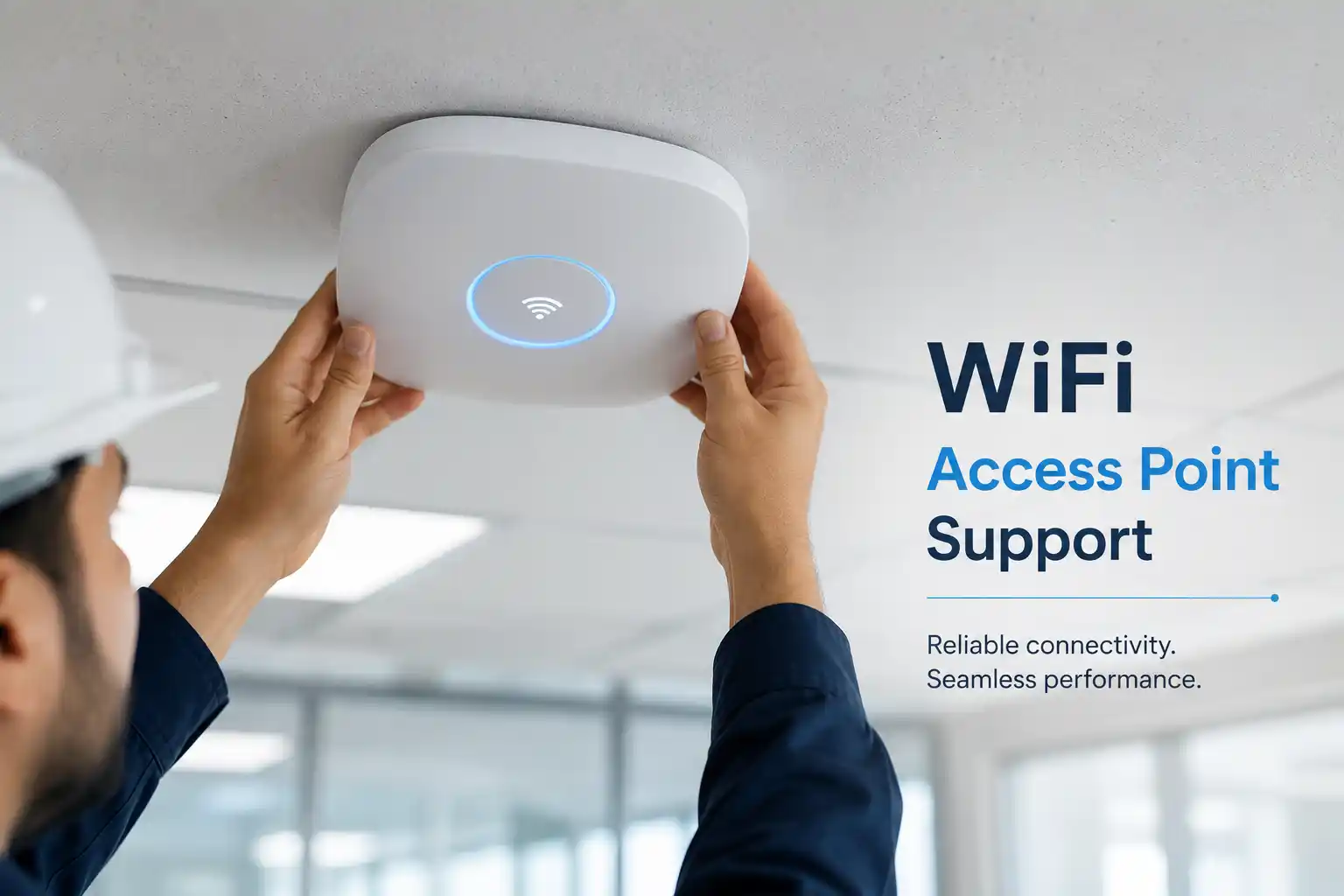
Check whether working areas receive usable wireless service.
Review whether access points can support real user and device demand.
Separate WiFi faults from switching, addressing, firewall or internet issues.
Use remote or on-site assistance according to access and physical testing needs.
What does wireless network support actually do?
Wireless network support is the assessment, troubleshooting, configuration and practical improvement of business WiFi and the infrastructure that allows wireless devices to reach local services and the internet. It is mainly used when users experience weak coverage, unstable connections, slow performance, access-point outages, difficult roaming, guest-network problems or inconsistent results between rooms and floors. It can also help when a business is expanding, moving office or adding more wireless users and wants to avoid creating an unmanaged collection of access points.
Businesses should consider the service when wireless problems affect work repeatedly, when several users report similar symptoms, or when a planned change could alter coverage or capacity. Before work is confirmed, prepare the site location, affected areas, approximate user and device counts, access-point information if available, recent network or fit-out changes, internet status, and authorised administrator access. The exact scope depends on the environment, evidence available, physical access, current configuration and the actions approved in the quotation.
What the service may cover
Depending on the confirmed scope, assistance may include wireless fault isolation, access-point health checks, coverage investigation, channel and radio review, client connection testing, roaming observations, switch and uplink checks, Power over Ethernet review, DHCP and DNS checks, gateway reachability, guest-network behaviour, staff-network access, controller or cloud-management review, cabling inspection, configuration backup, firmware planning, access-point replacement assessment, capacity planning and post-change testing.
The goal is not to treat every slow connection as a signal-strength problem. A user can have a strong WiFi icon while traffic is delayed by a congested access point, a damaged uplink, incorrect network assignment, address exhaustion, DNS delay, firewall policy, internet-provider issue or an application problem. Service scope is therefore built around the path that the affected user or device actually needs to reach.
Who may need wireless support
The service may suit a professional office with video meetings, a clinic using wireless workstations, a showroom where staff move with tablets, a warehouse that depends on handheld devices, a hospitality environment with separate staff and guest needs, a training centre with many concurrent learners, or a multi-floor workplace where users roam between departments. The technical design should follow the business workflow rather than rely only on the number of access points installed.
It may also be appropriate for a new office before occupation, a branch expansion, a renovation that changes walls and partitions, a site that has accumulated different wireless devices over time, or an environment where the existing configuration is poorly documented. A review can help clarify what is currently installed, what each access point serves, where the physical uplinks terminate and what dependencies should be recorded before further changes are made.
Common wireless symptoms do not point to one automatic cause
Business users often describe WiFi problems with a short phrase such as “the internet is slow” or “the wireless keeps dropping.” Those descriptions are useful starting points, but they do not identify the technical layer responsible. The same symptom can be produced by radio interference, weak coverage, access-point overload, poor roaming behaviour, a bad cable, insufficient switch power, incorrect VLAN assignment, failed address allocation, DNS delay, a firewall policy, a saturated internet circuit or a problem in the cloud service the user is trying to reach.
Weak signal in one area
This may relate to distance, wall construction, access-point position, antenna pattern, power settings, obstacles or a layout change. A site check can compare affected locations rather than assuming that another access point is automatically required.
Strong signal but poor performance
A strong radio connection does not prove that the wired uplink, addressing, DNS, firewall, internet or application path is healthy. Testing should continue beyond the wireless link so the business does not spend money correcting the wrong layer.
Users disconnect while moving
Roaming depends on coverage overlap, access-point configuration, client capability and the way the wireless system encourages or permits devices to move. The behaviour may affect only certain devices, user groups or movement paths.
Problems at busy times
A network that works early in the morning but becomes unreliable during meetings or peak operations may have capacity, airtime, uplink or internet constraints. User counts, device density and application demand should be considered together.
Only guest WiFi is affected
Guest access may have a separate VLAN, captive portal, bandwidth policy, DNS path, firewall rule or authentication dependency. The investigation should preserve the separation between guest and business resources while checking the required route.
One access point appears offline
The cause may involve power, switch port, cabling, controller reachability, configuration, firmware, hardware condition or an upstream network issue. Physical and logical checks help determine whether repair, configuration or replacement assessment is appropriate.
Business impact of unresolved wireless instability
Unreliable wireless service can affect far more than web browsing. Staff may lose access to cloud applications, shared files, collaboration tools, printers, IP voice applications, handheld scanners, booking systems or internal portals. Video meetings may become difficult to follow, mobile users may repeatedly reconnect, and teams can waste time moving to a part of the building where service happens to be more reliable. In warehouses or operational areas, a weak connection can interrupt scanning and data-entry workflows even when the office section appears normal.
Repeated faults also create support confusion. Users may blame the internet provider, the firewall, the laptop or the access point depending on what they see at that moment. Without a structured review, different people may make independent changes that hide evidence or create new problems. A controlled wireless assessment gives the business a clearer view of where the failure occurs, what depends on the affected network and what corrective work should be prioritised. The purpose is to reduce uncertainty and repeat incidents, not to promise that every wireless problem has a simple or permanent fix.
Possible wireless network support scope
The final service scope is confirmed after the problem, environment and access requirements are understood. The following activities illustrate what may be considered rather than what is automatically included in every request.
Initial assessment
Clarify affected users, work areas, timing, recent changes, current access points, important applications and the business impact. This helps decide whether remote checks, an on-site visit or both are appropriate.
Wireless diagnostics
Review connection behaviour, signal conditions, access-point status, radio use, client distribution, roaming patterns and configuration details that are relevant to the reported problem.
Wired dependency checks
Check the access-point uplink, switch port, power delivery, addressing, DHCP, DNS, gateway response and other network dependencies where they may affect wireless users.
Corrective configuration
Approved work may include adjustments to wireless settings, network assignment, guest separation, access-point roles or other configuration. Backups and rollback considerations are used where changes could affect users.
Physical improvement
An on-site scope may consider access-point position, cabling, switch capacity, rack connection, device condition or replacement requirements. Parts and installation work are subject to quotation.
Testing and records
After approved work, the affected areas and business tasks can be retested. Useful notes may record access-point locations, network assignments, remaining limitations and recommended maintenance or future improvements.
Service-fit matrix: what the symptom may tell us
| Observed situation | Technical areas worth checking | Recommended next step |
|---|---|---|
| One room has consistently poor service | Coverage, access-point placement, wall materials, radio settings, cabling | On-site coverage and physical-path assessment may be useful. |
| Many users slow down at the same time | Capacity, channel use, access-point load, uplink, internet bandwidth | Collect timing and user-count evidence, then test wireless and upstream capacity. |
| Connected devices cannot reach business services | VLAN, DHCP, DNS, gateway, firewall, service reachability | Remote network checks may be suitable if authorised access remains available. |
| Calls or meetings break while users move | Coverage overlap, roaming, client behaviour, latency, packet loss | Observe movement paths and test the application experience, not signal alone. |
| Wireless problems started after office changes | New partitions, furniture, cabling, switches, configuration, added devices | Review the change history and compare the current physical layout with the previous design. |
Wireless network service information
| Service topic | Business wireless network and office WiFi support. |
|---|---|
| Main purpose | Assess, troubleshoot and improve wireless connectivity and its supporting network path. |
| Typical systems involved | Access points, controllers or cloud management, switches, PoE, cabling, routers, firewalls, DHCP, DNS, internet service and wireless client devices. |
| Remote support suitability | Suitable for many configuration, status, log and network-path checks when secure authorised access and working connectivity are available. |
| On-site suitability | Often recommended for coverage testing, cabling, access-point position, rack work, switch inspection, physical faults or problems that cannot be reproduced remotely. |
| Customer access required | Environment dependent. Administrative or management access may be needed after identity and authorisation are confirmed. Credentials should be shared only through an approved secure method. |
| Testing and validation | Scope dependent. Testing may include affected locations, user connection, local services, internet access, roaming and business applications relevant to the incident. |
| Documentation | Useful records may include access-point locations, network names, addressing relationships, completed changes and remaining recommendations, subject to scope. |
| Service location | Dubai and wider UAE requirements can be reviewed. On-site scheduling depends on location, access, engineer availability and confirmed work. |
| Quotation requirement | The final commercial scope depends on the environment, tasks, travel, hardware needs, third-party dependencies and approved quotation or service agreement. |
Remote wireless troubleshooting versus an on-site WiFi visit
When remote support may be practical
Remote assistance can be useful when the business still has a working internet path, secure access is authorised, and the problem can be investigated through configuration, device status, controller information, logs or network tests. It may help identify whether access points are reachable, whether users receive the correct network settings, whether an access point has lost its uplink, whether a VLAN or DHCP path is behaving as expected, or whether the problem extends beyond WiFi into the firewall or internet connection.
A user or administrator may need to confirm what they see at the site, test a device in a particular area or provide a photograph of a device label or indicator. Remote work is most useful when physical measurements are not required. It should not be used to pretend that coverage or cabling can be fully assessed from a screen when the evidence depends on being in the building.
When on-site support is usually more appropriate
An on-site visit may be recommended when the complaint is tied to a physical location, when signal or roaming must be observed across the workplace, when access points or switch ports need inspection, when cabling or PoE is suspected, when equipment must be moved or replaced, or when the wireless environment cannot be reached remotely. Physical building features matter: walls, ceilings, shelving, glass, metal structures, machinery and changes in room use can affect how wireless service behaves.
On-site work can also help when several systems share the same infrastructure and the technician needs to trace the path from the access point through patching, switching, firewall and provider handoff. The exact visit scope should be agreed in advance so the necessary site access, contact person, tools and relevant equipment information are available.
Some cases use both methods. A remote review can collect configuration and narrow the suspected area, while an on-site visit can confirm radio conditions, physical connections and equipment condition. This combination can make the site visit more focused, but it does not remove the need to revalidate findings once the physical environment is tested.
How a wireless fault assessment can proceed
A structured diagnosis starts with the business symptom, not a predetermined answer. The depth and order of each step depend on the environment, urgency, access and risk, but the investigation normally moves from broad impact to a narrower technical layer.
- Understand the impact. Confirm who is affected, which areas are involved, what users are trying to do, whether the issue is constant or intermittent, and which business tasks are being delayed. A single laptop failing in one room suggests a different investigation from all users across an entire floor losing access at the same time.
- Record the pattern and recent changes. Note when the problem began and whether anything changed beforehand, such as a new access point, switch replacement, office renovation, internet-provider work, firewall change, software update, new user group or increased device count. Timing can help identify a useful test path without assuming that the most recent change is automatically the cause.
- Confirm access and protect configuration. Administrative access, controller credentials, switch or firewall access and configuration backups may be required before changes are made. Credentials should be handled through an approved secure method, and any change that could affect wider users should have a rollback consideration.
- Test the wireless layer. Relevant checks can include access-point status, client connection, band and channel use, signal behaviour, access-point load, roaming observations and whether the affected device is connecting to the intended network. The purpose is to identify evidence, not to chase the strongest possible signal reading.
- Follow the wired path. The access point must reach the wider network. The switch port, PoE delivery, cabling, VLAN assignment, address allocation, gateway, DNS and upstream path may need review. A wireless device can associate successfully and still fail because something after the access point is not working correctly.
- Separate local network problems from internet or application problems. If users can reach local services but a cloud platform remains slow, the investigation may need to continue into firewall, DNS, provider or application behaviour. If both wired and wireless users fail at the same time, the access point may not be the primary fault.
- Explain findings and options. Once the evidence is sufficient, FourTeck can outline the likely technical layer, the corrective actions that may be suitable, the risks or dependencies involved and whether additional hardware, cabling, vendor support or provider involvement is required.
- Apply approved work and validate. Changes are made only within the confirmed scope. Testing should then repeat the business activity that failed, in the location and conditions that matter, and note any remaining limitations that require later action.
Planning corrective changes without creating a second network problem
Wireless changes can influence many users at once, so configuration should be treated as controlled network work. Before adjusting access-point settings, replacing hardware, changing VLANs, moving devices or introducing a new wireless management method, the business outcome should be clear. The requirement may be to improve a meeting room, restore a failed access point, support roaming across a floor, separate visitors from internal resources or prepare a new area for additional staff. Different outcomes require different changes.
Where practical, existing configuration should be backed up or recorded before modification. The maintenance window should reflect the number of users affected and the possibility that connected devices may briefly reconnect. Dependencies such as switch power budget, free ports, cabling routes, controller licensing, cloud-management access, firewall rules or internet-provider equipment may need confirmation. New access points should not be added simply because a signal appears weak; placement, channel use, capacity and overlap need to be considered together, because an unmanaged addition can introduce more radio competition.
Implementation may involve configuration changes, access-point repositioning, cable correction, switch changes, guest-network adjustment, hardware replacement or a more complete redesign. Each activity should be described in the quotation when it is outside the initial assessment. If a change depends on a third-party vendor, property-management approval, ceiling access, structured cabling contractor or internet provider, that dependency should be included in the plan rather than treated as an unexpected delay after work begins.
After implementation, testing should confirm the agreed objective. A successful management screen is not enough if users still cannot complete the task that triggered the request. Validation can include connection, address assignment, access to required services, internet performance, movement between working areas and selected business applications. The final notes should distinguish what was corrected from what remains a design limitation or future improvement.
Testing, validation and handover after wireless work
Testing should reflect the way people actually use the space. If the original complaint involved a meeting room, the result should be checked there. If users move between reception, workstations and meeting spaces, roaming should be observed along that route. If warehouse staff use handheld devices, the test should include the working aisles and operational application rather than only a laptop beside the access point. The aim is to verify the agreed business outcome under realistic conditions.
Where the scope permits, handover information can record access-point names or locations, network relationships, switch connections, configuration changes, guest-network details, known coverage boundaries and any recommendations that were not implemented. This is useful when the office expands, equipment is replaced or another technician needs to understand the environment later. Documentation should be proportionate to the work; a single corrected switch port does not require the same record as a multi-floor wireless redesign.
A successful test also does not remove the need for ongoing maintenance. User counts, device types, room layouts, wireless neighbours, firmware and application demands can change. Businesses with important wireless workflows may benefit from periodic health review, configuration backup and an update to network diagrams or access-point records when the physical environment changes.
Capability focus: isolating coverage problems from capacity problems
Coverage and capacity are related but they are not the same requirement. Coverage asks whether a device can establish a usable wireless connection in the area where work takes place. Capacity asks whether the wireless system can serve the number of devices and the amount of activity in that area at the required time. A meeting room may show excellent signal when empty and still perform poorly when many laptops and phones are active. A warehouse aisle may have acceptable signal on a laptop held high but unreliable service for a handheld scanner used at a different height and orientation.
A useful assessment therefore looks at both where the service is needed and how it is used. Factors can include the number of users, typical device count per person, voice or video activity, cloud dependence, large downloads, guest usage and high-density rooms. The wired uplink and internet connection also matter because adding radio capacity cannot correct a saturated upstream connection. Likewise, a fast internet circuit cannot help a part of the building that has a weak or unstable wireless path.
For business planning, this distinction helps avoid unnecessary spending. The corrective action might be access-point placement, channel planning, a cabling repair, a switch upgrade, an additional access point, better distribution of clients, an internet change or a combination. FourTeck can help identify which layer deserves attention based on the actual symptom and environment. The final recommendation remains scope dependent and should consider future user growth without assuming that every office requires the same design.
Capability focus: improving roaming and mobile-user continuity
Modern offices often depend on people moving with laptops, tablets and phones. Users expect an active session to continue as they leave one area and enter another, but roaming is a shared behaviour between the wireless infrastructure and the client device. The access points can provide overlapping service and advertise the same network, yet a client may still remain connected to a weaker access point longer than expected or behave differently from another device model.
Troubleshooting roaming therefore requires observation rather than a blanket promise. The investigation can consider coverage overlap, transmit settings, band selection, access-point density, controller behaviour, latency and the specific applications that are sensitive to interruption. A brief pause that is unnoticed while browsing may be much more disruptive during a voice or video call. In some environments the network may also have separate staff, guest or device networks, which changes how roaming and authentication should be tested.
Physical layout has a strong influence. A user moving through a corridor, lift lobby or stairwell may pass through different materials and orientations than someone working at a fixed desk. An access point placed for open-plan coverage may not serve an enclosed meeting room well after partitions are added. On-site testing can help relate the radio behaviour to the actual route and building condition. Corrective options might involve configuration adjustment, placement changes, additional coverage or device-side investigation, depending on evidence.
The business outcome should be defined before work begins. If uninterrupted mobile voice is important, the validation method should reflect that requirement. If the goal is simply stable data access while staff relocate between desks, the acceptance criteria may be different. This keeps the project aligned with operational needs rather than an abstract wireless metric.
Capability focus: separating staff, guest and connected-device wireless access
Many workplaces use wireless service for different types of users. Employees may need access to internal business resources, guests may require internet-only connectivity, and devices such as printers, handheld terminals or other operational equipment may have their own network requirements. These groups should not be treated as identical simply because they all connect over WiFi. Their access, security, addressing and support needs can differ.
A support or improvement project can review how wireless network names relate to VLANs, DHCP scopes, firewall rules and the resources each user group should reach. Guest access may need isolation from internal systems, while a business device may need controlled access to a server or cloud endpoint. The design must also consider management access to the wireless infrastructure itself. Administrative interfaces should be restricted appropriately, default credentials should not be relied on, and shared administrator access should be avoided where a more controlled method is practical.
Changes to segmentation are not risk-free. A device may depend on a service that crosses network boundaries, a printer may need to be reachable from selected users, or a building system may have vendor-specific requirements. Before applying new rules, the current relationships should be understood and approved. Configuration backups and a rollback path are useful when the change can affect many users.
The outcome is not merely “more secure WiFi.” A better-supported environment is one where the business knows which wireless networks exist, who or what should use them, how they reach required services, and where to investigate when one group has a problem. Clear documentation and controlled changes make future support easier as the organisation adds users, devices or locations.
Dependencies and information that can affect the service
Wireless support depends on more than access to an access point. The customer environment may include managed or unmanaged switches, Power over Ethernet, structured cabling, patch panels, a firewall, router, internet-provider equipment, DHCP and DNS services, controller or cloud-management platforms, user authentication systems and multiple wireless client types. A fault in one dependency can appear to users as a WiFi problem even when the radio layer is functioning normally.
Administrative access may be needed to review configuration or status. The customer should confirm who is authorised to approve changes and whether access is held internally, by a previous IT provider, by a vendor or in a cloud portal. Passwords should not be posted in a public request. Credentials should be exchanged only through an approved secure method after the customer identity, authorisation and service scope are confirmed.
Physical access can be equally important. Access points may be above ceilings, on high walls or in locked areas; switches may be in a rack managed by the building or another contractor. Ceiling access, ladders, permits, escorts, loading arrangements or access outside normal business activity may need coordination. If cabling work, replacement hardware or electrical work is required, it may sit outside an initial troubleshooting scope and should be quoted separately where applicable.
Licensing and vendor dependencies can also affect what can be changed. Some wireless platforms use subscriptions, cloud accounts or controller-based management. A configuration may be inaccessible until ownership or licensing is confirmed. FourTeck can help identify the dependency and coordinate technical information, but third-party account recovery, vendor approval, ISP work or manufacturer replacement remains dependent on the relevant provider.
Risks, limitations and exclusions to understand before work begins
Wireless troubleshooting relies on evidence and access. Intermittent faults may not occur during the first test, especially when they depend on a particular time, user load or neighbouring radio condition. A successful short test does not prove that an intermittent issue can never return. Where possible, the investigation should use timing, affected devices and repeatable examples to build a more reliable picture.
Hardware failure may require replacement parts or equipment outside the labour scope. Cabling faults may require separate testing or structured cabling work. Internet-provider faults, building systems, cloud-management outages, licensing issues or vendor-controlled equipment may require action from a third party. Unsupported or very old access points can limit available configuration, security or management options, and replacement may be more practical than repeated repair. The decision should be based on condition, compatibility and business need.
Configuration changes can interrupt users, so a suitable maintenance window may be required. Changes to VLANs, authentication, firewalls, network names or addressing should be planned with an understanding of dependent devices and a rollback path where practical. Security improvements reduce risk but do not guarantee complete protection. On-site work depends on location, access, scheduling, site conditions and the confirmed quotation. The service plan should clearly separate assessment, corrective configuration, equipment, cabling, installation, vendor coordination and any ongoing maintenance.
Wireless support for different business environments
Professional offices
Video meetings, cloud applications, shared documents and mobile staff can make small wireless interruptions visible quickly. Meeting rooms and enclosed offices may behave differently from open work areas, and expansion often increases device density without changing the original access-point layout.
Warehouses and logistics spaces
Large areas, high shelving, metal structures and handheld devices can create very different coverage conditions from a normal office. The service should consider where staff actually scan, move and communicate, along with the physical placement and cabling of access points.
Retail and showrooms
Staff tablets, point-of-service systems, visitor access and back-office devices may share the site while requiring different levels of access. Wireless changes should avoid interrupting operational systems and should preserve separation between public and internal resources where required.
Clinics and service centres
Reception, appointment systems, staff devices and mobile workflows can depend on reliable connectivity. Support should be planned around business continuity, authorised access and the areas where staff need to move while continuing to use applications.
Hospitality and guest environments
Guest wireless and staff operations often have different requirements. Capacity, coverage and separation may all matter, and peak usage can be different from normal office hours. The actual service scope depends on the building, user demand and the installed network.
Training and education spaces
A room may move from a few staff devices to many concurrent learner devices in minutes. Capacity and address allocation can matter as much as coverage. Testing should reflect the expected class or event load instead of only an empty room.
Operational, security and maintenance considerations
A stable wireless network is easier to support when the environment is documented. Access points should have meaningful names or location references, switch connections should be identifiable, network names should have a clear purpose and administrator ownership should be known. When these basics are missing, even a simple fault can take longer because the technician must first discover how the environment is connected.
Security should be considered as part of normal wireless operation rather than a separate afterthought. Staff, guest and device networks may need different access rules. Administrator interfaces should not be broadly exposed, credentials should be controlled, and firmware or platform updates should be planned with compatibility and rollback in mind. Where a wireless system depends on a cloud portal or subscription, ownership and recovery details should be kept available to authorised administrators.
Maintenance can include reviewing configuration backups, access-point health, capacity trends, firmware status, switch errors, PoE load, recurring user complaints and documentation. The appropriate frequency depends on the importance of wireless service, the number of users, rate of office change and the agreed support plan. A business that frequently moves departments or adds devices may need more regular review than a small fixed office with modest wireless demand.
When a workplace is renovated, adds partitions, changes shelving, opens a new meeting area or increases user density, the wireless design should be reconsidered before complaints become routine. Physical changes can alter radio behaviour even when no network setting has been touched. Keeping wireless planning connected to fit-out and expansion work helps reduce avoidable rework.
Before you contact FourTeck about a wireless network issue
The following information can help the first assessment become more focused. You do not need every item before making contact, but sharing what is available can reduce unnecessary discovery time.
- The exact service location and building or office area affected.
- A main contact person who can describe the business impact.
- Approximate number of users and devices affected.
- Whether the issue affects one room, one floor, one user group or the whole site.
- Examples of symptoms such as disconnection, slow access, failed login or poor roaming.
- When the issue began and whether it follows a particular time or level of activity.
- Any recent changes to access points, switches, firewall, internet service, walls or office layout.
- The wireless platform or access-point model if it is known.
- Whether wired users experience the same application or internet problem.
- Whether administrative access to wireless, switching and firewall systems is available.
- Whether a controller, cloud portal or active license is part of the system.
- A floor plan or simple sketch if the complaint is related to coverage areas.
- Any site-access restrictions, ceiling access requirements or permitted maintenance times.
- The business outcome you need, such as stable meeting-room service or reliable warehouse scanning.
Do not send passwords through an open web page or unsecured message. FourTeck can confirm the appropriate secure method for credentials after the request and authorisation are reviewed.
Checklist for defining the engagement and quotation
A clear quotation depends on the work that must actually be done. Before approval, it is useful to confirm the following points so assessment, configuration, physical work and future maintenance are not mixed together without agreement.
- Exact problem or improvement objective.
- Number of users, devices and affected work areas.
- Number of sites or floors included in the scope.
- Current access points, switches, firewall and internet dependencies.
- Whether secure remote access is available.
- Whether on-site coverage, cabling or physical inspection is required.
- Any replacement hardware, mounting or structured cabling requirement.
- Configuration changes that could affect staff, guests or connected devices.
- Testing areas and business applications that should be validated.
- Documentation or administrator handover expected after the work.
- Third-party vendor, ISP, landlord or fit-out coordination needed.
- Preferred maintenance window and site-access restrictions.
These items do not imply that every activity is included. FourTeck can use the confirmed requirement to separate the initial assessment from corrective work, installation, equipment, vendor coordination and ongoing support where appropriate.
How FourTeck can assist and prepare the next step
FourTeck can begin by clarifying the reported symptom and the business impact, then identify which wireless and network layers should be checked. This may involve users, access points, switching, cabling, addressing, firewall access, the internet provider and affected applications. The initial conversation also helps determine whether a remote session is practical or whether the issue requires physical testing at the site.
Where approved, FourTeck can review configuration, inspect the physical environment, collect evidence, isolate the likely fault area, explain corrective options and coordinate with a relevant vendor or provider when the problem depends on their system. Planned work can include wireless improvement, access-point changes, network adjustments, installation support, testing and documentation according to the quotation.
A quotation can be prepared around the confirmed scope rather than a generic wireless package. The information that affects the scope includes site size, number of floors, user and device counts, existing equipment, access availability, cabling condition, physical access, platform licensing, travel, required parts, third-party dependencies and the acceptance testing expected. Contact FourTeck to confirm what can be assessed first and what should be scheduled as a separate implementation activity.
Dubai and UAE wireless service coordination
For Dubai businesses, wireless support can be coordinated according to the problem, site access, urgency, engineer availability and the approved scope. Remote troubleshooting may be suitable for management, configuration and network-path checks when secure access is available. An on-site visit may be recommended when the issue depends on physical coverage, access-point position, switch or rack inspection, cabling, Power over Ethernet, equipment replacement or conditions that cannot be reproduced remotely.
Planned wireless improvements should also consider building access and working conditions. Some offices require permission for ceiling work, contractor registration or access outside busy periods. Retail, hospitality, clinic and warehouse environments may need changes staged around operational activity. Service timing can depend on these site conditions as well as equipment availability, third-party providers and the confirmed maintenance window.
For wider UAE requirements, FourTeck can review whether the request is suited to remote assessment, a planned on-site visit or a project scope. The first step is to share the location, affected areas, user impact, current wireless environment and desired outcome. FourTeck can then confirm the practical support method and quotation requirements.
Wireless support coordination across Dubai, Abu Dhabi, Sharjah and Ajman
Businesses operating in Dubai, Abu Dhabi, Sharjah and Ajman may need the same wireless service for very different reasons: a single office may have an isolated coverage gap, a warehouse may need physical testing across a large floor, a branch may require standardisation with another site, or a new location may need wireless planning before staff move in. FourTeck can review these requirements as troubleshooting, assessment, installation, configuration or project support depending on the confirmed need.
Remote checks can be useful across locations when management access and connectivity remain available, especially for status, logs and configuration review. On-site work is required when the task depends on signal testing, cabling, mounting, switch or rack access, equipment replacement or local coordination. Scheduling, travel, building access, site conditions, equipment availability and third-party dependencies can affect the service plan. The quotation should therefore identify which locations are included, what can be handled remotely and which tasks require attendance.
Related FourTeck IT services
Review switching, routing, cabling and connected-network dependencies that can affect wireless users.
Business IT support
Connect wireless troubleshooting with user devices, servers, printers, firewalls, email and other business systems.
FourTeck IT service approach
See how the service environment is approached across connected business technology and infrastructure.
Request technical assessment
Share the site, symptoms, affected users and planned outcome so the appropriate next step can be reviewed.
Why businesses contact FourTeck for wireless network assistance
Wireless faults can cross several technical boundaries, and businesses often lose time when each supplier examines only one piece of the path. FourTeck can look at the user experience together with access points, cabling, switching, addressing, firewalls, internet access and affected applications. This broader view can help determine whether the reported WiFi problem is really wireless, or whether the failure sits elsewhere in the network.
The service also focuses on controlled changes. A quick reset may temporarily clear a symptom while removing useful evidence or disconnecting unrelated devices. FourTeck can collect the current state, identify dependencies, protect configuration where appropriate, explain the proposed work and validate the result from the business-user perspective. When the environment depends on a vendor, ISP, fit-out contractor or building team, relevant technical information can be coordinated rather than leaving the customer to translate between providers.
For planned improvements, the same approach supports better documentation and maintainability. Knowing where access points are, which switches power them, which networks they provide and what areas they are intended to cover makes later troubleshooting and expansion easier. The exact outcome depends on the existing environment and approved scope, but the process is designed to give the business clearer evidence and practical next actions.
Questions businesses ask before requesting wireless network support
Customers often search for a wireless provider after the problem has already been disrupting work for days or weeks. Others are planning a move, opening a new branch or trying to decide whether an existing WiFi system needs adjustment or replacement. The following guidance answers the practical questions that usually matter before an assessment or quotation is confirmed.
Can a weak WiFi signal be fixed by adding another access point?
Not automatically. Another access point can improve coverage when it is properly placed, connected and configured, but an unplanned addition can also increase radio competition and create more difficult roaming. The first question is whether the problem is truly lack of coverage. If the user already has strong signal but applications are slow, the fault may be capacity, the wired uplink, addressing, firewall, internet service or the application itself. If one corner of the office has poor signal, the existing access-point position, wall construction and room layout may be more important. An assessment should therefore confirm the current pattern before hardware is added. For a quotation, provide the affected area, approximate user count, a floor plan if available and the current access-point locations.
Why does office WiFi show full bars but still feel slow?
The wireless icon shows only part of the path. A device can have a strong connection to an access point while the access point is congested, the switch uplink is unstable, the device has incorrect network settings, DNS is delayed, the firewall is restricting traffic, the internet link is saturated or the destination service is responding slowly. This is why a useful wireless support visit should not stop at signal strength. The technician needs to understand what the user is trying to reach and test the path beyond the access point. A helpful comparison is to check whether wired users experience the same problem at the same time. If both wired and wireless users are affected, the primary cause may sit upstream from WiFi.
Can wireless network problems be checked remotely?
Many configuration and status issues can be reviewed remotely when the business has working connectivity and authorises secure administrative access. Remote work may confirm whether access points are online, whether clients receive addresses, whether a network is mapped correctly, whether the controller reports errors or whether the firewall and internet path are reachable. Remote support is less suitable when the question is physical coverage, interference at the site, cable condition, equipment placement or an access point that cannot be reached over the network. In those cases, an on-site visit may be needed. A practical first contact can still happen remotely so the site visit is prepared around the right equipment and areas.
When should we request an on-site WiFi assessment in Dubai?
An on-site assessment is usually more useful when symptoms are tied to particular rooms, floors, movement paths or physical devices. Examples include weak service in meeting rooms, warehouse coverage gaps, disconnections while staff move between areas, an access point that appears powered off, suspected cabling or PoE faults, or a new fit-out that has changed walls and partitions. It can also be appropriate before adding access points to a new office section. Share the site address, affected zones, floor plan if available, current equipment information and any building-access restrictions. Service timing depends on engineer availability, customer access and the confirmed scope rather than a fixed attendance promise.
How do we know whether the problem is WiFi or the internet provider?
Compare what different users and connection types experience. If wired and wireless devices both lose internet at the same time but can still reach local resources, the problem may be upstream of WiFi. If only one wireless area fails while other wireless and wired users remain normal, the access point or local network path becomes more relevant. DNS, firewall and gateway tests can further separate the layers. The point is not to make a diagnosis from one observation but to build evidence. FourTeck can help test the local network and collect information that may be useful if the ISP needs to investigate its service. Provider action remains subject to the provider’s own support process.
Should we repair the existing wireless setup or plan a replacement?
The decision depends on the condition, supportability and business fit of the current system. A configuration mistake, bad cable or failed power source may be practical to correct without redesigning the network. Replacement becomes more relevant when access points are failing, unsupported, difficult to manage, unable to meet current capacity, dependent on unavailable licenses or inconsistent across the site. Before deciding, it is useful to inventory the installed equipment, user demand, coverage problems, switch and cabling condition and any upcoming office changes. FourTeck can help separate a repairable fault from a broader lifecycle issue and prepare options for the confirmed scope rather than treating replacement as the default.
What should a new office prepare before WiFi installation?
Wireless planning should begin before ceiling and fit-out work is complete where possible. Prepare the floor plan, expected user count, departments, meeting rooms, reception areas, guest requirements, fixed and mobile device types, internet handoff location, network-cabinet position and any high-density or special work areas. It is also useful to identify where IP phones, cameras or other PoE devices will share switches, because switch capacity and power need to be planned across the whole network. The wireless design may then consider access-point locations, structured cabling, management method, staff and guest separation and future growth. The final installation scope depends on the building, cabling route, equipment selected and work approved.
Can guest WiFi be separated from the internal business network?
It can often be designed that way, but the method depends on the installed network, access points, switches and firewall. Guest traffic may use a separate network and access policy so visitors can reach the internet without reaching internal resources. The change should be planned carefully because existing printers, business devices or special systems may rely on current network relationships. A configuration backup and rollback consideration are useful when segmentation changes could affect many users. If the environment uses a captive portal, cloud management or third-party authentication, those dependencies also need to be confirmed. The goal is clear separation based on business need, not simply creating more network names.
Why does WiFi work in the morning but become unstable later?
Time-related patterns often point to changes in load or environment. More staff devices may connect, meeting rooms may become busy, guest usage may increase, backups or cloud synchronization may consume bandwidth, or neighbouring wireless networks may become more active. The access point might have enough coverage but not enough usable airtime or upstream capacity for the peak period. To prepare for support, note the times when symptoms appear, the approximate number of users present, which applications are affected and whether wired users slow down as well. This evidence helps distinguish a capacity problem from a constant physical fault and allows testing to be scheduled closer to the conditions that reproduce the issue.
What information affects the wireless support quotation?
The quotation can be influenced by the number of sites, floors, access points, users and affected areas; whether the request is troubleshooting or a planned redesign; whether secure remote management exists; whether physical coverage testing is required; the condition of cabling and switches; whether new hardware or mounting is needed; and whether vendors, building management or an internet provider must be coordinated. Documentation, testing and handover requirements also matter. A small configuration review is not the same scope as a multi-floor survey and replacement project. Sharing these details early allows the work to be divided into assessment, corrective action, equipment and project tasks rather than hidden inside one uncertain estimate.
What should we expect after the wireless issue is corrected?
The expected result should be the business outcome agreed before work, such as stable connectivity in a meeting room, restored access from a particular device group, reliable operation of an access point or improved coverage in a defined area. Validation should repeat the original task where practical. Depending on scope, FourTeck can also record the change made, note remaining limitations, update access-point or network information and identify future maintenance actions. A single successful test does not guarantee that every future condition will remain identical, especially in changing radio environments. If the issue was intermittent, monitoring user feedback and recurring timing patterns after the change may still be useful.
Is one-time troubleshooting enough, or should we consider ongoing maintenance?
One-time support may be sufficient for an isolated fault with a clear cause and stable environment. Ongoing maintenance becomes more useful when wireless service is business critical, the site changes frequently, the network supports many access points, multiple branches must stay consistent or recurring incidents need trend review. Maintenance can include configuration records, health checks, firmware planning, capacity observations, switch and PoE review, documentation updates and support coordination according to the agreed plan. It should not be assumed to include unlimited work or every future hardware need. The contract or quotation should define what systems, locations and activities are included and what is handled as separate project work.
Frequently asked questions about wireless network support in Dubai
What does FourTeck check during a wireless support request?
The check depends on the symptom. It may include access-point status, client connection, wireless settings, channel use, roaming, switch ports, PoE, cabling, VLANs, DHCP, DNS, gateway response, firewall access and internet reachability. The purpose is to isolate the affected layer before changes are recommended.
Can you support a wireless network installed by another company?
Existing environments can be assessed when the required access, authorisation and platform information are available. The practical options depend on hardware condition, licensing, management access, documentation and whether the equipment remains supportable.
Do we need to know our access-point model before contacting you?
No. Model information is useful but not mandatory for the first discussion. Photographs of access points, labels, controller screens or rack equipment can help. FourTeck can confirm what additional information is required after the environment is understood.
Can support be provided without changing the whole network?
Yes, when the fault can be isolated and the existing environment remains suitable. Some incidents need only a targeted configuration or physical correction. Other cases reveal wider capacity, supportability or design limitations. The recommendation should follow the evidence rather than assume a complete replacement.
Will changing wireless settings disconnect users?
Some changes can cause devices to reconnect or temporarily interrupt service. The expected impact depends on the setting and platform. Work that can affect many users should be planned with authorisation, a suitable maintenance window and rollback consideration where practical.
Can you help with WiFi coverage in a warehouse?
Warehouse requirements can be reviewed, including coverage in work aisles, device use, access-point placement, cabling and physical obstacles. Large spaces and metal structures can require on-site assessment because the actual working environment influences the result.
Do you guarantee a fixed WiFi speed everywhere?
No fixed result should be promised without a confirmed design and environment. Wireless performance depends on device capability, radio conditions, user load, access-point design, uplinks, internet service and applications. The scope can define the areas and business activities that should be tested.
Can FourTeck coordinate with our internet provider?
FourTeck can help isolate local network behaviour and provide technical information that may support an ISP case. Any provider-side repair, line change or response remains dependent on the provider’s own process and the customer account.
What access should we prepare?
Depending on the system, access may be needed to wireless management, switches, firewall or related network services. Confirm the authorised administrator and ownership first. Credentials should be shared only through an approved secure method, not placed in a public form.
Can you support a new branch as well as an existing WiFi fault?
Yes. A new-branch requirement can be treated as a planning and deployment project rather than fault troubleshooting. Discovery can include floor plans, users, devices, internet handoff, switching, PoE, access-point locations, guest access, testing and handover.
Is documentation included after support?
Documentation can be included where it is part of the approved scope. Useful records may cover completed changes, access-point locations, network relationships and remaining recommendations. The depth depends on whether the work is a small incident or a larger network project.
How do we request a quotation?
Share the location, affected areas, user impact, current equipment if known, recent changes, preferred service method and target outcome. FourTeck can review whether an initial remote assessment, on-site visit or planned project scope is the appropriate next step.
Request a wireless network assessment or support quotation
If your office WiFi is unreliable, coverage is inconsistent, users disconnect while moving, an access point is offline, or a new area needs planned wireless service, send FourTeck the site location, affected areas, user impact and any recent network changes. FourTeck can review whether the first step should be remote troubleshooting, an on-site assessment or a planned improvement project. Final scheduling, tasks, equipment and commercial terms depend on the confirmed scope and approved quotation.