
WiFi Installation in Dubai, UAE
A dependable office wireless network starts with understanding where people work, what they connect, how the building affects radio coverage and how WiFi joins the wider network. FourTeck helps businesses plan access-point locations, prepare network dependencies, install approved equipment, configure wireless services, test coverage and document the completed environment.
The final scope depends on the premises, number of users and devices, existing cabling and switches, security requirements, internet service, access permissions, preferred wireless platform and any building or maintenance-window restrictions.
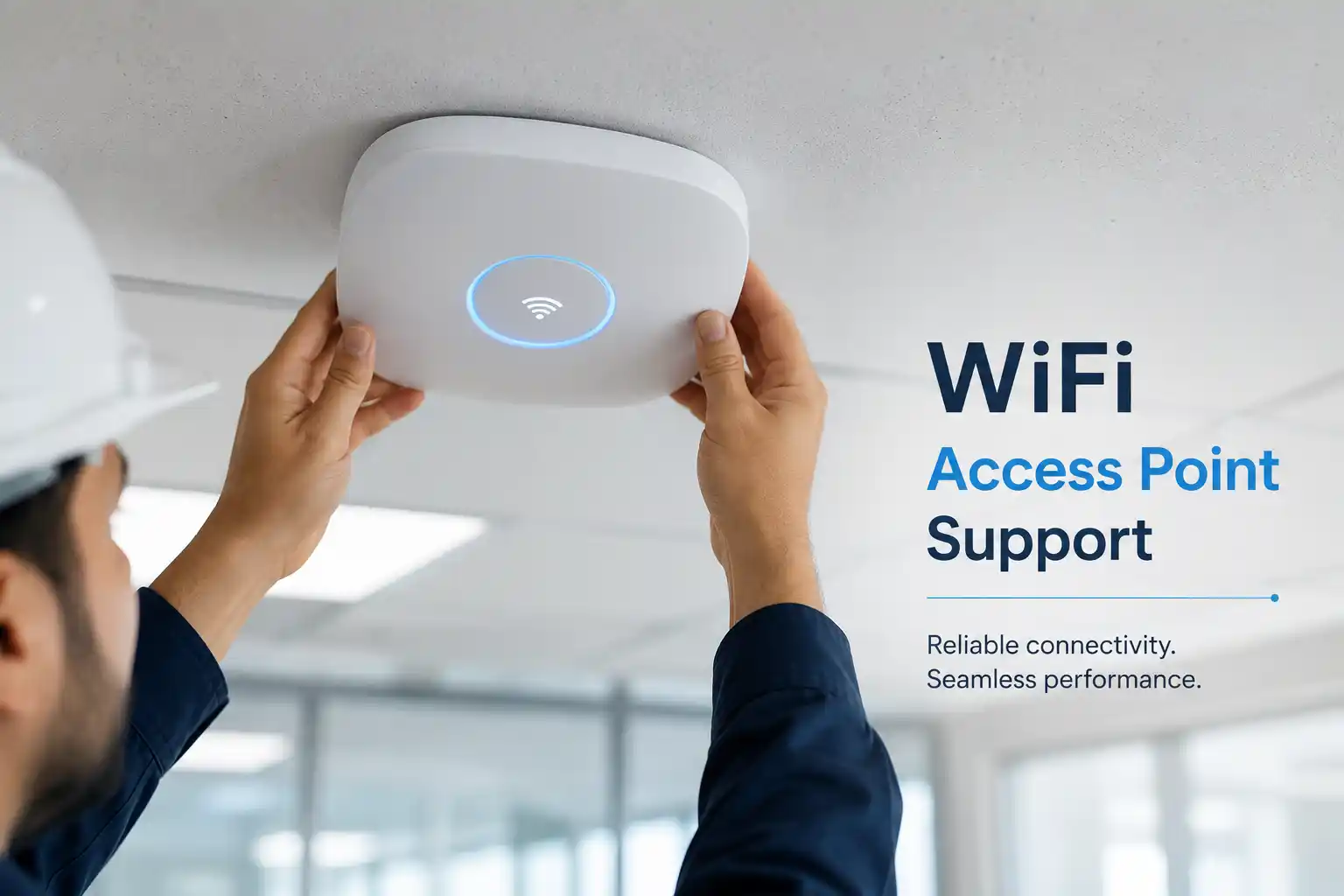
Access-point placement should be based on coverage, capacity, cabling and operational use, not only on where a device is easiest to mount.
Rooms, work areas and movement paths are considered.
Switches, PoE, VLANs, DHCP and internet access may be involved.
Staff, guest and device access can be separated where required.
Testing and handover help make later support easier.
What does business WiFi installation involve?
Business WiFi installation is the planned deployment of wireless access points and the network settings that allow authorised users and devices to connect reliably within a workplace. It is mainly used for new offices, expansions, relocations, coverage improvements or replacement of an unmanaged wireless setup. A proper installation considers access-point position, radio conditions, cabling, switch ports, Power over Ethernet, IP addressing, internet service, user authentication, guest access and security separation. Businesses should prepare the site location, floor plan if available, user and device estimates, current network information, access restrictions and the intended wireless use. Physical installation and coverage testing normally require site access, while planning and some configuration can sometimes be completed remotely when secure authorised access is available.
Why wireless installation should begin with the workplace, not the access point
Two offices with the same floor area can need very different wireless designs. A mostly open professional office may have lightweight partitions, predictable desk locations and moderate device density. A warehouse may have high shelving, moving inventory, handheld scanners and long aisles that change how radio signals travel. A clinic may need staff mobility, guest access and controlled separation from business systems. A training room or meeting centre can experience a sudden concentration of many laptops and phones in one area. For that reason, a WiFi project should begin with the physical environment and expected usage rather than a fixed count of access points.
Building materials matter. Concrete, reinforced structures, metal racks, service rooms, lift cores, tinted or coated glass and some partitions can reduce or redirect signal. Interference from neighbouring networks and other radio sources can also affect usable capacity. The objective is not merely to display full signal bars. Users need consistent authentication, practical throughput, stable roaming and access to the business resources they are authorised to use. A location that looks strong on one device can behave differently with another device, particularly when the devices support different radio bands, antenna designs or roaming behaviour.
The wired network behind the access points is equally important. Each access point needs an appropriate network path, and many business units depend on Power over Ethernet from a compatible switch. If the switch has insufficient PoE capacity, limited uplink performance, an incorrect VLAN configuration or an undocumented port assignment, the wireless layer may appear faulty even when the access point itself is working. FourTeck therefore treats WiFi installation as part of the connected office network rather than an isolated device-mounting task.
What the installation service may cover
Depending on the confirmed scope, assistance may include a site and requirement review, wireless coverage planning, access-point placement, review of existing network cabinets and switches, PoE checks, cabling coordination, SSID design, staff and guest access planning, VLAN mapping, DHCP and addressing review, controller or cloud-management configuration, firmware alignment, security setting review, installation, labelling, basic user connectivity testing, roaming checks, documentation and administrator handover.
The exact work should be listed in the approved quotation. Structured cabling changes, electrical work, specialist mounting, civil work, new switches, internet service changes, licences, subscriptions, replacement hardware or after-hours activity may require separate scope depending on the site and chosen solution.
Who may need a new wireless deployment
A planned installation can suit a company moving into a new office, opening another branch, extending into a new floor, creating meeting or training spaces, adding warehouse scanners, introducing more wireless devices, separating visitors from internal systems or replacing consumer-grade equipment that was never designed around the business layout.
It can also be appropriate when an existing site has accumulated access points with inconsistent names, overlapping settings, unknown passwords, unmanaged extenders or poor documentation. In that situation, the engagement may begin as an assessment before any replacement decision is made. Reusing existing cabling or wireless equipment is environment dependent and should be confirmed after compatibility, condition and supportability are reviewed.
Planning triggers and business problems that often lead to WiFi installation
New office or relocation
Wireless coverage can be planned alongside network cabinets, cabling, internet activation, desk layouts and meeting-room requirements instead of being added after staff move in.
Repeated dead zones
Weak or inconsistent coverage may indicate placement, interference, cabling, capacity or configuration issues. A design review can determine whether repositioning, reconfiguration or additional infrastructure is justified.
More staff and devices
A network that worked for a small team may struggle when employees carry laptops and phones while printers, cameras, scanners and specialist devices also use wireless connectivity.
Need for safer guest access
Visitors may need internet access without reaching internal business resources. Wireless design can include an appropriate separation model, subject to the network platform and security policy.
Unmanaged consumer equipment
Multiple standalone routers or extenders can create inconsistent settings, difficult troubleshooting and unpredictable roaming. An assessment can identify a more manageable architecture.
Expansion into specialised spaces
Warehouses, reception areas, outdoor approved zones, training rooms or meeting spaces may have different coverage and capacity needs from ordinary desk areas.
What can happen when wireless infrastructure is installed without enough planning?
A rushed deployment can create problems that are difficult to diagnose later. Access points may be mounted where cabling is convenient rather than where coverage is needed. Too many radios may compete with each other in a small area, while distant rooms remain weak. Guest and staff networks may not be separated appropriately. A device may connect to WiFi but still fail to reach DNS, the internet, a cloud application or a local business service because the underlying network path is incomplete.
Operationally, poor WiFi can cause staff to move around looking for signal, rejoin calls, reconnect applications, switch to mobile data or abandon wireless devices that were meant to improve workflow. In warehouses or retail environments, unstable connectivity can interrupt scanners, tablets or handheld devices used for stock and order processes. In meeting spaces, poor capacity can affect video calls and presentations when many people connect at once. None of these symptoms proves that an access point is defective. The underlying cause may be placement, channel conditions, switching, PoE, addressing, internet service or a client-device limitation.
Planning reduces these avoidable uncertainties. It does not guarantee that every future wireless issue will disappear, because radio conditions, device populations and neighbouring networks can change. It does, however, provide a documented baseline and a clearer relationship between business requirements and the installed infrastructure.
Service-fit matrix for a Dubai business WiFi project
| Business situation | Relevant assistance | What must be confirmed |
|---|---|---|
| New office before staff move-in | Requirements, placement planning, cabling coordination, configuration, installation and acceptance testing | Floor plan, user count, cabinet location, cabling readiness, internet status, access and completion priorities |
| Existing office with weak areas | Coverage review, signal testing, placement assessment and corrective design | Affected rooms, current equipment, cabling paths, client types and whether the issue is wireless or upstream |
| Growing team and device population | Capacity review, access-point distribution, switch/PoE review and network segmentation planning | Peak user/device density, application mix, current switch capacity and expected growth |
| Warehouse or operational wireless use | Site survey, placement planning and testing around aisles, work zones and approved operational areas | Ceiling height, shelving, device type, movement patterns, power/cabling access and environmental constraints |
| Replacement of unmanaged access points or extenders | Inventory, configuration review, transition planning and standardised deployment | Existing credentials through secure authorised channels, cabling condition, compatibility and acceptable change window |
Service information to confirm before quotation
| Service topic | Business WiFi planning, installation, configuration, testing and handover |
|---|---|
| Main purpose | Provide suitable wireless coverage and managed access for approved users and devices |
| Typical systems involved | Access points, controller or cloud management, switches, PoE, cabling, router/firewall, VLANs, DHCP, DNS and internet service |
| Remote suitability | Useful for discovery meetings, configuration review and some authorised management tasks; physical radio assessment remains site dependent |
| On-site suitability | Typically required for placement checks, signal measurements, cabling verification, mounting and physical installation |
| Customer information required | Location, floor plan if available, expected users/devices, current network details, wireless requirements, site restrictions and target outcome |
| Access required | Building access plus authorised network management access where configuration changes are in scope; credentials should be shared only through an approved secure method |
| Testing and validation | Scope dependent and may include coverage, association, authentication, roaming and access to required network or internet resources |
| Documentation | May include access-point locations, SSID purpose, network mapping, relevant switch ports and handover notes |
| Scheduling dependency | Engineer availability, site access, building permissions, cabling readiness, equipment availability and approved work scope |
| Quotation requirement | Required to confirm labour, installation activities, equipment, licences, cabling and any third-party work |
Remote planning versus on-site WiFi installation work
Remote assistance can help before and after site work
Remote sessions can be useful for reviewing the current network, discussing requirements, checking available controller settings, preparing SSID and VLAN plans, examining switch configuration and supporting post-installation adjustments. This requires working internet connectivity, authorised secure remote access and an available customer contact who can confirm what is happening at the site. Remote work cannot verify every physical condition and should not be treated as a substitute for an on-site radio or cabling assessment when those factors matter.
On-site assistance addresses physical conditions
An on-site visit may be recommended to inspect proposed mounting locations, check cable routes, confirm network cabinet conditions, measure wireless behaviour, identify difficult materials or obstructions, mount access points, patch switch ports and test practical connectivity from working areas. The exact visit scope depends on whether cabling is already complete, whether ceiling or high-level access is required, whether building permissions apply and whether installation must be coordinated with facilities or other contractors.
A practical WiFi installation journey
- Understand the business outcome. Confirm the premises, departments, working areas, expected wireless users, guest requirements, mobile workflows and business-critical applications.
- Review the current environment. Identify internet entry points, routers or firewalls, switches, PoE capability, existing wireless equipment, cabling, network cabinets and available documentation.
- Assess the physical site. Consider floor layout, wall materials, high-density areas, meeting rooms, aisles, reception spaces, approved outdoor areas and locations where cabling can realistically reach.
- Define the wireless design. Establish planned access-point positions, staff and guest network requirements, segmentation, addressing and management approach, subject to platform capability.
- Confirm dependencies. Check switch port availability, PoE budget, cabling readiness, licences if required, internet status, building access, mounting requirements and any change-window restrictions.
- Prepare for controlled change. Back up relevant configurations where appropriate, record existing settings and establish a rollback or recovery approach for changes that could affect working services.
- Install and configure. Mount approved access points, connect network ports, apply agreed settings, map SSIDs to the intended network segments and confirm management visibility.
- Test from user areas. Verify connection, authentication, internet or application access and basic roaming behaviour in the parts of the site included in the scope.
- Resolve exceptions. If tests reveal weak zones, interference, cable faults, PoE limitations or client-specific behaviour, determine whether adjustment or additional work is needed.
- Document and hand over. Record the completed layout, key network relationships, outstanding dependencies and recommended maintenance or expansion actions.
Capability 1: Coverage that follows how people actually use the site
Good coverage planning starts by mapping wireless demand to physical activity. A reception desk may need reliable connectivity for visitor check-in and staff devices. Meeting rooms can create brief but intense periods of usage. Executive offices, enclosed rooms and corners may be separated by materials that absorb signal. Warehouses may have aisles where scanners move continuously, while changing stock can alter radio paths. Hospitality or training areas can need predictable guest capacity in specific zones rather than uniform coverage everywhere.
The practical aim is to place access points where their signal, client capacity and wired connection can support those requirements. Mounting height, obstructions, cable availability and future furniture or layout changes should be considered. Coverage testing after installation can reveal whether the plan behaves as expected in the completed environment. Where measurements differ from expectations, the answer may be a position adjustment, radio-setting change, cabling correction or additional access point. It should not be assumed that adding more radios is always the correct response.
FourTeck can help define these coverage requirements during discovery and validate the installed result within the agreed work area. The ability to achieve a particular coverage outcome depends on site construction, permitted mounting locations, available cabling, selected equipment, interference and the devices used by staff or guests.
Capability 2: Wireless access aligned with the wider office network
WiFi is only one part of the connection path. A laptop may associate with an access point successfully but still fail to reach the internet because of DHCP, DNS, routing or firewall issues. A wireless printer may appear unavailable because it sits on a network segment that does not permit the required traffic. A guest network may provide internet access but should not automatically expose internal servers, cameras, printers or administration interfaces. These relationships need to be planned together.
During an installation, the network design may involve one or more SSIDs mapped to defined VLANs, DHCP scopes that provide addresses, gateways that route traffic and firewall policies that control what each segment can reach. The exact arrangement depends on business requirements and existing infrastructure. Not every site needs a complex segmentation model, and not every legacy switch or router supports the same capabilities. Compatibility and management access should therefore be reviewed before configuration is promised.
Power is another dependency. Many business access points receive power through Ethernet cabling from a compatible PoE switch or injector. Available power budget, port type and cabling condition can affect whether equipment operates reliably. FourTeck can include these checks in the confirmed scope and identify when additional network work is required rather than treating a wireless symptom in isolation.
Capability 3: A wireless environment that is easier to support after installation
Installation is only the beginning of the wireless lifecycle. Staff change, device numbers increase, offices are rearranged, neighbouring networks appear and business applications become more demanding. A deployment that is documented and manageable gives administrators a better starting point when these changes occur. Useful records may include access-point locations, device names, switch-port relationships, SSID purpose, network segment mapping and notes on the management platform.
Standardised configuration can also reduce future confusion. When every access point is managed consistently, firmware and settings can be reviewed in context rather than one unit at a time. If a user reports poor wireless service, support staff can first establish where the issue occurs, which access point or network is involved, whether multiple users are affected and whether the wired uplink or internet path shows the same behaviour. That is more efficient than restarting devices without evidence.
Handover should therefore explain what was installed, how the networks are intended to be used, which customer or administrator roles need access and what changes should be documented later. FourTeck can provide handover information appropriate to the agreed scope. Credentials should not be published in general documentation or shared through insecure channels; administrative access should follow the customer’s approved security process.
Dependencies, access and customer inputs
A WiFi installation cannot be scoped accurately from the floor area alone. FourTeck may need the business address, floor layout, expected employee and guest counts, types of wireless devices, critical applications, current internet and network details, switch model and available ports, cabling status, existing wireless platform, administrative access availability, building-access requirements, maintenance-window constraints and the intended completion outcome.
If the customer already has equipment, compatibility and condition should be assessed before it is included in the design. Existing cabling may need testing. A switch may need adequate PoE capacity. A controller, subscription or licence may be required by the selected platform. Some buildings require permission for ceiling access, drilling, ladders or work in common areas. These are not administrative details; they can directly change the installation method, schedule and quotation.
Customers should not send passwords in public forms or ordinary page comments. Where credentials are required for authorised configuration, they should be shared through an approved secure method after identity, authority and scope are confirmed.
Risks, limitations and exclusions to understand before work begins
Wireless performance depends on radio conditions, building construction, client devices, network configuration and internet or application performance. A successful installation test shows how the environment behaves during the agreed validation period; it does not guarantee that external interference, future layout changes or new client-device populations will never affect performance. Ongoing monitoring and periodic review may still be appropriate.
Some issues discovered during installation can belong to third parties. An ISP fault may limit internet performance even when local WiFi is functioning correctly. A cloud platform outage may affect applications. A building contractor may need to provide cable pathways or power. A vendor may need to confirm licensing or hardware support. Legacy or unsupported network equipment can restrict configuration choices. These dependencies should be separated from the wireless installation scope so the customer understands which party is responsible for each action.
Hardware supply, replacement parts, new cabling, fibre work, electrical work, ceiling repairs, specialist access equipment, civil work, licences and subscriptions are not assumed to be included unless they are stated in the quotation. Configuration changes may require a maintenance window because VLAN, DHCP, firewall or switch adjustments can affect connected users. Where existing settings are changed, backups and rollback planning should be considered. Final commercial terms, scheduling and deliverables depend on the approved quotation and service agreement.
Business environments where planned WiFi installation can be useful
Professional offices
Staff laptops, meeting rooms, collaboration tools, printers and guest users can share the same physical space while requiring different access rules and predictable roaming.
Warehouses and logistics areas
High racks, long aisles and moving handheld devices make placement and testing particularly important, while cabling and mounting locations may need careful coordination.
Retail and showrooms
Staff tablets, point-of-service peripherals, customer WiFi and back-office systems may need controlled access without mixing every device into one network.
Clinics and service businesses
Reception, consultation rooms, staff devices and visitors can create different coverage and access requirements. Any application-specific or regulatory requirement should be confirmed separately.
Hospitality and training spaces
Guest density can change quickly around events, meetings or classes, so capacity planning may be as important as basic signal coverage.
Multi-branch organisations
A consistent wireless design and naming approach can simplify user experience and support, while each site still needs its own physical assessment and network checks.
Operational, security and maintenance considerations
Wireless security should be planned as part of the business access model rather than added after installation. Staff, guests and specialist devices may have different access needs. Where the network platform supports it and the business requires it, separate SSIDs and VLANs can help control which resources each group can reach. Authentication, encryption, management access and administrator roles should be reviewed with the customer’s security policy and device capabilities in mind.
Management interfaces should not be exposed unnecessarily, and default credentials should be changed during authorised deployment. Firmware should be reviewed for consistency and supportability, but updates must be planned rather than applied blindly to production equipment. A newer version can fix issues or improve support, yet any change should consider compatibility, release notes, maintenance timing and the ability to recover if something unexpected occurs.
Maintenance is also about visibility. If access points are labelled, switch ports are recorded and wireless networks have a documented purpose, future troubleshooting becomes more efficient. Periodic reviews can compare device growth, usage trends, recurring complaints and coverage changes against the original design. A business that moves partitions, adds high-density meeting spaces or introduces many new wireless devices may need the design reviewed even if the installed hardware is still operational.
Before You Contact FourTeck for WiFi Installation
Preparing a few practical details helps turn an initial enquiry into a more useful assessment. You do not need to know every technical answer, but the following information can help define the next step.
- The Dubai or UAE service location and whether the site is occupied, under fit-out or still being prepared.
- A floor plan or layout drawing if one is available.
- Approximate number of employees, guests and wireless devices expected during busy periods.
- Areas that must have reliable coverage, including meeting rooms, reception, work areas, stores, warehouses or approved outdoor zones.
- Any current weak zones, disconnections or complaints if the installation is replacing an existing setup.
- The internet provider and whether the internet circuit is already active at the site.
- Existing router, firewall, switch and access-point information if known.
- Whether structured cabling to proposed access-point locations already exists.
- Whether the network switches provide suitable PoE and have available ports.
- Required staff, guest or specialist wireless networks and any access-separation needs.
- Important applications such as cloud systems, voice, scanners or mobile workflows that depend on WiFi.
- Building-access restrictions, ceiling-access requirements or contractor coordination needs.
- Availability of authorised administrator access for the existing network where changes are required.
- Preferred implementation window and any periods when network interruption would create business risk.
- The expected outcome, such as a new deployment, improved coverage, guest separation, expansion or replacement of unmanaged equipment.
Service evaluation checklist for defining the quotation
- Confirm the exact wireless objective and the business areas included in the project.
- Confirm the number of floors, rooms, work zones or sites that need assessment.
- Confirm estimated peak users and device categories.
- Confirm whether existing access points, switches or cabling are intended for reuse.
- Confirm whether new cabling, patching, mounting or rack work is required.
- Confirm staff, guest and device segmentation requirements.
- Confirm what administrative access and approvals are available.
- Confirm whether configuration changes can affect existing network users.
- Confirm the required testing areas and acceptance expectations.
- Confirm documentation and administrator-handover requirements.
- Confirm whether vendor, ISP, building-management or fit-out coordination is needed.
- Confirm the preferred implementation window and access schedule.
- Confirm exclusions so labour, equipment, licences and third-party tasks are clear before approval.
How FourTeck can assist with the project
FourTeck can begin by clarifying whether the requirement is a completely new wireless network, an extension of an existing environment, a relocation, a replacement project or an investigation into coverage that no longer meets business needs. The initial discussion can identify the affected site, working areas, user profile, device types, current network platform and any deadlines or fit-out dependencies that need to be considered.
Where a site assessment is appropriate, the review can focus on physical layout, proposed access-point locations, network cabinet readiness, cabling paths, switch and PoE capacity, internet connectivity and known sources of coverage difficulty. FourTeck can then help define an installation scope that distinguishes wireless configuration from cabling, switching, firewall, ISP or building tasks. This makes the quotation easier to understand and reduces the chance that an important dependency is discovered only after installation begins.
During implementation, assistance may include device installation, authorised configuration, network mapping, testing and coordination with other parties. After implementation, the handover can record completed work, important settings at a suitable level, outstanding items and recommended next actions. Customers can also discuss ongoing FourTeck IT support if the wireless environment needs to be maintained as part of the wider business infrastructure.
Dubai and UAE service coordination
WiFi installation in Dubai often needs coordination with office access, fit-out work, cabling contractors, building management, network changes and the timing of internet activation. A site may be ready for mounting but still waiting for structured cabling. Another may have internet service but no suitable PoE switching. A working office may need changes outside busy hours, while a new office can sometimes provide a more flexible implementation window. These conditions should be identified during planning.
FourTeck can discuss remote planning and on-site assistance based on the issue, location, access, urgency and approved quotation. An on-site visit may be recommended when physical inspection, cabling checks, coverage measurements, equipment mounting or local coordination is required. Service timing depends on engineer availability, customer access, site conditions, required equipment, building permissions and third-party providers. Contact FourTeck to confirm scheduling options for the specific project rather than assuming a fixed installation duration.
For wider infrastructure work, customers can review the business IT services overview and discuss how wireless installation connects with office networking, internet access, endpoints, servers, communication systems and ongoing support.
Coordinating projects across Dubai, Abu Dhabi, Sharjah and Ajman
Businesses with one or more UAE sites may need a common wireless approach while still recognising the differences between each location. Dubai, Abu Dhabi, Sharjah and Ajman offices can vary in building access, cabling readiness, floor layout, internet providers, working hours and local contractor arrangements. A design that works well at one branch should not simply be copied to another without confirming those physical and network conditions.
Service coordination may include remote discovery, configuration review, planned on-site assessment, installation, testing, maintenance planning or project support depending on the confirmed scope. Multi-site work benefits from consistent documentation, naming conventions and a clear record of what equipment and settings belong to each site. At the same time, each office should be tested against its own layout and operating needs.
Scheduling, travel, building access, site conditions, equipment availability and third-party dependencies can affect the service plan. FourTeck can review the locations together and prepare a scope that separates common design requirements from site-specific work. This is particularly useful for organisations that want comparable user experience across branches without assuming every premises has identical infrastructure.
Related FourTeck services that may matter to a wireless project
Office network support
Switching, VLANs, DHCP, DNS, cabling and firewall paths can directly affect wireless connectivity. Review the wider network and infrastructure service options when the WiFi project involves changes beyond access points.
New office IT setup
Wireless installation is often one part of a larger office deployment involving internet, user devices, printers, servers, telephony and technical documentation. A combined project scope can identify dependencies earlier.
Ongoing IT support
After deployment, recurring support can help investigate user issues, network changes, new devices and future expansion without losing the original installation context.
Technical consultation
If the best wireless design is not yet clear, FourTeck can begin with requirements and current-state review. Read more about FourTeck IT services and the practical support approach.
Why businesses contact FourTeck for wireless installation assistance
Many WiFi projects become complicated because the wireless network depends on several teams or suppliers. The cabling contractor may provide cable runs but not configure VLANs. The ISP may deliver internet service but not investigate internal roaming. A firewall administrator may control network policies but not know where access points should be mounted. Building management may control access to ceilings or common areas. The business user sees only one symptom: the connection is unreliable or the new office is not ready.
FourTeck’s role can be to bring those dependencies into one technical view. The assessment can separate physical installation from switching, addressing, security, internet and client-device behaviour. Findings can be explained in business terms, and the quotation can define which tasks are included, which require customer action and which depend on another provider. This reduces vendor confusion without pretending that one service provider controls every external dependency.
Businesses can also use FourTeck for documentation and handover so future support is not based on memory. When the environment changes, those records make it easier to understand what was intended and which parts of the network may need review. To discuss the business context before requesting work, use the FourTeck contact page.
Questions businesses often ask before choosing WiFi installation
How many access points does an office need?
There is no reliable answer based only on square metres. The required count depends on the layout, wall materials, device density, usage patterns, available mounting positions, radio conditions, selected equipment and the level of coverage or capacity the business expects. A small office with heavy meeting-room usage can need a different design from a larger open area with fewer active devices. The practical next step is to share a floor plan and user/device estimate, then confirm the site conditions before equipment quantity is treated as final.
Can WiFi installation be completed without a site visit?
Some planning and configuration can be completed remotely, but a physical installation normally requires on-site work. A remote review cannot fully confirm wall materials, ceiling conditions, cable routes, interference or how signal behaves from the proposed mounting location. For a simple extension in a well-documented site, remote preparation may reduce time on location. For a new or uncertain environment, an on-site assessment is usually more useful before the final placement and installation scope are confirmed.
Should a business replace its existing wireless equipment or reuse it?
Reuse can be sensible when existing access points, controllers, switches and cabling are compatible, supportable and suitable for the required capacity. Replacement may be considered when hardware is unsupported, unmanaged, inconsistent, physically damaged or unable to meet the required security and management model. The decision should follow an inventory and configuration review rather than an assumption that newer equipment is automatically necessary. FourTeck can identify what appears reusable and what needs further assessment.
Why does the WiFi show a strong signal but still feel slow?
Signal strength is only one part of performance. Congestion, interference, client-device behaviour, channel use, an overloaded access point, a slow switch uplink, DNS delays, firewall processing, internet-service limitations or application-side issues can all affect the user experience. This is why testing should follow the connection path rather than using signal bars alone. If the problem affects only one area or device type, that evidence is particularly useful to provide before support begins.
Is one wireless network name enough for staff and guests?
It may be technically possible, but many businesses benefit from separating visitor access from internal resources. The right approach depends on the router, firewall, switches, wireless platform and the organisation’s access policy. A guest network may need internet access while being restricted from business systems. Staff devices may need different permissions. Specialist devices may have their own compatibility constraints. The design should use the minimum complexity needed to meet the security and operational requirement.
What information should we provide when requesting a WiFi installation quotation?
Start with the site location, number of floors, floor plan if available, approximate users and devices, current equipment, internet status, cabling readiness, required coverage areas, guest-access needs, any business-critical wireless applications and the desired completion window. Also mention whether the office is occupied and whether ceiling or building access requires permission. This information helps determine whether a remote discussion is enough for the first step or whether an on-site assessment should be scheduled.
Can the WiFi installation use the current office cabling?
Possibly, but the cabling should be checked for location, condition and suitability. A cable may exist but terminate in the wrong place for coverage, use an unknown route, connect to an unsuitable switch port or fail testing. The network cabinet must also have available ports and appropriate power delivery where PoE is required. Reusing infrastructure can reduce unnecessary work, but it should be based on verified condition rather than cable labels alone.
What is the difference between troubleshooting WiFi and installing a new WiFi system?
Troubleshooting starts with an existing symptom and aims to isolate the technical cause before corrective action is chosen. Installation starts with a requirement and builds the wireless environment through planning, prerequisites, deployment and testing. An existing office may need both: troubleshooting can show that poor placement or unmanaged equipment is the underlying issue, after which a replacement or redesign project becomes appropriate. FourTeck can help distinguish between a fix, reconfiguration, expansion and full replacement after assessment.
When is a wireless site assessment most valuable?
A site assessment is particularly useful when the premises are large, multi-floor, divided by dense materials, heavily occupied, operationally unusual or already experiencing inconsistent coverage. It is also useful before a fit-out closes ceilings and cable paths, because access-point locations can then be coordinated with cabling plans. The assessment should focus on the areas where the business actually requires service rather than treating every square metre as equally important.
Can WiFi support voice calls, video meetings and cloud applications reliably?
Wireless networks can support these workloads when the wider environment is suitable, but the result depends on coverage, capacity, roaming, client devices, internet quality and application behaviour. Voice and video are sensitive to delay and interruption, so a strong design needs more than basic connectivity. If these applications are business critical, state that during discovery so testing and capacity planning can focus on the places and usage patterns that matter most.
What can affect the final project scope in Dubai?
The scope can change based on building access, ceiling type, cable pathways, available switch ports, PoE capacity, internet readiness, equipment availability, required licences, fit-out progress, working-hours restrictions and the number of areas needing testing. A finished office can require more careful scheduling than an empty fit-out site. If ladders, high-level access, specialist mounting or third-party cabling are needed, these should be identified before the quotation is approved.
Do we need a separate guest network for visitors?
A separate guest network is commonly useful when visitors need internet access without access to internal business resources. The exact implementation depends on the available wireless, switching and firewall capabilities. Some organisations may also have policy, branding or authentication requirements for visitors. Those requirements should be stated early because they can affect VLAN design, firewall rules, captive-portal features, licences and user-support expectations.
How should we plan WiFi for a warehouse?
Start with the actual movement of users and devices. Identify aisles, loading zones, packing areas, offices, mezzanines and any approved external spaces. Note ceiling height, metal shelving, machinery, stock density and where cabling can reach. Handheld scanners and operational tablets may have different radio behaviour from office laptops. Testing should therefore include the real device types when practical. A generic office access-point pattern may not translate well to a warehouse environment.
How should a business prepare for installation day?
Ensure the authorised site contact is available, access to network rooms and ceilings is arranged, relevant equipment is on site, cabling work is complete if it is outside the installation scope, and administrator access can be provided securely where required. Communicate any approved maintenance window to users. If existing wireless service will be changed, confirm which teams are most sensitive to interruption and whether a fallback is needed during the change.
What should be tested before the project is handed over?
Testing should match the agreed requirements. Typical checks may include whether devices can see and join the intended SSID, whether authentication works, whether addresses are assigned, whether permitted internet or business resources are reachable, whether guest access is separated as planned and whether users can move through relevant areas without unexpected disconnection. Testing does not need to reproduce every future device, but it should cover representative devices and the important working zones defined in the scope.
What documentation is useful after WiFi installation?
Useful documentation may include access-point names and locations, switch-port mapping, SSID purpose, relevant VLAN relationships, management ownership, notes about cabling and a record of outstanding recommendations. The detail level should be appropriate to the customer’s technical team and security requirements. Passwords and sensitive credentials should not be placed into general documents that may be circulated widely.
When should WiFi be reviewed after the office grows?
Review is sensible when user complaints increase, teams expand, meeting rooms become denser, new wireless device categories are introduced, partitions or shelving change, another floor is occupied or business applications become more dependent on mobility. The existing installation may still be suitable, but capacity and placement assumptions should be checked against the new environment. Expansion can then be planned from evidence rather than simply adding another access point wherever a spare cable exists.
Can FourTeck coordinate with an ISP, cabling contractor or building team?
Coordination can be included when it is relevant to the confirmed scope. FourTeck can help explain network requirements, identify what needs to be ready before wireless work proceeds and share technical findings with the appropriate provider. The third party remains responsible for its own service, approvals and deliverables. Mention existing contractors or providers during the initial discussion so responsibilities can be defined before work starts.
Frequently asked questions
Does WiFi installation include new access points?
Hardware is included only when the approved quotation states it. The installation scope may cover customer-supplied equipment, newly supplied equipment or a mixture, subject to compatibility and condition.
Can existing access points be repositioned?
They may be repositioned if the devices, cabling and mounting options are suitable. A coverage review should first confirm whether placement is actually the main cause of the problem.
Will the installation require downtime?
Some changes can affect active wireless or network users. Any expected interruption depends on the existing environment and should be planned within an approved maintenance window where needed.
Can guest WiFi be separated from business systems?
Often yes, when the wireless, switching and firewall environment supports the required segmentation. The exact method and any licensing dependency should be confirmed during design.
Do you test signal after installation?
Testing can be included and should match the areas and acceptance criteria defined in the quotation. Physical coverage testing normally requires on-site access.
Can the service cover multiple floors?
Yes, subject to assessment. Each floor should be considered for layout, cabling, radio conditions, user density and network connectivity rather than assuming identical requirements.
What if cabling is not ready?
The project can first identify required cable locations and dependencies. Cabling work may then be coordinated or quoted separately before access points are installed.
Can WiFi be installed during an office fit-out?
Yes, and early coordination can be useful because cable routes and mounting locations may be easier to plan before ceilings and finishes are complete. Timing remains dependent on fit-out progress and site access.
Do you provide documentation and handover?
Documentation and handover can be included in the agreed scope. The appropriate level of detail depends on the customer’s environment, administration model and security requirements.
Is ongoing WiFi maintenance automatic after installation?
No. Ongoing maintenance or managed support should be agreed separately unless the approved service plan explicitly includes it. The installation handover can identify recommended maintenance tasks.
Plan the WiFi installation around your actual business environment
Share the site location, floor plan if available, expected users and devices, current network information, coverage priorities and any fit-out or access restrictions. FourTeck can review the requirement and confirm whether the next step should be a remote planning session, on-site assessment or defined installation quotation.