
BUSINESS VOICE SUPPORT • REMOTE DIAGNOSIS • CONTROLLED CHANGES
Remote IP PBX Support in Dubai, UAE
When office calls fail, route incorrectly, drop, ring the wrong team, or stop reaching remote users, the cause may sit inside the PBX, the local network, the firewall, the internet path, the SIP service, or a connected phone. FourTeck helps businesses investigate these layers in a controlled order so the support action is based on evidence rather than guesswork. Remote access can make many PBX checks practical without a site visit, while physical faults or inaccessible infrastructure may still require on-site assistance.
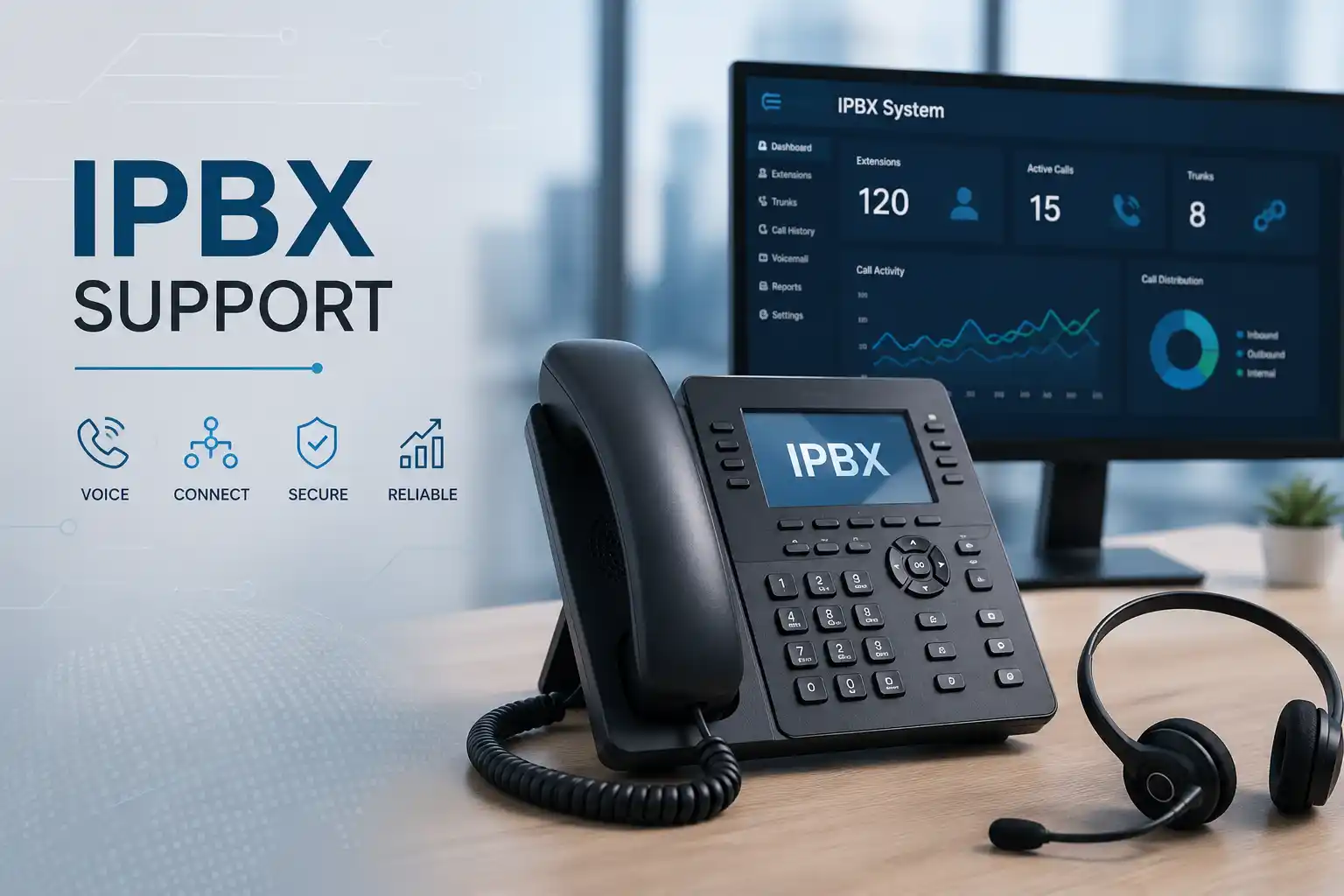
Suitable when internet access, authorised administration, and enough evidence are available.
Checks can span extensions, PBX rules, network paths, firewalls, trunks, and user endpoints.
Configuration work should be authorised, backed up where practical, tested, and documented.
Physical cabling, power, switches, gateways, or handset faults may require local inspection.
What does remote IP PBX support actually do?
Remote IP PBX support is a technical service for assessing, troubleshooting, administering, and documenting an internet-protocol telephone system when secure remote access is possible. It is mainly used for faults or changes involving extensions, registrations, inbound and outbound routes, ring groups, queues, auto-attendant menus, office-hour behaviour, voicemail, call forwarding, permissions, SIP connectivity, remote users, and related call-quality concerns. Businesses should consider it when telephony is affecting staff productivity, reception handling, customer calls, branch communication, or planned user changes.
Before work is confirmed, the customer should be ready to describe the affected calls, users, times, recent changes, PBX platform, voice provider, network condition, and business priority. Administrative access may be required, but credentials should be exchanged only through an approved secure method after authorisation is confirmed. The exact support path depends on what can be accessed and tested remotely. If the problem involves physical cabling, power, a switch, a gateway, or a handset that cannot be examined through remote evidence, an on-site visit may be recommended.
What Remote IP PBX Support Can Cover
An IP PBX is not an isolated box. It sits in the middle of a voice environment that can include desk phones, softphones, mobile applications, SIP trunks, analogue or digital gateways, network switches, VLANs, firewalls, internet connections, DNS, remote offices, headsets, call-recording functions, queues, voicemail, and provider services. A support request therefore starts by understanding the call journey rather than assuming the PBX is the only component at fault.
Depending on the confirmed scope, FourTeck assistance may include checking whether extensions are registered, reviewing user or device assignments, verifying call routes, inspecting office-hour and after-hours rules, confirming ring-group or queue membership, assessing voicemail behaviour, reviewing approved call-forwarding requirements, checking outbound permissions, examining available system logs, and comparing reported symptoms with test calls. When the fault involves external calling, the investigation may also require SIP trunk information, internet status, firewall handling, public addressing, or coordination with the telecom or voice-service provider.
Remote support is also useful for planned changes. A business may need to create an extension for a new employee, remove or reassign an old user, alter a reception flow, update a queue, change a department name, revise office hours, route holiday calls, add a remote worker, or prepare information for an office move. These tasks should still begin with a clear business outcome. A simple instruction such as “send calls to sales after reception does not answer” can involve timeout values, multiple destinations, voicemail behaviour, caller experience, and after-hours rules. Recording the intended result before making the change reduces the chance of unexpected call handling.
The final scope is always environment dependent. A PBX with clear documentation, current backups, accessible administration, and known trunk ownership can usually be assessed more efficiently than an inherited system with unknown credentials, mixed phone models, undocumented routes, or third-party dependencies. FourTeck can help identify these gaps and define the next practical action rather than treating every request as a standard configuration job.
Who may need this service?
Remote PBX assistance can suit businesses that rely on telephone communication but do not need a physical site visit for every change or fault. This may include professional offices with reception and department routing, retail teams with central or branch numbers, clinics with appointment calls, warehouses coordinating drivers and suppliers, hospitality operations managing reservations, service companies receiving customer requests, and multi-branch organisations that use centralised telephony.
It can also be appropriate for organisations with internal IT staff who need specialist help to trace a voice issue, validate a proposed configuration change, document an inherited system, or coordinate with a trunk provider. The service is not limited to emergency faults. Planned administration, user lifecycle changes, controlled upgrades, backup review, and call-flow clean-up can reduce repeated confusion later.
When remote support may not be enough
A remote session cannot physically inspect a damaged cable, confirm a loose wall outlet, replace a failed PoE injector, examine a noisy analogue line, move rack equipment, or test a handset that has no network connectivity. If the PBX cannot be reached because the office network is down, the first action may need to occur on site or through the network provider. The same applies when local access is needed to a gateway, switch, router, firewall, power supply, or network cabinet.
FourTeck can use remote findings to decide whether local work is justified. This helps avoid unnecessary attendance when the issue is clearly configuration based, while also avoiding repeated remote attempts when the evidence points to physical infrastructure. Scheduling, site access, building rules, equipment availability, and the approved quotation affect on-site planning.
Common IP PBX symptoms and what they may indicate
Telephone symptoms can look simple to a user but originate from several technical layers. The same symptom does not prove the same cause in every office. A structured support process compares the pattern of affected users, call direction, timing, destination, network path, and recent changes before drawing a conclusion.
Phones show unregistered
The issue may involve device configuration, credentials, provisioning, network reachability, DNS, VLAN settings, firewall rules, certificates, PBX services, or platform availability. One affected phone suggests a different path from every phone losing registration at once.
Incoming calls reach the wrong place
Routing rules, time conditions, direct-inward-dial mappings, queues, ring groups, forwarding, user status, or provider presentation can influence the result. The expected business flow should be written down before settings are changed.
Outbound calls fail
Possible areas include user permissions, dial patterns, outbound routes, trunk status, account limits, provider conditions, internet access, DNS, firewall processing, or destination restrictions. Test calls help identify whether failure is universal or limited to specific numbers.
One-way or missing audio
Audio problems can involve the endpoint, network addressing, NAT behaviour, firewall policies, media paths, provider routing, or remote-user connectivity. Broad firewall changes should not be the first response without evidence and authorisation.
Calls sound broken or delay
Voice quality can be affected by packet loss, congestion, unstable internet, overloaded links, poor WiFi use, switching faults, traffic prioritisation, remote connectivity, or provider conditions. The support process may need both PBX and network evidence.
Queues do not ring as expected
Agent membership, availability, login state, queue strategy, timeouts, forwarding, office hours, device registration, and application status may all matter. The correct fix depends on the intended operational workflow.
Why repeated PBX faults can become a business problem
Telephony problems affect more than the individual user who reports them. A reception route that sends callers to the wrong department can create missed enquiries. A sales queue with incorrect members can leave calls unanswered even though staff are available. A remote extension that frequently loses registration can make an employee appear unavailable. Intermittent call quality can cause customers and suppliers to repeat information or abandon a conversation. When these symptoms recur without documentation, every new incident starts from zero.
The operational impact depends on the role of the telephone system. Some businesses use voice primarily for general enquiries, while others rely on it for bookings, order coordination, help-desk requests, logistics, property management, clinical administration, or urgent internal communication. FourTeck therefore asks which numbers, teams, call flows, and time periods matter most. This helps prioritise investigation around business impact rather than treating all extensions as equally critical.
Uncontrolled configuration changes can create another form of risk. A change intended for one department may affect shared routes, office-hour rules, caller identification, or failover behaviour. For that reason, remote support should include a clear change objective, configuration backup where appropriate, validation calls, and a record of what was changed. This approach improves maintainability and helps the business understand the system rather than depending on undocumented settings.
Possible service scope
The exact work depends on the current environment and approved quotation. Depending on the confirmed scope, assistance may include initial consultation, remote diagnostics, on-site inspection, extension review, phone registration checks, call-route assessment, queue and ring-group review, office-hour configuration, voicemail behaviour, forwarding rules, outbound permissions, SIP trunk status, firewall or network coordination, log review, user changes, backup checks, documentation, test calls, vendor escalation, upgrade planning, or post-change handover.
A support request may be narrow, such as updating one extension, or broad, such as tracing intermittent external call failure across several branches. A planned project may involve documenting the existing system before migration, identifying numbers and call flows, reviewing remote-user requirements, or preparing an office relocation. FourTeck can separate immediate corrective work from recommendations that need a later project or a separate quotation.
| Business situation | Relevant assistance | What must be confirmed |
|---|---|---|
| A few phones are not registering | Extension, provisioning, network, account, and reachability checks | Affected models, users, recent changes, local connectivity, and PBX access |
| Incoming calls reach an incorrect destination | Route, time condition, queue, ring group, forwarding, and number mapping review | Expected call flow, business hours, affected numbers, and provider details |
| External calls fail or disconnect | PBX, trunk, internet, firewall, network, and provider evidence review | Call direction, destinations, timestamps, trunk ownership, and network status |
| Remote users have inconsistent calling | Remote registration, application, firewall, internet, DNS, and audio-path checks | Remote access method, user devices, locations, and security approvals |
| The business wants new users or departments | Extension creation, naming, permissions, queue or group membership, and call-flow updates | User list, roles, direct numbers, devices, and required call behaviour |
| An inherited PBX is poorly documented | Configuration inventory, trunk and number mapping, extension list, backup review, and documentation | Authorised access, ownership, available records, and platform condition |
Service information at a glance
| Service topic | Remote IP PBX support for business telephone environments in Dubai and the UAE |
|---|---|
| Main purpose | Troubleshooting, controlled administration, call-flow changes, remote-user assistance, and support planning |
| Typical systems involved | PBX platform, IP phones, softphones, mobile clients, SIP trunks, gateways, switches, firewall, internet service, DNS, and related network services |
| Remote support suitability | Often suitable for settings, accounts, routes, logs, registrations, user changes, and call testing when secure access is available |
| On-site suitability | May be required for cabling, power, switches, gateways, physical phones, rack work, or a network outage that prevents remote access |
| Customer access required | Authorised administrative access and relevant provider or network access where necessary; access dependent |
| Testing and validation | Test calls, route checks, extension status, user confirmation, and other validation appropriate to the approved change |
| Documentation | Scope dependent; may include completed changes, extension or route notes, dependencies, and recommended next actions |
| Vendor coordination | May be required for SIP trunks, internet, hosted platforms, licensing, firmware, or third-party service faults |
| Scheduling dependency | Engineer availability, customer access, urgency, maintenance window, site conditions, and third-party participation |
| Quotation requirement | The final commercial scope should be confirmed by FourTeck after assessment of the environment and requested work |
Remote support versus an on-site PBX visit
When remote assistance is practical
Remote support may be suitable when the office internet connection is working, the PBX management interface or approved remote-support method can be reached, the customer authorises access, and the reported issue is mainly related to software, configuration, registrations, user settings, call routing, logs, or provider coordination. A user or administrator on site can also be useful for making test calls, checking handset displays, and confirming whether a change behaves as intended.
Remote access can reduce the time spent travelling for a configuration-only issue, but it does not make every fault simple. The technician still needs accurate symptoms, timestamps, affected numbers, and enough access to test the relevant layers. If remote access itself is unstable, the support session may need to shift toward the local network or an on-site diagnosis.
When an on-site visit is usually more useful
On-site assistance may be appropriate when physical phones do not power on, cabling or wall outlets need testing, a PoE switch is suspected, a gateway must be inspected, the PBX appliance is inaccessible, or the network problem prevents secure remote administration. Local work may also be needed for equipment replacement, rack changes, voice VLAN verification at physical ports, analogue line testing, office relocation, or installation of new phones.
The decision should be based on evidence. If remote checks show that the PBX and trunk are healthy but several desk phones have no network connectivity, site testing may be the next step. If only one call route is wrong and the system is fully accessible, remote configuration may be enough. FourTeck can confirm the recommended method after reviewing the situation.
How the remote PBX assessment and diagnostic process may work
- Define the business impact. The first question is not simply “is the PBX down?” but “who cannot communicate, which numbers or departments are affected, and what business activity is being interrupted?” This separates a single-user issue from a site-wide or provider-related event.
- Identify the call pattern. FourTeck may ask whether the problem affects internal calls, inbound calls, outbound calls, particular destinations, remote extensions, mobile clients, queues, or specific times of day. A pattern often narrows the technical area that deserves attention first.
- Collect evidence. Useful information can include error messages, phone display status, screenshots, recent configuration changes, call timestamps, affected caller or destination numbers, extension IDs, network status, provider notices, and any available PBX logs. Sensitive information should be handled through an approved secure process rather than posted publicly.
- Confirm access and authorisation. Administrative access, remote-support permission, provider portal access, or firewall access may be necessary. The customer should identify an authorised contact who can approve changes and confirm the business requirement. Access limitations can affect what can be diagnosed remotely.
- Protect the current configuration. Before material changes, a configuration backup or export may be appropriate where the platform supports it and the scope permits. The technician also considers whether a maintenance window or rollback plan is needed, especially for shared call routes or trunk settings.
- Test the relevant technical layers. The investigation can move from the endpoint and extension to PBX services, routes, trunks, network connectivity, firewall handling, internet availability, DNS, and provider conditions. The order depends on the symptom. The aim is to isolate the failure rather than make broad changes across the system.
- Explain findings and options. If the evidence points to an internal configuration issue, FourTeck can define the corrective action. If the issue depends on an ISP, SIP carrier, hosted platform, licence, or failed hardware component, the customer can be told what information is needed for escalation or replacement planning.
- Apply approved changes. Configuration work should follow the agreed objective. Changes may involve extension details, routes, groups, office hours, permissions, registration settings, network dependencies, or other scoped items. Broad security reductions or unapproved work should not be used as shortcuts.
- Validate with real call scenarios. Testing should match the reported problem and the business flow. This may include inbound, outbound, internal, transferred, queued, after-hours, or remote-user calls. A setting that saves successfully is not the same as a business process that has been validated.
- Record the outcome. Useful handover may include what was tested, what changed, what remains dependent on a third party, and what the customer should monitor. This record can reduce future diagnostic time and improve continuity if a different administrator supports the system later.
Planning corrective changes without disrupting the wider call flow
A PBX configuration contains relationships that are not always visible to the person requesting a change. A single extension may belong to a queue, a ring group, a pickup group, a forwarding rule, and an after-hours destination. A public number may route differently during lunch, evenings, holidays, or overflow conditions. A trunk may serve multiple departments. For this reason, a request such as “remove this user” or “change this number” should be checked for downstream dependencies before the configuration is edited.
FourTeck can translate the business requirement into a change plan. If reception needs calls to ring three people, overflow to another team after a defined interval, and reach voicemail outside office hours, each condition should be understood and then tested. If a remote employee is being added, the network path, approved client or phone, access method, user permissions, and expected caller identity may need review. If a trunk change is planned, provider participation, maintenance timing, configuration backup, and rollback options may be relevant.
The safest approach is proportionate to the risk. A display-name update may require only a simple validation, while a trunk or firewall change can affect many users and should be handled more carefully. The exact procedure is platform and environment dependent, but the principles remain consistent: define the desired result, preserve recoverability where practical, change only what is authorised, test the real workflow, and document what was done.
Testing, validation, and handover after remote PBX work
Testing should confirm the business function, not merely the technical setting. If the problem was failed outbound calling, validation may include more than one destination type and the affected user group. If the issue was an incoming route, calls should be tested against the intended destination, overflow behaviour, and office-hour rule. If a queue was changed, the customer may need to confirm that the right agents receive calls and that unanswered calls follow the agreed path. If a remote user was repaired, registration and two-way audio should be checked under the user’s actual connection conditions where practical.
Handover should also identify anything that remains outside the completed scope. A provider fault may be logged but not resolved by the PBX technician. A weak internet connection may continue to affect remote call quality. An ageing phone may work during testing but still justify replacement planning. A configuration backup may exist, but the business may need a broader continuity plan. Recording these boundaries helps decision-makers distinguish a completed support action from a future improvement project.
For recurring or complex environments, FourTeck can help create practical documentation such as extension lists, key inbound numbers, important routes, provider contacts, administrator dependencies, backup location notes, and branch relationships. Documentation should be maintained as the system changes rather than treated as a one-time exercise.
Faster fault isolation through call-path evidence
A productive remote support session narrows the fault by tracing where the call or registration stops behaving correctly. This can prevent unnecessary phone replacement or broad network changes. The process may compare working and non-working extensions, internal and external calls, office and remote users, or normal and after-hours behaviour. Timestamps and test calls provide evidence that can also help when a provider must be involved.
The limitation is that evidence quality matters. Without access to logs, route settings, user devices, or network information, the diagnosis may remain incomplete. FourTeck can explain which missing information is blocking further progress and whether an on-site visit or provider escalation is the better next step.
Safer configuration changes for shared voice services
Shared call flows deserve careful change control because a small edit can affect reception, sales, support, or after-hours handling. FourTeck can review the intended outcome, existing dependencies, available backup, and validation plan before implementing approved changes. This is particularly useful when an older PBX has accumulated years of undocumented rules.
No configuration change should be described as risk free. A third-party trunk, remote gateway, legacy phone, or hidden route may behave differently than expected. Controlled testing and rollback planning are therefore important when the potential business impact is wide.
Clearer documentation for future support and growth
Remote support is an opportunity to improve visibility into the telephone environment. A current extension list, trunk ownership record, main number map, department routing summary, backup note, and provider contact list can save time during later faults, staff changes, office moves, or migration planning. Documentation is especially valuable when several vendors manage different parts of the voice path.
The level of documentation depends on scope and available access. FourTeck can help identify what should be recorded and what information is still missing, giving the business a practical foundation for maintenance rather than an unrealistic promise that every dependency can be discovered in one session.
Dependencies, access, and customer inputs that can affect the support result
Remote IP PBX support depends on several parties and systems. The customer may own the PBX but use an external SIP trunk, managed firewall, hosted server, internet connection, or leased network. The phones may be managed by one provider while the numbers are controlled by another. Remote users may work behind home routers or mobile networks that FourTeck does not administer. These relationships should be identified early so the troubleshooting boundary is clear.
Administrative access is another dependency. FourTeck may need authorised access to the PBX and, depending on the symptom, related network or provider information. If the customer does not have current administrator credentials, recovery options can vary by platform and may affect existing settings. Credentials should never be posted on a public page or sent casually. They should be shared only through an approved secure method after the customer confirms authority to grant access.
Business context is equally important. The technician needs to know which call behaviour is correct. A route that appears unusual may exist for a legitimate operational reason, such as a branch overflow, a VIP number, a scheduled service desk, or a vendor hotline. Removing or simplifying settings without understanding them can create disruption. An authorised contact should therefore be available to approve material changes and explain expected call flows.
Other practical inputs may include the PBX platform and version if known, affected extension numbers, phone models, approximate user count, branch locations, trunk provider, internet provider, firewall ownership, network diagram, recent changes, backup status, maintenance restrictions, building access, local contact details, and target completion window. Not every case requires all of this information, but collecting relevant details before the session can reduce avoidable delays.
Risk, limitations, and exclusions to understand
Remote diagnosis depends on available evidence, system access, internet connectivity, and the condition of the current environment. A successful remote login does not prove that every connected phone, cable, switch port, gateway, or carrier path is healthy. Some faults can only be confirmed through local testing or a third-party provider.
Hardware failures may require replacement equipment or parts that are outside the labour scope. SIP trunk or number-routing issues may require action from the telecom provider. Hosted PBX problems may depend on the hosting or platform provider. Unsupported legacy systems can have limited backup, security, compatibility, or upgrade options. Remote changes that could affect many users may require an approved maintenance window.
Call quality can be influenced by conditions outside the PBX, including internet performance, packet loss, congestion, remote networks, WiFi, and provider paths. Improving one setting does not guarantee that every future call will be unaffected by external network conditions. Similarly, security improvements reduce avoidable exposure but do not guarantee complete protection. Final commercial terms, included tasks, on-site requirements, replacement parts, licences, and third-party charges should be confirmed in the approved quotation or service agreement.
Business environments where remote PBX support can be useful
Professional offices
Reception, direct numbers, meeting rooms, remote workers, voicemail, and department routing often need regular user changes and clear documentation.
Retail and showrooms
Stores may rely on central numbers, branch extensions, manager mobiles, supplier calls, and escalation paths that must remain understandable when staff change.
Warehouses and logistics
Dispatch, security, receiving, operations, and offices can depend on reliable internal and external calling across large sites or multiple locations.
Clinics and service centres
Appointment calls, reception queues, internal transfers, and after-hours messages can create business impact when routing or availability is incorrect.
Hospitality and restaurants
Reservations, front desk, management, and service teams may require predictable ringing and escalation during changing operating periods.
Multi-branch companies
Centralised PBX environments can connect offices and remote users, making network paths, provider relationships, extension plans, and route documentation especially important.
Operational, security, and maintenance considerations
A PBX remains easier to support when ownership and access are clear. Administrator accounts should be controlled, user access should match roles, and former staff accounts should be reviewed as part of offboarding. Remote access should be limited to authorised users and configured through methods appropriate to the platform and business environment. Broadly exposing management interfaces or weakening firewall controls just to make troubleshooting easier is not a sound support practice.
Backups are also important, especially before material changes or upgrades. The presence of a backup file is only one part of readiness; the business should know where it is stored, who can access it, whether the relevant configuration is included, and what would be required to restore service. Backup options differ by platform, so this should be confirmed rather than assumed.
Maintenance can include reviewing obsolete extensions, unused routes, old forwarding entries, unneeded vendor accounts, backup status, trunk records, phone inventory, certificate or licence dependencies, platform updates, and capacity for planned growth. The actual recurring checks depend on the agreed service plan. FourTeck does not need to make constant changes to provide value; sometimes the most useful maintenance outcome is clear documentation and a list of priorities that management can schedule.
When a system is approaching the limits of its supportability, the decision should compare continued maintenance with a controlled migration. The inventory gathered during remote support can help: active extensions, public numbers, call routes, prompts, queue requirements, remote users, phones, gateways, provider details, and business hours. This creates a clearer foundation for evaluating a future PBX platform without turning a fault ticket into an unplanned replacement project.
Before You Contact FourTeck
Preparing a concise support picture can make the first assessment more useful. You do not need perfect documentation, but the following information can help FourTeck understand the scope and decide whether remote or on-site support is appropriate.
- The Dubai or UAE service location and whether the affected users are in one office, several branches, or remote locations.
- The main contact person authorised to discuss the telephone system and approve changes.
- The PBX platform or appliance name, deployment type, and version if known.
- The number of affected users, extensions, phones, queues, or public numbers.
- A clear description of what happens now and what should happen instead.
- Examples of failed calls, including direction, time, extension, and destination where appropriate.
- Any error messages, phone display warnings, or screenshots that do not reveal sensitive credentials.
- The approximate time the issue began and whether it is constant or intermittent.
- Recent changes to the PBX, firewall, internet service, phones, office hours, user list, or network.
- The SIP trunk or telecom provider and any open provider ticket if the external call path may be involved.
- Whether authorised PBX administrative access is available through an approved secure method.
- Whether a configuration backup exists and when it was last confirmed.
- Whether the office internet and local network are working normally.
- Any maintenance-window, building-access, or operational restrictions that could affect testing or an on-site visit.
- The business priority: restore calling, correct a route, add users, document the system, plan an upgrade, or another defined outcome.
Service evaluation checklist for a quotation or support engagement
A clear quotation depends on the confirmed objective and environment. FourTeck may need to establish the following before the final scope is agreed:
- Exact support objective and the business outcome expected after the work.
- Number of users, extensions, handsets, remote users, and affected sites.
- Current PBX deployment, network context, voice provider, and available documentation.
- Required administrative access and which party owns each dependency.
- Remote-only scope versus possible on-site diagnosis or physical work.
- Whether configuration changes, new extensions, route changes, or migration preparation are required.
- Test scenarios and customer representatives needed for validation.
- Documentation or administrator handover expected after the work.
- Provider coordination, hosted-platform involvement, licence dependencies, or hardware replacement requirements.
- Preferred schedule and any maintenance window needed for higher-impact changes.
- Items that are intentionally excluded and may require a separate approval later.
How FourTeck can assist with a remote IP PBX request
FourTeck can begin by clarifying the reported business problem and identifying the affected telephone layer. That may involve the user endpoint, extension registration, PBX call flow, queue or group logic, trunk, firewall, internet connection, provider, or remote-user path. The aim is to organise the investigation so each test answers a useful question.
Where secure remote access and sufficient evidence are available, FourTeck can carry out approved troubleshooting or configuration work, coordinate test calls, document findings, and explain any remaining dependency. If physical inspection becomes necessary, the remote assessment can help define what the on-site engineer needs to check. If a provider must act, FourTeck can help gather relevant evidence and separate internal findings from the third-party issue.
For planned changes, FourTeck can review the desired call behaviour, identify dependencies, consider backup and rollback needs, implement the approved scope, and validate the result with the customer. For older or undocumented systems, the service can also support inventory and migration planning. A quotation can then distinguish immediate support, on-site work, replacement items, provider tasks, or future project work rather than grouping everything into an unclear package.
Dubai and UAE service coordination
For businesses in Dubai and across the UAE, remote IP PBX support can be a practical first step when the system is reachable and the problem can be assessed through authorised access, logs, configuration, and test calls. The service method depends on the issue rather than the location name alone. A configuration or user-administration request may be handled remotely, while cabling, equipment access, gateway work, rack inspection, or a local network fault may justify an on-site visit.
Contact FourTeck to confirm service scope and scheduling options. Remote or on-site assistance depends on the issue, access, location, urgency, engineer availability, customer availability, site conditions, required parts, third-party providers, and the approved quotation. Installation, configuration, migration, and maintenance tasks should be clearly included in the scope rather than assumed.
Coordinating support across Dubai, Abu Dhabi, Sharjah, and Ajman
Organisations operating across Dubai, Abu Dhabi, Sharjah, and Ajman may have different PBX arrangements at each branch or a shared central platform. FourTeck can help identify which sites are affected, whether the issue can be addressed centrally, and where local testing may be needed. Coordination may include remote troubleshooting, planned on-site visits, user changes, configuration work, assessment, migration preparation, or project support depending on the confirmed requirement.
Travel, building access, local contact availability, maintenance windows, site conditions, equipment availability, and third-party providers can affect the plan. A multi-branch business should ideally provide a simple site list showing extensions, key numbers, local contacts, internet providers, and major network differences. This makes it easier to distinguish one branch fault from a central PBX or carrier issue.
Related FourTeck IT services
Explore support for handsets, extension registration, call quality, user changes, and wider office voice environments.
Network and connectivity support
Review switching, addressing, VLANs, cabling, internet paths, and other network dependencies that can affect IP voice.
Firewall and secure remote access support
Assess routing, access rules, VPN conditions, and firewall behaviour when they influence PBX reachability or remote users.
About FourTeck IT Services
Review the broader FourTeck service approach for business technology support, maintenance, and infrastructure assistance.
Why businesses contact FourTeck for PBX assistance
A business telephone fault often crosses the boundary between voice configuration and general IT infrastructure. FourTeck can look at the relationship between users, phones, PBX settings, networks, firewalls, internet service, and external providers rather than isolating each component too early. This is useful when responsibility is unclear or when one vendor says the problem belongs to another.
The service approach is based on assessment, controlled changes, validation, documentation, and clear next steps. FourTeck can help businesses decide whether the immediate need is a remote configuration correction, an on-site infrastructure check, provider escalation, documentation work, or a larger migration or maintenance project. The exact scope is confirmed before commercial terms are finalised.
Questions businesses often ask before requesting remote IP PBX support
Can our PBX problem be checked remotely?
Often, yes, when the PBX can be reached securely and the problem involves configuration, registrations, call routing, user settings, logs, queues, trunks, or other software-visible behaviour. Remote support is especially useful when the office internet connection is working and an authorised person can provide access and assist with test calls. It may not be sufficient when the problem involves damaged cabling, failed power, inaccessible equipment, a switch fault, a gateway that needs physical work, or a network outage that blocks remote access. The first assessment should therefore confirm both the symptom and whether enough of the call path is reachable to make remote work productive.
Why do some calls fail while others work?
Partial call failure can indicate that the system is not completely down. Different routes may apply to local, international, mobile, internal, queue, branch, or after-hours calls. User permissions can also differ by extension. A provider may reject only a certain destination, or a route may use a different trunk. The useful next step is to provide examples of working and failing calls, including time, source extension, destination, and whether the call was inbound or outbound. FourTeck can compare these examples against the configured path and available logs before recommending a change.
What should we do if incoming calls ring the wrong team?
Write down the intended call flow before changing the PBX. Identify the public number, the first destination, how long it should ring, whether it should overflow, what should happen outside office hours, and where unanswered calls should go. This makes it possible to compare the business requirement with the existing route, time condition, queue, ring group, or forwarding rule. A rushed correction without this map can fix the immediate complaint while creating a different problem after hours or for another department.
Can remote support help with a new employee or extension?
It can, provided the PBX, user requirements, phone or client, licensing where applicable, and network access are suitable. The business should provide the employee name, department, extension preference, direct-number requirement if any, call permissions, queue or group membership, voicemail needs, and device location. If a new physical phone must be installed or the desk network port has not been prepared, on-site work may be separate. For remote workers, the approved access method and user-side internet conditions may also need to be confirmed.
Is a dropped-call problem always caused by the PBX?
No. Dropped calls can involve the PBX, SIP provider, internet path, firewall, network congestion, endpoint, remote network, or other conditions. The pattern matters: whether calls drop after a consistent interval, only in one direction, only for one user, only on remote connections, or across the whole office. Providing timestamps and example numbers helps the support process compare PBX logs with provider or network evidence. Broad configuration changes should not be made until the likely layer has been narrowed.
Should we choose one-time troubleshooting or ongoing PBX maintenance?
One-time support can be appropriate for a defined fault or configuration request. Ongoing maintenance may be more useful when the business has frequent staff changes, several branches, repeated incidents, an ageing system, complex routing, weak documentation, or dependencies that need periodic review. The maintenance scope should state which systems, users, tasks, remote support, on-site visits, documentation, and project work are included. Unlimited support, fixed response targets, or included visit counts should not be assumed unless they are written into the service agreement.
When does a support request become an upgrade or migration project?
A fault ticket may reveal that the current PBX is difficult to maintain, unsupported, too small, dependent on obsolete gateways, or incompatible with the business’s future requirements. That does not automatically mean replacement is the only option. FourTeck can first document the current state and identify what still works, what is failing, and what the business needs next. If migration is justified, planning should include extensions, public numbers, call flows, queues, prompts, remote users, phone compatibility, provider coordination, backups, testing, maintenance windows, rollback considerations, and user communication.
What information helps with a quotation?
The most useful information is the desired business outcome and the size of the affected environment. Share the number of users and sites, PBX platform, phone count if relevant, provider details, main symptoms or requested changes, remote-access availability, and whether physical work may be required. Explain any deadline or maintenance window, but understand that final timing depends on engineer availability, access, third-party participation, site conditions, and confirmed scope. If the system is undocumented, say so; the initial assessment may need to include discovery before a fixed technical scope can be defined.
Can FourTeck work with our telecom or SIP provider?
Provider coordination may form part of the agreed support scope when external calling, number routing, trunk authentication, service availability, or carrier-side configuration is relevant. FourTeck can help gather technical evidence from the customer environment and communicate the observed behaviour. The provider remains responsible for its own network and service actions. Customers should have their account details and authorised provider contact route available when escalation is likely.
What if we do not know the PBX administrator password?
Missing administrative access can limit remote diagnosis and configuration. Recovery options depend on the platform, ownership, deployment type, and current setup. The safest next step is to confirm who owns the system, locate existing records, and identify any previous provider or administrator who may hold the credentials. Do not share passwords publicly. If authorised recovery or reset is possible, the impact on current configuration should be understood before action is taken. In some cases, lack of access may turn the engagement into a discovery or replacement-planning exercise.
Can call quality be improved through PBX settings alone?
Sometimes a configuration issue contributes to quality, but voice performance often depends on the network path as well. Packet loss, congestion, unstable internet, WiFi, overloaded switches, remote networks, firewall behaviour, and provider conditions can all affect audio. A useful assessment compares where and when the problem occurs. If only remote users are affected, their connectivity may deserve more attention. If every external call is affected but internal calls are clear, the trunk or internet path may be more relevant. FourTeck can help identify which layer should be investigated rather than assuming a single setting will solve every audio complaint.
How should we prepare for a PBX change outside normal working hours?
First define the exact change, affected users, expected downtime if any, test plan, authorised approver, and rollback method. Confirm that backups or configuration exports are available where appropriate and that the necessary provider or network contacts can participate if their systems are involved. Decide who will make test calls for reception, sales, support, remote users, and after-hours routes. A maintenance window should be proportionate to the risk. The final schedule is scope dependent and should be agreed before the change rather than assumed.
What should a Dubai business ask before approving remote PBX work?
Ask what problem is being addressed, what access is needed, which systems could be affected, whether a backup is recommended, how the result will be tested, what depends on third parties, and what falls outside the quoted scope. Confirm whether an on-site visit might become necessary and how that would be approved. If the change involves external numbers, trunks, firewalls, or a hosted platform, clarify who owns each dependency. A useful support engagement should leave the business with a clearer understanding of the issue and next action, not just a series of unexplained configuration edits.
Frequently Asked Questions
What does remote IP PBX support include?
Depending on scope, it may include diagnostics, extension and registration checks, call routing, queues, ring groups, voicemail, office hours, forwarding, trunk status, remote-user issues, log review, test calls, documentation, and provider coordination. The final list depends on the environment and approved quotation.
Can you troubleshoot without visiting our office?
Many configuration and software-visible issues can be assessed remotely when secure access and working internet are available. Physical faults involving cabling, power, phones, switches, gateways, or inaccessible equipment may still require an on-site visit.
What access is normally required?
Authorised PBX administration is commonly required, and network, firewall, or provider information may also be needed depending on the fault. Credentials should be shared only through an approved secure method after authorisation is confirmed.
Can you help when external calls fail but internal calls work?
Yes, this pattern can be assessed across outbound or inbound routing, trunk status, provider conditions, internet connectivity, firewall handling, and other relevant dependencies. Example call timestamps and affected numbers are useful evidence.
Can remote support change our reception call flow?
It may, once the desired flow and current configuration are understood. The request should define destinations, ring duration, overflow, office hours, and voicemail behaviour. The change should then be tested against the agreed scenario.
Do you support remote or branch users?
Remote-user troubleshooting can be part of the service when the platform, access method, endpoint, internet path, and security requirements are understood. User-side network conditions can affect the result and may be outside the PBX itself.
Will remote support fix every call-quality problem?
No. Call quality can depend on the PBX, endpoint, LAN, internet, firewall, remote network, and voice provider. Remote testing can help isolate the likely layer, but physical or third-party action may still be necessary.
Can you document an existing PBX before an upgrade?
Documentation and migration discovery can be included when access and scope permit. Useful records may cover extensions, numbers, trunks, queues, routes, office hours, prompts, remote users, devices, backups, and provider dependencies.
Is a configuration backup required before changes?
A backup or export is often appropriate before material changes where the platform supports it. The need depends on the change risk, system condition, available storage, and scope. Rollback planning is especially important for shared routing or trunk changes.
Can you coordinate with our internet or telecom provider?
Provider coordination may be included when the fault crosses into internet, SIP trunk, hosted platform, or number-routing services. The provider remains responsible for its own infrastructure and may require customer authorisation or account information.
Do you provide support across the UAE?
FourTeck can discuss remote or planned on-site assistance for businesses in Dubai and other UAE locations. Scheduling and service method depend on the issue, access, location, engineer availability, site conditions, and approved quotation.
How is the final quotation determined?
The quotation depends on the confirmed problem or project objective, affected users and sites, required access, remote versus on-site work, configuration or physical tasks, testing, documentation, third-party coordination, and any replacement or migration requirements.
Discuss your IP PBX issue with FourTeck
If your office is dealing with failed calls, incorrect routing, extension problems, queue behaviour, remote-user issues, SIP symptoms, call-quality complaints, or an undocumented PBX configuration, start by sharing the business impact and the evidence you already have. FourTeck can review whether secure remote troubleshooting is appropriate, identify what access or provider information is required, and explain when an on-site visit may be more useful.
The next step is to confirm the requested outcome, affected users and locations, system access, dependencies, testing expectations, and any maintenance-window restrictions. From there, FourTeck can prepare the support or project scope and quotation. Work involving physical equipment, third-party providers, licences, replacement hardware, or additional project activity should be identified separately so the engagement remains clear.