
BUSINESS TELEPHONY MIGRATION
Legacy PBX to IP PBX Migration in Dubai, UAE
Moving away from an ageing telephone system is not only a hardware replacement. A successful migration protects business numbers, reception logic, extension habits, analogue dependencies, call routing, network readiness, and the ability to recover if the cutover does not behave as expected.
FourTeck helps Dubai businesses document the current PBX, define the intended IP PBX environment, plan the change window, coordinate telecom and network dependencies, test essential call scenarios, and hand over a supportable configuration. Final scope, timing, compatibility, and onsite requirements depend on assessment and the approved quotation.
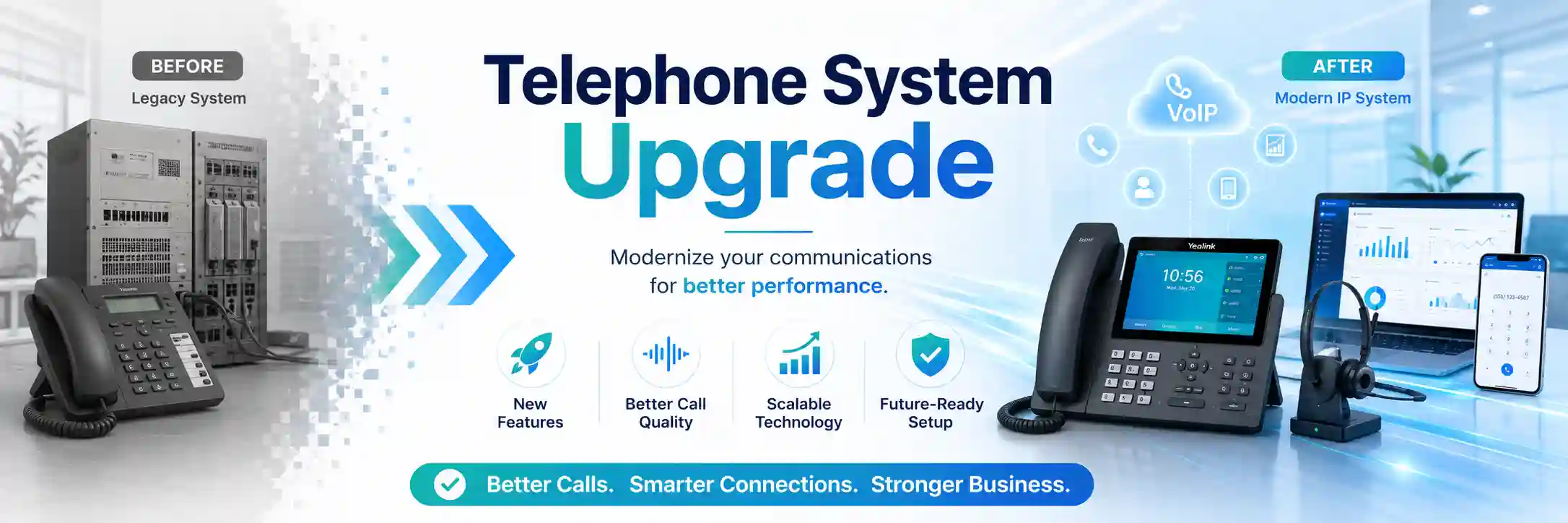
Use the migration as an opportunity to document what the telephone system actually does, which functions matter to staff, and which legacy dependencies should be retained, replaced, or retired.
Extensions, trunks, call flows, analogue devices, recordings, and dependencies.
Maintenance-window planning, staged change where suitable, and rollback preparation.
Switching, PoE, VLANs, firewall, internet quality, addressing, and cabling checks.
Inbound and outbound calling, routing, voicemail, user guidance, and documentation.
What does a legacy PBX to IP PBX migration involve?
A legacy PBX to IP PBX migration is a planned transition from an older telephone platform, often based on analogue, digital, proprietary, or mixed interfaces, to a system that manages extensions and call routing over an IP network. The service is mainly used when an existing PBX is difficult to maintain, cannot support required growth, depends on ageing components, limits remote or branch users, or no longer fits the organisation’s call handling. Businesses should prepare an extension list, telephone number inventory, trunk details, reception and department call flows, current handset information, analogue device requirements, network details, maintenance-window preferences, administrative access availability, and any known integrations. The exact migration method depends on the source system, destination IP PBX, carrier services, phones, gateways, cabling, network capacity, licenses, and business tolerance for downtime. FourTeck can assess these dependencies and build a practical migration scope before changes are made.
Why businesses replace an older PBX instead of continuing to extend it
An older PBX can continue to serve a business for years, but longevity does not automatically mean it remains practical to support. Some organisations reach a point where spare cards are difficult to obtain, expansion requires proprietary modules, extension programming is poorly documented, technician access depends on obsolete software, or every office change creates a new workaround. Others may be moving premises, adding branches, introducing flexible working, changing telecom providers, or standardising communication across departments. In these situations, the migration decision should be based on operational need rather than on the age of the equipment alone.
The first useful question is not simply whether IP PBX is newer. It is whether the current telephone environment can continue to meet the business requirements at an acceptable level of risk and support effort. A legacy platform may still be appropriate when it is stable, fully documented, supported, and able to meet current needs. Migration becomes more compelling when the existing system has recurring failures, limited parts availability, unsupported software, inflexible call routing, insufficient extension capacity, disconnected branch systems, or an administration process that makes small changes unnecessarily difficult.
An IP PBX also changes the dependency model. Instead of treating telephony as a mostly separate appliance, voice becomes more closely linked with Ethernet switching, Power over Ethernet, IP addressing, DNS, internet or carrier connectivity, firewall policy, remote access, and sometimes cloud-hosted services. This can improve manageability and flexibility, but only when those dependencies are understood. FourTeck therefore treats migration as an infrastructure project with telephony at the centre, not as a simple phone swap.
Operational triggers
Repeated PBX faults, failed extension ports, inconsistent voicemail, difficult reception changes, unavailable programming tools, and expansion limits can indicate that support effort is increasing. Migration planning helps separate faults that should still be repaired from structural limitations that may justify replacement.
Business-change triggers
Office relocation, merger activity, new branches, changing reception hours, higher extension counts, remote users, or a move to SIP-based carrier services can make the old design difficult to extend cleanly. These changes are often a useful point to redesign call routing rather than copy every historic setting.
Supportability triggers
A PBX with no current configuration backup, incomplete extension records, unknown passwords, abandoned vendor relationships, or undocumented analogue devices creates operational uncertainty. Discovery work can reveal what must be protected before a replacement decision is finalised.
What can happen when PBX migration is treated as a simple equipment replacement?
Telephone systems contain business logic that is easy to overlook because users experience it as routine. Reception may answer multiple numbers differently. Sales calls may overflow to another team after a delay. A warehouse gate may use an analogue extension. A fax, lift phone, door entry unit, paging adapter, modem, or alarm interface may depend on a port that nobody remembers until the old PBX is disconnected. Certain departments may use direct inward dial numbers, recorded announcements, call queues, voicemail-to-email, call recording, or time-based routing. If these details are not recorded, the new platform can appear technically functional while still failing important business workflows.
Unplanned change can also affect users beyond the PBX. IP phones may require new switch capacity and PoE. Voice traffic may need a dedicated VLAN or at least a clear network policy. The firewall may require suitable rules for the selected platform and carrier. Remote users may depend on secure connectivity, vendor-supported methods, certificates, or specific DNS arrangements. A carrier number move may involve lead time or a scheduled activation. The existing internet connection may be adequate for data but still need quality and stability checks for voice use. None of these points proves that a migration will be difficult, but they should be confirmed before the cutover window.
The business impact of a poorly planned migration can include missed calls, incorrect routing, temporary loss of direct numbers, one-way audio, incomplete voicemail, phones that do not register, departments receiving the wrong calls, or staff being unsure how to transfer and conference calls. A controlled project reduces these risks by separating discovery, preparation, implementation, and validation instead of compressing them into one change.
Possible FourTeck migration assistance
Depending on the confirmed scope, FourTeck assistance may include current-system discovery, extension and telephone-number inventory, call-flow mapping, analogue-device identification, network and PoE review, firewall and internet dependency checks, SIP trunk coordination, IP PBX installation or configuration, handset provisioning, gateway planning, backup preparation, cutover sequencing, test scripts, user handover, documentation, and post-migration checks. Some projects may include all of these activities, while others may involve only assessment, a defined technical work package, or coordination with an existing telecom provider.
The final quotation should identify which work is included, who supplies or configures carrier services, whether phones or gateways are being retained, whether cabling changes are needed, whether the new PBX is on premises or hosted, how remote users are handled, whether recordings or historical data need to be preserved, and what support is required after the cutover. Licenses, carrier charges, replacement hardware, building works, structured cabling, or third-party services should not be assumed to be included unless they appear in the approved scope.
Service-fit matrix for a PBX modernisation project
| Business situation | Relevant assistance | What must be confirmed |
|---|---|---|
| The PBX is reliable but difficult to expand. | Capacity review and comparison of extension options versus migration. | Required users, future growth, available modules, support status, and project budget. |
| The business is relocating office. | Migration planning aligned with new network, cabling, carrier, and rack readiness. | Move date, new-site internet, number transfer, floor plan, cabling, and user count. |
| Users need remote or branch extensions. | IP PBX design, supported remote-user method, security review, and call testing. | Destination platform capability, licenses, internet quality, firewall, and user device type. |
| The old PBX has analogue devices that still matter. | Analogue-port inventory and gateway or retention planning. | Device purpose, signalling requirements, line type, emergency or life-safety dependency, and supported gateway options. |
| Carrier service is changing at the same time. | SIP trunk or number-migration coordination and inbound/outbound validation. | Carrier readiness, number ownership, authentication details, routing information, and activation schedule. |
Migration service information
| Main purpose | Move business telephony from a legacy PBX to a supportable IP PBX while preserving required numbers, call flows, users, and connected services. |
|---|---|
| Typical systems involved | Legacy PBX, IP PBX, IP phones, analogue phones or devices, gateways, switches, PoE, VLANs, routers, firewalls, internet service, SIP trunks, cabling, DNS, and user applications where applicable. |
| Assessment method | Remote discovery, configuration review, stakeholder discussion, and onsite inspection where physical equipment or cabling must be verified. |
| Remote support suitability | Useful for planning, configuration review, carrier coordination, backup checks, and remote validation when secure access is authorised and connectivity is working. |
| Onsite support suitability | Often required for legacy equipment inspection, patching, rack work, cabling, gateways, phone deployment, PoE checks, physical cutover, and local testing. |
| Customer access required | Authorised administrative access, carrier or telecom information, network access where relevant, and a customer contact who can confirm business call behaviour. |
| Backup considerations | Existing PBX configuration, new PBX configuration, carrier details, prompts, extension mapping, and other recoverable settings should be captured where the platforms allow it. |
| Testing and validation | Inbound, outbound, internal, transfer, queue, voicemail, office-hours, caller-ID, emergency or priority routing as applicable, and selected remote-user scenarios should be tested against an agreed checklist. |
| Scheduling dependency | Engineer availability, telecom provider readiness, maintenance window, user access, building access, equipment arrival, and confirmed scope. |
| Quotation requirement | The commercial scope is confirmed after the present environment, migration target, dependencies, and onsite requirements are understood. |
Remote planning versus onsite migration work
Remote assistance
Remote work can be effective for reviewing extension lists, discussing call flows, checking available backups, preparing configuration, coordinating SIP trunk information, reviewing network settings, and validating system behaviour when secure access is authorised. It is also useful for gathering evidence before an onsite visit so the engineer arrives with a clearer understanding of the current system and the work likely to be required.
Remote access does not replace physical verification when the old PBX has unknown cards, undocumented ports, analogue adapters, mixed cabling, or locally connected equipment. It also depends on a working network and an authorised customer representative.
Onsite assistance
Onsite work may be needed to identify PBX hardware, trace extensions, inspect rack space, confirm patching, test network outlets, install switches or gateways within the approved scope, deploy phones, move analogue devices, label ports, and support the physical cutover. Local user testing is particularly valuable where reception, security, warehouse, management, or customer-service functions rely on specific call behaviour.
The decision to schedule an onsite visit depends on the Dubai site, equipment access, building rules, work required, and quotation. Attendance timing should be agreed rather than assumed.
Step 1: document the existing PBX before deciding what to copy
A useful migration begins with an inventory of the current telephone environment. The goal is not to reproduce every historical configuration setting. The goal is to understand which services are still required and which legacy behaviours have become unnecessary. Discovery usually starts with extension numbers, user names or roles, direct numbers, reception numbers, analogue extensions, hunt groups, queues, auto-attendant menus, office-hours rules, voicemail boxes, call forwarding, call recording, carrier trunks, and any branch or remote connections.
Physical information matters as well. The existing PBX may include digital extension cards, analogue extension cards, analogue trunks, ISDN or other telecom interfaces, gateway equipment, patch panels, UPS connections, rack space, and separate cabling. Some extension sockets may no longer be in use, while others may serve a device that is not visibly a telephone. A site walk-through can help identify devices such as door phones, paging interfaces, fax machines, lift or gate communications, alarm integrations, cordless bases, conference units, or legacy modems. These should not automatically be assumed compatible with a new IP PBX.
The migration inventory should also record which functions are critical at the moment of cutover. For one company, reception and customer-service numbers may be the priority. For another, warehouse lines, emergency contacts, branch calls, or after-hours routing may matter more. This prioritisation becomes the basis for the test plan and the rollback decision.
Step 2: map dependencies before touching call routing
An IP PBX depends on more than the server or appliance hosting the call-control software. SIP is commonly used for call signalling, while real-time voice media is transported separately. That distinction is important during troubleshooting because a call can establish correctly while audio still fails or behaves in only one direction. Network addressing, firewall policy, NAT behaviour, DNS, certificates on some platforms, internet quality, carrier routing, switch configuration, and endpoint registration can all affect the outcome. The exact technical requirements depend on the chosen platform and telecom provider.
Dependency mapping should also include business applications. Some companies integrate call handling with CRM software, click-to-dial tools, desktop clients, mobile applications, call recording, reporting, or contact-centre functions. Others simply need dependable desk phones and a clear receptionist workflow. A migration should not add complexity that the business does not need. At the same time, applications that do matter should be identified before configuration begins so access, licensing, user accounts, and testing can be included in the scope.
Provider dependencies should be assigned clearly. If telephone numbers are moving to a new carrier, who owns the porting request? If a SIP trunk is supplied by a telecom provider, who supplies credentials, allowed source addresses, codecs, number presentation, and routing requirements? If the internet connection is managed by another vendor, who can make changes during the maintenance window? Clarifying ownership avoids a cutover where each party assumes another party has completed a critical task.
Step 3: review whether the office network is ready for IP phones
Legacy digital phones often use dedicated PBX cabling and power provided by the telephone system. IP phones normally become network endpoints, so the LAN takes on a greater role. Migration planning should confirm whether the office has enough switch ports, whether the switches can provide the required Power over Ethernet for the selected phones, whether uplinks have suitable capacity, whether existing data outlets reach the required desks, and whether the network design can separate or prioritise voice traffic where appropriate.
Voice VLANs may help with segmentation, addressing, policy, and troubleshooting, but they should be designed around the actual network rather than added as a label with no operational plan. DHCP options, phone provisioning methods, switch access policies, firewall rules, and quality-of-service settings can vary by platform. The migration scope should identify which team controls the switching and firewall so changes are coordinated rather than made independently.
Call quality should be considered from the user’s perspective. A fast internet connection does not automatically mean voice will be stable under all conditions. Packet loss, jitter, latency, congestion, asymmetric routing, weak Wi-Fi, overloaded firewall services, or unstable uplinks can affect real-time media. Desk phones are often best tested on wired connections during a migration unless the selected solution and business requirement specifically call for wireless operation. Remote and mobile users introduce additional networks outside the office that may need separate expectations and testing.
Step 4: design the new call flows around current business practice
A migration is a practical opportunity to remove years of accumulated routing exceptions. Instead of copying every group and forwarding rule from the old PBX, the project team can write the desired behaviour in plain business language. For example, a main number may need to ring reception first, overflow to a shared team after a defined delay, follow a different route outside office hours, and reach a voicemail or announcement when nobody is available. Sales, support, finance, and warehouse numbers may follow different logic.
Writing these call paths before entering configuration reduces ambiguity. It also helps business owners approve the intended behaviour without needing to understand PBX menu terminology. The same approach should be applied to outbound calling: which users need international access, which departments should present a main company number, whether certain numbers require restricted permissions, and how emergency or priority calling should be handled according to the organisation’s telecom requirements.
Users may also have developed personal workarounds that should be reviewed. A receptionist might transfer calls to a mobile number because the old system cannot reach a remote colleague. A manager may use call forwarding because there is no supported mobile client. A new IP PBX may offer better ways to meet those needs, but any feature depends on the chosen platform, license, network, and security configuration. The migration plan should therefore start from the business outcome and then choose the appropriate technical method.
Step 5: plan telephone numbers, trunks, and carrier coordination
Telephone number continuity is often the most visible part of the migration for customers and staff. The project should identify the main published number, direct numbers, departmental numbers, fax numbers where still used, toll-free or special numbers if applicable, and any numbers that should be retired. The source of each number should be understood so the team knows whether it remains on an existing circuit, is being forwarded temporarily, or will be moved to a SIP trunk or another carrier service.
Carrier changes can introduce lead times and approval steps that are outside the PBX engineer’s direct control. Number porting, service activation, SIP trunk provisioning, caller-ID presentation, emergency-service information, and provider-side routing may require information from the account holder. The migration schedule should not assume that a carrier task will be complete until the provider has confirmed it. Where possible, a test path can be established before the final number cutover, but feasibility depends on the carrier and new PBX design.
A clear ownership table is useful: which party configures the PBX, which party configures the firewall, which party manages the SIP trunk, who authorises number changes, who confirms call flows, and who signs off the test results. FourTeck can coordinate the technical information required, but third-party carrier actions remain vendor dependent.
Step 6: decide what happens to existing phones and analogue devices
Existing handsets should be evaluated rather than assumed reusable. Some older digital phones are tied to the legacy PBX and cannot register to an IP PBX. Some SIP-capable IP phones may be reusable if the destination platform supports them, their firmware is suitable, licenses permit them, and the organisation accepts the provisioning method. In other cases, replacing endpoints can reduce support complexity and provide a consistent user experience. Compatibility is always model and platform dependent.
Analogue devices require their own plan. A new IP PBX may support analogue gateways or adapters, but the correct choice depends on the device and the signalling it expects. Fax machines, door entry systems, paging equipment, lift phones, alarm systems, and other specialised devices can behave differently from a standard analogue handset. Any device linked to safety, access control, or a regulated service should be handled according to the relevant supplier requirements rather than changed casually during the PBX migration.
The project should also address power. Legacy digital handsets may have received power from the PBX, while IP phones often rely on PoE switches or local power adapters. The UPS design for network switches can therefore affect telephone continuity. If the office expects phones to remain available during short power interruptions, the PBX host, switches, gateways, router, firewall, and carrier equipment may all need appropriate power protection. The correct design depends on the required continuity target and available infrastructure.
Step 7: prepare backups, rollback, and the maintenance window
No migration plan should depend on remembering how the old system was configured after it has been disconnected. Before the cutover, available PBX backups, exported extension lists, trunk information, recorded prompts, call-flow diagrams, credentials stored through the customer’s approved secure process, and screenshots or configuration notes should be captured where possible. The new IP PBX should also have a recoverable configuration state before major changes begin.
Rollback planning does not mean every legacy platform can be restored instantly. Some carrier changes may not be reversible within the same window, and physical rewiring may take time to undo. The project therefore needs a realistic fallback strategy. This may include leaving the old PBX powered and documented for a defined period, preserving old patching, keeping temporary call forwarding available if the carrier supports it, or preparing a staged user move. The appropriate approach depends on the technical environment and the business impact of an unsuccessful cutover.
The maintenance window should reflect the work required, not a generic estimate. Factors include number of users, number of locations, handset deployment, carrier changes, cabling, analogue devices, firewall work, call-flow complexity, and the amount of testing. User communication is part of the window: staff should know when calling may be interrupted, what will change on their phones, how to report an issue, and who is authorised to approve corrective changes.
Step 8: implement in a controlled sequence
Implementation should follow the approved migration plan so technical work can be traced and validated. A typical sequence may include preparing the IP PBX, defining network settings, creating extensions, configuring trunks or test routes, provisioning phones, building call groups, importing or recording prompts, creating voicemail, applying office-hour rules, configuring authorised remote users, and confirming backup. Physical work may then connect phones, gateways, patching, and other devices. The exact order depends on whether the new and old systems can operate in parallel.
A staged migration may suit a larger business or an environment with multiple departments, but it is not always possible. If numbers, extensions, or analogue connections cannot be split cleanly, the project may require a more concentrated cutover. The planning stage should establish this before the maintenance window. Where staging is practical, a pilot group can confirm phone provisioning, user experience, call quality, and support procedures without moving every user at once.
Changes should be logged as they happen. If a test fails, the team should know whether the issue is on the PBX, network, firewall, endpoint, carrier, or user configuration. Evidence such as registration status, call logs, packet behaviour, provider responses, and user reports can guide diagnosis. Broad resets or repeated undocumented changes should be avoided because they make fault isolation harder.
Step 9: validate real business calls, not only extension registration
A phone showing as registered proves only part of the migration. Validation should test the business scenarios that matter. Internal extension-to-extension calling should be checked, but the test plan should also cover inbound calls to the main number, selected direct numbers, outbound calls to appropriate destinations, reception transfer, blind and attended transfer where used, call hold, ring groups, queues, voicemail, office-hours routing, caller-ID presentation, call forwarding, and any approved recording or reporting function.
Audio quality should be checked in both directions. If one-way audio appears, the troubleshooting path may involve firewall, NAT, carrier, routing, or endpoint configuration even when call setup succeeds. Remote users should be tested from realistic external networks where possible. Branch calling should be validated across the actual inter-site connection. Analogue devices should be tested according to their intended function and supplier guidance.
The business should identify a small number of acceptance contacts who understand each workflow. Reception can validate customer-facing routing, finance can confirm its direct lines, warehouse staff can confirm operational phones, and IT or management can verify administration access. This makes sign-off more meaningful than a generic statement that the system is online. Any unresolved limitations should be documented with an owner and next action.
Step 10: hand over a telephone system that can be supported later
Migration is not complete when calls start working. The new environment should be easier to understand than the one being replaced. Useful handover information may include the extension directory, main and direct numbers, call-flow summary, queue or ring-group membership, office-hours logic, IP PBX address or management path, approved administrative contacts, phone models, network voice settings, gateway details, carrier information, backup location, license dependencies, and a record of special analogue devices.
User guidance should focus on everyday tasks. Staff may need to know how to answer, hold, transfer, conference, use voicemail, change presence where supported, or use an approved desktop or mobile client. Reception and supervisors may need additional guidance for queues, forwarding, holiday rules, or after-hours messages. Training depth should match the agreed scope rather than assume every user needs administrator-level instruction.
Post-migration support should also be defined. A new environment often generates minor requests after staff use it in real conditions, such as key changes, ring timing adjustments, directory corrections, or workflow refinements. These requests should be distinguished from migration defects so the organisation can prioritise them clearly. Ongoing maintenance may include backup checks, license review, firmware or platform update planning, security review, network health checks, and documentation updates as users change.
Capability: preserve business call behaviour during change
The most valuable part of migration planning is often the call-flow map. It records how a customer’s call should move through reception, teams, overflow, office-hours logic, voicemail, and escalation. By treating this as a business workflow rather than a PBX setting, the organisation can approve what should be preserved and what should be simplified. The limitation is that some behaviours may be implemented differently on the destination platform, and feature equivalence must be confirmed before the final design.
Capability: create a more supportable voice network
IP telephony can bring phones into the same managed network environment as other business endpoints. That makes naming, segmentation, remote administration, and documentation easier when switching, addressing, firewall policy, and provisioning are organised. The benefit depends on network quality and access discipline. An IP PBX does not remove the need for stable LAN design, power protection, internet planning, and controlled administrative access.
Capability: reduce future change friction
A documented IP PBX can make extension changes, call routing, branch growth, and user moves more manageable than an undocumented legacy system. The improvement comes from clear records and standard processes, not from the label IP alone. User permissions, backups, provisioning, licenses, and vendor responsibilities still need to be maintained as the business changes.
Dependencies, access, compatibility, and customer inputs
The migration team may need authorised access to the legacy PBX, the destination IP PBX, network switches, firewall, carrier portal, DNS management, and selected user devices. Access should be provided through the customer’s approved secure method after identity and authorisation are confirmed. Passwords or private credentials should not be sent through a public website form.
Compatibility must be checked for phones, gateways, analogue devices, SIP trunks, recordings, applications, headsets, remote clients, and any special integrations. Legacy equipment may use proprietary signalling that cannot be transferred directly. Some recorded prompts or configuration exports may be reusable, while historical call data or recordings may need a separate preservation plan. License availability can affect extensions, trunks, recording, mobile clients, contact-centre functions, or other features depending on the destination platform.
Customer input is essential because only the business can define which call behaviours are correct. FourTeck can examine the technical configuration, but management or nominated users should confirm department names, reception flow, office hours, call permissions, number ownership, voicemail rules, recording requirements, and user priorities. Where another vendor manages the internet, firewall, application integration, or carrier service, that provider may need to participate in testing or make approved changes.
Risk, limitation, and exclusion guidance
A migration plan reduces risk but cannot remove every dependency. Diagnosis and compatibility decisions depend on the information and access available. An unsupported legacy PBX may not provide a reliable configuration export. Third-party telecom providers control their own number moves, SIP trunk activation, and service timelines. Hardware failure may require replacement parts outside the labour scope. Building access, cabling work, network upgrades, or power improvements may need separate approval. A successful test during the maintenance window does not eliminate the need for ongoing monitoring and maintenance.
Zero downtime should not be assumed. The practical downtime depends on carrier changes, whether old and new systems can run in parallel, number of users, physical patching, endpoint deployment, and the final cutover method. Rollback may also be limited if a carrier change cannot be reversed immediately. Migration of every legacy feature is not guaranteed because destination platforms may implement functions differently or may require separate licenses and integrations.
Security improvements reduce risk but do not make any telephone system completely immune to misuse or outage. Remote access, administrator accounts, SIP connectivity, firewall rules, backups, and exposed management interfaces should be reviewed carefully. Final commercial terms, included tasks, hardware, licenses, travel, and post-migration support depend on the approved quotation or service agreement.
Where this migration service may be useful
Professional offices may need a cleaner reception and department structure as staff numbers grow. Retail businesses may have branch phones, back-office extensions, or central calling requirements. Warehouses and logistics operations may depend on desk phones, cordless endpoints, gate communications, paging, and long cable runs that need careful mapping. Clinics may need reliable reception routing and department numbers without implying any particular regulatory compliance. Schools and training centres may have reception, administration, classrooms, and security-related extensions that cannot be moved without coordination.
Hospitality and property-management environments may have guest-service, maintenance, security, gate, intercom, or analogue dependencies that require closer physical review than a simple office. Construction and project offices may be temporary but still depend on reception, site management, and remote coordination. Multi-branch businesses may use separate old PBXs in each location and want a more consistent extension plan or centralised administration, subject to connectivity and platform design.
The migration approach should reflect the operational context. A ten-user professional office with standard phones can have very different dependencies from a warehouse with analogue door units, a multi-floor hospitality site, or a business with several branches. FourTeck’s assessment focuses on the real environment rather than assuming a single template.
Operational, security, and maintenance considerations after migration
Once the IP PBX is live, the organisation should define who is allowed to make changes. Extension creation, outbound permissions, forwarding, trunk settings, administrator accounts, queue membership, remote-user access, and system updates can affect many users. A controlled change process reduces the risk of a small adjustment breaking an unrelated call path. Administrator access should be limited to authorised people, stored securely, and reviewed when staff or vendors change.
Backups should be treated as an operational requirement rather than a one-time migration task. The backup method, location, retention, and restore procedure depend on the selected platform. Periodic review should confirm that a recent configuration can be recovered and that important custom items such as prompts, certificates, or provisioning files are handled appropriately. A backup that has never been checked can create false confidence.
Network maintenance also becomes part of telephony maintenance. Switch firmware, PoE capacity, VLAN configuration, firewall changes, DNS, internet quality, and power protection can influence calling. Adding cameras, access points, or other PoE devices later may alter switch capacity. Replacing the firewall may affect SIP traffic. Changing internet providers may alter public addressing or routing. Documenting these relationships makes future maintenance more predictable.
Before you contact FourTeck about PBX migration
- Confirm the Dubai site address or the locations involved in the project.
- Provide the current PBX brand and model if known, together with its approximate age and support status.
- Prepare an extension list showing users, departments, reception, shared areas, and unused numbers where possible.
- List the main company number, direct numbers, special numbers, and the current telecom provider.
- Describe how incoming calls should reach reception, teams, overflow destinations, voicemail, and after-hours messages.
- Identify analogue devices such as fax, door phones, paging, gate units, alarm interfaces, or lift communication where applicable.
- Provide existing phone models and quantities if the business hopes to reuse any handsets.
- Share network information such as switch models, PoE availability, firewall, internet provider, and whether voice VLANs already exist.
- Confirm whether remote users, branch users, desktop clients, mobile applications, or CRM integration are required.
- State whether call recording or historical recordings need to be retained and how they are currently managed.
- Confirm whether an administrative backup of the old PBX exists and whether authorised access is available.
- Identify the preferred maintenance window and any periods when telephony interruption is unacceptable.
- Name a business contact who can approve call flows and participate in acceptance testing.
- Explain the intended outcome: replacement because of faults, expansion, relocation, branch integration, remote work, or general modernisation.
Service evaluation and quotation checklist
- Exact migration objective and the business problem the change should solve.
- Number of users, extensions, sites, trunks, and published telephone numbers.
- Destination IP PBX platform, hosting model, and license requirements if already selected.
- Phones to retain, phones to replace, and analogue devices that need gateway support.
- Network, firewall, PoE, cabling, internet, and power work that may be required.
- Telecom provider actions, number porting, SIP trunk activation, and ownership of each task.
- Remote configuration work versus onsite rack, patching, phone deployment, and testing.
- Backup, rollback, temporary forwarding, or parallel-running requirements.
- Test scenarios and nominated customer contacts for acceptance.
- Documentation, extension directory, call-flow diagram, and administrator handover requirements.
- User guidance or training requirements for reception, departments, and remote staff.
- Post-migration support, maintenance, and any exclusions that should be written clearly into the quotation.
How FourTeck can structure the engagement
FourTeck can begin by clarifying why the existing PBX is being replaced and what the business needs from the new environment. The initial discussion should identify users, locations, carrier services, major call flows, known faults, current equipment, network readiness, and the target date. Where enough information is not available remotely, an onsite assessment may be recommended so physical cards, wiring, gateways, phone models, rack space, and network connections can be confirmed.
After discovery, the migration scope can be separated into technical preparation, customer or vendor dependencies, implementation tasks, testing, and handover. This makes the quotation easier to understand and reduces the risk of assumptions. FourTeck can coordinate with the customer’s telecom provider, network administrator, application vendor, building team, or other authorised parties when their work affects the migration. The team can then support implementation according to the approved maintenance window and record the result for future support.
Customers can review FourTeck’s broader business IT support approach, learn more about FourTeck IT Services, and use the contact page to provide the current PBX, site, user count, and migration objective. A quotation should be based on the confirmed environment rather than a generic per-phone assumption.
Dubai and UAE service coordination
For a Dubai PBX migration, remote planning and configuration work can be combined with planned onsite assistance when physical inspection, phone deployment, cabling, rack work, gateways, or cutover activity is required. The service plan depends on the issue, customer access, project urgency, engineer availability, carrier readiness, equipment availability, site conditions, and approved quotation. FourTeck does not assume that every migration can be completed entirely remotely or within a fixed duration.
For projects involving Dubai, Abu Dhabi, Sharjah, and Ajman, coordination may include remote discovery, configuration preparation, planned site visits, network checks, installation support, migration work, testing, and follow-up according to the confirmed scope. Travel, building access, site induction, parking or loading rules, rack access, equipment delivery, and third-party telecom schedules can affect the plan. Multi-site projects may benefit from a standard extension plan, consistent phone models where practical, shared documentation, and a repeatable acceptance checklist, while still allowing for local carrier or network differences.
Related FourTeck services that may support the migration
IP PBX and office telephone support
Extension changes, call routing, queues, voicemail, SIP trunk coordination, backup, and ongoing telephone-system administration can form part of a wider support requirement.
Office network support
Switching, PoE, VLANs, addressing, firewall dependencies, cabling, and connectivity may need assessment because IP phones depend on the business network.
Firewall and internet coordination
SIP connectivity, remote users, DNS, NAT, provider routing, and real-time audio can be affected by firewall or internet changes and may need coordinated testing.
Business IT project support
Office relocation, new branch setup, rack changes, cabling coordination, user rollout, and documentation may be managed as part of a broader infrastructure project.
Why businesses contact FourTeck for a telephony change
Businesses often need more than someone who can enter settings into a PBX. They need a technical view that connects phones with the LAN, firewall, internet connection, telecom provider, cabling, power, remote users, and business call flows. FourTeck’s service approach is designed around this connected environment. The first objective is to clarify the requirement and identify what must be verified before work is priced or scheduled.
The practical value is in structured assessment, controlled change, clear testing, and useful documentation. A migration can involve several vendors, and progress can slow when responsibilities are unclear. FourTeck can help gather the evidence, define which party owns each dependency, prepare the technical sequence, and explain findings in business terms. This does not replace the responsibilities of carriers, software vendors, building contractors, or equipment suppliers, but it can make coordination more efficient.
The aim after handover is a telephone system that staff can use and administrators can understand. That means documenting the important parts, distinguishing critical functions from optional enhancements, and identifying remaining risks or follow-up work. Scope and support arrangements remain subject to assessment and the approved quotation.
Questions businesses ask before moving from a legacy PBX to an IP PBX
Can our old telephone numbers stay the same?
Often the business objective is to keep published telephone numbers, but the answer depends on the current carrier, the new carrier or SIP trunk provider, number ownership, account status, and the type of migration. Keeping the PBX and changing only internal extensions is different from porting numbers between telecom services. The practical next step is to create a complete number inventory and ask the relevant provider which numbers can be retained, what paperwork is required, and what activation window applies. The migration schedule should not be built around an assumed port date. FourTeck can coordinate the PBX-side requirements and help test inbound and outbound routing once the provider confirms readiness.
Can the existing desk phones be reused with the new IP PBX?
This is model and platform dependent. Legacy digital or proprietary phones usually cannot be treated as standard IP phones simply because they look similar. Existing SIP-capable phones may be reusable if they are supported by the destination platform, have suitable firmware, can be provisioned securely, and meet the organisation’s usability expectations. Reusing phones can reduce replacement cost, but mixing many old models may increase support complexity. The useful preparation is a phone inventory with manufacturer, model, quantity, location, and condition. The destination IP PBX should then be checked for supported endpoints and provisioning methods before the quotation assumes reuse.
Do we need to replace the office network before using IP phones?
Not necessarily. Many existing networks can support IP telephony, but capacity and configuration should be reviewed. The switches need enough ports and suitable Power over Ethernet if phones will be powered from the LAN. Cabling should be serviceable, uplinks should not be overloaded, IP addressing should be planned, and firewall or routing changes may be required depending on the PBX and SIP trunk design. Voice traffic is sensitive to packet loss, jitter, and congestion, so a network that feels acceptable for email may still need adjustments for consistent calling. The next action is a focused network readiness check rather than replacing equipment automatically.
Is a cloud-hosted IP PBX always better than an onsite IP PBX?
No single hosting model is automatically better for every business. A hosted system may reduce the need to maintain a PBX appliance at the office and can suit distributed users, while an onsite or privately hosted system may provide different control, integration, network, or commercial characteristics. The correct choice depends on internet resilience, user locations, required integrations, data or recording requirements, license model, support expectations, and the organisation’s ability to manage the service. Migration planning should compare the operational dependencies of each option instead of treating hosting location as the only decision.
Can the migration be completed without interrupting telephone service?
Zero interruption should not be promised before the current system and carrier path are understood. Some migrations allow old and new systems to run in parallel, a pilot group to move first, or temporary forwarding to reduce disruption. Other projects require a defined period when numbers, trunks, or extensions are moved and tested. Carrier porting can create a point of change outside the PBX engineer’s direct control. The correct planning question is how much interruption the business can tolerate, which calls are most critical, what fallback options exist, and which tests must pass before the old system is retired.
What should we do with fax machines, door phones, lift phones, or paging systems?
These devices should be identified before migration because they may depend on analogue ports, specific signalling, dedicated lines, or supplier requirements. Some can work through approved gateways or adapters, while others may need a separate service or replacement approach. Devices connected with safety, security, access control, or building systems should not be moved casually. The next action is to list each non-standard telephone device, its purpose, where it connects today, who maintains it, and whether the supplier has requirements for IP migration. FourTeck can include the telephony and network side in the assessment while coordinating with specialist vendors where needed.
Should we copy the exact extension numbers and call routing from the old PBX?
Keeping familiar extension numbers can reduce user confusion, but the whole configuration does not have to be copied. Legacy systems often contain unused extensions, old hunt groups, temporary forwarding, abandoned voicemail boxes, and workarounds that no longer reflect the organisation. Migration is a useful time to confirm which extension numbers still matter and rewrite call flows around current teams. Reception, sales, service, finance, warehouse, and management should confirm their required behaviour. The new call-flow document then becomes both a design input and a test checklist.
How do we know whether remote support is enough for our migration?
Remote assistance can cover a significant part of discovery, configuration, carrier coordination, backup review, and system testing when secure access is available. Onsite work becomes more likely when the legacy PBX hardware must be inspected, cabling needs tracing, analogue devices are undocumented, switches or rack equipment must be changed, phones must be physically deployed, or local cutover testing is required. A sensible approach is to begin with a remote information review and then schedule onsite assessment only where the physical environment creates uncertainty. The quotation can then separate remote preparation from physical work.
What information should we prepare before requesting a quotation?
Prepare the current PBX model, user and extension count, phone models, number list, carrier name, approximate call-flow description, analogue devices, network switch and firewall details where known, remote-user requirements, target migration outcome, preferred timing, and any existing documentation or backup. If the business is relocating, include the new site readiness, internet installation status, floor plan, cabling progress, and move date. This information helps FourTeck distinguish a straightforward replacement from a project that also involves network upgrades, number porting, branch integration, cabling, or third-party coordination.
What can increase the final migration scope?
Scope can grow when the old system is undocumented, the new site is not network-ready, many analogue devices are discovered, existing phones are incompatible, call routing is complex, the carrier is changing, firewall or switching upgrades are required, multiple branches are involved, historical recordings must be preserved, or user training needs are extensive. None of these issues automatically makes migration unsuitable; they simply need to be identified early. The quotation should separate essential work from optional improvements and state which third-party tasks remain outside FourTeck’s control.
How should we test the new IP PBX before accepting the project?
Acceptance testing should be based on real calling scenarios, not only on whether phones register. A practical checklist can include the main inbound number, selected direct numbers, outbound calls, internal calls, transfer, hold, queue or ring-group behaviour, voicemail, office-hours routing, caller ID, remote users, branch calls, and approved analogue devices. Reception and department representatives should participate because they understand the expected workflow. Any failed test should be logged with the responsible technical area and next action. The old PBX should not be retired solely because the new management console shows healthy status.
When should we contact FourTeck instead of trying to extend the old PBX again?
Contact FourTeck when the business needs an evidence-based comparison rather than another temporary workaround. Useful triggers include recurring hardware faults, no reliable backup, lack of spare capacity, office relocation, branch expansion, remote-user requirements, carrier change, unsupported programming tools, or difficulty obtaining parts. FourTeck can assess whether migration is justified, which dependencies would need work, and what should be included in a quotation. The assessment may also show that a limited repair or documentation exercise is sufficient for the moment, which can be a valid outcome when the current PBX still meets the business requirement.
Frequently asked questions
What does legacy PBX mean?
It generally refers to an older telephone platform using analogue, digital, proprietary, or mixed interfaces that the business intends to replace or modernise. The term does not automatically mean the system is faulty; assessment should determine its actual condition and supportability.
Does FourTeck migrate every PBX brand?
The feasible work depends on the source PBX, destination platform, available access, documentation, supported interfaces, and required features. Provide the current model so FourTeck can confirm the service scope rather than assume universal compatibility.
Can migration start with an assessment only?
Yes. Discovery can be treated as a separate planning stage where the current environment is documented, dependencies are identified, and the customer receives the information needed to define the next project step. The exact deliverables should be written into the quotation.
Will our old PBX remain available during the change?
It may be possible to keep the old system available for part of the migration, but this depends on carrier routing, physical connections, source-system condition, and the cutover design. A realistic rollback approach should be agreed before implementation.
Can existing network cabling be used for IP phones?
Often existing structured cabling can be reused if it is serviceable and correctly patched, but the actual outlets, switch capacity, PoE, cabling condition, and network design should be checked. Legacy telephone cabling may not be suitable for Ethernet without changes.
Do we need a voice VLAN?
A voice VLAN can improve segmentation and manageability, but the decision should fit the network and the selected phone platform. It should be designed with addressing, switching, DHCP, firewall, and support processes rather than added without a clear purpose.
Can call recordings be moved to the new platform?
Historical recording migration is platform dependent. Recordings may use proprietary formats, storage locations, metadata, or access controls. If retention matters, raise it during discovery so export, preservation, or archive options can be assessed separately.
Is user training included?
User or administrator handover can be included when it is part of the approved scope. Reception staff may need different guidance from standard users, and remote-client training may require additional time depending on the chosen platform.
What if a telecom provider causes a delay?
Carrier actions are third-party dependencies. FourTeck can provide technical information and coordinate testing, but number porting, trunk activation, and provider-side routing remain dependent on the provider’s process and confirmation.
Does FourTeck provide post-migration support?
Post-migration checks, configuration adjustments, maintenance, or ongoing PBX support can be discussed. The actual coverage, support method, exclusions, and commercial terms depend on the agreed service plan or quotation.
Discuss your legacy PBX migration before the cutover date is fixed
Provide FourTeck with the current PBX model, extension count, telephone numbers, carrier, phone models, analogue devices, network information, target IP PBX if already selected, and the business reason for migration. The next step may be a remote discovery call, an onsite assessment, or a defined quotation based on the information available. Migration timing, compatibility, onsite work, hardware, licensing, and carrier coordination should all be confirmed before implementation.
Service scope is subject to assessment, authorised access, compatibility, carrier and vendor dependencies, customer availability, site conditions, and the approved quotation. Do not send passwords through public forms. Share credentials only through an approved secure method after identity and authorisation are confirmed.