
Business telephony change planning
IP PBX Upgrade Dubai in Dubai, UAE
An IP PBX upgrade is not simply a software update or a replacement appliance. It is a controlled change to the system that carries business calls, extension identities, reception logic, queues, voicemail, provider trunks, remote users, and often branch communication. FourTeck helps organisations in Dubai assess the current telephone environment, map dependencies, plan an upgrade path, coordinate implementation, validate calling, and document the result so the new environment is easier to support.
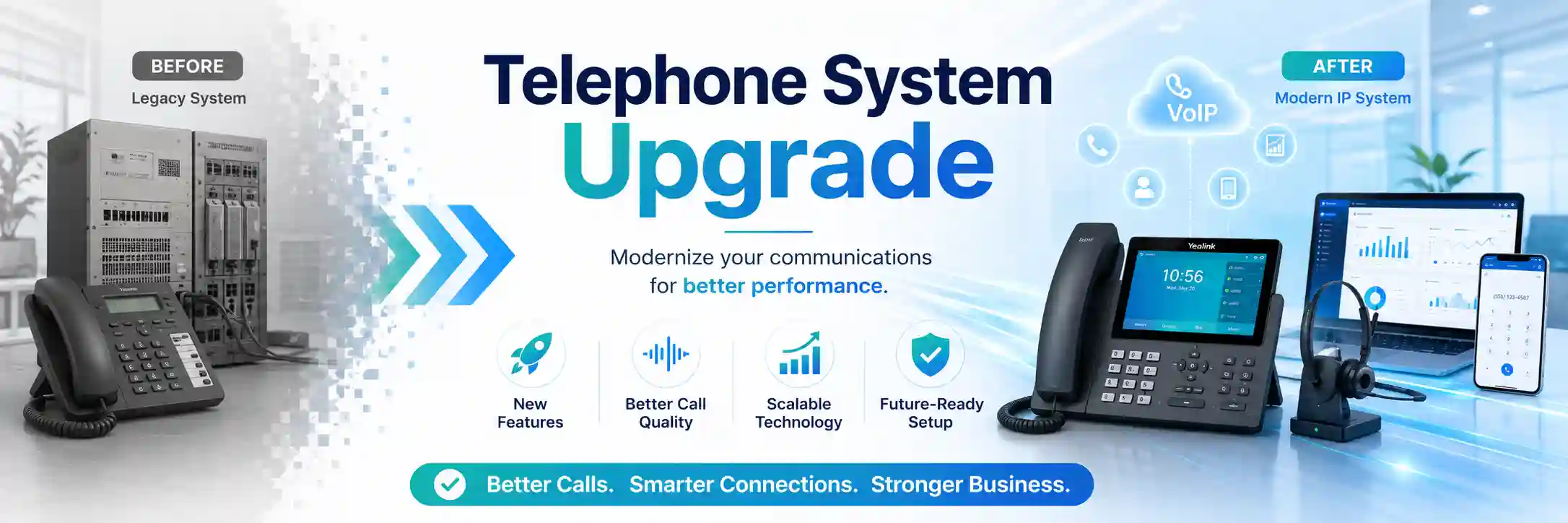
Document extensions, trunks, call routes, phones, gateways, integrations, backups, and ownership before changing them.
Upgrade timing depends on business hours, provider tasks, user availability, access, testing, and approved change scope.
Backups, export options, fallback routing, and recovery steps should be understood before a material PBX change.
Voice quality can depend on switching, PoE, VLANs, firewall behaviour, DNS, internet stability, and the service provider.
What does an IP PBX upgrade service involve?
An IP PBX upgrade service is a planned review and change process for an existing business telephone system. It is mainly used when a PBX is ageing, difficult to maintain, approaching a support or licensing limit, unable to meet new user or branch requirements, affected by repeated faults, or being moved to a different deployment model. The work can include discovery, compatibility assessment, configuration backup, extension and call-flow documentation, platform or version planning, phone and trunk checks, network readiness, implementation, testing, user handover, and post-change support. Businesses should prepare their current PBX details, administrator ownership, phone inventory, extension list, direct numbers, carrier or SIP information, call-flow requirements, integration details, backup status, security restrictions, and an acceptable maintenance window. The exact scope remains environment, access, vendor, licence, and quotation dependent.
Why businesses upgrade an IP PBX instead of leaving the current system unchanged
A telephone system can remain operational for years while becoming progressively harder to support. Administrators may know that the PBX is important but have little documentation of how incoming numbers are mapped, which extensions are still active, who owns the provider account, where backups are stored, or how after-hours calls are handled. A system can also accumulate temporary forwarding rules, inactive accounts, old handsets, undocumented gateways, forgotten administrator logins, and dependencies that only become visible during a fault. An upgrade project gives the business an opportunity to understand this environment before a critical change is forced by failure, growth, relocation, or a provider transition.
Capacity can be another trigger. A business that began with one reception desk and a small group of extensions may later need sales queues, remote users, additional branches, mobile clients, call reporting, different office-hour rules, or more controlled outbound permissions. The existing platform might technically handle some of these requirements but only with awkward workarounds, inconsistent administration, or components that are no longer practical to maintain. The decision should therefore be based on the current business requirement and supportability of the environment, not on the assumption that every older PBX must be replaced.
Repeated call-quality complaints can also start an upgrade discussion, but an upgrade should not be treated as a guaranteed cure for one-way audio, delay, dropped calls, or intermittent registration. Those symptoms may originate in the PBX, handsets, cabling, switching, voice VLANs, firewall behaviour, internet performance, provider routing, DNS, gateway configuration, or remote-user connectivity. A useful assessment separates platform limitations from surrounding infrastructure faults so the organisation does not replace the PBX while leaving the real cause untouched.
When age and supportability become a business risk
Older platforms may depend on software versions, licenses, hardware modules, storage media, or provisioning methods that are difficult to maintain. The risk is not merely that the PBX is old; it is that a failed component or unsupported dependency could leave the business with fewer recovery options. The assessment should identify what is replaceable, what can be backed up, which phones can be reused, whether provider settings are documented, and how quickly a fallback could be established if the existing system fails.
When office growth changes the call design
New departments, branches, hybrid work, contact-centre functions, changed reception staffing, and additional direct numbers can expose limitations in the original call plan. An upgrade can be used to simplify extension numbering, standardise ring groups, review queues, document office hours, remove unused accounts, and make future additions easier. These changes should be agreed with business owners because routing decisions affect how customers reach teams and how unanswered calls are handled.
When documentation is too weak for safe change
A PBX with unknown administrator ownership, undocumented trunks, unclear call forwarding, or an incomplete extension list is difficult to upgrade safely. Discovery becomes part of the project. FourTeck can help build a working inventory from the information and authorised access that are available, then identify gaps that need customer, vendor, or provider confirmation before implementation. Documentation reduces reliance on memory and gives future support teams a clearer starting point.
What the IP PBX upgrade scope may include
Depending on the confirmed scope, assistance may include a current-state review, administrator and backup checks, extension inventory, direct-number mapping, call-flow documentation, voicemail and prompt review, SIP trunk or carrier coordination, phone compatibility checks, firmware or version planning, gateway review, remote-user assessment, network readiness, voice VLAN and PoE review, firewall dependency checks, licensing review, new-platform configuration, staged user migration, call routing changes, testing, user guidance, and technical handover. Not every project needs every activity, and some activities may require separate vendor, carrier, cabling, hardware, licensing, or managed-service work.
Users, extensions, DIDs, trunks, call paths, devices, branches, integrations, licences, backups, and ownership.
Target extension plan, reception handling, queues, office hours, permissions, voicemail, remote users, and resilience options.
Approved configuration, provisioning, provider coordination, phased cutover, controlled change, and issue tracking.
Inbound, outbound, internal, reception, queue, voicemail, office-hours, remote, and representative failover or fallback tests where in scope.
Service-fit matrix for common PBX upgrade situations
| Business situation | Relevant assistance | What must be confirmed |
|---|---|---|
| Existing PBX is stable but difficult to maintain | Inventory, backup review, supportability check, lifecycle planning, documentation, target-platform options. | Current platform, licences, phones, trunks, support status, integrations, available backup and access. |
| More users or branches are being added | Capacity review, extension plan, branch connectivity, remote-user design, phone provisioning, queue and routing updates. | User count, location design, internet quality, network segmentation, numbering requirements, licensing and provider capability. |
| Business is relocating to a new office | PBX migration planning, network readiness, rack and PoE checks, phone move plan, carrier coordination, testing. | New-site network, cabling, provider circuit, trunk portability, building access, move window, device condition. |
| Call routing has become inconsistent | Current call-flow mapping, reception and queue review, office-hour logic, forwarding cleanup, test plan. | Desired business call behaviour, owner approval, direct numbers, voicemail destination, escalation path. |
| Voice quality is poor and an upgrade is being considered | PBX assessment plus network, firewall, internet, provider, VLAN, PoE, and endpoint checks before a replacement decision. | Fault pattern, affected users, call direction, timestamps, provider details, remote or site evidence, representative test calls. |
IP PBX upgrade service information
| Main purpose | Modernise or restructure a business PBX while controlling operational risk and preserving agreed calling requirements. |
|---|---|
| Suitable for | Offices, branches, retail operations, clinics, hospitality sites, warehouses, professional services, and organisations with on-premises, hosted, or hybrid IP telephony dependencies. |
| Typical systems involved | IP PBX, IP phones, softphones, gateways, SIP trunks, internet circuits, firewalls, switches, PoE, voice VLANs, DNS, remote-access paths, and selected integrations. |
| Assessment method | Remote review, configuration inspection, user interviews, call-flow mapping, provider information review, and on-site checks where physical infrastructure is relevant. |
| Remote support suitability | Suitable for many configuration, logging, backup, route, user, and platform-review tasks when secure authorised access is available. |
| On-site suitability | May be required for racks, cabling, phones, analogue gateways, PoE, switch ports, branch equipment, physical cutover, or inaccessible systems. |
| Customer access required | Access dependent. Administrative, provider, network, and site access should be authorised and shared through an approved secure method. |
| Backup considerations | Configuration and relevant data should be protected where supported. Backup usability and restoration options depend on platform and version. |
| Testing and handover | Scope dependent. Representative inbound and outbound calling, internal dialing, reception paths, queues, voicemail, office-hours behaviour, and user functions can be validated. |
| Service location | Dubai and UAE coordination, with remote or planned on-site work subject to location, access, scheduling, and approved quotation. |
| Important notes | Compatibility, licences, provider actions, hardware condition, third-party integrations, recordings, unsupported devices, and maintenance-window requirements can affect the final scope. |
Remote assessment or on-site PBX work: which is appropriate?
Remote support is often suitable at the beginning of an upgrade because a large part of discovery is logical rather than physical. With authorised secure access, an engineer may be able to review platform information, extension configuration, route logic, backups, trunk status, user accounts, logs, licensing indicators, phone provisioning records, and other available configuration details. Remote sessions can also be useful for interviews with the business contact who understands reception behaviour, department routing, working hours, and known pain points. A working internet connection and an authorised person may be needed to establish and supervise access.
On-site work becomes more important when the upgrade touches physical infrastructure. Existing phones may need to be identified by location and model. Analogue devices may connect through gateways that are mounted in a rack or communication room. Switch ports, PoE capacity, patching, cabling, UPS power, or voice VLAN configuration may need local verification. If a branch has intermittent registration or poor audio that cannot be reproduced remotely, local packet-path, cabling, and endpoint checks can add evidence. Physical cutovers may also need coordination with reception or floor users so the correct handset, extension, and direct number are tested together.
The decision is not remote versus on-site as competing service types. A controlled PBX upgrade often uses both. Discovery may start remotely, a site visit may confirm physical dependencies, configuration preparation may continue off-site, and final cutover may combine remote platform changes with local testing. The balance depends on the current design, number of sites, device inventory, security policy, business-hours constraints, and whether an internal IT contact can assist.
A controlled IP PBX upgrade journey
1. Define the business outcome before touching configuration
The first discussion should identify why the upgrade is being considered. The answer may be supportability, office relocation, added branches, user growth, recurring faults, remote work, call-flow redesign, changed provider service, new reporting needs, or a desire to standardise administration. This objective determines what must be preserved and what can change. If reception currently uses a specific overflow pattern, for example, that behaviour should be written down rather than assumed from old configuration alone.
2. Inventory the current environment
The inventory can include the PBX platform and deployment model, current version, licence or subscription details, extension ranges, direct numbers, SIP trunks, analogue lines or gateways, phone models, softphones, branch devices, voicemail, prompts, queues, ring groups, office hours, outbound rules, recording functions, integrations, backup location, network addressing, firewall dependencies, DNS, certificates where relevant, and the people who own provider or administrative access. The purpose is not to create paperwork for its own sake. It is to reduce surprises during change.
3. Map critical call flows and dependencies
Call routing should be described in business language. What happens when the main number is called during office hours? Which team rings first? What happens if nobody answers? Does the call overflow to reception, another queue, mobile users, or voicemail? What changes after hours? Which users need direct dial-in numbers? Are there outbound restrictions or caller-identification requirements? These questions create a validation plan that is more meaningful than confirming only that two internal extensions can call each other.
4. Review compatibility and target design
The target environment should be compared with existing phones, gateways, trunks, applications, network design, and business requirements. A phone that powers on is not automatically suitable for reuse; provisioning, firmware, supported functions, security, and lifecycle may matter. A provider trunk may require particular authentication or addressing. A mobile or remote user may depend on internet, DNS, certificates, firewall rules, or application permissions. Compatibility should therefore be confirmed rather than presumed.
5. Prepare backups, rollback, and change control
Before a material change, available configuration backups and exports should be reviewed, and the team should understand what those backups can actually restore. A rollback plan may involve restoring a configuration, retaining the existing system for a defined period, preserving old routing until the new environment is validated, or using a provider-side fallback. The exact method depends on the platforms and carrier options. The important point is that recovery thinking happens before the maintenance window, not after a failed test.
6. Implement in stages where appropriate
A staged upgrade can reduce risk when the environment supports it. A pilot group may test representative phones, remote clients, queue membership, voicemail, or branch registration before the wider user base moves. Other environments require a more concentrated cutover because numbering or provider routing cannot be split cleanly. The implementation plan should match the actual dependency rather than force a standard method onto every PBX.
7. Test from the perspective of real callers
Testing should include representative inbound and outbound calls, internal extension dialing, direct numbers, reception handling, queue delivery, transfer, hold, voicemail, office-hours behaviour, caller identification, remote users, and any approved integration that materially affects calls. Test results should be linked to the agreed business flows. When a failure is found, its layer should be identified before broad settings are changed. A provider-side routing issue needs a different response from a phone provisioning problem.
8. Handover and monitor the changed environment
After validation, administrator notes, extension lists, provider references, backup responsibilities, call-flow records, and known limitations can be documented according to scope. Reception and key users may need concise guidance on changed functions. The team should also know how to report unexpected behaviour during the post-change period. An upgrade is more maintainable when the system can be understood by someone other than the person who performed the cutover.
Capability focus: preserve business call flows while modernising the platform
The visible function of a PBX is calling, but the business value sits in routing logic. A main number may need to reach reception, sales, support, accounts, or a shared service desk depending on caller choice and time of day. Queues may apply announcements, timeouts, overflow destinations, and agent membership. Direct numbers may bypass reception. Certain users may need international or restricted outbound permissions. Remote users may work differently from office handsets. If an upgrade copies only extension numbers without understanding these relationships, the new system can be technically operational while business calls still reach the wrong place.
FourTeck can help convert the current call behaviour into a practical map. The map can identify incoming numbers, initial destinations, menus, queues, ring groups, time conditions, voicemail, overflow paths, and the responsible department. It can then be compared with the desired future state. This creates an opportunity to remove obsolete routes, replace temporary workarounds, simplify duplicated logic, and align the PBX with current staffing. Changes remain subject to customer approval because call routing is ultimately a business decision, not merely a technical preference.
Capability focus: check the network path before blaming the PBX
IP telephony depends on the same infrastructure that carries other network traffic. Phones may receive power through PoE switches, obtain addressing through the local network, use a voice VLAN, reach the PBX across switching or routing, and access external calling through an internet or carrier path. Firewalls can influence registration and media traffic. Remote clients add public internet, DNS, certificates, mobile networks, or home connectivity. A system upgrade that ignores these dependencies can reproduce existing call-quality problems on a newer platform.
Network readiness is therefore part of a responsible upgrade assessment. The scope may include checking switch capacity, PoE availability, port configuration, VLAN design, addressing, gateway behaviour, bandwidth use, firewall policies, internet stability, and provider handoff information. The purpose is not to redesign the whole network automatically. It is to identify conditions that could affect voice and to include required remediation in the project rather than discover it during cutover. For wider infrastructure planning, businesses can review FourTeck’s business IT and network services as part of the same connected environment.
Capability focus: leave the upgraded PBX easier to support than the old one
An upgrade should improve maintainability as well as features. That means knowing who owns administrator access, where backups are stored, which provider supports each trunk, how extensions and direct numbers are assigned, what the normal call routes are, which devices are at each location, and what special integrations exist. Documentation does not need to expose sensitive credentials in an unsafe way. It should record responsibilities, references, configuration relationships, and recovery information at an appropriate level, while credentials are handled through approved secure methods.
A maintainable environment also benefits from a defined change process. When a staff member joins, changes department, leaves, or needs a new phone, administrators should know the expected request and approval path. Queue membership and reception behaviour should not be altered casually. Firmware or platform updates should consider backups, compatibility, and maintenance windows. Provider contacts should be available when a trunk issue crosses system boundaries. These practices help prevent the new PBX from accumulating the same uncertainty that made the old one difficult to manage.
Dependencies, access, compatibility, and customer inputs
The final upgrade scope depends on what can be verified. Useful inputs include the current PBX name and deployment model, software or firmware level where known, number of users, extension list, direct numbers, reception and department call flows, provider or SIP trunk details, phone models, analogue devices, gateways, remote-user methods, branch links, recording requirements, integrations, licensing, administrator ownership, backup status, network diagrams, firewall ownership, and the proposed maintenance window. A contact person should also be available to confirm expected call behaviour during testing.
Authorised access is essential. FourTeck does not need passwords published in an open request or public page. Credentials should only be shared after identity, scope, and authorisation are confirmed and through an approved secure method. Some environments are administered by an outgoing vendor or managed-service provider; obtaining configuration exports, administrator access, licence ownership, or provider portal rights may therefore be a project dependency. If these cannot be obtained, discovery may be limited and alternative migration methods may be required.
Compatibility is also environment dependent. Existing phones, gateways, trunks, softphones, recording functions, directory integrations, or specialised devices cannot be assumed compatible with every target PBX or release. Vendor documentation, supported provisioning methods, licence terms, and actual device condition may need review. Where compatibility cannot be established, the quotation should identify the uncertainty or treat replacement, testing, or vendor confirmation as a separate requirement.
Risks, limitations, and exclusions to understand before an upgrade
An IP PBX upgrade can be planned carefully, but it should not be described as risk free. Telephony changes may affect live call routes, user registration, provider authentication, remote access, voicemail, recordings, or integrations. A maintenance window may be required, and some level of service interruption may be unavoidable depending on the migration method and carrier actions. The expected interruption should be discussed after the current and target environments are understood rather than promised in advance.
Third parties can influence the result. A carrier may need to change routing, authentication, or number presentation. An internet provider may need to investigate packet loss or circuit instability. A firewall vendor or administrator may control required policies. A CRM or specialised application provider may own an integration. Hardware failures may require replacement parts outside the support labour scope. Unsupported legacy systems may provide limited export or migration options. These dependencies should be identified early so the customer knows which organisation is responsible for each action.
Backups reduce risk but do not automatically guarantee recovery. The backup format, age, completeness, version compatibility, storage location, and restoration procedure all matter. Recordings, voicemail, prompts, or logs may be stored separately from configuration. A successful upgrade test also does not remove the need for ongoing maintenance, monitoring, user administration, or provider support. Final commercial terms, included tasks, travel, hardware, licences, and post-change assistance depend on the approved quotation or service agreement.
Business environments where PBX upgrade planning can be useful
Professional and administrative offices
Reception, direct extensions, executive assistants, sales teams, shared voicemail, meeting rooms, and remote employees may all depend on predictable call routing. Upgrade planning can simplify accumulated changes and support staff moves or growth.
Retail and customer-facing locations
Stores and showrooms may need calls to reach the correct branch, front desk, manager, or central team. The upgrade should account for business hours, branch numbering, network reliability, and how calls are handled when local staff are busy.
Warehouses and logistics operations
Large sites can combine office handsets, gate or reception phones, analogue devices, warehouses, remote offices, and multiple network segments. Physical checks can be important where cabling, PoE, industrial areas, or long network paths affect phone reliability.
Clinics, training centres, and hospitality sites
These environments may use reception-intensive call patterns, department queues, room or service extensions, and time-based routing. Upgrade planning should focus on operational continuity, clear testing, user communication, and the dependencies that keep front-desk calling available.
Multi-branch businesses
Branches may share a PBX, connect to a central system, or operate separate systems that need a common numbering and support approach. Internet, VPN, firewall, DNS, voice VLAN, and provider design can influence how branches are migrated and tested.
Hybrid and remote teams
Softphones, mobile applications, remote desk phones, and browser clients can extend the PBX outside the office. Their success depends on supported applications, secure access, internet quality, identity, and platform configuration. These requirements should be tested with representative users.
Operational, security, and maintenance considerations after the change
A modernised PBX still needs operational ownership. Administrators should know who can create users, reset credentials, alter call routes, change office hours, manage queues, access recordings, and approve provider changes. Shared administrator accounts should be avoided where the platform supports individual accountability, and remote administration should be limited to authorised methods. Platform updates should be planned rather than applied without regard to compatibility, backups, or maintenance windows.
Network security matters because IP telephony is connected infrastructure. The PBX, phones, management interfaces, remote users, and SIP services should not be exposed more broadly than required. Firewall and remote-access changes should be specific to the approved design. Default credentials, unused accounts, and abandoned extensions can create unnecessary risk. Security improvement reduces exposure but does not guarantee complete protection; ongoing review, platform maintenance, access control, and provider awareness remain necessary.
Maintenance should also include business logic. Staff changes can leave old extensions or queue members active. Reception hours can become outdated after a policy change. Holiday routing can be forgotten. Direct numbers can remain assigned to people who have moved departments. Periodic review of users, call routes, backups, software levels, device health, provider details, and documentation helps keep the PBX aligned with the organisation rather than only with its technical configuration.
Before you contact FourTeck about an IP PBX upgrade
A complete technical record is not required before making contact, but the following information can make the first discussion more useful and help determine whether discovery should begin remotely or on-site.
- The Dubai or UAE service location and whether more than one office or branch is involved.
- The current PBX platform, deployment model, and approximate age or version if known.
- The number of active users, extensions, departments, reception positions, and remote users.
- A list of main numbers, direct numbers, and important incoming call destinations where available.
- The reason for the upgrade, such as growth, relocation, supportability, repeated faults, provider change, or new functionality.
- Any current symptoms, error messages, failed calls, one-way audio, registration issues, or recurring user complaints.
- Phone models, gateways, analogue devices, conference phones, door phones, or other special endpoints that may need to remain in service.
- SIP trunk, carrier, internet, or telecom provider details and the person who is authorised to request changes.
- Information about network switching, PoE, voice VLANs, firewall ownership, internet circuits, and branch links.
- Whether administrator access, configuration exports, backups, licence records, and vendor portals are available.
- Any call recording, CRM, paging, intercom, fax, analogue, directory, or business-application integration that could be affected.
- Normal office hours, peak call periods, and preferred maintenance or cutover windows.
- Site access rules, security approval, building restrictions, or internal IT contacts who should be involved.
- The expected outcome, including which current behaviours must be preserved and which pain points should be improved.
Checklist for defining the quotation and engagement
How FourTeck can assist with the upgrade and quotation process
FourTeck can begin by clarifying the reason for the change and identifying the systems, users, locations, call routes, and technical dependencies that need review. Where remote access is suitable, discovery can cover platform configuration, backups, extension and routing information, logs, licensing indicators, and provider details. Where the environment includes uncertain cabling, physical gateways, multiple racks, PoE questions, analogue services, or branch equipment, an on-site assessment may be recommended.
The next stage is to turn findings into a defined work scope. That scope can distinguish existing assets that may be retained, items that need further compatibility checking, provider actions, network remediation, PBX configuration, endpoint provisioning, migration tasks, testing, documentation, and handover. The quotation should make clear which work is included and which items remain dependent on third parties, licences, equipment condition, access, or separate approval.
During implementation, FourTeck can coordinate approved configuration changes, assist with provider or network dependencies, support staged or scheduled cutover activities, and validate agreed call functions. After the change, the service can include practical documentation and next-step recommendations where included in scope. Businesses wanting to understand FourTeck’s connected support approach can visit the FourTeck IT Services overview or use the support and project contact page to share the upgrade requirement.
Dubai and UAE service coordination for PBX upgrades
For a Dubai PBX upgrade, the practical service plan depends on how much of the environment can be assessed remotely and how much requires physical access. A centrally hosted PBX with well-documented phones and provider information may allow substantial discovery before a visit. An older on-premises installation with analogue gateways, uncertain patching, multiple telecom circuits, or undocumented switch ports may need more site work. The quotation should identify the expected method rather than assuming every upgrade follows the same schedule.
On-site work can also be affected by building access, communication-room restrictions, visitor permits, parking or loading arrangements for equipment, the availability of the customer’s authorised contact, and coordination with telecom or internet providers. Service timing depends on engineer availability, customer access, site conditions, required equipment, third-party provider actions, and the confirmed work scope. Contact FourTeck to confirm the service scope and scheduling options before a maintenance window is announced internally.
Coordinating upgrades across Dubai, Abu Dhabi, Sharjah, and Ajman
Businesses with offices or operational sites in Dubai, Abu Dhabi, Sharjah, and Ajman may need one PBX change to account for several locations rather than treating each site as an isolated telephone project. Coordination can include remote discovery, branch extension mapping, network and firewall review, provider information collection, planned site visits, phone or gateway checks, central call-flow design, migration support, testing, and documentation depending on the approved scope.
The service plan should account for travel, site access, local contacts, building rules, equipment availability, network readiness, and whether provider or carrier actions must occur at one or several sites. A branch may depend on central PBX connectivity over the internet or a private network, so the upgrade design should test both local calling and the path back to central services. FourTeck can help organise these dependencies, but scheduling and implementation remain subject to confirmed access, location, third-party responsibilities, and quotation.
Questions businesses ask before committing to an IP PBX upgrade
Can our existing IP phones be reused after the PBX upgrade?
Possibly, but reuse should be confirmed rather than assumed. The phone model, firmware, supported provisioning method, required business features, security expectations, and target PBX all matter. A handset may register successfully but still lack reliable provisioning, supported function keys, secure transport options, directory integration, or future update support. The practical decision compares the cost and risk of retaining devices against replacing them in full or in phases. Prepare a phone inventory by model and location if possible; it gives the assessment a better starting point.
Can the upgrade be completed without changing our telephone numbers?
Many upgrade projects aim to retain existing business numbers, but the outcome depends on the carrier, trunk arrangement, number ownership, target platform, and whether a provider-side change or port is required. Do not announce a number transition until the provider path has been confirmed. The project should identify main numbers, direct dial numbers, fax or analogue services if any, and which party is authorised to request carrier changes. Provider lead times and technical requirements are outside the PBX configuration itself and can affect the cutover plan.
Should we repair the current PBX or upgrade it?
The answer depends on the fault and the system’s remaining supportability. A stable platform with one correctable configuration issue may not need replacement. A system with repeated hardware failures, limited backups, unsupported components, constrained capacity, unavailable licences, or major business changes may justify a planned upgrade. FourTeck can help distinguish the immediate fault from the wider lifecycle question. The decision should consider recovery options, device compatibility, user requirements, maintenance effort, and the operational risk of waiting.
Why do we need a network review if the project is about the PBX?
Because IP phones and modern PBX platforms depend on the network path. Phones may rely on PoE, DHCP or static addressing, VLANs, DNS, switching, routing, firewall policies, internet connectivity, and provider reachability. A network fault can look like a telephone fault: phones unregister, calls have one-way audio, remote users drop, or speech becomes delayed. A focused readiness review checks only the technical layers that could affect the planned design. It is not automatically a full network replacement project.
Can the PBX be upgraded remotely?
Some assessment and configuration work can often be performed remotely when secure authorised access, a working network, and an available customer contact are present. Physical tasks cannot be completed remotely. Handset replacement, rack work, gateway checks, cabling, PoE troubleshooting, patching, and certain cutover tests may need an on-site visit. Even when the PBX itself is cloud or data-centre hosted, the office still contains endpoints and network dependencies that may need local validation. The final service method should match the actual environment.
How much downtime should we expect during an upgrade?
Downtime cannot be stated responsibly until the current platform, target platform, provider routing, phone provisioning, number movement, branch design, and rollback method are understood. Some changes can be staged; others require a defined maintenance window where inbound or outbound calling may be interrupted. The planning stage should identify critical numbers, peak call periods, the sequence of provider and PBX actions, user communications, and representative tests. The quotation or change plan can then describe the expected service impact more accurately.
What should we test after the new PBX is active?
Testing should mirror the ways people actually use the telephone system. A useful set includes calls to the main number, direct numbers, internal extensions, outbound local and other approved destinations, reception transfer, queue behaviour, voicemail, office-hours routing, caller identification, remote users, and any approved integration that affects calls. The customer should nominate representatives from important departments because they understand expected behaviour. Test results are stronger when each case has an expected destination or outcome rather than a general statement that calling appears to work.
Do we need to replace analogue devices during the upgrade?
Not necessarily. Fax devices, door phones, paging systems, lift or emergency interfaces, legacy handsets, and other analogue services may connect through gateways or provider lines. Their future path depends on the specific device, current interface, target PBX, carrier options, and required reliability. Some may be retained through suitable gateways, while others may need separate replacement or specialist coordination. These devices should be identified during discovery because they are easy to overlook when attention is focused only on desk phones.
What if the current PBX administrator password or documentation is missing?
Missing access does not automatically stop every project, but it changes the discovery and migration options. The customer may need to work with the current provider, outgoing support company, vendor, or authorised administrator to recover access, export configuration, confirm licence ownership, or release number and trunk information. Where the old system cannot be accessed, the team may need to reconstruct the environment from provider records, endpoint settings, user interviews, and observed call behaviour. That can increase uncertainty and should be recognised in the scope.
Is a cloud PBX always better than an on-premises PBX?
No deployment model is automatically right for every organisation. Hosted or cloud options can reduce on-site server dependency and may simplify some forms of remote access, but they introduce internet, provider, subscription, hosting, and external service dependencies. On-premises systems offer different control and network characteristics but require local infrastructure, maintenance, backup, and lifecycle planning. The choice should be based on users, locations, internet quality, security policy, integrations, administrative capability, resilience goals, and commercial model rather than a generic claim.
Can we upgrade one branch first and move the rest later?
A phased branch migration may be practical if numbering, provider routing, platform interconnection, and network design allow the old and new environments to coexist safely. It can be useful for testing remote-site behaviour before a wider rollout. However, phased migration can also introduce temporary complexity: inter-system dialing, duplicate administration, provider route changes, and two support processes. The discovery stage should determine whether the benefit of staging outweighs the temporary complexity for the specific environment.
What information is most useful when asking for a quotation?
Start with business scope rather than a shopping list. Share the number of users and sites, current PBX, key phone models, provider or trunk information, main and direct numbers, remote-user needs, important queues and reception flows, branch requirements, known problems, desired changes, available access, and preferred maintenance periods. Mention special devices or integrations early. This allows FourTeck to decide whether a remote discovery session, on-site assessment, compatibility check, provider conversation, or separate network review is needed before a complete quotation can be prepared.
When is it better to plan the upgrade before the existing PBX fails?
Planning is valuable when the business still has time to collect documentation, verify backups, compare options, test phones, confirm provider details, schedule a maintenance window, and communicate with users. A failed system turns those activities into urgent recovery tasks and may reduce the number of available options. Warning signs can include unreliable hardware, repeated storage errors, missing backups, end-of-support software, licences that cannot be expanded, frequent registration problems, undocumented provider dependencies, or a coming office move. These signs do not prove that immediate replacement is required, but they justify assessment.
Related FourTeck IT services that may support a PBX upgrade
PBX work often intersects with wider infrastructure. FourTeck’s IT service and support home explains the connected approach across users, networks, servers, telephony, and related systems. The IT services directory includes office telephone, IP PBX, network, firewall, server, WiFi, and ongoing support areas that may become relevant when the upgrade exposes dependencies outside the PBX itself.
Useful for endpoint registration, extension administration, handset functions, call routing, voicemail, reception requirements, and ongoing user changes.
Relevant when voice depends on switch ports, PoE, VLANs, routing, DNS, internet performance, branch links, or undocumented cabling.
Relevant when remote users, SIP provider paths, hosted PBX connectivity, VPNs, or controlled network access are part of the design.
Useful after the project when the business wants recurring administration, documentation, change coordination, and health review across connected systems.
Why businesses contact FourTeck for PBX change planning
A PBX upgrade crosses technical boundaries. The call may originate on a handset, pass through a switch and voice VLAN, reach the PBX, traverse a firewall or provider edge, and depend on carrier routing before the customer hears a ring. Remote users add internet and application dependencies. Branches add more network paths. FourTeck approaches the project by considering these relationships instead of assuming every symptom is caused by the telephone platform itself.
The service process focuses on clear initial assessment, controlled change, practical documentation, and understandable next steps. FourTeck can coordinate remote and on-site activities, collect technical evidence for providers, identify which tasks depend on network or firewall teams, and define the quotation around the actual environment. The goal is not to force one PBX brand or deployment model onto every customer. It is to help the organisation understand what it has, what it needs, what may limit the change, and how the upgrade can be tested and supported.
Frequently asked questions about IP PBX upgrades in Dubai
What does FourTeck review before an IP PBX upgrade?
The review may cover the PBX platform, users, extensions, numbers, trunks, call routes, phones, gateways, remote users, licences, backups, network dependencies, provider details, and business requirements. The exact assessment depends on access and scope.
Can you upgrade a PBX outside business hours?
A maintenance window can be planned when the confirmed scope and scheduling options support it. Timing depends on customer access, engineer availability, provider actions, site conditions, and the change sequence. No fixed window should be assumed before assessment.
Will all existing phones work with a new PBX?
Not necessarily. Compatibility depends on phone model, firmware, provisioning support, required functions, security, and the target platform. Existing devices should be inventoried and checked before reuse is included in the project plan.
Do SIP trunks need to change during the upgrade?
Sometimes they can remain, while other projects require provider-side changes or a different trunk arrangement. Authentication, routing, numbering, compatibility, and carrier policy must be confirmed with the relevant provider.
Can FourTeck help with a PBX that has poor call quality?
Yes, assessment can examine PBX, handset, switching, PoE, VLAN, firewall, internet, and provider factors. Poor audio does not prove that the PBX itself needs replacement, so diagnosis should precede the upgrade decision.
Is user training included?
User or administrator handover can be included when required in the quotation. The content may cover changed calling functions, voicemail, transfer, queue or reception handling, remote applications, and the process for requesting future changes.
What happens if the upgrade reveals a network problem?
The finding can be documented and the required corrective work defined. Network, cabling, firewall, or provider work may be included in an approved revised scope or handled separately depending on the issue and quotation.
Can recordings and voicemail be migrated?
This is platform and version dependent. Configuration, voicemail, prompts, recordings, and logs may use different storage or export methods. Migration should only be promised after the source and target options are verified.
Do you support multi-site PBX upgrade projects?
FourTeck can coordinate multi-site assessment and project support in the UAE. The plan depends on branch connectivity, local equipment, provider services, access, travel, staging options, and whether the locations share one PBX or use separate systems.
How do we request a quotation?
Share the current system, user and site count, reason for the upgrade, key call flows, provider information, device inventory, access availability, known issues, and preferred timing. FourTeck can then identify any assessment needed before a detailed scope is confirmed.
Plan the next PBX change with the current environment documented first
If your business is considering an IP PBX upgrade in Dubai, begin with the information that determines risk: current users and numbers, call flows, devices, provider services, network dependencies, administrator access, backups, integrations, and the maintenance window the business can tolerate. FourTeck can help assess the environment, define the technical and operational scope, coordinate approved implementation tasks, test agreed call functions, and prepare handover information. Remote or on-site assistance depends on the environment, location, access, urgency, and approved quotation.
For a broader view of available assistance, review FourTeck IT services. To discuss the specific PBX upgrade, use the contact page and include the current platform, approximate user count, service location, reason for change, and any known provider or call-quality issues.