
Business telephony configuration and extension administration
IP PBX Extension Configuration in Dubai, UAE
An extension should represent a real user, role or business function and should connect to the correct phone, voicemail, permissions and call route. FourTeck helps organisations review existing IP PBX extension settings, plan new extensions, correct inconsistent assignments and implement approved changes with testing, documentation and practical handover.
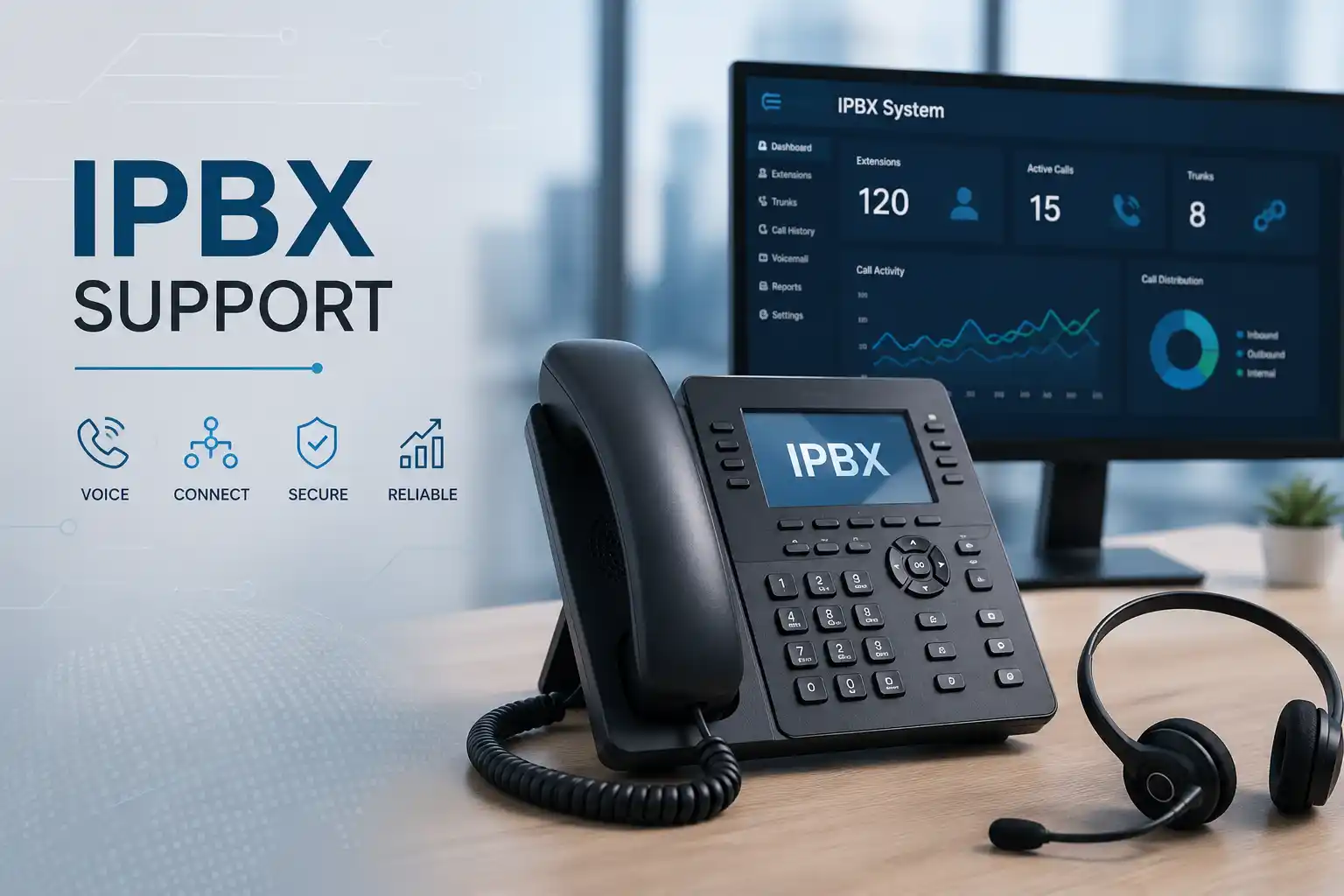
Users, departments, shared areas and reception roles need clear numbering and ownership.
Phones and approved applications must register to the correct extension using the supported provisioning method.
Forwarding, voicemail, groups, queues and outbound permissions should match business responsibilities.
Access, configuration backup, maintenance timing and rollback considerations matter before wider changes.
What is IP PBX extension configuration?
IP PBX extension configuration is the administrative work that gives each authorised user, desk, department or shared telephone role an internal identity and defines how that identity behaves. It is mainly used when adding staff, moving phones, opening a branch, reorganising departments, correcting call-routing problems or standardising an existing telephone environment. Businesses should consider the service when extension ownership is unclear, phones show the wrong user, new employees cannot register, voicemail or forwarding is inconsistent, or call permissions no longer match current roles. Before work proceeds, the customer should confirm the PBX platform, available administrator access, current extension list, required user changes, connected devices, call-flow expectations, network condition and any vendor or carrier dependencies. The exact scope is configuration dependent and should be confirmed before implementation.
What the service can cover
An extension is more than a number printed beside a desk. In a modern IP PBX, the extension may be connected to an IP phone, a softphone, a desktop application, a mobile client, a shared device or several approved endpoints. It can have a display name, voicemail box, outbound rights, forwarding behaviour, office-hours rules, caller identification, group memberships and user-specific features. When these items are configured without a clear plan, a simple staff move can create missed calls, incorrect caller names, duplicate registrations, unintended forwarding or access to features that the new user should not inherit.
FourTeck can help assess the existing extension structure before changing it. Depending on the confirmed scope, assistance may include creating new extensions, updating user names, assigning devices, checking registration, reviewing voicemail, setting permitted destinations, configuring forwarding, adding users to ring groups or queues, updating reception handling, reviewing extension ranges and documenting the completed assignment. Where the extension is part of a wider incoming or outgoing call flow, the related routing may need to be reviewed as well so that the change does not create an unexpected result elsewhere.
The service can also be relevant when an organisation inherits an undocumented PBX. In that situation, the first useful step may be discovery rather than immediate modification. Existing users, devices, direct numbers, groups, queues, trunks, prompts and routing dependencies can be recorded so the business understands what each extension does. This reduces guesswork when staff leave, departments change, phones are replaced or the system is later upgraded. The scope should remain tied to the actual PBX platform, access available and supported configuration options.
Who may need extension configuration support?
The service can suit businesses adding employees, creating departments, reorganising reception, replacing desk phones, adopting remote-working clients, opening a new location or preparing a telephone-system upgrade. It can also help an office that already has a functioning PBX but no dependable extension list or ownership record.
Operations managers may need a controlled process for staff changes. IT teams may need assistance with an unfamiliar telephone platform. Office managers may need reception and department numbers aligned with the current organisation chart. Multi-branch businesses may need consistent numbering and documented rules across locations. The important point is to define the business role of each extension before changing technical settings.
What should be confirmed before work starts?
FourTeck may need the PBX make or platform name, current user list, extension range, phone or application types, desired call permissions, voicemail requirements, direct numbers if used, department membership, remote-user needs and the preferred completion window. Administrative access must be authorised by the customer.
If the change could affect a production call flow, the existing configuration should be backed up where the platform supports it and a rollback route should be considered. Credentials should not be posted on a public webpage or sent through an unapproved channel. Secure access arrangements can be agreed after customer identity and authorisation are confirmed.
Common signs that the extension plan needs attention
A configuration review is often requested after a visible user problem, but the same symptom can have several causes. A phone that shows the wrong name may be using an old extension assignment, an outdated provisioning template or a cached local setting. A user who cannot make external calls may have an incorrect permission rule, a dial-plan issue, a trunk restriction or a wider provider problem. A phone that does not ring may be affected by extension status, forwarding, group membership, time conditions, device registration, network reachability or endpoint settings. Diagnosis should therefore follow evidence rather than assumptions.
New employee has no working extension
The PBX user may need to be created, assigned to the correct device or client, provisioned and tested against internal and external calling rules.
Former employee name remains on the phone
The extension record, phone configuration, directory entry or provisioning profile may still contain the previous identity and should be reviewed before reassignment.
Calls reach the wrong department
The extension itself may be correct while the related ring group, queue, IVR destination, office-hours rule or incoming route sends calls elsewhere.
Remote user cannot register
The issue may involve account configuration, provisioning, firewall reachability, DNS, certificates, internet quality or platform-specific remote-access requirements.
Voicemail goes to the wrong user
Mailbox ownership, forwarding destinations, email notification details or legacy user settings may need to be corrected and then validated.
Outbound calling differs between users
The reason may be intentional permissions or a rule inherited from a previous role. Required destinations and business policy should be confirmed before changing access.
Why unclear extension configuration can affect daily operations
Telephone configuration becomes operationally important when customer calls, supplier communication, reception handling and internal transfers depend on it. If staff identities and destinations are unclear, callers may repeatedly reach the wrong person, users may miss voicemail, departments may lose continuity during staff changes and reception may spend more time correcting avoidable routing problems. The effect is not always a complete outage; small inconsistencies can create repeated friction that is difficult to trace because different users experience different symptoms.
Documentation reduces this risk. A maintained extension register can show the extension number, user or role, assigned device, department, direct number where applicable, group membership and any special behaviour that the business needs to remember. This does not replace the PBX configuration backup, but it gives managers and support teams a practical map of who is supposed to receive which calls and makes future onboarding, offboarding, moves and troubleshooting more controlled.
Possible service scope for extension configuration
The final scope depends on the PBX platform, existing documentation, access, number of users, change risk and desired business outcome. A small request may involve one new employee and one phone. A larger change may involve an entire department, a new extension range, multiple user roles, remote applications, reception routing and documentation. Depending on the confirmed scope, FourTeck assistance may include the following activities.
- Reviewing the current PBX extension list and identifying unused, duplicated or unclear assignments.
- Creating, editing or retiring extensions after the customer confirms the required user or business role.
- Assigning extension numbers, display names, user email details and approved authentication or provisioning settings supported by the platform.
- Registering or provisioning desk phones, softphones or approved mobile clients where they form part of the agreed scope.
- Reviewing voicemail ownership, notification details, greeting behaviour and mailbox access.
- Setting call forwarding, simultaneous ring, no-answer handling or busy behaviour when required by the business workflow.
- Adding users to ring groups, queues or department destinations while checking how membership affects incoming calls.
- Reviewing outbound permissions so staff can reach the destinations appropriate to their roles without opening unnecessary access.
- Checking caller identification and direct-number mapping where the carrier, trunk and PBX configuration support the requested behaviour.
- Taking or confirming a configuration backup before higher-impact changes where supported and appropriate.
- Testing internal calls, inbound calls, outbound calls, transfers, voicemail and relevant group behaviour after approved changes.
- Preparing an updated extension record and noting any remaining provider, network, licensing or device issues that require separate action.
Not every request requires every activity. Hardware replacement, carrier changes, new licenses, structured cabling, network upgrades or wider PBX migration may require separate assessment and quotation.
Service-fit matrix: what the symptom may indicate
| Observed situation | Possible technical areas | Recommended next step |
|---|---|---|
| New phone shows no extension or the wrong user | Provisioning, device assignment, local phone settings, extension record or template | Confirm the intended user and device, then review the PBX assignment before resetting or replacing equipment. |
| Internal calls work but external calls fail | Outbound permission, dial plan, route, trunk, provider or caller-ID rule | Compare the affected extension with a working user and confirm carrier or trunk dependencies before changing global rules. |
| Inbound calls ring a former employee | Ring group, queue, direct number mapping, forwarding or IVR destination | Map the incoming route to the expected business role and test the full path after the approved change. |
| Phone registers but audio is one-way or unstable | Network, firewall, NAT, internet quality, codec negotiation, provider path or endpoint | Treat this as a wider voice-path issue rather than assuming the extension record alone is faulty. |
| Remote application cannot connect | User account, remote-access method, DNS, firewall, certificate, internet or platform policy | Confirm the supported remote-access design and collect connection evidence before applying changes. |
| Different staff have inconsistent feature access | User class, extension template, permissions, licenses or legacy configuration | Define role-based requirements and standardise settings only after confirming which differences are intentional. |
Service information for buyers and IT coordinators
| Service topic | IP PBX extension planning, creation, reassignment, registration, feature configuration and documentation. |
|---|---|
| Main purpose | Align internal telephone identities and user behaviour with current business roles and call flows. |
| Suitable for | New staff, office moves, department changes, new phones, remote users, branch expansion, PBX cleanup and upgrade preparation. |
| Typical systems involved | IP PBX platform, IP phones, approved softphones, mobile clients, SIP trunks, switches, voice VLANs, firewall and internet connection where relevant. |
| Remote support suitability | Often suitable for authorised administration, configuration review, user changes and log checks when secure access and connectivity are available. |
| On-site support suitability | May be recommended for phone placement, cabling, switch ports, PoE, local network tests, multiple-device rollout or issues that cannot be reproduced remotely. |
| Customer access required | Authorised administrative access to the relevant PBX and, where necessary, network or provider portals. Access dependent. |
| Testing and validation | Scope dependent; may include registration, internal calls, incoming calls, outgoing calls, transfers, voicemail, forwarding, queue or group behaviour. |
| Documentation and handover | Can include updated extension records, role notes, special call behaviour and administrator follow-up items. |
| Vendor coordination | May be needed when carrier, hosted PBX, licensing, firmware or platform-specific support is involved. Vendor dependent. |
| Service location | Dubai and UAE coordination for remote or planned on-site assistance, subject to scope and scheduling. |
| Quotation requirement | The final commercial scope depends on user count, current environment, access, change complexity, physical work and third-party requirements. |
When remote configuration may be appropriate
Remote assistance can be efficient when the PBX administration interface is reachable through an approved secure method, the customer has working internet service, the requested change is primarily logical configuration and someone authorised is available to confirm the expected result. Typical remote tasks may include creating a user, changing a display name, adjusting voicemail, reviewing forwarding, adding group membership, comparing permissions or checking registration and logs.
Remote access does not remove the need for controlled change. The engineer still needs the required business outcome, suitable authorisation, awareness of current dependencies and a way to validate the result. If the platform is inaccessible, the network is unstable, devices must be physically checked or the issue involves cabling and PoE, remote work may only be the first stage of assessment.
When an on-site visit may be more useful
On-site support may be recommended when new phones need to be placed and connected, switch ports or voice VLANs need checking, PoE delivery is uncertain, cabling must be tested, several users are being moved, local phone settings are inconsistent, the system cannot be accessed remotely or the office needs coordinated user testing. Physical context can also matter when reception, meeting rooms, shared desks or warehouse phones need different calling behaviour.
A site visit should be planned around building access, contact availability, equipment location, rack access, maintenance windows and the confirmed work list. FourTeck can help determine whether the first step should be remote discovery, on-site assessment or a combination of both. Attendance timing remains subject to location, engineer availability and approved scope.
A controlled assessment and configuration journey
Extension changes should begin with the business requirement and move toward technical implementation only after the intended behaviour is clear. This avoids changing settings simply because they look inconsistent. A deliberate process also gives the customer a useful record of what was changed and why.
1. Define the business outcome
Confirm who needs an extension, what role it serves, which phone or application will be used, how calls should reach the user and what the user must be allowed to do.
2. Identify the current environment
Record the PBX platform, deployment type, extension range, existing device assignment, connected trunk or carrier, user groups, network path and available administrator access.
3. Collect evidence
For an existing fault, gather error messages, registration status, screenshots, call examples, affected numbers, timing, recent changes and comparison information from a working extension where useful.
4. Protect the working configuration
Where supported and appropriate, confirm a current configuration backup and consider the rollback path before modifying settings that could affect more than one user.
5. Review dependencies
Check whether the requested behaviour depends on licensing, phone compatibility, network configuration, firewall reachability, SIP trunk settings, direct numbers or a hosted provider.
6. Implement the approved change
Create or update the extension, assign the approved endpoint, apply required user-level features and avoid unrelated global changes unless they are part of the agreed scope.
7. Test the call path
Validate registration and then test the functions relevant to the user: internal calls, inbound calls, outbound calls, transfer, voicemail, forwarding, queue or ring-group behaviour as applicable.
8. Document and hand over
Update the extension register, record any special behaviour, explain relevant user functions and list remaining tasks that depend on the network, carrier, vendor, hardware or separate project work.
Planning before implementation reduces accidental call-flow changes
A PBX often links many settings together. Changing one extension may affect a direct number, a queue membership, an after-hours destination, a voicemail box or a forwarding rule that other staff rely on. For that reason, the implementation plan should identify which settings belong only to the user and which belong to shared business call flows. A user-level change can usually be tested with limited impact; a shared route change may need a maintenance window and wider user validation.
The planned state should also distinguish people from functions. A personal extension may follow an employee, while a reception, security, warehouse or meeting-room extension may remain tied to a location or role. Using clear naming and numbering conventions helps the organisation manage staff turnover without repeatedly rebuilding call routes. If a business is expanding, available number ranges and future departments can be considered before assigning every open extension at random.
Where an extension must work on a desk phone and a remote application, the supported registration method, licensing and security model should be checked. It is better to confirm the platform capability first than to promise that every phone, mobile client or legacy endpoint can be used in every deployment.
Capability 1: build an extension plan that matches business roles
A well-structured extension plan makes everyday administration easier because the numbering, naming and ownership rules are understandable. The plan may group extensions by department, floor, site or role, but the right approach depends on the existing system and how staff actually work. The objective is not to create a complicated numbering scheme. It is to make it clear which extension belongs to which person or function and how a replacement or new user should be introduced.
For a business with frequent staff changes, role-based positions such as reception or warehouse dispatch may be easier to maintain than personal configurations that must be rebuilt every time an employee changes. For management or sales users with direct numbers, personal assignments may be more appropriate. Shared areas such as meeting rooms or security desks may require restricted outbound permissions. These decisions should follow business policy rather than default technical settings.
FourTeck can help translate an organisation chart, user list and call responsibilities into an extension register that can then guide configuration. This is especially useful when the current system contains duplicate names, unused accounts or undocumented numbers. The final structure remains subject to the platform’s supported numbering and feature model.
Capability 2: make phone and application registration easier to support
An extension becomes useful only when the approved endpoint can register reliably and the business knows how that registration is maintained. Some environments use automatic provisioning, some use platform-generated credentials, and some depend on vendor-specific configuration. The exact method should follow the PBX and device documentation rather than a generic one-size-fits-all procedure.
When many phones are deployed, consistent templates can reduce manual differences, but the template should not overwrite intentional user settings without review. A new phone may also depend on DHCP behaviour, DNS, voice VLAN configuration, PoE, switch capacity and firewall reachability. If an endpoint does not register, replacing the phone before checking these dependencies can waste time and leave the underlying issue unchanged.
FourTeck can help separate endpoint configuration from wider infrastructure faults. A registration check may compare the extension account, device identity, network connectivity, provisioning status and server reachability. Where the issue is actually a switch, cabling, firewall or provider problem, the customer can then decide whether to include that related work in the same engagement or request a separate scope.
Capability 3: document user changes so future support is faster
PBX administration becomes difficult when every staff change is treated as a one-off task and no record is updated. Over time, the system may contain old names, unknown extensions, direct numbers that nobody owns, queue memberships that no longer match departments and phones that have been moved without updating documentation. This makes even a simple request harder because support staff first have to rediscover the environment.
A practical extension register can reduce that uncertainty. It can record the extension, user or role, department, device location, direct number if applicable, group membership and notes about special call handling. Sensitive credentials do not need to be stored in the general register. The purpose is operational visibility, not password management.
FourTeck can include documentation updates in the confirmed scope so the record reflects the implemented state. When the business later hires a new employee, relocates a desk, changes reception coverage or prepares a PBX migration, the existing map provides a starting point instead of relying on memory. Documentation still needs ongoing ownership; one successful project does not keep records current automatically.
Dependencies, access and customer inputs
The ability to complete extension work depends on the information and access available. A customer may have a locally managed PBX, a hosted service managed by a provider or a hybrid arrangement where some settings are controlled by a third party. In a hosted environment, the customer account may not expose every administrator function. Licensing may also affect user count, concurrent calls, mobile clients or advanced features. These dependencies should be identified before promising a specific configuration outcome.
Useful customer inputs include the business location, PBX platform and version if known, affected extensions, required users, phone models, current call-flow description, direct numbers, recent changes, internet or network condition, provider details, available administrator access, backup status and preferred maintenance window. If multiple sites are involved, the location of each device and the path to the PBX should be clear.
Customers should share credentials only through an approved secure method after identity and authorisation are confirmed. Where access is held by a previous vendor or telecom provider, that dependency may need to be resolved before configuration can proceed. FourTeck can help identify the required information and coordinate technical questions with the relevant provider when included in the approved scope.
Risks, limitations and exclusions to understand
Configuration changes are not risk-free because PBX features can be interconnected. A change to an extension, route or group may affect calls outside the immediate user if the existing design is undocumented. For higher-impact work, a configuration backup, maintenance window and rollback approach may be appropriate. Diagnosis also depends on the evidence and administrator access available; without logs, provider details or platform access, the initial conclusion may remain limited.
Some faults require action from a SIP trunk provider, internet service provider, hosted PBX vendor, phone manufacturer or building network team. Hardware failure may require replacement equipment outside the configuration labour scope. Legacy phones or unsupported software may not be compatible with the target feature or platform. A successful call test confirms the tested scenario at that time; it does not remove the need for ongoing monitoring, maintenance or user reporting if the problem returns.
On-site work depends on location, building access, scheduling, engineer availability and the confirmed task list. New licenses, carrier services, structured cabling, major network changes, PBX replacement and migration may require separate quotation. Final commercial terms should be based on the approved scope rather than assumed from a general service description.
Business environments where extension configuration can be useful
Professional offices
Reception, management, sales and administration may need different direct-number, transfer, voicemail and outbound-permission rules. Clear assignments help when staff move between desks or departments.
Retail and showrooms
Shared phones at counters or back offices may be role-based, while management users may require personal extensions and mobile access. Store operations can require clear after-hours or overflow behaviour.
Warehouses and logistics
Dispatch, security, office teams and loading areas may use phones in different physical conditions. Network coverage, PoE and role-based restrictions can be as important as the extension number itself.
Clinics and service centres
Reception, booking, administration and service desks may depend on queues, transfers and voicemail. Changes should preserve the way callers reach the right team during open and closed periods.
Hospitality locations
Front desk, back office and operational areas can have different call needs. Existing analogue gateways, IP phones or provider dependencies may need to be identified before extension changes.
Multi-branch businesses
A common numbering and naming approach can simplify transfers and support, but inter-site connectivity, PBX architecture and local carrier arrangements must be considered before standardising the design.
Operational, security and maintenance considerations
Extension administration should be treated as an authorised business change. Shared administrator accounts, unknown ownership and informal password sharing can make future support harder and create unnecessary exposure. The customer should know who is permitted to request a new extension, change outbound permissions, modify forwarding or access voicemail. Where the platform supports role-based administration, access can be aligned with responsibilities rather than giving every coordinator full control.
Remote users need additional attention because their phones or applications may connect across the internet. The supported connection model, firewall policies, certificates, DNS and endpoint security can affect both usability and risk. Disabling security controls broadly to make a remote phone connect is not a suitable troubleshooting method. The correct approach is to confirm the platform’s supported remote-access design and isolate the actual failure.
Maintenance should include periodic review of inactive users, unused extensions, outdated devices, backup status, administrator ownership and documentation. Staff departures are a useful trigger: the organisation should decide whether to disable, reassign or preserve an extension and what should happen to voicemail, direct numbers and queue memberships. New starters are another trigger: approved user details, permissions and device assignment can be prepared before the first working day where the environment allows it.
For businesses with frequent staff changes, an agreed onboarding and offboarding workflow reduces last-minute telephone work. FourTeck can help define the technical steps and maintain the supporting extension record as part of a confirmed support or maintenance scope.
Before you contact FourTeck about an IP PBX extension change
Providing a clear starting point helps determine whether the request can be completed remotely, needs an on-site visit or should first be treated as a wider PBX or network assessment. Prepare what you can from the list below; not every item is required for every request.
- Dubai or UAE service location and the main site contact.
- PBX platform, model or hosted-service name if known.
- Current extension numbers involved in the request.
- Names or business roles that should own the extensions.
- IP phone, softphone or mobile-client details.
- Required incoming and outgoing call behaviour.
- Voicemail, forwarding, group or queue requirements.
- Any direct numbers associated with affected users.
- Error messages, registration status or examples of failed calls.
- The time the issue began and any recent changes.
- Current internet and network status if phones are IP based.
- Availability of authorised PBX administration access.
- Existing configuration backup status if known.
- Telephone provider or hosted PBX contact if a third party is involved.
- Preferred maintenance or testing window.
- Expected business result after the change is complete.
Service evaluation checklist for quotation and engagement
A useful quotation should describe the real work rather than use a broad label such as “configure phones.” The following points help define the engagement and show which items are included, excluded or dependent on further assessment.
How FourTeck can assist with extension configuration
FourTeck can start by clarifying the reported need: a new user, a wrong extension, a registration problem, a department change, a new phone, remote access or a broader call-flow concern. The next step is to identify the technical layer involved and confirm access. When the request is limited to user configuration and secure remote administration is available, remote work may be appropriate. When phones, ports, cabling, PoE or local user locations must be checked, an on-site element may be recommended.
The assistance can then be scoped around discovery, configuration, testing and documentation. FourTeck can coordinate with the telephone provider or hosted platform when a required change is outside the local PBX administrator’s control. If the assessment shows that the issue is caused by the network, firewall or internet service rather than the extension record, the customer can be given a practical next action instead of repeatedly changing user settings.
For a wider view of connected workplace support, customers can review FourTeck IT Services and Support, explore the business IT services overview, read about the company through the FourTeck IT Services profile, or use the support and quotation contact page to describe the required change.
Dubai and UAE service coordination
For businesses in Dubai, extension configuration can often begin with a remote review of the requirement and existing PBX environment. This can establish whether the change is administrative, whether device provisioning is involved and whether a site visit would add value. An on-site visit may be recommended when physical phones, network ports, cabling, PoE, rack equipment or local testing must be handled. The timing and method depend on engineer availability, customer access, the approved quotation and the confirmed work scope.
Across Dubai, Abu Dhabi, Sharjah and Ajman, service coordination may include remote troubleshooting, planned on-site visits, extension rollout, PBX assessment, migration preparation or documentation depending on the requirement. Travel, building access, site conditions, equipment availability, maintenance windows and third-party providers can affect the plan. FourTeck does not assume that every site has the same PBX design or that every change can be completed through remote access alone.
Businesses with multiple UAE locations should identify whether each site uses a local PBX, a central PBX, a hosted platform or independent provider services. That architecture affects numbering, inter-site calling, failover, security and the way new extensions should be introduced. The correct service scope can be confirmed after the current design and target outcome are understood.
Related FourTeck IT services that may support the same project
Office telephone support
Useful when the extension request is part of a wider phone fault, user move, device rollout or call-routing problem.
Office network support
Relevant when phones fail to register, voice VLANs are unclear, switch ports are unstable or the network path affects call quality.
Firewall and internet coordination
May be required for remote phones, hosted PBX access, one-way audio, registration or provider reachability issues.
New office IT setup
Extension planning can be coordinated with desks, network points, switches, PoE, internet, reception and user onboarding for a new site.
Why businesses contact FourTeck for PBX administration work
Businesses often need help not because the PBX is completely down, but because the environment has accumulated small changes that are no longer documented. A new employee may inherit an old user’s extension, reception may use a route nobody wants to change without understanding it, or several phones may have been moved between desks without updating the records. FourTeck can provide a structured technical view that connects the requested user change with the phone, network, PBX, provider and business call flow.
The practical value is in assessment, controlled implementation, testing and explanation. Customers can ask for a single extension change, a department review, a wider cleanup or planning assistance for a move or upgrade. The recommended route depends on the current environment rather than a fixed package.
Where a separate provider controls part of the telephone service, FourTeck can help collect technical information and coordinate the questions needed to move the request forward. Where the issue turns out to be network related, the scope can be redirected toward the actual dependency rather than repeatedly editing the PBX.
Questions Dubai businesses often ask before requesting extension configuration
The following decision guidance addresses the practical questions organisations commonly consider before authorising changes. The answers are intentionally environment dependent because an extension can be affected by the PBX, endpoint, network, firewall, provider and user workflow at the same time.
Can you configure one new IP PBX extension without changing the rest of the system?
Often a single user can be created or reassigned without redesigning the wider PBX, provided the current platform has capacity, the required license or user entitlement is available, an appropriate extension number exists and the new endpoint is compatible. The change may still touch shared settings if the user needs a direct number, queue membership, ring group, office-hours route or special outbound rights. FourTeck can first identify which settings are isolated to the user and which are shared. The approved change can then be kept as narrow as practical and tested against the required call scenarios.
Why does a phone show the wrong extension after an employee moves desks?
The most common explanation is that the phone is still associated with the previous extension or provisioning profile, but the exact cause depends on the system. Some phones retrieve their identity automatically from the PBX, while others may retain local settings. A move can also place the phone on a different network port or voice VLAN, which may affect provisioning. Before factory-resetting the phone or creating another user, it is useful to confirm the intended extension, the device identity and how that platform provisions endpoints. This avoids creating duplicate accounts or losing settings unnecessarily.
Can an existing extension be reused for a new employee?
It can often be reassigned, but the business should decide what needs to remain and what must be cleared. The former user’s name, voicemail, email notification, forwarding, call permissions, queue memberships and direct number may all need review. Reuse without a checklist can expose the new employee to old settings or cause callers to reach the wrong destination. A controlled reassignment should confirm business ownership, remove obsolete user-specific details where appropriate, preserve only the required role behaviour and then update the documentation.
What is the difference between an extension issue and a network issue?
An extension issue is primarily related to the PBX user record or its call behaviour, while a network issue affects the communication path between the endpoint and the PBX or provider. The symptoms can overlap. A phone that cannot register could have incorrect account details, but it could also have no network address, the wrong VLAN, a blocked route or an unstable link. A phone that registers but has one-way audio may point more strongly toward network, firewall or provider handling. FourTeck can compare the affected endpoint with known working devices and follow the registration and call path before deciding which layer should be changed.
Can IP PBX extension configuration be completed remotely in Dubai?
Many administrative tasks can be handled remotely when the customer authorises secure access, the PBX is reachable and the required physical phone or user is available for testing. Remote work is especially suitable for extension creation, name changes, voicemail, forwarding, group membership and configuration review. An on-site visit may still be required if the phone cannot connect to the network, the switch or cabling must be inspected, several desks are being moved, PoE is uncertain or the customer prefers coordinated user testing at the office. The service method should be selected after the initial scope is understood.
How should a company prepare for a large extension renumbering project?
Start with an accurate list of current users, roles, direct numbers, devices, departments, groups and special call behaviour. Define the target numbering structure and identify which extensions must remain stable for business or operational reasons. Renumbering can affect speed dials, directories, printed materials, external integrations, queues, forwarding and user habits. A staged approach may be safer than changing every user at once. Testing should cover internal calls, incoming routes, outgoing calls and transfers. Staff communication is also important because users need to know their new numbers and any changed voicemail or application login details.
What information is needed when an extension can receive calls but cannot make outbound calls?
Provide the affected extension, example destination numbers, approximate test times, any error message or tone, whether internal calls work and whether another extension can successfully call the same destination. That evidence helps determine whether the issue is user permission, dial plan, outbound route, caller identification, trunk status or provider restriction. Avoid making broad outbound-rule changes until the expected access policy is confirmed, because a working user may intentionally have different permissions from a restricted role.
Should every employee have a unique extension?
Many office users benefit from a unique extension because it gives them a personal call identity, voicemail and direct reachability. However, some positions are better represented by a role or shared location. Reception, security, warehouse dispatch, meeting rooms or shared service desks may use role-based extensions. The decision should follow operational needs, privacy, accountability, device sharing and the PBX’s supported feature model. FourTeck can help separate personal users from functional positions so the extension map remains understandable as staff change.
Can a remote employee use the same extension as an office phone?
Some PBX platforms support multiple approved endpoints, mobile applications or simultaneous registrations for one user, while others use different methods or licensing. The capability must be confirmed for the actual platform and deployment. Network security, internet quality, firewall reachability and supported client versions may also matter. Instead of assuming the same configuration will work everywhere, the customer should identify the user’s working locations and required devices. FourTeck can then review the supported remote-access model and test the intended call behaviour.
When does extension configuration become a PBX migration project instead?
A simple configuration task can reveal a larger lifecycle issue if the platform is unsupported, cannot add required users, lacks compatibility with current endpoints, cannot provide the requested remote access or is too poorly documented to change safely. Migration should not be recommended solely because one setting is inconvenient. The current system should first be assessed against the business requirement, support status, licensing, hardware condition, integration needs and future growth. If replacement is justified, the extension list, direct numbers, routes, prompts, groups and user requirements become valuable migration inputs.
What should be tested after an extension is configured?
Testing should match the user’s role. At minimum, registration and internal calling should be checked. If the user handles external calls, test an approved outbound destination and an inbound path. If the user receives calls through a group or queue, verify that membership and ringing behaviour are correct. Voicemail, forwarding, transfer and caller identification should be tested when they are part of the change. If remote access is involved, the user should test from the intended remote method rather than only from inside the office. The completed test record should distinguish what was verified from what remains dependent on a third party.
How can a business reduce repeated extension problems when employees join or leave?
Create a simple onboarding and offboarding workflow. The onboarding request can include the employee name, department, extension requirement, device, direct number, voicemail, group membership, remote access and date needed. The offboarding request can identify whether the extension should be disabled, reassigned or preserved and what must happen to voicemail, forwarding and direct numbers. Keeping the extension register current gives IT and office managers a reliable reference. Where FourTeck provides ongoing support, this workflow can be included in the agreed service process, subject to the contract scope.
Frequently asked questions
Does FourTeck configure new IP PBX extensions?
Yes, FourTeck can assess and configure new extensions where the PBX platform, user capacity, access, licensing and requested device are suitable. The final work may include user creation, endpoint assignment, permissions, voicemail, group membership, testing and documentation depending on the confirmed scope.
Can you correct an extension that shows the wrong employee name?
Yes. The user record, provisioning profile, phone assignment and local endpoint settings may need review. The correct fix depends on how the PBX provisions the phone, so the existing device should be identified before settings are reset.
Can you move an extension to another desk phone?
Usually this can be assessed, but the procedure depends on the platform, phone compatibility and provisioning method. A desk move may also require a network-port or voice-VLAN check if the new location is not already prepared for the phone.
Do you configure voicemail and forwarding with the extension?
These items can be included when required. The intended voicemail owner, notification details, forwarding destinations and no-answer or busy behaviour should be confirmed so the configuration matches the user’s real responsibilities.
Will creating an extension affect existing callers?
A user-only change may have limited impact, but shared groups, queues, direct numbers and incoming routes can connect the extension to wider call flows. FourTeck can review these dependencies and keep the approved change as controlled as practical.
Can you configure extension permissions for international or restricted calls?
Where the PBX and provider support the required controls, outbound permissions can be reviewed against the business policy. The exact result may also depend on SIP trunk or carrier restrictions, so provider coordination can be necessary.
Do you support remote extensions?
Remote users can be assessed where the platform supports suitable remote endpoints or applications. Internet quality, DNS, certificates, firewall reachability, security policy, licensing and client compatibility can affect the configuration and should be confirmed.
Is a configuration backup required?
A backup is good practice before higher-impact changes when the platform supports it, especially if shared routing or multiple users are involved. The backup method and rollback options are platform dependent and should be checked as part of change planning.
Can extension work be part of a new office setup?
Yes. Extension planning can be coordinated with phone placement, network points, PoE switching, voice VLANs, internet service, reception call flow and user onboarding. The installation scope should clearly state which PBX, network and physical tasks are included.
What happens if the problem is caused by the telecom provider?
FourTeck can help collect relevant technical evidence and coordinate with the provider when that work is included. Some numbering, trunk, caller-ID or hosted-platform changes may be controlled by the provider rather than the local PBX administrator.
Do you provide extension documentation after the work?
Documentation can be included in the confirmed scope. It may record extension numbers, users or roles, assigned devices, direct numbers, group membership and notable call behaviour without storing general-purpose passwords in the visible register.
How is the quotation prepared?
The quotation depends on the number of users, PBX platform, access available, remote versus on-site requirements, device work, call-flow complexity, documentation needs, location and any third-party coordination. Contact FourTeck with the current environment and target result to confirm the scope.
Request an IP PBX extension configuration assessment
If you are adding users, correcting extension assignments, reorganising departments or preparing phones for a move, send FourTeck the PBX platform, affected extensions, required call behaviour, service location and available access details. FourTeck can review whether the request is suitable for remote administration, needs an on-site visit or should include wider PBX, network or provider assessment. The final service method, timing and commercial scope depend on the current environment and approved quotation.