
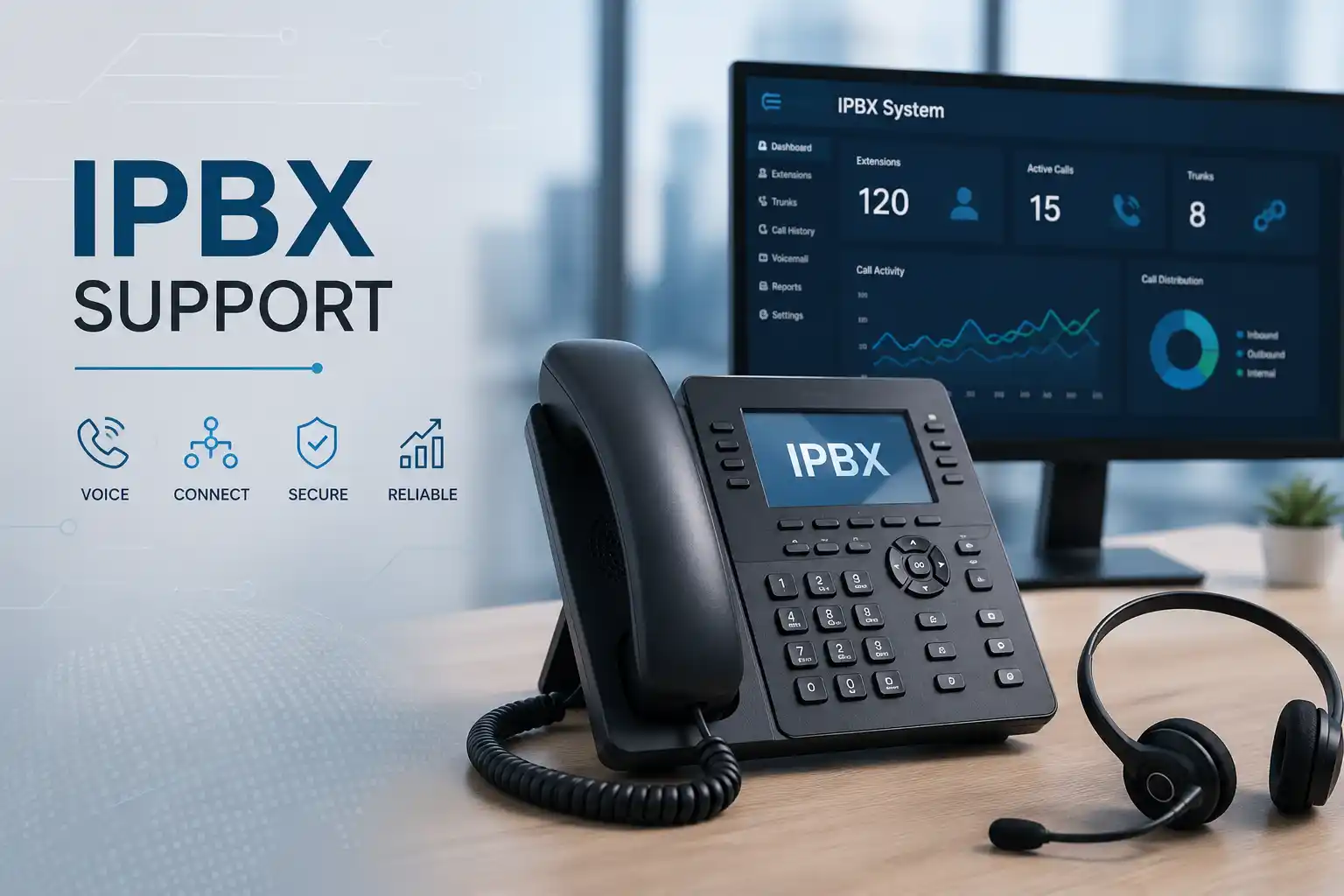
Configuration starts from the required business outcome.
Backups, authorisation and rollback considerations matter.
Method depends on access and whether physical testing is required.
Licensing, provider and network conditions can affect the work.
What does IP PBX configuration mean for a business?
IP PBX configuration is the process of defining how an Internet Protocol based business telephone system registers users and devices, connects to voice services, controls calling permissions and routes calls through the organisation. It is mainly used to make extensions, reception handling, direct numbers, automated menus, ring groups, queues, voicemail, office-hour rules and outbound calling behave according to business requirements. Companies should consider configuration assistance when deploying a new system, changing staff or departments, adding a telecom service, improving a confusing call flow, preparing remote users, correcting recurring routing problems or documenting an inherited PBX. Before work proceeds, the customer should confirm the PBX platform, current administrator access, telephone provider details, connected phones, desired call behaviour, important numbers, office hours, backup status and an approved maintenance window where changes could affect live calls.
What the configuration service may cover
The final service scope depends on the platform, current condition, licensing, access, number of users, network design and the business change being requested. Depending on the confirmed requirement, FourTeck may assist with extension administration, phone registration, SIP trunk coordination, inbound and outbound routing, direct inward dial mapping, hunt or ring groups, call queues, IVR or automated attendant menus, office-hours rules, holiday routing, voicemail, call forwarding, caller-identification behaviour, user permissions, remote extensions, approved mobile or desktop clients, call recording settings where supported and authorised, and configuration backup. The purpose is not to enable every possible feature. The purpose is to make the selected functions support clear operational needs without creating unnecessary complexity.
Users and extensions
Create, rename, remove or reorganise extensions; review user permissions; align phones with staff roles; plan shared-area phones; and confirm what should happen when an employee is unavailable, leaves the business or moves location.
Incoming call paths
Map provider numbers to reception, departments, IVR options, ring groups, queues or named users. Overflow, no-answer, busy and after-hours behaviour can be planned so a call has a defined next destination.
Outbound calling rules
Review dial patterns, caller identification, department permissions, international or premium restrictions where required, and routing through available trunks. Provider-side rules may need separate coordination.
Reception and queue logic
Configure reception groups, queue membership, ring order, overflow behaviour, voicemail and escalation based on the supported PBX functions and the way the business wants customer calls handled.
Trunks and provider coordination
Review SIP trunk parameters, number presentation, registration or authentication requirements, and evidence needed for carrier troubleshooting. Exact settings remain provider and platform dependent.
Backup and documentation
Where the platform supports it, preserve the current configuration before substantial changes and record extensions, main call routes, provider dependencies, administrator responsibilities and important post-change settings.
Who may need IP PBX configuration assistance?
A business may need configuration support even when the PBX is already running. Staff changes, new departments, different office hours, additional telephone numbers, remote users, a new branch, a carrier change or a reception workflow change can make an old configuration unsuitable. Configuration assistance is also useful when a company inherits a system with limited documentation and is unsure why calls follow certain routes.
New offices may require complete call-flow planning before users are provisioned. Growing companies may need standardised extension ranges and department rules. Multi-site organisations may need to confirm how branches reach each other and how external calls are presented. Customer-facing teams may need queues or ring groups that match staffing patterns. The correct approach depends on business priorities, platform capability and provider arrangements.
Common triggers for a configuration review
Typical triggers include callers reaching the wrong department, after-hours calls ringing during closed periods, a queue that no longer matches staffing, new direct numbers that are not mapped, outbound calls failing for selected users, caller identification showing unexpected numbers, users receiving calls that should go to reception, or extensions that were copied from an older design without being reviewed.
Other triggers are planned rather than fault related: relocating the office, changing SIP providers, adopting new IP phones, adding remote staff, integrating a gateway, introducing a new IVR, reducing unused extensions, documenting emergency and reception routes, or preparing for a PBX upgrade. The same symptom can come from different layers, so a routing problem should not automatically be blamed on the PBX without checking the provider, network and endpoint path.
Business impact of unclear or unmanaged call configuration
Telephone configuration affects more than the phone on a desk. An incorrect reception route can prevent customers from reaching the right team. A queue that continues ringing unavailable users can increase abandoned calls. Incorrect office hours can route calls to an empty department. A poorly documented extension plan can make employee moves and onboarding harder. Uncontrolled outbound permissions may create governance concerns, while missing provider information can slow investigation when external calls fail.
Voice also shares infrastructure with the wider office network. Packet loss, congestion, incorrect VLAN configuration, unstable switching, firewall behaviour or internet problems can produce one-way audio, delayed ringing, failed registrations or dropped calls even when the PBX rules are correct. For that reason, configuration work should distinguish a call-flow problem from an audio-path or network problem. Changing routing rules cannot correct a damaged cable, overloaded connection or carrier-side fault.
The practical objective is to reduce uncertainty. Staff should understand which extension belongs to whom, managers should know how important numbers are routed, administrators should know which provider and network dependencies matter, and future support teams should have enough documentation to investigate changes without guessing. These outcomes depend on proper assessment and record keeping, not on enabling the largest possible number of features.
Service-fit matrix: what kind of assistance may be relevant?
| Business situation | Relevant assistance | What must be confirmed |
|---|---|---|
| New office telephone rollout | Extension plan, incoming routes, outbound rules, reception design, phone provisioning and testing | Platform, users, phones, numbers, SIP service, network readiness, licensing and target go-live plan |
| Existing calls reach the wrong team | Trace inbound number mapping, time rules, IVR selections, groups, queues and forwarding | Affected numbers, examples of failed calls, expected destination, recent changes and provider path |
| New employees or department restructuring | Extension creation, naming, permissions, queue membership, forwarding and phone assignment | User list, roles, numbers, permissions, existing templates and approved calling policy |
| Change of telecom or SIP provider | Trunk configuration coordination, number mapping, outbound routing and test plan | Provider credentials through secure method, technical parameters, number-porting status, cutover window and rollback options |
| Poor voice quality or one-way audio | Configuration review plus network, firewall, codec, NAT and provider-path diagnostics as applicable | Call examples, affected locations, internet condition, network topology, firewall access and whether the problem is internal or external |
| PBX is undocumented | Discovery, extension inventory, trunk review, route mapping, backup and documentation | Authorised access, platform ownership, current provider contacts, backup availability and business-critical call flows |
IP PBX configuration service information
| Service topic | IP PBX configuration, call routing and business telephone administration |
|---|---|
| Main purpose | Align users, numbers, trunks, call flows and selected PBX features with the organisation’s communication requirements. |
| Suitable for | Existing PBX changes, new deployments, office moves, user growth, branch expansion, provider changes, call-flow corrections and documentation projects. |
| Typical systems involved | IP PBX platform, IP phones or soft clients, SIP trunks, gateways where used, switches, voice VLANs, firewall, internet connection, DNS and telecom services. |
| Assessment method | Business call-flow review, configuration inspection, provider and network dependency checks, evidence collection and controlled test calls. |
| Remote support suitability | Often suitable for configuration and log review when secure authorised access is available and the physical network does not require testing. |
| On-site support suitability | May be appropriate for phone, gateway, switch, cabling, PoE, rack, voice VLAN or local call testing and when remote access is unavailable. |
| Customer access required | Authorised administrative access, platform ownership confirmation and appropriate access to related network or provider systems where required. |
| Configuration support | Scope dependent. May include extensions, groups, queues, IVR, time conditions, forwarding, trunks, routes, permissions and backup. |
| Testing and validation | Test scenarios may include inbound, outbound, internal, transfer, queue, after-hours, voicemail, caller ID and remote-user behaviour according to the approved scope. |
| Security considerations | Administrator access, exposed services, remote users, firewall policy, account permissions, provider authentication and backup handling should be reviewed as relevant. |
| Documentation and handover | Can include extension records, primary call routes, trunk references, key settings, open issues and recommended follow-up actions. |
| Service location | Dubai and UAE service coordination, subject to issue type, access, scheduling, travel and confirmed quotation. |
| Scope dependency | Environment dependent, license dependent, provider dependent and access dependent. |
| Quotation requirement | Contact FourTeck to confirm the requested changes, environment and service method before commercial terms are agreed. |
Can IP PBX configuration be handled remotely, or is an on-site visit needed?
Remote configuration assistance
Remote work can be practical when the PBX management interface is reachable through an approved secure method, the internet connection is stable, an authorised contact is available and the task involves settings, call routes, users, queues, logs or provider parameters rather than physical equipment. A backup or export may be taken where supported before substantial changes.
Remote support does not mean every voice issue can be resolved without local checks. If a phone has no power, a network port is mispatched, an analogue gateway is disconnected or local cabling is damaged, a person at the site or an on-site visit may still be necessary.
On-site configuration and testing
On-site assistance may be recommended when phones, gateways, switches, PoE delivery, cabling, racks or physical network ports need inspection; when the PBX is only locally accessible; when several departments must test calls together; or when a new installation needs device provisioning and handover at desks.
The visit scope should be confirmed in advance so the required access, building permissions, equipment, contact person and maintenance window are available. Scheduling depends on the location, engineer availability, site conditions and approved quotation.
How FourTeck approaches an IP PBX configuration assessment
Configuration should begin with the business requirement rather than with individual settings. A controlled assessment helps separate the desired call behaviour from faults caused by the provider, network or endpoint layer. The exact sequence changes with the platform and project, but a typical engagement can follow the stages below.
- Define the business outcome. Confirm what should happen when someone calls a main number, department line or direct number, what staff should be able to dial, how after-hours calls should behave and which users require special routing.
- Identify affected users, devices and sites. A change for one employee is different from redesigning reception or standardising several branches. User count, extension ranges, direct numbers and connected phone models help establish scope.
- Review the current PBX environment. Confirm platform type, deployment location, software or firmware level where relevant, licensing, active trunks, primary routes, extensions, groups, queues, gateways and any existing documentation.
- Collect evidence and recent change history. For a fault, note exact numbers, times, calling direction, destinations, audio behaviour and whether the issue affects all users or only selected cases. Recent provider, firewall, internet or network changes can be important.
- Confirm access and authorisation. Administrative access should be provided only through an approved secure method after identity and responsibility are confirmed. Public page content should never be used to exchange passwords or sensitive credentials.
- Review backup and rollback options. Before a significant configuration change, determine whether the platform can export or back up settings and what practical rollback path is available if testing exposes an unexpected dependency.
- Map dependencies. Check whether the requested change depends on SIP provider settings, number porting, DNS, firewall policy, public addressing, NAT behaviour, switch configuration, voice VLANs, remote access, licensing or endpoint compatibility.
- Plan and apply approved changes. Changes should be limited to the agreed objective and scheduled so important calls can be tested. Unrelated configuration should not be altered simply because it is visible in the administration interface.
- Validate with real call scenarios. Testing should follow the business flow, including the numbers, departments, queue conditions, transfers, voicemail, office-hour rules or outbound routes affected by the change.
- Document the result and remaining risk. Record what changed, what was tested, which third-party dependencies remain and what should be monitored. If the issue is outside the PBX, provide evidence that helps the relevant provider or vendor continue the investigation.
Planning configuration changes without turning them into unnecessary downtime
A PBX change can appear small in the administration screen while affecting many people. Renaming an extension is usually lower risk than changing a trunk, rewriting a main inbound route or replacing office-hours logic. The planning effort should therefore match the potential impact. For a customer-facing main number, it may be sensible to document the existing path, confirm the intended route on paper, take a backup where supported, define test calls and agree who can approve the result.
If a provider change is involved, the PBX configuration may be only one part of the cutover. Number activation, carrier credentials, porting status, caller-ID permissions and routing outside the premises can remain under the provider’s control. Where remote branches or mobile users are involved, firewall, DNS, certificates, internet reachability or supported remote-access methods may also need review. The maintenance window should reflect the number of dependencies rather than an assumed one-click change.
A successful change is not measured only by seeing a green registration icon. The business should verify that real users can place and receive the calls that matter, transfer them correctly, reach voicemail or queues as intended and use the new arrangement without ambiguity. FourTeck can help structure this validation and handover around the approved scope.
Testing, validation and handover after configuration
Testing should reproduce the normal business journey, not just confirm that a setting saved successfully. For an inbound call flow, that may mean calling each published number from an external phone, selecting IVR options, waiting through no-answer conditions, confirming queue or group behaviour, testing transfer to another department, checking voicemail and repeating the process during the relevant office-hours state. For outbound calling, testing may include local or international destinations as authorised, caller-identification presentation, department restrictions and failover to a secondary route if such a route is part of the approved design.
User acceptance matters because a technically valid configuration can still conflict with the way staff work. Reception may need a different ring pattern from sales. A queue may need overflow earlier or later depending on staffing. Management may require a direct route that bypasses a general group. These decisions should come from approved business requirements rather than assumptions made during technical work.
Handover can include updated extension records, call-flow notes, trunk references, backup location, changed settings, test results and open actions. Where users need guidance, it can cover practical functions such as transfer, hold, voicemail, queue login or approved soft-client use, depending on the platform and agreed scope.
Capability focus: clearer call routing
A useful PBX route is easy to explain. A caller reaches a number, follows a defined menu or destination, receives a predictable response when users are busy or unavailable, and reaches an alternative destination when the business is closed. Complex routing should exist only when the workflow requires it.
FourTeck can help translate a customer journey into supported PBX rules, but the organisation must decide the intended business policy. The platform and license determine which features are available, while the provider controls the numbers and service presented to the PBX.
Capability focus: voice network readiness
IP telephony shares network infrastructure, so stable voice requires more than PBX settings. Switch ports, Power over Ethernet, addressing, voice VLANs where used, firewall policy, DNS, internet quality and provider routing can all affect registration and audio. SIP is a signalling protocol used to establish, modify and terminate sessions, while the voice media path depends on related protocols and network conditions.
If calls connect but audio is poor or one-way, the configuration review may need to expand into network and firewall troubleshooting. The exact checks depend on the platform, network design and provider requirements.
Capability focus: maintainable administration
A PBX becomes difficult to support when extensions have unclear names, old users remain active, call routes are undocumented, provider contacts are missing and changes are made without records. Documentation makes routine moves and troubleshooting more controlled.
FourTeck can help record the configuration that matters operationally, including extension ownership, key inbound routes, queue membership, office-hour logic, trunk references and change notes. Documentation does not remove the need for secure access controls or future assessment, but it reduces dependence on memory and guesswork.
Dependencies, access and customer information that can affect the work
IP PBX configuration is connected to systems that may be managed by different parties. The customer may own the PBX, a telecom provider may own the SIP service and telephone numbers, an IT administrator may control the firewall and network, and a building or cabling contractor may control physical access. A useful assessment identifies who is responsible for each layer before changes begin.
Relevant customer inputs may include the service location, PBX brand and model or hosted platform, deployment type, number of extensions, list of main and direct numbers, current provider, connected phones, branch or remote-user requirements, existing network diagram, firewall information, backup status, administrator-access availability, license information, business hours, holiday rules, queue staffing, desired caller experience and any recent changes. If the problem is intermittent, exact call examples with time, calling number, called number and observed result can be more useful than a general statement that calls sometimes fail.
Sensitive credentials should not be posted in public forms, page comments or informal messages. They should be exchanged only through an approved secure process after the requester and access authority have been confirmed. If the customer cannot provide administrative access or provider cooperation, some diagnostics may remain limited until the required access is obtained.
Risks, limitations and exclusions to understand before configuration
Configuration changes are not risk free. A route, trunk or firewall change can affect live calling if dependencies are not understood. A backup may reduce recovery risk, but its usefulness depends on the platform, the backup condition and whether restore procedures are supported for the current environment. Where a maintenance window is needed, it should be agreed before work begins.
Some faults require action from the telecom provider, internet service provider, hosting provider, cloud platform vendor or hardware manufacturer. A PBX engineer cannot correct a carrier outage, activate a number that the provider has not released, repair damaged cabling without physical access, or make an unsupported legacy endpoint compatible through configuration alone. Hardware failure, replacement parts, licenses, subscriptions, provider fees and third-party labour may sit outside the configuration service unless the quotation states otherwise.
Security changes reduce specific risks but do not guarantee complete protection. Remote access should be restricted and authorised, administrator privileges should be controlled, and exposed services should be reviewed in the context of the supported platform. The final commercial scope, service timing and included activities depend on the approved quotation or service agreement.
Business environments where PBX configuration can be useful
Professional offices
Reception, direct numbers, department groups and staff moves need a clear structure so customer calls reach the correct people without relying on individual forwarding habits.
Retail and hospitality
Locations may need branch numbers, front-desk handling, management extensions and after-hours routes that match opening times. Busy periods can make queue or overflow design important.
Clinics and service businesses
Incoming calls may need to be separated between reception, appointments, administration and back-office staff while keeping routing understandable for non-technical employees.
Warehouses and logistics
Office, dispatch, gate, operations and management teams may use different devices and locations. Extension planning and reliable network connectivity can be as important as the PBX rules.
Multi-branch organisations
Branches may need standard numbering, inter-site calling, shared reception, central queues or local breakout. The design depends on network links, provider services, platform capability and security.
Hybrid and remote teams
Remote users may rely on approved applications or phones outside the main office. Internet quality, security, DNS, firewall policy and the PBX remote-user method should be confirmed before deployment.
Operational, security and maintenance considerations
A telephone system changes as the organisation changes. New staff arrive, employees leave, departments move, business hours change, phone numbers are added and providers update services. Configuration that was correct two years ago may no longer represent the current workflow. Periodic review can identify unused extensions, outdated queue members, forwarding to former staff, obsolete routes, unclear administrator ownership or backups that have not been verified.
Security deserves the same attention as usability. Remote administration, user portals, mobile clients, SIP services and internet-facing components should follow the supported security methods of the platform. Shared administrator accounts, weak credential handling, unnecessary exposure and undocumented remote access can create risk. Changes should be authorised, access should be limited to the required people, and backup material should be stored appropriately.
Maintenance also includes the network around the PBX. Voice quality can deteriorate when an office grows and the data network becomes congested, when switches are replaced without carrying the correct voice configuration, or when firewall rules change during an unrelated project. Documenting voice VLANs, uplinks, provider paths and important network dependencies helps reduce surprises.
Ongoing support can be planned separately from one-time configuration. Any recurring service, preventive review, visit frequency, included hours, response expectations or project work should be written into the agreed support plan rather than assumed.
Before you contact FourTeck
Preparing a few facts can make the first assessment more useful. Share what you know; missing information can be identified during discovery.
- Office or service location.
- Main technical and business contact.
- PBX platform, model or hosting type if known.
- Approximate number of extensions and users.
- Main numbers and direct numbers involved in the change.
- Current SIP or telephone provider.
- Description of the required call flow or problem.
- Examples of affected calls, including approximate time and direction.
- Recent PBX, firewall, network or provider changes.
- Administrator access availability without posting credentials publicly.
- Configuration backup status if known.
- Connected IP phone or gateway models where relevant.
- Required office hours, queue staffing and forwarding rules.
- Preferred remote or on-site assistance.
- Business impact and preferred maintenance window.
Service evaluation and quotation checklist
The quotation should reflect the actual engagement rather than a generic PBX task. Useful confirmation points include:
- Exact configuration objective and acceptance criteria.
- Number of users, phones, sites and external numbers.
- Current PBX, network and provider environment.
- Required administrator, firewall or provider access.
- Remote versus on-site scope.
- Whether phone provisioning or physical checks are required.
- SIP trunk or number migration requirements.
- Backup and rollback expectations.
- Test-call scenarios and user acceptance needs.
- Documentation and administrator handover requirements.
- User guidance or reception training if requested.
- Third-party provider coordination.
- Preferred maintenance window and site-access rules.
- Any activities that should be quoted separately or excluded.
How FourTeck can assist with the configuration and quotation process
FourTeck can help turn a telephone requirement into a defined technical scope. The first step is to clarify the reported problem or desired call journey, identify the PBX and related network or provider dependencies, and determine whether the assessment can begin remotely or needs on-site access. For an existing system, this may include reviewing routes, users, trunks, queue membership, office hours, backups and any evidence of recent changes. For a new deployment, the emphasis shifts toward numbering, departments, reception behaviour, phone provisioning, trunk readiness, network capacity, user permissions and testing.
Where the issue crosses organisational boundaries, FourTeck can help gather evidence for the carrier, internet provider, hosting provider or equipment vendor. This is useful when the PBX shows a configuration that appears correct but calls still fail outside the organisation, or when a provider requires specific logs and test examples. Third-party response and changes remain outside FourTeck’s direct control.
After the environment is understood, the quotation can state the intended configuration work, remote or on-site method, testing, documentation, handover, dependencies and exclusions. Contact FourTeck to confirm the service scope and scheduling options rather than assuming that all configuration, hardware, licenses or provider work is included.
Dubai and UAE service coordination
For businesses in Dubai, IP PBX configuration may begin with remote discovery when secure authorised access and a stable connection are available. An on-site visit may be recommended when physical phone testing, cabling, switch ports, PoE, gateways, rack equipment or local coordination are part of the problem. Installation, configuration, migration and maintenance tasks should be clearly included in the quotation so the customer knows which systems and responsibilities are covered.
Across Dubai, Abu Dhabi, Sharjah and Ajman, service coordination can include remote troubleshooting, planned on-site assessment, configuration changes, deployment assistance, provider coordination, testing and project support depending on the confirmed requirement. Scheduling, travel, building access, site conditions, engineer availability, required equipment and third-party actions can affect the service plan. FourTeck does not assume that every task can be completed remotely or that every location has the same access conditions. Contact FourTeck to discuss the site, urgency and required work before the schedule is confirmed.
Related FourTeck IT services
PBX configuration often touches other parts of the business environment. The following areas may be relevant when the reported issue is not limited to call-flow settings.
Office network support
Useful when phones fail to register, switches or VLANs are involved, or voice quality changes with network conditions.
IP phone support
Relevant for handset power, provisioning, extension registration, programmable keys, transfer behaviour and user moves.
Business IT services
Useful when a PBX change is part of a new-office deployment, branch expansion, relocation or wider infrastructure project.
Technical consultation
Suitable when the business needs to compare options, document an inherited system or plan a controlled change before implementation.
Why businesses contact FourTeck for PBX configuration assistance
Businesses often need one technical view across the phone system, network, firewall, provider and user devices. A call that does not reach a department may be a routing rule, a number mapping issue or a carrier problem. A phone that will not register may involve the PBX account, provisioning, network port, VLAN, DNS or endpoint configuration. Treating these layers together can make the investigation more structured.
FourTeck’s role is to clarify the desired business outcome, identify the technical layers involved, plan safe changes, test agreed scenarios and document what was done. Where another provider must act, FourTeck can help organise the technical information and coordinate the next step rather than presenting an unverified cause as fact.
The service remains scope based. Access, platform supportability, licenses, provider cooperation, physical site conditions and maintenance windows can all affect what can be completed. A clear quotation helps separate configuration work from hardware replacement, licensing, cabling, provider charges or other project activities.
Questions businesses ask before requesting IP PBX configuration
Can you configure an existing IP PBX without replacing it?
Often, yes, if the existing platform is accessible, supported enough for the requested work and capable of the required functions. The first step is to identify the platform, version or firmware where relevant, licensing, connected endpoints, provider details and administrator access. An inherited system may also need a backup and documentation review before changes. Replacement should not be assumed simply because the configuration is unclear. However, unsupported hardware, expired services, unavailable licensing, missing credentials or platform limitations can restrict what can be changed. FourTeck can assess the current environment and explain whether reconfiguration, limited remediation, an upgrade or a migration plan is the more practical path.
How do we explain the call flow we want?
Describe the caller journey in business language before discussing settings. For each important number, state who should answer first, how long or under what condition it should ring, what happens if nobody answers, what should happen when the office is closed, whether a menu is needed and where voicemail or an alternative team should receive the call. For queues, list the staff who should participate and how overflow should work. For direct numbers, confirm whether the user needs voicemail or forwarding. A simple written flow reduces the chance of configuring technically valid rules that do not match the customer experience.
Why do inbound calls work but outbound calls fail?
Inbound and outbound calling can depend on different PBX rules and provider permissions. Outbound failures may involve dial patterns, user permissions, trunk selection, caller-ID presentation, provider authentication, account restrictions, number format, network or firewall handling, or a carrier-side condition. The correct next step is to capture a failed example, including the calling extension, destination, approximate time and any error response. The PBX logs and provider status can then be compared. Changing random route settings without evidence can create new problems, so the investigation should isolate whether the failure occurs inside the PBX or further upstream.
Can poor call quality be fixed through PBX configuration?
Sometimes a configuration change is relevant, but call quality should not automatically be treated as a PBX setting problem. Voice depends on the media path between endpoints and the provider. Packet loss, latency, jitter, congestion, unstable wireless links, mismatched network paths, firewall behaviour, codec choices, overloaded internet circuits or carrier conditions may contribute. If only one phone is affected, the local endpoint and switch path deserve attention. If all external calls are affected while internal calls sound normal, the internet or provider path becomes more important. FourTeck can review the evidence and decide whether PBX, network, firewall or carrier troubleshooting is required.
Do we need a voice VLAN before configuring an IP PBX?
Not every deployment is identical, and a voice VLAN should not be added simply because IP phones are present. Network segmentation can help separate voice devices, simplify policy and improve manageability in suitable networks, but the design depends on switch capability, addressing, DHCP options, phone provisioning, firewall rules, existing VLANs and operational requirements. Introducing segmentation to a live office without planning can disconnect phones or change how they reach the PBX. If the existing network is flat but stable, the decision should consider scale, security, supportability and future growth. FourTeck can assess whether voice segmentation is appropriate for the environment.
What should we prepare before changing a SIP trunk?
Prepare the provider’s technical details, a list of numbers attached to the service, current inbound and outbound routes, caller-ID requirements, porting or activation status, existing trunk configuration, maintenance window and a test plan. Where supported, preserve the current PBX configuration. Confirm which party controls DNS, firewall or public IP requirements and how the provider expects the trunk to authenticate. Credentials should be exchanged securely after authorisation. If number porting or carrier activation is involved, the provider’s schedule can affect the cutover independently of the PBX. A rollback or temporary route may be considered where the business impact justifies it and the platform supports it.
How can we change office-hours routing without missing calls?
Start by documenting the current and desired schedule, including normal weekdays, weekends, public holidays, temporary closures and any departments with different hours. Then identify which inbound numbers use those rules and what destination each should reach when closed. Some businesses prefer voicemail, some forward to an approved mobile number, and others use an after-hours group. The correct choice is a business policy. The configuration should be tested in both open and closed states, with attention to exceptions. Where platform logic is complex, a maintenance window may be sensible even for a change that appears small.
Can remote employees use the same PBX?
Many IP PBX platforms support remote users through approved applications, remote phones or other supported methods, but the exact capability and security model depend on the platform, license, network design and deployment type. Remote working introduces internet quality, firewall, DNS, certificate, authentication and endpoint-security considerations. A phone that works perfectly in the office may behave differently across a home or hotel connection. Before rollout, confirm the supported remote-access method, user identity, emergency-calling considerations where applicable, headset or phone requirements and who will support the employee’s local internet environment. FourTeck can help assess the supported options without assuming that every remote network is suitable.
Is configuration support enough if the system is very old?
It depends on the system’s condition, support status, available access, spare capacity, connected phones, trunk compatibility and the business outcome. An older PBX may still perform a stable, limited role if the required changes are supported and documented. In other cases, the absence of updates, inability to support current provider requirements, failing hardware or limited user capacity can make further configuration a short-term measure. The assessment should distinguish urgent corrective work from a longer-term upgrade or migration. FourTeck can help document the existing extensions, trunks, routes, prompts and dependencies before management decides how to proceed.
What affects the final cost and scope of IP PBX configuration in Dubai?
The scope can vary widely. A single extension change is different from redesigning a main call flow, changing providers, configuring queues, provisioning many phones or coordinating several branches. Factors include the PBX platform, number of users and sites, state of documentation, administrator access, backup availability, number of trunks and numbers, network readiness, firewall dependencies, licensing, phone models, provider cooperation, need for on-site work, maintenance-window requirements, testing and documentation. The most useful quotation starts from a clear objective and known environment. Contact FourTeck with the business requirement and available technical information so the service can be defined before work begins.
Frequently asked questions about IP PBX configuration
What information is needed before configuration starts?
Useful information includes the PBX platform, user and extension count, telephone numbers, provider, current call-flow description, desired changes, administrator-access availability, backup status, recent changes and whether remote or on-site work is preferred. Exact needs depend on the task.
Can FourTeck configure IVR menus and queues?
Depending on the PBX capability and confirmed scope, assistance may include IVR or automated-attendant menus, queue membership, ring strategy, overflow, office-hours behaviour and voicemail. The customer should define the intended caller journey and staffing rules before implementation.
Can existing telephone numbers be kept?
That depends on the current and target telecom providers, number ownership, porting rules and service availability. PBX configuration can map available numbers, but number transfer or activation is controlled by the relevant provider and must be confirmed separately.
Do you configure call recording?
Where the platform, license and customer policy support recording, configuration may be reviewed as part of the agreed scope. Storage, retention, access permissions and legal or organisational requirements remain customer considerations and should be confirmed before enabling recording.
What if the PBX administrator password is unavailable?
The recovery options depend on the platform, ownership records and available vendor procedures. FourTeck should not bypass access controls. The customer may need to confirm ownership or work with the vendor or previous administrator before configuration can continue.
Will PBX configuration interrupt live calls?
Some low-impact changes may not interrupt service, while trunk, route, network or platform changes can affect calls. The risk depends on the task. A maintenance window and rollback plan may be recommended for changes that could affect business communication.
Can the service include IP phone provisioning?
Yes, when included in the confirmed scope and supported by the PBX and phone models. Provisioning can involve extension assignment, network connection, templates, user labels and functional tests. Physical installation may require on-site access.
Can you help after a provider or firewall change?
Yes. The assessment can compare the current PBX and network path with the new provider or firewall condition, collect call examples and identify whether configuration, network or third-party action is required. Provider-controlled changes remain dependent on that provider.
Is documentation included automatically?
Documentation should be listed in the quotation when required. It can include extension lists, important routes, trunk references, changed settings, backup information, test outcomes and follow-up recommendations. The depth depends on the project and platform.
How do we request IP PBX configuration in Dubai?
Share the location, PBX platform if known, the current problem or required call flow, affected users or numbers, provider details, access availability and preferred service method. FourTeck can then assess what needs to be confirmed before a quotation and schedule are agreed.
Plan the call flow before changing the PBX
If your business needs extension changes, new call routes, SIP trunk configuration, reception logic, queues, IVR menus, office-hours rules, remote-user setup or help understanding an inherited PBX, contact FourTeck with the intended outcome and available system information. FourTeck can help assess the environment, identify dependencies, define remote or on-site requirements, plan controlled configuration work, test approved call scenarios and document the result. The final scope and timing remain dependent on access, platform capability, licensing, provider requirements, site conditions and the approved quotation.