
BUSINESS TELEPHONY CHANGE PLANNING
Grandstream UCM Upgrade in Dubai, UAE
A Grandstream UCM upgrade should protect the call routes, extensions, trunks, user services and business routines already built around the PBX. FourTeck helps organisations review the current appliance, firmware level, backup position, connected phones, SIP services, network dependencies and operational risk before an approved change is made.
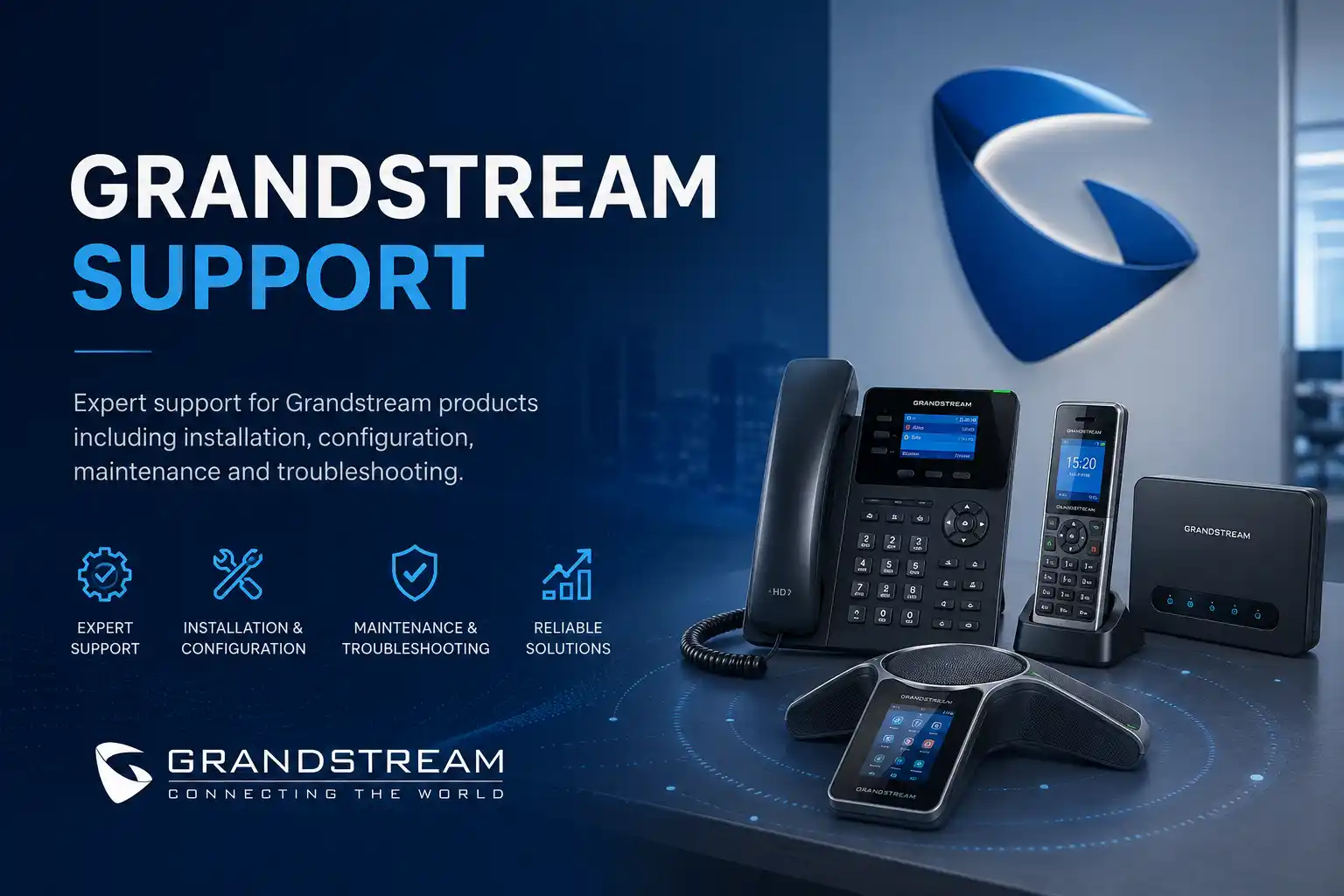
Upgrade path: Model and current firmware must be confirmed first.
Backup: Configuration and recoverability are reviewed before change.
Call continuity: Trunks, routes, queues and key users are part of validation.
Scope: Remote or on-site work depends on access and dependencies.
What does a Grandstream UCM upgrade service involve?
A Grandstream UCM upgrade service is a controlled review and change process for an existing Grandstream IP PBX. It is mainly used to move the system to an appropriate supported firmware level, reduce risk from an outdated release, prepare for new compatibility requirements, or decide whether an older UCM should be migrated instead. Businesses should consider the service when a PBX has not been reviewed for a long period, when release notes identify important upgrade requirements, when connected phones or applications need compatibility checking, or when the system is approaching a larger lifecycle change. Before proceeding, the customer should provide the UCM model, current firmware, available backup, administrator access through an approved secure method, SIP provider details, critical call flows and an acceptable maintenance window. The exact plan remains model, version, access, network and provider dependent.
Why a PBX upgrade needs more planning than a normal software update
A UCM appliance sits in the middle of business communication. It may decide where an incoming main number rings, which team receives a sales call, what happens outside office hours, whether an extension can dial internationally, how voicemail is delivered, whether recordings are retained, and how branch or remote users connect. An upgrade therefore affects more than the administration screen. It can interact with phones, gateways, SIP trunks, network addressing, certificates, remote applications, storage, call records and third-party services.
The first objective is to understand the current state rather than assume that the newest available firmware can be applied directly. Grandstream publishes model-specific firmware and release notes, and some families have important intermediate-version, backup or downgrade requirements. Current vendor guidance must be checked against the exact appliance and starting version before an upgrade path is agreed. A UCM6300 installation, for example, does not have the same lifecycle or upgrade considerations as an older UCM6200, UCM6510 or UCM6100 environment. An older platform may be better treated as a migration project when supportability, capacity, security or feature requirements have moved beyond what the appliance can reasonably provide.
FourTeck approaches the change as a small infrastructure project. The PBX is inventoried, important call behaviour is recorded, the backup position is reviewed, dependencies are listed, the maintenance window is agreed and test calls are defined before the change begins. This provides a clearer basis for deciding whether the work can be performed remotely, requires an on-site engineer, needs provider coordination, or should be split into separate preparation and implementation stages.
What the service may cover
Depending on the confirmed scope, assistance may include reviewing the UCM model and firmware, checking official release guidance, examining available configuration backups, recording extensions and call routes, reviewing SIP trunk dependencies, checking connected Grandstream and third-party phones, considering Wave or remote-user requirements where applicable, planning the change window, applying an approved upgrade, and carrying out post-change call testing.
The work can also include documenting administrator dependencies, identifying analogue gateways or FXO/FXS use, reviewing storage and recording implications, checking network reachability, confirming time settings, and coordinating with a voice carrier when the provider must be involved in validation.
Who may need this service
The service may suit offices with a UCM that has been stable for years but has not been reviewed recently, businesses receiving a firmware-related vendor recommendation, companies adding newer phones or remote-user functions, organisations preparing for a security or maintenance review, and sites that want to improve documentation before making PBX changes.
It is also relevant when the customer has inherited an undocumented telephone system, changed IT providers, opened another branch, experienced repeated registration or call-routing issues after unrelated network changes, or discovered that an older UCM family has limited future support. In those situations, the assessment may conclude that controlled migration is more appropriate than a simple firmware upgrade.
Common triggers that lead businesses to review a Grandstream UCM
The PBX is several releases behind
A large version gap deserves more care than a routine maintenance update. Intermediate releases, changed settings, security behaviour, backup compatibility and downgrade conditions may need review before the target release is chosen.
New phones or applications are being introduced
A newer endpoint or application may work best with a later PBX release, but the rest of the environment still needs compatibility review. The change should consider provisioning, codecs, user functions, network settings and the business call flow.
The system has weak documentation
A firmware project can reveal unknown extensions, obsolete routes, old administrator accounts, unused trunks or undocumented gateways. Recording the environment before the change reduces uncertainty during testing and future support.
A legacy appliance needs a lifecycle decision
When a model family is no longer receiving the same level of software development, the right question may be whether to maintain the final supported state or plan replacement. Existing extensions, trunks, phones and call flows become migration inputs.
A provider or network change is planned
Changing SIP service, firewall, internet circuit, VLAN design or branch connectivity can affect telephony. Combining those changes with a PBX upgrade without a plan makes fault isolation harder, so sequencing and rollback should be considered.
Repeated faults suggest wider maintenance is needed
Dropped registrations, unexpected reboots, storage warnings or inconsistent call behaviour do not automatically mean firmware is the cause. They are reasons to assess the PBX, network, power, phones and provider path before deciding what to change.
Business impact of an unmanaged or poorly planned upgrade
A rushed PBX change can affect reception, outbound dialing, queues, voicemail, direct numbers, remote users and call recording at the same time. Even when the UCM itself starts normally after an update, a changed setting, incompatible endpoint, trunk registration issue or forgotten dependency may interrupt an important communication path. The operational impact can include missed customer calls, departments that cannot receive their usual numbers, agents unable to join queues, branches that lose registration, or staff who discover changed behaviour only when they need to transfer or retrieve a call.
The purpose of upgrade planning is not to promise that change carries no risk. It is to make the risk visible and manageable. A documented current state, recoverable backup, approved maintenance window, defined test plan and clear owner for provider escalation make it easier to determine whether the upgrade succeeded, whether an issue belongs to the PBX or another dependency, and what action should be taken next.
Possible Grandstream UCM upgrade assistance
The final scope is assessment and quotation dependent. A customer may need only a firmware-readiness review, or may require a complete change project involving the PBX, phones, gateways, network and provider. Depending on the confirmed requirement, FourTeck assistance may include the following activities.
Current-state inventory: model, firmware, extensions, trunks, phones, gateways, call features, remote users and key dependencies.
Release-note review: model-specific vendor requirements, upgrade sequence, backup warnings and relevant compatibility notes.
Backup readiness: confirmation that configuration and important data are protected in a form suitable for the planned change.
Call-flow mapping: main numbers, IVR, queues, ring groups, office hours, forwarding, voicemail and critical outbound rules.
Dependency checks: SIP carrier, internet, firewall, VLANs, DNS, NTP, endpoint provisioning and remote access as relevant.
Change implementation: approved firmware work carried out within the agreed technical and operational scope.
Functional testing: inbound, outbound, internal, transfer, queue, voicemail and selected remote-user calls where applicable.
Documentation: completed work, observed issues, remaining dependencies and recommended follow-up actions.
Is an upgrade the right next step?
| Business situation | Relevant assistance | What must be confirmed |
|---|---|---|
| UCM is stable but significantly behind current maintenance | Firmware readiness review and staged upgrade planning | Model, starting version, official upgrade path, backup and maintenance window |
| New phones, Wave use or remote features are being introduced | Compatibility and configuration review before PBX change | Endpoint models, app requirements, network path, licensing or service dependencies |
| Older UCM has limited lifecycle options | Upgrade-versus-migration assessment | Support status, required functions, retained phones, trunks, recordings and growth plan |
| Current system has active faults | Diagnosis before upgrade decision | Whether faults relate to PBX software, hardware, network, power, phone or provider |
| Multi-site or provider change is planned | Coordinated telephony change plan | Sequencing, branch dependencies, trunk changes, test ownership and rollback |
Service information to clarify before quotation
| Main purpose | Controlled UCM firmware or lifecycle upgrade planning with validation. |
| Typical systems involved | Grandstream UCM PBX, IP phones, SIP trunks, gateways, network, firewall, remote applications and related telephony services. |
| Remote support suitability | Access dependent; suitable when secure authorised administration and reliable connectivity are available and physical checks are not required. |
| On-site support suitability | Recommended when cabling, local hardware, gateways, power, phones, rack access or provider equipment must be physically checked. |
| Customer information required | Model, firmware, affected users, call flows, trunk/provider information, backup status, recent changes and target outcome. |
| Scheduling dependency | Business hours, maintenance window, engineer availability, site access and third-party coordination. |
| Testing and handover | Scope dependent; normally based on agreed call scenarios, administration checks and documented next steps. |
| Important note | Vendor release guidance and the exact starting version must be reviewed before implementation. |
When remote upgrade assistance may be suitable
Remote support can be practical when the UCM is reachable through an authorised secure method, the customer has a responsible local contact, internet connectivity is stable, the current configuration can be reviewed remotely and no physical device intervention is expected. This model can support discovery, release-note review, backup checks, configuration inspection, planned upgrade work and call validation with a user on site.
Remote work should not be treated as automatically preferable. If the PBX becomes unreachable, if analogue lines or gateways need physical checks, if local switch or firewall access is incomplete, or if a power or cabling problem is suspected, remote access may not be sufficient to complete diagnosis or recovery.
When an on-site visit may be the better option
On-site assistance may be appropriate when the change involves rack access, physical PBX inspection, analogue interfaces, gateways, phone provisioning at multiple desks, cabling verification, switch-port or voice-VLAN checks, local backup media, UPS or power concerns, or a system that cannot be managed reliably from outside the site.
A visit can also help when the telephone environment is poorly documented and several teams need coordinated testing. Scheduling depends on location, access, engineer availability, building rules, the approved quotation and whether provider representatives or customer staff must be present during the maintenance window.
How FourTeck approaches UCM upgrade discovery and diagnosis
1. Understand the business impact
The discussion starts with why the upgrade is being considered. The reason may be maintenance, compatibility, security guidance, remote-user requirements, repeated faults or an approaching migration. The business priority influences the plan.
2. Identify the exact platform
The UCM model, current firmware and deployment role are recorded. High-availability arrangements, branch connections, analogue interfaces and remote services are noted because they can change the correct upgrade sequence.
3. Build a dependency map
Extensions, trunks, DID routes, phones, gateways, firewall rules, VLANs, providers, remote applications, recording needs and critical user groups are linked to the PBX so testing is based on real business use.
4. Review backups and access
The team confirms what backup exists, when it was created and whether it is appropriate for the planned change. Administrative access is verified through an approved secure process without requesting credentials in public communication.
5. Check official upgrade guidance
Grandstream release notes are checked for the exact family and starting version. Some older releases can require intermediate stages, and some newer branches contain backup or downgrade warnings that affect rollback planning.
6. Decide the safest change method
Remote versus on-site delivery, maintenance timing, provider participation, backup location, validation responsibility and contingency actions are agreed before implementation begins.
Planning the actual firmware or lifecycle change
Once discovery is complete, the implementation plan should describe the starting state, target state, expected service interruption, approved maintenance window, backup and rollback position, people required for validation, and any vendor or telecom dependencies. The plan does not need unnecessary complexity, but it should be detailed enough that the customer knows what will be changed and how important functions will be checked afterwards.
For UCM6300-series environments, current Grandstream guidance includes backup-related cautions around certain firmware transitions and downgrade behaviour. For UCM6200 and UCM6510 families, historical starting versions can influence the required path to later firmware. UCM6100-series systems have a legacy lifecycle and may require a broader replacement discussion rather than an assumption that continued firmware upgrading will meet future requirements. These examples show why a model-specific review is necessary instead of applying one generic procedure to every UCM appliance.
High-availability configurations need additional discipline because the active and standby roles matter during an upgrade. The vendor’s documented HA sequence should be followed for the applicable release so that the pair remains consistent and the operational role is understood throughout the change. Where a business has a single appliance, contingency planning focuses more heavily on backup quality, local access, recovery options and the availability of key staff to test calls after the reboot.
The approved change may be performed remotely or on site depending on the environment. FourTeck keeps the implementation at a controlled service level: no unrelated configuration is changed simply because the administrator interface is open. If an unexpected condition appears, the next action should be based on evidence, the approved scope and the agreed recovery approach rather than improvised broad resets.
Testing, validation and handover after the upgrade
A successful login to the PBX does not prove that the business telephone system is fully working. Validation should follow the call paths that matter to the organisation. A reception-heavy office may need to confirm the main number, IVR, reception group, transfer behaviour, voicemail and after-hours routing. A sales operation may care more about queue membership, agent ringing, outbound caller ID, recording and failover routing. A multi-site business may need extension-to-extension calls between branches, remote phone registration and provider connectivity checked.
Testing can therefore include selected inbound calls, outbound calls, internal dialing, call transfer, hold, ring groups, queues, voicemail, office-hour behaviour, direct numbers, remote users and analogue services where they are in scope. The objective is not to test every possible combination but to cover the important operational journeys agreed before the change.
Handover should record the resulting firmware level, whether the planned checks passed, what changed, which issues remain external to the PBX, and any recommendations for phone firmware, network maintenance, security review, documentation or later migration. If a provider ticket is required, the customer should know what evidence has been gathered and what the provider is expected to confirm. This turns the upgrade into a maintainable service change rather than an isolated technical event.
Protect the call flow, not just the firmware
The most valuable PBX information is often the logic built over time: where main numbers land, which teams ring together, when calls move to another destination, what happens at lunch or after hours, and which users have special outbound permissions. Recording these paths before the upgrade creates a practical acceptance test. It also exposes old rules that may no longer match the organisation.
If a route is undocumented, an upgrade is a good moment to identify it, but it is not automatically the right moment to redesign it. Business-rule changes should be approved separately so a firmware project does not become an uncontrolled call-flow change.
Keep network dependencies visible
IP telephony depends on switching, addressing, DNS, time, firewall behaviour, internet quality and provider reachability. When an extension fails to register or audio becomes one-way after a change, the problem must be isolated rather than automatically blamed on the firmware. Comparing pre-change and post-change behaviour helps narrow the affected layer.
Where voice VLANs, remote phones or branch links are involved, network access may be required during testing. A PBX upgrade quotation should state whether network troubleshooting is included or whether deeper switch, firewall or ISP work would require additional approval.
Turn the change into better documentation
A UCM that has been administered by several people can accumulate unused extensions, unclear administrator ownership, temporary forwarding rules and provider details known only by one person. Upgrade preparation creates a reason to assemble the minimum operational record the business should retain.
Useful records may include the appliance model, current version, extension plan, important numbers, trunk/provider references, call-flow notes, backup responsibility, network location and approved administrator contacts. Credentials themselves should be controlled through a secure company method rather than copied into general documents.
Dependencies, access and customer inputs
The quality of the upgrade plan depends on the information and access available. FourTeck may need the business location, exact UCM model, current firmware level, number of users, phone models, remote-user methods, trunk provider, main telephone numbers, analogue interfaces, recent configuration changes, network topology, current backup status, maintenance restrictions and the name of a customer representative who can approve testing.
Administrative access must be authorised by the organisation that owns or manages the system. Public pages, email threads and ordinary chat messages are not appropriate places to publish passwords. Credentials should be shared only through an approved secure method after identity and authority are confirmed. If the system is managed by another telecom provider or previous contractor, ownership and access rights may need clarification before changes can proceed.
Third-party dependencies can also influence timing. A SIP carrier may need to confirm registration or caller-ID behaviour. A managed firewall provider may need to make or approve changes. Remote applications may depend on DNS, certificates or cloud services. Building access may be required for an on-site visit. These items do not mean the project cannot proceed, but they should be identified early so the quotation and change plan reflect the real environment.
Risks, limitations and exclusions to understand
Diagnosis and upgrade planning depend on available evidence, working administrative access and the condition of the existing system. A firmware change cannot correct every telephone problem. Hardware faults, unstable power, damaged cabling, switch errors, firewall policy, internet loss, SIP carrier issues, unsupported endpoints or failing storage may continue to affect service and can require separate work.
Downgrade and restore behaviour can vary by model and firmware branch, so a backup does not justify ignoring vendor release notes. Legacy systems may have limited options, and a backup created on one software state may not be appropriate for every older release. Migration to another appliance can also require compatibility review for phones, trunks, prompts, recordings and remote-user methods.
No upgrade should be described as zero-risk or guaranteed zero-downtime unless a specific architecture and tested procedure support that claim. Even high-availability designs have dependencies that should be checked. On-site attendance depends on approved scope, scheduling, location and access. Parts, replacement hardware, licenses, telecom charges, provider work or unrelated network remediation are not automatically included unless the quotation says so.
A successful post-upgrade test confirms the scenarios tested at that time. It does not replace ongoing maintenance, backup review, account management, security updates or monitoring of wider voice and network services.
Business environments where UCM upgrade planning may be useful
Professional offices
Reception, direct extensions, voicemail and department call groups can be business critical even in a modest office. Upgrade testing should therefore follow the normal customer-contact path rather than only checking that phones register.
Retail and showroom locations
Stores may depend on central numbers, branches, hunt groups and manager extensions. Site opening hours and remote support access can influence when a PBX change is practical.
Warehouses and logistics operations
Desk phones, cordless devices, gates, dispatch desks and branch links may share the same communication environment. Physical distance and network layout can make on-site validation more useful than a purely remote change.
Clinics and service businesses
Appointment or customer-service calls may rely on queues, reception overflow and voicemail. The upgrade window should be planned around operating hours and staff availability for test calls.
Multi-branch organisations
Inter-site extensions, remote phones, central trunks and shared call flows create additional dependencies. Testing should cover branch reachability and any central services used by several locations.
Growing SMEs
An upgrade review can become a useful capacity and maintainability checkpoint. The business can decide whether the existing appliance still fits expected users, remote work, call-volume and management needs.
Operational, security and maintenance considerations
Firmware maintenance is one part of PBX administration. The same review should consider whether administrator accounts are still owned by current staff, whether old users remain active, whether remote administration is appropriately controlled, whether backups are current, and whether the business knows who is responsible for telecom-provider escalation. These checks help reduce operational confusion without pretending that one firmware update makes an environment fully secure.
Phone firmware and provisioning also deserve attention. A PBX and its endpoints evolve together, but applying several changes simultaneously can make troubleshooting difficult. In some environments it is better to upgrade the UCM first, validate core calls, and then schedule endpoint updates separately. In others, vendor compatibility guidance may make coordinated updates preferable. The decision is environment dependent.
Maintenance planning should also capture capacity and storage. Call recordings, voicemail, logs and backups can consume resources over time. If a system is already showing storage pressure or hardware instability, firmware may not be the first issue to address. Likewise, an ageing appliance can remain technically operational while becoming increasingly difficult to support. A lifecycle review gives management a clearer basis for deciding whether to keep maintaining, replace in phases or plan migration before an emergency forces the decision.
Before you contact FourTeck
Preparing a few details can make the first assessment more useful. You do not need every item before making contact, but the following information helps define the technical scope and quotation.
- The Dubai or UAE service location and the main on-site contact.
- Exact Grandstream UCM model and, if known, current firmware version.
- Approximate number of extensions and active users.
- Phone models, cordless systems or gateways connected to the PBX.
- SIP trunk or telecom provider and the main business numbers.
- The reason for considering the upgrade now.
- Any current fault, warning, registration problem or recent system change.
- Whether a current UCM backup exists and who maintains it.
- Whether authorised administrator access is available.
- Important call flows such as reception, queues, IVR, after-hours and voicemail.
- Remote users, branch extensions or Wave-related use where applicable.
- Preferred maintenance window and business hours that should be avoided.
- Any firewall, network or telecom provider that may need coordination.
- The expected outcome: firmware maintenance, fault reduction, compatibility, security review or migration planning.
Scope checklist for a UCM upgrade quotation
- Confirm whether the request is assessment only, implementation, or both.
- Confirm the UCM model, current release and target upgrade objective.
- Confirm whether remote access is available and authorised.
- Confirm whether an on-site visit is required for hardware, gateway, cabling or phone checks.
- Define which call routes and departments must be tested.
- Define whether SIP-carrier coordination is included.
- Clarify whether phone firmware or endpoint provisioning is part of the same change.
- Confirm the backup and rollback responsibilities.
- Confirm the maintenance window and customer test contacts.
- Clarify documentation and handover expectations.
- Identify any legacy hardware or third-party components that may require separate work.
- Record explicit exclusions so unrelated network or telecom faults are not assumed to be included automatically.
How FourTeck can assist with the upgrade and quotation process
FourTeck can begin by clarifying the reason for the change and collecting enough evidence to understand the existing UCM environment. That may include reviewing the model and firmware, current backup practice, user count, trunk provider, important call flows, network dependencies, remote-user requirements and any current faults. The aim is to separate a straightforward maintenance upgrade from a larger lifecycle, migration or troubleshooting project.
After discovery, FourTeck can define the proposed work, dependencies, customer inputs, remote or on-site method, testing plan and exclusions. Where another provider controls the SIP trunk, firewall, internet service or building access, those responsibilities can be identified before the maintenance window. This reduces the risk that a project is delayed because a necessary third party was not expected to participate.
A quotation can then reflect the confirmed scope rather than an assumed fixed package. If the assessment shows that the existing UCM is too old or constrained for the desired outcome, FourTeck can discuss migration planning instead of forcing a firmware-only approach. For broader information about the company and connected infrastructure support, visit the FourTeck IT Services overview or explore the IT support website.
Dubai and UAE service coordination
For businesses in Dubai, remote or on-site UCM upgrade assistance depends on the current issue, secure access, location, urgency, engineer availability and approved quotation. Remote preparation can often be used for discovery and configuration review when the PBX is reachable, while physical inspection may be recommended for gateways, analogue interfaces, cabling, network hardware, power or equipment that cannot be verified remotely.
Service timing depends on the agreed maintenance window, customer access, site conditions, third-party providers and the actual work required. Contact FourTeck to confirm the service scope and scheduling options rather than assuming an attendance time or fixed project duration before the environment has been reviewed.
Coverage for Dubai, Abu Dhabi, Sharjah and Ajman
FourTeck can coordinate business IT and telephony support requirements across Dubai, Abu Dhabi, Sharjah and Ajman, with the delivery method matched to the confirmed project. A UCM upgrade may begin remotely with inventory, backup review and release planning, then move to a planned on-site visit when local hardware or multi-user testing requires physical presence. In another environment, the complete change may be suitable for remote delivery with an authorised customer contact handling test calls on site.
Travel, building access, maintenance windows, site restrictions, equipment availability and telecom-provider participation can affect the final service plan. Multi-site businesses should identify which branches depend on the UCM and whether inter-branch calling, remote extensions or central trunks need to be included in validation. The quotation should clearly state the locations and tasks included so the customer and engineer share the same expectation before work begins.
Related FourTeck IT services
Business telephone support
Extension registration, call routing, queues, voicemail, phone configuration and wider PBX troubleshooting can be reviewed as part of the communication environment.
Network support
Voice quality and registration can depend on switching, VLANs, cabling, DNS, firewall handling and internet connectivity. Network assistance can be scoped when these layers affect the PBX.
IT support and maintenance
Businesses that want ongoing help can discuss broader support planning for users, servers, networks, communication systems and documentation after the upgrade project.
Why businesses contact FourTeck for this type of change
A PBX upgrade often crosses several technical boundaries. The UCM is the central platform, but phones, networks, firewalls, remote users, SIP trunks and customer operating hours influence the result. FourTeck can look at those dependencies as one business environment, helping management understand what belongs in the PBX scope and what may need another provider or a separate task.
The service emphasis is on clear assessment, safe change planning, practical testing, documentation and understandable next steps. A customer should know why the upgrade is being recommended, what must be backed up, what may interrupt service, which calls will be tested and what limitations remain. Where the existing system is legacy or poorly documented, the assessment can also create the foundation for a later migration instead of making repeated short-term changes without a roadmap.
For general company background and service principles, customers can read about FourTeck IT Services. For a specific UCM requirement, the most useful next step is to provide the model, current version, business impact and preferred change window through the FourTeck contact page.
Questions Dubai businesses commonly ask before a Grandstream UCM upgrade
The following decision guidance addresses the practical questions that usually appear before a business is ready to approve a PBX upgrade. The answers are intentionally conditional because the correct action depends on the exact UCM model, firmware, access, connected devices and provider environment.
Can our Grandstream UCM be upgraded remotely?
Often it can, but remote suitability depends on secure authorised access, reliable connectivity, a working management path and a local person who can help validate calls. If the change requires physical gateway checks, cabling, switch access, phone resets, power inspection or recovery from a locally inaccessible state, an on-site visit may be safer. The first assessment should identify what can be done remotely and what contingency exists if the PBX cannot be reached after a reboot.
How do we know whether firmware is actually the cause of our call problem?
You usually do not know from the symptom alone. Dropped calls, failed registrations, one-way audio, delayed ringing or voicemail problems can involve the PBX, phone, network, firewall, SIP carrier or internet path. FourTeck can review the pattern, recent changes, logs and affected users before recommending an upgrade. If the fault started immediately after another network or provider change, isolating that dependency may be more important than changing PBX firmware.
Should we upgrade an old UCM or replace it?
The answer depends on lifecycle, current support status, required functions, number of users, phone compatibility, remote-work needs, call recording, provider requirements and the business’s tolerance for future maintenance risk. A legacy appliance can sometimes be kept in a final supported state for a period, but that is different from having an active long-term upgrade path. An assessment should compare the risk and effort of maintaining the current platform with a planned migration while the system is still operating.
What information should we prepare before requesting a quotation?
Start with the UCM model, current firmware if known, approximate extension count, phone types, SIP provider, important incoming numbers, remote users, current fault symptoms, backup status and preferred maintenance period. Explain what you want to achieve rather than only saying that you want the latest firmware. A security-maintenance request, compatibility problem, remote-user project and legacy replacement assessment can require different scopes even when they involve the same UCM.
Do we need to back up the UCM before upgrading?
Backup review is a core preparation step. Grandstream’s firmware guidance for multiple UCM families specifically calls for configuration backup before upgrade, and certain version transitions have additional downgrade or restore conditions. The backup should therefore be treated as part of the change plan, not as an afterthought. The business should also know where the backup is stored, who can access it and whether the planned rollback method is compatible with the starting and target firmware.
Will all our phones continue to work after the upgrade?
That cannot be assumed without checking models, provisioning methods and the target UCM release. Grandstream phones, third-party SIP phones, cordless systems, gateways and analogue devices may each have their own firmware and configuration dependencies. The practical approach is to identify representative endpoint types before the change, review known compatibility requirements and include selected phones in post-upgrade testing. A very old or unsupported endpoint may need separate remediation even when the PBX upgrade itself is successful.
How much downtime should we expect?
The interruption is scope dependent and should not be promised before the current environment is known. A single-appliance UCM normally requires a reboot during firmware work, while a high-availability design has its own vendor-defined sequence. Additional time may be needed for staged upgrades, provider validation, endpoint checks or recovery from an unexpected condition. The maintenance window should therefore be based on the exact model, starting version, topology, business call priorities and rollback plan.
Can we combine the PBX upgrade with call-flow changes?
It is possible, but combining unrelated changes increases the number of variables. If the business wants to redesign the IVR, queues, office hours, forwarding or outbound permissions, those requirements should be documented before the maintenance window. For a complex environment, it can be safer to complete and validate the firmware change first, then apply approved call-flow changes in a second controlled stage. This makes it easier to identify the cause if users report unexpected behaviour.
What if our UCM is already having storage or reboot problems?
Those symptoms should be diagnosed before treating firmware as the solution. Storage pressure, failing hardware, unstable power, corrupted data, excessive logging or other conditions can make an upgrade riskier. FourTeck can review available health information and determine whether the appliance is stable enough for planned maintenance. If hardware condition is questionable, the safer recommendation may be backup preservation, recovery planning or migration rather than a routine update.
Do we need our SIP provider involved?
Not every upgrade requires provider participation, but provider details should be available in case trunk registration, caller ID, inbound routing or external call quality needs validation. If the project also changes public IP addresses, internet circuits, SBC behaviour, firewall rules or trunk credentials, provider coordination becomes more likely. The quotation should clarify whether FourTeck will gather evidence and liaise with the carrier or whether the customer’s telecom contact will manage that part.
Can the upgrade be done during normal office hours?
That depends on how important the telephone system is during working hours and what interruption the chosen upgrade path may cause. A small office with low call activity may accept a daytime maintenance window, while a reception or call-centre environment may require a quieter period. The decision should also consider who must be present for test calls and whether external providers are available if an issue is found. Business impact, not convenience alone, should determine the window.
What should happen after the PBX comes back online?
The team should validate the specific call journeys agreed in advance. That normally includes a sample of internal, inbound and outbound calls plus any critical functions such as reception transfer, queues, IVR, voicemail, direct numbers, remote users or analogue services. Administrator access, trunk registration and system time should also be checked where relevant. Results should be documented so the business knows what passed, what remains to be checked and whether any follow-up belongs to the PBX, network, phones or provider.
Frequently asked questions about Grandstream UCM upgrade support
Does FourTeck support every Grandstream UCM model?
FourTeck can assess Grandstream UCM environments, but the available upgrade or migration options depend on the exact model, lifecycle, current firmware, access and condition. Older families may require a different approach from current UCM6300-series systems. Contact FourTeck with the model information so the applicable scope can be confirmed.
Can you upgrade a UCM that is several versions behind?
Possibly, but the starting release must be checked against Grandstream’s model-specific firmware guidance. Some older branches require intermediate steps, and certain transitions include backup or downgrade conditions. The upgrade path should be defined before implementation rather than discovered during the maintenance window.
Do you support UCM high-availability configurations?
High-availability environments can be reviewed, but the work must follow the relevant Grandstream HA and firmware guidance for the deployed release. Active and standby roles, synchronization, testing and contingency planning require a scope that is different from a single-appliance upgrade.
Will you change our call routing during the upgrade?
Only approved configuration changes should be made. A firmware project should preserve existing business call behaviour unless the customer has separately requested route, queue, IVR or office-hour changes and those tasks are included in scope. Unexpected differences discovered after the upgrade are investigated against the recorded baseline.
Can you help if we do not know the administrator details?
The first step is to establish authorised ownership and available recovery options. Access cannot be bypassed. FourTeck can help review legitimate administrative paths, previous provider information and device documentation, but any credential recovery or reset action must be authorised and compatible with the system’s backup and business-continuity requirements.
Does the service include Grandstream phone firmware too?
Endpoint updates can be included when specifically scoped, but they are not automatically part of every PBX upgrade. Phone models, current firmware, provisioning method, user impact and compatibility should be reviewed before deciding whether endpoint updates occur before, during or after the UCM change.
Can FourTeck migrate an older UCM to a newer platform?
Migration planning can be discussed when an older UCM no longer fits the business requirement. The project would normally review extensions, numbers, trunks, phones, gateways, prompts, call flows, remote users, recordings, network dependencies and cutover requirements. Compatibility and data-transfer options remain model and release dependent.
What happens if the problem is with the network rather than the PBX?
FourTeck can identify when symptoms point to switching, VLAN, firewall, DNS, internet or provider layers and can discuss related network support. Deeper remediation is included only when it is part of the approved quotation; otherwise the findings can be used to define a separate network or provider task.
Do you provide support after the upgrade?
Post-change validation and an agreed support period can be included in the scope. Businesses that want ongoing assistance can also discuss PBX maintenance or broader IT support. The actual coverage, support channels, visits and commercial terms depend on the approved service agreement rather than being assumed as unlimited support.
Can you provide an exact price from the model name alone?
A reliable quotation needs more than the model. The starting firmware, number of users and sites, current faults, backup state, remote access, provider dependencies, endpoint work, maintenance window and testing requirements can all affect the scope. FourTeck can confirm commercial terms after these details are reviewed.
Discuss your Grandstream UCM upgrade requirement
Share the UCM model, current firmware if available, business location, approximate extension count, SIP provider, backup status and the reason for the upgrade. FourTeck can review whether the request is best handled as a firmware-maintenance task, a broader troubleshooting engagement or a migration assessment. The final method, scheduling and quotation depend on the current environment and approved scope.