
BUSINESS IP PBX FAULT DIAGNOSIS
Grandstream UCM Troubleshooting in Dubai, UAE
When a Grandstream UCM stops routing calls correctly, the visible symptom may appear at a desk phone while the actual fault sits in the PBX, SIP trunk, firewall, switching, internet path, endpoint registration, or a recent configuration change. FourTeck approaches troubleshooting as a connected business-communications problem, with the aim of isolating the affected layer before approved changes are made.
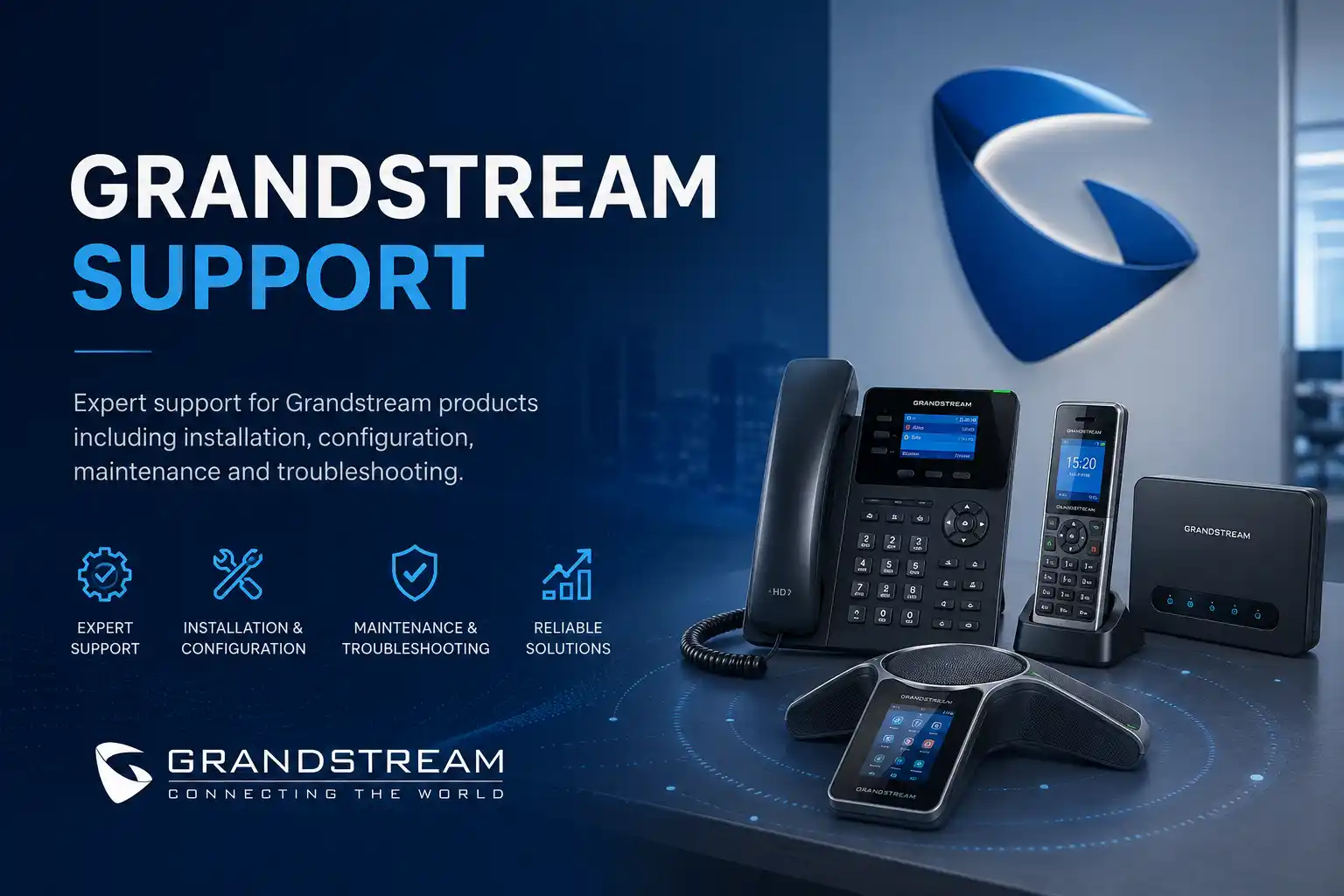
Identify who, what and which calls are affected.
Support method depends on access and physical testing needs.
Backups, authorisation and rollback matter before major changes.
Provider, network and hardware dependencies are confirmed first.
What is Grandstream UCM troubleshooting?
Grandstream UCM troubleshooting is a structured assessment of faults affecting a Grandstream IP PBX environment and the systems it depends on. It is mainly used when users cannot register phones, make or receive calls, hear audio correctly, reach voicemail, follow expected IVR or queue routes, use remote extensions, or obtain reliable call behaviour. Businesses should consider support when the fault affects daily communications, repeats after temporary fixes, follows a network or provider change, or cannot be isolated safely by internal staff. Before work is confirmed, prepare the UCM model and current firmware information where available, affected extension numbers, examples of failed calls, recent changes, SIP provider details, network and firewall context, backup status, and authorised administrative access. The exact troubleshooting path depends on whether the problem is inside the UCM, at an endpoint, in the LAN, at the firewall or internet edge, or with a third-party voice carrier.
What the troubleshooting service can cover
A Grandstream UCM is part of a wider voice environment rather than an isolated appliance. Extensions may register through local switching, remote paths, or supported remote-access services. External calls normally rely on SIP trunks or gateways, while phones depend on IP addressing, PoE, VLAN configuration, DNS, time settings, and stable network links. A useful troubleshooting engagement therefore starts with the business symptom and follows the call or registration path through the relevant layers.
PBX and call-flow checks
Depending on the confirmed scope, support may review extensions, registration state, inbound and outbound routes, ring groups, queues, IVR or auto-attendant behaviour, voicemail, time conditions, caller ID rules, permissions, call forwarding, prompts, and other settings that influence how calls move through the business.
SIP trunk and provider path
Failed external calling can involve authentication, registration, number presentation, routing, codecs, DTMF, NAT, provider restrictions, or upstream service conditions. Troubleshooting may require test calls and technical coordination with the SIP carrier rather than a change to the PBX alone.
Network, firewall and endpoint checks
One-way audio, intermittent registration, delayed ringing, or dropped calls may involve switching, voice VLANs, DHCP, DNS, gateway reachability, firewall policies, NAT behaviour, packet loss, cabling, PoE, or individual phone configuration. These areas are checked only as far as the approved scope and access permit.
Who may need Grandstream UCM troubleshooting
The service can be relevant to an office with one reception number, a customer-service team using queues, a clinic that depends on inbound appointment calls, a warehouse with desk and cordless endpoints, a retail operation with several departments, a hospitality environment with internal extensions, or a multi-site organisation connecting remote and branch users. The size of the business is less important than the operational impact of the fault and the complexity of the connected voice environment.
A small office may need help because every external call fails after an internet or firewall change. A larger organisation may have a narrower issue, such as one queue not overflowing correctly, several extensions losing registration, or call quality becoming inconsistent during busy periods. In both cases, the useful first question is not simply whether the UCM is working. It is which call path, user group, number, device type, time period, or location is affected and what changed before the problem appeared.
Common symptoms and what they may indicate
Symptoms are evidence, not proof of a particular cause. The same complaint can arise from several technical layers, so troubleshooting should avoid assumptions until call examples, logs, registration state, network behaviour, and configuration are reviewed.
| Observed issue | Possible technical areas | Useful next step |
|---|---|---|
| Phones show unregistered | PBX reachability, credentials, IP addressing, VLAN, DNS, firewall, endpoint configuration | Confirm whether one phone, one subnet, or all endpoints are affected and capture the timing. |
| Inbound calls fail but internal calls work | SIP trunk status, provider routing, inbound routes, DID mapping, firewall/NAT | Provide failed destination numbers and approximate call times for correlation. |
| Outbound calls fail or show unexpected caller ID | Outbound routes, permissions, trunk selection, number format, carrier policy | Identify affected extensions, dialled numbers and whether all external destinations fail. |
| One-way or no audio | NAT, firewall, RTP path, endpoint network, provider path, codec negotiation | Compare internal, inbound, outbound and remote calls instead of changing audio settings blindly. |
| Calls drop or sound unstable | Packet loss, latency, unstable uplink, bandwidth pressure, Wi-Fi endpoints, ISP or carrier conditions | Record when the issue occurs and whether it aligns with site-wide network congestion. |
| IVR, queue or ring group behaves incorrectly | Destination logic, time conditions, member state, timeout rules, prompts, route order | Write the intended business call flow before changing the configuration. |
Business impact when PBX faults remain unresolved
Customer calls do not reach the right team
A routing fault can send calls to the wrong extension, skip reception, fail to reach a queue, or behave differently after office hours. The business impact can be missed enquiries, delayed support responses, and staff manually transferring calls to compensate.
Staff lose confidence in the phone system
Intermittent faults are disruptive because users begin relying on personal phones or workarounds. That makes the environment harder to support and can hide the original technical pattern.
Repeated changes increase configuration risk
Multiple undocumented adjustments can create overlapping routes, inconsistent permissions, or settings that are difficult to explain later. Controlled diagnosis and documentation are more sustainable than trial-and-error changes.
Possible service scope
Depending on the confirmed scope, FourTeck assistance may include an initial consultation, secure remote diagnosis, on-site inspection, UCM configuration review, extension and registration checks, SIP trunk review, routing and dial-plan assessment, call-flow testing, queue or ring-group checks, voicemail and prompt review, firewall and NAT coordination, network path testing, endpoint checks, firmware planning, configuration backup, provider coordination, corrective configuration, user verification, documentation, and preventive recommendations. Not every task is required or included in every engagement.
A narrow fault may be resolved by reviewing one route and validating test calls. A broader incident may require network tests, provider evidence, physical phone checks, or an on-site visit. If the environment has unsupported legacy hardware, missing administrator access, unknown trunk credentials, damaged cabling, failed PoE equipment, or third-party restrictions, the corrective action may need a separate quotation, replacement plan, or vendor escalation.
Service information at a glance
| Service Topic | Grandstream UCM fault diagnosis and corrective support |
|---|---|
| Main Purpose | Identify the technical layer causing business calling, registration, routing, audio, or user-service problems. |
| Typical Systems Involved | Grandstream UCM, IP phones, SIP trunks, gateways, switches, voice VLANs, firewall, router, internet service, DNS, DHCP, remote endpoints and provider services. |
| Assessment Method | Remote, on-site, or combined, subject to secure access, symptoms and physical testing requirements. |
| Customer Information Required | Affected numbers and users, call examples, recent changes, UCM model, provider details, network context and authorised access. |
| Testing and Validation | Scope dependent; may include internal, inbound, outbound, transfer, IVR, queue, voicemail, DTMF and remote-user tests. |
| Documentation and Handover | Findings, approved changes, remaining dependencies and recommended next actions may be recorded as agreed. |
| Service Location | Dubai and other UAE locations subject to assessment, scheduling and confirmed scope. |
| Quotation Requirement | Final work scope, on-site attendance, replacement items and third-party coordination are quotation dependent. |
Remote support versus on-site troubleshooting
When remote support may be suitable
Remote troubleshooting can be suitable when the UCM is reachable through an approved secure method, the internet connection is functioning, an authorised contact is available, and the work concerns configuration, logs, extension state, routes, trunks, call-flow logic, user settings, or controlled test calls. It can also help establish whether an on-site visit is likely to require switch, cabling, phone, gateway, or rack access.
Remote access does not guarantee that the fault can be resolved remotely. Physical failures, inaccessible network equipment, cabling problems, damaged phones, PoE issues, or faults that disappear when tested may require local inspection.
When an on-site visit may be needed
On-site support may be appropriate when phones lose power or network links, patching needs to be traced, switch ports or voice VLANs must be checked locally, gateways require physical access, several devices are affected, the PBX or rack equipment cannot be reached remotely, or call quality requires testing from the customer site. Local coordination may also be useful during a planned change or provider cutover.
Attendance timing depends on location, access, engineer availability, site restrictions, required equipment, and the approved quotation. The purpose of early diagnosis is to make the visit focused rather than simply moving the same uncertainty on site.
How a structured UCM diagnosis may proceed
- Define the business impact. Confirm whether the problem affects all calls, one direction, one number, one department, one location, or only particular users. Note when it started and whether a workaround exists.
- Collect evidence before changing settings. Useful evidence may include call times, calling and called numbers, screenshots, registration status, error messages, provider notifications, network changes, and relevant logs.
- Confirm access and protection. Administrative access, authorisation, configuration backup, maintenance-window requirements, and rollback options should be reviewed before higher-risk changes.
- Test the technical layers. The investigation may move through endpoint, LAN, VLAN, routing, firewall, internet, SIP provider, UCM trunk, route and application logic according to the symptom.
- Isolate the likely cause or dependency. A useful diagnosis explains why the evidence points to a particular layer and what remains uncertain, rather than simply making a change and hoping the symptom disappears.
- Apply approved corrective work. Changes should be limited to what is required, with unrelated settings preserved. Provider or vendor action may be coordinated where the fault sits outside the customer environment.
- Validate from the user perspective. Test the relevant call paths, not just the status screen. A trunk showing registered does not by itself prove that routing, audio, DTMF, transfers, queues, or after-hours behaviour are correct.
- Record the outcome. Useful handover notes can identify what changed, what was tested, what remains dependent on a third party, and which preventive actions should be considered.
Corrective changes, firmware and rollback planning
Not every UCM fault requires a firmware update, factory reset, or major reconfiguration. Those actions can remove evidence or create new compatibility issues if they are used before the problem is understood. Where firmware is relevant, the current model, installed release, known issue, endpoint compatibility, maintenance window and rollback implications should be checked against current Grandstream guidance before proceeding.
Grandstream’s current UCM6300 firmware guidance includes model-specific upgrade precautions and emphasizes maintaining a full backup before certain firmware transitions. That is a useful reminder that a PBX update is a controlled change rather than a generic troubleshooting shortcut. The exact upgrade path can vary by model and installed release, so the service scope should include review of current vendor notes where firmware change is proposed.
The same principle applies to route changes, trunk credentials, NAT settings, certificates, network segmentation, and endpoint provisioning. Configuration backups should be taken where practical, authorisation should be clear, and a rollback path should be considered for changes that could interrupt multiple users. If there is no reliable backup or the system is heavily undocumented, discovery and documentation may need to come before corrective work.
Capability focus: faster fault isolation without random resets
A common support problem is that the visible symptom encourages a change at the wrong layer. If a phone is unregistered, users may reboot the PBX even when the actual problem is a VLAN, DHCP, switch-port, or local cabling issue. If inbound calls fail, someone may rebuild routes even when the carrier has stopped delivering the number. If audio is one-way, a codec change may be attempted before the NAT and media path are checked.
A structured troubleshooting method narrows the fault by comparing what works with what fails. Internal calling versus external calling, one extension versus all extensions, one site versus all sites, wired endpoints versus remote endpoints, and inbound versus outbound behaviour create useful boundaries. Call times and numbers allow log events to be compared with real user complaints. This does not guarantee an immediate diagnosis, but it reduces the number of uncontrolled changes and makes provider escalation more meaningful when the evidence points outside the PBX.
Capability focus: safer call-flow and routing changes
Business call flows usually contain more logic than users realise. An incoming number may first reach an IVR, then a department, then a queue, then an overflow destination, and finally voicemail or an external number. Office hours, holidays, user status, caller-ID rules and outbound permissions can alter the path further. A small change can therefore affect several departments or time periods.
Before changing a route, FourTeck can help translate the expected business behaviour into a simple flow: which number arrives, which prompt or destination answers, how long it rings, what happens if nobody responds, what should occur after hours, and which users may make outbound calls through which trunk. Testing then follows that intended flow. This makes the outcome easier for managers and reception staff to verify, and it creates a basis for future documentation instead of leaving the logic only inside the PBX interface.
Capability focus: voice troubleshooting across the network boundary
A UCM may be configured correctly while users still experience poor calls because voice traffic depends on the surrounding network. IP phones need working power, cabling, addressing and gateway access. Remote or carrier traffic crosses firewalls and internet links. Congestion, packet loss, incorrect VLAN membership, duplicate addressing, unstable switch ports or unsuitable NAT behaviour can all produce symptoms that appear to be a PBX problem.
FourTeck can treat voice as one service that crosses multiple technical domains. Where the approved scope includes network support, troubleshooting can compare endpoint registration, switch connectivity, firewall rules, local routing and provider reachability. Where another vendor manages the firewall, network or carrier, the investigation can document the evidence and define what that provider needs to review. This helps avoid the common situation in which each vendor confirms only that its own device is online while the end-to-end call remains unreliable.
Dependencies, access and customer responsibilities
Effective troubleshooting depends on authorised access and accurate information. The customer should identify who can approve changes, who understands the expected call flow, and who can be available for test calls. If the SIP trunk is managed by a telecom provider, the account or support reference may be needed for escalation. If a third party manages the firewall or network, coordination may be required before rules or routing can be reviewed.
Administrative credentials should not be posted on a public form or shared casually. Access details should be provided only through an approved secure method after the identity and authorisation of the support contact are confirmed. Where a configuration backup exists, its date and storage location should be known. Where no backup exists, creating one may be an important first step before change work, subject to the system condition and available access.
The customer may also need to arrange building or rack access, provide a site contact, identify maintenance windows, inform affected departments about testing, and confirm whether any calls are business-critical during the work. These practical details can matter as much as the PBX settings because troubleshooting may intentionally place test calls, restart services, or temporarily change routing under controlled conditions.
Risk, limitation and exclusion guidance
Diagnosis depends on the evidence available, system access, current condition and the ability to reproduce or observe the fault. Some problems may require action from the SIP carrier, ISP, firewall provider, hosted service, building network team, or manufacturer. Hardware failure may require replacement parts or equipment outside the troubleshooting labour scope. Unsupported legacy UCM models or endpoints may have limited upgrade and compatibility options.
Configuration changes can interrupt calling if they affect trunks, routes, network interfaces or services, so a maintenance window may be appropriate for higher-impact work. A successful test after a change does not eliminate the need for ongoing monitoring or preventive maintenance, particularly when the original problem was intermittent. If the system has no reliable backup, incomplete documentation, or unknown third-party dependencies, the work may need to proceed in stages.
Final commercial terms, replacement items, on-site work, migration work and ongoing support are subject to the approved quotation or service agreement. No troubleshooting service can guarantee that every fault will be resolved without provider action, replacement equipment, software change, or redesign of part of the environment.
Suitable business environments and practical use cases
In professional offices, a UCM may coordinate reception, direct extensions, meeting rooms and department hunt groups. Troubleshooting often focuses on whether calls reach the correct people and whether staff can transfer and forward calls reliably. In clinics, missed inbound calls may affect appointment handling, so queue, timeout and voicemail behaviour can be operationally important. In warehouses and logistics sites, phones may span office and operational areas, making cabling, PoE, network segmentation and cordless or remote endpoints part of the troubleshooting picture.
Retail and hospitality environments may have several service points, back-office phones and management extensions. Here, a fault limited to one area may point toward local network or endpoint conditions rather than the central PBX. Multi-branch companies may use centralised call routing or remote users, which adds WAN, internet, firewall and branch network dependencies. A troubleshooting plan should reflect these operational differences rather than applying the same checklist to every site.
The service can also help after office relocation, ISP replacement, firewall change, network upgrade, SIP provider migration, introduction of new phones, or addition of a branch. These changes create a clear timeline that can guide diagnosis. If the fault began immediately after a known change, the support process can compare the old and new paths, while still keeping open the possibility of an unrelated failure.
Operational, security and maintenance considerations
A business PBX contains important communication settings and may be reachable from networks beyond the local office depending on its design. Administrator accounts, remote access, SIP credentials, exposed services, firmware and backups should therefore be treated as part of operational security. Troubleshooting should avoid creating broad temporary exposure simply to make a call work. Where firewall or remote-access changes are required, the business requirement and allowed traffic should be defined narrowly.
Maintenance can reduce the difficulty of future incidents. Useful practices include keeping a current configuration backup, documenting main numbers and trunk providers, maintaining an extension list, recording key call flows, identifying network and firewall dependencies, reviewing administrator access, and planning firmware changes against vendor guidance. These activities do not prevent every fault, but they make diagnosis and recovery more controlled.
For organisations with recurring changes, a simple change record can be valuable. Note when a new extension was added, when a provider changed, when a route or IVR was modified, and when the firewall or internet service was updated. During troubleshooting, that timeline can quickly separate a long-standing issue from a problem introduced by a specific change.
Before you contact FourTeck
The following information can make the first troubleshooting step more productive. You do not need every item before contacting FourTeck, but the more clearly the fault is described, the easier it is to choose between remote assessment and an on-site visit.
- Dubai or UAE service location and the exact site affected.
- Main contact person who can approve tests and configuration changes.
- Grandstream UCM model and current firmware version where known.
- Affected extensions, departments, queues, ring groups, or public numbers.
- Examples of failed calls with approximate date and time.
- Whether internal, inbound, outbound, transfer, voicemail, or remote-user calls are affected.
- Visible error messages, phone status, registration state, or screenshots.
- Recent changes to the UCM, SIP provider, firewall, internet service, switches, phones, cabling, or office layout.
- SIP carrier or telecom provider name and support reference if one already exists.
- Whether authorised UCM administrator access is available.
- Whether firewall or network administrator access can be arranged if required.
- Date and availability of the latest known UCM configuration backup.
- Any site access, rack access, security, or maintenance-window restrictions.
- Business impact and which call paths must be restored or verified first.
- Preferred starting method: secure remote assessment or planned on-site support, subject to technical suitability.
Service evaluation and quotation checklist
A troubleshooting request can remain a focused incident or expand into corrective configuration, network work, provider coordination, migration or maintenance. The quotation should make those boundaries clear. Useful confirmation points include:
- The exact business outcome to restore or improve.
- Number of affected users, phones and locations.
- Whether the UCM itself is reachable and supported for the proposed work.
- Remote versus on-site scope and any physical inspection requirement.
- SIP trunk, provider, firewall or ISP coordination needs.
- Configuration backup and rollback requirements.
- Call-flow, routing, queue, IVR or extension changes expected after diagnosis.
- Network, switch, VLAN, PoE, cabling or endpoint checks required.
- Firmware review or upgrade planning, if relevant to the confirmed issue.
- Testing requirements for internal, inbound, outbound and special call paths.
- Documentation and administrator handover expectations.
- Any follow-up maintenance, monitoring, upgrade or migration planning required after the incident.
How FourTeck can assist
FourTeck can begin by clarifying the reported problem and deciding which evidence is useful before a change is attempted. The service may then review the Grandstream UCM, connected extensions, SIP provider path, network dependencies and firewall context according to the symptoms and authorised scope. Where the problem sits with a third party, FourTeck can help organise the technical information needed for escalation rather than making unnecessary local changes.
If corrective configuration is approved, the work can be planned around the business call flow and relevant maintenance considerations. Test calls should reflect real operations: reception, department routing, transfers, queues, voicemail, outbound permissions and after-hours behaviour where those functions are in scope. The result can be documented with remaining risks and recommended next steps.
For broader support requirements, FourTeck can also connect the UCM investigation with business IT support across the connected office, including the network and other systems that may influence voice service. Customers that want to understand the wider company approach can review FourTeck IT service information. The final support path remains subject to the actual environment and agreed quotation.
Dubai and UAE service coordination
For Dubai businesses, Grandstream UCM troubleshooting may begin remotely when secure access is available and the fault can be investigated through configuration, logs, call examples and guided user testing. An on-site visit may be recommended when physical phones, gateways, racks, switches, cabling, PoE, or local network behaviour need inspection. The mix of remote and on-site work is based on the problem rather than on a fixed service template.
Service timing depends on engineer availability, customer access, site conditions, required parts, third-party providers and the confirmed work scope. A telecom-provider case can also affect the sequence because the provider may need evidence from specific failed calls or may need to make a change on its own platform. Contact FourTeck to confirm scheduling options and whether the first step should be remote diagnosis, an on-site assessment, or a planned maintenance activity.
Dubai, Abu Dhabi, Sharjah and Ajman coverage
FourTeck can review Grandstream UCM support requirements for businesses in Dubai and coordinate suitable requests in Abu Dhabi, Sharjah and Ajman according to the issue, location and confirmed scope. Remote troubleshooting can be useful across all four locations for configuration, routing, registration, logs and provider coordination when secure access is available. Planned on-site visits may be appropriate for physical inspection, phone and switch testing, rack work, cabling, gateway checks or changes that require local coordination.
Scheduling, travel, building access, parking or loading restrictions, site security, equipment availability and third-party dependencies can influence the service plan. Multi-site businesses should also identify whether the UCM is centralised, whether branches have separate internet or firewall services, and which locations are affected. A fault at one branch may be local even when the PBX is central, while a fault affecting every site may point toward a shared PBX, provider or network dependency. The service approach should follow that evidence rather than assuming every site requires a visit.
Related FourTeck IT services
IP PBX and telephone support
Support for business call routing, extensions, phones, trunks, queues, office-hours logic and telephone-system planning can be discussed through the FourTeck services overview.
Network and connectivity support
Voice faults that involve switching, VLANs, firewalls, cabling or internet paths may require network assistance within a separately confirmed scope.
IT assessment and ongoing support
Businesses with recurring voice and infrastructure issues can discuss broader documentation, maintenance and support requirements rather than treating every incident as an isolated fault.
Request a scoped consultation
Use the FourTeck technical support contact page to provide the fault pattern, location and affected users so the next step can be assessed.
Why businesses contact FourTeck for a UCM fault
Businesses often need someone to look across the boundaries between the PBX, phones, network, firewall and carrier rather than treating each component separately. FourTeck’s role is to clarify the reported problem, identify which technical layer is most likely involved, arrange remote or on-site work where appropriate, plan safe changes, coordinate providers, test the business call path and document useful findings.
This approach is especially useful when several vendors are involved. A SIP carrier may see its trunk as available while users still cannot receive calls. A firewall may pass general internet traffic while the voice media path behaves differently. A phone may power on while sitting in the wrong VLAN. The purpose of cross-system troubleshooting is not to blame one component; it is to establish enough evidence to direct the right corrective action.
Questions businesses ask before requesting Grandstream UCM support
These questions help define whether the issue is likely to need remote diagnosis, local inspection, carrier coordination, a configuration change, or a broader telephone-system review. The answers are deliberately scope aware because the correct action depends on the current UCM, network, provider and business call flow.
Can a Grandstream UCM issue be checked remotely?
Yes, many configuration and call-flow problems can begin with remote assessment when secure authorised access is available and the office internet connection is working. Remote work may include checking extension state, trunk status, routes, call-flow settings, logs, recent changes and controlled test calls. It is also useful for deciding whether the fault is likely to require a site visit. However, remote access cannot test a damaged cable, failed PoE port, loose patch lead, local power problem or a phone that is physically inaccessible. If the symptoms point to the LAN, rack, endpoint hardware or gateway, an on-site check may be the more appropriate next step.
Why do internal calls work when external calls fail?
Internal calls remaining available suggests that at least part of the UCM and endpoint environment is functioning, but it does not identify the exact external fault. Inbound or outbound calling also depends on the SIP trunk or gateway, route rules, number formats, permissions, firewall and NAT behaviour, internet connectivity and the carrier platform. Troubleshooting should compare inbound and outbound directions separately, identify which external numbers fail, and record example call times. If the evidence points toward the carrier, FourTeck can help present a clearer technical case instead of repeatedly changing local routes.
What should we check when phones show unregistered?
First identify the pattern. If one phone is unregistered while others work, the cause may be local to that endpoint, cable, switch port, credentials or provisioning. If an entire group of phones fails together, the issue may involve a VLAN, DHCP service, routing path, switch, firewall or UCM reachability. If remote users fail while office phones remain registered, the external access path deserves attention. Avoid factory resets as a first response because that can remove useful endpoint settings and does not address an upstream network problem. Provide the affected phone models, extension numbers, IP information where available and the time the registration problem began.
Why can we hear one side of the call but not the other?
One-way audio often means that call signalling completed but the media path is not travelling correctly in both directions. The cause can involve NAT, firewall behaviour, RTP reachability, endpoint networking, provider handling or other media-related settings. The correct test is to compare call types: internal calls, inbound carrier calls, outbound carrier calls and remote-user calls may not follow the same network path. FourTeck can use that comparison to decide whether the UCM, firewall, endpoint network or provider should be investigated. Broadly opening firewall access is not an appropriate troubleshooting shortcut because it can increase risk without proving the cause.
When should we ask the SIP provider to investigate?
Provider involvement is useful when local checks indicate that the UCM is reachable and correctly routing calls but the carrier is not delivering, accepting or handling a call as expected. It is also relevant when the provider has recently changed credentials, number routing, service parameters or network addresses, or when a carrier outage is suspected. A good escalation includes specific calling and called numbers, approximate timestamps, the direction of the call and the observed result. FourTeck can help collect the local evidence so the provider receives a precise technical question rather than a general report that the phones are not working.
Is a firmware upgrade the first step for UCM troubleshooting?
Usually not. Firmware can matter when the installed release has a relevant known issue, a required security correction, or a compatibility dependency, but updating without understanding the fault may introduce additional variables. The current UCM model, installed firmware, configuration backup, endpoint environment, maintenance window and vendor upgrade guidance should be reviewed before a change. Grandstream publishes model-specific firmware information and may include precautions for particular upgrade or downgrade paths. The service should therefore treat firmware work as a planned technical action with backup and rollback considerations, not as a generic reset button for any PBX problem.
How do we know whether the problem is the UCM or the network?
The pattern provides clues. A single endpoint failing can point toward the phone or local access path. Multiple phones on one switch or VLAN failing together can point toward the network. External calls failing while internal calling remains normal can shift attention toward trunks, routing, firewall or provider dependencies. Poor quality that aligns with heavy internet usage can indicate congestion or packet loss. These are not absolute rules, so the diagnosis should still use evidence. FourTeck can compare PBX status with network behaviour and call examples to narrow the boundary before recommending changes.
Do we need an on-site engineer if call quality is poor?
Not always. A remote assessment can first identify whether the quality issue affects one user, one site, one call direction or all calls, and whether it corresponds with internet or network conditions. Logs, call examples and basic network tests can help decide what should be inspected. An on-site visit becomes more useful when local cabling, switch ports, PoE, Wi-Fi endpoints, rack equipment or physical network paths need testing, or when the problem cannot be reproduced remotely. The visit scope should be based on the evidence so the right tools and access are available.
Can FourTeck change IVR, queue and ring-group behaviour while troubleshooting?
Configuration changes can be included when they are part of the approved scope and the desired business behaviour is clearly defined. Before modifying a queue or IVR, write down what should happen to an incoming call, how long each stage should ring or wait, where unanswered calls should go, and what should happen during closed hours. This makes testing objective. A call-flow change is different from diagnosing a fault: one restores behaviour that is already intended, while the other changes the business design. The quotation and change record should distinguish between those tasks where the difference matters.
What information should we prepare for a Dubai on-site visit?
Provide the site address, access instructions, parking or building requirements if relevant, the location of the UCM and network rack, the affected extensions, recent fault examples and the name of the person who can approve tests. Confirm whether the SIP provider and network administrator can be contacted during the visit if their systems may be involved. If the rack is in a controlled room, arrange access before the appointment. It is also useful to identify critical call periods so testing does not unnecessarily interrupt reception or customer-facing operations. The required information may vary with the confirmed scope.
Should we repair the existing UCM or plan a replacement?
That decision depends on the model, support status, hardware condition, current firmware, user count, required features, endpoint compatibility, documentation, recurring faults and future business needs. A stable system with a contained configuration problem may be worth retaining. An ageing or unsupported system with repeated hardware issues, limited compatibility or poor documentation may justify a planned migration discussion. Troubleshooting can provide evidence for that decision by separating a correctable incident from a lifecycle limitation. Replacement should not be recommended simply because a fault exists, and repair should not be assumed sensible if the platform no longer fits the business requirement.
Can we request one-time troubleshooting without a maintenance contract?
A one-time incident can be assessed separately. The final scope may cover only diagnosis and corrective work for the reported issue, subject to quotation. If the incident reveals repeated configuration changes, weak backups, undocumented routes, unclear provider ownership or recurring network faults, FourTeck can also discuss preventive maintenance or ongoing support as a separate requirement. A maintenance arrangement should not be assumed to include unlimited changes or every third-party cost; its actual coverage depends on the agreed service plan.
What should be tested after the fault is corrected?
Testing should match the original business symptom and any configuration that changed. For a trunk issue, that may include inbound and outbound calls with expected caller ID and audio. For an IVR issue, it may include each required menu destination, timeout and after-hours route. For registration problems, affected phones should remain registered through normal use rather than only appearing online for a moment. Where transfers, queues, voicemail, DTMF or remote users were part of the incident, those paths should be validated too. The final test list depends on what was changed and which business functions are considered critical.
Frequently asked questions
What does Grandstream UCM troubleshooting cover?
It can cover diagnosis of extensions, SIP trunks, inbound and outbound routes, queues, ring groups, IVR, voicemail, call quality, remote users and relevant network dependencies. The exact tasks are confirmed after the fault pattern and access are reviewed.
Can you troubleshoot UCM6300 environments?
UCM6300-series environments can be assessed subject to model, firmware, access and the confirmed issue. Firmware-related work should follow current Grandstream model guidance and appropriate backup precautions.
Can you help when a SIP trunk is not registering?
Yes, trunk registration can be investigated within scope by reviewing credentials, network reachability, provider details, firewall or NAT dependencies and relevant UCM settings. Provider action may still be required.
Can you troubleshoot Grandstream phones that lose registration?
Yes. The first step is to determine whether the problem is limited to one phone or affects a wider group. Endpoint settings, cabling, PoE, VLANs, addressing and UCM reachability may all be relevant.
Will troubleshooting interrupt our calls?
Some tests can be non-disruptive, while changes to trunks, routes, services, firmware or network settings may require a maintenance window. The expected impact should be discussed before higher-risk work begins.
Do you need our UCM password?
Authorised administrator access may be required, but credentials should be shared only through an approved secure method after identity and authorisation are confirmed. Do not place passwords in public website forms or unsecured messages.
Can you coordinate with our SIP provider or ISP?
Provider coordination can be part of the support scope when a carrier or internet dependency is involved. Clear call examples, timestamps and test findings make escalation more effective.
Can you fix one-way audio?
One-way audio can be investigated, but its cause must be confirmed. The issue may involve firewall, NAT, RTP paths, endpoint networking, provider handling or other media settings rather than one single UCM option.
Do you provide on-site UCM support outside Dubai?
Requirements in Abu Dhabi, Sharjah, Ajman and other UAE locations can be reviewed. Scheduling depends on location, engineer availability, access, site conditions and the approved scope.
What happens after troubleshooting?
The next step may be a confirmed corrective change, provider escalation, hardware replacement, network work, maintenance recommendation or migration planning. Testing and documentation should reflect the work actually completed.
Request an assessment for your Grandstream UCM issue
Send FourTeck the location, UCM model if known, affected users or numbers, example failed calls, recent changes and the business impact. The first technical step can then be matched to the evidence, whether that means secure remote troubleshooting, a planned on-site visit, carrier coordination, network checks or a scoped corrective change.
The final service method, schedule and quotation depend on access, environment, location, third-party providers, required equipment and the work confirmed with the customer.