
Grandstream UCM Support in Dubai, UAE
A Grandstream UCM can sit at the centre of reception calls, extensions, SIP trunks, queues, voicemail, office-hour routing and remote-user communication. When one part of that call path stops behaving as expected, the visible symptom may come from the PBX, an IP phone, the local network, the firewall, internet connectivity or the voice provider. FourTeck approaches UCM support as a connected business-communications service so the affected path can be assessed before changes are made.
Support can be scoped for troubleshooting, extension administration, call-flow changes, trunk coordination, backup and firmware planning, phone provisioning, documentation, maintenance or upgrade preparation. The final work depends on the UCM model, current configuration, authorised access, network conditions, provider dependencies and the customer’s required outcome.
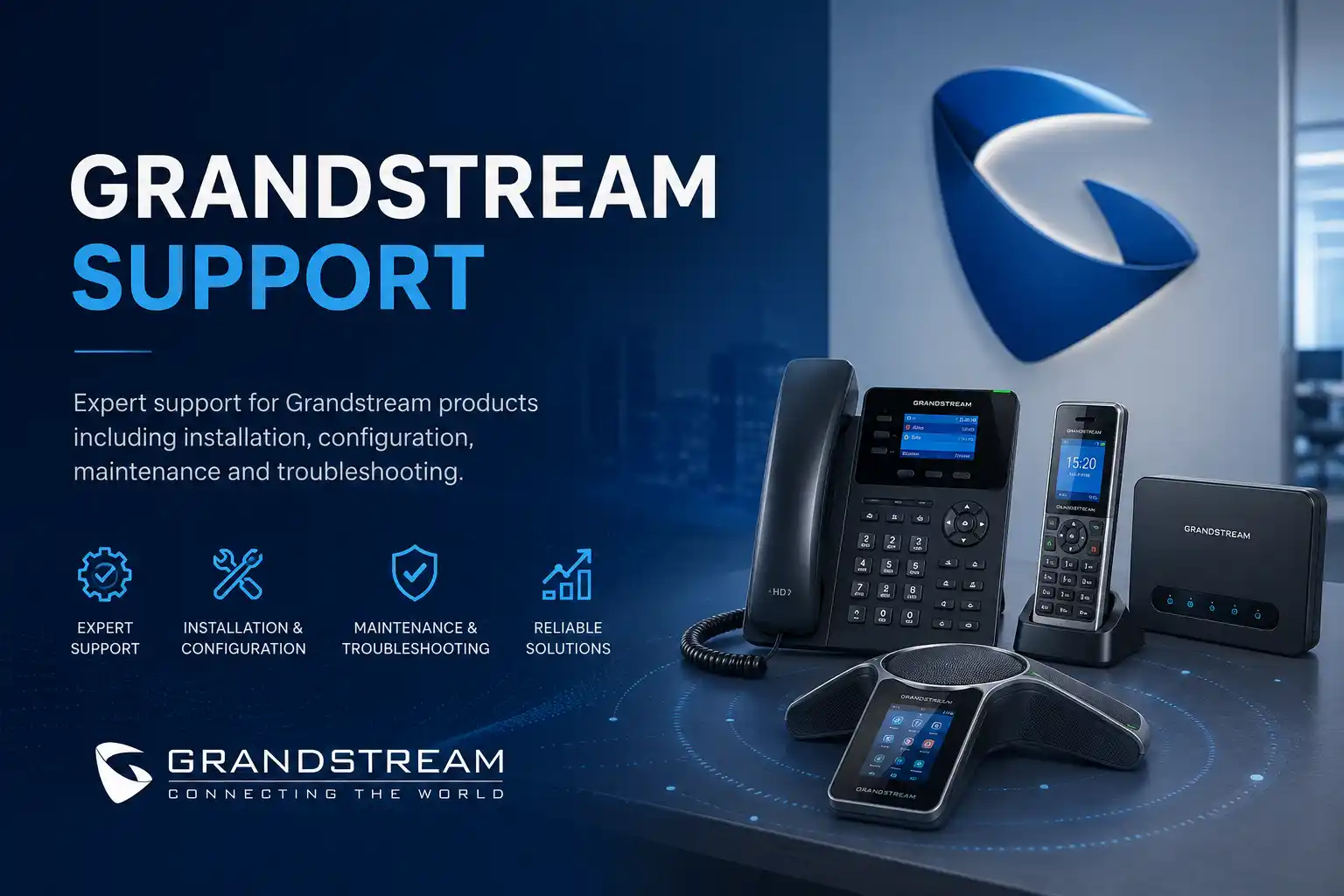
Call, registration and routing symptoms assessed across connected layers.
Configuration work planned around backups, authorisation and testing.
Service method selected according to access and physical dependencies.
Quotation and scheduling follow the confirmed environment and work required.
What does Grandstream UCM support mean for a business?
Grandstream UCM support is technical assistance for an existing Grandstream UCM IP PBX and the communication services that depend on it. It is mainly used to investigate calling faults, administer extensions, review call routing, coordinate SIP trunks, provision supported endpoints, plan firmware or configuration changes, improve documentation, and prepare upgrades or maintenance activities. Businesses should consider support when telephone behaviour is affecting customers or staff, when the current setup is poorly documented, or when a planned change could affect incoming and outgoing calls. Before proceeding, the customer should be ready to confirm the UCM model, affected users, expected call behaviour, recent changes, network and provider context, backup status and availability of authorised administrative access. Remote support may suit software and configuration work, while physical faults, cabling, switching, gateways or inaccessible systems may require an on-site assessment.
What Grandstream UCM Support May Cover
A UCM support request can start with a single complaint such as “reception is not receiving calls,” but the service scope should not be limited to the first visible symptom. A business telephone call can pass through an IP phone, switch port, voice VLAN, firewall, internet connection, SIP trunk, PBX rule and destination extension. The call may also be affected by office-hour schedules, queue status, forwarding rules, caller permissions, number formatting and provider-side routing. FourTeck can review the relevant layers according to the approved scope rather than assuming that the PBX itself is always responsible.
Depending on the environment, assistance may include extension creation or changes, device registration checks, account provisioning, ring groups, queues, IVR or auto-attendant logic, voicemail behaviour, time conditions, inbound routes, outbound routes, caller ID handling, call forwarding, trunk status, network settings, backup review, authorised firmware planning, system logs, call tests, phone provisioning and documentation. The service can also include coordination with the customer’s SIP provider, ISP, firewall administrator or network team when evidence points outside the UCM.
Current Grandstream UCM environments can include different platform generations and deployment features. The UCM6300 family is positioned by Grandstream as an IP PBX and unified-communications platform, and some deployments may also use Wave clients, remote-access services or Grandstream management tools. Availability and behaviour of these functions depend on the exact UCM model, firmware, account configuration, network design and enabled services. FourTeck therefore confirms the actual environment rather than assuming that every UCM installation has the same capabilities.
Support is also relevant when the telephone system is working but needs controlled administration. A new employee may require an extension and phone assignment. A department may need a ring group changed. Reception may require a different overflow path. The business may want after-hours calls to follow a new schedule. A branch may be opening, or an office move may require phones and the PBX to be readdressed or reconnected. Each change should be translated into a clear business outcome before the configuration is modified, because a technically valid setting can still produce the wrong operational result if the required call flow was misunderstood.
Who May Need This Service
Grandstream UCM support can suit organisations that already use a UCM as part of their office telephone environment and need troubleshooting, administration, maintenance or project assistance. This may include professional offices with a reception desk, retail operations that depend on customer calls, clinics with appointment lines, warehouses coordinating drivers and suppliers, hospitality environments with multiple departments, training centres, property-management teams, showrooms, construction offices and multi-branch businesses.
The trigger is usually operational rather than simply technical. An office manager may notice that calls are reaching the wrong team. An IT administrator may inherit a UCM without current documentation. A business owner may be planning a move and want to preserve numbers and call flows. A network engineer may need help determining whether poor voice quality is caused by the LAN or PBX. Procurement may be considering a refresh and need the current environment documented first. FourTeck can help organise these different needs into a support scope that identifies the affected users, systems, dependencies and required result.
Common UCM Symptoms and Planning Triggers
Calls do not reach the expected destination
Incoming numbers may ring the wrong extension, skip a queue, ignore office hours or reach voicemail too early. Possible areas include inbound routes, time conditions, IVR selections, queue status, forwarding, trunk mapping or provider routing. The symptom alone does not identify the cause.
Extensions fail to register
A phone may display an account error or appear offline in the PBX. The investigation can involve credentials, provisioning, IP addressing, VLANs, DNS, switch connectivity, firewall rules, device settings or extension configuration.
Audio is one-way, delayed or unstable
Voice quality can be influenced by packet loss, jitter, bandwidth contention, NAT behaviour, firewall handling, codec negotiation, provider conditions or endpoint problems. Replacing a phone without testing the network path may leave the real issue unchanged.
Outbound calls fail or use the wrong identity
Outbound routing, dial patterns, user permissions, trunk availability, number formatting and carrier policy can all affect a call. Evidence from a controlled test helps determine where the failure occurs.
A change is required but nobody knows the existing logic
Undocumented IVRs, queues, time rules, forwarding paths and trunk settings increase change risk. Discovery and configuration backup may be appropriate before editing a live business call flow.
The business is moving, expanding or upgrading
Office relocation, branch deployment, new users, replacement phones, network redesign or a new voice provider can require coordinated planning so extensions, numbers, phones and routes are tested after the change.
Why Repeated UCM Problems Can Affect More Than the Phone System
Telephone problems become business problems when they interrupt customer access, reception handling, sales enquiries, supplier coordination or internal communication. A queue that does not distribute calls correctly can leave customers waiting while staff assume another team is answering. An outbound trunk failure can stop users from returning calls. A registration problem can isolate one employee, while a routing or provider problem can affect an entire office. The business impact should therefore be recorded at the beginning of the support request, not after the technical diagnosis.
Repeated faults can also create hidden administrative cost. Staff may restart phones, move cables, use personal mobiles or ask different vendors to investigate the same symptom. If changes are made without records, each temporary fix can make the environment harder to understand. A structured support process aims to preserve evidence, identify dependencies and record what was changed so future incidents begin with better information.
A functioning call test after a change is important, but it should not be treated as proof that every path is correct. Reception, direct inward numbers, queues, voicemail, after-hours routes, external outbound calls, internal extensions and remote users can follow different logic. Validation should cover the business-critical scenarios agreed for the engagement. Where a provider or third party controls part of the path, their confirmation may also be required before the incident can be considered fully resolved.
Possible Service Scope
The exact scope is confirmed after the current environment and requested outcome are understood. Depending on the approved quotation or support engagement, FourTeck assistance may include the following activities. Not every activity is required or included for every UCM support request.
Clarifying the symptom, affected users, business impact, recent changes and expected call behaviour.
Reviewing relevant extensions, routes, groups, queues, schedules, permissions, voicemail or trunk settings.
Assessing registration, provisioning and network reachability for supported IP phones or client devices.
Checking relevant addressing, switching, VLAN, internet, NAT or firewall dependencies with authorised access.
Collecting test results and configuration details needed to work with the voice carrier when the issue crosses provider boundaries.
Reviewing available backups and rollback considerations before approved configuration or firmware work.
Running agreed inbound, outbound, internal, queue, voicemail or remote-user tests after corrective work.
Recording key findings, completed changes, call-flow notes, remaining dependencies and recommended next steps.
Service-Fit Matrix
| Observed Situation | Possible Technical Areas | Recommended Next Step |
|---|---|---|
| Only one extension cannot make or receive calls | Phone registration, extension credentials, provisioning, switch port, VLAN, device settings | Compare the affected endpoint with a working extension and collect registration evidence before changing shared PBX rules. |
| All external calls fail but internal calls work | SIP trunk, outbound route, provider service, firewall, internet path | Check trunk state and controlled call evidence, then coordinate with the carrier if the failure is outside the local configuration. |
| Incoming calls reach the wrong department | Inbound DID mapping, IVR, ring group, queue, time condition, forwarding | Document the intended business flow and compare it with the active route before editing production settings. |
| Calls connect but audio is poor or one-way | LAN quality, packet loss, NAT, firewall, ISP, provider, endpoint, codec negotiation | Test the voice path and network conditions rather than replacing equipment based on the symptom alone. |
| A firmware or platform update is being considered | Current firmware, vendor upgrade path, backups, endpoint compatibility, remote services | Review release guidance, create or verify an appropriate backup where supported, plan a maintenance window and define rollback considerations. |
| Office relocation or branch expansion is planned | Numbering, phones, LAN, PoE, VLAN, firewall, SIP provider, public addressing, remote connectivity | Inventory the current call environment and map technical dependencies before the move or cutover date is committed. |
Grandstream UCM Service Information
| Service Topic | Grandstream UCM support, troubleshooting, configuration, maintenance and change assistance. |
|---|---|
| Main Purpose | Restore expected call behaviour, administer approved changes and improve maintainability of the business telephone environment. |
| Typical Systems Involved | Grandstream UCM IP PBX, SIP endpoints, switches, voice VLANs, firewall, internet connection, SIP trunk and remote-user components where applicable. |
| Assessment Method | Remote, on-site or combined, depending on access, symptom, physical testing requirements and approved scope. |
| Customer Access Required | Authorised administrative or diagnostic access as needed. Credentials should be shared only through an approved secure method after identity and authorisation are confirmed. |
| Backup Considerations | Backup status and restore options should be reviewed before higher-risk changes. Requirements depend on model, firmware and proposed work. |
| Testing and Validation | Scope dependent. May include internal, inbound, outbound, queue, voicemail, transfer, office-hours or remote-user tests. |
| Vendor Coordination | May be needed for SIP carrier, ISP, firewall, hosting, platform or manufacturer dependencies. |
| Service Location | Dubai and UAE service coordination, subject to scope, scheduling, access and location. |
| Quotation Requirement | Contact FourTeck to confirm the required work, service method, exclusions, schedule and commercial terms. |
Can Grandstream UCM Problems Be Checked Remotely?
Many UCM administration and troubleshooting tasks can begin remotely when the business has working internet access, secure authorised access is available, and a local contact can help with basic observations. Remote work may be suitable for checking extension status, call routes, queue membership, time conditions, voicemail settings, SIP trunk state, logs, system information, user configuration and selected network settings. It can also be useful for reviewing screenshots, reproducing a routing problem and coordinating tests with the affected users.
Remote access does not remove the need for change control. The engineer still needs to know what is permitted, whether there is a current backup, which routes are business critical and when configuration changes can be tested. If the UCM is currently reachable only through a third-party remote service, VPN or firewall rule, that dependency should be confirmed before support begins. Access can disappear if the network or internet service is itself part of the fault.
When is an on-site visit more appropriate?
An on-site visit may be recommended when physical inspection is required or remote evidence is insufficient. Examples include phones that lose power, intermittent switch ports, suspect patch leads, PoE issues, analogue gateway connections, cabling faults, rack work, office moves, new endpoint deployment, network changes, or a UCM that cannot be accessed reliably from outside the premises. On-site work can also help when multiple users report inconsistent symptoms and local testing across different desks or network segments is needed.
The correct service method is therefore based on the technical layer that needs to be tested. A call-routing error can often be investigated remotely, but a phone that powers off whenever the desk is moved may require physical inspection. A business should not be asked to pay for unnecessary site work when the evidence can be collected securely online, and it should not be pushed into remote troubleshooting when the fault clearly depends on physical infrastructure.
How the UCM Assessment and Diagnostic Process Can Work
The first step is to determine whether the issue affects one user, one department, all incoming calls, all external calls, remote users or the entire office. Priority and testing are easier to organise when the operational effect is clear.
Support needs a target. For routing issues, the customer should describe what should happen during business hours, after hours, when users are busy and when nobody answers.
Useful evidence can include affected extension numbers, caller and destination numbers, approximate test times, error messages, registration status, screenshots, recent changes, trunk details and model information.
Administrative access, provider access, network access, backups and an authorised maintenance window are reviewed according to the proposed work. Credentials should not be sent through public page forms or insecure channels.
The investigation may move from endpoint registration to PBX routing, trunk status, network quality, firewall behaviour and provider response. The sequence depends on the symptom rather than a fixed checklist.
The aim is to identify where the evidence points before changing settings. A local configuration issue, network fault and carrier problem may look similar to the user but require different corrective actions.
Configuration, repair coordination, provider escalation or project work is carried out only within the agreed scope, with backup or rollback considerations where relevant.
Agreed call scenarios are retested, remaining dependencies are identified and the customer receives practical notes or recommendations appropriate to the engagement.
Planning UCM Configuration Changes Without Creating a New Call Problem
A change request can appear simple: add a user to a ring group, send calls to a mobile number after hours, change an IVR option, create a new extension or update an outbound rule. In a live PBX, however, one setting can interact with other routing logic. Before making the change, the requested business outcome should be written in plain language and the current route should be reviewed. This is especially important for reception, emergency contacts, high-volume sales numbers and shared department queues.
Where practical, existing configuration should be backed up or documented before higher-impact changes. The customer should confirm an acceptable test window and identify the people who can verify the result. If a configuration depends on the SIP carrier, number porting, firewall access, licensing, remote-access services or another vendor, those dependencies should be treated as part of the plan rather than discovered during the change.
Firmware work requires similar care. Grandstream publishes firmware and release guidance for its UCM platforms, and upgrade requirements can differ by model and starting firmware. A support engagement should therefore identify the exact UCM model and current version, review relevant vendor notes, confirm backup and recovery considerations, check associated endpoint or remote-service compatibility where applicable, and schedule the work for a suitable maintenance period. A firmware update should not be presented as a routine click when the current environment and rollback path are unknown.
After configuration or firmware work, the agreed telephone functions need to be tested from the perspective of users and callers. A successful administrator login is not a business validation. The test may need to cover inbound DIDs, outbound calls, internal calls, transfer, voicemail, queue behaviour, office hours and remote users. Which tests are required depends on the change.
Testing, Validation and Handover
A useful handover explains what was tested, what changed, what remains dependent on another party and what the customer should monitor. For a routing change, the handover may record the relevant number, destination, time rule and fallback path. For a registration problem, it may record the affected endpoint and the layer where the issue was found. For a provider fault, FourTeck may document the evidence supplied to the carrier and any follow-up required from that provider.
Documentation does not need to expose sensitive credentials. It should instead record operational information that makes future support easier: extension ownership, number purpose, main call-flow decisions, provider contact references, maintenance dependencies, backup location under the customer’s control, and any known limitations. If user guidance is part of the scope, reception or staff can be shown the approved everyday functions relevant to their roles.
Capability Focus: Faster Call-Path Fault Isolation
The most useful outcome of UCM troubleshooting is not simply changing a setting; it is reducing uncertainty about where the problem exists. Consider a complaint that external callers hear ringing but the receptionist hears nothing. That can involve the carrier delivering the call, the UCM accepting the call, an inbound route choosing a destination, a queue or group deciding which members should ring, the extension being registered, and the phone being reachable over the LAN. A test that proves one stage works helps narrow the next stage.
FourTeck can structure troubleshooting around this call path. The process may compare a failed call with a known working call, identify whether the issue affects one DID or all numbers, review call timing, check extension registration, confirm routing logic, and inspect relevant network or provider evidence. When the failure is outside the PBX, the customer then has more useful information to provide to the network or voice carrier. When the failure is inside the configuration, corrective work can be targeted instead of broad changes being made to unrelated settings.
This approach is particularly important for intermittent issues. A phone that fails once a day may be working normally when an engineer first connects. Time-stamped examples, affected numbers and user observations help preserve evidence. The goal is not to claim a root cause before it is demonstrated, but to build enough evidence to decide the next safe action.
Capability Focus: Safer Configuration and Firmware Change Planning
Business telephony often has a low tolerance for accidental disruption. A route change can redirect a public number, and a firmware change can affect interfaces, supported behaviour or connected endpoints. Safe change planning begins with understanding what is currently working, what is being changed and how the business will verify success. Backups, maintenance windows and rollback options should be considered in proportion to the risk.
For UCM environments, FourTeck can help review the current version, platform generation, endpoint inventory, trunk dependencies, remote-user needs and critical call routes before major work. Vendor documentation is relevant because supported upgrade paths and release considerations can change. If a specific feature depends on a current firmware branch, Wave client, remote-access service or management platform, that dependency should be confirmed rather than assumed.
The customer also has an important role. An authorised contact should approve changes and identify any periods when call interruption would be unacceptable. A person familiar with reception or department call handling should be available for validation. Where the SIP carrier controls number routing, that provider may need to participate. Change planning reduces the chance that one technically successful action creates an unexpected business outcome elsewhere.
Capability Focus: Better Documentation for Growth and Multi-Site Support
A UCM can remain in service for years while staff, numbers, phones, branches and providers change around it. Without documentation, the system may accumulate inactive extensions, unclear forwarding rules, duplicate names, temporary routes and undocumented vendor dependencies. This can make a future move or fault much harder to handle than it needs to be.
FourTeck can help document the parts of the telephony environment relevant to an agreed support or project scope. Useful records may include extension ranges, user assignments, main public numbers, department destinations, queue membership, office-hour logic, trunk names, provider contacts, phone models, network dependencies and known remote-user requirements. Sensitive credentials should be kept securely under the customer’s approved access process rather than embedded in general documentation.
For a multi-site organisation, documentation can also identify which location hosts or depends on the PBX, how branch phones reach the system, what internet or VPN path is involved, and which site contacts can assist with physical checks. This does not guarantee that future issues will be simple, but it makes the starting point clearer and supports better planning for expansion, replacement or migration.
Dependencies, Access and Customer Inputs
A UCM does not operate in isolation. Support may depend on IP phones, managed switches, PoE, voice VLANs, DHCP, DNS, firewall policy, public internet service, SIP trunk configuration, analogue gateways, remote-user connectivity and third-party provider portals. If the issue involves only one phone, the PBX may be healthy. If all calls fail, the provider or network may be involved. If remote users fail but office phones work, the internet or remote-access path may require attention. The support scope should follow the evidence.
Customers should be prepared to provide the service location, UCM model, affected users, relevant extension numbers, approximate time the issue began, frequency of the problem, recent changes, phone models, provider name, network or firewall ownership, current backup status and a suitable on-site contact where physical work may be required. Administrative access may be needed, but passwords or private credentials should not be posted publicly. They should be shared only through an approved secure method after the requesting person and authorisation are confirmed.
Some work also depends on a maintenance window. A route change can sometimes be tested with limited impact, while a firmware update, network change, trunk migration or physical relocation may affect wider service. The customer should explain critical calling periods and any business events that make interruption unacceptable. This information helps determine a realistic service plan and quotation.
Risks, Limitations and Exclusions to Confirm
Diagnosis depends on the evidence and access available. A symptom cannot always be reproduced immediately, and an intermittent provider or network condition may require additional observation.
SIP carrier, ISP, firewall, hosting or manufacturer action may be required when the fault exists outside FourTeck’s direct control. Provider response and resolution are therefore third-party dependencies.
Physical failure may require replacement hardware, cabling work, power correction or parts that are outside a troubleshooting labour scope. These items should be separately confirmed if needed.
Configuration and firmware changes can introduce service risk. Backups, change windows, compatibility review, testing and rollback considerations should be defined according to the work. Unsupported or legacy systems may have limited options.
Successful testing confirms the scenarios tested at that time; it does not guarantee that future provider outages, internet failures, hardware faults or unrelated configuration changes will not occur. Final inclusions, exclusions, scheduling and commercial terms depend on the approved quotation or service agreement.
Business Environments Where UCM Support Can Be Useful
In a professional office, the priority may be reception routing, direct extensions, voicemail and reliable outbound calling. A support request might involve a new employee, an unanswered main number or a queue that no longer follows the intended office hours. The technical work should be linked to how staff actually handle calls.
In retail and showroom environments, calls may need to reach sales staff even when employees move around the floor. The solution can involve ring groups, forwarding, cordless or mobile use, but the correct design depends on the existing devices, network and business process. Support should first define who is responsible for answering and what should happen when nobody is available.
Warehouses and logistics operations may combine office extensions with phones in larger physical areas. Network reachability, PoE, cabling, switch locations and remote or branch connectivity can become as important as PBX configuration. A reported “phone problem” may therefore require a local network check.
Clinics, training centres and hospitality sites may have several departments with different call priorities. Reception, bookings, administration and back-office teams can each have separate routes. Changes should be tested against the intended customer journey rather than only confirming that a phone rings somewhere.
Multi-branch companies may need consistent extension naming, documented numbering and a clear understanding of how each site reaches the PBX. Internet quality, security controls and provider arrangements differ between locations, so a branch expansion should be assessed as a small project rather than simply copying settings from one site to another.
Operational, Security and Maintenance Considerations
Telephone administration should be controlled because a PBX contains calling permissions, public numbers, internal extensions and configuration that affects business availability. Administrator access should be restricted to authorised personnel, accounts should be managed deliberately, and remote access should be configured through approved methods. Support should not require a business to publish passwords or expose administration interfaces unnecessarily.
Firmware and software maintenance should be planned instead of performed only when a fault occurs. Current vendor guidance, the starting firmware version, system backups and the effect on connected phones or services should be reviewed. The objective of maintenance is not simply to be on the newest version; it is to keep the environment supported and manageable while controlling operational risk.
Configuration backups are valuable only if the business knows where they are stored, who can access them and what platform or version they relate to. Backup practices should therefore be documented. For major changes, a backup can support rollback planning, but the available restore process and compatibility still depend on the exact model and software state.
Maintenance can also include reviewing inactive extensions, stale user names, old forwarding rules, unused trunks, queue membership, office-hour schedules and outdated phone inventory. These checks can reduce confusion during future troubleshooting. The frequency and exact inclusions depend on the support agreement; recurring maintenance should not be described as unlimited support unless that is explicitly confirmed in a contract.
Before You Contact FourTeck
Providing a concise set of facts can shorten the discovery stage and help determine whether remote assistance, an on-site visit or a planned project is more appropriate.
- Confirm the Dubai or UAE service location and the main on-site contact.
- Identify the Grandstream UCM model and, if available, the current firmware version.
- List the affected extensions, departments or public numbers.
- Describe exactly what users or callers experience.
- Note when the issue began and whether it is constant or intermittent.
- Record any recent PBX, phone, network, firewall, ISP or provider changes.
- Provide phone models or endpoint types involved in the problem.
- Confirm the SIP or voice provider and who can contact them.
- State whether internal calls, inbound calls, outbound calls or all call types are affected.
- Confirm whether authorised UCM and network administrative access is available.
- Check whether a recent configuration backup exists and where it is controlled.
- Describe the expected call flow for reception, departments, queues or after-hours calls.
- Identify any business-critical calling period that should not be interrupted.
- Indicate whether remote support is possible or whether physical access is likely to be required.
- State the desired outcome, such as fault resolution, a routing change, documentation, maintenance or upgrade planning.
Service Evaluation and Quotation Checklist
- Exact support objective and business impact.
- Number of users, extensions and locations involved.
- Current UCM model, firmware and endpoint environment.
- Remote versus on-site work required.
- Network, firewall, SIP carrier and internet dependencies.
- Configuration changes that are in scope and those that are not.
- Backup or rollback requirements before approved changes.
- Testing scenarios that must pass before handover.
- Documentation or administrator notes required.
- Need for user or reception handover.
- Third-party vendor coordination responsibilities.
- Preferred maintenance window and site-access restrictions.
- Any follow-up maintenance or monitoring expectation.
How FourTeck Can Assist With a UCM Support Request
FourTeck’s role can begin by translating the reported symptom into a technical support scope. That may mean identifying which users and numbers are affected, confirming what the call should do, checking whether the problem is isolated to the UCM or connected infrastructure, and deciding which evidence is needed before a change is attempted. The support method can then be matched to the environment: remote access for configuration and log review where suitable, or an on-site visit when physical inspection is necessary.
For approved corrective work, FourTeck may assist with extensions, call routing, queues, voicemail, trunks, provisioning, selected network dependencies, backup planning, firmware preparation, testing and documentation. Where the evidence points to the SIP carrier, ISP, firewall provider or another third party, FourTeck can help organise technical information for escalation. The objective is to give the customer a clearer path from symptom to next action rather than passing the same issue between unrelated vendors without context.
A quotation can be prepared after the required service scope is understood. The quotation should state whether work is remote or on-site, which tasks are included, any assumptions or exclusions, expected customer access, third-party dependencies and the agreed testing or handover requirement. Contact FourTeck to confirm the current service scope and scheduling options.
Dubai and UAE Service Coordination
For a Dubai-based UCM environment, support may begin remotely if secure access is available and the issue can be investigated without physical testing. An on-site visit may be recommended for cabling, switching, PoE, gateway connections, phone hardware, rack access, relocation work or faults that cannot be reproduced remotely. Service timing depends on engineer availability, customer access, site conditions, required equipment, provider involvement and the confirmed work scope.
For planned changes, the business should also confirm building access, network ownership, voice-provider contacts and any maintenance restrictions. Office towers, retail sites, warehouses and managed facilities can have different access procedures, and these can affect how physical work is scheduled. Installation, configuration, migration or maintenance tasks should be clearly included in the quotation rather than assumed.
Coordinating UCM Support Across Dubai, Abu Dhabi, Sharjah and Ajman
Businesses with sites in Dubai, Abu Dhabi, Sharjah and Ajman may need a combination of remote troubleshooting and planned on-site work. A central UCM might serve one location while branch phones depend on local internet, firewalls or VPN connectivity, or each site may have its own telephony equipment. The first step is to understand the actual deployment and which location is affected.
Service coordination can include remote diagnosis, scheduled site visits, extension or call-flow changes, phone deployment, network checks, maintenance, migration planning or project assistance according to the confirmed scope. Travel, building access, site conditions, equipment availability, engineer scheduling and third-party providers can affect the plan. FourTeck does not assume that the same intervention is required at every branch; each site should be included only when the evidence or project requirements justify it.
Related FourTeck IT Services
Support for business phones, extensions, call handling and connected telephony services.IP PBX Support
Assistance with call routing, SIP trunks, queues, voicemail and PBX administration.Office Network Support
Troubleshooting for switching, VLANs, addressing and network conditions that can affect voice services.Business IT Services
Planning and support for connected workplace infrastructure around telephony, users and systems.
Why Businesses Contact FourTeck for Telephony Assistance
A useful support provider should be able to look beyond the PBX screen. Voice problems can cross phones, switches, cabling, VLANs, firewalls, internet links and SIP carriers. FourTeck can assess the reported problem in that broader context, organise remote or on-site work, explain what is known and what still needs evidence, and coordinate with third parties when the fault crosses service boundaries.
Businesses also contact FourTeck when they need safer change planning. A new route, queue, branch or firmware change is easier to manage when the current configuration is understood, the business outcome is written clearly, authorised access is available, a backup approach is considered and the required tests are agreed in advance. Documentation and practical handover can then make future support less dependent on memory.
For broader company information, visit About FourTeck IT Services. For the wider support portfolio, see the FourTeck IT Services UAE home page.
Questions Businesses Ask Before Requesting Grandstream UCM Support
Can you fix a Grandstream UCM remotely?
Remote support can be suitable when the UCM is reachable through an authorised secure method, the customer has working internet access, and the problem mainly involves configuration, logs, extension status, routing, trunk information or user administration. It is often a practical first step because the engineer can compare the reported behaviour with the active PBX configuration while a user performs controlled call tests. Remote access does not guarantee that the entire incident can be resolved remotely. If the evidence points to cabling, power, switching, PoE, a physical gateway, a failed phone or an inaccessible network device, an on-site visit may be the appropriate next step.
Why does my UCM show extensions as unavailable or unregistered?
An unregistered extension means the endpoint and PBX are not maintaining the expected account registration, but there are several possible reasons. Credentials or provisioning may be wrong, the phone may not have network connectivity, the device could be on an incorrect VLAN, DHCP or DNS may be failing, a firewall or remote path may block communication, or the extension itself may be configured incorrectly. The useful question is whether one endpoint, one network segment or all endpoints are affected. Comparing an affected phone with a working phone on the same site can help narrow the investigation before shared settings are changed.
Why can users make internal calls but not external calls?
When internal calls work, the extensions and basic PBX reachability may be functioning, while the failure could be in the outbound route, user permission, dial pattern, SIP trunk, firewall, internet path or carrier service. The exact cause should not be assumed from that symptom alone. A support engineer may review trunk status, a controlled outbound test, the dialled number format and available logs. If the UCM sends the request correctly but the provider rejects or fails the call, carrier coordination may be needed.
Why do incoming calls ring the wrong phones?
Incoming call behaviour is usually defined by several layers of routing logic. A public number can map to an inbound route, which may then point to an IVR, queue, ring group, extension or time condition. Users may also have forwarding or queue status that changes the final destination. The correct troubleshooting approach is to document what the caller should experience during business hours, after hours and when the primary destination is busy or unanswered. Once that business flow is clear, the active UCM configuration can be compared with it.
Can a network problem really cause poor Grandstream call quality?
Yes. Voice traffic depends on the network that carries it, so packet loss, jitter, congestion, unstable links, incorrect VLAN configuration, firewall behaviour or internet quality can affect audio even when the UCM configuration is otherwise valid. One-way audio can also involve NAT or provider-side media handling. The support process should distinguish whether poor quality occurs on internal calls, external calls, remote users, one phone or every phone. That comparison helps decide whether the next test belongs at the endpoint, LAN, firewall, internet or provider layer.
Should we restart the UCM when calls fail?
A restart can sometimes clear a temporary condition, but it can also remove useful evidence and interrupt other users. For a business system, it is better to understand the impact and collect basic information before restarting whenever the situation allows. If the UCM is unstable, the engineer may need to review logs, resource status, recent changes or connected services first. Restart decisions should consider business calling requirements and an appropriate maintenance window rather than being used as the default response to every symptom.
When should we update Grandstream UCM firmware?
Firmware planning should be based on the exact UCM model, current version, vendor release guidance, compatibility needs and the reason for the change. An update may be considered for maintenance, supportability, bug fixes or required features, but it should not be performed blindly on a live PBX. The current configuration should be backed up where supported, upgrade-path requirements should be reviewed, remote services and endpoints should be considered, and the business should approve a suitable change window. If the system is on an older release, there may be specific intermediate or backup requirements that need to be confirmed from current Grandstream documentation.
Can FourTeck add new extensions or change a queue?
Extension and queue administration can be part of an approved UCM support scope. Before changing a live environment, FourTeck would need the intended user or department assignment, extension numbering requirement, endpoint information and the expected call behaviour. For a queue, the customer should specify which agents should ring, how calls should be distributed, what should happen when nobody answers, and whether office-hour or overflow logic applies. The final configuration depends on the existing design and should be tested after the change.
What information helps diagnose one-way audio?
Useful information includes whether the problem happens on inbound or outbound calls, whether both external parties and internal users are affected, which extensions were involved, the approximate time of a failed call, whether remote users are affected differently, and whether the network or firewall was changed recently. It also helps to know the SIP provider and internet arrangement. One-way audio often requires investigation across media routing, NAT, firewall and provider behaviour, so a precise test example is more useful than a general statement that “audio is bad.”
Do we need an on-site engineer to add phones?
Not always. If supported phones are already connected to a working network and a local contact can identify devices, provisioning and extension assignment may be possible remotely. An on-site visit can be more appropriate when new desks require patching, PoE needs to be confirmed, switches must be configured, phones are being physically installed, or the site has no reliable documentation. The correct scope depends on the number of devices, network readiness and whether physical work is required.
What should we prepare before changing our SIP provider?
A provider change can affect public numbers, credentials, inbound routing, outbound rules, caller identity, firewall policy and test procedures. The business should identify all numbers in use, their destinations, business-hour behaviour, critical outbound requirements, provider contact information and an acceptable cutover window. Existing configuration and backup status should be reviewed. Number-porting or carrier activation timelines are controlled by the relevant providers, so those dependencies should be included in the migration plan rather than assumed.
Is it better to repair an existing UCM setup or migrate to a new platform?
That decision depends on the current model, supportability, fault history, user requirements, capacity, remote-work needs, phone compatibility, provider dependencies and the cost or risk of continuing with the existing environment. A single configuration problem does not automatically justify replacement. Conversely, repeated faults, unsupported components or a business requirement that the current setup cannot meet may make migration planning worthwhile. FourTeck can help document the current state and define practical options, but the final decision should follow assessment rather than a generic recommendation.
How can we avoid breaking reception calls when changing the PBX?
Reception routes should be treated as business-critical logic. Before a change, write down the current public numbers, normal destination, overflow path, office-hours behaviour, voicemail or alternate destination, and any queue membership involved. Back up or document the current configuration as appropriate, agree a test window, and identify someone who can place external calls while reception confirms what rings. This makes it easier to validate the change and reverse it if the result is not what the business intended.
Can support cover remote and branch users?
Remote or branch users can be included when the deployment and service scope are understood. Their phones or applications may depend on internet quality, DNS, firewall rules, VPNs, NAT traversal or platform-specific remote-access services. Current UCM6300 environments may use Grandstream remote-user tools such as Wave or RemoteConnect depending on the configuration. FourTeck would confirm the actual model and deployment before assuming how remote access is provided. Branch support may require coordination with the local network as well as the central PBX.
How do we know whether the SIP carrier or UCM is responsible?
The distinction is made through evidence. If the UCM does not send a call because no outbound route matches, the problem is local configuration. If the UCM sends a valid request and the carrier returns an error, provider coordination may be required. If the trunk is unreachable because internet connectivity is down, the network path is involved. The same logic applies to incoming calls: the team needs to know whether the carrier delivered the call to the PBX before investigating internal routing. Controlled test calls and logs are often the most useful starting point.
What can affect the final support quotation?
The final service scope can be affected by the number of affected users, number of sites, UCM model and condition, remote-access availability, need for on-site work, network or firewall investigation, provider coordination, number of call flows to change, backup or upgrade requirements, documentation needs and the amount of testing required. A one-extension registration issue is a different engagement from a multi-site migration or full call-flow redesign. FourTeck should confirm these variables before commercial terms are finalised.
What should happen after the issue appears fixed?
The agreed test scenarios should be repeated and the customer should confirm that the business outcome is correct. If the issue involved a queue, test queue behaviour. If it involved an inbound route, test the public number. If it involved a trunk, verify suitable inbound and outbound calls. If a third party remains involved, record what they still need to do. Useful handover notes can include the change made, the tests completed, any limitations, backup information and recommended maintenance actions.
Frequently Asked Questions
What is included in Grandstream UCM support?
The service can include assessment, troubleshooting, extension or call-flow administration, trunk review, provisioning, backup planning, firmware preparation, testing, documentation and vendor coordination depending on the approved scope. Not every activity is automatically included.
Can FourTeck support older UCM models?
The exact options depend on the model, firmware, hardware condition, available documentation and current vendor support. Older or legacy environments may have limited upgrade or compatibility choices, so the model should be assessed before work is confirmed.
Can a UCM call-routing change be done outside office hours?
A maintenance window can be planned when the scope and engineer availability are confirmed. Scheduling depends on the business requirement, access, risk, location and approved quotation; no fixed attendance or response time should be assumed.
Will support require our administrator password?
Authorised administrative access may be needed for diagnosis or configuration. Credentials should be shared only through an approved secure method after identity and authorisation are confirmed, not posted in public page content or insecure messages.
Can FourTeck work with our SIP provider?
Provider coordination can be part of the scope when call evidence points to the carrier or when trunk migration requires shared action. The provider remains responsible for services and changes under its control.
Does UCM support include IP phone troubleshooting?
It can include supported endpoint registration, provisioning and network checks when relevant to the UCM issue. Physical phone failure, replacement hardware or cabling may require separate on-site or replacement work.
Can you help with UCM backups before an upgrade?
Backup review can be included. The available backup and restore process depends on the exact model and firmware. Upgrade planning should follow current Grandstream guidance and include recovery considerations appropriate to the change.
Do you guarantee that a remote session will resolve the fault?
No. Remote support is useful for many configuration and diagnostic tasks, but some faults require physical access, provider action, replacement parts or additional investigation. The required next step depends on the evidence collected.
Can the service include documentation after changes?
Yes, documentation can be included where requested. It may record affected routes, extensions, completed changes, test results, provider dependencies and recommended next actions without exposing sensitive credentials.
Is support available outside Dubai?
FourTeck can coordinate suitable remote or planned on-site assistance for UAE locations according to the issue, access, scheduling, travel, site conditions and approved scope. Contact FourTeck to confirm the service plan.
Discuss the UCM Issue Before Making Changes
Share the UCM model, affected users, calling symptom, recent changes, provider information and the result you need. FourTeck can review whether the next step should be remote diagnosis, an on-site assessment, configuration work, provider coordination, maintenance planning or a scoped telephony project. The final service method, timing and commercial terms depend on the confirmed environment and approved quotation.