
Grandstream UCM Installation in Dubai, UAE
A Grandstream UCM deployment should begin with the way your business actually handles calls, not with a list of PBX features. FourTeck helps organisations plan the UCM environment around users, extensions, reception workflows, departments, SIP or telecom services, IP phones, network capacity, remote working needs, security controls and future changes. The goal is to create a telephone system that can be understood, tested, documented and supported after installation.
Installation may include new deployments, office relocations, replacement of an older PBX, branch additions or restructuring of an existing UCM configuration. Final scope depends on the selected UCM platform, access to the current environment, network readiness, service-provider requirements, site conditions and the approved quotation.
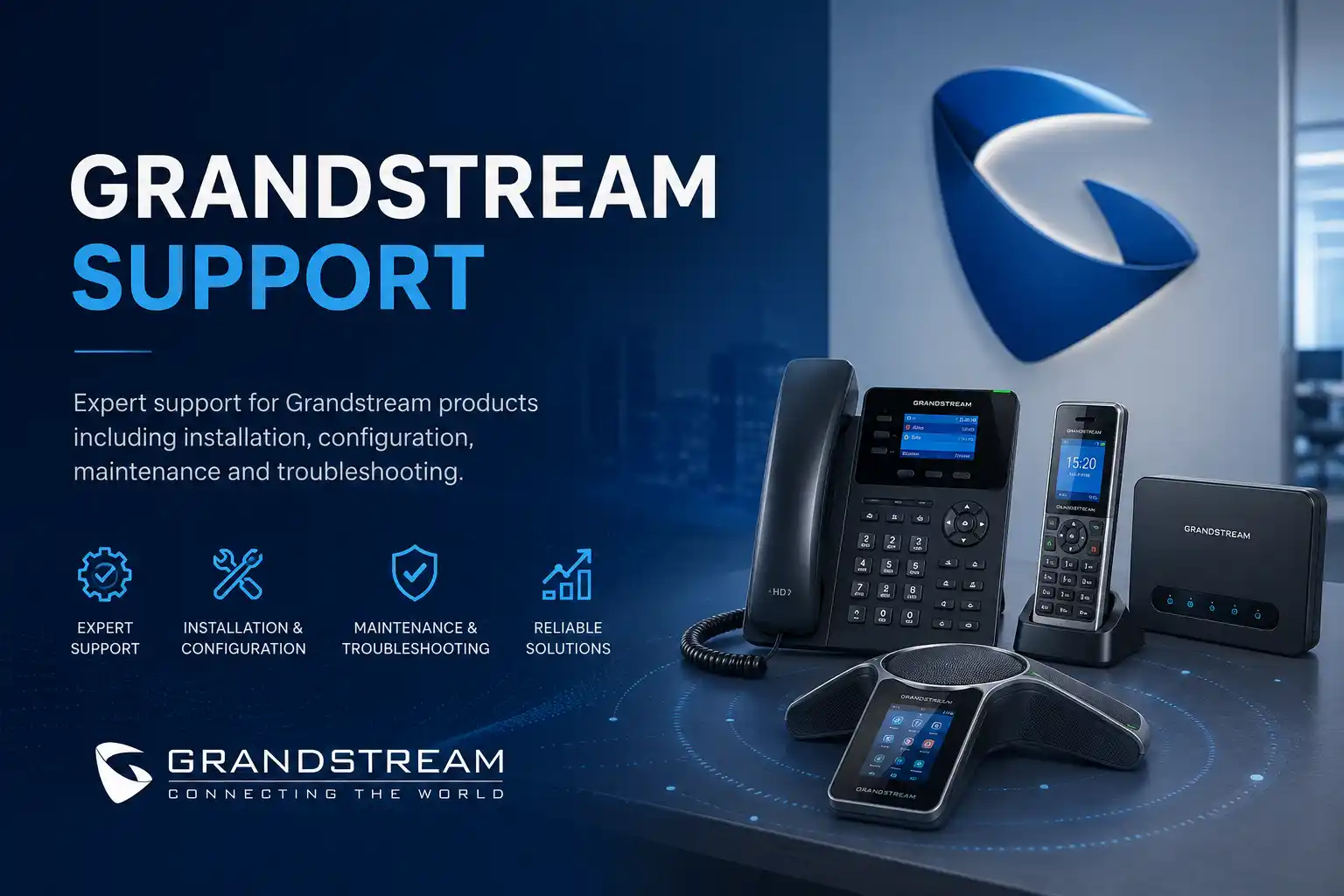
Users, call flows and dependencies are reviewed before configuration.
Switching, PoE, VLAN, firewall and internet conditions are considered.
Backups, authorised access and testing reduce avoidable disruption.
Extension plans, call routing and administrator notes can be documented.
What does Grandstream UCM installation involve?
Grandstream UCM installation is the planned deployment and configuration of a Grandstream IP PBX environment so that business users, telephone numbers, SIP services, IP phones and call-routing requirements work together as an operational communication system. It is mainly used when a company is opening a new office, replacing an older PBX, expanding extensions, introducing IP phones, reorganising reception and department call handling, or preparing a more maintainable telephone platform.
Businesses should consider the service when the telephone environment needs more than device-by-device setup. A working PBX depends on network addressing, switch capacity, power to endpoints, internet quality, firewall behaviour, telecom or SIP provider settings, time synchronisation, user permissions, call flow design and a clear ownership model for future administration. Before proceeding, the customer should prepare the site location, approximate user and phone count, current telephone numbers, provider details, desired departments and call paths, available network information, existing PBX details if any, and authorised administrative access. The final installation plan is confirmed only after these inputs and technical dependencies have been assessed.
What the installation service may cover
Depending on the confirmed scope, FourTeck can assist with UCM deployment planning, network readiness checks, extension creation, IP phone provisioning, SIP trunk coordination, inbound and outbound routing, ring groups, queues, auto-attendant menus, time conditions, voicemail, selected recording settings, user permissions, office-hours behaviour, remote-user preparation, configuration backup, testing and documentation. Physical installation can also include mounting or rack coordination, phone connection, switch-port checks, patching and endpoint verification where the quotation includes those tasks.
Not every feature or activity belongs in every project. A small office with one reception route has different needs from a multi-department environment with branches, remote workers, several phone numbers and escalation paths.
Who may need this service
The service can suit organisations that need a new business phone system, a controlled transition from legacy telephony, standardised Grandstream phones, better call routing, clearer extension administration or a documented platform that internal staff can manage more confidently. Typical environments include professional offices, clinics, schools, hospitality sites, warehouses, showrooms, retail operations, property-management offices, logistics teams, project offices and businesses with several UAE locations.
The relevant design depends on how calls enter the business, which teams answer them, what should happen when a person is busy or unavailable, whether remote users are required, and which telephone services are provided by a carrier or SIP provider.
Why planning matters before a UCM is configured
A PBX is a central decision point for business calls. A configuration that looks correct on one extension can still produce unexpected behaviour at reception, after hours, during a carrier outage or when a user forwards a call. Planning therefore starts with business rules. Incoming numbers should be mapped to their intended destinations. Departments should agree how long calls ring, whether unanswered calls overflow, which users belong in a queue or ring group, what happens outside office hours and when voicemail is appropriate. Outbound calling also requires decisions about permissions, caller identification, international access, emergency calling procedures where applicable, and which trunk should handle particular calls.
The network requires equal attention. IP phones may depend on PoE switches, DHCP, DNS, NTP, voice VLANs, QoS policy, firewall rules and a reliable route to the PBX or provider. A telephone problem can therefore be caused by the handset, the UCM, a switch port, an address conflict, a firewall policy, poor internet performance or a third-party voice service. Installation planning should identify these layers so that later troubleshooting does not begin from guesswork.
For UCM6300 environments, Grandstream provides an ecosystem that can include UCM RemoteConnect, Wave and GDMS-based management functions. Whether any of these are appropriate depends on the exact UCM model, firmware, intended remote-user design, available services, customer security policy and commercial requirements. FourTeck reviews the current environment and target operating model before including remote access or cloud-connected management in the deployment scope.
Common business triggers for Grandstream UCM installation
A new office is opening
The business needs extensions, desk phones, reception handling and external calling ready before users move in. Early planning can align telephone outlets, switches, PoE, rack capacity, internet service and numbering with the office fit-out.
The existing PBX is difficult to maintain
Old extension lists, undocumented call routes, unavailable administrator access or repeated faults can make even minor changes risky. A replacement project should first inventory what must be retained.
Teams or branches are expanding
Additional staff may require new extensions, departmental routes, queue changes, remote calling or branch connectivity. Capacity and network dependencies should be reviewed before the configuration is extended.
Reception call handling needs improvement
Calls may ring the wrong people, transfer poorly, miss office-hours rules or reach voicemail unexpectedly. A new UCM deployment is an opportunity to define the desired flow before reproducing old behaviour.
IP phones need standardisation
Mixed manual settings can create inconsistent names, keys, firmware and account configuration. A planned provisioning approach can simplify future moves, additions and replacements where supported by the selected endpoints.
Remote work is becoming permanent
Remote extensions or software clients add security, internet-quality and access considerations. The design should be based on approved remote connectivity rather than opening unnecessary services to the internet.
Business impact when telephone deployment is poorly controlled
A poorly planned telephone system can create operational problems that are larger than the PBX itself. Customers may reach the wrong department, calls can fail to overflow, reception may not know whether a user is available, outbound caller identification may be inconsistent, and staff may rely on personal mobile numbers because extensions are unreliable. In multi-site environments, unclear extension naming and routing can make internal communication difficult. If network dependencies are ignored, voice quality can deteriorate when links are congested or when switches and VLANs are not prepared for IP telephony.
The risk is not only downtime. Undocumented administrator ownership, shared credentials, missing backups and unrecorded provider settings can turn routine changes into emergency troubleshooting. A controlled installation reduces that uncertainty by defining the intended call behaviour, preserving relevant configuration information, validating key scenarios and recording what the business will need for future support.
Service scope: assistance that may be included after assessment
Depending on the confirmed scope, assistance may include the following activities. The list is deliberately broad because a UCM installation can range from a small single-site deployment to a more complex business communication project. Items are included only when they are relevant to the approved quotation and technically appropriate for the selected environment.
Is Grandstream UCM installation the right service for your situation?
| Business situation | Relevant assistance | What must be confirmed |
|---|---|---|
| New Dubai office needs business telephones before opening. | UCM planning, extension design, phone deployment, call routing and testing. | User count, floor plan, network readiness, provider activation, equipment availability and completion window. |
| Existing PBX will be replaced. | Current-state inventory, numbering and call-flow mapping, transition planning and validation. | Access to old system, number ownership, SIP or carrier details, compatible endpoints, backup and acceptable maintenance window. |
| Business is adding staff, departments or branches. | Capacity review, extension additions, routing updates, provisioning and network checks. | Target user count, UCM capacity, network design, connectivity between sites and remote-user requirements. |
| Reception routing is confusing or inconsistent. | Call-flow workshop, ring group or queue review, office-hours logic and transfer testing. | Desired business rules, staff roles, overflow behaviour, voicemail policy and telephone-number mapping. |
| Remote workers need business extension access. | Remote connectivity assessment, approved client or endpoint configuration and security review. | UCM model and services, user devices, internet quality, security policy, account ownership and licensing or plan dependencies. |
Grandstream UCM installation service information
| Service topic | Grandstream UCM IP PBX installation, configuration, testing and handover. |
|---|---|
| Main purpose | Create a structured business telephone environment aligned with users, telephone services, call routing and network dependencies. |
| Typical systems involved | UCM appliance or supported platform, Grandstream or compatible SIP phones, switches, PoE, VLANs, firewall, internet service, SIP trunks or telecom services, DNS and time services. |
| Assessment method | Requirements review, current-environment discovery, configuration and access checks, network readiness review and call-flow mapping. |
| Remote support suitability | Suitable for many configuration, review, provider coordination and testing tasks when secure access and working connectivity are available. |
| On-site support suitability | Recommended for equipment installation, rack work, cabling, switch-port verification, physical phone deployment and faults requiring local inspection. |
| Customer access required | Authorised access to relevant PBX, network and provider services. Credentials should be shared only through an approved secure method after authorisation is confirmed. |
| Testing and validation | Scope dependent; may include internal calling, inbound and outbound calls, transfers, queues, office-hours routes, voicemail, failover behaviour and selected remote-user scenarios. |
| Documentation and handover | Scope dependent; may include extension lists, routing notes, provider ownership, administrator dependencies, backup status and operational guidance. |
| Service location | Dubai and other UAE requirements subject to assessment, scheduling, site access and approved quotation. |
| Scope dependency | Environment dependent, provider dependent, access dependent and model dependent. |
| Quotation requirement | Contact FourTeck to confirm the work scope, inclusions, exclusions, schedule and commercial terms. |
Remote configuration versus on-site installation
When remote assistance can be effective
Remote assistance can be appropriate when the UCM and relevant network systems are already reachable through an authorised secure method and a customer representative is available to support local checks. Configuration review, extension setup, call-routing changes, SIP settings, log inspection, user administration, backup review and many test scenarios can often be handled without physical access to the premises.
Remote work does not remove the need to understand the physical environment. A failed switch port, incorrect patching, damaged cable, unavailable PoE or a telephone connected to the wrong network may still require someone on site. If the issue cannot be reproduced remotely or access is incomplete, an on-site visit may be the more efficient next step.
When on-site work is usually required
On-site support is generally suitable when the PBX must be physically installed, mounted or connected; phones must be placed and patched; switch ports or cabling need testing; the rack requires organisation; PoE behaviour must be checked locally; or the existing telephone environment is undocumented and needs physical tracing. New-office deployments often use both on-site and remote stages because hardware installation and system configuration progress together.
The visit should be prepared from the known scope so that site access, contact persons, maintenance windows, equipment, patching information and any required provider coordination are arranged in advance. Attendance timing depends on engineer availability, location, site conditions and the approved project plan.
How FourTeck approaches discovery and assessment
- Define the business outcome. The first discussion focuses on what the organisation needs the telephone system to do: who receives calls, how departments are structured, which numbers are important, how calls should behave after hours, whether remote users are needed and what changes are expected during the next stage of growth.
- Identify the current environment. For a replacement or expansion, the team records the existing PBX, phones, extension numbers, service provider, trunks, network equipment, firewall, internet connections and any analogue devices, gateways or special interfaces that may affect the design.
- Collect call-flow evidence. Current ring groups, queues, menus, announcements, forwarding rules, office hours and voicemail paths are documented where access allows. The objective is to distinguish what must be retained from what the customer wants to improve.
- Review access and ownership. Administrator access, provider portal ownership, telephone-number control, network credentials and backup locations should be clear before disruptive work begins. Passwords are not requested through public webpage forms; authorised credentials should be exchanged securely during the engagement.
- Assess network readiness. IP addressing, VLAN design, PoE capacity, switch ports, cabling, firewall paths, DNS, NTP and internet performance may be reviewed according to the project. The depth of testing depends on whether the network is new, existing, managed by another provider or shared with other business systems.
- Confirm provider dependencies. SIP trunk credentials, number porting, caller ID, inbound routing and carrier-side configuration can involve third parties. FourTeck can coordinate technical information, but provider activation and service availability remain outside the PBX configuration itself.
- Map risks and change windows. If the organisation is replacing a live telephone system, the work plan should include backups, staged preparation, a practical maintenance window and a rollback or fallback approach where possible. Zero downtime is not assumed.
- Produce an installable scope. Once the environment is understood, the quotation can identify the PBX work, endpoint work, network changes, provider coordination, testing, documentation, training and exclusions that apply to the project.
Installation and configuration journey
1. Build the numbering and user plan
A stable extension plan makes administration easier. Users, reception points, departments, meeting spaces, common areas and devices such as door phones or gateways should be assigned identifiers that the business can understand. If an old system is being replaced, existing extension numbers can be retained where practical, but there is no value in preserving confusing or duplicated structures simply because they already exist.
2. Prepare the network path
The UCM and IP phones require predictable network connectivity. The deployment may involve static addressing for infrastructure, DHCP options or provisioning methods for phones, voice VLAN planning, PoE allocation, switch configuration, firewall policy and QoS consideration. These elements are reviewed in the context of the wider office network so that telephony does not create conflicts with computers, servers, WiFi, CCTV or other services.
3. Configure the UCM base environment
Base configuration includes approved network settings, time and locale requirements, administration controls, security-related settings, system identity and backup preparation. Firmware planning is model and release dependent. Changes should follow vendor guidance and the actual state of the system; a working production PBX should not be upgraded casually without a backup and a reason for the change.
4. Add extensions and endpoints
Extensions are created against the agreed user plan. Supported Grandstream SIP endpoints can be provisioned in a more standardised way than individually hand-configuring every phone, although exact options depend on model, firmware and the chosen deployment method. Shared-area phones, reception phones and executive phones may need different key layouts and permissions. User names, voicemail, ring behaviour and outbound rights should match the role rather than a generic template.
5. Connect external calling services
External calling may be delivered through SIP trunks, gateways or other telecom arrangements. Provider information must be confirmed before configuration. Registration status alone is not enough; inbound numbers, outbound routes, caller identification, codec negotiation, NAT behaviour and provider-specific requirements may need validation. Where a carrier or SIP provider must change its side of the service, the project schedule remains dependent on that third party.
6. Build inbound call handling
Incoming numbers are mapped to the intended business destinations. A direct number may ring one user, while the main company number may go to reception, a queue or an auto-attendant menu. Office-hours and holiday handling can be added when the business has defined the desired behaviour. Overflow and no-answer actions should be tested because they determine what callers experience when primary staff are busy.
7. Configure outbound policy
Outbound routes should reflect business rules. Not every extension needs the same calling rights, and some organisations require different caller IDs or route priorities. The configuration must align with provider capabilities and authorised policy. For controlled environments, documentation should identify who can request future permission changes.
8. Prepare remote or mobile users where required
Remote work is treated as a separate design requirement rather than an afterthought. The selected UCM environment may support Grandstream services and clients such as Wave, UCM RemoteConnect or GDMS-connected functions, but suitability depends on the model, service plan, firmware, user workflow and security requirements. FourTeck can review available options and include only those that fit the approved architecture.
9. Test business scenarios, not only dial tone
A phone showing registered status is not proof that the telephone system is ready. Testing should follow the agreed workflows: internal calls, inbound numbers, outbound calls, reception transfers, hold and resume, group or queue behaviour, voicemail, after-hours routing, caller identification, selected failover behaviour and remote users where included. Any issues are traced across the phone, UCM, network, firewall and provider layers.
10. Handover the environment
The handover should leave the customer with a usable record of the system. Relevant information may include extensions, phone assignments, key call routes, provider ownership, backup location, administrator responsibilities, support contacts and known limitations. Reception and administrators may receive focused guidance on daily tasks so that basic user changes do not depend on rediscovering the configuration later.
Testing, validation and handover expectations
Testing should be agreed before the cutover or final handover because different businesses depend on different call scenarios. A retail store may care most about a main number and overflow path. A clinic may need reception, departments and after-hours messages to behave predictably. A professional office may need direct inward numbers and remote users. A contact-heavy team may depend on queues, caller identification and transfer behaviour. The test plan should therefore reflect actual operations rather than a generic checklist alone.
Functional checks can include whether phones register consistently, whether internal calls connect in both directions, whether external calls use the intended route, whether inbound numbers reach the correct destination, whether audio is present in both directions, whether transfers and holds work, whether voicemail follows the intended rule, whether queues or ring groups contain the correct members, whether time conditions change routing as expected and whether phones recover correctly after an approved restart or network event. Recording functions, if required and lawful for the organisation, should be tested only according to the agreed policy and storage scope.
Handover also includes unresolved items. If a provider-side change is pending, a legacy analogue device is not yet migrated, a remote branch requires separate connectivity work or a network upgrade is recommended, those dependencies should be recorded. A project is easier to support when completed work and remaining work are both visible.
Capability: clearer call-flow control
A useful UCM installation translates business handling rules into a documented call path. Main numbers, direct numbers, reception, ring groups, queues, auto attendants, office hours, overflow, voicemail and forwarding should work as one design. This improves maintainability because future changes can begin from the intended workflow rather than trial and error.
The limitation is that the PBX can only implement rules that the organisation has defined. If departments disagree about who should answer, when calls should overflow or what happens after hours, those business decisions must be resolved before the configuration can be finalised. Provider-side number routing can also affect what the UCM receives.
Capability: more maintainable endpoint deployment
Standardised phone provisioning can make it easier to move a user, replace a handset or add new staff. Naming, account settings, selected programmable keys and firmware planning can be managed more consistently when supported devices and templates are used carefully. A current inventory linking users, extensions, models and physical locations also reduces support time.
Consistency still depends on compatible endpoint models, supported provisioning methods, network reachability and administrator discipline. Mixed legacy phones, unusual firmware or manually overridden settings may need individual review rather than bulk changes.
Capability: better support visibility across network and telephony
Voice services depend on the data network. When the UCM project records switch ports, VLAN design, firewall paths, provider information and addressing, future troubleshooting can look across the complete route rather than assuming the PBX is always at fault. That matters for symptoms such as one-way audio, intermittent registration, poor call quality or failed remote phones.
The telephone platform cannot correct every underlying condition. Congested internet circuits, faulty cabling, unstable switches, incorrect firewall behaviour or provider outages may require separate corrective work. FourTeck can identify and coordinate these dependencies where included in scope.
Dependencies, access and customer inputs to confirm
Grandstream UCM installation is affected by systems that may be owned by the customer, the building, an internet provider, a telecom carrier, another IT company or a cloud service. The project plan should identify those ownership boundaries early. Useful customer inputs include the service location, expected user count, phone count, department structure, existing extension list, required telephone numbers, current provider, desired call flows, branch requirements, remote-user needs, network diagram if available, switch and firewall models, internet service details, available rack space, PoE capacity, existing cable points, planned office opening date and a contact person who can approve changes.
Administrative access is often required to the UCM, firewall, switches, provider portal or old PBX. Customers should not publish passwords or send them through insecure channels. Credentials should be exchanged only through an approved secure method after identity and authorisation have been confirmed. Where access cannot be provided, FourTeck can explain which parts of the assessment remain incomplete and whether on-site discovery or third-party coordination is needed.
Backups are particularly important when an existing live system will be modified or replaced. Available UCM configuration backups, old PBX exports, phone provisioning files, SIP provider details, prompts and extension lists can reduce risk. The usable backup and restore path depends on the actual platform and software version; it should not be assumed that every legacy configuration can be imported directly into a new system.
Risks, limitations and exclusions to understand
Installation quality depends on available evidence, correct access and the condition of the wider environment. A provider may need to activate a SIP service, release or port a number, change routing or resolve a carrier-side fault. Internet or firewall issues may need separate troubleshooting. Failed switches, phones, power supplies, gateways, cabling or other hardware may require replacement outside the installation labour scope. Unsupported or very old endpoints may have limited compatibility with the target deployment.
Configuration changes can interrupt calls, particularly during trunk migration, network changes or replacement of a live PBX. A maintenance window and fallback plan may therefore be required. Zero downtime is not guaranteed. Remote users are dependent on internet connectivity, authorised security design and the capabilities of the chosen UCM model and services. A security improvement reduces exposure but does not guarantee that a system cannot be attacked or misused.
Call recording, retention and monitoring requirements should be handled according to the organisation’s applicable policies and legal obligations. FourTeck does not assume that recording is permitted simply because the PBX supports a technical feature. Final commercial terms, included work, travel, hardware, licensing, third-party services, aftercare and scheduling are defined by the approved quotation or service agreement.
Business environments where UCM installation may be useful
Professional offices
Direct extensions, reception handling, meeting-room phones, departmental groups and controlled outbound calling can be planned around staff roles and client communication.
Clinics and appointment teams
Reception and department routing may require clear overflow, voicemail and opening-hours treatment. The call flow should reflect how patients are directed without assuming sector-specific compliance claims.
Retail and showrooms
Main numbers may need to reach sales desks, management or shared phones while keeping the configuration simple enough for staff changes and branch expansion.
Warehouses and logistics
Office users, dispatch teams, security points and remote branches can require a mixture of desk endpoints and shared communication points tied to reliable network connectivity.
Hospitality locations
Front desk, administration and back-office teams may have different call-handling requirements. Integrations or specialised workflows require separate compatibility assessment.
Multi-branch businesses
Branch numbering, remote phones, shared reception or central call routing may be considered, but each site introduces internet, firewall, address planning and local support dependencies.
Operational, security and maintenance considerations after installation
A successful cutover is the beginning of the operating lifecycle, not the end. Businesses should know who owns administrator access, who can request extension changes, where configuration backups are stored, how provider details are recorded and which person approves firmware or network changes. Staff turnover should trigger extension and access reviews so unused accounts do not remain active simply because they were forgotten.
Security planning should limit unnecessary exposure, use controlled administrator access and follow current vendor guidance for the actual UCM model and firmware. Remote connectivity should be intentionally designed. Broadly exposing management or SIP services to the internet without a clear need can increase risk. Password policy, endpoint management, firewall rules, service plans, certificates and remote access methods may all be relevant depending on the deployment.
Maintenance can include periodic backup verification, extension cleanup, review of failed registrations, provider changes, firmware assessment, endpoint inventory updates, network health checks and documentation updates. The frequency and inclusions depend on the agreed maintenance scope. A business that changes staff weekly or operates many branches may need a different support process from a small office with stable users.
Before you contact FourTeck about a UCM installation
Preparing the following information helps FourTeck understand the project before recommending remote assessment, an on-site survey or a detailed quotation:
- Dubai or UAE service location and building access requirements.
- Main business contact and technical contact, if different.
- Approximate number of users and expected extensions.
- Number and model of existing or planned IP phones where known.
- Existing PBX brand, model and access status if this is a replacement.
- Telephone numbers that must be retained or newly activated.
- SIP, telecom or carrier provider information.
- Desired reception, department, queue and after-hours call flows.
- Internet service and firewall details where available.
- Network switch models, PoE availability and voice VLAN information.
- Existing network diagram, rack information or floor plan if available.
- Remote-worker or branch requirements.
- Current backups, configuration exports or extension lists.
- Preferred installation or maintenance window.
- Known security or access restrictions at the site.
- The business outcome expected from the new system.
Service evaluation checklist for quotation scope
- Confirm whether this is a new installation, replacement, expansion or relocation.
- Confirm the UCM model or request assistance selecting an appropriate deployment approach.
- Confirm the number of users, phones, shared areas and sites.
- Confirm external telephone services and number ownership.
- Confirm required inbound call flows and outbound permissions.
- Confirm network, firewall, PoE and cabling responsibilities.
- Confirm whether physical phone installation is included.
- Confirm whether remote users, mobile clients or branch extensions are required.
- Confirm testing, user acceptance and administrator handover requirements.
- Confirm documentation expectations and backup ownership.
- Confirm third-party provider coordination required from FourTeck.
- Confirm the preferred schedule, change window and any site-access restrictions.
These points define the engagement; they do not imply that every item is automatically included. The quotation should identify the approved tasks and exclusions clearly.
How FourTeck can assist with the project and quotation
FourTeck’s role is to turn a broad request such as “install a Grandstream UCM” into a practical technical scope. That begins by clarifying the business objective and identifying the systems that the PBX depends on. For a new office, this may mean coordinating with the network and fit-out schedule. For a replacement, it may mean documenting the old system before any changes. For an expansion, it may mean checking whether the current UCM, switches, internet service and telephone provider can support the new requirement.
The assessment can lead to remote configuration work, an on-site survey, a staged deployment plan or a quotation that combines PBX, phones, network changes and provider coordination. FourTeck can also help separate internal responsibilities from third-party responsibilities. For example, the PBX may be configured correctly while a telephone number still requires carrier activation. Clear ownership avoids repeated changes to a working system when the fault is elsewhere.
After the scope is agreed, installation is performed through controlled changes, testing and handover. Findings and unresolved dependencies can be documented so management knows what has been completed and what still needs attention. Customers can review broader FourTeck IT support services, explore the business IT services overview, learn about the company approach on the FourTeck IT Services profile, or use the contact page for an installation enquiry.
Dubai and UAE service coordination
For a Dubai installation, the service route can combine remote preparation with planned on-site work. Remote preparation is useful for reviewing configuration, call-flow documents, user lists, provider details and network information. On-site work may then focus on the tasks that require physical access, such as rack installation, cabling, switch ports, phones and local testing. This approach can reduce unnecessary site time, but it depends on secure access and accurate information being available before the visit.
Service timing depends on engineer availability, customer access, building rules, equipment readiness, provider actions, maintenance windows and the confirmed work scope. A live PBX replacement may need different scheduling from a new office where no users are active yet. Contact FourTeck to confirm the appropriate sequence rather than assuming a fixed installation duration.
Combined Dubai, Abu Dhabi, Sharjah and Ajman coordination
FourTeck can review Grandstream UCM installation requirements for Dubai and assess planned project or support needs in Abu Dhabi, Sharjah and Ajman. Depending on the case, coordination may include remote discovery, configuration review, a planned site visit, equipment installation, migration assistance, testing or post-installation support. Travel, scheduling, building access, local site conditions, equipment availability and telecom-provider dependencies can influence the service plan. The assessment therefore confirms what can be completed remotely and what requires physical attendance before a quotation is finalised.
Related FourTeck IT services that can affect a UCM deployment
Office network support
Switching, VLANs, addressing, cabling and uplinks can determine whether phones register and whether voice traffic remains stable.
IP phone support
Endpoint provisioning, user assignment, PoE, keys and handset troubleshooting are closely connected to PBX deployment.
Business IT support
A UCM may depend on firewall, internet, switching and user devices, so wider IT troubleshooting can be relevant when symptoms cross system boundaries.
Installation and project planning
New-office work can coordinate telephony with internet activation, racks, cabling, switches, WiFi and user rollout.
Why businesses contact FourTeck for Grandstream UCM work
Businesses often need help because PBX installation crosses several technical boundaries. A telephony-only view can miss a network or firewall issue, while a network-only view may not understand call routing, SIP registration or extension behaviour. FourTeck approaches the project as a connected business system: users, phones, UCM, switches, firewall, internet and provider services are considered together.
The practical benefit is clearer scope. The customer can see what information is missing, which party controls a dependency, what must happen before cutover, what should be tested and what documentation should be retained. This is especially useful when an existing system has grown without records or when several vendors are involved in one telephone service.
FourTeck can also support the stage after installation. New users, department changes, phone replacements, branch additions and provider changes all become easier when the original deployment has a consistent numbering plan, backed-up configuration and clear technical ownership. Ongoing support or maintenance can be discussed separately according to the business requirement and agreed service scope.
Questions Dubai businesses often ask before choosing a UCM installation service
Can a Grandstream UCM be configured remotely?
Yes, many configuration tasks can be performed remotely when the device and related systems are reachable through an authorised secure method, the internet connection is working and a customer representative can assist with any local checks. Remote work can cover configuration review, extensions, call routing, SIP settings, user administration, backups and test calls. It is not a substitute for physical installation. Rack mounting, phone placement, cabling, PoE checks, switch-port tracing and faults that cannot be reproduced remotely usually require local assistance. A project may therefore start remotely and move on site only for the stages that genuinely need physical access.
Do we need a voice VLAN for Grandstream phones?
Not every small network requires a dedicated voice VLAN, but segmentation is often considered when the business wants clearer separation, policy control or easier management of voice endpoints. The correct design depends on the existing switches, DHCP arrangement, firewall, number of devices, network skill level and wider segmentation strategy. A voice VLAN should not be added as an isolated setting on the PBX or phones without confirming that the switch ports, addressing, routing and related services support it. FourTeck can review whether segmentation is useful and include the network changes only when the environment and scope justify them.
What network information is useful before installation?
Useful details include the firewall or router model, switch models, PoE availability, network ranges, VLANs, DHCP ownership, internet provider, public IP arrangement if relevant, rack layout and how phones will connect at desks. Existing diagrams and labelled patch panels are helpful, but they are not mandatory if an on-site survey is included. The purpose of collecting this information is to avoid treating the UCM as an isolated box. Call registration, audio, remote access and provisioning all depend on a stable path through the network.
Can our existing telephone numbers be used with the new UCM?
Often the business goal is to retain existing numbers, but the practical answer depends on who owns those numbers, how the carrier delivers the service and whether a new SIP trunk, porting process or gateway arrangement is required. FourTeck can configure the PBX against the provider’s supported parameters and help coordinate the technical side, but number release, porting approval, carrier activation and provider outages remain third-party dependencies. Before setting a cutover date, the organisation should confirm number ownership and the provider process.
Should we copy the old PBX call flow exactly?
Not automatically. A replacement project is a good opportunity to decide which old behaviours are still useful and which are creating confusion. FourTeck can document the current extensions, groups, queues, time conditions, voicemail and forwarding rules where access is available, then compare them with the desired business workflow. Preserving an extension number can be practical because users already know it. Preserving an unclear overflow path or unused menu option may create the same support problem on the new platform. The new design should intentionally retain what works and simplify what no longer serves the business.
How long does a Grandstream UCM installation take?
There is no responsible fixed duration before the scope is known. A small new office with an active SIP service and prepared network can be very different from replacing a live PBX with many departments, old phones, ported numbers and branch users. Timing depends on discovery, equipment readiness, site access, carrier actions, network changes, configuration complexity, testing and the maintenance window available. FourTeck confirms the sequence after assessment rather than promising a generic project duration. Customers can help by providing user lists, call-flow decisions and provider information early.
Can Grandstream phones be provisioned automatically?
Grandstream UCM platforms support provisioning workflows for compatible Grandstream SIP endpoints, which can make multi-phone deployments more consistent. The exact process depends on UCM model, phone model, firmware, network reachability and how the deployment is designed. Automatic provisioning should still be controlled: user assignment, extension credentials, key layouts and update behaviour need review. Existing phones with old firmware or manual overrides may need individual attention. FourTeck can choose an appropriate provisioning approach after checking the actual endpoint inventory.
Can remote workers use the UCM?
Grandstream’s current UCM6300 ecosystem includes remote connectivity and client options such as UCM RemoteConnect and Wave, while GDMS can be part of management workflows. Whether these services are suitable for a particular business depends on the exact UCM model, firmware, service plan, user devices, security policy, internet quality and required features. FourTeck can assess remote-user requirements and design an authorised connection method instead of exposing services broadly. The quotation should state whether remote-user configuration and any related service setup are included.
What if our calls have one-way audio after installation?
One-way audio does not automatically mean the UCM is faulty. The symptom can involve NAT, firewall rules, SIP signalling, RTP media paths, provider behaviour, network addressing or remote connectivity. Troubleshooting therefore starts by identifying which calls are affected: internal, inbound, outbound, branch, remote or only one provider route. FourTeck can test the relevant layers and coordinate with the carrier when the evidence points outside the local environment. Broad firewall changes are avoided because they can create security and stability problems without addressing the actual cause.
What should be tested before staff rely on the new PBX?
The test plan should follow the business’s real calling patterns. At minimum, the approved scope may check internal calls, inbound calls to each important number, outbound calls, reception transfers, ring groups or queues, voicemail, office-hours and after-hours routing, caller identification and endpoint registration. Remote users, recordings, analogue gateways or specialised integrations require additional tests when included. User acceptance is important because a technically valid route may still be wrong for the business. The final handover should record any provider-side item or known limitation that remains open.
Do we need an on-site survey before quotation?
Not every project needs a survey before any estimate can be discussed, but on-site discovery can be important when cabling is unknown, the rack is undocumented, phones are spread across several areas, PoE capacity is uncertain, the old PBX has no records or physical replacement work is significant. A remote review may be enough to define a configuration-only scope when the network is documented and the equipment is already installed. FourTeck can decide which route is more appropriate after the initial project information is shared.
Should we choose one-time installation or ongoing support?
A one-time project can be appropriate when the business has internal administration skills and only needs design, installation, testing and handover. Ongoing support may be useful when staff changes are frequent, several sites rely on the PBX, the business prefers external help for routing changes, or network and telephony troubleshooting regularly cross vendor boundaries. Maintenance inclusions, support channels, on-site visits and response expectations should be defined in a separate service plan rather than assumed to be unlimited after the installation project.
What information should we send first for a Dubai quotation?
Start with the site location, user count, current or planned UCM model, number of phones, existing telephone provider, telephone numbers, whether this is a new deployment or replacement, and a simple description of how calls should reach reception and departments. Add network and firewall information if available. If the project has a target opening or change date, include that as a planning requirement rather than a guaranteed completion date. FourTeck can then identify whether more remote information or an on-site assessment is needed before the scope is finalised.
Frequently asked questions about Grandstream UCM installation
What does FourTeck need before starting a UCM project?
The most useful starting information is the location, user count, required numbers, provider details, phone models, current PBX information if applicable, desired call flows and available network details. Administrative access and security approval are confirmed before changes begin.
Can FourTeck install the phones as well as the PBX?
Yes, physical phone deployment and provisioning can be included when the quotation covers those tasks. The project should confirm phone quantity, desk locations, cabling, switch ports, PoE availability and endpoint models.
Can an existing UCM configuration be upgraded instead of replaced?
Possibly. The correct route depends on the model, firmware, configuration condition, capacity, endpoint compatibility and business requirement. FourTeck can assess whether an upgrade, reconfiguration or replacement is more appropriate.
Will installation include SIP trunk setup?
SIP trunk configuration can be included when provider details and authorised access are available. Carrier activation, number porting and provider-side changes remain dependent on the telecom or SIP provider.
Can queues and auto-attendant menus be configured?
They can be configured when they are part of the agreed call-flow design and supported by the selected UCM environment. The business should define menu wording, destinations, operating hours, overflow rules and ownership of future changes.
Does FourTeck provide a fixed installation time?
No fixed duration should be assumed before assessment. Scheduling depends on the number of users, network readiness, equipment, carrier actions, site access, cutover requirements, testing and approved scope.
Can the system be installed without interrupting existing calls?
Some preparation can be staged in parallel, but a live replacement can still require a change window. Zero downtime is not guaranteed. The migration plan should identify the expected cutover steps and fallback options where practical.
Can FourTeck troubleshoot the network if phones do not register?
Network troubleshooting can be included because registration can depend on switching, VLANs, addressing, DNS, firewall policy and internet connectivity. The exact work depends on network ownership, access and quotation scope.
Will administrator and user handover be provided?
Handover can include extension lists, call-flow notes, backup information, provider ownership and practical guidance for approved administrators or key users. The depth of documentation and training is scope dependent.
Can FourTeck support the UCM after installation?
Post-installation troubleshooting, user changes, routing updates and maintenance can be discussed as separate support requirements. Ongoing inclusions depend on the agreed service plan; unlimited support is not assumed.
Do you cover locations outside Dubai?
FourTeck can review requirements in Abu Dhabi, Sharjah and Ajman as well as Dubai. Remote or on-site arrangements depend on the project, travel, site access, scheduling and confirmed scope.
What happens if a third-party provider causes a delay?
The dependency is documented and the project sequence may be adjusted where possible. FourTeck can provide technical information and coordination, but provider activation, number porting and external service restoration remain under that provider’s control.
Plan a Grandstream UCM installation around your actual business workflow
Share your user count, site, telephone provider, phone inventory, desired call flows and current network information with FourTeck. The next step may be a remote discovery session, an on-site assessment or a quotation for a defined installation project. The purpose is to confirm dependencies before changes begin, test the system against real business scenarios and leave the environment easier to manage after handover.