
BUSINESS TELEPHONY FAULT ASSESSMENT
Avaya IP Office Troubleshooting in Dubai, UAE
When calls fail, extensions become unavailable, voicemail behaves unexpectedly, or phones lose registration, the visible symptom may be only one part of the problem. FourTeck approaches Avaya IP Office faults by checking the affected users, call path, platform status, network dependencies, trunk services, configuration history, and physical infrastructure before corrective work is proposed.
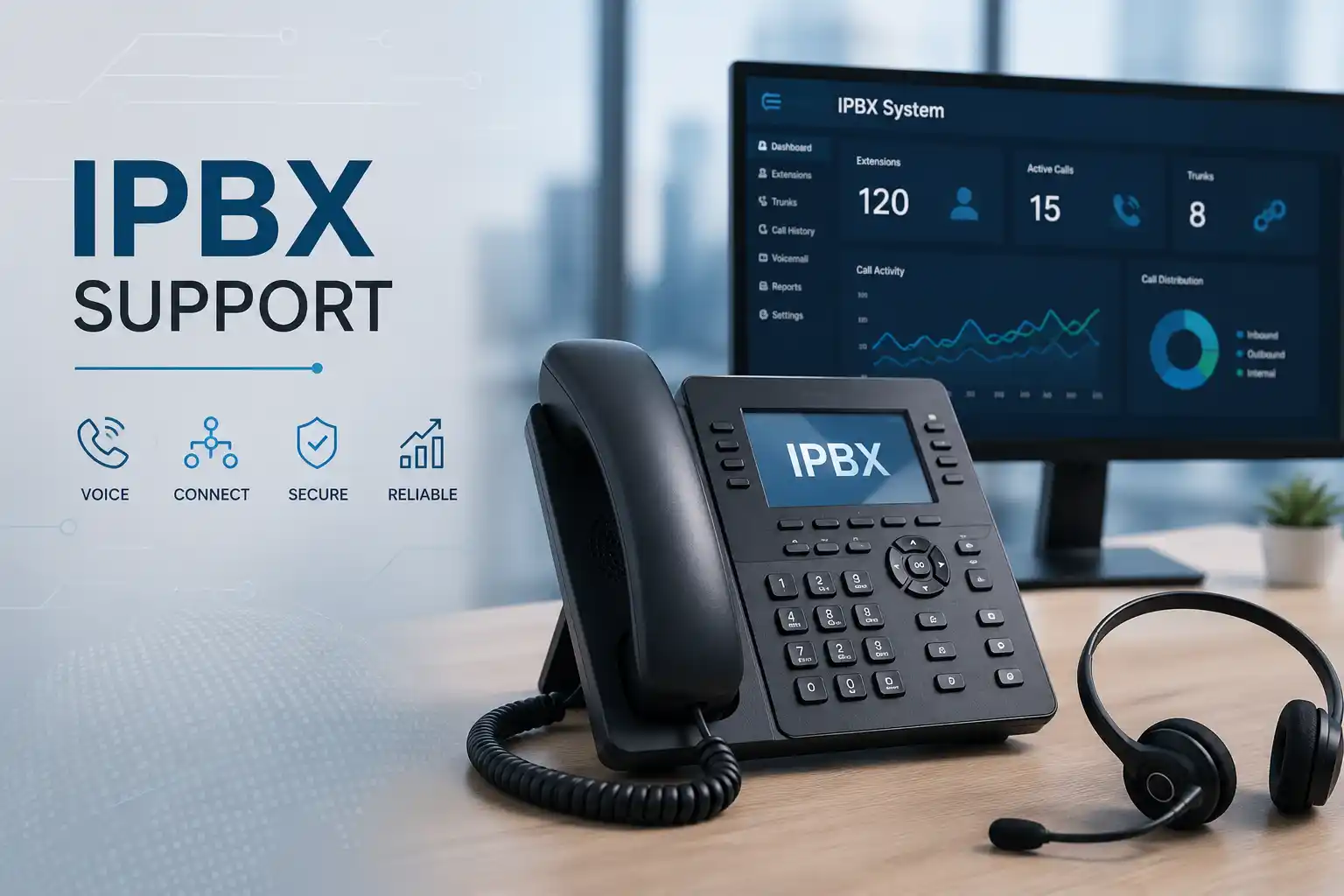
Users, phones, trunks, routing, voicemail and network dependencies are considered together.
The service method depends on access, symptoms, physical testing needs and the confirmed scope.
Configuration changes should be authorised, backed up where appropriate, tested and documented.
Scheduling depends on location, access, urgency, engineer availability and approved quotation.
What does Avaya IP Office troubleshooting involve?
Avaya IP Office troubleshooting is a structured service used to identify why business telephony is not operating as expected and to define the safest next action. It may be relevant when users cannot make or receive calls, extensions do not register, call routing behaves incorrectly, voicemail is unavailable, hunt-group behaviour changes, trunks are unstable, or phones experience network-related interruptions. Businesses should consider the service when the fault affects productivity, customer communication, reception, sales, support teams, remote users, or more than one site. Before work is confirmed, it is useful to prepare examples of failed calls, affected extension numbers, the approximate time the issue began, recent changes, known platform or release information, telecom-provider details, network access, and an authorised technical contact. The exact diagnostic path and corrective scope depend on evidence, access, configuration, licensing, hardware condition, third-party services and the business impact.
What the troubleshooting service may cover
An IP Office environment can combine call control, user and extension configuration, IP and digital phones, voicemail, trunks, gateways, expansion hardware, network switching, addressing, time services and administration tools. Depending on the confirmed problem, FourTeck may review one or several of these layers rather than assuming that the first visible error identifies the root cause.
Assistance may include reviewing the reported symptom, checking system status and alarms, comparing working and affected users, examining call-flow behaviour, reviewing configuration changes, checking trunk or line status, validating phone registration, inspecting relevant network paths, reviewing voicemail dependencies, coordinating with a telecom or internet provider, testing approved corrections, and documenting remaining risks or follow-up work. Some activities require suitable administrative permissions, a maintenance window, an existing configuration backup, or direct physical access to equipment.
Who may need this service?
The service can suit professional offices, reception teams, clinics, warehouses, retail operations, property-management offices, hospitality sites, logistics businesses, schools, showrooms and multi-branch organisations that depend on Avaya IP Office for day-to-day voice communication. It can also be relevant when internal IT staff need additional assistance to isolate an intermittent fault or coordinate across telephony and network systems.
A single-user issue may require a different approach from a site-wide outage. One phone that cannot register can involve the handset, extension settings, cabling, switch port, VLAN, addressing or credentials. A wider call failure may instead involve trunk service, routing, platform status, licensing, gateways, network reachability or a third-party provider. The first practical task is therefore to determine the fault boundary before changing the system.
Common symptoms that can justify a structured assessment
Telephony problems often arrive as short user reports such as “calls are not going out” or “the phone is offline.” Those statements are important, but they are not yet a diagnosis. The same symptom can result from different technical layers, and changing the wrong layer can create additional disruption. A useful troubleshooting process collects specific examples, compares affected and unaffected paths, and checks what changed before the problem appeared.
Incoming calls do not reach the intended destination
The review may need to follow the call from the carrier or gateway through line presentation, incoming-call routing, time profiles, hunt groups, coverage, forwarding and voicemail. A test should establish whether all numbers are affected or only specific destinations.
Outgoing calls fail or use the wrong route
Possible areas can include short-code or dial-plan behaviour, user restrictions, ARS or route selection, trunk availability, number formatting, provider requirements and gateway state. The exact area depends on the system design and the failed dialling example.
IP phones show unavailable, unregistered or intermittent status
Phone registration depends on more than the handset. Switch connectivity, DHCP, addressing, voice VLAN design, gateway reachability, firmware compatibility, extension configuration, power and the IP Office service state may all require review.
Voicemail or message access behaves unexpectedly
The assessment should identify the voicemail component in use, the users affected, call coverage behaviour, mailbox status, storage or service availability where relevant, recent configuration changes and whether the problem is local or system-wide.
Calls connect but audio is one-way, distorted or unstable
Audio problems can involve network paths, packet loss, congestion, firewall or NAT behaviour, gateways, trunks, codecs, WAN links or provider conditions. A successful call setup does not prove that the media path is healthy.
The issue started after a network, carrier or configuration change
Recent changes are valuable evidence. New switches, VLAN changes, firewall updates, ISP work, trunk migration, number changes, user moves, firmware updates or configuration edits can help narrow the investigation without assuming that the newest change is automatically the cause.
Why unresolved phone-system faults can affect wider operations
Business telephony often sits between customers, suppliers, reception teams, service desks, sales staff and internal departments. A routing error can send important calls to the wrong destination. An unstable trunk can create repeated failed call attempts. A phone-registration problem can leave selected desks unreachable. Voicemail faults can prevent messages from reaching the people expected to act on them. Intermittent audio can make a call appear connected while still damaging communication quality.
The practical business impact depends on which users and call flows are affected. A fault at one back-office extension may be inconvenient, while a fault at reception, a customer-service queue or a central trunk can disrupt a larger part of the organisation. FourTeck therefore starts by identifying operational priority as well as technical symptoms. This helps separate immediate restoration tasks from lower-risk improvements, maintenance recommendations or longer-term upgrade planning.
Possible troubleshooting scope
Depending on the confirmed scope, assistance may include the following activities. The list is not a promise that every activity is included in every engagement. Some tasks may require separate approval, vendor involvement, parts, licenses, a maintenance window, or a project quotation.
Affected users, extension numbers, call examples, timestamps, error messages, recent changes and business impact are recorded before deeper testing.
Where authorised access is available, diagnostic information can be reviewed to identify unavailable resources, alarms, registration status or abnormal conditions relevant to the complaint.
Inbound and outbound examples can be traced through the intended routing logic to identify where behaviour diverges from the expected business flow.
The service may compare extension configuration, user settings, phone registration, local connectivity, addressing and switch access between working and affected devices.
If evidence points toward a SIP service, PRI, gateway, carrier route or external number issue, relevant test results can be organised for escalation to the appropriate provider.
Voice VLANs, switch links, IP addressing, DHCP, DNS where applicable, firewall paths, WAN connectivity, packet behaviour and power delivery may be examined when they relate to the fault.
Approved changes can be planned with configuration backup and rollback considerations where appropriate, then validated against the original fault and other critical call flows.
Completed actions, remaining dependencies, unresolved third-party items and recommended maintenance or upgrade work can be documented for the customer’s technical record.
Service-fit matrix: what the symptom may tell us
| Observed issue | Possible technical areas | Recommended next step |
|---|---|---|
| One extension cannot make calls | User rights, extension settings, phone registration, routing rules, device or local network access | Compare the affected extension with a working extension and collect a failed-call example before changing routing. |
| All incoming calls fail | Carrier service, trunk state, gateway, inbound routing, platform status, network or firewall dependency | Confirm affected numbers, exact time, provider status if available, and whether outbound calls are also affected. |
| Phones repeatedly unregister | Switch ports, voice VLAN, DHCP, addressing, power, firmware compatibility, WAN path or platform service | Check whether the issue follows a phone, desk, switch, site or time pattern and preserve examples. |
| Calls connect with poor or one-way audio | Media routing, firewall or NAT, WAN quality, packet loss, codec negotiation, gateway or provider path | Provide calling and called numbers, direction, time and whether the issue occurs internally, externally or across sites. |
| Hunt group does not ring as expected | Group membership, login state, time profile, overflow, forwarding, coverage, user status or routing configuration | Confirm expected call sequence and identify which members do and do not receive calls. |
| Problem appeared after a change | Configuration edit, firmware change, network replacement, carrier update, user move, firewall rule or new gateway | Document the change, time, previous known-good state and available backup before rollback or further modification is considered. |
Service information for planning an Avaya IP Office support request
| Main purpose | Identify the likely fault boundary, restore approved functions where practical, and define follow-up work without assuming the cause in advance. |
|---|---|
| Suitable for | Businesses using Avaya IP Office where call handling, extensions, phones, trunks, voicemail or related network services are unstable or unavailable. |
| Typical systems involved | IP Office platform components, IP or digital endpoints where applicable, voicemail, trunks, gateways, expansion hardware, switches, routers, firewalls, WAN links and provider services. |
| Assessment method | Remote diagnostics, configuration review, evidence comparison and call testing where secure access is available; physical inspection when hardware or site-level testing is necessary. |
| Customer access required | Authorised administrative access, relevant network or provider information, and a customer contact who can confirm business impact and expected call behaviour. Access dependent. |
| Backup considerations | Existing configuration backups should be identified before material changes. New backups or snapshots may be appropriate depending on the system and approved scope. |
| Testing and validation | Scope dependent. Testing may include representative incoming and outgoing calls, internal calls, affected extensions, voicemail, hunt groups, failover paths or remote sites relevant to the incident. |
| Vendor coordination | May be required when evidence points to carrier, ISP, gateway, licensing, software entitlement, hardware replacement or another third-party system. |
| Service location | Dubai and UAE coordination. Remote or on-site assistance depends on the issue, site access, location, urgency and approved quotation. |
| Quotation requirement | The final commercial scope depends on the diagnostic requirement, number of sites and users, access, corrective work, third-party dependencies and any hardware or project tasks. |
Can the fault be checked remotely, or is an on-site visit needed?
When remote troubleshooting may be suitable
Remote work can be practical when the customer has a functioning internet connection, secure and authorised remote access can be provided, and the problem can be investigated through configuration, logs, call examples, management tools or user testing. It may be useful for routing issues, selected extension settings, hunt-group behaviour, voicemail configuration, alarm review, system status checks and provider coordination where no physical intervention is initially required.
A user or administrator may need to be available to place test calls, confirm handset displays, report timestamps or compare a working phone with an affected one. Remote access does not guarantee that the fault can be resolved remotely. If testing points to cabling, hardware, local network equipment, power, physical ports or equipment that is unreachable, an on-site stage may be recommended.
When on-site assistance may be more appropriate
An on-site visit may be needed when physical equipment must be inspected, the system cannot be reached securely from outside, phones or modules need hands-on testing, switch ports and patching must be verified, cabling or power is suspect, multiple local users are affected, or a gateway, rack, expansion unit or network device requires direct access.
Site work also depends on building access, equipment-room permissions, the availability of a responsible contact, safety requirements, planned maintenance windows and any required replacement parts. FourTeck can use remote evidence first when practical so that an on-site visit is better prepared, but the appropriate method remains environment dependent and should be agreed as part of the support scope.
How a structured Avaya IP Office diagnostic process can proceed
- Confirm the business impact. The first step is to identify whether the issue prevents all calls, affects one direction, impacts a single user, blocks a department, disrupts reception, or affects several sites. This defines priority and prevents broad changes when the problem is narrow.
- Identify the affected boundary. Working and non-working extensions, phone types, destinations, trunks, numbers, sites and times are compared. A consistent boundary often provides more useful evidence than a generic error description.
- Collect examples and recent-change history. Failed-call timestamps, calling and called numbers, display messages, alarm information, screenshots, user reports and recent network or telephony changes are gathered. This information can also support provider escalation.
- Confirm access, authorisation and backup position. Before a configuration change is considered, the engineer should understand what access is available, whether the customer authorises the work, what configuration backup exists and whether a rollback or maintenance window is needed.
- Review system status and relevant configuration. Avaya IP Office environments provide administration and diagnostic tools that can expose status, alarms and configuration data. The exact tools and access method depend on the deployed platform and release. The review focuses only on information relevant to the fault.
- Test the call or registration path. Troubleshooting follows the path from user or carrier toward the destination rather than making unrelated changes. For an IP phone, this can include the local network and registration path. For an external call, it can include routing, trunks, gateways, provider service and media flow.
- Isolate the most likely fault layer. Evidence is used to narrow the issue to configuration, endpoint, network, trunk, provider, platform, hardware or another dependency. Where evidence remains incomplete, the next test should be defined instead of presenting an assumption as a confirmed cause.
- Explain available corrective options. The customer may be offered a configuration correction, provider escalation, network change, hardware inspection, replacement assessment, software upgrade planning or a temporary workaround, depending on risk and compatibility.
- Apply only approved changes. Material changes should be controlled and documented. Changes that can interrupt calls may require a maintenance window, a backup and a rollback plan. The right level of control depends on the environment and the change.
- Validate and record the outcome. Representative call flows are tested after the change, including the original failure case where possible. The handover should distinguish what was fixed, what remains dependent on a third party, what should be monitored and what follow-up work is recommended.
Corrective work should be planned around call continuity
A telephone platform is a live operational system. Even a small setting can influence how calls are routed, which users ring, how external numbers are presented, what happens after no answer, or whether remote sites stay connected. For that reason, troubleshooting should separate observation from change. Collecting evidence and reviewing status can often happen without altering production behaviour, while a configuration correction, reboot, firmware action or network change may need a controlled window.
If a change is approved, the expected result and rollback approach should be clear. The customer should know which call flows will be tested and which services might be briefly affected. A configuration backup may be appropriate before modification, but the exact method depends on the IP Office environment and release. Any change involving carrier services, firewalls, gateways or network equipment may also require coordination with a different administrator or provider.
Testing should cover the business process, not only whether an administrator screen shows a healthy status. If the original problem was an incoming call to reception that should overflow to a group and then voicemail, the validation should follow that sequence. If the issue affected an IP phone at a remote branch, the test should include that branch and the relevant external call direction. This reduces the risk of declaring success based on an incomplete check.
Three practical outcomes of disciplined troubleshooting
1. Faster fault isolation without guessing
A useful support outcome is not simply a restart that makes the symptom disappear for a few minutes. The stronger outcome is a clearer understanding of where the fault sits and what evidence supports that conclusion. Comparing users, sites, trunks, call directions and timestamps helps narrow the scope.
This matters when several vendors are involved. If the phone system, network, firewall, ISP and voice carrier are managed by different parties, a precise description of the failing path can reduce unproductive hand-offs. FourTeck can help organise that evidence, but third-party resolution remains provider dependent.
2. Safer changes to a live communication system
Call routing and user settings can affect many people at once. A controlled change process reduces the chance that a fix for one group creates an unintended problem elsewhere. Backups, authorised access, maintenance planning, representative testing and a rollback approach are important when the proposed action could interrupt service.
The appropriate controls depend on the change. A user-level setting may have a narrow impact, while trunk, routing, platform or network changes can have wider consequences. FourTeck can explain the expected scope before implementation so the customer can approve the action with better context.
3. Better documentation for repeat incidents
An intermittent fault is easier to investigate when the business has records of extension assignments, trunk details, routing purpose, network dependencies, provider contacts and previous changes. Troubleshooting can therefore expose not only a fault but also documentation gaps that make every future incident slower.
After support, useful notes may include what users were affected, what evidence was collected, what changed, what was tested, what remains unresolved and which third party owns the next action. Documentation does not prevent every fault, but it makes the environment more maintainable and improves continuity when staff or vendors change.
Dependencies, access and information that can affect diagnosis
The exact support scope depends on the deployed Avaya IP Office environment. Businesses may have different platform versions, control units, server components, expansion hardware, phone models, voicemail arrangements, trunk types, gateways, remote sites, network designs and licensing. A configuration or diagnostic method that applies to one environment may not apply identically to another. Release information and current system design should therefore be confirmed before platform-specific work is planned.
Administrative access is also important. FourTeck may need authorised access to IP Office administration or diagnostic tools, and network troubleshooting may require coordination with the firewall, switch, router or ISP administrator. Telecom-provider portals or account references can be useful when trunk or number-service issues require escalation. Customers should not send passwords in public forms or unsecured messages; credentials should be shared only through an approved secure method after identity and authorisation are confirmed.
Physical access can matter as much as software access. If equipment is in a locked communications room, rack or shared building facility, the customer should confirm who can provide entry. If the suspected fault involves patching, switch ports, power, modules or gateways, the engineer may need local access and a person who understands the site. Scheduling can also depend on when call disruption is acceptable and whether the customer requires work outside peak business use.
Risk, limitation and exclusion guidance
Troubleshooting can narrow a fault and support corrective action, but a service page should not imply that every problem can be diagnosed or resolved from the first symptom. Diagnosis depends on available evidence, access and the ability to reproduce or observe the issue. Intermittent faults may require monitoring, repeated examples or provider logs before a reliable conclusion can be reached.
Some issues require action from a telecom carrier, ISP, hardware manufacturer, software vendor, license provider or another party that controls part of the environment. FourTeck can help gather evidence and coordinate technical information, but third-party lead times and outcomes are outside a troubleshooting engineer’s direct control. Hardware failure may require parts or replacement outside the labour scope. Unsupported or legacy components can also limit available options.
Configuration changes, upgrades or reboots can affect live calls and should be planned with suitable authorisation. No change should be described as risk-free when the environment is unknown. A maintenance window, backup, rollback plan and user communication may be appropriate for higher-impact work. Where the system is business critical, the customer should identify essential numbers, queues and call paths that must be validated after any change.
On-site work depends on location, site access, scheduling and confirmed scope. Replacement equipment, licenses, carrier work, structured cabling or wider network changes may require a separate quotation. Final commercial terms depend on the approved support or project scope.
Business environments where IP Office troubleshooting may be useful
Reception and front-desk operations
A reception desk often handles main published numbers, transfers, hunt groups and overflow. Small routing changes can therefore have a large customer-facing impact. Troubleshooting should confirm how calls are expected to move when reception is busy, unavailable or closed.
Sales and customer-service teams
Teams that handle repeated inbound and outbound calls need stable extensions, predictable caller handling and clear failover behaviour. Call examples from multiple users help determine whether the issue is user-specific or shared across a route or trunk.
Warehouses and operational sites
Phones in warehouses or remote work areas may depend on local switches, cabling, network segmentation or links back to a central office. Physical conditions and site access can make on-site checking more important than in a simple office environment.
Multi-branch organisations
A multi-site problem requires clear identification of whether the fault is local to one branch, common to a shared service, or related to the WAN or provider path between locations. Testing should avoid assuming that all sites use identical network or telephony arrangements.
Operational, security and maintenance considerations
A business phone system depends on access control as well as call configuration. Administrative accounts should be restricted to authorised personnel, and remote access should be provided through an approved method rather than informal credential sharing. Troubleshooting may require temporary access for an engineer, but the customer should understand who has permission to make changes and how that access will be handled after the work is complete.
Network security can also affect voice services. Firewalls, VPNs, remote-site links and network segmentation may influence registration or media paths. A security rule should not be disabled broadly simply to test a call. Changes should be targeted, authorised and reversible, with the business purpose understood. Where voice services use the public internet or a carrier SIP service, network and provider requirements should be reviewed together.
Maintenance reduces uncertainty but does not eliminate faults. Useful maintenance can include configuration backups, documentation updates, review of alarms, release and support-status planning, capacity checks, provider contact records, extension and user housekeeping, and periodic testing of important call flows. The actual maintenance schedule and activities depend on the system, business risk and agreed service plan.
Before you contact FourTeck about an Avaya IP Office fault
The following information can make the initial assessment more efficient. You do not need to have every answer, but the more precise the examples are, the easier it is to identify the right diagnostic path.
- The Dubai or UAE service location and the main on-site contact.
- How many users, extensions or sites appear to be affected.
- A plain-language description of what users expected and what actually happened.
- Calling and called numbers for representative failed calls where appropriate.
- The approximate date and time the issue first appeared and whether it is constant or intermittent.
- Phone display messages, screenshots or alarm information that can be shared safely.
- Recent changes to the phone system, network, firewall, ISP, carrier, office layout or user assignments.
- The IP Office platform or release information if known.
- Telecom carrier or SIP provider details when external calling is involved.
- Whether authorised administrative access is available for telephony and relevant network systems.
- Whether a recent configuration backup exists and who is responsible for approving changes.
- Any business-critical numbers, hunt groups or queues that should receive priority testing.
- Whether secure remote support is possible or whether physical access is likely to be required.
- Building, rack-room or communications-room access restrictions for an on-site visit.
- The preferred maintenance window if a disruptive change may be necessary.
- The business outcome you need, such as restoring a main number, stabilising remote extensions or correcting a routing problem.
Service evaluation checklist for quotation and engagement scope
A support request becomes easier to quote when both parties understand what is being investigated and what could become separate corrective work. The following points help define that boundary.
- Confirm the exact service objective and the most important business call flow.
- Confirm the number of affected users, phones and sites.
- Identify whether the request is diagnosis only, diagnosis plus corrective configuration, or a wider upgrade or replacement assessment.
- Confirm the platform, release and relevant licenses where this information is available.
- Define which administrative systems FourTeck may access and who authorises that access.
- Identify whether network, firewall, ISP or carrier administrators need to participate.
- Agree whether remote assessment is suitable or whether on-site physical testing is required.
- Confirm whether a maintenance window is needed for any approved change.
- Define the required validation calls, groups, voicemail paths, trunks or branch links.
- Confirm whether written findings, configuration notes or handover documentation are required.
- Identify possible excluded items such as replacement hardware, cabling, licenses or third-party fees.
- Discuss ongoing maintenance or monitoring separately if the objective extends beyond the current incident.
How FourTeck can assist with the support and quotation process
FourTeck’s role can begin with clarifying the reported problem rather than immediately proposing a replacement or upgrade. The team can help identify affected users and systems, organise call examples, determine whether remote evidence can be collected, and decide which technical layers require access. This gives the customer a clearer basis for deciding whether the next action is remote troubleshooting, an on-site assessment, carrier escalation, a controlled configuration change, or a larger project.
Where the fault crosses telephony and network boundaries, FourTeck can review the relationship between phones, switches, VLANs, routing, firewalls, WAN links and provider services. Where another vendor owns part of the service, FourTeck can help present specific technical evidence instead of a generic statement that “the phones are not working.” This can make escalation more focused, although third-party resolution remains outside FourTeck’s control.
A quotation can then reflect the confirmed requirement: the number of sites, expected diagnostic depth, access method, on-site needs, change scope, testing, documentation and any project work. For broader business technology requirements, review the FourTeck IT support overview, explore the business IT services available, read about FourTeck IT Services, or use the technical support contact page to discuss the current issue.
Dubai and UAE service coordination
For businesses in Dubai, the right support method depends on the fault, secure access, urgency, site conditions and the agreed quotation. Remote diagnostics may be an efficient first step when the phone system and network can be reached safely and a customer contact is available to perform test calls. On-site assistance may be recommended when physical equipment, cabling, switch ports, gateways, power or local network behaviour must be checked directly.
Service timing depends on engineer availability, customer access, building permissions, maintenance windows, required parts and third-party providers. Contact FourTeck to confirm the service scope and scheduling options rather than assuming a fixed attendance or completion time.
Coordinating support across Dubai, Abu Dhabi, Sharjah and Ajman
Organisations with operations in Dubai, Abu Dhabi, Sharjah and Ajman may need one troubleshooting plan that still respects differences between sites. One branch may use a different carrier, switch model, WAN path, extension range or local gateway. Another may have stricter building access or a different maintenance window. A shared symptom should therefore be verified at each affected location instead of assuming that the same technical cause exists everywhere.
FourTeck can coordinate remote troubleshooting, planned on-site visits, assessment, configuration work, maintenance or project assistance depending on the confirmed requirement. Travel, scheduling, building access, site conditions, equipment availability and third-party dependencies can influence the plan. Multi-site customers can help by identifying a contact at each location, documenting which numbers and extensions are affected, and confirming which central services are shared across branches.
Related FourTeck IT services that may matter during a telephony fault
An IP Office issue can involve systems outside the PBX itself. The following FourTeck service areas may become relevant after assessment, particularly when the fault crosses a network, endpoint or infrastructure boundary. Exact related work should be included in the quotation rather than assumed to be part of the troubleshooting request.
Useful when phone registration, VLANs, switches, addressing, cabling or WAN connectivity are part of the fault.
Business IT support
Useful when the issue spans users, computers, networks, servers and communication systems rather than telephony alone.
Installation and configuration assistance
Relevant when troubleshooting identifies a required network, endpoint, gateway or telephony configuration change.
Maintenance planning
Relevant when repeated incidents show a need for backups, documentation, review, lifecycle planning or recurring checks.
Why businesses contact FourTeck for this type of issue
A phone-system fault is rarely easier when every supplier looks only at its own device. FourTeck can bring the telephony, network and business-impact view together so the customer has one structured picture of what is affected, what evidence exists and which party owns the next action. The purpose is not to make unsupported claims about the root cause, but to reduce uncertainty through a controlled assessment.
Businesses may also need help translating user reports into technical evidence. Reception may report missed calls, finance may report one-way audio, and IT may see an intermittent trunk alarm. These observations become more useful when they are correlated with timestamps, extension numbers, affected destinations and recent changes. FourTeck can help organise that information and document approved work for future support.
Where a repair evolves into an upgrade, network change, replacement or maintenance project, the next stage should be quoted separately with clear dependencies, testing and handover requirements. This keeps the current troubleshooting request focused while giving decision-makers a practical route for longer-term improvement.
Questions businesses often ask before requesting Avaya IP Office troubleshooting
The following decision guidance addresses the practical questions a Dubai or UAE business may ask while deciding whether to request remote support, arrange an on-site visit, involve a carrier, or plan a wider corrective project.
Can you troubleshoot an Avaya IP Office when only one phone is affected?
Yes, a single-phone issue can still be assessed, but the investigation should first determine whether the problem follows the handset, the extension, the desk, the switch port or the user. If another known-working phone functions on the same connection, that comparison provides useful evidence. If the affected phone works elsewhere, the local network or port becomes more relevant. If the issue follows the extension regardless of device, user or extension configuration may need review. This comparison-based approach is more reliable than immediately replacing the handset. Remote support may be sufficient when registration and configuration can be checked and a user is available to perform tests; physical inspection may be required if cabling, power or hardware is suspected.
What should we do if all incoming calls suddenly stop?
Start by confirming whether every external number is affected, whether outgoing calls still work, the exact time the failure began, and whether any carrier, firewall, gateway or system change occurred around that time. Do not assume that the PBX is the only possible cause. A site-wide incoming-call failure can involve trunk status, carrier routing, gateway state, firewall or network paths, platform alarms or incoming-call routing. Providing two or three failed-call examples with calling number, called number and timestamp can help the engineer correlate system evidence or prepare a stronger carrier escalation. If a business-critical number is affected, identify that priority clearly when requesting support.
Can poor call quality be caused by the office network rather than IP Office?
Yes. A call can be established correctly while the audio path is affected by congestion, packet loss, jitter, WAN performance, firewall or NAT behaviour, an overloaded link, a misconfigured network segment, a provider issue or another media-path dependency. The correct conclusion depends on testing. Useful evidence includes whether the problem affects internal calls, external calls, one direction, one site, selected remote users or all users. If data traffic and voice share the same network, the engineer may need to inspect switching, routing and quality-of-service behaviour as part of the broader environment. A telephony configuration change should not be used to compensate for an unverified network fault.
Is remote support enough for phone registration problems?
It can be enough when the system, network and phone can be observed remotely and an authorised user can perform local tests. Remote diagnostics may help confirm whether an extension exists, whether a phone is registering, whether the relevant network path is reachable, and whether the issue is associated with addressing or configuration. However, if the phone has no power, the switch port is down, cabling is damaged, a local VLAN is incorrect, or hardware must be swapped, on-site assistance may be more suitable. The initial remote stage can still be useful because it helps identify what the engineer should inspect during a visit.
How do we decide whether the problem is with Avaya, the SIP provider or the firewall?
The decision should come from evidence along the call path. If internal calls work but all external calls fail, the trunk and external path become more relevant, but that still does not identify which component is at fault. Diagnostic status, failed-call timestamps, provider responses, firewall logs where available, gateway state and representative test calls can help narrow the boundary. FourTeck can assist with this cross-system view and prepare evidence for the appropriate provider. The provider may still need to perform its own checks, and any resolution that depends on third-party infrastructure remains vendor dependent.
Should we reboot the IP Office system when calls fail?
A reboot should not be the automatic first response to an unexplained business telephony fault. Restarting can interrupt active calls, clear useful transient evidence and temporarily hide an intermittent issue without identifying why it occurred. If a reboot is recommended, the business impact, current call state, maintenance window, backup position and expected diagnostic value should be understood first. In some situations, service restoration may justify a controlled restart, but it should be an authorised decision rather than a generic troubleshooting step. Collecting alarms, timestamps and symptoms before the restart can preserve useful evidence for follow-up.
What if the fault began after a switch, firewall or ISP change?
Recent change history is one of the most useful troubleshooting inputs. A new managed switch can alter VLAN behaviour, DHCP reachability or port configuration. A firewall update can influence SIP or media paths. An ISP migration can change public addressing, routing or provider connectivity. However, the timing alone does not prove cause. The engineer should compare the previous known-good design with the new state and test the specific path that fails. If a rollback is considered, it should be authorised and planned because reverting a network or firewall change may affect services outside telephony.
Can you help when hunt groups or call forwarding behave incorrectly?
Yes, these issues are suitable for configuration-led troubleshooting when authorised access is available. The important first step is to document the expected business behaviour: which number receives the call, which group should ring, in what order, for how long, what should happen when no one answers, and where voicemail or overflow should take over. The actual configuration can then be compared with that intended flow. User status, group membership, forwarding, time profiles, coverage and related routing can all influence behaviour. Any correction should be tested with representative users and time conditions where practical.
Do we need the exact IP Office version before requesting support?
You can request support without knowing the version, but release and platform information can become important before specific administration, upgrade or compatibility work is performed. Avaya IP Office has existed across different releases and deployment types, and available management methods, supported endpoints and licensing conditions can vary. If your administrator knows whether the environment uses an IP500 V2 control unit, server-based components or another design, and can provide the release information, include it. If not, FourTeck can make identifying the environment part of the initial assessment, subject to access.
Is troubleshooting the same as upgrading an old Avaya IP Office system?
No. Troubleshooting focuses on understanding a current fault and restoring or correcting the affected function where practical. An upgrade is a planned change that requires compatibility review, backup and rollback planning, licensing and entitlement checks where applicable, maintenance scheduling, testing and possible endpoint or integration review. Troubleshooting may reveal that an unsupported or ageing component limits repair options, but that finding should lead to a separate upgrade assessment rather than turning an incident call into an unplanned platform change. The quotation should distinguish immediate support from lifecycle work.
What does a good handover look like after the fault is corrected?
A good handover explains what users reported, what technical layer was confirmed, what approved change was made, what tests passed, and what remains dependent on another party. It should also identify any temporary workaround, monitoring recommendation, configuration backup, documentation update or maintenance task that the customer should retain. For a recurring or intermittent fault, the handover may include what evidence to capture if the symptom returns. This creates continuity for internal IT staff, future engineers and business managers instead of leaving the organisation with only a verbal statement that the system is “working now.”
When should a Dubai business request an on-site assessment instead of remote support?
On-site assessment is usually more appropriate when the suspected issue involves physical phones, patching, cabling, network ports, rack equipment, gateways, expansion units, power or site-specific connectivity that cannot be verified remotely. It can also help when several local users are affected and a technician needs to observe the environment directly. Remote assessment remains useful for configuration, status review and evidence collection, and it may help prepare the visit. The final choice should consider the business impact, secure access, location, site permissions, urgency and approved quotation. Contact FourTeck with the symptoms and access details so the support method can be matched to the problem.
Frequently asked questions
What types of Avaya IP Office problems can FourTeck assess?
Assessment may cover failed incoming or outgoing calls, extension registration, hunt-group behaviour, call forwarding, voicemail access, trunk status, intermittent audio, remote-site communication and network dependencies. The exact activities depend on the deployed environment, available access and the confirmed quotation.
Do you need administrator credentials?
Authorised administrative access is often required for meaningful configuration or diagnostic review. Customers should not place passwords in public forms. Credentials should be provided through an approved secure method after the support engagement and authorisation have been confirmed.
Can you troubleshoot SIP trunk problems?
FourTeck can assess the customer-side telephony and network path and help organise evidence for a SIP provider where relevant. Provider-side faults, number routing and carrier infrastructure may require action from the telecom provider, so final resolution can depend on third-party cooperation.
Can troubleshooting be done without interrupting calls?
Many evidence-gathering and status-review activities can be non-disruptive, but some corrective actions, reboots, upgrades or network changes can interrupt service. Any potentially disruptive step should be identified and planned with the customer before it is performed.
What if the issue is intermittent?
Intermittent faults may require multiple examples, timestamps, logs, status snapshots or monitoring to reveal a pattern. The service may focus first on improving evidence collection so the issue can be isolated rather than applying speculative changes that are difficult to validate.
Will troubleshooting include replacement hardware?
Not automatically. If diagnosis indicates a hardware fault, the required part, compatibility, availability, replacement method and quotation should be confirmed separately. Labour, equipment, licenses and third-party charges should be clearly distinguished in the approved scope.
Can FourTeck work with our existing network or telecom provider?
Yes, provider coordination can be part of the support process when the issue crosses service boundaries. FourTeck can share relevant test evidence and explain the customer-side findings, while each provider remains responsible for the systems and services under its control.
Is a configuration backup required?
A backup is strongly relevant before material configuration changes, but the appropriate backup method depends on the deployed platform and release. The support process should first establish what backup exists, whether it is current and what rollback option is available.
Do you provide support across the UAE?
FourTeck coordinates business IT services in Dubai and across the UAE. Remote or on-site assistance depends on the issue, location, secure access, scheduling, site conditions, engineer availability and approved quotation. Contact FourTeck to confirm the service plan for your location.
What happens if the system is too old to support the required change?
Legacy hardware or software can limit troubleshooting and configuration options. If compatibility, support status or licensing prevents a practical correction, FourTeck can document the constraint and discuss upgrade, replacement or migration planning as a separate scope rather than promising an unsupported change.
Request an Avaya IP Office troubleshooting assessment
Share the affected users or sites, examples of failed calls, the time the problem started, recent changes, known IP Office platform details, carrier information and whether secure remote access is available. FourTeck can review the initial information and help determine whether the next step should be remote diagnostics, a planned on-site visit, provider coordination, corrective configuration or a wider project quotation.