
MULTI-SITE BUSINESS TELEPHONY CONFIGURATION
Avaya IP Office Multi-Site Configuration in Dubai, UAE
A multi-site telephone environment should make branch communication easier to understand, not create a collection of isolated dial plans, conflicting extension ranges and undocumented call routes. FourTeck helps businesses assess and configure Avaya IP Office environments where two or more locations need controlled inter-site calling, consistent numbering, suitable branch routing, tested network paths and clear technical handover.
The work begins with the current design. We identify each IP Office system, software level, licensing position, extensions, hunt groups, voicemail role, trunks, network links and business call requirements before proposing changes. This reduces the chance that a change made for one site unexpectedly affects reception, outbound calling, voicemail, remote users or another branch.
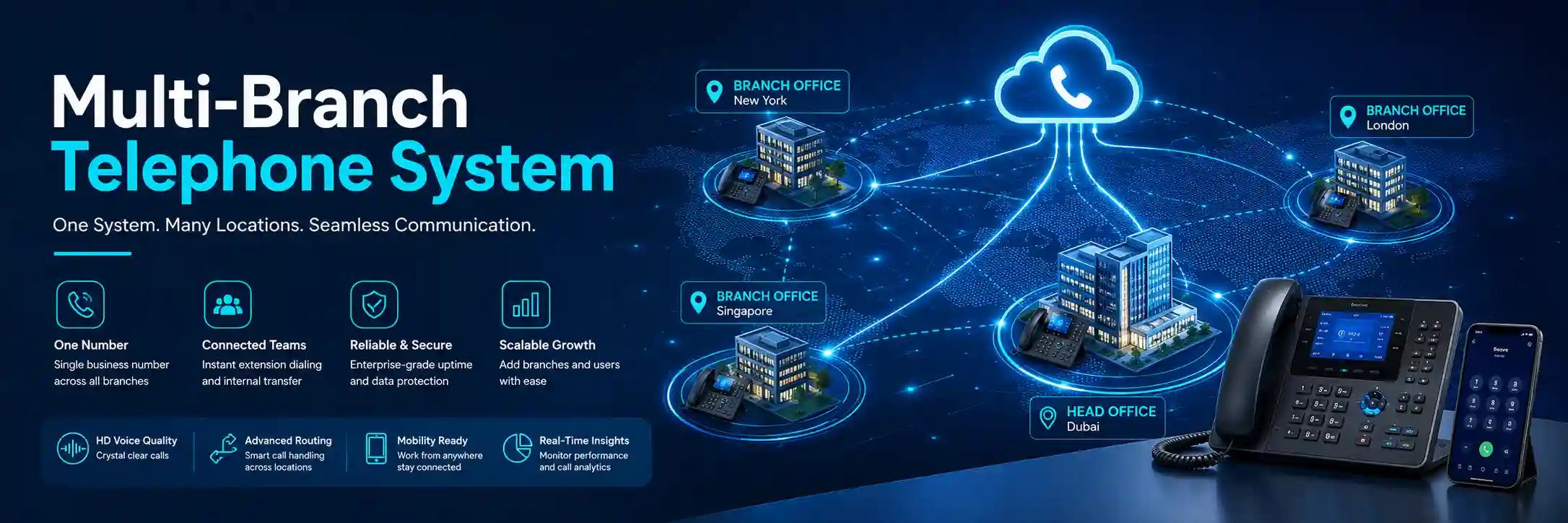
Review numbering, routes and dependencies before change.
Confirm that branch voice traffic has a suitable path.
Validate inter-site, inbound, outbound and fallback behaviour.
Licensing, platform mode and provider services must be confirmed.
What does Avaya IP Office multi-site configuration do?
It connects the call-handling logic of separate business locations so users can communicate across sites through a planned telephone architecture instead of treating every office as an unrelated PBX. Depending on the Avaya IP Office mode and confirmed design, the work can cover inter-site extension dialing, branch numbering, call routing, voicemail relationships, trunk behaviour, user and group consistency, network paths, and administration. Businesses should consider the service when adding branches, joining existing IP Office systems, standardising an inherited setup or correcting unreliable inter-site calling. Before work proceeds, prepare the list of sites, current IP Office systems and software levels, extension plans, trunk or carrier details, branch network information, administrator access availability, current backups and the call flows the business expects. Exact capability and scope remain platform, licence, network and configuration dependent.
What the service can cover
Depending on the confirmed scope, FourTeck may assist with current-state discovery, configuration backup, software and licensing review, multi-site topology review, extension and group numbering, inter-site IP Office lines, call permissions, short-code or route analysis, incoming-call handling, voicemail relationships, time profiles, central or branch reception requirements, remote-user dependencies, SIP trunk coordination, branch network readiness, voice VLAN review, quality-of-service considerations, firewall dependencies, test planning, change records and administrator handover.
The service is not limited to adding a link between two PBXs. Multi-site behaviour is created by several connected layers. The IP Office systems must be configured consistently enough to exchange the required telephony information, while the underlying network must transport voice and signalling predictably. Numbering must avoid conflicts. User names and group names should be organised to reduce ambiguity. Existing voicemail, hunt-group and reception behaviour must be understood before it is centralised, distributed or changed.
Who may need multi-site assistance
This work can be relevant to companies opening a second office, consolidating independently managed branches, acquiring a business that already uses Avaya IP Office, moving headquarters while retaining another site, creating a shared reception model, or trying to make extension dialing consistent across locations. It can also help where inter-site calls work only intermittently, where branch users cannot reach certain groups, where voicemail behaviour differs from expectations, or where no reliable documentation explains the existing topology.
Typical environments include professional offices, logistics operations, warehouses, clinics, hospitality administration, educational organisations, retail head offices, construction or project offices, property-management teams and other organisations with staff distributed across more than one UAE location. The business objective should be identified first: for example, simpler internal calling, controlled central reception, more consistent routing, clearer administration, better branch resilience planning or a documented foundation for future expansion.
Common triggers that lead businesses to request multi-site configuration
A new branch is opening
The new office needs extensions, local phones, branch-to-head-office calling, suitable inbound and outbound routing and a clear relationship with the existing Avaya IP Office environment. Planning should start before phone deployment so numbering and network requirements are not added as an afterthought.
Branches use conflicting extension ranges
Two locations may have been configured separately and use the same extension numbers, group names or service codes. A multi-site design requires a deliberate numbering plan that supports users, departments and future sites without creating ambiguous routes.
Inter-site calling is inconsistent
Calls may fail in one direction, names may not display as expected, users may reach the wrong group or audio may be unreliable. The same symptom can involve PBX configuration, routing, codecs, WAN quality, firewall handling or carrier dependencies, so the fault should be isolated before broad changes are made.
Reception is being centralised
A company may want one team to answer calls for several locations. The technical configuration must reflect opening hours, direct numbers, overflow, ring groups, queues, voicemail, transfer destinations and what should happen if a branch or network link is unavailable.
An upgrade exposed design differences
Phased software changes can reveal old branch inconsistencies or unsupported assumptions. Current Avaya guidance should be checked for the specific release, platform and operating mode before inter-site features are changed or expanded.
The environment is undocumented
The business may know that branches are linked but not know which system is responsible for voicemail, which trunks carry which calls, how numbers are routed or which WAN path is critical. Discovery and documentation may be the safest first phase before configuration work begins.
Why unresolved multi-site telephony issues affect more than phone users
A branch telephone fault can quickly become an operational problem because telephony connects customers, reception, sales, finance, logistics, support teams and management. If internal dialing is unreliable, staff may resort to mobile calls and lose the expected transfer path. If a central reception route is incorrect, callers can reach the wrong site or voicemail. If WAN quality is unstable, voice may break up even though ordinary web browsing still appears usable. If branch numbering is undocumented, every new user or department change can require avoidable investigation.
A poorly controlled multi-site change can also create secondary faults. An extension renumbering exercise may affect short codes, groups, forwarding or external presentation. A trunk change may alter inbound routes. A network policy change may affect call signalling or media. A voicemail change may alter message handling for more than one office. These relationships are why FourTeck treats multi-site configuration as a change-planning exercise rather than a single setting. The first objective is to understand which locations and call flows are business critical, what depends on the existing design and what must be tested before the change is accepted.
Possible service scope after assessment
The final quotation should state exactly which systems, sites and tasks are included. Depending on the environment, assistance may include the following activities. A project does not automatically include every item in this list.
Record IP Office nodes, roles, versions, licences, trunks, phones and branch locations.
Preserve approved current settings and note rollback requirements before planned changes.
Review users, extensions, groups and dial patterns so locations remain distinguishable.
Review IP Office line design and the network path that carries branch voice traffic.
Map internal dialing, inbound numbers, outbound permissions, transfer destinations and overflow.
Confirm which site or service provides voicemail and how branches should reach it.
Review addressing, routing, VLANs, QoS, bandwidth, firewall policy and link stability as relevant.
Run agreed call scenarios, record outcomes and update administrator documentation.
Service-fit matrix for common multi-site situations
| Business situation | Relevant assistance | What must be confirmed |
|---|---|---|
| Two existing IP Office sites need extension-to-extension calling. | Topology review, numbering check, inter-site line configuration, network-path testing and call validation. | Platform mode, software levels, licence requirements, unique numbering and reachable IP paths. |
| A new Dubai branch is being added to a head-office telephone system. | Branch requirements, extension plan, phone and switch readiness, WAN design, routing, user setup and testing. | Site readiness, internet or WAN service, available addressing, PoE and switch capacity, trunk design and installation window. |
| Reception should answer for multiple branches. | Call-flow mapping, group or queue review, transfer destinations, office-hours logic, voicemail and fallback testing. | Numbers presented by carriers, existing routes, staffing model, branch hours and what should happen during link failure. |
| Inter-site calls connect but audio is poor or intermittent. | Voice-path testing across PBX, LAN, WAN, firewall and provider dependencies; codec and QoS review where relevant. | Fault pattern, affected sites, time of occurrence, bandwidth conditions, recent network changes and provider evidence. |
| Branches use overlapping extensions or inconsistent naming. | Numbering audit, dependency mapping, renumber plan, staged updates and validation of dependent routes and groups. | Complete extension list, short codes, hunt groups, direct numbers, forwarding, recording or application dependencies. |
| A software upgrade is planned across several sites. | Version inventory, compatibility review, backup, staged change planning, feature validation and post-upgrade checks. | Current releases, hardware supportability, licences, vendor guidance, maintenance window and rollback approach. |
Service information to define before the work is approved
| Service topic | Avaya IP Office multi-site assessment, configuration, troubleshooting, validation and documentation. |
|---|---|
| Main purpose | Create or improve controlled telephony relationships between two or more business locations while protecting existing call flows. |
| Typical systems involved | Avaya IP Office servers or control units, IP phones, gateways, voicemail services, SIP or other voice trunks, switches, routers, firewalls, WAN or VPN services and provider connectivity. |
| Assessment method | Configuration review, platform and version inventory, call-flow discussion, network-path checks, selected call tests and on-site inspection where physical infrastructure is relevant. |
| Remote support suitability | Often suitable for authorised configuration review, backups, logs, dial-plan analysis, controlled changes and remote testing when stable secure access is available. |
| On-site support suitability | Useful where phones, gateways, cabling, switch ports, racks, local carrier equipment or inaccessible branch devices require physical verification. |
| Customer access required | Authorised administrator access to relevant IP Office systems and, when required, network, firewall, provider or voicemail administration. Credentials should be shared only through an approved secure method after authorisation is confirmed. |
| Customer information required | Site list, existing topology, software versions, extension ranges, direct numbers, business hours, current call flows, branch connectivity, known problems, recent changes and required outcome. |
| Configuration support | Scope dependent. May include inter-site lines, numbering, groups, short codes, call routing, voicemail relationships and site-specific settings after review and approval. |
| Network support | Environment dependent. Voice VLANs, QoS, routing, firewall policy, WAN stability and bandwidth may need review when they affect inter-site telephony. |
| Testing and validation | Agreed scenarios can include extension dialing, caller identity, transfers, branch-to-branch calls, inbound and outbound routes, voicemail, reception handling and selected failure or fallback checks where part of scope. |
| Documentation and handover | May include site roles, extension ranges, inter-site topology, major routes, administrator dependencies, backups, provider details and a record of approved changes. |
| Licensing and compatibility | Platform, mode and release dependent. Current vendor documentation and available licences should be checked before enabling or expanding multi-site features. |
| Scheduling dependency | Depends on engineer availability, business maintenance windows, remote or building access, site readiness, third-party providers and the confirmed work scope. |
| Exclusions | Replacement hardware, carrier services, WAN circuits, new licences, unsupported legacy equipment, third-party application work or cabling projects may require separate scope and quotation. |
Can multi-site work be completed remotely, or is an on-site visit needed?
Remote configuration and analysis
Remote assistance may be effective when all relevant IP Office systems are reachable through an authorised secure method and the branch data links are already operational. Configuration backups, version and licence review, extension-plan analysis, inter-site line settings, call-routing logic, logs and many call tests can often be reviewed without travelling to each branch. A local contact is still useful because someone may need to confirm what a phone displays, place test calls or describe how reception is behaving.
Remote access does not remove the need for change control. Before a significant configuration change, the existing settings should be backed up, the intended business outcome should be written down and a rollback approach should be considered. If the problem is caused by a damaged cable, failing switch port, local gateway, power issue or inaccessible device, remote work may identify the likely layer but not complete the physical correction.
On-site branch verification
An on-site visit may be appropriate where the telephone system depends on physical checks. This can include examining IP phones, gateways, patching, PoE switches, network cabinets, uplinks, local router or firewall connections and carrier handoff equipment. Site access can also be useful when several users report inconsistent symptoms and the engineer needs to reproduce them locally rather than relying only on remote descriptions.
For a new branch, on-site work may be coordinated with network installation, voice VLAN configuration, phone placement, cabling checks or local acceptance testing. The visit should still be based on a defined scope. Building access, equipment availability, maintenance timing, local contacts and travel can affect the schedule. FourTeck can combine remote preparation with targeted site work so engineering time is focused on tasks that genuinely require physical presence.
How the assessment and discovery process is organised
A multi-site project should begin by describing the business result in plain language. For example: users in Dubai headquarters should dial four digits to reach the warehouse; central reception should transfer callers to any branch; branch voicemail should remain available if a local user is not answered; selected departments should keep local outbound calling; and the configuration should be documented for future support. These statements create a testable target before the technical design is changed.
- Identify every location and system role. Record which site is headquarters, which systems are standalone or already networked, which node provides important services, and which branches are planned for later. A diagram is useful even if it begins as a simple list.
- Collect platform and release information. The IP Office operating mode, hardware or server role, software release and licensing position can influence which multi-site features are available. Current vendor guidance should be matched to the actual environment rather than assuming one branch is identical to another.
- Map extensions, groups and names. Multi-site designs work more predictably when user, extension and group numbering is unique and understandable. Existing overlaps, reserved ranges, direct numbers and business-critical short codes should be identified before renumbering.
- Document current call flows. Capture what should happen to inbound numbers, reception calls, hunt groups, queues, office-hours routes, voicemail and outbound permissions. Many unwanted outcomes come from changing a branch relationship without understanding the routes that depend on it.
- Review the network between sites. Confirm addressing, reachability, WAN or VPN design, latency or packet-loss concerns, bandwidth use, quality-of-service policy, firewall rules and whether the link is stable enough for business voice. The PBX cannot compensate for an unsuitable network path.
- Check voicemail and common-service dependencies. Identify where voicemail, directories, applications or other shared functions are hosted and which sites depend on them. Centralising a function changes the impact of a link or server outage, so the operational consequence should be understood.
- Preserve evidence and backups. Existing configurations, diagrams and provider information should be retained before planned changes. Backups are especially important where a system has been maintained by several providers and no single document explains all dependencies.
- Agree the change and test window. Define what will be changed, who approves it, which calls will be tested, what business users need to be present and what would trigger rollback. This converts a technical exercise into a controlled business change.
Planning and implementing the configuration
Once discovery is complete, the configuration can be planned in a sequence that protects working services. The exact steps depend on the IP Office mode and the existing environment, but the project normally separates prerequisites from changes. If branch IP connectivity is not stable, the network should be corrected before telephony is blamed for symptoms caused by packet loss or routing. If extension ranges conflict, a numbering plan should be agreed before inter-site routes are activated. If licences or supported software levels are not available, those dependencies should be resolved before promising a feature.
The design phase should show how sites relate to one another. In some environments this may use Avaya Small Community Networking between compatible IP Office systems. Current Avaya documentation describes SCN as a way to link multiple IP500 V2 systems so participating systems can learn extension and user information across the network. Avaya also publishes platform-specific capacity and layout guidance, so the proposed design must be checked against the actual release and operating mode rather than relying on a generic node count. Businesses planning a large or mixed environment should have the exact topology, licensing and feature requirements reviewed before implementation.
Numbering is usually one of the most important practical decisions. A simple site-aware range can make support easier because an administrator can often recognise a location or department from the extension number. However, existing direct-dial numbers, applications, speed dials, contact-centre logic, announcements, recording integrations or user habits may depend on current extensions. Renumbering should therefore be treated as a controlled migration, not just a bulk edit. FourTeck can help map old and new ranges, identify dependent routes and prepare a phased update where appropriate.
Inter-site line configuration should be paired with network verification. Each IP Office node must be able to reach the required peer addresses through the business network. The path may cross managed switches, routers, firewalls, private WAN services, SD-WAN or authorised VPN links. Voice traffic may need suitable prioritisation when links are shared with backups, cloud applications, file transfers or CCTV. Firewall policy should allow only the required communication and should be documented so future security changes do not silently break telephony.
Call routing comes next. The project should define how an internal extension reaches another site, how branch users place external calls, whether outbound calls should use local or central trunks, how incoming direct numbers are delivered and what happens outside working hours. Where central reception answers for several locations, transfer destinations, group membership and branch opening hours should be tested deliberately. Where local survivability or fallback is required, the exact business requirement must be matched to what the platform, carrier and network can support.
Changes should be applied in an approved maintenance window when they could affect live calls. A staged approach can be useful: configure one link or one branch, verify basic signalling and audio, confirm user names and dialing, test representative call flows, and only then continue with wider changes. This reduces the number of variables if a problem appears. Configuration work is complete only when the business outcomes have been tested and the final design is documented.
Testing, validation and handover after a multi-site change
A successful configuration is not proven by one extension call. Testing should reflect the way staff and customers actually use the telephone system. The agreed test plan can include branch-to-head-office dialing, head-office-to-branch dialing, calling by extension and group, transferred calls, caller name and number display, inbound direct numbers, reception overflow, outbound routes, voicemail access, after-hours behaviour and selected remote-user scenarios. Where several trunks or network paths are involved, representative tests should cover the routes that matter most to the business.
Call quality should be checked as well as call establishment. A call that connects but has clipping, delay, one-way audio or frequent drops may indicate a network, firewall or provider dependency rather than an extension problem. Testing at a quiet time only may not reveal congestion that occurs during backup jobs or peak branch activity, so recurring faults should be correlated with time and network conditions when possible.
Handover should leave the customer with an understandable environment. Useful records can include the site topology, IP Office roles, software levels, extension ranges, important hunt groups, voicemail relationships, inter-site links, network dependencies, provider contacts, backup location and a concise change log. The purpose is not to create excessive documentation; it is to make future troubleshooting, onboarding, branch expansion and provider coordination faster because the next engineer can see how the telephone system is intended to work.
Capability 1: Build a numbering plan that remains understandable as branches grow
A multi-site telephone system becomes difficult to maintain when extension numbers evolve without a plan. One branch may use the 200 range for sales, another may already use the same range for administration, while the head office uses short codes that overlap with a proposed new site. The immediate problem is failed or ambiguous dialing, but the long-term problem is administrative uncertainty. Every new extension can require manual investigation because the system does not clearly show which range belongs to which location.
FourTeck can review the current user, extension and group inventory and propose a numbering structure that fits the existing business rather than forcing a theoretical scheme. The design can reserve blocks for current sites, leave sensible room for expansion and keep reception or shared services distinct where useful. The right plan depends on user count, direct numbers, existing habits, applications and how many branches are expected. A company with two small offices may need a simpler structure than a distributed organisation planning several UAE locations.
Renumbering must be treated carefully because extension numbers can be referenced by hunt groups, forwarding rules, short codes, incoming routes, contact records, voicemail, recording applications and user documentation. Before any bulk change, these dependencies should be reviewed and a rollback path retained. Where possible, a staged migration reduces disruption: first update a controlled group, validate internal and external calling, then continue once the behaviour is confirmed.
The outcome is not merely cleaner numbers. A documented numbering plan gives administrators a more predictable way to create users, troubleshoot calls and add future branches. It also makes provider discussions easier because the relationship between direct numbers, extensions and site roles is clearer. The plan remains subject to the existing configuration and business constraints; it should not be imposed without checking what already depends on current numbers.
Capability 2: Separate PBX faults from WAN and network problems
Inter-site telephony depends on the data network between locations. This creates a common diagnostic challenge: users report that “Avaya calls are bad,” but the underlying cause may be an overloaded WAN link, incorrect routing, packet loss, a firewall change, a duplex or port problem, inconsistent quality-of-service treatment or another network condition. Replacing phones or repeatedly restarting the PBX will not correct a transport problem.
FourTeck approaches call quality by tracing the path. The assessment starts with the pattern: does the issue affect every branch call or only one direction? Does it happen throughout the day or only during busy periods? Are external calls affected too? Does the same branch have slow application access at the same time? Are users on wired phones, remote clients or a mix? These questions help narrow the technical layer before configuration is changed.
Network review may include basic reachability, routing, WAN availability, interface errors, bandwidth utilisation, packet loss or latency evidence, voice VLAN handling, prioritisation and firewall policy, depending on what the customer can provide and what is included in scope. The goal is not to publish one universal threshold or setting because branch networks differ. Instead, the test should show whether the path is stable enough for the required voice traffic and whether the symptom follows a specific link, site or call route.
This joined-up view is especially valuable for businesses with several vendors. One provider may manage the WAN, another the firewall, another the carrier and another the PBX. FourTeck can help collect technical evidence and describe where the fault appears to occur so the correct provider receives useful information. Vendor coordination remains dependent on customer authorisation and third-party response, but a clear fault boundary can reduce repeated hand-offs between suppliers.
Capability 3: Make branch telephony easier to support after the project
A configuration can work perfectly on the day of installation and still become difficult to manage if nobody records what was changed. Multi-site systems accumulate detail: extension ranges, hunt groups, lines between nodes, voicemail roles, IP addresses, provider contacts, routing rules, branch opening hours, local gateways and network dependencies. When these details live only in an engineer’s memory, routine tasks such as onboarding an employee or changing reception hours can take longer than they should.
Documentation should be practical. A one-page topology can show which IP Office systems are connected and which site provides central services. A numbering schedule can show the ranges allocated to each location. A call-flow note can explain what happens to the main number during working hours and after hours. A provider register can record which carrier or internet service supports each branch. A change log can show when inter-site lines, routing or software levels were modified. These records make the environment easier to understand without exposing sensitive credentials.
Supportability also depends on disciplined administration. Before future changes, the current configuration should be backed up. User and group naming should remain consistent. New branches should use the agreed numbering and network design rather than creating an exception that later becomes permanent. Licence and software status should be reviewed before new features are assumed to be available. These practices reduce repeat incidents because the environment remains closer to the documented design.
FourTeck can include documentation and administrator handover in the quotation where required. The depth depends on the size of the environment and the customer’s internal IT capability. Some organisations need a concise operational record; others need a more detailed diagram and test pack for multiple support teams. The key is to confirm the required handover before the project starts so documentation is treated as part of delivery rather than an optional afterthought.
Dependencies, access and compatibility that should be confirmed
Multi-site configuration is affected by more than the IP Office menu settings. The following dependencies should be reviewed early because any one of them can change the recommended design, timing or quotation.
- IP Office mode and software release: available networking behaviour varies by platform and release. Current vendor documentation should be checked for the actual systems.
- Licensing: some multi-site capabilities on certain IP Office platforms require appropriate voice-networking or feature licences. Existing entitlement must be verified rather than assumed.
- Unique user and group identities: overlapping extension numbers, user names or group names can complicate or prevent a clean multi-site design.
- Network reachability: the IP Office systems must communicate through the branch network using suitable routes and firewall policy. A private WAN, managed internet VPN or other architecture may be used depending on the customer environment.
- Voice quality: bandwidth alone does not guarantee good calls. Congestion, packet loss, latency, jitter and prioritisation can affect audio and should be assessed when symptoms suggest a network issue.
- Voicemail and shared services: the current role of voicemail and any central applications must be understood before branch relationships are changed.
- Carrier and trunk design: inbound numbers, outbound presentation, emergency or location-sensitive calling requirements and trunk availability can affect call routing. Provider coordination may be required.
- Administrative authorisation: work should proceed only with customer approval and authorised access. Passwords or tokens should never be posted in public page forms or unsecured messages.
- Maintenance window and rollback: changes that can affect live telephony should be scheduled and backed up so the business has a defined recovery approach if validation fails.
Risks, limitations and exclusions to understand before configuration
No responsible multi-site project should be described as risk free. The exact outcome depends on the condition and supportability of the existing IP Office systems, software alignment, licensing, network connectivity, carrier services, access and the accuracy of the information available during discovery. A system that has been modified over many years may contain undocumented short codes, applications or routing behaviour that only becomes visible during testing.
Unsupported or legacy hardware can limit upgrade and compatibility options. A branch WAN fault may require action from an internet or managed-network provider. Carrier numbering or trunk changes may depend on the telecom provider’s process and schedule. Physical faults may require replacement parts or separate cabling work. Third-party recording, CRM or contact-centre applications may need their own vendor review if they reference extensions, trunks or call flows affected by the project.
FourTeck can identify these dependencies and include relevant work in the quotation, but third-party actions and unavailable access cannot be guaranteed. A successful acceptance test confirms the agreed scenarios at that time; it does not remove the need for ongoing maintenance, monitoring, backups and change control. Final commercial terms, service timing and exclusions should be stated in the approved quotation or service agreement.
Business environments where a multi-site Avaya configuration may be useful
Head office with sales or service branches
Central teams may need to reach branch employees by extension, transfer customers without using external numbers and maintain consistent reception behaviour. The design should consider local working hours, branch direct numbers, voicemail and what happens if a branch link is unavailable.
Warehouse and logistics operations
Operational sites often depend on fast communication between reception, dispatch, warehouse teams and administration. Multi-site configuration can simplify internal dialing, but the voice network may share infrastructure with scanners, cameras and business applications, making network capacity and prioritisation important.
Professional firms with several offices
Law, consulting, engineering or property teams may want staff to appear as one organisation even when offices are separate. Direct numbers, secretary or reception workflows, user mobility and privacy expectations should be mapped before routes are standardised.
Clinics or education locations
Multiple sites may need clear department and reception routing without confusing callers. The project should respect local operating hours and identify which functions must remain local. Any sector-specific regulatory requirement should be confirmed separately rather than assumed from the telephone design.
Temporary or project offices
Construction and project teams may need a branch that operates for a defined period. The configuration should balance rapid deployment with maintainability, including numbering, internet dependency, remote support and a later decommissioning or relocation plan.
Growing businesses standardising inherited systems
An acquisition or merger can leave several IP Office systems with unrelated extension plans and providers. Discovery helps determine whether they can be integrated, should remain partly independent or require a broader upgrade strategy.
Operational, security and maintenance considerations after go-live
A multi-site telephone network should be maintained as a connected service. A network change at one site can affect voice even when no PBX setting changes. A firewall policy update can block inter-site communication. A software upgrade at one node can create feature differences. A new direct number can be routed incorrectly if the existing call-flow documentation is not updated. Ongoing support therefore benefits from coordination between the telephony administrator, network team, security team and voice provider.
Security should focus on controlled administration and limited exposure. Management access should be restricted to authorised users, shared administrator accounts should be avoided where practical, and remote access methods should be approved by the customer. Backups should be stored appropriately and updated after significant configuration changes. Internet-facing voice services should be reviewed together with the firewall and carrier configuration rather than exposing management interfaces unnecessarily.
Maintenance planning may include periodic configuration backup, software and supportability review, extension and group cleanup, trunk-status checks, documentation updates, branch contact review and verification of critical call paths after major network changes. The frequency depends on the size and importance of the environment; it should be agreed in a maintenance plan rather than assumed to be unlimited or continuous.
Capacity should also be reviewed as the business grows. A branch that started with ten phones may later add departments, remote users, recording or new WAN traffic. Expansion should consider both the telephony platform and the network. Current Avaya documentation provides capacity guidance for specific IP Office modes and networking arrangements, so future growth should be checked against the installed platform and release before new sites or features are committed.
Before you contact FourTeck for multi-site configuration
Providing a concise technical and business picture helps FourTeck determine whether the first step should be a remote review, an on-site assessment or a combined project. Prepare as many of the following details as are readily available; missing information can be collected during discovery.
Service evaluation checklist for quotation and engagement
The quotation should translate the technical discovery into a defined engagement. Before approval, the customer and FourTeck should be able to confirm the following points.
- The exact business objective: new integration, fault correction, standardisation, expansion or upgrade preparation.
- The number of IP Office systems, users and locations included in the scope.
- Which configuration tasks will be changed and which will only be reviewed.
- Whether network, firewall, WAN or voice VLAN work is included or handled by another provider.
- Whether licences, hardware, carrier changes or third-party application work are required separately.
- What remote access and on-site access will be available to engineers.
- Which maintenance window and business contacts are available for testing.
- What call scenarios define successful acceptance.
- Whether rollback planning or staged implementation is required.
- What documentation, diagrams and administrator handover are expected.
- Who will coordinate with the WAN, SIP trunk or telecom provider if third-party action is needed.
- Whether ongoing maintenance or post-change support should be quoted separately.
How FourTeck can assist and prepare the service quotation
FourTeck’s role is to make the multi-site requirement understandable before configuration begins. We start by clarifying the business problem, identifying the sites and systems involved, reviewing the available configuration evidence and determining whether the next step can be handled remotely or requires an on-site inspection. When the current state is unclear, discovery can be treated as a separate phase so assumptions do not become hidden project risks.
After discovery, the proposed scope can distinguish telephony configuration from network, carrier, cabling, hardware or licence dependencies. This is important for multi-vendor environments because a branch-to-branch call crosses several responsibilities. FourTeck can coordinate technical findings with the customer’s WAN, firewall or voice provider where authorised and can document which party owns each required action.
The quotation can then define the systems included, planned configuration work, remote and on-site activities, testing, documentation, exclusions and scheduling assumptions. Contact FourTeck to confirm the scope and scheduling options. Timing depends on access, engineer availability, branch readiness, third-party providers, required equipment and the approved work plan.
Dubai and UAE service coordination for Avaya IP Office projects
For a Dubai-based head office, remote review can often be combined with targeted site visits. Configuration backups, software checks, dial-plan review and route analysis may begin remotely when authorised access is available, while branch visits can be reserved for physical verification, local network work, phone provisioning, gateway checks or acceptance testing that requires staff at the site. The balance depends on the problem and the quality of the information available.
A UAE multi-site project may involve different building access rules, internet providers, WAN services, telecom contacts and working hours across locations. These should be planned before a maintenance window is booked. Installation, configuration, migration and network work should be explicitly included in the quotation rather than assumed. If provider action is needed for trunks, direct numbers or WAN routing, the provider schedule can affect the final project plan.
FourTeck does not assume immediate attendance or a fixed completion time for an unknown environment. Contact the team with the locations, current systems and desired call behaviour so remote assessment, on-site coordination and the required engineering scope can be defined.
Coordinating Dubai, Abu Dhabi, Sharjah and Ajman sites
Businesses operating across Dubai, Abu Dhabi, Sharjah and Ajman may use a mixture of headquarters, sales offices, warehouses, service counters and administration sites. Multi-site telephony can be planned across these locations, but the service method should follow the actual requirement at each site. One location may need only remote configuration while another needs a planned visit for phones, gateways, network ports or local testing.
Travel, building access, equipment availability, carrier appointments, maintenance windows and local IT contacts can affect how the work is sequenced. A sensible approach is to complete central discovery first, group changes that can be performed remotely, then schedule physical visits only where they add value. This reduces repeated travel and gives the test plan a consistent baseline across sites.
Service coordination may include assessment, configuration, troubleshooting, branch rollout, documentation and post-change support depending on the approved scope. It does not imply permanent engineering presence in every emirate or guaranteed attendance times. FourTeck can confirm available scheduling after the branch list and required work are reviewed.
Related FourTeck services that may support the telephone project
Office telephone and PBX support
Use the FourTeck service directory to review broader IP PBX, phone provisioning, call routing and business telephone assistance.
Business network support
Multi-site voice relies on switches, routing, WAN links, voice VLANs and firewall policy. Network assessment may be required when call quality or reachability is unstable.
Business IT project coordination
Branch rollouts often touch network, user devices, internet, security and communication systems. FourTeck can assess these dependencies as part of a wider project scope.
Why businesses contact FourTeck for this type of configuration
Multi-site telephony can sit between several technical owners: an Avaya administrator, an internal network team, a firewall provider, a WAN provider, a SIP carrier and branch staff who experience the actual problem. FourTeck helps place these pieces into one technical view so the business can see whether a reported call problem is primarily configuration, connectivity, provider related or still requires further evidence.
The engagement is based on practical assessment rather than unsupported promises. We can help review the current setup, plan controlled changes, coordinate remote and on-site activity, test business call flows, document the result and identify follow-up actions. Where a third party owns part of the fault, the technical evidence can be organised so the escalation is more specific. Where the current environment is outdated or poorly documented, the project can include recommendations for staged improvement rather than forcing an immediate broad replacement.
For decision-makers, the benefit is clearer scope. The quotation can explain what FourTeck will change, what information the customer must provide, what depends on vendors and what will be tested before handover. This makes multi-site work easier to approve and maintain because assumptions are visible before engineering begins.
Questions businesses ask before linking Avaya IP Office locations
Can two existing Avaya IP Office systems be linked without replacing them?
Possibly, but the answer depends on the actual platform, operating mode, software releases, licences and current configuration. Avaya documents multi-site networking options for supported IP Office environments, including Small Community Networking for compatible systems. The practical assessment should identify both systems, confirm that their software levels can interoperate, check extension and group uniqueness, review the available voice-networking entitlement and verify that the sites have a working IP path. If the systems are too old, unsupported or configured in incompatible ways, the better approach may involve an upgrade or phased migration instead of direct integration. Provide the model or server role, release information and a configuration backup from each site so the design can be checked before a quotation is finalised.
Do all branches need the same extension length?
Not automatically, but a consistent, documented numbering strategy usually makes a multi-site system easier to operate. The key requirement is that the overall dial plan must distinguish destinations without ambiguity and avoid conflicts among users, groups, short codes and service numbers. A business may choose site-based ranges, department-based ranges or another structure that fits its operations. Changing existing extensions can affect direct numbers, hunt groups, voicemail, speed dials and applications, so the numbering plan should be reviewed before any renumbering is approved. If the company expects to add future branches, reserve sensible ranges now rather than redesigning the dial plan at every expansion.
Will inter-site calls use the internet or our private network?
They use the IP connectivity available between the IP Office systems, but the exact transport design depends on the customer’s network. Sites may be connected by a managed private WAN, SD-WAN, site-to-site VPN or another authorised routed connection. Public internet access by itself is not a complete design. The telephony systems need secure, reliable reachability, and the network should be assessed for routing, firewall policy, available bandwidth and voice quality. If the branch already has a stable business WAN, FourTeck can review whether it is suitable for the required call volume. If no managed site-to-site path exists, network work may need to be scoped before the PBX integration can be completed.
Can poor branch call quality be fixed only by changing Avaya settings?
Not always. Voice quality can be affected by codec selection and telephony configuration, but it can also be caused by packet loss, congestion, unstable WAN links, incorrect prioritisation, firewall behaviour or provider problems. A useful diagnostic starts with evidence: which sites are affected, whether the problem is one-way or two-way, whether external calls are also poor, and whether the fault appears at certain times. Network tests can then be correlated with call behaviour. FourTeck may recommend PBX changes, network corrections or third-party escalation depending on what the evidence shows. Repeatedly changing codecs or restarting systems without isolating the fault can hide the pattern and make the next incident harder to diagnose.
Can one receptionist answer calls for several branches?
A centralised reception model may be possible when the IP Office design, carrier routing and branch connectivity support it. The important question is not only whether calls can reach the receptionist, but what should happen after they arrive. The design must cover transfer destinations, busy or unanswered calls, branch working hours, direct numbers, group membership, voicemail and behaviour during a branch or network outage. If different branches use different providers, incoming numbers may need provider coordination as well as PBX configuration. Before requesting this change, prepare a simple call-flow statement for each main number. For example: during working hours ring central reception, allow transfer to branch extensions, overflow to a backup group, and use a defined voicemail destination after hours.
Is an on-site visit needed at every branch?
Usually not if the systems and network can be assessed remotely and local staff can assist with testing. Multi-site projects often benefit from a blended approach. Discovery, backups, version review, dial-plan analysis and many configuration changes can be completed remotely. A visit is more useful where the branch has physical phone faults, gateway issues, cabling uncertainty, unmanaged switch problems, no secure remote access or installation work. For a new site, one planned visit may combine phone provisioning, network verification and acceptance testing. The quotation should state which sites require attendance so travel and access are not assumed.
What should we check before adding a third or fourth Avaya IP Office site?
Review the design as a whole rather than duplicating the settings from the last branch. Check whether the existing numbering plan has enough space, whether the current topology remains suitable, whether voicemail and shared services can support another dependency, whether the WAN has enough capacity and whether the installed IP Office mode and licensing support the planned expansion. Current Avaya documentation includes capacity guidance for specific multi-site architectures, so the installed release and platform should be compared with the planned number of sites and users. Future maintenance matters too: identify who will administer the new branch, where backups will be stored, how provider details will be documented and which call paths must be tested after each expansion.
Should we integrate the branches or migrate to a new platform instead?
That decision depends on the condition and supportability of the current environment. Integration can be appropriate when the IP Office systems are supported, licences are available, the business requirements are straightforward and the existing phones or workflows still meet operational needs. Migration may be more practical when hardware is obsolete, software cannot be aligned, the company wants cloud or mobile capabilities that the existing design cannot support economically, or several inherited systems are already difficult to maintain. FourTeck can document the current state, identify the limitations and compare the effort of integration with a staged upgrade path. The recommendation should be based on business requirements and verified compatibility, not on replacing equipment simply because the environment is multi-site.
What information is most useful for a remote assessment?
Start with the site list, IP Office system details, current extension ranges, the main call problem or desired outcome, and how the branches are connected. Add screenshots or error messages if a fault is visible, but do not share passwords in ordinary email or public forms. Configuration backups, a network diagram, SIP trunk or carrier information, voicemail role and recent change history can make the assessment much faster. If the environment has no documentation, say so; discovery can then be included in the scope. A local user at each branch should also be identified for test calls and display checks when remote engineering begins.
What can change the final quotation?
The main variables are the number of sites, number of IP Office systems, current documentation quality, software alignment, licensing, amount of renumbering, network readiness, carrier dependencies, required on-site work, test complexity and the expected handover documentation. A simple two-site configuration with stable WAN links and clean extension ranges is different from a four-site inherited environment with overlapping numbers and unknown routing. Additional hardware, licences, carrier changes, cabling or third-party application work should be identified separately so the customer can see what is included. FourTeck can confirm the commercial scope after discovery rather than quoting a fixed project duration for an environment that has not been assessed.
Frequently asked questions
What is an Avaya IP Office Small Community Network?
Avaya uses the term Small Community Network for supported configurations that link multiple IP Office systems over IP. Participating systems can exchange user and extension information and support various inter-site telephony features. The exact capacity, supported layout, software interoperation and licensing depend on the IP Office platform and release, so current vendor documentation should be checked against the installed environment before design work is approved.
Does multi-site networking require unique extension numbers?
A clean multi-site design requires numbering that avoids conflicts, and Avaya’s SCN guidance specifically calls for unique user, extension and group identities across participating systems. Existing overlaps should be identified during discovery. Renumbering should include a review of dependent groups, routes, voicemail, short codes and any third-party applications that reference the old extensions.
Can different IP Office software versions work together?
Avaya documents limited interoperation across specified software levels for multi-site networking, but available features can be constrained by the lowest participating level. Version alignment is still preferable where practical. FourTeck would first inventory the releases and check current vendor guidance for those exact versions rather than assuming mixed releases are suitable for the required features.
Can FourTeck troubleshoot an existing multi-site fault?
Yes, subject to access and scope. Troubleshooting can begin by identifying the affected sites, call direction, extension or trunk involved, time of failure and any recent PBX or network change. The review may cover IP Office configuration, network reachability, voice quality, firewall dependencies and provider services. A cause is not assumed until evidence points to the affected layer.
Can existing phones stay in use?
They may be retained if they are compatible with the current and target IP Office environment and still meet operational needs. Phone model, firmware, provisioning method, network requirements and supportability should be checked. A multi-site project does not automatically require new handsets, but unsupported or faulty endpoints may need separate replacement planning.
Will the project interrupt telephone service?
Some configuration changes can affect live calls, so the work should be planned around a maintenance window when necessary. The expected impact depends on what is being changed. Discovery and many review tasks may have little or no user impact, while renumbering, trunk routing or software changes may require controlled downtime. The quotation should describe the expected change window and rollback approach.
Can voicemail be shared across branches?
Multi-site IP Office environments can use centralised or distributed voicemail designs depending on the platform and configuration. The existing voicemail role, software, licensing and branch dependencies must be reviewed before changes are made. The design should also consider what happens if a branch loses connectivity to a central service and which voicemail behaviours are essential to the business.
Does FourTeck configure the WAN as part of the same project?
Network assistance can be included when the quotation confirms it. The telephony assessment may identify routing, firewall, VLAN, QoS or branch-link work that is required before the PBX configuration can perform reliably. If the WAN is managed by another provider, FourTeck can coordinate evidence and requested changes with that provider when authorised by the customer.
What testing should happen before handover?
Testing should reflect the agreed business call flows. Typical checks may include extension dialing in both directions, transfers, caller identity, reception and group calls, inbound direct numbers, outbound calls, voicemail, after-hours behaviour and representative branch call quality. The final test list should be agreed before the change so acceptance is based on observable outcomes.
Do you provide documentation after configuration?
Documentation can be included in the approved scope. Useful items may include the site topology, extension ranges, system roles, inter-site links, important routes, provider contacts, backups and a change record. The required detail should be agreed before work begins so the handover matches the customer’s internal support process.
Can support cover future branch additions?
Yes, future expansion planning can be included. A good initial design reserves numbering space, records network assumptions and keeps the topology understandable. Each new site should still be assessed for IP Office capacity, licensing, WAN readiness, phone requirements and business call flows rather than copying an old branch configuration without review.
How do we request a quotation in Dubai?
Send FourTeck the list of sites, current IP Office systems, desired outcome, known faults, extension ranges and preferred service method. If available, add software versions, network topology and configuration backups. FourTeck can then determine whether a remote discovery session, on-site assessment or combined approach is needed before the final quotation is prepared.
Plan the next step for your Avaya IP Office branch network
If your business is adding a site, joining existing IP Office systems, correcting branch dialing, centralising reception or trying to understand an undocumented multi-site environment, start with the current-state information rather than changing live routes immediately. FourTeck can review the sites, software levels, numbering, network paths, voicemail and business call requirements, then define the configuration, testing and documentation needed for the approved scope.
For Dubai and UAE projects, remote and on-site assistance can be combined according to the technical requirement, access and location. Contact FourTeck to confirm the service scope, dependencies and scheduling options before work begins.