
BUSINESS TELEPHONY CHANGE PLANNING
Avaya IP Office Migration in Dubai, UAE
A telephone-system migration affects far more than a PBX database. Extensions, published numbers, reception behaviour, queues, voicemail, trunks, recordings, phones, gateways, licensing, network paths and user habits can all be connected to the existing Avaya IP Office environment. FourTeck helps businesses map those dependencies before change, define a practical cutover sequence, protect the current configuration, test the target environment and document what remains after migration.
The final migration method depends on the installed IP Office release, deployment type, server or control-unit architecture, licences, connected devices, carrier services, target platform, site access and approved maintenance window. Assessment comes before commitment to a cutover method or duration.
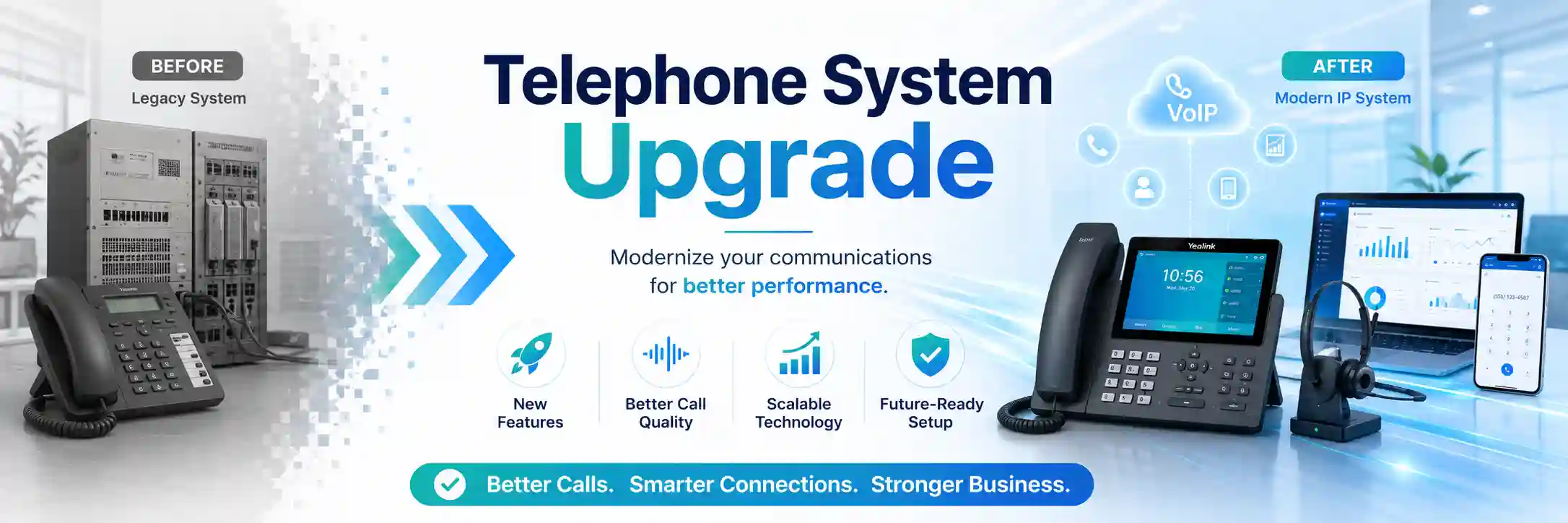
Inventory before assumptions.
Protect the working baseline.
Test business routes, not only extensions.
Remote and on-site scope as required.
What does Avaya IP Office migration involve?
Avaya IP Office migration is the controlled movement of a business telephony environment from its current state to a defined target state. Depending on the project, that target may be a newer IP Office software level, refreshed server infrastructure, a virtualised deployment, a relocated office, a consolidated multi-site design, or another approved communications platform. The work normally begins by recording what the current system is doing for the business, because a configuration file alone does not always explain why calls are routed in a particular way or which functions are critical to users.
Businesses should consider a migration assessment when the existing environment is ageing, difficult to support, poorly documented, dependent on old server hardware, affected by an office move, being combined with other sites, or no longer aligned with the organisation’s communication requirements. Before proceeding, the customer should be ready to confirm the current system release, deployment type, locations, user and extension counts, telephone numbers, carrier or SIP trunk details, voicemail and recording requirements, connected phones and gateways, licensing information, administration access, available backups, important integrations and an acceptable maintenance window.
The purpose of this preparation is not to create paperwork for its own sake. It gives the migration team a reference for design decisions, identifies dependencies that might otherwise surface during cutover, and helps separate tasks that can be completed remotely from work that needs physical access to servers, control units, gateways, phones, switches or site cabling.
Why businesses start an IP Office migration project
Lifecycle and supportability
An organisation may have an IP Office release, server, operating environment or endpoint mix that is increasingly difficult to maintain. A migration assessment helps identify what can be upgraded, what needs an intermediate step, what licences may be affected and whether existing hardware still fits the target design.
Office relocation or consolidation
Moving premises can expose hidden dependencies on analogue lines, gateways, rack equipment, local numbers, internet services, switch ports and cabling. The telephone move should therefore be coordinated with the wider network and service-provider plan rather than treated as a desk-phone relocation only.
Growth and changed call handling
New teams, branches, remote users, queues or customer-service requirements can make an old call flow difficult to manage. Migration is an opportunity to document the actual routing requirement instead of carrying every historical setting into the new environment without review.
Other triggers include repeated faults, lack of reliable backups, inconsistent administrator access, unsupported third-party integrations, fragmented numbering, changes to the voice carrier, a requirement to virtualise services, merger of two telephone environments, or a wider communications-platform strategy. None of these triggers automatically means a full replacement is necessary. The practical first step is to establish the current state, business objective and constraints, then compare upgrade, migration, reconfiguration and staged replacement options.
What can be affected if a telephone migration is poorly planned?
A business telephone system sits in the middle of customer communication, internal coordination and external provider services. A migration problem may therefore appear as a simple technical fault while creating a larger operational effect. Examples include calls reaching the wrong department, direct numbers no longer matching users, reception overflow failing, after-hours behaviour changing, voicemail becoming unavailable, call recording not capturing the expected traffic, outbound permissions changing, branch extensions failing to register, or users losing familiar transfer and queue functions.
The same symptom can come from several layers. A failed external call may relate to the PBX route, SIP trunk, carrier authentication, firewall, NAT policy, DNS, internet connectivity or number provisioning. One-way audio may involve media routing, endpoint settings, firewall handling, network segmentation or provider conditions. A phone that does not register may be affected by PoE, DHCP, voice VLAN configuration, provisioning, firmware, credentials or PBX reachability. This is why migration validation should test the complete communication path rather than assume that a successful server start means the project is finished.
Business impact can include delayed customer response, missed sales or service calls, increased reliance on mobile phones, confusion at reception, difficulty contacting remote staff and repeated support effort after the change. Controlled migration planning aims to reduce these avoidable surprises by identifying critical call paths, defining acceptance tests and keeping an agreed fallback option available where technically possible.
Current-state discovery before any migration decision
Discovery is the foundation of an Avaya IP Office migration. The objective is to understand what exists, what is actively used and which parts of the environment can change without affecting business operations. A useful inventory usually goes beyond a list of extensions. It can include the IP Office release, control-unit or server architecture, server operating environment, expansion modules, voice gateways, digital or analogue interfaces, SIP trunks, public numbers, extension ranges, users, hunt groups, queues, auto-attendant menus, time profiles, voicemail services, recordings, prompts, short codes, outbound routes, call permissions, remote workers, branch links and management access.
Endpoint information also matters. Existing Avaya phones, third-party SIP phones, analogue devices, door phones, fax devices, paging systems, conference devices or headsets may have different compatibility and provisioning requirements. The migration plan should identify which endpoints are business-critical, which can be retained subject to compatibility, which need configuration changes and which should be considered separately for replacement. This avoids discovering during cutover that an apparently minor analogue device supports a reception, security or facilities process.
The network view is equally important. Voice VLANs, DHCP options, DNS, switch capacity, PoE availability, firewall policies, WAN links, public addresses, VPNs and internet circuits can influence registration and audio. Multi-site businesses should identify which site hosts central services, how branches connect, which carrier services are local, and whether there are dependencies on an MPLS, SD-WAN, VPN or other private network. If the target design changes the traffic path, the network may require adjustments before the PBX cutover.
Finally, discovery should capture operational knowledge from users and administrators. Reception staff often know call-routing behaviour that is not clearly documented. Department managers may know which numbers must remain stable. IT staff may know why certain routes or firewall rules exist. Combining configuration evidence with business input creates a more dependable migration baseline.
Possible migration scope and assistance
Depending on the confirmed project, FourTeck assistance may include discovery, backup review, configuration export, licence and release-path review, endpoint inventory, SIP trunk and carrier coordination, target-platform planning, server or virtual infrastructure preparation, call-flow redesign, test planning, staged configuration, cutover coordination, on-site equipment checks, user verification, documentation and post-change support. Not every migration requires every activity, and some items may need a separate quotation or third-party action.
Assessment
Review the current deployment, users, numbers, trunks, devices, licences, backups, integrations and network dependencies. Confirm the business objective and critical call paths.
Planning
Define the target state, prerequisites, sequence, maintenance window, responsibilities, provider actions, communication plan, validation criteria and rollback approach.
Implementation
Prepare approved configuration, platform or infrastructure changes, coordinate endpoints and trunks, carry out cutover tasks and keep changes controlled.
Validation
Test internal and external calls, reception, queues, voicemail, office hours, caller identification, recordings, branch paths and priority user workflows.
Service-fit matrix for common migration situations
| Business situation | Relevant assistance | What must be confirmed |
|---|---|---|
| Existing IP Office release is old or difficult to support | Release-path review, backup planning, licence review, intermediate upgrade planning where required, validation. | Exact release, server type, current licences, supported upgrade path, hardware and application dependencies. |
| Office is relocating | Number and trunk coordination, equipment move planning, network readiness, site testing, cutover support. | Carrier services, new-site internet, rack and power readiness, cabling, public addressing, building access. |
| Branches are being consolidated | Dependency mapping, extension and number plan, WAN review, phased user movement, cross-site testing. | Branch connectivity, local trunks, emergency and local number requirements, endpoint compatibility. |
| Target is another communications platform | Feature mapping, data and call-flow documentation, endpoint assessment, carrier migration, pilot and cutover planning. | Which functions can be reproduced, which require redesign, licence model, supported phones, recording and integration requirements. |
| Business wants minimal disruption | Staged preparation, maintenance-window planning, priority-number testing, fallback design and user communication. | What can run in parallel, provider timing, rollback feasibility, acceptable outage and critical calling periods. |
Avaya IP Office migration service information
| Main purpose | Move, upgrade, relocate, consolidate or replace an existing IP Office environment in a controlled way. |
|---|---|
| Typical systems involved | IP Office control units or servers, voicemail, phones, gateways, SIP or carrier services, network switches, firewalls, WAN links, recording and administration tools. |
| Assessment method | Configuration and inventory review, stakeholder input, access verification, backup checks, carrier and network dependency review, target-state confirmation. |
| Remote support suitability | Useful for discovery, configuration review, documentation, planning and some approved changes when secure access and working connectivity are available. |
| On-site support suitability | Appropriate when physical servers, control units, gateways, cabling, phones, rack work, local testing or site cutover coordination are involved. |
| Customer access required | Environment dependent. Administrative, carrier, virtualisation, network or site access may be needed through approved secure methods. |
| Backup considerations | Existing configuration and relevant service data should be backed up and the recovery approach understood before significant change. |
| Testing and validation | Scope dependent; commonly includes inbound, outbound, internal, reception, queue, voicemail, office-hours, caller-ID, recording and branch tests. |
| Scheduling dependency | Customer maintenance window, engineer availability, carrier actions, site access, equipment readiness and approved scope. |
| Quotation requirement | Final commercial scope is prepared after the current environment and target requirement are understood. |
Remote planning versus on-site migration assistance
Remote work may be suitable when
The IP Office environment can be reached securely, internet connectivity is stable, an authorised administrator is available, and the work mainly involves configuration review, inventory, logs, backups, documentation, call-flow mapping, target design or changes that do not require physical handling. Remote access can also help collect evidence before an on-site visit so local time is used for tasks that genuinely need presence at the site.
On-site work may be suitable when
The project involves physical control units, servers, gateways, analogue interfaces, rack equipment, cabling, local phones, switch ports, power, disconnected systems or a cutover that requires local coordination. On-site attendance may also help when the current system cannot be reached remotely, when several physical dependencies must be traced, or when user acceptance needs coordinated testing across a location.
A mixed approach is common. The exact balance depends on location, access, urgency, project complexity, approved quotation and the work that can be performed safely without physical intervention. Remote availability does not imply that every migration can be completed remotely, and an on-site visit does not remove the need for preparation in advance.
A practical discovery and migration journey
- Define the business objective. Confirm whether the goal is an IP Office release upgrade, server refresh, virtualisation change, office move, branch consolidation, migration to another platform or a combination. Identify the business reason and the deadline that drives the change.
- Identify affected services. Record extensions, DIDs or public numbers, reception routes, hunt groups, queues, voicemail, recordings, office-hours behaviour, analogue devices, remote users, branches and integrations that matter to daily operations.
- Collect technical evidence. Review the current IP Office version, server or control-unit model, configuration, licences, endpoint models, trunks, network addressing, firewalls, switches, internet paths, provider details and available documentation.
- Check access and backups. Confirm authorised administrator access, configuration backups, server backups where relevant, licence records, vendor portal dependencies and any recovery steps required if the change must be reversed.
- Map dependencies. Determine what depends on the current platform and what the platform depends on. This can include SIP providers, number porting, DNS, certificates, virtualisation, WAN links, PoE switching, voice VLANs, gateways, recording applications or third-party integrations.
- Design the target state. Define which services will be retained, redesigned, replaced or retired. Confirm user experience, call flow, endpoint strategy, carrier approach, security controls, administration model and documentation requirement.
- Plan the sequence. Decide which preparatory tasks can happen before the maintenance window, what must happen during cutover, which provider actions are externally timed, how users will be informed and what conditions would trigger rollback.
- Prepare and pilot where appropriate. Build or configure the target environment to the extent possible, test sample users or call paths, confirm endpoint compatibility and resolve known issues before the wider change.
- Execute the approved cutover. Perform the agreed migration steps, keep a change record, coordinate local and remote tasks, and avoid unrelated configuration changes that complicate fault isolation.
- Validate and hand over. Run the agreed test plan, resolve or record outstanding issues, update configuration and contact records, brief administrators and users where needed, and define any post-migration monitoring or maintenance actions.
Backup, rollback and maintenance-window planning
A migration plan should start from the assumption that a significant communications change can produce unexpected behaviour. The current configuration and relevant server data should therefore be backed up before change, and the team should understand how those backups would be used. A backup is valuable only when its location, date, content and restore procedure are known. If the project involves virtual infrastructure, server snapshots or platform-specific recovery methods may also be considered where they are supported and appropriate to the target environment.
Rollback planning should identify the point at which the business decides to continue troubleshooting the new environment or return to the previous state. That decision may depend on whether critical inbound numbers work, whether outbound calling is available, whether reception can handle customers, whether branch users can connect and whether the carrier has completed irreversible changes such as a number port. Not every migration can offer an instant rollback, particularly when third-party provider actions have changed the external service. This limitation should be understood before the maintenance window begins.
The maintenance window should allow time not only for implementation but also for testing and decision-making. Businesses should avoid planning the technical change to finish at the exact moment users are expected to resume normal work. The appropriate window depends on the migration scope, provider schedule, number of users and sites, target architecture, available fallback and the importance of the affected call services.
Release path, licensing and Avaya-specific checks
An IP Office migration or upgrade should use the documentation that applies to the exact current release, target release and deployment type. Current Avaya documentation for Linux-based IP Office Server Edition describes upgrade methods such as transferring an ISO file and initiating the upgrade through Web Manager, with method differences for particular server types and release levels. Avaya also advises taking backups and reviewing the relevant release notes before upgrade. Major-release changes can introduce licensing requirements, and older licensing models may require migration to the current licensing system before or as part of an upgrade. citeturn128314search0turn128314search1turn128314search2turn128314search3
This is one reason FourTeck should not assume that two IP Office sites with the same user count can follow the same change path. A system running on Server Edition, a virtual machine or a control-unit-based deployment may have different prerequisites. Intermediate release steps can also be necessary. Avaya documentation for some older-to-newer transitions explicitly requires staged upgrades rather than skipping directly to the target release. citeturn128314search4turn128314search5turn128314search6
The project should therefore confirm the exact environment before software is changed or licences are ordered. Licence entitlement, upgrade rights, virtualisation compatibility, supported endpoint behaviour and any third-party application requirements are environment dependent. Where vendor confirmation is required, the migration schedule should allow for that dependency rather than treating it as an afterthought.
Call-flow mapping before configuration is moved
A successful migration preserves the business logic behind the telephone system, not merely the technical objects stored in it. Before cutover, key incoming numbers should be mapped to their destination and fallback behaviour. Reception may need one route during office hours, another after hours and a different treatment on holidays. Sales calls may enter a hunt group or queue, overflow after a delay and then reach voicemail. Support calls may need announcement prompts, agent groups and reporting. Management or finance numbers may have specific direct-dial rules. These behaviours should be recorded in plain business language so they can be compared with the target configuration.
Outbound calling also deserves attention. Users may have different permissions for local, international, mobile or premium destinations. Caller identification may need to present a company number rather than an individual DDI. Emergency calling, where applicable to the environment and carrier service, should be handled according to the relevant provider and local requirements. The migration should not assume that every outbound rule in the old system is still appropriate, but changes should be approved rather than introduced accidentally.
The advantage of mapping call flows is that testing becomes measurable. Instead of asking whether the new PBX “works,” the team can verify that each agreed business path behaves as expected. That makes acceptance clearer and helps distinguish migration defects from later change requests.
Phones, gateways and analogue dependencies
Desk phones are visible to users, but they are only one endpoint category. An Avaya IP Office environment can also contain analogue phones, fax devices, lift or door interfaces, paging connections, conference equipment, adapters or gateways. During migration, each device should be assessed by function, connectivity and business importance. Some devices may continue to work with the target design, others may need re-provisioning, and some may require replacement or an alternate connection method subject to compatibility.
For IP phones, the network path matters as much as the handset. Power over Ethernet, DHCP, voice VLANs, provisioning services, DNS, PBX reachability and firmware can all influence registration. Reusing an existing handset fleet can reduce disruption, but only when compatibility and required features are confirmed. A phone that registers successfully may still need button templates, directory access, voicemail settings, headset support or user-specific features validated.
For analogue devices, migration planning should identify the physical port, gateway and purpose. Removing an old gateway because few voice users remain on it can unintentionally disconnect a non-obvious business function. A labelled inventory and test plan reduces that risk.
SIP trunks, public numbers and carrier coordination
External calling is often the part of a migration most dependent on another provider. The business should identify all public telephone numbers, the carrier that delivers them, the trunk technology, authentication method, public IP dependencies, number presentation requirements and any porting or service-order activity. If the target environment changes where the trunk terminates, firewall, routing or carrier-side settings may need to change at the same time.
Carrier coordination should be based on a clear change request rather than a general statement that the PBX is being migrated. The provider may need the target public IP, signalling details, requested activation time, authorised contact, circuit information or number list. Where a provider-controlled change has a specific schedule, the internal cutover should be aligned with it. If the provider cannot offer a reversible change, that limitation becomes part of rollback planning.
Number testing should cover more than one inbound call. Priority DIDs, main reception, department numbers, outbound caller ID and any special routing should be checked. If different carriers or circuits serve different numbers, tests should reflect those paths. The team should also confirm how calls are expected to behave if the primary route is unavailable, where such failover exists.
FourTeck can help collect technical evidence and coordinate the telephony side of provider discussions, but carrier provisioning, number-porting timelines and external service changes remain dependent on the provider and the customer’s account arrangements.
Network readiness for voice after migration
A PBX migration can expose network weaknesses that were previously hidden by an established configuration. Voice traffic is sensitive to packet loss, delay, jitter and unstable links. If the target environment moves servers, changes subnets, adds remote users, consolidates branches or routes media through a different firewall path, the network should be reviewed as part of migration readiness.
Useful checks may include IP addressing, DNS, DHCP, voice VLANs, switch port configuration, PoE capacity, uplink utilisation, firewall rules, NAT behaviour, WAN paths and internet stability. Quality of Service can be relevant, but QoS settings alone cannot correct a congested or unreliable circuit. The design should consider where voice packets travel and which network devices can influence that path. For remote or branch users, both ends of the connection matter.
Security controls should remain deliberate during migration. It is not good practice to open broad firewall access simply to make phones register. Required signalling and media paths should be understood, administrator access should remain controlled, and remote management should use approved methods. If certificates, DNS names or public services are part of the target design, their ownership and renewal responsibility should be documented.
When network changes are required, they should have their own backup and rollback considerations. Separating PBX and network changes where practical can make fault isolation easier, but some projects require coordinated changes in the same window. The sequence should reflect that dependency.
Testing, validation and user acceptance
Migration testing should be prepared before cutover. The test list should reflect the organisation’s real use of the system and assign responsibility for confirming critical behaviours. A basic technical check may confirm that extensions register and calls connect, but business acceptance often requires more detail.
Main numbers, selected DIDs, reception, queues, auto-attendant options, overflow routes, office hours and voicemail.
Authorised destinations, caller identification, user permissions and representative external destinations.
Hold, transfer, conference, voicemail, call pickup, queue login, forwarding and any role-specific keys or applications.
Recording, remote users, branch calling, analogue devices, gateways and integrations included in the confirmed scope.
Tests should record expected and actual results. If an issue appears, the team can then determine whether it is a configuration defect, provider dependency, network issue, endpoint problem or a difference between the old and target platform. Business representatives should confirm the workflows they own, particularly reception and queue behaviour, because technical staff may not know every operational detail.
A successful test does not eliminate the need for post-migration observation. Some problems only appear under normal user load, during after-hours routing, on the next business day, or when a rarely used number receives a call. The handover should therefore include a route for reporting issues and a record of any items that still need monitoring.
Capability outcome 1: clearer dependency mapping reduces surprise changes
A strong migration plan creates a dependency map that connects telephone functions to the infrastructure and providers that support them. For example, a remote user may depend on an IP Office account, a compatible endpoint or application, DNS, internet access, firewall policy and a public service. A branch queue may depend on WAN connectivity, extension registration, routing and a central voicemail service. An analogue door phone may depend on a gateway module that appears unrelated to normal voice traffic.
When these relationships are documented, project decisions become easier. The business can see which changes must happen together, which can be staged, which require a vendor and which create a wider operational risk. It also helps quotation accuracy because the scope is based on known systems rather than only a user count.
Dependency mapping does not guarantee that every hidden integration will be discovered, particularly in old environments with weak documentation. Its value is to reduce uncertainty by combining available configuration evidence, site information and staff knowledge before the cutover begins.
Capability outcome 2: a staged cutover makes acceptance more measurable
Where the architecture and provider arrangements allow it, migration work can be prepared in stages. The target environment may be built, users pre-created, call flows documented, endpoint templates prepared and selected test paths validated before the main maintenance window. This shifts predictable work out of the critical cutover period and gives the team more time to resolve compatibility questions.
A pilot can be particularly useful when many users or sites are involved, when a new platform changes the user interface, or when handset compatibility is uncertain. Pilot users can confirm basic workflows such as transfer, voicemail and queue handling while the existing service remains available to the wider business. The pilot result informs training and may reveal requirements that were not obvious during discovery.
Not every migration supports parallel operation. Number routing, licence constraints, shared hardware or carrier changes may limit what can be tested in advance. Staging should therefore be used where it genuinely reduces risk, not treated as a universal promise of zero downtime.
Capability outcome 3: documentation supports future telephony changes
Migration is a useful point to improve telephone-system documentation. Old environments often contain years of incremental changes, temporary routes and administrator knowledge that has never been formally recorded. Carrying that uncertainty into a new platform makes later support harder.
Useful handover information may include a high-level system diagram, extension ranges, public number mapping, trunk provider contacts, reception and queue logic, office-hours behaviour, voicemail responsibilities, recording scope, server or control-unit roles, endpoint inventory, key network dependencies, backup location and the secure route for administrative access. Documentation should also distinguish the customer’s responsibilities from those of FourTeck, carriers, hosting providers or software vendors.
Good documentation does not mean publishing sensitive credentials. Passwords, tokens and private keys should not be included in a general handover document. Credentials should be managed through an approved secure process after identity and authorisation are confirmed. The goal is to make future support understandable without creating unnecessary security exposure.
Dependencies, access and customer inputs that may be required
The exact information required depends on the migration type, but a faster assessment is possible when the business can identify its current platform and the people responsible for connected services. FourTeck may need the business location, IP Office release, deployment type, extension count, public-number list, trunk provider, endpoint models, server or virtualisation details, voicemail and recording requirements, administrator access availability, network information, licence records, current backups, known integrations, recent changes and the target outcome.
For multi-site work, the business should identify which location hosts the primary system, how branches connect, which numbers belong to each site and whether local carrier circuits are used. For office moves, new-site internet, rack space, power, cabling and access should be confirmed before the telephony cutover is scheduled. For replacement-platform projects, the required features should be prioritised so the target design is based on business needs rather than an assumption that every legacy feature must be reproduced in the same way.
Customers should not send passwords through a public page or unsecured message. Administrative credentials should be shared only through an approved secure method after the authorised contact and service scope are confirmed. If access is unavailable, FourTeck can still begin with discovery and planning, but technical verification and some migration actions may remain access dependent.
Migration risks, limitations and exclusions to understand
A telephony migration can be carefully planned without pretending that every dependency is fully controllable. Diagnosis and planning depend on available evidence and access. Missing administrator credentials, incomplete documentation or unknown third-party integrations can increase discovery time. Unsupported or legacy devices may have limited reuse options. Hardware faults can require replacement parts or separate procurement outside the migration labour scope.
Carrier, ISP, hosting and vendor actions are outside FourTeck’s direct control. Number porting, trunk activation, licence entitlement, software downloads, vendor approval or provider maintenance windows may affect timing. Migration changes can also require planned downtime, and zero downtime should not be assumed unless the architecture and agreed project plan specifically support it.
Backups reduce risk but do not make a change risk-free. Restore capability depends on the backup content, target compatibility and the state of the original system. A rollback can also be limited after a provider performs an external change. The project plan should therefore identify critical decision points and the practical fallback available at each stage.
The approved quotation should state which systems, sites, users, migration tasks, testing, documentation, provider coordination and post-change support are included. Additional work discovered during assessment or cutover should be reviewed rather than assumed to be part of the original scope.
Business environments where this service may be useful
Professional offices may need to migrate IP Office while preserving reception, direct numbers and meeting-room calling. Retail and showroom environments may depend on published numbers and a small number of critical phones at service counters. Warehouses and logistics operations may combine desk phones, cordless devices, paging or analogue interfaces across large sites. Clinics and customer-service teams may rely on queues, voicemail and consistent caller handling. Hospitality locations may have more complex extension and analogue dependencies that require careful inventory before any platform change.
Multi-branch organisations have additional concerns. Their migration plan may need to preserve internal dialling, centralised reception, shared trunks, branch numbers, WAN connectivity and local fallback. A change at the central server can affect many sites even when the physical equipment at each branch remains untouched. For this reason, testing should include representative users and call paths from more than one location.
Growing businesses may use migration as an opportunity to standardise extension numbering, simplify old call routes, improve administrator ownership and document new-user processes. Organisations with a small IT team may value structured vendor coordination so carrier, network and telephony responsibilities are clearer during the project.
The relevant design depends on each environment. FourTeck does not assume that a configuration used by one office should be copied to another. User workflows, locations, carrier services, endpoint types, security requirements and operational priorities should shape the migration scope.
Questions businesses ask before choosing an Avaya IP Office migration service
Can our current IP Office system be upgraded instead of replaced?
Possibly, but the answer depends on the exact release, hardware or server architecture, licences, connected applications, endpoint compatibility and the business objective. An upgrade can be appropriate when the existing platform still supports the required functions and there is a valid supported path to the target release. A replacement may be more practical when the environment is constrained by unsupported hardware, old integrations, changed user requirements or a wider communications strategy. The useful first step is an inventory and release-path assessment, not a platform decision based only on age.
How do we know whether the migration can be done remotely?
Remote work is most suitable when secure administrator access is available, the current and target systems are reachable, internet connectivity is stable and physical equipment does not need to be installed, moved or tested. Discovery, configuration review, documentation, backup checks and some approved changes can often be handled remotely. On-site support may still be required for control units, gateways, servers, cabling, phones, rack work, local carrier equipment or user testing. The assessment should divide tasks by what genuinely needs physical presence.
What information should we prepare before asking for a quotation?
Prepare the IP Office version and deployment type if known, the number of users and sites, a list of main telephone numbers, trunk or carrier details, key call flows, endpoint models, voicemail and recording requirements, network or server information, licence records, current backups, any known integrations and the intended target. Also describe the business reason for migration and any deadline or maintenance-window restriction. Even partial information helps FourTeck identify what must be verified during assessment.
Can we keep our existing Avaya phones?
Existing phones may be reusable when they are supported by the target environment and provide the required user features. Compatibility must be checked by model, firmware and provisioning method. A handset that works on the current release should not automatically be assumed to behave the same way after a major platform change or migration to another system. The endpoint inventory should identify critical phones, specialist devices and any models that need separate testing.
What happens to our SIP trunk and public numbers?
Public numbers and SIP trunks should be treated as a separate migration dependency. The carrier may need to change the trunk destination, authentication, public IP association or provisioning. If numbers are being ported to another provider, the external schedule can influence the cutover plan and rollback options. The business should provide a complete number list and authorised provider contacts so testing includes the lines customers actually use.
Can the migration be completed with zero downtime?
Zero downtime should not be promised without understanding the architecture and provider actions. Some preparatory work can happen in parallel and some designs allow staged user movement, but other migrations require a defined interruption while trunks, servers or endpoints are changed. A more useful planning question is how much interruption is acceptable, which call paths are critical, what can be tested before the window and what fallback is technically available. FourTeck can use that information to design the cutover approach.
Should we copy every old call-flow setting into the new system?
Not necessarily. A migration is a good point to review whether historical routes still match the business. Old extensions, temporary forwards, unused hunt groups or outdated office-hours rules may no longer be needed. However, cleanup should be deliberate. FourTeck can document existing behaviour, identify the owner of important call flows and separate “must retain” functions from approved redesigns. This avoids both unnecessary complexity and accidental loss of a needed route.
When is an on-site visit usually needed in Dubai?
An on-site visit is useful when the project requires physical inspection of IP Office hardware, servers, expansion modules, gateways, carrier equipment, cabling, switches, rack power or user endpoints. It may also be appropriate when remote access is unavailable or when cutover needs local coordination across several desks or departments. Scheduling depends on site access, engineer availability, approved scope and any building restrictions, so the visit should be planned after the required tasks are known.
How should we prepare users for the change?
Tell users what is changing, when the maintenance window occurs, which functions may look different and how to report an issue after migration. Reception, queue agents and department coordinators should be involved earlier because they depend on more complex call handling. If phones or applications change, a concise user guide or short handover can reduce avoidable support requests. User communication should focus on practical workflows such as answering, transferring, forwarding, voicemail and queue login.
What can change the final migration cost or scope?
The final scope can change with the number of sites and users, current release, target platform, hardware condition, endpoint compatibility, licence requirements, carrier work, network changes, level of documentation, amount of call-flow redesign, on-site requirements, testing depth and post-migration support. Unknown integrations or missing access can also add discovery work. A quotation is more reliable when these variables are identified before the cutover is scheduled.
Is migration different from normal PBX troubleshooting?
Yes. Troubleshooting focuses on identifying and correcting a current fault, while migration is a planned change from one operating state to another. A migration can include troubleshooting if discovery reveals a problem, but it also requires target design, compatibility checks, backups, dependency mapping, user communication, cutover planning, validation and handover. If the existing system is broadly healthy and the business only needs one call-flow correction, a migration project may be unnecessary.
What should be tested after the change?
Testing should reflect the agreed business use of the system. At minimum, representative internal, inbound and outbound calls should be checked, along with main numbers, reception, selected DIDs, voicemail and key user functions. Where included, queues, office-hours rules, recordings, branch calls, remote users, analogue devices and integrations should also be tested. The test plan should show who confirms each result and what happens if a critical function fails.
When should we contact FourTeck?
Contact FourTeck when the business has a migration objective but needs help defining the safe path, when the current IP Office environment is poorly documented, when several providers or sites must be coordinated, or when an upcoming office move or lifecycle event creates a deadline. Sharing the current version, locations, user count, carrier information and target outcome allows the initial discussion to focus on practical next steps rather than assumptions.
Before you contact FourTeck
You do not need perfect documentation before starting the conversation. The checklist below helps identify what is already known and what may need to be discovered during assessment.
- Dubai or UAE service location and any branch sites involved.
- Primary contact person for the migration project.
- Current IP Office release and deployment type, if known.
- Approximate number of users, extensions and physical phones.
- Main public numbers and important direct numbers.
- SIP trunk, PRI, analogue or other carrier-service details.
- Reception, queue, hunt group and after-hours requirements.
- Voicemail, call recording and reporting requirements.
- Current server, virtualisation, gateway and endpoint information.
- Administrator access availability through an approved secure method.
- Current backup status and known restore information.
- Recent faults, changes or reasons driving the migration.
- Target platform or target release, if already selected.
- Preferred maintenance window and business blackout periods.
- Building access, rack access or local contact requirements.
- Expected outcome and any functions that must not change.
Service evaluation and quotation checklist
Before a migration engagement is confirmed, the scope should make the following points clear. Items that are not required can be excluded rather than assumed.
- Exact migration objective and target state.
- Users, phones, gateways, servers and sites included.
- Required administrative, network, carrier and site access.
- Remote planning tasks versus on-site activities.
- Licence, software and vendor dependencies.
- Carrier or number-porting responsibilities.
- Backup and rollback responsibilities.
- Maintenance-window and user-communication plan.
- Call-flow redesign versus direct migration of approved functions.
- Testing, user acceptance and documentation required.
- Training or administrator handover requirements.
- Post-migration support period or maintenance requirement.
- Tasks, parts, licences or provider work explicitly excluded.
How FourTeck can assist with the migration
FourTeck can help turn a broad request to “move the phone system” into a defined technical and operational project. The first stage is to clarify the reason for the change and identify the systems, users and locations affected. From there, assistance can focus on current-state inventory, call-flow documentation, release and licence checks, endpoint compatibility, trunk and carrier dependencies, network readiness, backup and rollback planning, target configuration, pilot or staged migration where appropriate, cutover coordination, validation and handover.
FourTeck can also coordinate with the customer’s network team, internet provider, voice carrier, hosting provider or other vendors when their actions affect the telephone service. The objective is to make responsibilities visible so the business knows which party owns each dependency. Where an external provider must make a change, FourTeck can help prepare the relevant technical information and include the dependency in the project sequence.
Completed work can be documented at a level appropriate to the scope. This may include extension and number records, high-level call-flow notes, server or system roles, provider contacts, backup information and any remaining recommendations. The exact deliverables should be agreed before work begins.
For broader information about connected workplace support, visit FourTeck IT Services UAE, review the business IT services and telephony support scope, or read more about FourTeck’s service approach.
Dubai and UAE service coordination
For a Dubai migration, remote and on-site assistance can be combined according to the technical tasks, access and confirmed quotation. Remote discovery can reduce unnecessary site time by collecting configuration information and clarifying provider dependencies in advance. On-site assistance may then focus on physical inspection, rack equipment, gateways, phones, cabling, local testing or cutover coordination that cannot be completed remotely.
Service timing depends on engineer availability, customer access, site conditions, required equipment, third-party providers and the approved work scope. If the migration is linked to an office move, building access, internet activation, carrier readiness, rack power and cabling should be coordinated before the telephone cutover date. If a provider must port numbers or change a SIP trunk, its schedule should be built into the project plan.
Contact FourTeck to confirm the assessment method, service scope and scheduling options. A quotation should identify the migration activities, on-site requirements, provider coordination, testing and documentation that are included rather than assuming a standard package fits every IP Office environment.
Dubai, Abu Dhabi, Sharjah and Ajman coverage
FourTeck can coordinate Avaya IP Office migration-related assessment, planning, remote troubleshooting and project support for businesses in Dubai, Abu Dhabi, Sharjah and Ajman, subject to the confirmed scope and scheduling. A multi-emirate organisation may require a central migration plan with site-specific tasks, particularly when branches use local numbers, separate internet circuits, local gateways or different network designs.
Planned on-site visits can be arranged when physical inspection, installation, cabling checks, endpoint work or local acceptance testing is needed. Travel, building access, site conditions, equipment availability and third-party provider timing can affect the service plan. The presence of several locations does not automatically mean every site requires an engineer; some branches may be validated remotely when secure access and a local contact are available.
For distributed businesses, the migration scope should state which locations are included, which users will participate in testing, where primary services are hosted, and how branch connectivity is expected to behave after change. This gives the project one coordinated plan without treating each emirate as an isolated telephone system.
Related FourTeck IT services
Call routing, extensions, trunks, voicemail, queues and migration planning.
IP phone support
Provisioning, registration, PoE, user settings and endpoint troubleshooting.
Network support
Switching, VLAN, firewall, WAN and internet dependencies that affect voice.
Migration consultation
Define scope, access, responsibilities, testing and quotation before cutover.
Why businesses contact FourTeck for telephony migration assistance
Businesses often need more than someone who can change a PBX setting. A migration touches users, networks, servers, carrier services, physical equipment and business processes. FourTeck can provide one technical view across those dependencies, help identify what must be confirmed before change, and separate tasks owned by the customer, FourTeck and external providers.
The service approach is based on assessment, controlled change and clear handover. That means understanding the current environment, planning backups and rollback, documenting important call flows, testing the agreed business paths, and explaining any remaining risk or follow-up work. If a migration reveals an unrelated network, hardware or provider issue, it can be identified and scoped rather than hidden inside a generic migration promise.
Businesses can request support for a single migration project or discuss ongoing telephone-system maintenance after the change. The final arrangement depends on the supported systems, sites, users, responsibilities and approved quotation.
Frequently asked questions
What does FourTeck need to assess an IP Office migration?
Useful starting information includes the current release, deployment type, users, sites, key phone numbers, trunk provider, endpoint inventory, backups, licence records, network dependencies and the intended target. Missing information can be gathered during discovery where access allows.
Can FourTeck migrate an old IP Office release directly to the newest release?
Not necessarily. Supported paths depend on the starting release and deployment. Some older environments require intermediate upgrade steps. The exact route should be checked against the documentation that applies to the current and target versions before change.
Will our existing licences continue to work?
Licence requirements are release and entitlement dependent. Major upgrades or older licensing models can require licence actions. Existing licence information should be reviewed before the migration is scheduled or software is changed.
Do we need a maintenance window?
Many migrations require a controlled change window because call services, servers, trunks or endpoints may be interrupted. The duration cannot be confirmed without the scope, target design, provider dependencies and rollback plan.
Can a migration keep our reception and queue behaviour unchanged?
Those behaviours can be treated as acceptance requirements, but they need to be documented and mapped to the target platform. If the target handles a feature differently, an approved redesign may be required rather than an exact technical copy.
What if we do not have a recent backup?
Backup status should be addressed before significant change. FourTeck can review what backup options are available for the current environment, but successful recovery cannot be guaranteed when source data, access or supported restore methods are incomplete.
Can our SIP provider delay the project?
Yes. Trunk changes, number porting, public IP updates or provider maintenance windows can affect migration timing. These dependencies should be identified early and included in the project sequence.
Is on-site support always required?
No. Remote discovery and configuration work may cover much of the project when secure access is available. On-site assistance is more relevant for hardware, cabling, local endpoint work, inaccessible systems or coordinated physical cutover tasks.
What should users test after migration?
Users should test the workflows relevant to their roles, including inbound and outbound calls, hold, transfer, voicemail, queue functions, direct numbers and any approved applications or remote-user functions included in scope.
Can FourTeck support the system after migration?
Post-migration support and ongoing maintenance can be discussed as part of the quotation or as a separate service. Coverage, users, systems, support method and exclusions should be agreed rather than assumed.
Discuss your Avaya IP Office migration plan
Share the current IP Office release if known, the number of users and sites, key telephone numbers, carrier information, the reason for migration and the target outcome. FourTeck can use those details to identify the discovery work, access, dependencies, testing and on-site requirements that should be confirmed before a quotation and cutover plan are prepared.