
Avaya IP Office Installation in Dubai, UAE
Avaya IP Office Installation Dubai projects should begin with the business call flow, network readiness, user requirements, carrier connectivity, licensing position, and site conditions rather than with hardware alone. FourTeck helps organisations plan and coordinate a controlled deployment so phones, extensions, trunks, voicemail, routing, network services, and administrative access are addressed as one connected environment.
The exact installation scope is assessment dependent. New systems, relocations, expansions, replacements, branch deployments, and mixed legacy environments can require different combinations of on-site work, remote configuration, vendor coordination, testing, documentation, and user handover.
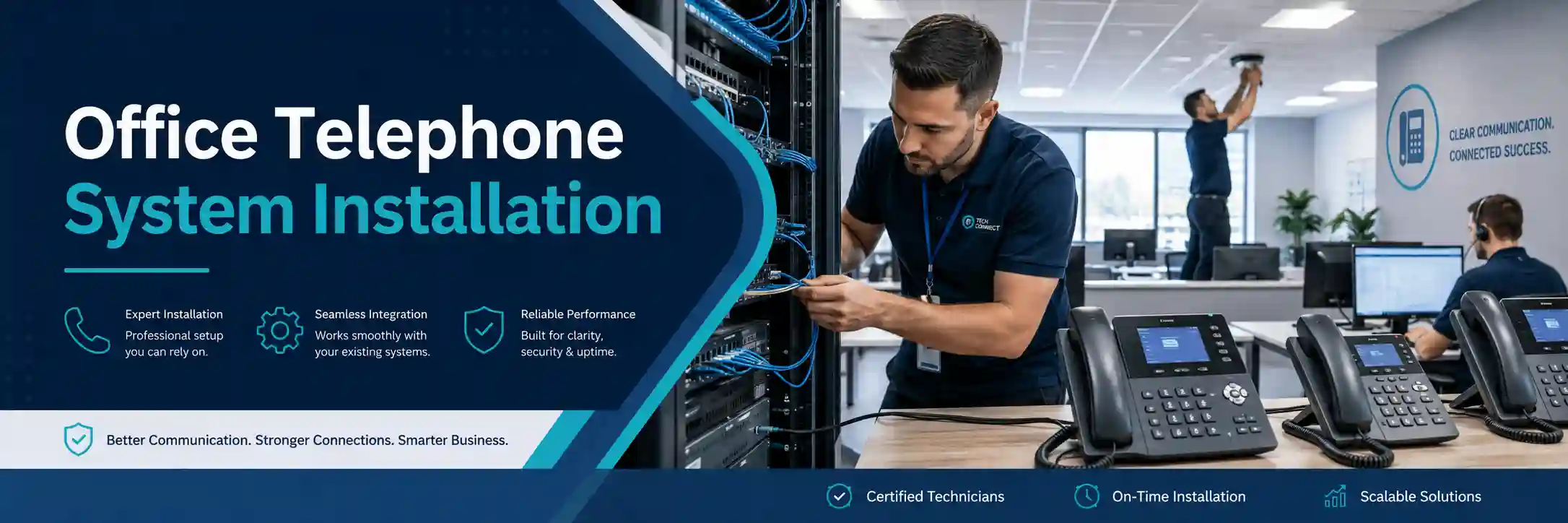
What does Avaya IP Office installation involve?
Avaya IP Office installation is the process of preparing the business environment, deploying the required IP Office platform components, configuring users and communication services, connecting supported endpoints and trunks, validating call behaviour, and handing over an administrable system. It is mainly used when a business is opening a site, replacing an existing PBX, adding capacity, reorganising departments, introducing IP phones, or standardising telephony across locations.
Businesses should consider the service when the current telephone environment is new, changing, poorly documented, difficult to maintain, or no longer aligned with operational requirements. Before work can be confirmed, FourTeck will normally need the service location, user and extension count, existing system details, expected inbound and outbound call flows, carrier or SIP-trunk information, network and PoE readiness, administrative access availability, licensing information, and any integration or remote-user requirements. These inputs help determine whether the work can be completed partly remotely or requires a planned on-site installation.
Installation planning starts with the way your business communicates
What the service covers
Depending on the confirmed scope, assistance may include requirements discovery, current-system review, rack and power checks, network assessment, IP addressing, VLAN and PoE review, endpoint planning, user and extension creation, group and routing configuration, voicemail setup, carrier or SIP-trunk coordination, supported phone registration, remote-user considerations, security review, testing, documentation, and administrator handover.
Who may need it
The service may suit offices, professional firms, clinics, warehouses, property businesses, hospitality operations, retail organisations, schools, project offices, and multi-branch teams that depend on reliable inbound and outbound calling. It can also help a company that is relocating, merging departments, replacing ageing telephone infrastructure, introducing a new numbering plan, or preparing for future growth.
Why a telephone installation is a network project as well as a PBX project
IP telephony depends on several technical layers working together. A phone can be correctly configured yet still perform poorly if the switch port is unstable, PoE capacity is insufficient, VLAN settings are inconsistent, DHCP information is wrong, the local network is congested, DNS is unavailable, the internet path is unreliable, or firewall policies interfere with required traffic. For this reason, FourTeck approaches an Avaya IP Office deployment as part of the wider business infrastructure rather than as an isolated appliance installation.
Network assessment is particularly important before rolling out many IP phones. The business should know where handsets will be placed, whether each desk has a suitable LAN outlet, which switches will power phones, whether voice traffic will use a dedicated VLAN, how address assignment is handled, and what other critical systems share the same switching and internet environment. Avaya documentation for IP Office phone installation also identifies network assessment, LAN connectivity, endpoint power, and extension details as relevant prerequisites. The final design should therefore reflect the actual site rather than assumptions about what the network can support.
Business situations that commonly trigger an IP Office deployment
New office or branch
A new site needs extension numbering, desk-phone placement, network connectivity, trunk access, reception handling, voicemail, user permissions, and tested internal and external calling before staff rely on the system.
PBX replacement
Replacing an older system requires discovery of current numbers, hunt groups, dial rules, analogue dependencies, call routes, voicemail behaviour, and any business processes that users expect to preserve.
Office relocation
A move can affect carrier circuits, SIP trunks, public numbers, network addressing, racks, structured cabling, switch ports, telephone placement, and the maintenance window available for cutover.
Growth or reorganisation
Additional users, departments, queues, remote staff, reception changes, or new branches may require both configuration changes and a review of licensing, capacity, call routing, network readiness, and documentation.
What can happen when installation planning is incomplete?
A rushed deployment can create operational problems that are difficult to diagnose after users have already moved onto the new system. Examples include extensions receiving the wrong calls, outbound calls presenting an unexpected number, reception groups ringing incorrectly, phones losing power, endpoints registering on the wrong network, voicemail being unavailable, remote users failing to connect, or call quality becoming unstable during busy periods. The same symptom can have more than one cause, so a failed call should not automatically be blamed on the PBX.
Poor documentation can create a second problem. When nobody knows which trunk carries which number, how a group is structured, which switch port serves a particular phone, or which administrator account is responsible for a change, future support becomes slower and riskier. Installation should therefore create an operational baseline: a known configuration, a tested call plan, defined responsibilities, and records that can be used during expansion, troubleshooting, maintenance, or vendor escalation.
Possible installation scope
Every environment is different, so the following items are examples rather than automatic inclusions. FourTeck can confirm the required activities after reviewing the current environment, available hardware and licenses, site conditions, business priorities, and any dependencies on a telecom provider or other vendor.
Service-fit matrix for common deployment requirements
| Business situation | Relevant assistance | What must be confirmed |
|---|---|---|
| New Dubai office | Discovery, site readiness, configuration, endpoint rollout, testing | User count, network, cabling, PoE, carrier service, licenses, access |
| Replace an older PBX | Current-state review, call-flow mapping, migration planning, cutover | Existing numbers, analogue devices, voicemail, routing, downtime window |
| Add users or departments | Capacity review, extension planning, group changes, phone deployment | License availability, switch ports, PoE, numbering, user roles |
| Introduce remote users | Remote-access design review, endpoint and security planning | Supported architecture, internet path, security controls, licensing |
| Move the telephone system | Inventory, relocation plan, network and carrier coordination, validation | New-site readiness, building access, circuit availability, change window |
Avaya IP Office installation service information
Can the installation be handled remotely?
Remote assistance may be suitable for
Remote work can be useful for requirements interviews, configuration review, call-flow planning, user and extension preparation, authorised system administration, log or status checks, license review, documentation, and selected testing when the necessary system and network access already exists. A customer contact or administrator may need to be available to confirm physical indicators, restart approved devices, place test calls, or verify user behaviour at the site.
Remote access should be approved, secure, and appropriate for the environment. It does not remove the need for a maintenance window, backup, or rollback planning where configuration changes could affect live calling.
On-site assistance may be suitable for
Physical attendance may be needed when the work includes rack placement, equipment mounting, switch-port checks, PoE testing, patch-panel or cabling review, handset positioning, analogue-device connections, local console access, network fault isolation, or acceptance testing across multiple desks and departments. On-site work is also useful when the current environment is undocumented or when the installation team must coordinate directly with facilities, cabling contractors, building management, or telecom providers.
Attendance timing depends on the confirmed scope, site access, location, engineer scheduling, equipment availability, and third-party readiness.
A practical discovery and deployment journey
1. Understand business call handling
Identify departments, reception responsibilities, business numbers, outbound requirements, working patterns, call groups, voicemail expectations, remote users, and any critical lines or devices.
2. Review the current environment
Document existing PBX behaviour, trunks, numbers, analogue connections, endpoints, network topology, switching, cabling, PoE, internet service, firewall path, and administration access.
3. Confirm prerequisites
Check supported architecture, capacity, licenses, extension plan, LAN connections, phone power, software or administration access, carrier readiness, and any maintenance-window requirements.
4. Build the implementation plan
Define responsibilities, order of work, network changes, configuration sequence, endpoint rollout, number migration where applicable, test cases, fallback approach, and user communication.
5. Implement approved work
Install and connect components included in scope, apply approved configuration, register endpoints, coordinate trunks, and make controlled changes according to the agreed plan.
6. Test, document, and hand over
Run agreed call tests, verify user functions, record configuration references, explain administrator responsibilities, capture unresolved dependencies, and define post-installation actions.
Requirement discovery: what should be decided before configuration begins?
A telephone system reflects how a business handles customers, suppliers, internal teams, and after-hours communication. Before creating extensions, it is useful to map the intended call journey. Which number should reach reception? Should sales ring as a group or follow a sequence? What happens if nobody answers? Which users need direct numbers? Who should be able to make international calls? Which departments need voicemail? Are there meeting rooms, warehouse phones, door phones, fax or analogue devices, or remote workers that must be considered? These questions affect the design more than the physical handset count alone.
The existing numbering plan also deserves attention. Reusing familiar extension numbers can reduce user disruption, but it may not always be appropriate if departments have changed or the business is consolidating sites. New numbering should be documented clearly so reception, administrators, and users understand how to transfer calls and reach colleagues. For a replacement project, FourTeck can help compare the current behaviour with the desired future state so legacy call rules are either preserved intentionally or changed with approval rather than disappearing accidentally during cutover.
Network, VLAN, PoE, and cabling readiness
IP phones depend on reliable Ethernet connectivity. Each planned desk position should be matched to a usable network outlet and switch port. Where phones are powered through Power over Ethernet, the switch must have adequate PoE capability and budget for the number of connected devices. If a phone shares a desk connection with a computer, the network design should account for how voice and data traffic will be separated and managed. Voice VLAN configuration may be appropriate in many environments, but the design depends on the switching platform, addressing plan, DHCP behaviour, security policy, and support model.
Cabling should also be treated as part of the service path. A phone that repeatedly loses registration can be affected by a damaged patch lead, poor termination, faulty wall outlet, unstable switch port, or intermittent power. On-site testing may therefore be recommended before the final rollout, especially in a new office where structured cabling has just been completed or an older site where network records are incomplete. FourTeck can coordinate the telephony requirements with the wider business IT service scope so switching, cabling, and communications are planned together.
Licensing, platform mode, and compatibility must be confirmed
The available IP Office capabilities depend on the actual platform, software release, deployment mode, endpoint type, licenses, and related services in the customer environment. A project should not assume that every desired user feature, endpoint, remote-working method, trunk type, or integration is available simply because it exists in a different IP Office deployment. Current platform documentation and the customer’s own licensing position should be reviewed before the quotation or change plan is finalised.
This is particularly important when an organisation is reusing existing hardware, mixing older and newer endpoints, introducing third-party SIP devices, moving from another PBX, or connecting to an external carrier. The installation plan should distinguish what is already owned, what is licensed, what is supported in the intended architecture, and what must be supplied or arranged separately. Where a capability depends on a telecom provider, internet service provider, licensing portal, or specialist vendor, FourTeck can coordinate technical information, but the third party may still control activation, lead time, approval, or fault resolution.
Trunks, public numbers, and carrier coordination
External calling depends on more than the IP Office configuration. Public telephone numbers and trunks may be provided through SIP or other carrier services, and the business should confirm what is currently active, which numbers must be retained, what caller identity should be presented, and whether any number transfer or service change is planned. Carrier documentation, account ownership, circuit details, and authorised contacts can be important during installation and troubleshooting.
For a new site, the required carrier service should be ready before the business expects to complete external call acceptance testing. For a replacement or relocation, the cutover plan should identify when the existing service will stop, when the new service will become active, and what fallback options are realistic if a third-party action is delayed. FourTeck can configure and test the customer-side elements included in the quotation and can coordinate technical findings with the provider, but carrier provisioning and external network behaviour remain provider dependent.
Controlled change, backup, and rollback considerations
Configuration changes should be planned as operational changes, not treated as risk-free edits. Before modifying an existing live IP Office environment, the current configuration and relevant security settings should be backed up where appropriate and accessible. The project team should know which changes are being made, who authorised them, when they will occur, and how service will be restored if a change causes an unexpected result.
A maintenance window may be needed when work can interrupt active calls, restart services, change network routing, move trunks, or alter endpoint registration. The rollback plan does not need to be complicated, but it should be practical: preserve known-good information, avoid simultaneous untracked changes across multiple systems, test in stages when possible, and keep vendor or carrier escalation details available. For a new deployment, the equivalent is a cutover fallback plan that defines what happens if required infrastructure or external services are not ready at the agreed time.
Endpoint rollout and user preparation
Installing phones is most efficient when the endpoint list has already been matched to users, departments, desk locations, extension numbers, and required features. A rollout sheet can identify the handset or client, office location, switch port or network outlet, extension, user name, department, and any special call-handling requirement. This prevents the common situation where phones are physically placed but administrators are still deciding who should receive which number.
User guidance should focus on the functions that matter to each role. Reception staff may need to understand transfer behaviour, group status, call handling, and fallback procedures. General users may need help with hold, transfer, voicemail, directory access, and basic phone login or restart procedures. Administrators may need additional guidance on user changes, configuration backup, system access, and support escalation. The handover scope should be agreed in advance because a full administrator workshop is different from a short operational briefing for end users.
Testing should reflect real call scenarios
A system should not be considered ready merely because phones show a registered state. Testing should follow the business call flows that were defined during discovery. Depending on the scope, this may include internal calls between departments, outbound calls to selected destination types, inbound calls to public numbers, reception handling, transfer and hold behaviour, hunt or group distribution, voicemail deposit and retrieval, caller identification, after-hours routing, and approved remote-user scenarios.
Testing can also verify the supporting infrastructure. Phones should remain powered, obtain the expected network settings, reach the required services, and maintain stable registration. Where voice quality is important, sample calls should be made across representative network paths rather than from one desk only. If a failure appears, the troubleshooting path should distinguish endpoint, switch, IP addressing, routing, firewall, carrier, and PBX configuration factors. A successful test confirms the specific scenarios checked at that time; it does not guarantee that future faults, provider outages, hardware failures, or untested workflows cannot occur.
Capability outcome 1: clearer call-flow control
A well-planned installation gives the business a deliberate structure for how calls enter, move through, and leave the organisation. Instead of building groups and routing rules reactively, the deployment can reflect department ownership, reception responsibilities, escalation paths, voicemail use, and after-hours expectations. This matters because call-flow configuration directly affects customer experience and staff workload. A sales line that rings the wrong team or a reception number that drops into an unattended destination creates an operational problem even if the system is technically online.
The limitation is that call-flow design depends on accurate business input. FourTeck can translate agreed requirements into technical configuration, but managers must confirm who owns each number, which users belong to each group, how unanswered calls should be treated, and what exceptions are important. The best time to make these decisions is before cutover, when they can be tested systematically, documented, and explained to users.
Capability outcome 2: a more supportable voice network
Telephony becomes easier to maintain when network dependencies are visible. Documented voice VLANs, known switch ports, labelled cabling, identified PoE sources, recorded IP addressing, and clear firewall or carrier paths reduce guesswork during future faults. A support engineer can then determine whether the issue is isolated to one handset, one switch, one subnet, one trunk, or the wider system without starting from an unknown baseline.
This outcome depends on the quality of the existing network and on how much documentation is included in the engagement. An installation cannot make unreliable cabling or an undersized switch dependable through PBX configuration alone. If the assessment identifies network capacity, power, addressing, or security gaps, those items may need to be corrected before or alongside the telephony rollout. The quotation should clearly separate PBX tasks from related network remediation where appropriate.
Capability outcome 3: easier moves, additions, and future changes
A documented installation provides a repeatable reference when the business hires staff, changes departments, adds a branch, moves desks, introduces new numbers, or replaces endpoints. Administrators can see the existing numbering approach, group membership, trunk relationships, and network dependencies rather than reconstructing them during every change. This can reduce repeated configuration mistakes and make later quotations more accurate because the current environment is understood.
Future changes still require compatibility, capacity, licensing, and risk review. A design that is suitable for the present office may need adjustment when user count grows substantially, new remote-working requirements appear, or a different carrier service is introduced. Documentation should therefore be treated as a maintained operational record, not a one-time project artifact. FourTeck can help update records when ongoing maintenance or change support forms part of an agreed service scope.
Dependencies and customer inputs that can affect the project
A reliable installation plan depends on access to accurate information. Customers should identify an authorised technical and business contact who can confirm requirements, approve changes, provide site access, and coordinate with telecom or internet providers where necessary. Administrative access to the existing IP Office, network switching, firewall, or carrier portal may be required depending on the work. Passwords should not be published or emailed casually; credentials should only be shared through an approved secure method after the people involved and their authorisation are confirmed.
Other dependencies can include available rack space, suitable power, UPS protection, structured cabling, PoE switch capacity, internet connectivity, public number ownership, active licenses, software access, maintenance windows, building access, security approvals, third-party support contracts, and the physical availability of required hardware. Any missing dependency can change the sequence or scope. For example, endpoint configuration can be prepared before a site is ready, but final phone testing cannot be completed at desks that do not yet have working network connections.
Risks, limitations, and exclusions to understand before work begins
The exact outcome of an installation depends on the current environment, available access, supported hardware and software, licensing, network condition, carrier services, and customer decisions. Legacy endpoints or analogue devices may have limited options. Existing faults in switches, cabling, firewall rules, internet service, or carrier infrastructure can prevent a telephony function from working even when the PBX configuration is correct. Hardware failures may require parts or replacement outside the installation labour scope.
A project can also depend on third-party actions that FourTeck does not control, such as number porting, SIP-trunk activation, internet provisioning, vendor license entitlement, building access, or delivery of required equipment. Configuration changes may require a maintenance window and may temporarily affect calling. No installation should be described as zero-risk or guaranteed to preserve every legacy behaviour without testing. Final inclusions, exclusions, timing, support after cutover, and commercial terms should be recorded in the approved quotation or service agreement.
Where Avaya IP Office installation can fit in a business environment
Professional offices
Reception, direct extensions, department groups, meeting spaces, voicemail, and controlled outbound calling can be planned around staff roles and client communication patterns.
Warehouses and logistics
Desk phones, reception points, dispatch areas, supervisory extensions, and coverage across separate office and operational zones may require careful cabling and network coordination.
Clinics and service businesses
Call handling may need clear separation between reception, appointment or service teams, management, and internal extensions, with practical routing for busy periods.
Multi-branch organisations
A branch project may need consistent extension planning, local calling requirements, secure inter-site connectivity, central administration considerations, and clear responsibility for carrier and network services at each location.
Operational and security considerations after installation
The system should be maintained as part of the business IT environment. Administrative access should be limited to authorised personnel, default or shared credentials should be avoided where the platform supports individual accountability, and remote management paths should be controlled. Network segmentation, firewall policy, software updates, endpoint configuration, and backup practices should be reviewed according to the actual architecture. Security improvements reduce risk but do not guarantee complete protection, so ongoing monitoring and sensible change control remain important.
Operationally, the business should know who approves new extensions, who requests call-routing changes, who manages carrier accounts, where configuration backups are stored, and how users report telephone faults. A small amount of governance prevents untracked changes from accumulating. If a new department is added, the change should include both the technical configuration and the documentation update. If a phone is moved, the network connection and extension assignment should remain traceable. These habits make support faster and reduce the risk that a later fault becomes a lengthy discovery exercise.
Before You Contact FourTeck
Preparing the following information helps FourTeck understand the environment and build a more accurate assessment or quotation. You do not need every detail before making contact, but the more that is known, the easier it is to identify dependencies early.
- The Dubai or UAE service location and building access conditions.
- The main business contact and authorised technical contact.
- Approximate number of users, phones, meeting rooms, and departments.
- Whether this is a new system, replacement, expansion, or relocation.
- Existing PBX model or IP Office deployment details if available.
- Current public telephone numbers and carrier or SIP provider details.
- Required extension numbering and department call groups.
- Voicemail, reception, after-hours, or remote-user requirements.
- Available network diagrams, switch details, VLAN information, and IP plan.
- PoE switch availability and number of free network ports.
- Structured cabling status at planned phone locations.
- Licensing information and authorised administration access availability.
- Any analogue devices or special integrations that must remain operational.
- Preferred maintenance or cutover window and business impact constraints.
- Required testing, documentation, training, or administrator handover.
- Target outcome and any known project deadlines or third-party dependencies.
Installation scope checklist for quotation preparation
The quotation should make the boundary of the engagement clear. Before approving work, confirm which of the following items apply and which are excluded or handled by another provider.
- Exact installation objective and whether an existing service must remain live during transition.
- Number of users, endpoints, departments, and physical sites included.
- Hardware installation, rack work, cabling, and PoE responsibilities.
- IP Office platform configuration and approved change responsibilities.
- Carrier, SIP trunk, public number, and number-porting responsibilities.
- Endpoint registration, desk placement, and user assignment.
- Remote-user, branch, or integration requirements.
- Network, firewall, VLAN, DHCP, DNS, and QoS work included in scope.
- Testing scenarios and who will provide user acceptance.
- Configuration backup, rollback, or cutover fallback requirements.
- Documentation, user guidance, and administrator handover deliverables.
- Post-installation support, maintenance expectations, and any separately chargeable work.
How FourTeck can assist with an Avaya IP Office deployment
FourTeck’s role is to turn the business requirement into a practical installation scope. That can start with a remote discussion and document review, followed by a site assessment where network, cabling, rack space, power, phones, carrier connectivity, or other physical dependencies must be checked. The team can help identify the affected technical layers, organise the work sequence, define configuration responsibilities, coordinate with customer vendors, apply approved changes, validate agreed call scenarios, and document the completed environment.
For a replacement or relocation, FourTeck can also help separate the work into preparation, cutover, and post-change phases so decisions are made before the maintenance window. Where a third party owns a trunk, internet circuit, license, building connection, or specialist integration, FourTeck can provide technical information and coordinate checks without claiming control over the external service. A quotation can then define what FourTeck will perform, what the customer must provide, what depends on another provider, and what testing or handover will confirm completion.
Businesses that want a wider view of connected workplace systems can review FourTeck IT support and service coverage or read more about FourTeck’s business IT service approach.
Dubai and UAE installation coordination
For Dubai projects, the service plan should account for building access, equipment-room availability, parking or loading restrictions where relevant, contractor coordination, maintenance windows, and the readiness of telecom and internet services. Remote planning can often reduce on-site discovery time because user lists, call flows, current configurations, and network information can be reviewed before an engineer attends. Physical installation and final testing can then focus on the tasks that actually require local access.
Across the UAE, remote or on-site assistance depends on the issue, location, urgency, access, engineer scheduling, approved quotation, equipment availability, and third-party readiness. Contact FourTeck to confirm the service scope and scheduling options. Installation, network changes, carrier coordination, migration tasks, and post-installation support should be clearly included in the quotation rather than assumed.
Dubai, Abu Dhabi, Sharjah, and Ajman coverage planning
FourTeck can coordinate Avaya IP Office installation-related assessment, remote configuration assistance, planned on-site work, testing, documentation, and project support for businesses in Dubai, Abu Dhabi, Sharjah, and Ajman, subject to the confirmed scope. A multi-site project may combine remote discovery with scheduled visits so common configuration standards can be planned centrally while site-specific network, cabling, power, and carrier conditions are checked locally.
Travel, building access, site induction, equipment availability, cabling readiness, telecom-provider actions, internet service, and other third-party dependencies can affect the service plan. A branch rollout should therefore use a site-by-site readiness checklist rather than assuming that every location is identical. FourTeck can help build that checklist and identify which actions must be completed before installation, which tasks can happen in parallel, and which tests are required before each location is accepted.
Related FourTeck IT service areas
Why businesses contact FourTeck for telephony installation assistance
Many installation challenges sit between different vendors. The PBX may be managed by one party, the SIP trunk by another, the LAN by an IT provider, the cabling by a contractor, and the building access by facilities. When a problem appears during cutover, each party can see only one part of the path. FourTeck can help bring these dependencies into one technical view so the business understands which elements are ready, which are uncertain, and which party needs to act.
The value is practical coordination rather than unsupported claims. FourTeck can clarify requirements, assess network and telephone dependencies, organise remote and on-site tasks, prepare safe change steps, test agreed scenarios, document findings, and explain remaining actions in business language. This is especially useful for organisations that do not have an internal telephony specialist or whose IT team wants installation assistance for a specific project without transferring ownership of every surrounding system.
Questions businesses ask before requesting Avaya IP Office installation
Can an existing Avaya IP Office be reused in a new Dubai office?
Possibly, but reuse should be treated as an assessment question rather than an assumption. The existing platform, hardware condition, software release, deployment mode, licensing, endpoint compatibility, carrier arrangements, and capacity should be reviewed against the new-site requirement. A system that served a smaller office may not automatically match a larger branch with more users, remote-working needs, different trunking, or a changed network design. The new site also needs suitable rack space, power, switching, PoE, cabling, internet or carrier connectivity, and an agreed numbering plan. FourTeck can help inventory the current system, identify what may be transferable, and separate reusable components from items that require upgrade, replacement, or third-party confirmation.
Do we need a network assessment before installing IP phones?
A network assessment is strongly relevant because IP phones rely on the LAN for connectivity and often for power. The review should consider the number and location of phones, switch capacity, PoE budget, free ports, cabling condition, VLAN design, IP addressing, DHCP, DNS, routing, firewall path, and the traffic already carried by the network. Avaya’s own IP Office phone installation documentation identifies network assessment and suitable LAN connectivity among installation requirements. The depth of FourTeck’s assessment depends on the site and quotation. A small office with a documented managed network may need a focused readiness review, while an older or multi-floor site may require on-site testing and port-by-port validation.
Can the phones use the same network as office computers?
They can be part of the same physical switching environment, but the correct design depends on the network architecture. Many businesses separate voice traffic logically using VLANs and apply appropriate quality, security, and addressing policies. Some phones can pass a computer connection through the handset, but this does not remove the need to plan switch ports, PoE, VLAN behaviour, and cabling. The installation should confirm how the customer’s switches handle voice devices, whether the existing network supports the intended design, and whether any configuration changes could affect data users. FourTeck can review the current switching environment and identify work that should be completed before endpoint rollout.
What information is needed to configure extensions and call groups?
The most useful starting point is a user-and-call-flow list. It should include each person or role, department, preferred extension, direct number if applicable, group membership, voicemail requirement, outbound calling restrictions where relevant, and any special routing. Reception and customer-facing lines deserve separate attention because their behaviour may involve multiple users, fallback destinations, after-hours handling, and transfer procedures. If an older system is being replaced, export or document the current numbering and group structure before the cutover. FourTeck can use this information to build a proposed configuration and return questions to the business before changes are applied.
What can affect the final installation quotation?
The quotation can be affected by the number of users and sites, existing IP Office platform and software, available licenses, number and type of endpoints, rack and power readiness, switch and PoE capacity, cabling condition, required network changes, trunk or carrier work, remote-user requirements, analogue devices, integration needs, documentation depth, training, maintenance-window requirements, and post-installation support. A relocation or replacement usually has more dependencies than a new small deployment because the old service must often remain available until cutover. Third-party actions such as number porting or circuit activation should be identified separately so they are not mistaken for FourTeck-controlled delivery items.
Can FourTeck install the system after office hours?
A maintenance window can be discussed when the project requires work outside normal user activity, but timing should not be assumed before the scope is confirmed. Site access, building rules, engineer scheduling, telecom-provider availability, required equipment, and the sequence of changes can all influence the practical window. Some preparation can be completed remotely or during normal hours, leaving only the cutover and physical tasks for the agreed window. Contact FourTeck with your preferred timing and business constraints so the quotation can state what is feasible and which parties must be available.
What should we test before staff start using the new system?
Testing should reflect actual user workflows. At minimum, the agreed plan may include extension-to-extension calls, inbound and outbound calling, reception handling, transfer, hold, group distribution, voicemail, caller identification, and any essential after-hours or remote-user behaviour. Phones should also remain registered and powered on the intended network. If a project uses multiple departments or sites, representative tests should be performed from more than one location. The customer should nominate people who can confirm that the observed behaviour matches business expectations. FourTeck can document test results and any remaining issues that depend on carrier, network, user training, or third-party action.
Is user training automatically included in installation?
Training is scope dependent. A basic handover may cover common phone functions and administrator contacts, while a larger project may require separate sessions for reception staff, end users, and system administrators. These groups need different information, so it is better to define the training requirement before quotation rather than assume it is included. For example, reception may need practical call-handling practice, users may need voicemail guidance, and administrators may need information about user changes, backups, and escalation. FourTeck can include the appropriate level of handover when the audience and objectives are confirmed.
How do we know whether a problem is the PBX, the network, or the carrier?
The symptom alone usually does not prove the cause. If one phone is offline, the issue may involve the handset, patch lead, switch port, PoE, VLAN, IP addressing, or PBX registration. If all external calls fail but internal calls work, the carrier path, trunk configuration, routing, firewall, or external service may need review. If calls connect but audio is poor, network conditions, internet path, codec configuration, endpoint behaviour, or provider factors may be relevant. A structured diagnostic approach compares working and failing paths, checks recent changes, and isolates the affected layer before applying corrective action.
Should we replace every old phone during the project?
Not necessarily. Replacement should be based on compatibility, condition, supportability, user requirements, and the intended architecture. Some existing endpoints may remain useful, while others may not support the planned deployment or may create maintenance risk. The same applies to switches, cabling, UPS equipment, and analogue adapters. Reusing hardware can reduce project cost, but only when it does not undermine reliability or prevent required features. FourTeck can include an inventory and compatibility review so replacement decisions are based on evidence rather than age alone.
Can the installation be phased by department?
A staged rollout can be appropriate when the current and new environments can coexist safely and when trunk, numbering, network, and user workflows support phased migration. It may reduce operational risk because a smaller group can be tested before the wider business moves. However, phasing can also increase complexity if calls must pass between two systems, numbers cannot be split easily, or users move between departments. FourTeck can assess whether a pilot or staged deployment is practical and define the test criteria, cutover order, fallback plan, and communication needed for each phase.
What documentation should we keep after the installation?
Useful records can include extension and user lists, group membership, public-number mapping, trunk references, network and VLAN notes, device locations, switch-port references, administrator contacts, configuration backup locations, key maintenance procedures, and a list of outstanding recommendations. The exact documentation package should be agreed in the quotation. Keeping these records current helps future support teams understand the environment faster and gives managers a clearer view of what depends on which provider. Avoid storing passwords in general project documents; credentials should be managed through an approved secure process.
When should we contact FourTeck during a new-office project?
Contact FourTeck before the final network and cabling decisions are locked in if telephony is an important part of the office opening. Early involvement allows phone locations, switch ports, PoE, rack space, public numbers, extension plans, and carrier lead times to be considered alongside the wider IT build. If the office is already fitted out, FourTeck can still assess readiness and identify gaps. Share the intended opening date, user count, floor or department layout, existing telephone assets, carrier status, and any required integrations. The installation scope can then distinguish what is ready, what needs remediation, and what depends on external providers.
Frequently asked questions
What does FourTeck need before starting?
A confirmed business objective, site information, user count, current-system details, carrier information, network readiness, available licensing information, authorised access, and the required call behaviour are useful starting points.
Can FourTeck work with an existing IP Office?
Yes, subject to assessment of the platform, version, hardware condition, configuration, access, licensing, network environment, and the requested change or expansion.
Is a fixed installation time available?
No fixed duration should be assumed before discovery. User count, site readiness, cabling, carrier actions, network changes, access, testing, and migration complexity can all affect the plan.
Do you configure SIP trunks?
Trunk configuration and testing may be included when supported by the customer environment and quotation. Provider activation, number assignment, and carrier-side faults remain dependent on the telecom provider.
Will you change our network during installation?
Only approved network work that is included in scope should be performed. VLAN, switch, firewall, DHCP, or QoS changes may require separate assessment, backup, testing, and a maintenance window.
Can users keep their old extension numbers?
Often this can be planned, but the final numbering depends on the current system, available numbers, business design, migration approach, and any technical restrictions identified during assessment.
Is on-site testing necessary?
It may be recommended when physical phones, cabling, PoE, local switches, multiple departments, or site-specific call handling must be validated. Some configuration checks can be completed remotely.
Can you coordinate with our telecom provider?
FourTeck can exchange technical information and support joint testing when included in scope. The provider remains responsible for its own circuits, trunks, number services, and platform actions.
Do you provide post-installation support?
Post-installation support can be discussed and quoted. The agreed period, covered activities, remote or on-site balance, and exclusions should be documented rather than assumed.
What if a legacy device is incompatible?
FourTeck can identify the dependency and explain practical options, but replacement, adapter requirements, licensing, or vendor action may fall outside the original scope and require approval.
Request an Avaya IP Office installation assessment
Share your Dubai or UAE site location, approximate user count, existing telephone environment, required public numbers, network readiness, carrier status, and target business outcome. FourTeck can review the information, identify what needs remote or on-site assessment, and prepare a quotation that separates installation tasks from customer and third-party dependencies.
If the project is part of a new office, relocation, network upgrade, or wider infrastructure change, include those details as well. Coordinating the dependencies early is usually more effective than discovering them during the cutover window.
Next step: confirm the environment before confirming the work
The most useful first step is not to choose a fixed installation package. It is to establish what exists now, what the business needs after the change, and which dependencies belong to the LAN, carrier, licensing, cabling, facilities, or third-party systems. FourTeck can help translate that information into an installation plan with clear responsibilities, test criteria, documentation expectations, and quotation boundaries.
For a direct discussion, use the FourTeck contact page. Provide enough detail to identify the site and intended outcome, but do not send passwords or sensitive credentials in a public message. Secure access requirements can be arranged after authorisation and scope are confirmed.