
Avaya IP Office Remote Extension Configuration in Dubai, UAE
Remote extensions allow approved staff to use supported Avaya IP Office telephony from outside the office network. A successful deployment requires the extension, user profile, endpoint, internet path, firewall, NAT behaviour, voice media, security controls, and licensing to be considered as one connected service.
FourTeck can assess an existing IP Office environment, define the remote-user requirement, plan controlled configuration changes, coordinate network dependencies, test call behaviour, and document the final setup. The exact method depends on the IP Office release, endpoint type, network design, security architecture, and approved scope.
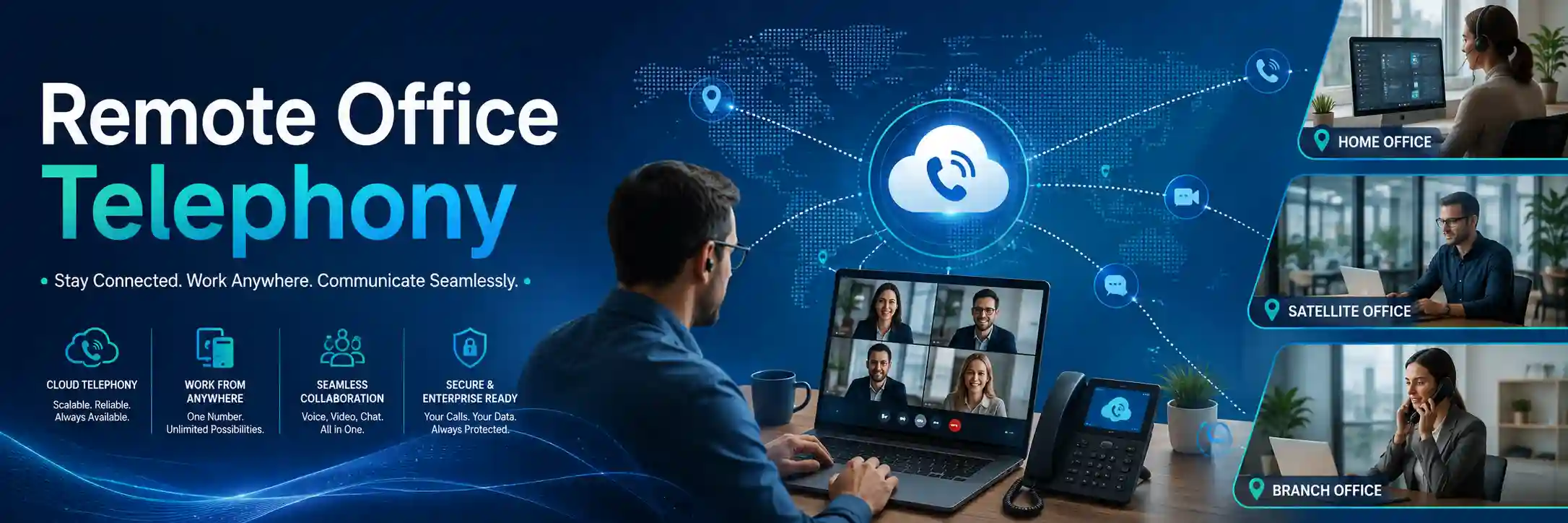
Current release, users, endpoints, network path, and access should be confirmed before changes.
Remote voice access must be planned through an appropriate firewall and approved security architecture.
Registration alone is not enough; inbound, outbound, internal, transfer, hold, and two-way audio tests matter.
Licensing, endpoint support, firewall changes, and on-site work depend on the existing environment.
What does Avaya IP Office remote extension configuration do?
It prepares an authorised user and supported endpoint to operate from a different IP network while remaining connected to the organisation’s Avaya IP Office telephony environment. Businesses normally use this capability for home workers, managers who work between locations, temporary project teams, branch users, and approved staff who need a consistent extension identity away from the main office. Before work is confirmed, the customer should provide the IP Office release or system information available, the number of remote users, the type of desk phone or client involved, the office internet and firewall details, the remote-user locations, existing security architecture, available administrative access, and the required calling outcome. The configuration method can differ for H.323, SIP, Avaya client applications, and deployments using Avaya Session Border Controller for Enterprise, so the environment should be assessed rather than configured from assumptions.
What the service means in a real business environment
A remote extension is not simply a telephone that has been moved to another address. The remote endpoint still depends on the office telephony platform, user permissions, network addressing, internet connectivity, security controls, call routes, and media handling. The endpoint must be able to reach the required IP Office services in a controlled way, authenticate as the correct user, obtain the expected extension identity, and exchange voice traffic without creating an unnecessary exposure to the public internet.
Avaya uses the term Remote Worker within IP Office for supported remote telephony scenarios. Depending on the release and architecture, remote endpoints can involve H.323 or SIP settings and may also involve Avaya Session Border Controller for Enterprise. This matters because the right design is not determined only by the telephone model. A SIP endpoint protected through a session border controller may follow a different security and registration path from a remote H.323 phone using IP Office remote-extension functions. Licensing and user-profile requirements can also depend on the release, profile, and endpoint method. FourTeck therefore begins by identifying the exact platform state rather than applying a generic configuration copied from another installation.
The business objective should also be clear. Some organisations want one or two managers to use their office extensions from home. Others need a repeatable model for a distributed team, a temporary branch, a disaster-recovery location, or a staged office relocation. These scenarios have different risk, capacity, support, and documentation requirements. A small proof-of-concept may be appropriate before a wider rollout, while an established multi-user deployment may require standard endpoint templates, user records, remote-location notes, security review, and a defined process for onboarding or removing remote users.
Who may need this configuration service?
Home and hybrid workers
Staff who need approved access to their business extension while working away from the office may require remote registration, user permissions, call testing, and security controls that reflect their actual endpoint and connectivity.
Managers across locations
A manager who works between the main office, a branch, and home may need a consistent extension identity and predictable call behaviour without creating separate unmanaged phone configurations at each location.
Project and temporary sites
Construction offices, project teams, temporary sales locations, and short-term workplaces may require business calling before a permanent telephony platform is installed locally.
Branch offices
A branch may use remote extensions as part of a wider connectivity design when the organisation wants centralised extension management and a common business call flow, subject to capacity and network assessment.
Common business triggers and reported symptoms
Customers often request this service after a staffing or location change rather than because the IP Office itself is faulty. A new remote employee may need an extension, a director may start working from two locations, a branch may open before its full communications infrastructure is complete, or a company may want to preserve access to office calling during a relocation. Other requests begin with a problem: a remote phone that previously registered no longer connects, calls ring but have no audio, outbound calls fail, inbound calls reach the wrong destination, the endpoint repeatedly deregisters, or call quality becomes poor at particular times of day.
The same symptom can originate from different layers. Failed registration may be caused by user or extension settings, endpoint configuration, DNS or addressing, firewall policy, NAT behaviour, an internet change, a certificate or security issue, licensing, or an architecture change elsewhere in the environment. One-way audio may be related to media routing, firewall handling, NAT, endpoint network behaviour, or provider conditions. Poor audio can come from congestion, packet loss, unstable Wi-Fi, remote broadband limitations, or an office-side internet issue. For that reason, FourTeck treats the reported symptom as evidence to investigate rather than proof of one specific cause.
Repeated faults also deserve attention. If one remote user has a reliable connection while several others do not, the difference between their endpoint type, home routers, internet providers, or user profiles can help narrow the scope. If all remote users stop working after an office firewall replacement or public-address change, the investigation should focus on the shared network path and configuration changes. Defining the pattern avoids unnecessary phone replacement and reduces the risk of making broad changes that create new call problems.
Technical relationships that must be considered together
Remote Avaya telephony crosses several boundaries that are normally contained inside one office. The user or extension settings in IP Office determine who the endpoint is and what it may do. The endpoint configuration determines how the phone or client reaches the service. The office firewall controls permitted traffic between trusted networks and external networks. Network address translation can affect signalling and media. The office internet connection and the remote user’s internet connection influence latency, packet loss, and available bandwidth. Voice traffic then depends on correct media handling so that both parties can hear each other.
Security architecture is equally important. Avaya security guidance for remote workers requires IP Office to remain behind a properly configured firewall rather than being connected directly to the external internet. Where an Avaya Session Border Controller for Enterprise is part of the design, its policies, certificates, addressing, and signalling path become part of the service scope. If a third-party firewall, managed router, telecom provider, or external network team controls part of the path, FourTeck may need to coordinate technical evidence and approved changes with that party.
The endpoint itself also matters. A supported desk phone, SIP endpoint, H.323 endpoint, or Avaya client can have different configuration, security, and licensing requirements. A remote phone behind a domestic router can behave differently from a phone connected at a branch with a managed firewall. Wi-Fi use can introduce another variable if the endpoint or computer relies on wireless access. The practical service is therefore an end-to-end configuration exercise, not a single checkbox change.
Depending on the confirmed scope, assistance may include
Reviewing the IP Office release, topology, configured users and extensions, remote-worker settings, endpoint types, available licences, current public connectivity, and any session border controller or firewall dependency.
Confirming the business extension, user profile, permissions, remote-worker requirement, calling permissions, voicemail or forwarding needs, and expected user behaviour.
Preparing supported phones or clients according to the approved architecture, while checking that the selected method is suitable for the release and endpoint family.
Reviewing the network path, public addressing, translation behaviour, approved security policy, and required signalling or media flows without broadly exposing the PBX.
Testing registration, internal and external calling, inbound and outbound behaviour, two-way audio, transfer, hold, voicemail, and other approved functions relevant to the user role.
Recording the remote-user setup, important dependencies, support notes, remaining limitations, and approved next steps so future changes do not depend on memory.
Not every engagement includes every item. A single-user configuration may be narrower than a multi-site rollout. Firewall rule changes, session border controller work, licence changes, endpoint replacement, structured cabling, internet-provider work, or wider PBX changes may require separate approval or quotation.
Service-fit matrix
| Business situation | Relevant assistance | What must be confirmed |
|---|---|---|
| One employee is moving to a home office | User, extension, endpoint, security-path, and call-behaviour configuration | Endpoint support, IP Office release, profile or licence requirement, remote internet, and office firewall path |
| Several remote phones stopped after a firewall change | Shared network-path and security-policy diagnosis before endpoint changes | Recent firewall changes, public addressing, NAT, logs, current PBX reachability, and approved rollback options |
| A branch needs centrally managed extensions | Multi-user design, capacity review, standard configuration, testing, and documentation | User count, branch internet, endpoint type, security model, call traffic, local support needs, and business continuity requirements |
| Remote users register but audio is one-way | Media-path, NAT, firewall, endpoint-network, and call-flow troubleshooting | Which call types are affected, direction of missing audio, location pattern, and network evidence |
| The business wants to move from ad-hoc remote phones to a controlled model | Configuration assessment, user standardisation, security review, documentation, and phased rollout planning | Existing users, endpoint inventory, support ownership, remote locations, access process, and desired onboarding procedure |
Service information for planning and quotation
| Service topic | Avaya IP Office remote extension configuration for approved remote or distributed business users. |
|---|---|
| Main purpose | To establish or restore controlled remote access to an existing IP Office telephony environment and validate expected call behaviour. |
| Suitable for | Home workers, managers, temporary sites, branch users, project teams, and businesses standardising remote telephony. |
| Typical systems involved | Avaya IP Office, supported phones or clients, firewall, router, internet service, LAN switching, remote-user network, DNS or addressing, and possibly Avaya Session Border Controller for Enterprise. |
| Assessment method | Configuration review, user and endpoint discovery, network-path checks, security assessment, evidence collection, and controlled call testing. |
| Remote support suitability | Often suitable when authorised secure access is available and the required checks are configuration, logs, settings, or call testing rather than physical inspection. |
| On-site support suitability | Useful when firewall, network, cabling, phone hardware, office internet handoff, or local coordination must be inspected in person. |
| Customer access required | Authorised administrative access to relevant systems and an approved contact who can confirm business requirements. Credentials should be shared only through an approved secure method. |
| Licensing | Release, user-profile, and endpoint dependent. Existing entitlement should be checked before promising a remote-user method. |
| Security considerations | Remote telephony should use a properly designed security boundary. Direct exposure of IP Office to the internet should not be treated as an acceptable shortcut. |
| Testing and validation | Registration, internal calls, inbound and outbound calls, two-way audio, transfer, hold, voicemail, selected routing functions, and stability relevant to the agreed scope. |
| Documentation and handover | Scope dependent. May include user-extension mapping, endpoint notes, network dependencies, approved changes, testing results, and follow-up recommendations. |
| Vendor coordination | May be required when the firewall, ISP, telecom service, endpoint, or Avaya support entitlement is controlled by another provider. |
| Scheduling dependency | Depends on engineer availability, authorised access, customer contacts, maintenance windows, third-party cooperation, and confirmed work scope. |
| Quotation requirement | Contact FourTeck to confirm the required users, endpoints, network work, security changes, testing, documentation, and support method before commercial terms are agreed. |
Can the work be completed remotely, or is an on-site visit needed?
Remote assistance may be suitable
Many IP Office configuration tasks can be assessed remotely when the customer can provide authorised secure access and the office internet connection is functioning. Remote work may include reviewing the current IP Office configuration, checking user and extension settings, examining relevant logs or status information, confirming endpoint details, comparing a working remote user with an affected user, reviewing firewall configuration with the authorised network administrator, and guiding controlled test calls.
Remote work is most effective when a customer contact can test the phone or client at the remote location, report exact behaviour, and confirm which calls succeed or fail. It is not a guarantee that every problem can be solved without physical inspection.
On-site assistance may be appropriate
An on-site visit may be recommended when the office firewall, internet handoff, network switches, voice VLAN, cabling, phone hardware, rack equipment, or local power must be inspected. It can also be useful when administrative access is limited to the site, when several systems changed together, when documentation is poor, or when the problem cannot be reproduced through remote diagnostics.
The final choice depends on the reported issue, access, location, urgency, engineer availability, and approved quotation. A remote assessment can often identify whether an on-site visit is likely to add value before travel is scheduled.
A controlled discovery and diagnostic process
- Define the business impact. Confirm who is affected, whether the user is completely unable to call or only certain call types fail, and whether the requirement is a new configuration or repair of an existing setup.
- Identify the platform state. Record the IP Office release or available system information, user profile, extension, endpoint family, remote-worker method, firewall ownership, internet connection, and any Avaya Session Border Controller for Enterprise dependency.
- Collect evidence before changing settings. Note registration state, error messages, recent changes, affected times, public-address or ISP changes, remote-network differences, and examples of successful and failed calls. Evidence helps separate user-level faults from shared infrastructure faults.
- Confirm authorised access and backup readiness. Before changing an operational PBX or security device, ensure the customer has approved access and that relevant configuration can be backed up or otherwise recovered according to the platform and agreed change plan.
- Trace signalling and media as separate paths. A phone can register successfully while audio still fails. Registration, call setup, and two-way media should therefore be tested separately rather than assuming one successful check proves the entire service is healthy.
- Compare working and non-working cases. If one remote user works, compare profile, endpoint type, software or firmware where relevant, remote ISP, local router, and user configuration. If all remote users fail, focus on shared PBX, firewall, public connectivity, or architecture changes.
- Explain findings and the safest action. The next step may be a user or extension adjustment, endpoint configuration, firewall or NAT change, security architecture review, ISP coordination, licence clarification, or a broader upgrade plan.
- Validate and record the result. Approved changes should be followed by practical call tests and concise documentation of what changed, what remains dependent on third parties, and what the customer should monitor.
Planning configuration changes without creating a new outage
Remote telephony can touch both the PBX and the security boundary, so uncontrolled changes can affect more than the one user being added. A firewall rule that is too broad may create unnecessary exposure, while an incorrect NAT or media change may affect existing calls. A PBX user change may alter call permissions or routing. A public-address change may affect all remote users. For this reason, FourTeck treats change planning as part of the service rather than an administrative formality.
Before implementation, the intended result should be written in business terms. The user may need to receive their direct number, make permitted outbound calls, call internal extensions, access voicemail, transfer calls, and follow the same office-hours behaviour as when they are at the main site. Not every remote role requires every feature. Defining the required functions prevents unnecessary configuration and gives the test plan a clear target.
Where practical, existing configuration should be backed up before changes. A maintenance window may be needed if a firewall restart, network policy change, certificate task, PBX service action, or broader system update could affect active users. Rollback considerations should be agreed for changes that could interrupt the wider phone system. For larger rollouts, one or two representative users can be tested first, followed by a staged deployment after the design is proven.
H.323, SIP, Remote Worker, and session border controller considerations
Avaya IP Office can support remote-worker scenarios using supported IP endpoints and clients, but the relevant configuration path depends on the endpoint protocol and architecture. H.323 remote extensions use IP Office remote-extension settings and require the user and extension relationship to be reviewed carefully. SIP deployments can be different, particularly when Avaya Session Border Controller for Enterprise is used between external endpoints and the IP Office environment. In that architecture, session-border-controller configuration, certificates, network reachability, and security policy may become more important than a simple per-user remote-worker setting.
This distinction is important during troubleshooting. If a customer says, “My Avaya remote extension does not work,” the first useful question is not which port to open. The useful questions are: What endpoint is being used? Is it H.323 or SIP? Is there an Avaya session border controller? Which IP Office release is installed? Is the endpoint expected to connect directly through a supported remote-worker design or through another controlled access method? Has the same user ever worked remotely before? Did the firewall, ISP, public address, certificate, endpoint, or IP Office configuration recently change?
Licensing also needs verification against the installed release, user profile, and remote endpoint method. FourTeck does not assume that an entitlement available in one system automatically applies to another. The service can include checking available information and identifying what must be confirmed with the customer’s licensing records or vendor support path before the rollout is expanded.
Firewall, NAT, and security are part of the phone service
Remote calling crosses an untrusted network, which changes the risk compared with a desk phone connected only to an internal voice network. Avaya’s own security guidance states that IP Office should not be connected directly to the external internet and should be protected through a properly configured firewall. FourTeck therefore approaches remote extension work as a security and connectivity design, not as a request to expose a collection of ports without context.
Network address translation can affect remote call signalling and media. Certain NAT behaviours can be difficult or unsuitable for some remote H.323 scenarios, and the exact path should be assessed using the actual firewall and endpoint environment. Where a session border controller is deployed, its purpose and existing policy should be respected rather than bypassed. If the customer uses a managed firewall service, changes may need to be implemented by the provider after FourTeck supplies the technical requirement and test evidence.
Security review should also consider administrator access, outdated accounts, shared credentials, unnecessary external exposure, and the method used to provision remote users. Credentials should never be published or shared through an insecure public channel. The customer should authorise who may access the PBX and firewall, and any credential exchange should use an approved secure method. A remote extension that works is not automatically a secure remote extension; connectivity and security have to be validated together.
Call quality depends on both the office and remote network
A remote phone can register correctly and still deliver poor user experience if the network cannot carry voice consistently. Voice is sensitive to delay, packet loss, jitter, unstable Wi-Fi, overloaded broadband connections, and intermittent routing. A home worker may have a fast internet package but still experience poor calls when video streaming, cloud backup, or weak wireless coverage competes for the same connection. The office side can create similar problems if internet capacity is saturated or firewall inspection introduces a bottleneck.
Troubleshooting should therefore look for patterns. Does the issue occur on every call or only at busy times? Is the remote endpoint on Ethernet or Wi-Fi? Do other internet applications slow at the same time? Are multiple remote users affected? Does internal calling behave differently from external calling? Is the problem limited to one direction of audio? These observations guide the next test more effectively than replacing a phone at random.
Quality of Service can help within networks that support and enforce it, but QoS is not a guarantee across the public internet. Remote-user planning should set realistic expectations about consumer internet, shared wireless networks, and third-party provider conditions. Where business-critical voice is required at a branch, the connectivity design may need stronger control than a normal home-user setup.
Testing, validation, and handover after configuration
A remote extension should not be considered complete because the endpoint displays the correct extension number. Functional validation should reflect how the employee actually works. At minimum, the agreed test plan may include registration after a restart, an internal call, an inbound call from an external number, an outbound call to an approved destination, two-way audio, hold, transfer, voicemail access, and any role-specific function such as reception transfer or direct-number handling. Tests should be completed from the real remote network where possible because office-side testing cannot reproduce every remote-router or broadband condition.
For multi-user deployments, one successful phone does not prove that all remote networks will behave identically. Different home routers, internet providers, Wi-Fi conditions, endpoint versions, and local policies can create user-specific behaviour. A staged rollout provides an opportunity to capture those differences before the organisation depends on the design for a larger group.
Handover should explain what the customer can expect and what remains outside direct control. A user may need instructions for startup, login, headset use, network connection, or reporting a failed call. Administrators may need a record of the user-extension mapping, endpoint type, remote location, relevant network dependency, and who owns the firewall or ISP relationship. Clear records help future troubleshooting and make it easier to remove remote access promptly when a staff member leaves or changes role.
Faster fault isolation
Remote-extension faults can involve the user, endpoint, PBX, firewall, NAT, internet, session border controller, or media path. A structured comparison of working and failing cases reduces guesswork. This matters to a business because repeated trial-and-error changes can extend downtime and make the original problem harder to identify.
Safer configuration changes
A remote-phone request may affect shared PBX or firewall settings. Backup, authorisation, a defined maintenance window where necessary, and rollback planning help control that risk. The objective is to add or restore the required user without unintentionally disrupting existing office calling.
Clearer remote-user administration
As remote users increase, consistent naming, extension records, endpoint details, licence awareness, and access ownership become more important. Documentation supports future onboarding, offboarding, troubleshooting, security review, and migration planning instead of relying on informal knowledge.
Dependencies, access, and customer inputs
FourTeck can define the service more accurately when the customer provides a clear business objective and reliable environment information. Useful inputs include the office location, number of remote users, extension numbers, endpoint type, IP Office release or system details, current firewall model or management provider, internet-service information, whether a session border controller is present, remote-user locations, examples of failed calls, recent network or PBX changes, and any existing diagrams or configuration notes.
Administrative access may be required to IP Office and relevant network or security systems. The customer should identify an authorised technical or management contact who can approve changes and confirm expected call behaviour. FourTeck does not ask customers to publish passwords on a public page or send credentials through an unapproved method. Credentials should be shared only through a secure process after identity, access scope, and authorisation are established.
Third-party dependencies may include the internet provider, managed firewall company, voice carrier, remote-site network administrator, or Avaya support channel. Their availability can affect diagnosis and scheduling. If the issue sits outside FourTeck’s direct control, the service can focus on producing clear evidence and coordinating the required technical information rather than claiming a resolution that depends on another provider.
Risks, limitations, and exclusions to understand
- Diagnosis depends on available evidence, authorised access, and the ability to reproduce or observe the reported behaviour.
- Endpoint support, user profiles, licences, and remote-worker methods vary by IP Office release and architecture and must be confirmed for the actual system.
- Remote-user internet quality, domestic routers, Wi-Fi conditions, and third-party ISP behaviour can affect call reliability even when the office PBX configuration is correct.
- Firewall, session border controller, or public-network changes may require an approved maintenance window and could require coordination with another provider.
- A successful test at one location does not guarantee identical behaviour from every remote network.
- Unsupported or legacy endpoints may have limited configuration options and can require replacement planning rather than repeated reconfiguration.
- Hardware replacement, new licences, provider charges, major PBX upgrades, internet changes, or third-party professional services are not assumed to be included in configuration labour.
- Final commercial terms, work locations, remote-versus-on-site balance, scheduling, and deliverables depend on the approved quotation or service agreement.
Business environments where remote IP Office extensions may be useful
Professional offices may use remote extensions for managers, consultants, finance staff, or customer-service employees who split time between home and the workplace. Retail and showroom organisations may need central extension management for a temporary sales location or a small branch. Construction and project teams may need business telephony before a permanent site is fully built. Logistics and warehouse businesses may have supervisors or administrators working between operational sites. Property-management teams may need approved users to answer business calls while moving between buildings.
The operational context matters more than the industry label. A remote extension for one executive has different requirements from a ten-user support team. A project site with managed broadband and a firewall may provide a more predictable network than a home user relying on shared Wi-Fi. A branch with strict security rules may require session-border-controller and firewall coordination. A business with frequent staff changes needs stronger user records and offboarding procedures. FourTeck adapts the assessment to these differences rather than assuming every remote user needs the same design.
Remote extension configuration can also support continuity planning, but it should not be described as a complete disaster-recovery solution on its own. Business continuity depends on the availability of IP Office, internet access, power, voice services, network security, user endpoints, and operational procedures. Remote telephony can be one useful element when those broader dependencies are understood and tested.
Before you contact FourTeck
Preparing a small amount of accurate information can make the first assessment more useful and reduce unnecessary back-and-forth.
Service evaluation and quotation checklist
The following points help define whether the engagement is a single-user change, troubleshooting case, security/network task, or wider remote-telephony project.
- Exact business objective for remote calling
- Number of users and remote locations
- Current IP Office environment and endpoint mix
- Required user, extension, and calling functions
- Remote Worker, H.323, SIP, or session-border-controller architecture
- Licence or user-profile dependencies that must be verified
- Firewall, NAT, internet, or provider coordination
- Remote-only versus on-site activities
- Maintenance-window and rollback requirements
- Endpoint provisioning or replacement requirements
- Call testing and user-acceptance requirements
- Documentation, handover, and ongoing support expectations
How FourTeck can assist from assessment to handover
FourTeck’s role is to turn a general request such as “make this Avaya phone work from home” into a defined technical scope. The first stage clarifies the user, extension, endpoint, calling requirement, and business impact. The next stage identifies how that endpoint is expected to reach IP Office and which systems control the path. This may involve the PBX configuration, firewall, public addressing, NAT, user profile, endpoint settings, session border controller, remote internet, and third-party services.
Once the environment is understood, FourTeck can propose the appropriate remote or on-site work. Approved changes can be implemented with backup and rollback considerations where relevant. Testing then confirms the functions that matter to the user instead of relying only on a registration indicator. If a provider or vendor action is needed, FourTeck can help document the evidence and explain the dependency to the customer.
For larger deployments, the service can also address standardisation. A repeatable user record, consistent endpoint method, clear security architecture, tested onboarding process, and documented offboarding process are easier to support than a collection of one-off remote phone setups. The quotation can therefore distinguish immediate configuration work from optional documentation, wider network changes, or ongoing maintenance.
Dubai and UAE service coordination
For a Dubai business, Avaya IP Office remote extension work can often begin with a remote assessment if authorised access and a working internet connection are available. An on-site visit may be recommended when the office firewall, rack, switching, cabling, phone hardware, or local internet handoff must be checked. Installation, configuration, network changes, endpoint work, and documentation should be clearly included in the agreed quotation rather than assumed.
Service timing depends on engineer availability, customer access, location, site conditions, maintenance windows, required parts or licences, and third-party providers. Businesses with remote users outside the main office should also identify a responsible person who can test the endpoint from the actual location. Contact FourTeck to confirm the service scope and scheduling options before planning a cutover or wider remote-user rollout.
Coordinating work across Dubai, Abu Dhabi, Sharjah, and Ajman
Businesses with users or sites in Dubai, Abu Dhabi, Sharjah, and Ajman may need a combination of central IP Office configuration, remote-user testing, planned on-site inspection, network coordination, and documentation. The same PBX can support users with very different local internet and network conditions, so each affected location should be identified before a rollout is treated as complete. A branch with a managed firewall may need different preparation from a home worker behind a consumer router.
Scheduling and scope can be influenced by travel, building access, customer contacts, site working hours, equipment availability, maintenance windows, and third-party service providers. FourTeck can help organise the technical sequence and clarify which activities can be completed remotely and which require physical access. The presence of a location in the UAE does not by itself guarantee a particular attendance time; service arrangements should be confirmed in the approved quotation.
Related FourTeck IT services
Office telephone support
Useful when remote-extension work is part of a wider issue involving desk phones, extension administration, call routing, voicemail, or user changes.
Office network support
Relevant when call quality, VLANs, switching, routing, addressing, or connectivity is part of the remote telephony problem.
Firewall and secure access support
Appropriate when the remote-user path depends on firewall policy, NAT, public addressing, VPN architecture, or security review.
IP phone support
Helpful when the endpoint itself needs provisioning, registration checks, call-quality diagnosis, user setup, or replacement assessment.
Why businesses contact FourTeck for this type of work
Remote IP Office problems sit between telephony, networking, security, endpoints, and internet services. Businesses often need one technical view that can follow the path across those layers and explain where responsibility changes from the PBX to the firewall, the ISP, the remote network, or another provider. FourTeck can help create that view through structured assessment, evidence gathering, controlled changes, and practical testing.
The service is also useful when documentation is weak. A company may know that a remote user once worked but not know which settings, licences, firewall rules, or endpoint method were involved. Recording the current design reduces dependency on a single technician or memory. It also improves future onboarding and offboarding because administrators know which access and endpoint records should be updated when roles change.
FourTeck does not need to present every remote extension as a major project. A straightforward single-user case can remain focused. A multi-user or multi-site requirement can be expanded only when the environment justifies it. The aim is a clear quotation scope, a controlled implementation path, useful documentation, and a customer who understands what was changed and which dependencies remain outside the PBX.
You can learn more about FourTeck IT service capabilities or return to the FourTeck IT Services home page for wider business technology support.
Questions businesses commonly ask before requesting remote extension configuration
Can an Avaya IP Office extension be used from home?
Yes, supported Avaya IP Office remote-worker designs can allow approved users to operate supported IP phones or client applications from another network, but the exact method depends on the installed IP Office release, endpoint, protocol, user profile, licensing, firewall design, and whether a session border controller is used. A home connection also introduces variables that do not exist on the office LAN, including the domestic router, Wi-Fi quality, shared internet use, and provider NAT behaviour. Before confirming the work, identify the endpoint model or client, extension, remote-user location, IP Office version information, office firewall, and whether the user has previously worked remotely. A configuration should then be tested from the real home network, not only inside the office.
Why does my remote Avaya phone register but have no audio?
Registration confirms that part of the signalling path is working, but it does not prove that voice media can pass correctly in both directions. One-way or missing audio can involve firewall policy, NAT behaviour, media routing, endpoint network conditions, a session border controller, or other path-specific settings. The useful next step is to record exactly which direction loses audio, whether internal and external calls behave differently, and whether the issue affects one user or every remote user. FourTeck can use those observations with configuration and network checks to isolate the likely layer before making changes. Broadly opening firewall access is not an appropriate diagnostic shortcut because it can create security risk without proving the real cause.
Do we need an Avaya Session Border Controller for Enterprise?
The answer depends on the existing IP Office architecture, release, endpoint type, security design, and the remote access method already selected for the business. Avaya documentation distinguishes between remote-worker arrangements and SIP scenarios where Avaya Session Border Controller for Enterprise is part of the network path. FourTeck should first confirm whether an ASBCE already exists, whether it is intended to protect and proxy remote SIP connectivity, and who manages it. If another provider owns the session border controller, configuration work may require coordination rather than replacement. A quotation should clearly identify whether ASBCE review or change is included, because it is a separate system with its own addressing, policy, certificate, and operational dependencies.
Can FourTeck configure only one remote user without changing the whole phone system?
A single-user engagement can often remain narrow if the existing architecture already supports remote workers and no shared network changes are required. The assessment still needs to confirm the user profile, extension, endpoint, licence requirement, security path, and expected call functions. If the office firewall or session border controller already has a proven remote-user design, the new user may mainly require controlled user and endpoint work plus testing. If the first remote user is being introduced, however, shared settings and security architecture may need review. FourTeck can separate user-specific work from infrastructure changes in the quotation so the customer understands which tasks affect only one extension and which tasks could influence the wider environment.
Why did remote extensions stop after our internet or firewall provider changed?
A provider or firewall change can alter public addressing, NAT behaviour, security rules, routing, certificates, DNS, or the path used by signalling and voice media. If several remote users fail at the same time immediately after such a change, the shared network path deserves attention before every endpoint is reconfigured. Gather the date of the change, previous and current public-connectivity details if available, firewall ownership, examples of affected call behaviour, and whether office phones still work normally. FourTeck can compare the current design with the expected remote-access path and coordinate technical evidence with the new provider. The final action may be a firewall policy adjustment, addressing update, session-border-controller change, or another network correction rather than a PBX user change.
Is remote extension configuration the same as using a VPN?
Not necessarily. Avaya IP Office Remote Worker is a platform capability for supported remote telephony and does not automatically mean the phone is connected through a general-purpose corporate VPN. Some businesses may have other secure access designs for related applications, and some SIP environments may use Avaya Session Border Controller for Enterprise. The correct approach depends on the endpoint, platform release, security policy, network design, and what the business is trying to achieve. FourTeck should review the existing architecture rather than adding a VPN simply because the user is remote. Introducing an unnecessary tunnel can complicate routing, support, and troubleshooting, while bypassing an existing security design can create risk.
What should we prepare if ten or more staff will work remotely?
A multi-user rollout benefits from stronger planning than a one-off extension. Prepare a list of users, extensions, roles, endpoint types, expected calling functions, remote locations, and whether users will connect from home, branches, or project sites. Confirm the IP Office release, user-profile and licensing information, firewall ownership, session-border-controller presence, public internet details, support contacts, and any previous remote-user configuration. Decide how new users will be approved, how endpoints will be delivered or provisioned, how testing will be recorded, and how access will be removed when staff leave. FourTeck can then propose a pilot group, standard configuration, test method, documentation format, and staged rollout instead of creating ten unrelated remote phone setups.
When is an on-site visit more useful than remote support?
On-site assistance is more useful when the problem includes physical equipment, cabling, office switching, firewall hardware, rack access, internet handoff, or a phone that must be inspected locally. It may also be appropriate when remote administrative access is unavailable or when several undocumented systems changed together. If the issue is mainly user configuration, endpoint settings, logs, call testing, or an existing firewall policy that can be securely administered remotely, a remote assessment may be more efficient. The decision should follow the evidence. A short remote discovery session can often determine whether physical work is likely to add value and what equipment or access should be ready before an engineer travels.
How do we know whether the remote problem is the phone, IP Office, firewall, or internet?
Start by defining the pattern rather than guessing the component. If only one user fails, compare that user with a known working remote user. If every remote user fails, look for a shared office-side change. If registration fails, focus first on signalling, reachability, user settings, and security path. If registration works but audio fails, investigate media handling and NAT. If calls work but sound poor at certain times, compare bandwidth use, packet loss, Wi-Fi conditions, and provider performance. FourTeck can combine these observations with configuration review and controlled testing. The purpose is to isolate the layer at fault before replacing equipment or changing shared PBX and firewall settings.
What should be included in a quotation for remote extension work?
The quotation should identify the number of users, expected endpoint types, whether the work is new configuration or troubleshooting, IP Office review, firewall or session-border-controller involvement, remote versus on-site activities, endpoint provisioning, licence verification responsibility, testing, documentation, and any provider coordination. It should also state important exclusions such as new hardware, licences, ISP charges, major PBX upgrades, or third-party services unless they are specifically included. If changes could affect active users, the maintenance-window requirement should be clear. For a wider rollout, the quote may distinguish a pilot from production deployment. This gives the business a practical scope instead of assuming that every network, security, and telephony task is automatically part of one remote-extension request.
Frequently asked questions
What does FourTeck need before starting?
The most useful starting information is the IP Office system or release details available, affected user and extension, endpoint type, remote location, firewall ownership, internet connection, current symptoms, recent changes, and authorised access. Larger projects should also provide a complete user list and required calling functions.
Can remote configuration affect office users?
User-specific changes may be narrow, but some remote-worker designs require shared PBX, firewall, public-address, media, or session-border-controller changes. Those changes should be planned carefully because an incorrect shared setting can affect existing calls or remote users.
Do all Avaya phones support the same remote method?
No. Endpoint family, protocol, software or firmware, IP Office release, user profile, and architecture can change the supported method. The exact phone or client should be identified before configuration is promised.
Is a licence always required?
Licence and user-profile requirements are environment dependent. FourTeck can review the installed system information, but entitlement should be confirmed against the actual IP Office release, user profile, endpoint method, and customer licensing records.
Can poor home Wi-Fi cause call issues?
Yes. A remote endpoint or client using unstable wireless access can experience delay, packet loss, or disconnections even when the PBX and office firewall are working correctly. Ethernet testing can sometimes help separate Wi-Fi quality from broader internet problems.
Will FourTeck open firewall ports for us?
Firewall work should follow an approved design based on the actual endpoint and Avaya architecture. FourTeck can review or coordinate required policy changes within the agreed scope, but broad internet exposure is not treated as an acceptable shortcut.
What tests are performed after setup?
Testing is scope dependent but may include registration, restart behaviour, internal calling, inbound and outbound external calls, two-way audio, hold, transfer, voicemail, and selected role-specific functions. Testing from the real remote location is valuable.
Can FourTeck help with an existing failed remote setup?
Yes. The work can begin as troubleshooting rather than new deployment. Recent changes, working-versus-failing comparisons, registration state, call examples, firewall or ISP changes, and existing configuration records help narrow the likely cause.
Is documentation included?
Documentation can be included where agreed. Useful records may cover user-extension mapping, endpoint method, important network or security dependencies, approved changes, testing results, provider contacts, and remaining recommendations.
Does FourTeck support wider UAE locations?
Remote and planned on-site coordination can be discussed for Dubai and wider UAE requirements. Scheduling depends on location, access, engineer availability, work scope, customer contacts, and third-party dependencies. Contact FourTeck to confirm the applicable arrangement.
Plan the remote extension work around your actual IP Office environment
A useful first conversation should establish whether you are adding a new remote user, repairing a failed remote extension, standardising several users, or planning remote telephony for a branch or temporary site. Share the endpoint type, number of users, IP Office details available, recent changes, firewall ownership, remote-user locations, and the calling functions that must work. FourTeck can then define the assessment, identify likely network and security dependencies, recommend remote or on-site work, and prepare a quotation based on the confirmed scope.
If the requirement involves broader IT, network, or telephony dependencies, FourTeck can also explain how those tasks should be separated so the project remains manageable. For service information, visit the FourTeck business IT services overview. For a scoped discussion, use the contact page below.