
Avaya IP Office Maintenance in Dubai, UAE
A structured maintenance service for organisations that depend on Avaya IP Office for extensions, incoming and outgoing calls, reception routing, voicemail and connected business telephony. FourTeck helps assess the current environment, identify maintenance priorities, investigate recurring issues, review administrative readiness and plan controlled corrective work without assuming that every symptom has the same cause.
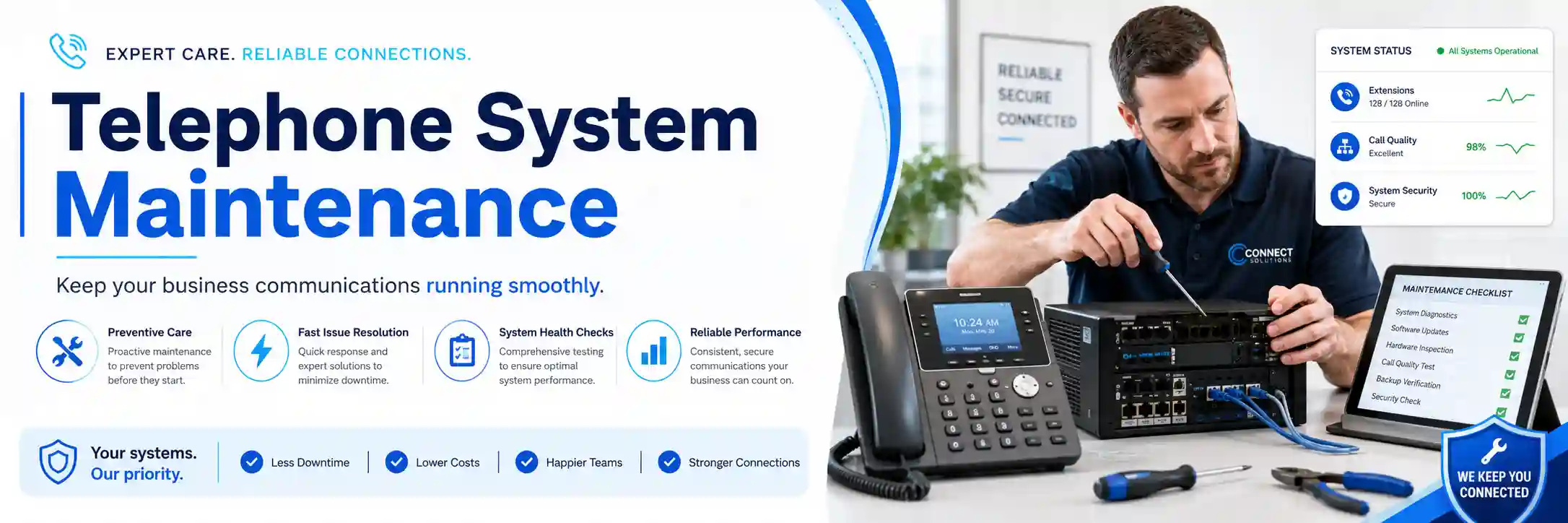
Health review, backups, call behaviour and recurring faults.
Remote or on-site work according to access and physical requirements.
Backups, authorisation, testing and rollback considerations before changes.
Release, licences, providers, hardware and current configuration all matter.
What does Avaya IP Office maintenance involve?
Avaya IP Office maintenance is the planned review and support of an existing IP Office telephone environment so that its configuration, connected devices, backups, call flows and operational dependencies remain manageable. It is mainly used to reduce repeated faults, prepare for safe changes, keep business routing aligned with current staffing and identify risks before an upgrade or failure becomes disruptive. Businesses should consider maintenance when they rely on IP Office for reception, departments, voicemail, remote or branch users, SIP connectivity or other daily call functions. Before work is confirmed, prepare the installed system and release information where available, user and site counts, current symptoms, recent changes, administrative access status, provider details and backup information. The exact service plan remains subject to assessment, authorisation and the approved quotation.
What the maintenance service can cover
Depending on the confirmed scope, FourTeck can review the IP Office platform, system configuration, extension records, incoming and outgoing call behaviour, hunt or ring groups, reception handling, business-hours logic, voicemail dependencies, connected phones, gateways, SIP or telecom-provider relationships, network readiness, backup position and maintenance documentation. The aim is not to change settings merely because they exist. Maintenance should identify which areas are stable, which are undocumented, which require attention and which should be left unchanged until a planned maintenance window or vendor dependency is confirmed.
A maintenance engagement may also investigate recurring symptoms such as calls reaching the wrong destination, phones losing registration, intermittent audio, voicemail concerns, unexplained user changes, trunk failures or inconsistent routing after office-hours changes. Each symptom can come from several layers, so checks should follow evidence rather than assumptions.
Who may benefit from planned maintenance
The service may suit organisations that have an established Avaya IP Office environment but limited internal telephony administration, incomplete documentation, repeated support incidents or uncertainty about the current configuration. It can also help businesses preparing for an office move, staff growth, department restructuring, provider change, handset replacement, network upgrade or a wider communications migration.
Typical environments include professional offices, clinics, showrooms, warehouses, property-management teams, service businesses, retail operations and multi-branch organisations where telephone availability directly affects reception, sales, support, bookings or internal coordination. The final service approach depends on the architecture, equipment condition, licensing, access, site arrangement and operational priorities rather than on organisation size alone.
Common maintenance triggers and what they may indicate
A recurring telephone problem does not automatically mean the PBX itself is failing. Avaya IP Office sits within a wider environment that can include IP phones, analogue or digital interfaces, switches, Power over Ethernet, structured cabling, routers, firewalls, SIP services, telecom circuits, voicemail applications and user-specific settings. Maintenance becomes more useful when these dependencies are considered together.
Intermittent calling problems
Dropped calls, failed outbound attempts or inconsistent inbound calls can involve trunks, provider routing, firewall behaviour, network quality, gateway status or configuration. The maintenance process should determine where the call path changes before corrective action is selected.
Phones losing registration
A phone that becomes unavailable may be affected by local power, switch ports, VLAN settings, addressing, provisioning, network reachability or endpoint condition. Rebooting the handset may temporarily restore service without revealing the underlying reason.
Call flow no longer matches the business
Staff changes, new departments, altered office hours or old forwarding rules can leave callers reaching former users or unsuitable destinations. Maintenance can compare the intended business flow with the actual configuration before updates are approved.
Unknown backup or administrator status
If nobody knows when the configuration was last backed up, who holds authorised administrator access or what changed recently, even a small incident becomes harder to handle. Documentation and backup review are therefore maintenance priorities, not just administrative tasks.
Business impact when maintenance is postponed
Telephone systems often appear stable until a staff change, provider issue, failed device or urgent routing request exposes gaps in documentation and access. Postponed maintenance can increase the time needed to understand a fault because the support engineer may first need to reconstruct the environment. Reception teams can be left with outdated extension lists, departments can rely on forwarding rules nobody has reviewed, and a configuration change can carry more risk when no current backup is available.
The impact is not limited to complete downtime. A business may continue operating while losing calls after hours, sending customers to the wrong queue, experiencing poor audio, failing to notify users about voicemail, or maintaining extensions for staff who have left. These smaller issues can create repeated support requests and confusion. Planned maintenance gives the organisation an opportunity to separate urgent faults from housekeeping, lifecycle concerns and future improvement work, so each item can be prioritised appropriately.
Possible Avaya IP Office maintenance scope
The following areas illustrate what may be reviewed. They are not automatic inclusions. FourTeck confirms the actual maintenance scope after understanding the environment, access, business priorities and any vendor or provider dependencies.
| Maintenance Area | Possible Assistance | Important Dependency |
|---|---|---|
| Configuration health | Review of relevant system settings, users, extensions and known recent changes. | Authorised administrative access and installed release information. |
| Call routing | Comparison of reception, department, office-hours and overflow behaviour with current business requirements. | Approved call-flow requirements and telecom-provider configuration where relevant. |
| Backup readiness | Check that an appropriate current configuration backup approach is understood before change work. | Deployment type, software release, storage destination and valid access. |
| Endpoint condition | Checks for affected IP phones, power, registration, switch connectivity and user-specific symptoms. | Physical access may be required for hardware, cabling or port testing. |
| Voice quality | Review of network conditions, relevant VLAN or QoS behaviour, provider path and call symptoms. | Results depend on network visibility and third-party service access. |
| Voicemail and applications | Review of reported voicemail or application issues where they form part of the installed solution. | Application version, licensing, server health and access may affect scope. |
| Upgrade readiness | Inventory, compatibility questions, backup preparation and risk review before any proposed upgrade. | Vendor documentation, licences, hardware supportability and maintenance window. |
| Documentation | Recording key contacts, extension structure, call-flow notes, provider dependencies and completed actions. | Accuracy depends on customer records and what can be verified during the engagement. |
When this service is a good fit
| Business Situation | Relevant Assistance | What Must Be Confirmed |
|---|---|---|
| Repeated telephone issues with no clear pattern | Incident history review, call-path checks and dependency testing. | Symptoms, affected users, timing, logs and recent changes. |
| Staff or department restructuring | Extension, group, reception and call-flow review. | Desired routing, permissions and accepted maintenance window. |
| Upcoming office move or network change | Current-state documentation, dependency mapping and move planning. | New site network, provider, cabling, power and timeline. |
| Uncertain backup and administrator arrangements | Administrative readiness and backup-process assessment. | Authorisation, valid accounts and deployment details. |
| Considering an upgrade or replacement | Inventory, lifecycle questions, configuration capture and options planning. | Business requirements, supportability, licences, endpoints and provider dependencies. |
Service information at a glance
Maintain visibility, supportability and operational readiness of an existing Avaya IP Office environment.
Often suitable for authorised configuration review, logs, call-flow analysis and administrative tasks when secure access is available.
Useful when hardware, cabling, gateways, rack equipment, phones, switch ports, power or local testing must be inspected.
Scope dependent. Administrative access, network visibility, provider information or site access may be required.
May include internal, inbound, outbound, voicemail, routing and endpoint checks according to approved change scope.
The commercial scope depends on system condition, access, users, sites, required tasks, scheduling and third-party involvement.
Remote maintenance versus on-site maintenance
When remote assistance may be appropriate
Remote work can be effective when the system is reachable, secure authorised access is available and the maintenance task relates primarily to software, configuration, call routing, user administration, logs, backup review or coordination with a provider. A local contact may still be needed to place test calls, confirm handset behaviour or provide physical observations.
Remote access should not be treated as permission for unrestricted change. The intended outcome, administrator authorisation, backup position and risk of service interruption should be understood before settings are modified. Some checks can remain diagnostic only until a maintenance window is agreed.
When an on-site visit may be recommended
On-site work is more suitable when the problem involves physical equipment, local power, server or control-unit condition, phones, expansion hardware, gateways, switch ports, cabling, rack access or symptoms that cannot be reproduced through remote administration. It may also be useful when several users or departments need coordinated testing.
Site attendance depends on location, engineer scheduling, building access, customer availability and the approved scope. Replacement parts, vendor services or telecom-provider work may require separate arrangements.
How a maintenance assessment is approached
A useful maintenance visit should produce more than a list of settings. It should establish what the telephone system is expected to do, what users are experiencing, what evidence is available and which technical layers may be involved. FourTeck can structure the assessment around the following sequence.
Identify whether the concern affects reception, one user, one department, all external calls, voicemail, a branch or the wider organisation.
Confirm deployment type, installed release where known, endpoints, trunks, applications, network dependencies and relevant providers.
Review symptoms, error messages, call examples, timing, recent changes, logs where available and observations from users.
Verify that authorised access is available and determine what backup or rollback preparation is appropriate before change work.
Compare call routing, endpoint behaviour, network conditions and provider dependencies without changing unrelated settings.
Separate urgent faults, maintenance housekeeping, documentation gaps, lifecycle concerns and optional improvements.
Make only authorised changes within the agreed scope, with suitable rollback and maintenance-window considerations.
Test the agreed functions, record completed work, note remaining dependencies and set out practical next actions.
Controlled maintenance changes and rollback planning
Maintenance sometimes identifies a setting that should be corrected immediately, but not every finding should be changed during the same session. Telephone systems carry active calls and business routing, so the risk of interruption should be considered before configuration changes, software updates, restoration work or other actions that may restart services. The installed Avaya IP Office release and architecture determine which administration and backup methods are relevant, so current documentation should be matched to the actual environment rather than assumed.
Before a significant change, a suitable configuration backup should be confirmed and stored according to the agreed process. If an upgrade is being considered, application versions, expansion units, licensing and connected components may need compatibility review. A rollback approach should be realistic: it must consider what can be restored, what may require a reboot or maintenance window, and which third-party services cannot be controlled by the PBX administrator. FourTeck can help turn these dependencies into a change plan that management can understand before work begins.
Testing, validation and handover after maintenance
A maintenance task should end with evidence that the agreed business functions still work. The appropriate tests depend on what changed. For a reception-routing update, this may mean placing inbound calls to relevant numbers, confirming ring order, checking overflow behaviour, validating business-hours routing and confirming voicemail where applicable. For an endpoint issue, testing may include registration, inbound and outbound calling, transfer, hold, audio in both directions and the user-specific feature that triggered the incident.
Validation is also an opportunity to identify what remains outside FourTeck’s control. A provider may need to confirm trunk routing, a network issue may require switch or firewall work, or failing hardware may need replacement. These items should be recorded rather than hidden behind a temporary workaround. Handover can include a summary of completed changes, affected users or extensions, backup status, outstanding risks, provider actions and recommendations for the next maintenance cycle. Where customer administrators manage routine user changes, practical guidance can also be provided within the confirmed service scope.
Faster fault isolation through better records
Repeated incidents become harder to resolve when nobody has a reliable record of extensions, provider details, recent changes or previous fixes. Maintenance can improve visibility by recording the current call structure, key dependencies, known exceptions and ownership of external services. This does not eliminate future faults, but it reduces the amount of time spent reconstructing the environment before diagnosis can begin.
Documentation is most useful when it is practical. A concise extension map, list of critical numbers, reception flow, provider contacts and note of administrative dependencies may be more valuable than a large document nobody updates. The level of documentation should match the agreed scope and the customer’s internal operating model.
Safer changes to call routing and users
Businesses change faster than telephone configurations. Staff join, leave or move departments; opening hours change; reception cover shifts; new numbers are introduced. Uncontrolled changes can create hidden forwarding rules or leave old extensions active. Maintenance provides a chance to compare current business requirements with the system configuration and prioritise cleanup.
The important dependency is authorisation. FourTeck should know who has approved the new call flow, whether a test window is available and how users will confirm expected behaviour. A technically successful change is not useful if it sends calls somewhere the business did not intend.
More maintainable upgrade decisions
An older IP Office environment may continue to serve the business, but maintenance can expose questions about release support, hardware condition, licences, application dependencies and endpoint compatibility. These questions are valuable even when no immediate upgrade is planned because they help management understand what would be required if a critical component fails or a provider change becomes necessary.
FourTeck can help document the current state and identify information that must be checked against current Avaya documentation before an upgrade or migration. The decision should be based on business needs, supportability, risk and cost rather than on the assumption that newer is automatically better.
Dependencies, access and customer inputs
Avaya IP Office maintenance depends on accurate environment information and appropriate authorisation. A telephone platform can be connected to services controlled by different parties, including an internet provider, SIP or telecom carrier, building cabling contractor, network administrator, application vendor or managed service provider. FourTeck can coordinate technical evidence, but third-party actions remain subject to the relevant provider’s process and account permissions.
Customers may need to provide the service location, affected departments, a local contact, system or server information, endpoint details, provider account references, licence information, existing network diagrams, recent change records and the availability of administrative access. Credentials should never be published or sent through an insecure public channel. They should be shared only through an approved secure method after identity, authorisation and the support requirement are confirmed.
If the environment is undocumented, that does not prevent an assessment, but it may increase discovery work. The quotation can separate discovery from corrective maintenance if the current system must first be inventoried and mapped.
Risks, limitations and exclusions to understand
Maintenance improves visibility and readiness, but it cannot remove every dependency from a business telephone system. Diagnosis depends on access and available evidence. Some faults require action from a telecom carrier, internet provider, software vendor or hardware manufacturer. Physical failure may require replacement parts that are outside the maintenance labour scope. Unsupported or legacy components may have limited repair, security or upgrade options.
Configuration, backup restoration or software work can require a maintenance window and may interrupt calls or services. No change should be described as risk-free. A successful test after maintenance confirms the functions that were tested at that time; it does not guarantee future availability or remove the need for ongoing monitoring and maintenance. Any migration or major upgrade remains dependent on compatibility, licences, source configuration, backup quality, hardware condition and third-party services. Final inclusions, exclusions and commercial terms are defined by the approved quotation or service agreement.
Business environments where IP Office maintenance may be useful
Professional offices
Reception, direct extensions, department groups and after-hours routing need to reflect changing staff responsibilities. Maintenance can help keep these call paths understandable and documented.
Retail and showrooms
Customer calls may need to reach sales desks, branches or service teams. Repeated routing complaints can be reviewed alongside internet, SIP and network dependencies.
Warehouses and operational sites
Phones may be distributed across offices, loading areas or remote buildings. On-site maintenance can become important where cabling, power or local network conditions affect endpoints.
Multi-branch organisations
Branch connectivity, numbering plans, shared reception and provider dependencies make documentation particularly important. Maintenance can map which services are local and which rely on central systems.
Operational, security and maintenance considerations
Telephone maintenance should include operational ownership. Someone in the business should know who approves extension changes, who controls the telecom account, where system information is stored and which users are permitted to administer call routing. Shared or undocumented administrator access creates avoidable risk because changes become difficult to attribute and recover.
Network-connected telephony also depends on controlled access to the wider IT environment. Firewall rules, remote administration methods, voice VLANs, endpoint provisioning and provider connectivity should be maintained intentionally rather than opened broadly for convenience. Security improvements reduce risk but cannot guarantee complete protection. Where the installed release has vendor-specific administration or update requirements, maintenance should follow current applicable Avaya guidance rather than generic operating-system or application practices.
A recurring maintenance cycle can be shaped around the actual environment. One organisation may need periodic configuration and backup review because staff changes are frequent, while another may need more attention to provider incidents or hardware lifecycle. Frequency, included tasks and visit patterns should be confirmed in the service plan rather than assumed.
Before you contact FourTeck
Preparing a small amount of accurate information helps distinguish a maintenance request from an urgent incident and allows the correct support method to be discussed.
Maintenance scope and quotation checklist
A clear quotation should state what is being assessed and what corrective work is included. The following points help define the engagement without assuming that every item forms part of the service automatically.
- Confirm whether the objective is preventive maintenance, fault investigation, configuration cleanup, documentation, upgrade preparation or a combination.
- Confirm the number of IP Office systems, servers, sites and users involved.
- Identify whether phones, gateways, voicemail applications or other connected components need inspection.
- Agree whether remote review is sufficient or on-site physical work is required.
- Define any requested call-flow, extension, queue, group or office-hours changes.
- Confirm backup, configuration export or rollback preparation required before change work.
- Identify provider, ISP or third-party coordination that may be necessary.
- Agree the test calls and user acceptance required after maintenance.
- Confirm what documentation or administrator handover should be delivered.
- Separate replacement hardware, licences, carrier charges or project work from maintenance labour where applicable.
- Confirm scheduling, building access and any maintenance-window restrictions.
- Record exclusions so that future incidents are not assumed to be covered automatically.
How FourTeck can assist with Avaya IP Office maintenance
FourTeck’s role is to turn a broad request such as “maintain our phone system” into a defined technical and business scope. The process can begin by clarifying what the system supports, which users and sites rely on it, whether there is a current incident and what records already exist. From there, FourTeck can identify which checks can be performed remotely, which require physical inspection and which depend on a third-party provider or vendor.
Assistance may include configuration and call-flow review, endpoint and connectivity checks, evidence gathering for intermittent problems, backup-readiness review, change planning, controlled administrative work, testing and technical documentation. Where the issue belongs to a carrier, ISP or another vendor, FourTeck can help organise the technical information needed for escalation. Where the system is approaching an upgrade or migration decision, the maintenance findings can be used to build an inventory and identify questions about supportability, licences and compatibility before a separate project is quoted.
Businesses can review FourTeck’s wider business IT support approach, browse the IT services overview, learn more about FourTeck’s service orientation, or contact FourTeck to define the maintenance scope.
Dubai and UAE service coordination
For a Dubai business, the first decision is whether the maintenance requirement can be assessed remotely or whether the environment needs an on-site visit. Remote review may be efficient for configuration, call-flow, logs and administrative checks when secure access is available. On-site support may be recommended when the work involves phones, gateways, physical PBX hardware, server condition, rack access, cabling, switches, power or local testing that cannot be verified from the system interface.
Service timing depends on engineer availability, customer access, building rules, the confirmed work scope, required parts and third-party providers. If a maintenance action could affect active calls, a suitable change window should be agreed. If the issue concerns a carrier number, SIP service or internet circuit, provider coordination may be required before the final result can be confirmed. Contact FourTeck to confirm the service scope and scheduling options rather than assuming a fixed attendance or completion time.
Coverage coordination for Dubai, Abu Dhabi, Sharjah and Ajman
FourTeck can discuss Avaya IP Office maintenance requirements for businesses in Dubai, Abu Dhabi, Sharjah and Ajman through a combination of remote assessment and planned on-site coordination, depending on the confirmed scope. A multi-site organisation may first benefit from remote discovery to identify which systems, users and providers are involved, followed by targeted site work only where physical testing is necessary.
The service plan can be influenced by travel, site access, maintenance windows, equipment availability, local contact availability and third-party provider actions. Branches may also use different network designs or carrier services even when they share the same telephone platform, so each site’s dependencies should be recorded. The objective is to organise maintenance around the actual environment rather than repeat the same checklist at every location.
Related FourTeck IT services
Office telephone support
Useful when the priority is a current user, handset, call-routing or voice-quality problem rather than a broader maintenance review.
Network support
Relevant when IP phones, voice VLANs, switches, cabling, internet quality or firewall behaviour contribute to telephony symptoms.
Business IT services
Useful for office moves, infrastructure changes, user growth and projects where telephony must be coordinated with the wider IT environment.
IT maintenance planning
Suitable when the organisation wants recurring support to cover telephony alongside other business technology and documentation needs.
Why businesses contact FourTeck for telephone maintenance
A telephone incident often sits between several technical owners. The PBX may be working while the switch port is unstable; the network may be healthy while a carrier route is wrong; the phone may register while a call-flow rule sends customers to an old destination. FourTeck approaches maintenance from this connected point of view, looking at users, endpoints, PBX configuration, network conditions and provider dependencies rather than treating each device as an isolated problem.
Businesses also need understandable findings. Managers may not need every technical parameter, but they do need to know what was checked, what was changed, what remains outside the current scope and what should happen next. FourTeck can organise remote and on-site support, plan changes, document outcomes and prepare a quotation around the confirmed environment. The aim is practical maintainability and clearer decision-making, without unsupported promises about response time, uptime or guaranteed resolution.
Questions businesses ask before arranging Avaya IP Office maintenance
The questions below reflect practical decisions customers often need to make before requesting maintenance. The direct answer appears first, followed by the dependencies that can affect the scope.
Can our Avaya IP Office system be checked remotely?
Often, yes, when the system is reachable and authorised secure access is available. Remote maintenance can be suitable for reviewing configuration, extension settings, call routing, logs, backup readiness and user-reported behaviour. It is less suitable when the concern depends on physical hardware, cabling, power, switch ports or an endpoint that cannot be verified from the administration interface. A local user may also need to make test calls or report what appears on a handset. Before remote work begins, the organisation should confirm who authorises access, what maintenance objective is approved and whether any planned change could interrupt service.
When is an on-site visit usually needed for IP Office maintenance?
An on-site visit is usually more useful when physical inspection forms part of the diagnosis or maintenance work. Examples include checking a control unit or server, expansion hardware, gateways, phone condition, rack installation, network cabling, Power over Ethernet, switch ports or local power. It can also be appropriate when several users have different symptoms and coordinated testing is easier at the site. The visit scope should be clear before attendance because replacement equipment, building access, third-party contractors or after-hours work may require separate arrangements. Scheduling depends on location, access, engineer availability and the approved quotation.
What information should we prepare before asking for maintenance?
Prepare enough information to describe the environment and business impact without sharing passwords publicly. Useful details include the site location, number of users and extensions, installed IP Office release if known, major system components, telecom or SIP provider, current symptoms, recent changes, backup status and whether authorised administrator access is available. If the problem is intermittent, note example calls with approximate times, source and destination details where appropriate, and which users were affected. This evidence can help distinguish a PBX issue from a provider or network issue and allows FourTeck to determine whether remote discovery or an on-site assessment is the better first step.
Is maintenance the same as repairing a current fault?
Not exactly. Fault repair focuses on restoring a specific failed function, while maintenance can include preventive review, configuration housekeeping, backup readiness, documentation, recurring-incident analysis and planning for future changes. A maintenance visit may uncover a current fault that needs corrective work, but the quotation should clarify whether repair is included or whether it becomes a separate task. This distinction is useful when a business has several small concerns but no complete outage. It allows urgent problems to be prioritised while longer-term items such as call-flow cleanup, lifecycle review or documentation are handled in a controlled way.
Should we maintain the existing system or plan an upgrade?
The answer depends on supportability, hardware condition, installed release, licences, business requirements, connected phones and applications, provider dependencies and the cost or risk of continued operation. Maintenance can provide the evidence needed for that decision. If the environment is stable and still meets operational needs, targeted maintenance may remain appropriate. If the system has unsupported components, repeated failures, major capacity constraints or compatibility problems with required services, an upgrade or migration assessment may be more sensible. FourTeck can document the current state and identify the questions that need verification before a separate upgrade scope is prepared.
Can maintenance improve poor call quality?
It can help identify the cause, but poor audio does not automatically come from IP Office. Voice quality can depend on the handset, switch port, local network, voice VLAN, cabling, internet connection, firewall, SIP provider and the remote destination. Useful maintenance therefore compares affected and unaffected calls, checks whether the symptom is internal or external, and reviews available network or provider evidence. Corrective action may belong to the PBX configuration, network infrastructure or a third party. A good scope avoids replacing phones or changing PBX settings until the likely fault domain has been narrowed.
What can affect the final maintenance quotation?
The final quotation can be affected by the number of systems and sites, user count, deployment type, system condition, documentation quality, required access, whether remote work is possible, the amount of physical testing, requested configuration changes, maintenance-window restrictions and third-party coordination. A heavily documented system with one clear objective may require less discovery than an environment where administrator access, provider ownership and extension records are unknown. Replacement parts, licence changes, carrier work or a major software upgrade should be identified separately where they are not part of the maintenance labour scope.
Do we need a backup before changing IP Office settings?
A suitable current backup or rollback position should be considered before material changes, especially when the work could affect call routing, applications or service availability. The exact backup method depends on the installed IP Office architecture and release, so the maintenance engineer should use the procedure that applies to that environment. Backup alone does not make a change risk-free; it must be usable, stored appropriately and paired with an understanding of what a restore would affect. Where a change may require service restart or downtime, the business should approve a maintenance window and test plan in advance.
Can FourTeck maintain call groups, office hours and reception routing?
These areas can form part of the service when they are included in the approved scope and the required access is available. The technical change should start with a written business requirement: which number is called, who should ring first, what happens when nobody answers, how office hours differ from after-hours, and where voicemail or overflow should go. This prevents the maintenance task from becoming a series of unrecorded adjustments. After approved changes, test calls should confirm the expected behaviour and the updated flow should be documented for future staff changes.
What if the fault is actually with our telecom provider?
FourTeck can help gather technical evidence and identify when the symptom appears to leave the local PBX environment, but the carrier controls its own service and routing. Provider issues may require account verification, ticket escalation, number routing checks or work that only the carrier can perform. Useful evidence can include affected numbers, call examples, approximate times, inbound versus outbound behaviour and whether other services are operating normally. Maintenance is valuable because it can prevent repeated local configuration changes when the available evidence points to a third-party dependency.
What should be tested after a maintenance change?
Testing should match the change and the business process it supports. Typical validation can include internal calling, inbound and outbound calls, reception routing, extension ringing, hold and transfer, voicemail, office-hours behaviour, caller identification or a specific problem that was reported. If the work involves several sites or providers, tests may need to be repeated across the relevant paths. The purpose is not to run every possible feature test, but to confirm the approved functions and record any remaining issue. User acceptance from the people who actually handle calls is often an important part of handover.
How often should Avaya IP Office maintenance be scheduled?
There is no single maintenance interval that suits every business. Frequency should reflect the number of users and sites, how often staff or routing changes occur, business dependence on telephony, age and supportability of the system, incident history and how much internal administration is available. An organisation with frequent employee changes may benefit from more regular configuration and documentation review, while a stable environment may need a different pattern. The service agreement should define the covered tasks, reporting and visit expectations rather than assuming unlimited support or a fixed frequency.
Can maintenance prepare us for an office move or migration?
Yes, maintenance can be a useful discovery stage before a move or migration because it documents what must be preserved. Important items can include extension ranges, direct numbers, reception flows, hunt groups, voicemail requirements, connected phones, gateways, provider services, network dependencies and administrator access. A move then becomes a planned change rather than an attempt to recreate the old system from memory. The migration or relocation itself should be quoted separately if it includes provider changes, new cabling, installation, licensing, equipment replacement or a staged cutover. Testing and rollback planning are especially important when business numbers must remain reachable during the transition.
Frequently asked questions
Does maintenance include every Avaya IP Office task?
No. The service can include selected health checks, troubleshooting, configuration review, backup readiness, testing and documentation, but the final inclusions depend on the assessment and approved quotation. Major upgrades, licences, replacement hardware, carrier charges or third-party work may be separate.
Can you maintain an older IP Office system?
An older environment can be assessed, but available options depend on the installed release, hardware condition, licensing and current vendor supportability. Some legacy components may have limited upgrade or repair choices. The first step is to identify the current state rather than promise a specific outcome.
Will maintenance interrupt our calls?
Some review work can be non-disruptive, while certain configuration, restoration, restart or upgrade actions may affect service. Any potentially disruptive step should be identified and planned within an approved maintenance window where required.
Do you need our administrator password?
Authorised administrative access may be required for some tasks, but credentials should not be posted publicly or sent through insecure channels. Access should be shared only through an approved secure method after identity, authorisation and the service scope are confirmed.
Can you check IP phones as part of maintenance?
Yes, endpoint checks can be included where relevant. A phone issue may involve registration, local power, switch ports, VLANs, cabling, provisioning or the device itself, so the maintenance scope should consider the full path rather than the handset alone.
Can you coordinate with our SIP or telecom provider?
Provider coordination can be included when a fault or change depends on services outside the local system. FourTeck can help gather call examples and technical evidence, while the provider remains responsible for actions within its own network and account.
Can maintenance include documentation?
Yes. Documentation may include key extension information, call-flow notes, provider dependencies, completed changes, backup status and outstanding recommendations. The exact deliverable should be defined in the quotation.
Do you provide maintenance across the UAE?
FourTeck can discuss remote and on-site coordination for Dubai and other UAE locations including Abu Dhabi, Sharjah and Ajman. Scheduling, travel, site access and the confirmed service scope affect the plan.
Can maintenance include an IP Office upgrade?
Upgrade readiness can be assessed, but an actual upgrade should be planned separately when it requires compatibility review, licensing, backups, maintenance windows, software work or third-party coordination. Zero downtime should not be assumed.
What happens after the assessment?
FourTeck can explain the findings, distinguish urgent corrective work from longer-term recommendations and prepare a quotation for the agreed next steps. Approved work can then be scheduled, tested and documented according to the confirmed scope.
Plan an Avaya IP Office maintenance assessment
If your organisation relies on Avaya IP Office and needs a clearer maintenance plan, recurring-fault review, configuration assessment, backup-readiness check or preparation for a controlled change, contact FourTeck with the basic system and business information you already have. The next step can be shaped around remote discovery, an on-site assessment or a scoped maintenance quotation depending on access, location and the work required.