
Yeastar IVR Configuration Dubai in Dubai, UAE
A useful IVR should make the next step obvious to a caller and predictable for the team receiving the call. FourTeck helps businesses review, plan, configure, test, and document Yeastar IVR call flows so menu prompts, key choices, office hours, queues, extensions, and fallback destinations work together as an intentional customer journey rather than a collection of unrelated PBX settings.
The first step is to understand what should happen to an incoming call, which numbers enter the flow, which teams are available at different times, and what should happen when a caller makes no selection or chooses an invalid option. The exact configuration depends on the Yeastar platform, current software, authorised access, existing inbound routes, prompts, extensions, queues, trunks, business hours, and the approved change scope.
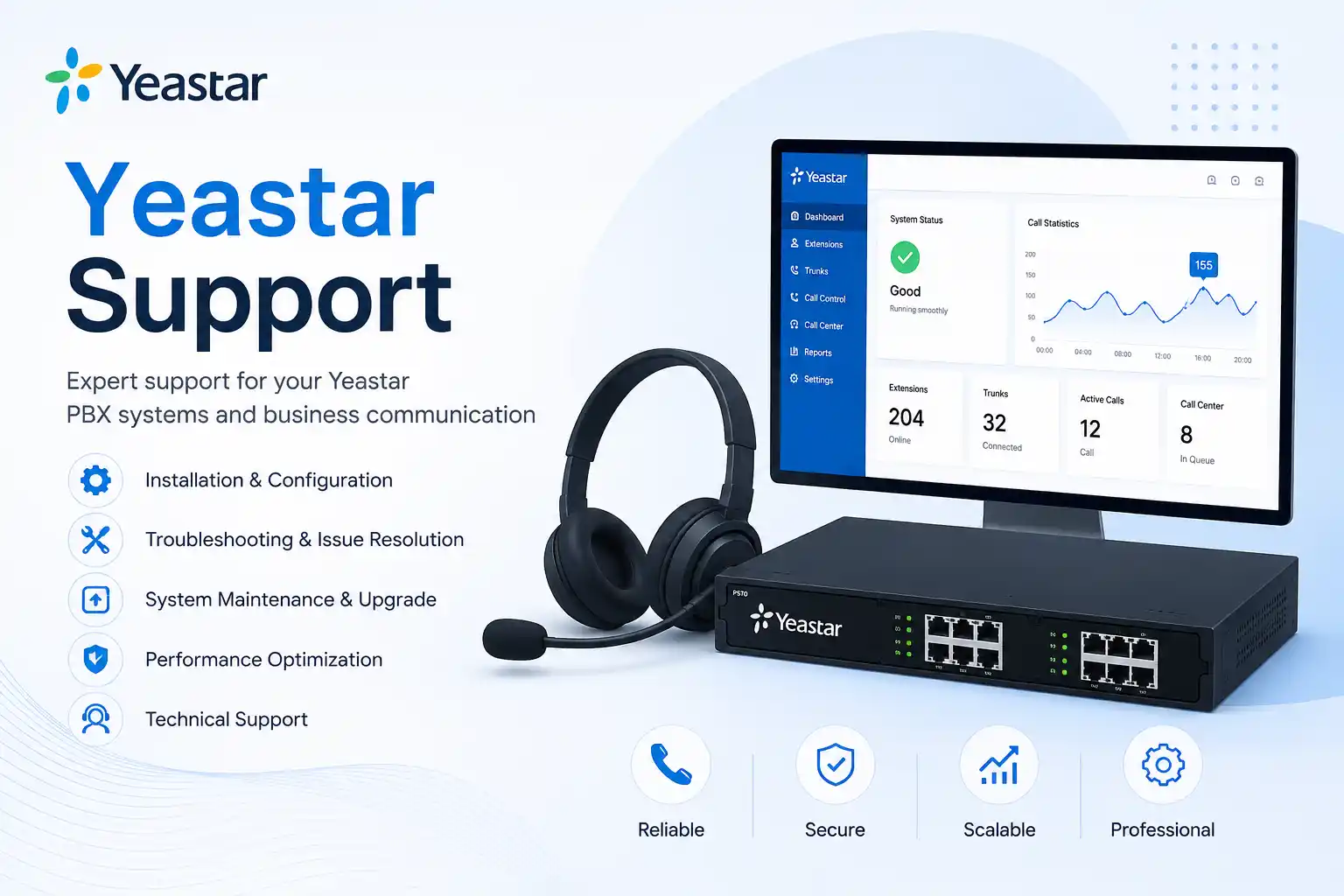
Menu design follows the required business journey.
Existing routes and dependencies are reviewed before edits.
The service method depends on access and physical requirements.
Completed routing is validated against agreed scenarios.
What does Yeastar IVR configuration do?
Yeastar IVR configuration creates a structured voice menu for incoming calls. A caller hears an approved prompt, enters a key choice, and is routed to the destination defined for that choice. Depending on the environment, destinations may involve extensions, ring groups, queues, voicemail, another IVR level, or other available PBX call destinations. Businesses normally use IVR configuration to make reception routing clearer, separate departments, support office-hours and after-hours behaviour, offer language choices, or reduce repeated manual transfers. Before work is confirmed, FourTeck needs to understand the current PBX platform and software level, incoming numbers and routes, required menu wording, departments and users, business hours, available destinations, fallback behaviour, access permissions, and the customer’s testing and change-window requirements. Configuration is environment dependent and should be tested before being treated as complete.
What the service can cover
Depending on the confirmed scope, assistance may include reviewing an existing IVR, mapping a new call flow, checking inbound routes, identifying available destinations, creating or updating menu choices, reviewing voice prompts, setting invalid-input and timeout behaviour, connecting IVR choices to queues or ring groups, coordinating business-hours logic, planning multi-level menus, reviewing language requirements, testing caller journeys, documenting the approved routing, and supporting follow-up adjustments after users have validated the design.
The service is not limited to pressing buttons inside the PBX interface. A reliable result depends on understanding how calls enter the telephone system, how staff actually answer them, what happens when a department is busy, and how the business wants callers treated outside normal working hours. That operational context is what turns a technically valid menu into a practical business call flow.
Who may need IVR assistance
The service may suit offices that receive calls for several departments, companies with reception teams that repeatedly transfer callers, customer-service operations using queues, organisations adding new branches or departments, businesses changing working hours, and teams replacing an unclear or outdated telephone menu. It can also help when a company has inherited a Yeastar PBX without reliable documentation and wants to understand existing routing before making changes.
Smaller businesses may need a simple single-level menu such as sales, accounts, and support. Larger or multi-site environments may require separate routes for language, business unit, queue, branch, or after-hours handling. Complexity should follow genuine caller needs. Adding layers simply because the platform can support them can make navigation slower and harder to maintain.
Common reasons businesses review a Yeastar IVR
An IVR review often begins with an operational symptom rather than a technical fault. Callers may report that they cannot reach the expected team, a menu option may lead to the wrong extension, an old employee may still be referenced in a prompt, or after-hours calls may ring a department that is no longer staffed. Reception may be receiving too many calls that should have gone directly to a queue, while customer-service staff may see calls arriving without a clear reason or priority.
A key selection reaches a user, group, queue, or voicemail destination that no longer matches the business requirement.
The recorded wording describes departments, opening hours, or choices that have changed.
Calls behave differently from what managers expect outside normal working periods or during holidays.
Callers who do not select an option are left in a loop, disconnected unexpectedly, or sent to an unsuitable destination.
A caller must make several choices before reaching a person, increasing abandonment or wrong selections.
Previous edits were made without a current call-flow diagram, making each new change harder to assess safely.
The same symptom can come from different layers. A caller reaching the wrong place may be caused by the IVR key mapping, an inbound route, a time condition, a queue configuration, a forward on the destination extension, or a change made elsewhere in the PBX. A configuration service should therefore verify the path rather than assume the IVR itself is always the cause.
Business impact of unclear call routing
A confusing voice menu can create small delays on every call, which becomes a larger operational issue when call volume grows. Customers may reach accounts when they need support, suppliers may be transferred several times, and urgent service requests may land in a general mailbox. Reception staff can become a manual routing layer even though the PBX was intended to reduce that workload. The result is not necessarily a complete telephone outage, but it can still affect response quality, staff concentration, customer confidence, and the ability to measure where calls are going.
Poorly planned changes can also create risk. Replacing a destination without checking related time conditions may fix daytime calls but break after-hours behaviour. Deleting a prompt without checking where it is used may affect another menu. Allowing extension dialing without considering the business policy may expose internal numbering patterns or create an unexpected caller experience. These examples do not mean IVR configuration is inherently dangerous; they show why a business call flow should be mapped, approved, backed up where appropriate, changed in a controlled window, and tested across realistic scenarios.
Possible Yeastar IVR configuration scope
The exact scope is confirmed after the existing environment and required caller journey are understood. The following items illustrate what may be included when relevant; they are not automatic inclusions in every engagement.
| Service area | Possible assistance | What must be confirmed |
|---|---|---|
| Call-flow discovery | Map how incoming calls should move from number to menu and final destination. | Incoming numbers, departments, users, business priorities, current routing. |
| Voice prompts | Review prompt wording and coordinate approved prompt files for the IVR. | Final script, language, audio format, ownership and approval of recordings. |
| Key actions | Assign menu choices to available destinations supported by the current PBX environment. | Destination existence, extension and queue status, user responsibilities. |
| Timeout and invalid input | Define caller treatment when no key is selected or an unsupported choice is entered. | Desired fallback behaviour and available destination. |
| Business hours | Coordinate IVR routing with applicable office hours, holidays, or time conditions. | Working schedule, time zone, holiday policy, after-hours destination. |
| Multi-level or language flow | Plan additional menu layers where they reduce caller confusion and are supported. | Platform edition, software version, language prompts, destination readiness. |
| Testing and handover | Test agreed scenarios and record the implemented routing for administrators. | Test numbers, user availability, acceptance criteria, documentation scope. |
Is this configuration service a good fit for your situation?
| Business situation | Relevant assistance | Recommended next step |
|---|---|---|
| Reception transfers many calls manually. | Review whether a simple department menu, ring group, or queue destination could reduce repeated transfers. | Share typical call reasons and the teams responsible for each one. |
| Existing menu sends callers to old staff or departments. | Audit current prompt wording and destination mapping before changing the live flow. | Provide the current extension list and intended new structure. |
| Calls need different handling after business hours. | Review time conditions, after-hours prompt, voicemail, queue, or approved fallback routing. | Confirm working hours, holiday treatment, and after-hours ownership. |
| Business wants bilingual or multi-language caller guidance. | Assess whether the current Yeastar edition and software support the required language-flow design. | Prepare approved language scripts and identify destination teams. |
| IVR works, but callers complain it is too long. | Simplify the menu around the most common caller goals and remove unnecessary layers. | Share call reasons, menu feedback, and the shortest acceptable path to a person. |
Service information for planning the engagement
Plan and configure business caller routing through Yeastar IVR menus.
Yeastar PBX, inbound routes, SIP trunks, extensions, ring groups, queues, voicemail, prompts, time conditions, and IP phones.
Call-flow review, configuration review, destination validation, stakeholder input, and controlled testing.
Often suitable when secure authorised access and reliable internet connectivity are available.
May be needed where physical phones, gateways, cabling, network equipment, or local coordination are part of the issue.
Authorised PBX administration access and relevant business information; credentials should be shared only through an approved secure method.
Scenario based and scope dependent, including valid options, invalid input, no input, office hours, and selected destinations.
Current or updated call-flow notes, key mappings, destinations, prompts, and remaining dependencies where included.
Depends on access, change risk, user availability, location, engineer availability, and the approved quotation.
Final work and exclusions are confirmed after assessment and quotation.
Remote Yeastar IVR support versus on-site assistance
When remote configuration may be appropriate
IVR work is often mainly configuration, so remote assistance can be practical when the PBX is reachable through an authorised secure method and the customer has a contact who can approve and test changes. Remote work may cover reviewing settings, mapping call destinations, checking prompts, adjusting menu options, coordinating time conditions, reviewing queue or ring-group destinations, and performing controlled test calls. A working internet connection and appropriate administrator access are basic dependencies.
Remote support does not remove the need for business participation. Someone must confirm what each menu option is supposed to achieve, whether target users are available, what the after-hours policy should be, and whether the live change can be tested without disrupting critical calls. If the environment is undocumented, the discovery stage may take longer than the actual IVR edits.
When an on-site visit may be useful
On-site assistance may be recommended when the IVR project is connected to wider telephone or network work. Examples include replacing or provisioning reception phones, checking a gateway, tracing cabling, confirming switch ports or voice VLANs, troubleshooting local call-quality problems, coordinating several users in one office, or assessing a PBX that cannot be reached remotely. Local attendance can also help during a larger office move or telephone-system reorganisation where the call flow and physical extension layout are being changed together.
An on-site visit is not automatically required for every IVR change. The correct service method depends on the problem, authorised access, the current environment, the amount of physical work, and the approved scope. FourTeck can review the requirement first and advise whether remote work, on-site work, or a combination is more appropriate.
How the assessment and configuration process can work
Document the main reasons people call, which teams own those calls, and the shortest sensible route from greeting to destination.
Identify the Yeastar platform, software level, inbound routes, IVRs, prompts, queues, groups, extensions, time rules, and other relevant dependencies.
Verify authorised administration access, consider a configuration backup or rollback method where appropriate, and agree a change window suited to the business.
Translate approved menu wording into key actions, timeout and invalid-input handling, office-hours logic, and final destinations.
Make only the agreed configuration changes and avoid unrelated edits that would make troubleshooting or rollback more difficult.
Call through each published option, check no-input and invalid-input behaviour, confirm destination ringing, and validate office-hours treatment as relevant.
Reception, support, sales, accounts, or other affected teams confirm that calls arrive as expected and that the caller wording is understandable.
Document the final flow, remaining dependencies, and any follow-up recommendations so future changes start from a known configuration.
This process can be shortened or expanded depending on the complexity of the environment. A three-option menu on one inbound number may need a small change plan, while a multi-level flow across several business units, languages, business-hour conditions, and queues requires more discovery and testing. The important point is that the amount of planning should follow the potential business impact rather than a fixed template.
Capability focus: making the menu easier for callers to understand
An IVR is most useful when a caller can understand the available choices without remembering a long sequence. Menu wording should reflect how customers describe their needs, not only the internal organisation chart. A company may have separate internal teams for presales, account management, technical escalation, field operations, and renewals, but callers may simply think in terms of sales, support, billing, and reception. The routing design should therefore balance internal responsibility with language a caller can act on immediately.
Prompt order also matters. Frequently used choices are usually easier to reach when they appear early. Very long announcements can delay callers who already know what they need. Conversely, a prompt that is too short may omit important direction. FourTeck can help stakeholders turn the business requirement into a concise menu script and verify that the technical destinations support the promise made by the recording. If the prompt says “press 2 for support,” the destination behind key 2 should be a support handling path that the business has agreed, not merely an extension that happens to be available.
When language selection is required, the flow needs additional planning. Current Yeastar P-Series documentation describes multi-language IVR options on supported editions and software versions, but platform capability should be confirmed against the customer’s actual system before the design is approved. Language prompts, subsequent system prompts, key destinations, staffing, and after-hours treatment should all be considered together. A bilingual opening is not useful if one language route eventually reaches a team that cannot handle the call.
Capability focus: controlling office-hours and fallback behaviour
Many IVR problems appear only outside the normal working day. During office hours, calls may reach sales, accounts, reception, and technical teams correctly. After hours, the same path may need a different greeting, voicemail destination, external answering process, emergency instruction, or closed message. Public holidays can introduce another routing state. If these conditions are not documented, a change intended for one period can unintentionally alter another.
Current Yeastar P-Series guidance includes time-condition based handling for IVR key events on supported software versions. In a service engagement, FourTeck would confirm whether that capability applies to the customer’s system and whether it is the most maintainable way to achieve the required result. The configuration should be based on actual operating hours, time zone, holiday handling, and who owns after-hours calls. Where an external number or provider is involved, trunk permissions, outbound rules, carrier limitations, and cost responsibility may also need review.
Fallback design is equally important. A caller may press an unsupported key, wait without entering anything, or dial an extension that is not allowed. The business should decide what outcome is acceptable: repeat the prompt, route to reception, send to a queue, play a closing message, or use another available destination. The right answer depends on staffing and customer expectations. Testing must include these exceptions rather than only the happy path where every caller presses the expected key immediately.
Capability focus: building a call flow that is easier to maintain
Telephone menus tend to grow over time. A company adds a new department, opens a branch, changes a receptionist, introduces a queue, moves to different working hours, or adds another language. If each change is made directly in the live PBX without updating a diagram or ownership record, the environment becomes harder to understand. The next administrator can see the settings but may not know why a destination exists or whether another route depends on it.
Maintainability starts with a simple current-state map. It should show the inbound number or route, the IVR name, prompt, key choices, destinations, time conditions, and fallback behaviour. It should also record dependencies such as a queue name, ring group, voicemail box, or external provider requirement. This documentation does not need to be complicated, but it should be good enough that a future change can be assessed before anything is deleted or repurposed.
FourTeck can include documentation and administrator handover where agreed. The goal is to leave the business with a clearer view of what was changed, how it was tested, which items remain vendor or license dependent, and what should be checked if the menu behaves unexpectedly later. Documentation is particularly valuable for multi-site businesses where local staff may change but central administrators still need to understand how calls reach each team.
Dependencies, access, compatibility, and customer inputs
IVR configuration depends on more than the IVR object itself. The PBX must already have usable destinations or the project scope must include creating them. A menu choice that should reach support may depend on a queue with the correct agents, ring strategy, timeout, overflow behaviour, and user availability. A sales choice may point to a ring group whose members must be current. After-hours routing may rely on time conditions, voicemail, an external number, or another system. Inbound calls must reach the intended IVR through the correct trunk and route. These relationships should be checked before a live change.
The Yeastar model, edition, deployment type, and software version can affect which configuration options are available and where they appear in the administrative interface. Current P-Series documentation describes voice prompts, key press events, response and digit timeouts, multi-level IVR examples, and version-dependent functions such as certain time-condition and language controls. FourTeck should verify the actual customer system before confirming a specific design rather than assuming every Yeastar installation exposes the same options.
Customers should arrange appropriate authorisation for any PBX changes. Administrative credentials should not be published or sent through an unapproved public channel. Access can be provided through an agreed secure method after the customer’s identity and authority are confirmed. If the configuration change can affect live calls, a suitable maintenance or testing window may be required. Where possible and appropriate, the existing configuration should be backed up or a rollback approach agreed before significant changes.
Risk, limitations, and exclusions to understand before changes
No IVR configuration should be described as risk free when the existing environment is unknown. A PBX is a live communications system, and incorrect routing can affect customer calls. FourTeck therefore needs to understand the business impact and access conditions before changes are approved. The exact diagnostic result depends on available evidence, current documentation, administrator access, test availability, and whether third-party systems are involved.
Some problems that appear to be IVR faults can originate outside the IVR. A SIP trunk may not deliver the expected called number, an inbound route may point to a different destination, a queue may have no available agents, an extension may be forwarded, a firewall or network issue may affect phone registration, or the telecom provider may need to investigate signalling. In those situations, the service may require a separate troubleshooting scope or coordination with the provider. FourTeck can help gather relevant evidence and explain the dependency, but third-party action cannot be guaranteed.
Audio production, professional voice recording, translation, carrier services, additional licenses, replacement hardware, handset supply, gateway changes, or network remediation may fall outside a basic IVR configuration scope unless explicitly included in the quotation. Unsupported or legacy systems may offer fewer options. Final commercial terms, scheduling, exclusions, and post-change support are defined by the approved quotation or service agreement.
Business environments where an IVR review can be useful
Professional offices
Law, consulting, accounting, engineering, property, and other professional offices may use a short menu to separate reception, client services, accounts, and project teams. The key design question is whether direct department routing improves service or simply hides the receptionist when callers still need personal guidance.
Retail and service businesses
A business with sales enquiries, order status, service requests, and accounts calls may need different destinations during store hours and after hours. Queue staffing and peak call periods should be considered before sending every caller into the same waiting path.
Clinics and appointment-based teams
Calls may need to separate appointments, reception, billing, or administrative enquiries. The design should reflect the organisation’s own policies and privacy requirements; the IVR should not be treated as a substitute for proper handling of sensitive information.
Warehouses and logistics operations
Suppliers, drivers, customers, and internal teams may call for different reasons. A simple menu can reduce misdirected calls when the receiving teams are clearly defined and available, while site-specific numbers or branches may require separate routing logic.
Hospitality and property operations
Reception, reservations, facilities, accounts, security, or management calls can have different priorities. Any IVR should be designed around the actual operating model and should not delay callers who need immediate human assistance under the business’s own procedures.
Multi-branch companies
A central number may route by department, branch, language, or business hours. Multi-site routing needs stronger documentation because each destination can depend on local staffing, connectivity, extensions, and branch-specific operating times.
Operational, security, and maintenance considerations
IVR configuration should be treated as part of telephone-system administration. Administrator access should be limited to authorised people, remote access should use an approved secure method, and credentials should be managed separately from public documentation. The business should know who can approve call-flow changes, who can edit prompts, and who owns after-hours destinations. Shared administrator accounts can make it harder to understand who changed what, so named or controlled access is preferable where the platform and business policy support it.
The menu should also be reviewed when the organisation changes. Employee departures, department renaming, new queues, branch moves, revised opening hours, or changed telecom providers can make an existing IVR inaccurate even if nothing is technically broken. A periodic review can compare the published prompt with the real team structure and current destination list. This is a maintenance activity rather than a guarantee that future faults will be prevented.
Call flow and network health are related but different. An IVR can be configured perfectly while callers still experience poor audio because of a trunk, firewall, internet, codec, handset, or local network issue. Conversely, excellent call quality does not prove that routing is correct. When a complaint includes both wrong routing and audio symptoms, FourTeck may need to assess the PBX configuration and the underlying voice network separately.
Before you contact FourTeck about Yeastar IVR configuration
Preparing a small amount of information can make the assessment faster and reduce unnecessary changes. You do not need to know every technical detail, but the following items help define what the PBX is expected to do.
- The Dubai or UAE service location and whether users are in one office or several sites.
- The Yeastar PBX model, edition, deployment type, or software version if known.
- The incoming telephone number or numbers that should enter the IVR.
- A simple description of the current caller experience and what is wrong or missing.
- The desired menu choices in plain business language, such as sales, support, accounts, or reception.
- The extension, ring group, queue, voicemail, or other intended destination behind each choice, if already known.
- Current office hours, weekend rules, holidays, and the desired after-hours behaviour.
- Existing prompt files or the approved script for new voice prompts.
- Any language-selection requirement and which teams can handle each language.
- Any recent PBX, trunk, extension, queue, network, or provider changes.
- Availability of authorised administrator access through an approved secure method.
- Whether a current PBX backup or configuration export exists, where appropriate.
- The business impact of the current problem and whether calls are being lost, misrouted, or delayed.
- Who can approve the call-flow design and who can participate in test calls.
- Any maintenance-window, building-access, telecom-provider, or security restrictions.
- The expected outcome and any documentation or administrator handover required after completion.
Service evaluation checklist for quotation and scope
Before a quotation is finalised, the engagement should be clear enough that both the customer and engineer understand what success means. The following confirmation points help separate a small routing change from a broader PBX project.
- Exact IVR objective and required caller journey.
- Number of inbound numbers and IVR menus involved.
- Number of departments, queues, groups, or user destinations affected.
- Whether new prompts, translations, or recordings are required.
- Whether business-hours and holiday rules need modification.
- Whether multi-level or multi-language routing is required.
- Whether secure remote access is available or an on-site visit is needed.
- Whether SIP trunk or inbound-route changes form part of the scope.
- Whether queues, ring groups, extensions, or voicemail destinations need separate configuration.
- Testing scenarios and the users who will participate in acceptance.
- Backup, rollback, and maintenance-window expectations.
- Documentation and administrator handover requirements.
- Third-party telecom, ISP, vendor, or license dependencies.
- Items explicitly excluded from the approved quotation.
How FourTeck can assist with the change
FourTeck’s role is to connect the business requirement with the technical PBX configuration. That can begin by asking practical questions: Which calls are currently going wrong? Who should receive them? What happens when nobody answers? What should a caller hear outside office hours? Does reception still need an operator option? Are queues already configured? Does the business need one menu, several levels, or language choices? Answering these questions before changing the system reduces trial-and-error work.
After discovery, FourTeck can review the relevant Yeastar configuration, identify dependencies, and prepare the proposed routing change. Where appropriate, this includes protecting the existing configuration through backup or rollback planning, making the approved edits, and checking the result through test calls. If the issue involves a SIP provider, network, firewall, phones, or another vendor, FourTeck can help collect the technical information needed for coordination.
The final quotation should clearly state whether the work is remote or on site, which IVRs and routes are included, whether prompts or language work are included, what testing and documentation are expected, and what remains outside scope. For wider communication-system requirements, customers can review FourTeck business IT support, explore the IT services and telephony support overview, learn about the company through FourTeck IT Services information, or use the service contact page to discuss the current call flow.
Dubai and UAE service coordination
For businesses in Dubai, remote configuration may be suitable when the Yeastar PBX is securely accessible and the change is limited to software settings, prompts, routing, queues, or other configuration elements that do not require physical inspection. An on-site visit may be recommended when the request includes reception phones, gateways, cabling, rack work, local network testing, voice VLANs, equipment replacement, or a PBX that cannot be reached remotely. The right method depends on the current environment and approved scope.
Service planning should also account for when the business can safely test live inbound calls. A small office may be able to validate changes during a quiet period, while a contact-heavy operation may require a planned maintenance window and representatives from several departments. Engineer availability, site access, customer approval, telecom-provider involvement, and any required equipment can affect scheduling. Contact FourTeck to confirm the service scope and available scheduling options rather than assuming a fixed attendance time.
Coordinating Yeastar IVR work in Dubai, Abu Dhabi, Sharjah, and Ajman
Businesses operating across Dubai, Abu Dhabi, Sharjah, and Ajman may have one central PBX, separate systems, or branch-specific call routes. FourTeck can review the requirement and determine whether the practical first step is remote discovery, a planned configuration session, an on-site assessment, or a broader telephony project. Multi-site work benefits from identifying which incoming numbers belong to which branch, whether all locations share business hours, which teams answer each destination, and how calls should behave when one site is unavailable.
Travel, building access, site operating rules, local contact availability, equipment access, and third-party telecom dependencies can affect the service plan. A remote assessment can sometimes reduce unnecessary site visits by identifying which locations genuinely require physical work. Where an on-site visit is needed, the confirmed quotation should define the location and activity. FourTeck does not assume that every emirate or site has identical equipment, staffing, or network conditions; each branch requirement should be checked against the actual environment.
Related FourTeck services that may connect to an IVR project
IP PBX support
Useful when the requirement includes extensions, inbound routes, queues, ring groups, voicemail, trunks, or a wider telephone-system review beyond the IVR itself.
IP phone support
Relevant when call-flow changes are combined with reception phones, user provisioning, key assignment, registration issues, or handset relocation.
Office network support
Helpful when phones or the PBX have registration, connectivity, voice VLAN, switch, firewall, or internet issues that affect call handling.
Business IT support
Suitable when telephony is one part of a broader office change involving users, networks, servers, security, or a new site.
Why businesses contact FourTeck for call-flow assistance
A business normally does not need another layer of unexplained PBX settings. It needs a clear call-routing outcome and a controlled way to get there. FourTeck can help translate stakeholder requirements into a practical sequence, identify which technical areas influence that sequence, and explain what needs to be confirmed before work begins. This is particularly useful when several people have edited the telephone system over time or when the current call flow is known only through trial and error.
The service can combine remote configuration with on-site telephony and network assistance when required, reducing the chance that a routing problem is treated in isolation from the systems that support it. FourTeck can also coordinate technical information with telecom providers or other vendors when the evidence points outside the PBX. After approved work is completed, testing and documentation can give managers and administrators a clearer record of what changed and what should be monitored.
This approach does not depend on unsupported claims about guaranteed resolution, attendance time, or fixed project duration. The objective is practical: understand the caller journey, identify dependencies, make authorised changes, test the result, and leave the business with clearer next steps.
Questions businesses ask before changing a Yeastar IVR
The following decision guidance addresses the practical questions a customer may have before requesting configuration work. These answers are intentionally based on the service process rather than assuming that every Yeastar PBX has the same software, licensing, destinations, or call-flow history.
Can a Yeastar IVR be configured remotely?
Often, yes. IVR work is commonly a PBX configuration task, so remote assistance can be suitable when the customer authorises secure remote access, the internet connection is working, the PBX administration interface is reachable, and a responsible user can help validate test calls. Remote configuration may include reviewing the existing menu, updating prompts, assigning key events, checking timeouts, validating destinations, and testing inbound routes. However, remote access does not solve every dependency. If the issue includes a faulty gateway, unregistered phones, cabling, switch ports, local voice VLANs, or a PBX that cannot be reached, on-site work may be required. The service method should be chosen after the environment is understood.
What information is needed to configure a new IVR menu?
Start with the business outcome rather than the PBX screen. List the reasons callers contact the company, the menu choices you want to announce, and the team or destination responsible for each choice. Confirm the incoming number, office hours, after-hours destination, operator or reception requirement, language needs, prompt wording, and what should happen when callers enter an invalid key or make no selection. FourTeck also needs to know which Yeastar system is in use, whether the required queues, ring groups, extensions, or voicemail boxes already exist, and whether administrator access is available. This information determines whether the request is a straightforward IVR change or part of a larger PBX configuration project.
Should we repair the existing IVR or rebuild the call flow?
That depends on how understandable the current configuration is. If the existing IVR is simple and only one destination or prompt is outdated, a controlled correction may be more appropriate than rebuilding it. If the PBX has several undocumented menus, obsolete users, conflicting time conditions, repeated nested layers, or unclear inbound routing, a wider call-flow review may be safer. Rebuilding is not automatically better because other routes may depend on existing objects. Before removing or replacing anything, the current state should be mapped and the business should decide which parts still serve a purpose. The quotation can then distinguish corrective configuration from redesign work.
How many options should an IVR have?
There is no universal number that fits every business. The menu should contain enough choices to route common calls correctly without forcing callers to remember a long list. A small office may only need sales, support, accounts, and reception. A larger business may need a language choice first and then a department menu. The design should be based on real call reasons, staff ownership, and the ability of each destination to answer. A menu with many low-volume choices can be harder to navigate than a shorter menu supported by reception. FourTeck can help stakeholders simplify the structure before it is translated into PBX settings.
Can the IVR route calls differently after office hours?
Yeastar P-Series documentation includes time-based routing capabilities that can affect IVR behaviour on supported software versions, but the exact approach must be confirmed on the customer’s system. The business should define normal working hours, weekends, public-holiday treatment, and the desired destination outside those periods. After-hours calls might play a closed message, reach voicemail, route to an approved duty destination, or follow another process. If calls are forwarded outside the PBX or through a telecom carrier, additional trunk and outbound-route dependencies may apply. The configuration should be tested for both open and closed states rather than assuming one successful daytime test proves the complete flow.
Can we have English and Arabic IVR options?
A multi-language caller journey may be possible depending on the Yeastar platform, edition, software version, prompt files, and destinations. Current P-Series documentation describes multi-language IVR functions on supported versions, but FourTeck would first verify the customer’s actual environment. The project also needs approved scripts and recordings for each language and a clear decision about what happens after the caller selects one. If the next destination is a queue, the business should ensure the assigned team can actually handle that language. Translation or professional voice recording should be confirmed as separate scope items if they are required.
What should happen when a caller presses the wrong key?
The business should decide a sensible fallback rather than leaving the outcome to chance. Depending on the available Yeastar options and the approved design, invalid input may trigger another prompt, a repeat of the menu, a route to reception, another destination, or an exit after an appropriate message. The same applies when the caller does not press any key. The best fallback depends on staffing and call importance. A customer-service line may prefer a human or queue destination, while a simple information line may repeat the message. These scenarios should be included in acceptance testing because they occur frequently in real use.
Why does our IVR work sometimes but fail on other calls?
Intermittent behaviour can have several causes, and the IVR should not be blamed before the path is checked. Different incoming numbers may use different inbound routes. Office-hours rules may send calls to different destinations. A queue might have agents at one time and none at another. An extension may be forwarded. A SIP trunk, firewall, network, or carrier issue may affect only some calls. FourTeck can start by comparing successful and failed examples: time of call, called number, caller number if relevant, menu choice, destination, and any PBX logs or records available. That evidence helps isolate whether the fault is routing logic or another technical layer.
Do we need a new voice recording before configuration starts?
Not always. If the existing prompt already matches the intended menu and is technically suitable for the PBX, it may be reusable. If the department names, choices, hours, or language have changed, a revised prompt may be needed before the final flow can be tested properly. The business should approve the script before recording so technical work is not repeated because wording changes later. Yeastar documentation describes custom prompt upload and selection for IVR menus, but supported audio requirements and file handling should be checked for the specific platform. Professional recording or translation may be outside the configuration labour scope unless included in the quotation.
Can callers dial an extension directly from the IVR?
Some Yeastar IVR configurations support direct extension dialing, but whether it should be enabled is a business and security decision as well as a technical one. Direct dialing can help known callers reach staff quickly, yet it may expose internal numbering patterns or bypass reception and queue processes the business wants to enforce. It can also create inconsistent behaviour if some extensions are not intended for external callers. FourTeck can review the requirement, confirm the option available on the customer’s system, and help define whether direct extension dialing fits the organisation’s communication policy.
How do we know whether the IVR change was successful?
Success should be defined before configuration begins. A useful test plan identifies each inbound number, each published menu key, expected destination, after-hours behaviour, invalid-input outcome, no-input outcome, and any language branch. Test calls should confirm that the correct prompt plays, the selected key is recognised, the destination rings or queues as intended, and fallback behaviour is acceptable. Reception or department users should participate when their workflow is affected. If the change touches queues or external numbers, those paths should be checked as well. Documentation should record what was tested and any known dependency that remains outside the configuration scope.
Can FourTeck configure only the IVR without changing our phones?
Yes, when the required destinations already exist and the issue is limited to PBX call-flow configuration, the scope can be restricted to the IVR and related routing elements. Phones do not need to be changed simply because the menu is changing. However, if the desired new destination requires a queue that does not exist, a reception group that needs different members, a new extension, or a physical phone setup, those tasks should be added to the quotation. Keeping the scope explicit prevents a small IVR request from expanding unexpectedly after work begins.
When is an on-site visit usually needed for a Yeastar IVR problem?
An on-site visit is more likely when the reported IVR problem is connected to physical or local infrastructure. Examples include reception phones that do not ring, gateways that need inspection, cabling faults, switch or PoE problems, local network segmentation, unreliable internet connectivity, rack access, or a PBX that cannot be managed remotely. A site visit can also make sense during an office move, branch launch, or wider telephone-system reorganisation. If all affected components are securely accessible and the issue is clearly configuration based, remote work may be more efficient. FourTeck can review the evidence first and recommend the appropriate service method.
What can affect the final cost and quotation?
The quotation depends on the confirmed work, not merely the phrase “IVR configuration.” Scope factors include how many incoming numbers and IVRs are involved, whether the current configuration is documented, whether new prompts or language recordings are required, how many destinations must be created or changed, whether time conditions need redesign, whether queues or ring groups are part of the work, how many test scenarios are needed, and whether support is remote or on site. Third-party telecom work, licenses, hardware, translation, voice recording, or network remediation may need separate pricing. Providing a clear current and desired call flow helps FourTeck define the engagement accurately.
Should we change the IVR during business hours?
That decision should be based on risk and call volume. A minor edit may be possible during a quiet period, while a wider redesign affecting several inbound numbers, queues, or time conditions may be better handled in an approved maintenance window. The business should consider how quickly a problem can be detected, who is available to test, and how calls will be handled if a rollback is required. FourTeck can help plan the change sequence and test cases. No fixed downtime should be promised before the current configuration and proposed work are understood.
What if our Yeastar PBX is an older model or software release?
Older or legacy systems may have different interfaces, feature limits, upgrade paths, and compatibility constraints. FourTeck should identify the exact model and software version before promising a specific IVR design. A basic menu may still be practical, while newer functions described in current P-Series documentation may not apply. If an upgrade is recommended, that should be treated as a separate controlled change with backup, compatibility, downtime, license, and rollback considerations. The goal is to work with verified platform capability rather than assuming the latest feature set exists everywhere.
Can the IVR send a caller to a queue instead of a single extension?
Yes, queue destinations are a common call-flow pattern on supported Yeastar systems, and current P-Series documentation includes examples of IVR key events routing callers to queues. The practical question is whether the queue itself is ready. Agent membership, ringing strategy, timeout, announcements, overflow destination, business hours, and staff availability can affect the caller experience after the IVR transfers the call. FourTeck can verify the queue as part of the configuration scope if required. A technically correct key mapping cannot compensate for a queue that has no suitable agents or an unsuitable overflow design.
What should we do after the new IVR goes live?
Monitor how real callers use the menu and collect feedback from reception and destination teams. Look for repeated wrong transfers, callers choosing the operator because options are unclear, queues receiving calls they should not handle, or after-hours behaviour that does not match policy. If call records or reports are available and within the approved scope, they can help identify patterns. Update the call-flow documentation after any later change and review the prompt whenever departments, hours, or staff responsibilities change. The IVR should remain a maintained business process, not a one-time configuration that is forgotten until it becomes inaccurate.
Frequently asked questions about Yeastar IVR configuration in Dubai
What does an IVR do on a Yeastar PBX?
It presents a voice menu and routes caller key selections to configured destinations. The exact destinations and options depend on the PBX environment and business design.
Can FourTeck modify an existing IVR?
Yes, subject to assessment and authorised access. Existing routing should be reviewed first so changes do not unintentionally affect related inbound routes, queues, time conditions, or prompts.
Can a new IVR be built from scratch?
A new flow can be planned when the required destinations and platform capabilities are confirmed. The business should provide the desired menu wording, call destinations, hours, and fallback rules.
Does every IVR change require downtime?
Not necessarily, but any live routing change can create risk. The need for a maintenance window depends on complexity, call volume, rollback requirements, and the ability to test safely.
Can we include an operator option?
An operator or reception destination can be included when the platform and business flow support it. The destination should be staffed and its after-hours behaviour should also be defined.
Can the same IVR work for several incoming numbers?
Potentially, but each inbound route should be checked. Some numbers may need different prompts, departments, reporting, or time conditions, so consolidation should not be assumed.
Do you provide the voice recording?
Prompt preparation can be coordinated, but professional recording, translation, or voice talent should be confirmed in the quotation rather than assumed to be included in configuration labour.
Can you troubleshoot calls that reach the wrong department?
Yes, FourTeck can review the call path. The cause may be the IVR, inbound route, time rule, queue, extension forwarding, or another PBX or provider dependency.
Is Yeastar IVR configuration available for multi-site companies?
Multi-site requirements can be assessed. Routing may depend on branch numbers, local staffing, business hours, central queues, connectivity, and the architecture of the Yeastar deployment.
What access does FourTeck need?
Authorised administrative access to the relevant PBX and enough business information to understand the intended flow. Credentials should be shared only through an approved secure method.
Will the final configuration be documented?
Documentation can be included in the confirmed scope. It may record menu structure, key actions, prompts, destinations, time conditions, test results, and outstanding dependencies.
How do I request a quotation?
Share the current and desired call flow, Yeastar system details, affected numbers, menu options, business hours, access availability, and whether you prefer remote or on-site assistance. FourTeck can then confirm the scope before quotation.
Plan the IVR around the way your business actually handles calls
If your current Yeastar menu is outdated, difficult to follow, or sending callers to the wrong place, the most useful starting point is a clear map of what should happen instead. Send FourTeck the incoming number, current menu, intended key choices, department destinations, business hours, and any known issues. The team can review whether the work is suitable for remote configuration or whether an on-site telephony assessment is appropriate. Final timing, tasks, testing, documentation, and exclusions depend on access and the approved quotation.