
BUSINESS TELEPHONY CHANGE PLANNING
Yeastar IP PBX Migration in Dubai, UAE
A PBX migration changes a system that sits directly in the path of customer calls, reception handling, sales queues, support lines, internal extensions and remote users. FourTeck helps businesses approach Yeastar migration as a controlled service change: understand the existing system first, identify what must be retained, confirm what the target platform can support, protect the current configuration, schedule the cutover, test every important call path and document the result.
The exact method depends on the current Yeastar family or edition, firmware, target deployment, licences, connected phones, SIP provider, network design and available maintenance window. Some migration paths support backup-and-restore workflows, while other environments require more deliberate reconfiguration or staged rebuilding. Compatibility and transfer limits should therefore be checked before change approval.
Plan a Yeastar Migration Assessment
Review Business IT Services
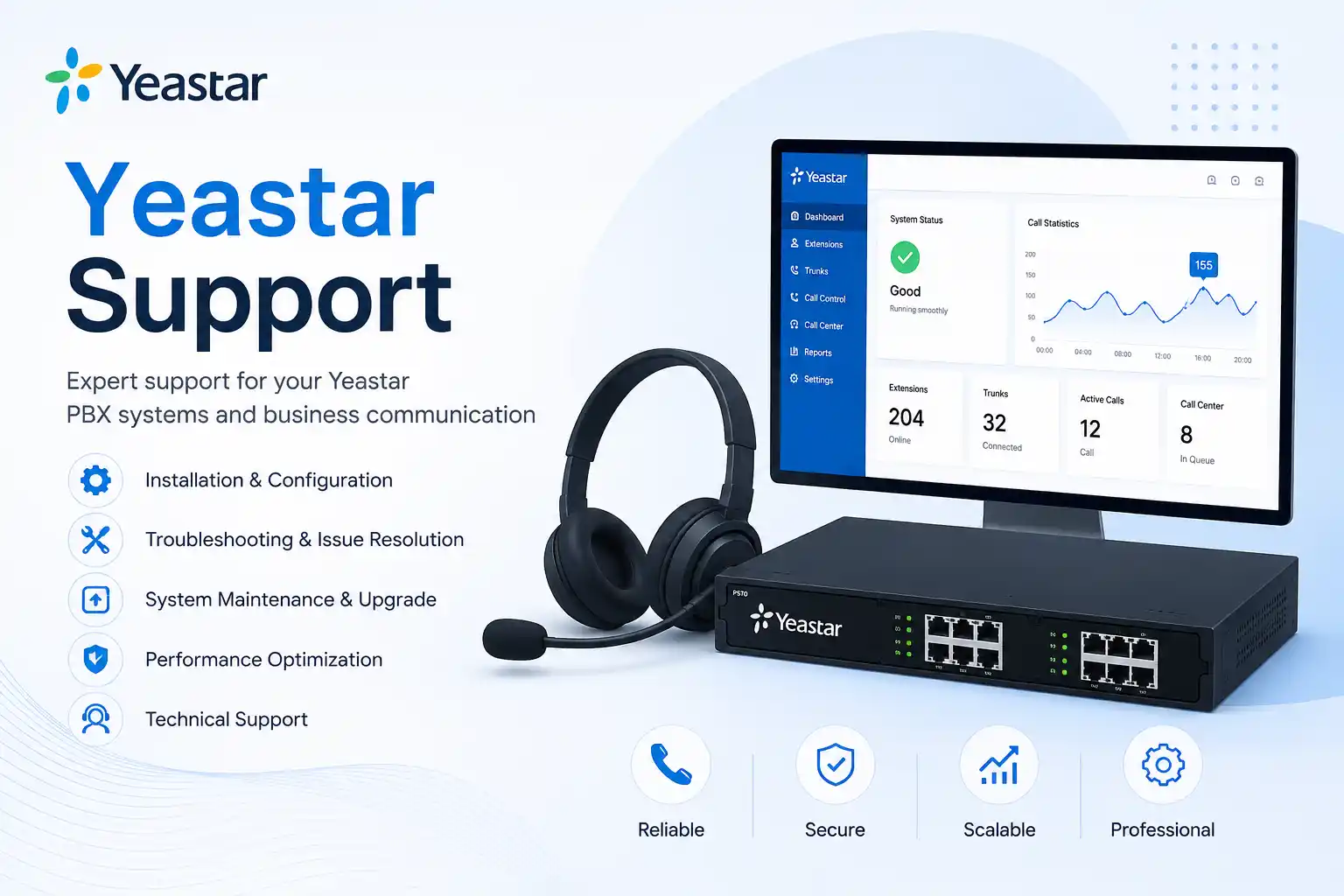
Extensions, trunks, routes, phones, users and dependencies are mapped before change.
Existing settings and recovery options are reviewed before the production cutover.
Timing is aligned with business impact, provider activity and user communication.
Inbound, outbound, internal and exception paths are checked after migration.
What does a Yeastar IP PBX migration service involve?
Yeastar IP PBX migration is a planned change that moves business calling services, settings, users or hosting from a current environment to a new Yeastar platform, replacement appliance, software deployment, cloud instance or other approved target architecture. It is mainly used when an organisation is replacing an ageing PBX, moving between supported Yeastar generations, relocating a system, changing hosting, standardising several sites or improving maintainability. Businesses should consider migration when the existing platform no longer matches capacity, support, remote-user, reliability, administration or lifecycle requirements. Before work is confirmed, the customer should provide the current platform and version, user and extension information, trunk/provider details, call-flow requirements, phone inventory, backup position, administrator access availability, target outcome and preferred change window. FourTeck can then determine whether the work is primarily remote, requires on-site coordination or needs both, and which migration, rebuild, testing and rollback activities should appear in the quotation.
What the migration service can cover
A useful migration scope starts with the call experience the business must preserve. This can include reception numbers, extension ranges, departments, ring groups, queues, interactive voice response menus, business hours, holiday routing, voicemail, outbound permissions, caller identification rules, direct inbound numbers, trunk connectivity, remote-user access, phone provisioning and authorised recording requirements. The technical work then maps those business functions to the source PBX, network and voice provider.
Depending on the confirmed scope, FourTeck assistance may include inventory collection, configuration review, backup preparation, migration-method assessment, target-system readiness, phone compatibility checks, network and voice-VLAN review, SIP trunk coordination, controlled configuration transfer, manual recreation of unsupported items, test planning, maintenance-window support, user communication guidance, administrator handover and post-change monitoring. Not every item is included automatically; the quotation should state which activities are required for the specific source and target environment.
Who may need Yeastar migration assistance?
The service may suit a business with an older Yeastar PBX that needs a supported upgrade path, a company moving a software PBX to new server infrastructure, an office replacing or factory-resetting hardware as part of a controlled change, a multi-branch organisation standardising telephony, or a business that has inherited an undocumented PBX and wants a safer route to a maintainable environment.
It can also be relevant during an office relocation, data-centre or hosting change, major network redesign, provider change, telephone-number reorganisation, branch consolidation or deployment of remote and hybrid users. The decision should not be based on platform age alone. The business should first determine whether the current system still supports required call flows, connected devices, provider services, security expectations and administrative needs. In some environments a targeted configuration correction may be more appropriate than a full migration; in others, repeated faults or lifecycle constraints may make a planned move easier to support over time.
Business situations that often trigger a PBX migration discussion
An older system is becoming difficult to maintain
Administrators may find that changes take longer, documentation is incomplete, support options are narrowing or the platform no longer fits the business. This does not automatically mean immediate replacement is required, but it is a sensible reason to inventory the system and compare migration risk with continued operation.
Call routes have grown more complex than the records
Reception, departments, queues, mobile users, after-hours destinations and direct numbers can accumulate over years. When nobody can confidently explain which rule handles a customer call, the migration project should include call-flow discovery before any settings are transferred.
A server, appliance or hosting environment is changing
A P-Series Software Edition deployment may need to move to new infrastructure, or an appliance environment may be replaced as part of a broader telephony refresh. Backup compatibility, licence/FQDN considerations, networking and target-system prerequisites should be reviewed before the old instance is changed.
The business is relocating or opening another site
A move changes internet service, firewall paths, switches, cabling, voice VLANs, phone locations and possibly provider handoff. A migration can be coordinated with the relocation, but combining two major changes also increases dependency risk and makes testing and fallback planning more important.
Remote or mobile working requirements have changed
More users may need approved remote access, mobile applications or consistent call handling outside the main office. The target design should be assessed against the organisation’s security model, internet reliability, DNS and firewall environment rather than assuming remote access behaves identically everywhere.
Repeated faults are consuming support time
Dropped calls, provisioning problems, trunk failures or route confusion can come from the PBX, phones, network, firewall or provider. Migration should be chosen because it addresses a defined limitation, not as a guess. Fault evidence should be reviewed first so an upstream network or carrier issue is not carried into the new platform.
Why an unmanaged migration can affect more than the PBX
Business telephony depends on several connected systems. The PBX holds call rules and user settings, but calls also depend on the SIP provider, number routing, internet service, firewall behaviour, DNS, LAN addressing, switches, PoE, voice VLAN configuration, IP phones, gateways, remote endpoints and user availability. A change that appears correct in the PBX interface may still fail for the caller if one of these surrounding layers is not aligned.
Operational impact can include customer calls reaching the wrong team, reception numbers not ringing, outbound calls failing, caller identification changing, users losing voicemail access, phones not registering, queue members being skipped, remote staff becoming unreachable or call recordings not appearing as expected. None of these outcomes should be assumed; they illustrate why migration testing needs to follow real business scenarios. The aim is to make the change observable and reversible where practical, with known responsibilities if a provider, firewall administrator or third-party system must be involved.
Possible Yeastar migration assistance, subject to assessment
Record the PBX family or edition, firmware, extensions, users, trunks, numbers, queues, ring groups, IVRs, office hours, voicemail, prompts, phone models, gateways, remote users and integrations that matter to daily operation.
Confirm which configuration and data can be backed up, where the backup is stored, how it will be protected and whether the target environment can restore that backup under the applicable Yeastar version and edition rules.
Review capacity, deployment model, network addressing, DNS, firewall path, licence dependencies, storage, certificates or FQDN requirements, time settings and administrative access before production users are moved.
Assess existing IP phone models, provisioning method, credentials, firmware, PoE and network placement. Phones should not be assumed reusable until target-platform compatibility and provisioning behaviour are confirmed.
Document provider details, authentication or IP-based requirements, direct numbers, caller ID, inbound destinations and any carrier-side changes. Provider action may need to be scheduled separately from PBX work.
Where migration tools do not transfer an item or where the business wants new behaviour, call rules can be recreated in a controlled way from an approved call-flow plan rather than copied without review.
Coordinate the change window, final backup, target activation, trunk changes, phone reprovisioning and priority user checks. The sequence depends on the source and target platforms and third-party actions.
Test internal, inbound, outbound, direct-number, queue, IVR, voicemail, office-hours, remote-user and exception scenarios that apply, then record the completed configuration, unresolved dependencies and operational guidance.
Service-fit matrix for common migration situations
| Business situation | Relevant assistance | What must be confirmed |
|---|---|---|
| Older Yeastar S-Series environment moving to P-Series | Migration eligibility review, backup preparation, supported-setting review, target readiness and post-restore validation. | Current firmware, target edition and firmware, whether the target must be new or factory reset, and which source settings are supported for migration. |
| P-Series Software PBX moving to new server infrastructure | Backup, target server preparation, restore planning, network review and licence/FQDN dependency checks. | Edition, versions, backup compatibility, target resource requirements, network settings and how licence/FQDN information is handled. |
| Office relocation with existing Yeastar telephony | PBX relocation or migration planning, phone mapping, network and firewall coordination, provider checks and staged testing. | New site internet, public addressing, cabling, switches, PoE, voice VLAN, provider handoff, building access and cutover timing. |
| Undocumented call routing before replacement | Call-flow discovery, extension and number mapping, business-owner validation and controlled rebuild. | Which routes are still required, who owns each number, queue membership, office-hours behaviour and exception handling. |
| Several branches need a more standard telephony design | Site inventory, extension plan, branch connectivity review, common call-flow design, phased migration and documentation. | Site connectivity, local numbers, emergency and reception requirements, remote-user needs, firewall ownership and permitted maintenance windows. |
Yeastar migration service information
| Service topic | Yeastar IP PBX migration planning, execution support, validation and handover. |
|---|---|
| Main purpose | Move business telephony to an approved target environment while managing call-flow, user, provider, network and rollback dependencies. |
| Suitable for | Businesses replacing older Yeastar systems, changing server or hosting infrastructure, relocating, standardising branches or redesigning call handling. |
| Typical systems involved | Yeastar PBX, IP phones, SIP trunks, direct numbers, gateways, switches, PoE, firewall, DNS, internet connectivity and remote-user endpoints. |
| Assessment method | Source and target review, configuration inventory, business call-flow mapping, backup assessment, compatibility checks and dependency identification. |
| Remote suitability | Suitable for many discovery, backup, configuration, documentation and testing tasks when authorised secure access and internet connectivity are available. |
| On-site suitability | Useful when PBX hardware, phones, gateways, cabling, racks, switch ports, PoE, local internet handoff or physical deployment must be checked. |
| Customer access required | Authorised administrative access to relevant systems, plus provider or portal access where required. Credentials should be exchanged only through an approved secure method. |
| Backup considerations | Backup content and restore compatibility depend on Yeastar family, edition and version. Backup quality and recovery options should be checked before cutover. |
| Testing and validation | Business-specific tests may include extensions, inbound and outbound calls, direct numbers, queues, IVRs, voicemail, office hours, remote users and selected failure scenarios. |
| Vendor coordination | May be required for SIP trunks, number routing, licences, unsupported items, hosting, firmware or platform-specific migration limitations. |
| Service location | Dubai and UAE coordination, with remote or on-site work selected according to access, task type, location and approved quotation. |
| Scheduling dependency | Depends on engineer availability, customer access, provider actions, equipment readiness, site conditions and the approved maintenance window. |
| Quotation requirement | Scope dependent. Contact FourTeck to confirm discovery, migration, testing, documentation and on-site requirements. |
When can migration work be handled remotely?
Remote assistance can be practical when the source and target systems are reachable through an authorised secure method and the customer has stable internet connectivity. Discovery interviews, configuration review, backup generation, call-flow documentation, user and extension mapping, target PBX setup, many SIP trunk checks, licence or portal review, scheduled configuration changes and a large part of functional testing can often be coordinated remotely. A local user or administrator may still need to assist with phone restarts, cabling checks or test calls from specific departments.
Remote work should not be selected simply because it is convenient. If the existing PBX becomes unreachable during the change, if the network is unstable or if access depends on the same service being modified, an alternative management path should be considered. The migration plan should state how access will be maintained, who can provide local assistance and what happens if the remote session is lost during a critical stage.
When is an on-site visit usually more appropriate?
On-site support is usually more useful when the migration includes an appliance replacement, rack work, gateways, analogue lines, physical phone moves, switch changes, cabling, PoE troubleshooting, voice-VLAN changes, local internet handoff or a large number of endpoints that must be reprovisioned and checked. A physical visit can also help when the system is poorly documented and the PBX, switches and gateways need to be identified before a reliable inventory can be produced.
An on-site engineer may work alongside remote configuration tasks rather than replacing them. For example, one activity can prepare and validate the target PBX while another checks the network cabinet, phone registration and local call paths. The final service method depends on the number of users, site layout, equipment condition, building access, migration window and which third parties are participating. Attendance timing should be confirmed in the approved quotation or service arrangement.
How FourTeck approaches discovery before a Yeastar migration
- Understand the business impact and target outcome. The first question is not which menu to open. It is what the organisation expects to improve and which telephone functions cannot be interrupted. Reception, customer service, sales, emergency contacts, direct numbers and after-hours routing may have different priorities.
- Identify the source platform precisely. The Yeastar family, edition, model, firmware, hosting location and administrative ownership are recorded. This is important because migration and restore capabilities are platform-specific rather than universal.
- Map users, extensions and devices. Extension ranges, names, departments, phone models, remote users, soft clients, gateways and special devices are documented so the target configuration can be checked against real usage.
- Map trunks and numbers. The service provider, trunk method, direct numbers, main published numbers, caller identification and any carrier-side routing are recorded. This helps separate PBX work from provider work.
- Document call flows. Incoming calls are traced through business hours, IVR menus, queues, ring groups, overflow destinations, voicemail and after-hours rules. Outbound permissions and special dialling behaviour are also reviewed.
- Review the network path. PBX addressing, DNS, gateway, firewall, switch ports, VLANs, PoE and internet dependencies are checked at a level appropriate to the migration. A telephony problem can otherwise be misclassified as a PBX problem.
- Confirm backup and recovery options. The available backup is reviewed for recency, storage location and restore suitability. Where an official migration workflow has version or target-state requirements, those are checked before the source is changed.
- Identify unsupported or uncertain items. Features, data or settings that may not transfer are listed so they can be rebuilt, exported separately, accepted as exclusions or discussed with the vendor/provider.
- Agree the change window and validation owners. The business decides who can approve the cutover, who will test reception and departments, and what level of interruption is acceptable. Provider coordination may require a different schedule from the engineering work.
- Convert discovery into a written migration plan. The plan defines preparation, migration sequence, test cases, rollback triggers, responsibilities, exclusions and post-change actions. This makes the work easier to review before production changes begin.
Migration planning from source backup to controlled cutover
Yeastar provides official migration and backup/restore workflows for supported combinations, but the method depends on the source and target platform. For example, Yeastar documents migration from supported S-Series systems to P-Series by exporting a source backup and restoring it to an eligible P-Series environment. The official process also makes clear that target-state and firmware requirements apply and that not every source setting or data type necessarily migrates. This is why FourTeck treats the vendor workflow as one part of the project rather than assuming that a successful restore is the same as a successful business migration.
For P-Series Software Edition server moves, official Yeastar guidance also uses a backup-and-restore approach, with options and restrictions around network settings, licence code and FQDN information. Edition and version compatibility must be checked before a backup is used on a different system. These details can change as Yeastar updates firmware and documentation, so the project should verify the current vendor requirements at the time of work instead of relying on an old checklist.
1. Freeze unnecessary changes
Once discovery is complete, avoid unrelated PBX changes unless they are recorded. New extensions, route edits or provider changes made after the migration plan is prepared can create a difference between the documented source and the actual production system.
2. Create the final pre-change backup
Generate and securely retain the latest supported backup before cutover. Where additional exports, prompts, recordings, phonebooks or documentation require separate handling, confirm them independently rather than assuming they are included in one backup file.
3. Prepare the target before users depend on it
Network settings, administrator access, time, DNS, certificates where relevant, licences, trunk prerequisites and initial security controls should be ready before the live transition. The target should not be discovered for the first time during the production window.
4. Validate a representative configuration
Where the environment allows a pilot or staged approach, test a controlled sample of extensions, phones, routes and remote users. A pilot will not prove every scenario, but it can expose provisioning, firewall or provider issues before the full user base is affected.
5. Coordinate trunk and number actions
Some migrations require only PBX-side trunk registration changes; others involve provider whitelisting, public IP updates, number routing or scheduled carrier work. These tasks need named owners and confirmation rather than being left as an assumption.
6. Move endpoints deliberately
Phones may need reprovisioning, factory reset, new provisioning URLs, updated credentials or VLAN/network changes depending on model and design. Large endpoint moves benefit from an inventory showing which user sits at which device and which phones require special key layouts.
7. Run business-priority tests first
Test the main public number, reception, key departments, outbound calling, direct numbers and high-priority queues before lower-impact features. If a critical path fails, the team should be able to stop further changes and follow the agreed recovery decision.
8. Keep a clear rollback trigger
Rollback is not only a technical backup. It is a business decision with criteria. The team should know which failures justify reverting, which can be corrected in place and how provider changes or phone provisioning affect the ability to return to the source system.
9. Monitor after the first successful calls
A few successful calls do not validate every route. Observe user reports, queue behaviour, voicemail, remote clients, after-hours rules, recordings where authorised and relevant, and provider registration after the change window.
Testing, validation and administrator handover
Migration testing should be based on the organisation’s actual call journeys. A generic statement that “calls work” can miss the routes that matter most. FourTeck can help create a validation sheet showing the caller, destination, expected behaviour and result for each important scenario. Typical checks may include extension-to-extension calls, outbound local or international calls where authorised, main-number inbound calls, direct inbound numbers, reception overflow, queue entry and agent ringing, IVR menu selections, voicemail deposit and retrieval, office-hours behaviour, after-hours routing, caller identification, call transfer, hold, conference, remote-user calling and selected gateway or analogue paths. The exact test list depends on the configured functions.
Validation should also include operational ownership. The customer should know where the new PBX is hosted, who has administrator authority, how backups are generated or scheduled, where they are retained, which voice provider supports the trunk, which public IP or firewall rules are important, which numbers belong to the business and which support contacts may be needed later. This information is often more valuable than a screenshot collection because it enables future support teams to understand dependencies quickly.
User handover can be proportionate to the change. If phone behaviour remains familiar, users may need only a short note covering any login, voicemail or transfer differences. Reception and queue supervisors usually require more focused validation because their workflows affect many callers. Administrators may need guidance on extension changes, backups, basic route checks and escalation boundaries. Handover does not mean every future change is included; ongoing support or maintenance should be agreed separately if required.
Preserve business call behaviour, not just extension numbers
An extension list is only one layer of a PBX. Customers experience the system through published numbers, reception routing, menus, queue announcements, overflow rules, voicemail, office hours and caller identification. A migration that recreates extension 201 but forgets how sales calls reach extension 201 has not preserved the business function.
FourTeck can convert the current call behaviour into an approved map before cutover. This can reveal old routes that are no longer needed, numbers with uncertain ownership or after-hours paths that rely on one person’s mobile number. The business can then choose what to preserve and what to improve. Changes should be deliberate; the migration window is a poor time to redesign every call flow unless those changes have already been reviewed and tested.
Reduce repeat faults by separating PBX issues from network issues
A new PBX does not automatically correct packet loss, unstable internet, overloaded switches, poor cabling, incorrect VLANs, firewall rules or provider faults. Before migration, repeated audio or registration issues should be analysed across the whole call path. Otherwise the organisation may invest in a change and still experience the original problem.
Network readiness can include switch and PoE capacity, address planning, voice segmentation, gateway and DNS reachability, firewall ownership, public IP changes and quality concerns on branch or remote connections. The depth of review depends on the reported symptoms and project scope. The aim is to identify dependencies that could affect the cutover and to assign them to the correct owner before the migration window begins.
Create documentation that makes the new PBX easier to support
Migration is an opportunity to replace fragmented knowledge with a useful operating record. Documentation can include the platform and edition, hosting location, administrator ownership, extension ranges, main numbers, SIP provider, call-flow summary, phone inventory, network addresses, important firewall dependencies, backup location, renewal or licence dependencies and escalation contacts.
Documentation should be practical rather than excessive. A future engineer should be able to answer basic questions without rediscovering the system from scratch. Clear records also help when employees join or leave, phones are moved, a provider changes, another branch opens or the PBX needs an upgrade. The exact handover documents should be agreed in the project scope so the customer knows what will be delivered.
Dependencies, access and customer inputs to confirm before migration
A PBX migration cannot be scoped accurately from the brand name alone. FourTeck may need the exact source model or edition, firmware version, number of users, extension plan, phone models, trunk provider, public numbers, call-flow description, remote-user method, gateway details, network diagram, firewall ownership, public IP information, backup status, target deployment choice and required maintenance window. If the business uses call recording, CRM integration, door phones, paging, analogue devices, emergency routes or other special functions, these should be identified early because they may require additional compatibility checks.
Administrative access should be authorised by the customer. The public page does not request passwords, and credentials should not be sent through unsecured messages. Access should be provided through an approved secure method after the customer confirms who is permitted to make changes. Where provider portals, DNS, firewall or cloud hosting are controlled by another vendor, that vendor may need to participate. If access cannot be obtained, the migration plan may need to change or certain tasks may remain outside the confirmed scope.
The customer should also name a business owner for validation. Engineers can confirm that a route behaves as configured, but the business owner confirms whether the behaviour is correct for customers and staff. This is especially important for reception, sales, support queues, after-hours calls and direct numbers that may not be documented elsewhere.
Migration risks, limitations and exclusions to discuss openly
Supported migration data depends on the specific Yeastar source, target and software versions. Items outside the supported list may need manual recreation or may not have an equivalent on the target.
A backup that exists is not automatically valid for any target. Edition, version, model and target-state requirements should be checked against current official guidance before restoration.
SIP providers, internet providers, hosting vendors, DNS administrators or building teams may need to make changes. Their timing and policies can affect the migration schedule.
Phone compatibility, firmware and provisioning methods should be confirmed. Some devices may require manual changes, updated templates or replacement outside the migration labour scope.
Changes to trunks, PBX services, phones, firewall rules or network addressing can interrupt calls. Zero downtime should not be assumed unless the design has been specifically assessed and validated for that requirement.
A source backup is only one part of recovery. Provider routing, phone provisioning, public IP changes and target activation can all affect how quickly the environment can return to the previous state.
Business environments where Yeastar migration planning may be useful
Professional offices often need a migration that protects reception, direct numbers, voicemail and meeting-room phones while allowing administrators to add or remove users more consistently. Retail and showroom environments may depend on a public sales number, branch routing and staff mobility, so the plan needs to consider trading hours and customer-call continuity. Warehouses and logistics operations can have phones spread across offices, loading areas and security points, which makes PoE, cabling and network cabinet access important during endpoint changes.
Clinics and service businesses may rely heavily on appointment lines, reception overflow and queues. The migration plan should map these functions carefully and schedule testing with authorised staff. Schools and training centres may have reception, administration, security and department extensions that are used differently throughout the day. Hospitality and property-management sites can include front-desk phones, back-office extensions, analogue gateways or door and paging devices that require separate assessment. Multi-branch companies may benefit from a common extension and routing design, but each branch can have different internet, firewall and provider constraints.
The industry name does not determine the final design. What matters is how calls enter the business, which teams must be reachable, which devices and integrations are connected, who manages the network, how much interruption is acceptable and how quickly the organisation needs to make future changes. FourTeck can use that operational context to shape the discovery and quotation rather than applying one generic migration template.
Operational, security and maintenance considerations after the move
A migration should leave the PBX easier to operate, not merely newer. Administrator accounts should be assigned to authorised people, shared access should be reduced where practical, backups should be scheduled or documented according to the platform, and the business should know where the PBX is hosted and who is responsible for the operating environment. Remote access, firewall exposure, certificates, DNS and provider authentication should be reviewed at the level required by the design. Security improvement reduces risk but does not guarantee that a communication system cannot be disrupted or compromised.
Maintenance planning can include periodic backup verification, capacity review, extension and user cleanup, phone inventory updates, provider-contact review, firmware planning, licence or subscription checks where relevant, documentation updates and review of repeated user incidents. Not every activity is part of a one-time migration. Businesses that want recurring checks should define them in an ongoing support or maintenance scope. A clear separation between project completion and future maintenance helps avoid uncertainty about what is included after handover.
Before you contact FourTeck about a Yeastar migration
- Current office or site location and the main business contact.
- Exact Yeastar PBX family, model or edition if known.
- Current firmware or software version if available.
- Approximate number of users, extensions and phones.
- List of main published numbers and direct numbers.
- SIP trunk or telecom provider information.
- Important queues, ring groups, IVR menus and after-hours routes.
- Phone models, gateways and special analogue devices.
- Remote-user or mobile-client requirements.
- Recent backup date and whether the backup can be downloaded.
- Availability of authorised PBX, firewall, DNS and provider access.
- Any known call-quality, registration or routing problems.
- Target platform or business outcome if already selected.
- Preferred maintenance window and acceptable service interruption.
- Building or server-room access requirements for on-site work.
- Who will validate reception and department call flows after cutover.
Service evaluation checklist for quotation planning
- Confirm the exact migration objective and target environment.
- Confirm the number of users, endpoints and UAE sites involved.
- Define whether source discovery is complete or must be included.
- Confirm required remote and on-site activities.
- Identify provider, DNS, firewall or hosting coordination.
- Define what data and configuration must be retained.
- List special devices and integrations requiring compatibility review.
- Agree backup and rollback preparation.
- Agree the maintenance window and business test owners.
- Define endpoint provisioning and physical phone work.
- Confirm documentation and administrator handover requirements.
- Identify post-migration observation or support expectations.
- Record exclusions, third-party work and separately chargeable items.
How FourTeck can help define the migration and quotation
FourTeck’s role can begin by clarifying what the customer wants to change and why. The assessment can identify the source Yeastar environment, affected users, call routes, phones, trunks, network dependencies and third-party responsibilities. From there, FourTeck can determine whether the target can use an official backup or migration workflow, whether selected configuration must be rebuilt, which phones can be retained subject to compatibility, whether a provider change is required, and whether on-site work is needed for endpoints or infrastructure.
The quotation can then separate discovery, preparation, migration, provider coordination, endpoint work, testing, documentation and post-change assistance. This is more useful than treating migration as one undefined line item because the customer can see what is included and which dependencies remain outside FourTeck’s direct control. Contact FourTeck IT Services to discuss the migration scope and provide the available system information. A more complete inventory usually makes scope confirmation more accurate.
Dubai and UAE migration service coordination
For businesses in Dubai, migration support may combine remote configuration with planned on-site work. Remote access is useful for source review, backup preparation, target configuration, call-flow documentation and many system checks. On-site assistance may be recommended when a Yeastar appliance, server, gateway, IP phone fleet, switch, cabling or network cabinet must be physically inspected or changed. The balance depends on the issue, access, location, urgency, site conditions and approved quotation.
Migration timing depends on more than engineer availability. The customer may need a maintenance window, provider coordination, building access, target equipment, authorised administrators and staff who can validate critical routes. If the change affects a public main number, the provider’s schedule can be as important as the PBX configuration schedule. Contact FourTeck to confirm the service scope and scheduling options rather than assuming a fixed project duration or attendance time.
Coordinating Yeastar migration across Dubai, Abu Dhabi, Sharjah and Ajman
A business with sites in Dubai, Abu Dhabi, Sharjah and Ajman may have different telecom providers, internet circuits, firewalls, switch layouts, phone inventories and building-access rules at each location. The migration plan should therefore distinguish central PBX work from local site actions. Some branches may only require remote configuration and testing, while another site may need a planned visit for phone reprovisioning, gateway checks, cabinet work or local connectivity troubleshooting.
FourTeck can coordinate assessment, migration planning, remote troubleshooting, scheduled on-site work and post-change checks according to the confirmed scope. Travel, building access, site conditions, equipment availability and third-party dependencies can affect the service plan. A phased approach may be useful for multi-site organisations because it provides an opportunity to validate the design at one location before applying the same method elsewhere, but the suitability of a phased migration depends on call routing, trunk architecture and business requirements.
Related FourTeck IT services that may support the migration
Call routing, user administration, trunk troubleshooting, migration planning and telephone-system assistance.
Connected business IT support
Support across networks, servers, firewalls, user devices and communication systems when the PBX depends on the wider office environment.
FourTeck service approach
Learn how FourTeck frames business IT assessment, technical support and infrastructure assistance in the UAE.
Why businesses contact FourTeck for PBX migration planning
A PBX migration often crosses the boundary between telephony and IT. The call configuration may be correct while the phone cannot register because of switching, VLAN, firewall, DNS or provider conditions. FourTeck can look at the connected environment rather than treating the PBX as an isolated appliance. This is useful when the customer has several vendors and needs someone to collect evidence, identify responsibilities and keep the migration plan focused on business calling requirements.
The service also emphasises controlled change. Before production work, the current environment can be documented, backup and rollback options reviewed, and critical call paths identified. During implementation, actions can be sequenced and validated against expected business behaviour. After the move, the customer can receive practical records of completed work and remaining dependencies. The goal is not to claim that every migration is simple or risk-free; it is to make the scope, assumptions, decisions and testing visible enough for the business to manage the change responsibly.
Questions businesses ask before a Yeastar IP PBX migration
Can we migrate our Yeastar PBX without changing every phone?
Possibly, but existing phones should be treated as a compatibility question rather than an automatic assumption. The answer depends on the target Yeastar platform, phone models, firmware, provisioning method, required features, security settings and how the devices are connected to the network. A phone that can register by SIP may still require different provisioning steps or may not support every target-platform function in the same way. Before quotation, prepare a phone inventory with model names, approximate quantities and any special key layouts. FourTeck can review which endpoints appear suitable for reuse, which need testing and which may require replacement or a separate provisioning effort. Reusing compatible phones can reduce disruption, but keeping unsupported devices only to avoid replacement can increase future support complexity.
Can a Yeastar migration be completed remotely?
Many configuration and migration tasks can be handled remotely when secure authorised access is available, but the complete project may still need local support. Source discovery, backup generation, target setup, call-flow configuration, trunk checks and functional testing can often be performed through remote administration. Physical work is different. If the project includes appliance replacement, new server hardware, gateways, switch changes, cabling, PoE faults or dozens of phones that must be reset and reprovisioned, an on-site visit may be more efficient. The safest service method is determined after the current environment is understood. Businesses should provide the site layout, number of phones, network ownership and availability of a local contact so FourTeck can decide whether the quotation should include remote work, on-site support or a combination.
What should we back up before moving the PBX?
At minimum, the project should confirm a current supported PBX backup and preserve the business information needed to rebuild critical calling if restoration does not produce the expected result. The exact backup content varies by Yeastar family and edition. Official Yeastar documentation identifies specific data types and restore restrictions, so the backup should not be treated as a universal image of every item on the system. Call-flow records, trunk details, extension lists, prompts, phone inventory, provider information and screenshots or exports of important settings can provide additional recovery context. Where recordings, fax data, contacts or other data matter to the business, confirm whether they are included in the applicable backup method. The next action is to verify the current platform and version before relying on any backup as the sole rollback plan.
Will all settings transfer automatically from an older Yeastar system?
No migration should be planned on that assumption. Yeastar publishes supported settings and data for specific migration paths, and items not supported may use default settings on the target or need manual recreation. Different PBX generations can also represent features differently. The practical approach is to compare the source configuration with the vendor-supported migration list, identify business-critical items and create a separate build plan for anything uncertain. This is particularly important for special extension types, custom routes, gateways, recordings, prompts, provisioning and integrations. A migration tool can reduce manual effort, but business validation remains necessary after the restore. FourTeck can help classify the configuration into items expected to transfer, items requiring confirmation and items that should be rebuilt or redesigned deliberately.
How much downtime should we expect during a PBX migration?
Downtime is scope dependent and should not be quoted accurately until the source, target, provider changes, phone count and migration method are known. A server move with compatible backup and restore steps has different interruption risks from a full platform change that also requires trunk routing, firewall changes and endpoint reprovisioning. The project can reduce uncertainty by preparing the target in advance, testing representative users, scheduling provider work, documenting rollback steps and prioritising critical call paths during cutover. Businesses should define the acceptable maintenance window and whether essential numbers require a temporary routing plan. FourTeck can then design the sequence around that constraint. Zero downtime should not be promised without a specific architecture and validated failover method that supports it.
What if we do not have documentation for our current call routes?
Discovery can be included before the migration, but it adds work that should be allowed for in the scope. An engineer can review the PBX configuration, extensions, trunks, IVRs, queues, ring groups, office hours and direct numbers, while the customer validates which behaviour is still required. Logs and test calls may help clarify active routes, but technical evidence cannot always reveal the business purpose of every number. A route may look unused but support an occasional executive, alarm, fax, door system or after-hours process. FourTeck therefore combines technical review with stakeholder input. The resulting call-flow map becomes both a migration reference and a useful handover document. Businesses with poor records should avoid making large route changes until ownership has been confirmed.
Should we migrate first or change our SIP provider first?
Either sequence can be appropriate, and combining both changes in one window can increase troubleshooting complexity. If the current provider is stable and the goal is only to replace the PBX, keeping the trunk unchanged during the initial migration may reduce the number of moving parts. If the provider change is a core requirement, the new trunk can sometimes be prepared and tested before the final cutover, depending on number routing and provider policies. The decision should consider porting or routing timelines, authentication method, public IP requirements, caller ID rules, emergency or special dialling and rollback options. FourTeck can help separate PBX tasks from provider tasks so the business knows which party owns each dependency and when confirmation is required.
Can we improve our call flow during the migration instead of copying the old design?
Yes, but planned redesign is safer than making spontaneous changes during cutover. Migration is a good time to remove obsolete extensions, simplify menus, update queue membership, correct office hours, document overflow rules and standardise naming. The business should approve the desired call flow before implementation so testing has a clear expected result. If too many design changes are mixed into the migration window, it becomes harder to determine whether a problem comes from the migration itself or from the new business logic. A useful approach is to classify changes into “must preserve,” “approved improvement” and “future improvement.” FourTeck can then build the target accordingly and leave lower-priority changes for a later controlled change window if required.
What information is most useful for a migration quotation?
The most useful information explains both scale and complexity: current Yeastar family or edition, firmware, number of extensions and phones, SIP provider, number of trunks or published numbers, branch locations, remote users, gateways, key call flows, special integrations, backup status, target platform if selected, required on-site work and preferred maintenance window. A simple user count is not enough because two 50-user PBXs can have very different routing and integration needs. One may use a single reception ring group while another uses several queues, IVRs, branches and remote endpoints. If documentation is incomplete, say so; discovery can be scoped explicitly rather than hidden as an assumption. FourTeck can use the available information to identify which items need further assessment before a final quotation is confirmed.
When should we keep the existing PBX instead of migrating?
Migration is not always the first or most economical answer. If the current Yeastar system is supportable, appropriately sized, compatible with required phones and trunks, and the main issue is a correctable network or configuration fault, targeted support may be a better first step. Migration becomes more compelling when the platform no longer supports required capabilities, infrastructure must be replaced anyway, administration is becoming difficult, lifecycle or compatibility limits are material, or the business wants a different deployment model. A short assessment can compare the risk and effort of repair, upgrade, server relocation or full migration. The objective is to choose a change that solves a defined business problem, not to replace a working telephone system only because a newer platform exists.
Frequently asked questions about Yeastar IP PBX migration
What does FourTeck check first?
The first checks focus on the source PBX identity, business impact, number of users, trunks, critical call routes, backup status, target objective and available access. This establishes whether the project is a supported migration, a server move, a rebuild, an office relocation or a combination. The assessment then expands to phones, network, firewall and provider dependencies as required.
Can an S-Series Yeastar PBX move to P-Series?
Yeastar documents supported migration from qualifying S-Series systems to P-Series, subject to source and target firmware requirements and target-state conditions. Supported data is defined by the vendor and should be checked against the live environment before work. FourTeck can review the current system and identify items that may require manual recreation or separate handling.
Can a P-Series Software PBX move to another server?
Yeastar provides backup-and-restore procedures for supported P-Series Software Edition server migration scenarios. The exact method depends on software versions, target preparation, network settings and licence/FQDN handling. These requirements should be verified before the source instance is changed. Server sizing and hosting responsibility also need to be confirmed.
Do you need our PBX administrator password?
Administrative access is usually required for configuration review and migration work, but credentials should not be posted publicly or sent through an unsecured channel. The customer should authorise the work and provide access through an agreed secure method. Firewall, provider, DNS or hosting credentials may also be needed if those systems form part of the confirmed scope.
Will our SIP trunk keep working after migration?
It may, but trunk continuity depends on provider requirements, authentication method, public IP, firewall configuration, registration details and number routing. A provider may need to whitelist a new address or change routing. The project should confirm the trunk test plan and provider responsibilities before cutover rather than assuming the existing settings will work unchanged.
Do you test queues and IVR menus after migration?
They can be included in the validation plan when they are part of the confirmed scope. Testing should follow the business flow: caller enters the IVR, selects the intended option, reaches the correct queue, rings the expected agents, follows overflow rules and reaches the approved destination when unanswered. The customer should provide a business user who can confirm expected behaviour.
What happens if the migration fails a critical test?
The project should have an agreed decision process before cutover. Depending on the issue, the team may correct the fault on the target, pause further changes, involve the provider or follow the rollback plan. The ability to revert depends on the source-system condition, backup, provider routing, endpoint provisioning and other changes already completed, so rollback needs to be designed rather than assumed.
Can you migrate multiple UAE branches?
Multi-site migration can be assessed and may be phased where the telephony design allows it. Each branch should be reviewed for internet, firewall, phones, local provider services and physical access. FourTeck can coordinate remote and planned on-site activities in Dubai and other UAE locations according to the confirmed quotation, site conditions and scheduling requirements.
Is post-migration support included automatically?
No. The quotation should state the included validation period, handover activities and any agreed follow-up work. Ongoing administration, preventive maintenance, new user requests or future call-flow changes can be arranged separately. Defining this boundary avoids uncertainty after the project has been accepted and the system is operating normally.
How do we request a migration assessment?
Send FourTeck the current Yeastar platform details, user and phone count, provider information, main call flows, backup status, site location and target objective. If the environment is undocumented, mention that discovery is required. FourTeck can then clarify access, remote or on-site needs, dependencies, testing expectations and the information required to prepare a service quotation.
Plan the migration around the calls your business cannot afford to misroute
A well-scoped Yeastar migration begins with evidence and ends with validation. Prepare the current PBX details, extension and phone inventory, SIP provider, important numbers, call-flow requirements, backup information, access availability and preferred maintenance window. FourTeck can review the environment, identify migration dependencies, define remote and on-site work, plan testing and prepare a quotation based on the confirmed scope. Migration timing, compatibility and outcomes remain dependent on the source system, target platform, access, third-party providers and site conditions.