
Business IP telephony support, configuration and lifecycle planning
Yeastar S-Series IP PBX Dubai in Dubai, UAE
A business phone system can look healthy on the dashboard while users still experience dropped calls, failed registrations, incorrect routing or inconsistent behaviour between extensions. FourTeck helps Dubai organisations assess Yeastar S-Series IP PBX environments as connected communication systems, taking account of the PBX, SIP trunks, IP phones, LAN, firewall, internet service, gateways, numbering plans and user workflows before corrective work is agreed.
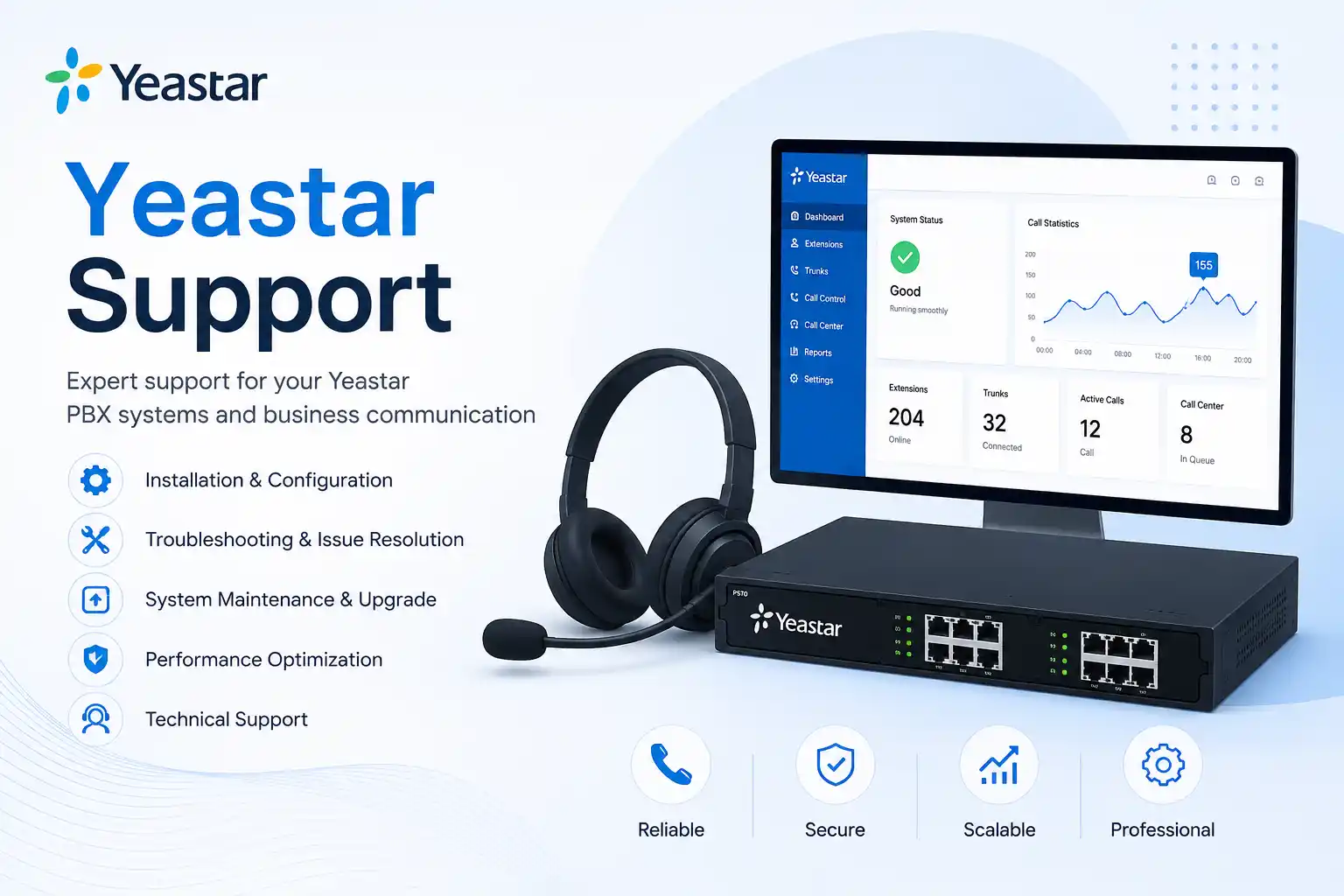
Configuration and repair work are confirmed after assessment.
The support method depends on access, symptoms and physical testing needs.
PBX, phones, network and telecom dependencies are considered together.
Legacy status, firmware and migration options may affect recommendations.
What does Yeastar S-Series IP PBX support involve?
Yeastar S-Series IP PBX support is the structured assessment, troubleshooting, configuration, maintenance and change assistance used to keep an existing business telephone system working as intended. It is mainly used when extensions fail to register, calls do not follow the expected route, SIP trunks are unstable, users report one-way audio or quality issues, phones need re-provisioning, business hours or IVR behaviour must be changed, or an older PBX needs lifecycle review. Organisations should consider support when the issue affects staff communication, customer calls, branch connectivity or confidence in the current configuration. Before work is confirmed, prepare the installed S-Series model, firmware information where available, affected extension numbers, a clear description of symptoms, recent changes, network and telecom details, authorised administrative access, and the status of available backups. The final scope remains environment, access and provider dependent.
What the service can cover in an existing S-Series environment
Call flow and user configuration
Depending on the confirmed scope, assistance may include extensions, inbound and outbound routes, ring groups, queues, IVR menus, business-hour rules, voicemail behaviour, caller identification settings and user permissions. Changes should begin with the required business outcome rather than changing settings simply because an option is available.
SIP trunks, phones and gateways
Troubleshooting may involve registration status, provider information, dial patterns, codec negotiation, NAT behaviour, IP phone provisioning, extension credentials, supported endpoints, analogue or cellular gateway dependencies, and physical link status. Some actions require coordination with the telecom provider or device vendor.
Network and security context
A PBX depends on addressing, routing, DNS, switching, VLANs, firewall policies, internet stability and time synchronisation. FourTeck can review how these surrounding layers relate to the reported symptom. Security-sensitive changes should be controlled, authorised and documented rather than applied as broad exposure or blanket rule changes.
Who may need Yeastar S-Series assistance?
This service can be relevant to organisations that already depend on an S-Series appliance for daily voice communication and need the environment assessed without turning the engagement into a hardware sales exercise. A professional office may need help after an ISP change affects SIP registration. A clinic may need ring groups and voicemail reviewed because patient calls are reaching the wrong destination. A warehouse may have handsets in different areas registering intermittently because the issue crosses switching, cabling and power. A multi-branch business may need to understand whether a recurring call problem is local to one site or related to wider routing and connectivity. An office manager may simply need documented administrator handover after staff changes.
Support can also be useful when no active fault exists. Older installations often accumulate undocumented extensions, unused routes, duplicated rules, outdated contacts, uncertain backup practices or network changes that were never reflected in PBX records. A controlled review can identify what the business actually uses, which settings are critical, what should be preserved before a change, and whether a maintenance or migration discussion is now appropriate. The assessment should distinguish urgent operational faults from longer-term improvement work so decision-makers can plan changes in a sensible order.
Common symptoms and planning triggers
Calls fail or route incorrectly
Symptoms may include inbound calls reaching the wrong destination, outbound calls failing on selected numbers, calls dropping after connection, or rules behaving differently during business and after-hours periods. The cause can sit in routing, provider policy, numbering format, trunk state, time conditions or another dependency, so diagnosis should follow evidence.
Extensions become unavailable
A single phone may show unregistered while others work, or several devices may disappear together. Possible areas include credentials, provisioning, addressing, DHCP, switch ports, voice VLANs, firmware, cabling, power or PBX services. A repeated registration failure does not by itself identify one cause.
Audio quality is inconsistent
One-way audio, delay, jitter, clipping or short silences can arise from internet conditions, routing, NAT, firewall handling, bandwidth competition, codec choices, endpoint behaviour or provider paths. Call examples with times and affected numbers are useful evidence for narrowing the path.
The system needs controlled change
Office expansion, user turnover, a new telecom provider, an internet migration, additional phones, branch changes or new call-handling requirements can make the existing design difficult to maintain. Planned changes should include backup, rollback thinking, testing and updated documentation.
Why unresolved PBX issues can become an operational problem
Business telephony touches customer response, supplier coordination, reception, internal escalation, sales enquiries, appointment handling and branch communication. A phone problem that affects only a few calls can still create a disproportionate business impact when nobody knows which calls are being missed or whether the fault is intermittent. Repeated temporary fixes also create technical debt. Every undocumented rule, bypass or emergency change makes the next diagnosis more difficult because administrators can no longer tell which settings are intentional.
A PBX issue can also expose dependencies outside the appliance. For example, changing an internet circuit can alter public addressing or firewall behaviour; replacing a switch can affect voice VLAN or PoE availability; changing the numbering plan can affect outbound presentation; and replacing a receptionist phone can expose differences in provisioning or key layout. Treating each symptom as an isolated phone problem may therefore miss the actual technical layer. A structured support process aims to identify the affected path, preserve working services where possible, make approved changes in a controlled manner and leave the business with clearer records of what was done.
Possible service scope
The final commercial and technical scope depends on assessment. Depending on the confirmed requirement, FourTeck assistance may include an initial consultation, remote diagnosis, on-site inspection, PBX health review, configuration backup review, extension and trunk status checks, call-routing review, endpoint registration checks, network connectivity testing, firewall and NAT context review, log inspection, recent-change review, user interviews, approved corrective configuration, phone provisioning, controlled testing, migration planning, vendor coordination, documentation and administrator handover. A single support request does not automatically include every activity in this list.
Where work could interrupt calls, alter security exposure, change provider connectivity or affect many users, the activity may need a defined maintenance window and rollback plan. If replacement hardware, paid licensing, telecom changes, third-party engineering, additional cabling or extensive network work is required, those items should be identified and quoted separately or clearly included in the agreed engagement. The objective is to make scope visible before a change is made, not to create uncertainty after work has started.
Service-fit matrix for common Yeastar situations
| Business situation | Relevant assistance | What must be confirmed |
|---|---|---|
| One extension is not registering | Endpoint, account, network and PBX registration checks | Phone model, affected extension, connection path, recent changes and access |
| Inbound calls reach the wrong team | Trunk, destination, IVR, ring group and time-condition review | Expected business flow, affected numbers, timing and provider behaviour |
| Users report poor or one-way audio | Call-path, NAT, firewall, network quality and provider investigation | Call examples, network topology, ISP details, firewall access and affected directions |
| The office is changing ISP or firewall | Pre-change review, dependency mapping, configuration planning and validation | Public addressing, SIP provider requirements, maintenance window and rollback route |
| The business is considering PBX replacement | Inventory, lifecycle assessment, migration planning and business requirement review | Current model, firmware, extensions, call flows, trunks, endpoints, integrations and target outcome |
Service information at a glance
| Service topic | Yeastar S-Series IP PBX support, troubleshooting, configuration and maintenance planning |
|---|---|
| Main purpose | Restore expected call behaviour, reduce repeat faults, support controlled change and improve configuration visibility |
| Typical systems involved | S-Series PBX, SIP trunks, IP phones, switches, VLANs, firewall, internet service, gateways and user endpoints |
| Remote support suitability | Often suitable for logs, settings, account, routing and software-level review when secure access and internet connectivity are available |
| On-site support suitability | May be appropriate for cabling, switches, phones, gateways, power, rack access, local testing or environments unavailable remotely |
| Customer access required | Access dependent; authorised administrator, network, firewall or provider access may be needed for the approved scope |
| Backup considerations | Existing configuration backup and recovery options should be reviewed before material change where appropriate |
| Vendor coordination | May involve Yeastar documentation, SIP provider requirements, ISP support or endpoint vendor information |
| Service location | Dubai and UAE coordination, subject to the issue, access, location, scheduling and approved quotation |
| Quotation requirement | Scope dependent; contact FourTeck to confirm the work required and commercial terms |
Can the PBX be checked remotely, or is an on-site visit needed?
Remote support may be suitable
Remote assistance can be efficient when the PBX is reachable through an approved secure method, the internet connection is working, and the issue is mainly related to configuration, extensions, trunks, call routes, logs, user settings or software-level behaviour. A customer contact should be available to describe the business impact and perform simple local checks when requested. Remote access does not eliminate the need for authorisation, backups or change control.
On-site assistance may be required
A visit may be recommended when the PBX or phones are physically inaccessible over the network, cabling or PoE must be tested, a gateway or module needs inspection, rack equipment has power or port problems, several local devices fail together, or network conditions have to be reproduced at the site. Site access, engineer scheduling, building rules and the approved quotation can affect the service plan.
In many cases, the sensible starting point is a remote assessment that determines whether physical work is necessary. This avoids assuming that every telephony fault needs a site visit while also avoiding the opposite mistake of treating a cabling or hardware issue as a software-only problem.
How a structured Yeastar diagnosis can proceed
- Clarify the business impact. Establish whether the problem affects one user, one department, all inbound calls, a particular provider route or the whole site.
- Identify the affected path. Map the PBX, extension, endpoint, trunk, switch, firewall, gateway and internet components involved in the reported symptom.
- Collect evidence. Gather error messages, registration state, relevant logs, call examples, timestamps, screenshots and a record of recent configuration or network changes.
- Check access and recovery options. Confirm authorised access, configuration backup status and whether a rollback path is available before material changes are made.
- Test the most relevant technical layers. Review call routing, registration, addressing, switching, firewall handling, provider reachability and endpoint behaviour according to the evidence.
- Isolate the likely scope. Separate a local endpoint problem from a PBX-wide, network-wide or third-party service issue.
- Explain the proposed action. Define the intended change, expected effect, risk, downtime dependency and any third-party coordination needed.
- Apply approved corrective work. Make only the agreed changes, preserving a record of what was altered.
- Validate calls and user workflows. Test representative inbound, outbound and internal scenarios instead of relying on one successful call.
- Document remaining risk and next steps. Record completed work, unresolved dependencies, maintenance recommendations and whether a larger migration or network project should be considered.
Planning configuration changes without creating a second problem
A PBX configuration change may look small in the web interface but still affect many users. Altering a time condition can redirect an entire office after hours. Editing an outbound route can change which trunk is used for certain number patterns. A firewall change can restore registration while unintentionally increasing exposure. A firmware or network change can affect phone provisioning and gateway behaviour. This is why change work should begin with the exact business result: what should happen, for which users, under which conditions, and how will the customer confirm that the result is correct?
Where appropriate, FourTeck can review the current configuration, confirm backup status, identify dependencies, define a maintenance window and agree a validation checklist before implementation. The change may then be tested using representative extension-to-extension, inbound, outbound, transfer, queue, IVR or voicemail scenarios. Security-sensitive settings should be reviewed in context and never treated as a shortcut to make a service reachable. The final record should show what changed, why it changed and what remains dependent on the telecom provider, network, licensing or device compatibility.
Testing, validation and handover after support work
Successful support is more than seeing a green registration icon. Validation should reflect the original business complaint and the way staff actually use the phone system. If the issue concerned inbound calls, test the relevant published number, expected IVR path, ring group and fallback destination. If the issue concerned outbound calls, test representative local or international patterns that are authorised for the business. If the problem concerned one-way audio, use calls that reproduce the original direction and network path. If the work involved extension registration, confirm that the endpoint remains stable after an appropriate restart or network reconnection where safe to do so.
Handover may include a concise record of changed settings, affected extensions, known provider dependencies, backup location or status, administrator notes and recommended future work. Where the customer has internal IT staff, the handover can also identify which areas are safe for routine administration and which changes should follow a controlled process. Clear documentation reduces reliance on memory and provides a stronger starting point if the issue returns later.
Faster fault isolation through dependency mapping
A useful PBX diagnosis asks where the call path changes from working to failing. The extension may register locally but fail externally. The trunk may register but route only some numbers. The firewall may pass signalling while media follows a different path. By mapping these relationships first, troubleshooting can focus on the relevant layer instead of changing unrelated settings. This approach is especially useful when a fault began after an ISP, switch, firewall, VLAN, phone or provider change.
Clearer configuration ownership
Many mature phone systems have been touched by several administrators. The result can be a mixture of active and obsolete extensions, duplicated routes, uncertain emergency changes and undocumented provider credentials. FourTeck can help create a clearer picture of what the business uses today, which settings are operationally important, who should authorise changes and where supporting records should be kept. Documentation does not remove complexity, but it makes future support less dependent on guesswork.
A practical path for lifecycle decisions
Yeastar continues to publish S-Series documentation, while lifecycle status and migration considerations can vary by model and software level. For an older deployment, the service discussion may therefore extend beyond the immediate fault. FourTeck can help inventory the current PBX, endpoints, trunks, call flows and integrations, then identify what must be preserved if the business later chooses a supported migration path. A migration recommendation should be based on operational need, compatibility, risk and confirmed vendor information rather than age alone.
Dependencies, access and information the customer may need to provide
Accurate support depends on more than access to the PBX dashboard. The customer may need to provide the business location, installed S-Series model, firmware information, affected users, extension numbers, published telephone numbers, SIP provider, internet service details, firewall or router information, IP phone models, gateway models, network diagram, recent change history, backup status and a local contact who can confirm what users are experiencing. If the environment includes branch offices, remote extensions or VPN connectivity, the path between locations should also be described.
Administrative access may be needed to the PBX and, depending on the agreed scope, to switching, firewall, provider or endpoint interfaces. Credentials should not be placed into public forms or page comments. They should be shared only through an approved secure method after identity, authorisation and the work scope have been confirmed. If third-party accounts are controlled by a telecom provider, building IT team, previous service company or head office, the customer may need to arrange access or authorised coordination before some tests can be completed.
Risk, limitation and exclusion guidance
PBX diagnosis depends on available evidence, current access and the ability to reproduce or observe the issue. Some call failures may require action from a SIP provider, ISP, firewall vendor, endpoint vendor or another administrator. Hardware failure may require parts or replacement outside the support labour scope. Configuration changes can require a maintenance window and should be backed by an appropriate recovery or rollback approach. Unsupported or legacy combinations may have limited options, and compatibility should be confirmed before substantial change.
A successful test demonstrates the scenario that was tested; it does not guarantee that every future call path or third-party service will remain unaffected. Security improvements reduce exposure but do not guarantee complete protection. Migration planning depends on source configuration, supported target versions, current backups, endpoint compatibility, licences and third-party integrations. On-site work depends on location, building access, scheduling, equipment availability and confirmed scope. Final commercial terms depend on the approved quotation or service agreement.
Business environments where this service may be useful
Professional offices often rely on reception, direct extensions, ring groups and voicemail to route customer calls to the correct people. In that environment, a small routing change can affect several departments, so testing should cover the full caller journey. Clinics and appointment-based businesses may need call distribution that remains understandable to front-desk staff and avoids confusion between live answering, queues and voicemail. Retail and showroom locations may have fewer extensions but depend on reliable inbound calls and simple transfer behaviour during busy periods.
Warehouses and logistics sites may combine desk phones, cordless devices, gateways, remote offices and network equipment spread across larger premises. A physical inspection may be more important when cabling, PoE, switches or rack equipment are part of the fault. Multi-branch organisations can have additional dependencies such as site-to-site connectivity, centralised trunks, duplicated numbering or different internet providers. In each case, the support process should reflect the business workflow rather than applying one standard configuration to every site.
Operational, security and maintenance considerations
An IP PBX is part of the wider network and should be maintained with the same discipline applied to other business systems. Administrator access should be controlled, unnecessary exposure should be avoided, configuration changes should be traceable, backups should be available where supported, and important dependencies should be documented. Firewall changes made only to make registration work can create wider risk if the root cause is not understood. Likewise, changing ports or NAT behaviour without considering the provider and endpoint configuration can solve one symptom while creating another.
Maintenance should also consider software lifecycle, endpoint compatibility, unused accounts, stale forwarding rules, trunk status, backup procedures and whether the network still reflects the original design. Where the business plans to add users, branches, call flows or integrations, capacity and maintainability should be reviewed before the current system becomes difficult to support. The objective is not constant change; it is to preserve a known working configuration, make necessary changes safely and know when a larger redesign or migration offers a more manageable path.
Before you contact FourTeck about an S-Series PBX
A useful support request gives enough context to start diagnosis without asking the customer to perform risky changes. Preparing the following information can shorten the discovery stage and make a quotation more accurate:
- The Dubai or UAE service location and main site contact
- The exact Yeastar S-Series model, if known
- Firmware version or system version, if accessible
- Affected users, departments and extension numbers
- Examples of failed calls, including approximate times
- Whether the issue is inbound, outbound, internal or audio related
- The SIP trunk or telecom provider involved
- Any ISP, firewall, switch, VLAN or phone changes made recently
- IP phone or gateway models involved in the symptom
- Current internet and network status
- Whether authorised PBX and network access is available
- Configuration backup status, if known
- Any maintenance window or business-hours restrictions
- Whether remote assistance or an on-site visit is preferred
- The business impact and priority of the issue
- The expected result, such as restoring calls or planning a controlled migration
Service evaluation checklist for defining the quotation
- Confirm whether the engagement is troubleshooting, configuration, maintenance review, expansion or migration planning.
- Confirm the number of users, extensions and sites that may be affected.
- Identify the current PBX model, network environment and telecom provider.
- Define which administrative systems FourTeck must access and who can authorise that access.
- Decide whether the initial scope is remote, on-site or a staged combination.
- Identify any planned routing, extension, trunk, endpoint or firewall configuration changes.
- Confirm whether testing must include specific published numbers, departments, queues or business-hour scenarios.
- State whether configuration documentation or administrator handover is required.
- Identify any third-party provider or vendor coordination expected during the work.
- Confirm maintenance-window, site-access and business-hours constraints.
- Clarify whether replacement hardware, cabling, licences or telecom changes are outside the requested scope.
- Agree the required next step: corrective support, documented recommendation, maintenance plan or migration proposal.
How FourTeck can assist with Yeastar S-Series environments
FourTeck’s role is to turn a vague telephone-system complaint into a defined technical and business scope. That may start with a short discovery call to clarify who is affected, what changed, which call paths fail and whether the problem can be observed remotely. The next stage can involve PBX status, configuration, network path, endpoint and provider review, followed by an explanation of the likely scope and available actions. Approved corrective work can then be tested against the customer’s expected call workflow rather than judged only by interface status.
For planned work, FourTeck can help document the current environment, organise configuration changes, coordinate with network or telecom providers, review backup and rollback considerations, support on-site tasks where needed and produce a clearer handover after implementation. If the existing S-Series system is reaching a lifecycle or maintainability decision point, the engagement can shift into migration planning rather than continuing to make isolated changes without a longer-term direction. A quotation can then reflect the confirmed users, sites, access requirements, change scope, testing expectations and any third-party dependencies. For broader company information, visit About FourTeck IT Services.
Dubai and UAE service coordination
For a Dubai business, the most suitable support method depends on whether the reported issue can be observed and investigated through secure remote access or whether the physical telephone and network environment must be checked. Remote assistance may be practical for configuration review, logs, extension status, call routing, account behaviour and migration discovery. An on-site visit may be recommended for cabling, switch ports, PoE, gateways, rack equipment, phone replacement, local network testing or faults that cannot be reproduced remotely.
Contact FourTeck to confirm the service scope and scheduling options. Installation, configuration, migration and maintenance tasks should be clearly included in the quotation. Service timing can depend on engineer availability, customer access, building procedures, site conditions, required parts, telecom providers, ISP support and the confirmed work scope. If the customer has a maintenance window, security approval process or restricted access period, those constraints should be shared during discovery so the support plan reflects actual operating conditions.
Coordinating support across Dubai, Abu Dhabi, Sharjah and Ajman
Businesses with users or sites across Dubai, Abu Dhabi, Sharjah and Ajman may need a support plan that distinguishes what can be handled centrally from what requires local access. A central PBX issue, common provider problem or configuration review may be suitable for remote troubleshooting, while a branch-specific fault involving phones, cabling, switches, power or gateway hardware may require a planned site visit. Multi-site work also benefits from knowing whether extensions, trunks, numbering plans and network designs are standardised or different at each location.
FourTeck can coordinate remote troubleshooting, planned on-site assessment, configuration, maintenance, migration discovery or project assistance depending on the confirmed requirement. Scheduling and travel can be affected by building access, site conditions, equipment availability, customer contacts and third-party provider timing. The service plan should therefore identify which sites are affected, what can be validated remotely, what needs physical inspection and how representative testing will be completed after any change.
Related FourTeck IT services
Useful when the PBX issue is part of a wider office technology change, relocation, network upgrade or infrastructure review.Connected IT support
Useful when the telephone fault may involve desktop users, servers, networks, internet service, firewalls or other linked systems.Support assessment request
Use the contact page to describe affected users, symptoms, site, PBX model and the type of assistance required.
Why businesses contact FourTeck for PBX support
Businesses often need more than someone to change one PBX setting. They need a technical view that connects the telephone system to the network, internet service, firewall, switches, endpoints and telecom provider. FourTeck can help clarify which technical layer is likely involved, organise remote or on-site assessment, explain the evidence required before a change, coordinate with third parties and test the completed work against real user scenarios. This approach is useful when internal staff know the symptom but do not have enough information to decide whether the PBX itself, the network or the provider should be investigated first.
The same approach supports planned changes. A clear scope can identify which users and sites are affected, what access is required, how backups and rollback will be handled, what testing will prove success and which tasks remain outside the engagement. Documentation and handover can then give the customer a better starting point for future maintenance. No support process can remove every dependency, but structured assessment makes those dependencies visible so the business can make practical decisions about repair, maintenance, expansion or migration.
Questions Dubai businesses often ask before requesting Yeastar S-Series support
The most useful support conversations usually begin with a question about a symptom, a change or a business decision rather than a request for a generic PBX service. The answers below are designed to help a customer decide what information to prepare, whether remote or on-site support is likely to fit, and what should be confirmed before work begins.
Why do our Yeastar phones show registered but some calls still fail?
Registration confirms only one part of the communication path. A phone can register to the PBX while outbound routing, inbound destination rules, SIP provider policy, firewall behaviour, media paths or number formatting still cause selected calls to fail. The first useful step is to record whether the problem affects inbound, outbound or both directions, which numbers are involved, whether every extension is affected, and when a failed call occurred. Those examples can be compared with PBX and provider information. Avoid changing multiple routes or firewall rules at once, because doing so can remove the evidence needed to isolate the cause. FourTeck can assess the call path and identify which part needs further testing, subject to access and provider cooperation.
Can a Yeastar S-Series extension problem be fixed remotely?
Often it can be assessed remotely when the PBX, phone management interface or relevant network systems are securely reachable and a local contact is available. Remote work is particularly suitable for reviewing extension settings, registration state, provisioning parameters, user permissions, routing rules and logs. It may not be enough when the phone has no power, the switch port is failing, the cable is damaged, the device is on the wrong physical network, or a gateway or module needs hands-on inspection. A remote first-stage review can help decide whether an on-site visit adds value. The customer should prepare the extension number, phone model, display message, IP information if available and whether other phones on the same network are working.
What should we check before blaming the SIP trunk provider?
Start by separating provider symptoms from local symptoms. Confirm whether the trunk is registered where registration is expected, whether the problem affects all calls or selected destinations, whether the public internet or firewall changed recently, and whether internal extension-to-extension calls still work. A local network or routing problem can look like a provider failure, while a provider-side routing or account issue can look like a PBX configuration fault. Useful evidence includes failed call times, called or calling numbers, error information, trunk state and a timeline of recent changes. FourTeck can review the local PBX and network path and, where authorised, help organise technical details for escalation to the provider.
Why did phone service become unstable after an ISP or firewall change?
IP telephony depends on network reachability, addressing, routing, DNS where used, NAT handling, firewall policy and the behaviour expected by the SIP provider. An ISP change may introduce a new public address, router, NAT design or filtering condition. A firewall replacement may change how signalling and media traffic are handled. The correct response is not to expose the PBX broadly to the internet. Instead, identify the provider requirements, current network design, PBX settings and affected call path, then make the minimum approved changes required. If a maintenance window is available, test representative calls before and after the change and preserve a rollback option where practical.
Should we keep repairing an older S-Series PBX or plan a migration?
The decision should be based on lifecycle status, current reliability, vendor support, firmware position, business growth, endpoint compatibility, integrations and the cost of maintaining the existing environment. Yeastar publishes S-Series documentation and lifecycle information, and migration options are model and version dependent. An old system that remains stable and supported for the required workflow may not need an immediate project, while a system with recurring faults, unsupported dependencies, limited capacity or unclear recovery options may justify migration planning. A useful assessment inventories extensions, trunks, call flows, phones, gateways, recordings or integrations that matter to the business, then compares the risk of continuing unchanged with the work required to move safely.
What information is needed for a Yeastar support quotation in Dubai?
A quotation is easier to define when the customer states the problem, affected users, site, PBX model, current provider, recent changes and the result they want. Troubleshooting one extension is different from reviewing a multi-site routing problem, and changing an IVR is different from planning a system migration. FourTeck may also need to know whether remote access is available, whether on-site testing is expected, which third-party administrators control the firewall or telecom account, whether a maintenance window exists and what documentation is required afterward. If the scope is still uncertain, an assessment can be used to determine the work before a larger quotation is prepared.
Can call quality be improved by changing only the PBX?
Not necessarily. Voice quality can depend on the endpoint, codec, LAN, switching, VLAN design, firewall, WAN link, ISP, provider path and remote destination. If users report delay, clipping or intermittent silence, collect examples that show which users, sites and call directions are affected. A local quality issue may be visible only on one switch or one wireless handset, while a provider or WAN issue may affect many users at once. PBX settings are part of the investigation but should not be changed in isolation without evidence. FourTeck can help test the relevant layers and determine whether configuration, network quality or provider escalation is the more appropriate next action.
When is an on-site visit more useful than remote troubleshooting?
On-site work becomes more useful when the problem depends on physical equipment or local conditions. Examples include intermittent switch ports, failed PoE, loose or damaged cabling, rack power problems, inaccessible gateways, phones that cannot obtain network connectivity, multiple devices failing in one area or a new installation that requires endpoint placement and hands-on testing. An on-site visit can also help when nobody at the site can safely perform requested observations. Remote support remains valuable for planning the visit because it can narrow the likely scope, identify required access and reduce unnecessary changes once the engineer arrives.
What should we expect after a PBX configuration change?
Expect validation against the original business requirement, not only a saved configuration screen. If a change affects business hours, test both the active and inactive conditions where practical. If a route changed, confirm the intended number patterns. If a phone was re-provisioned, confirm registration, inbound ringing, outbound calling, transfers and any keys the user relies on. If the change involved network or provider settings, monitor enough representative calls to show whether the original symptom has changed. The handover should identify what was changed, what was tested, what remains third-party dependent and whether users or administrators need any follow-up guidance.
Do we need a maintenance contract for every Yeastar support request?
Not every requirement has to begin as recurring maintenance. A business may need a one-time troubleshooting engagement, a configuration project, an on-site assessment or migration discovery. Recurring maintenance becomes more relevant when the organisation wants regular configuration review, documented changes, preventive checks, support coordination or a clearer process for repeated incidents. The actual inclusions should be written into the agreed service plan; unlimited support, fixed visit counts or guaranteed response times should not be assumed. FourTeck can discuss whether the immediate need is best handled as a single scoped task or whether the environment would benefit from ongoing support planning.
Frequently asked questions about Yeastar S-Series IP PBX support
What does the service cover?
Subject to assessment, it may cover troubleshooting, configuration review, extensions, trunks, routing, endpoints, network dependencies, approved corrective changes, testing, documentation and migration planning. The quotation should state the actual inclusions.
Can FourTeck support S20, S50, S100, S300 or S412 environments?
Yeastar documentation covers multiple S-Series models including these families. Actual support scope depends on the installed model, firmware, lifecycle status, access, hardware condition and the required task.
Do you need administrator access?
Many configuration and diagnostic tasks require authorised administrative access. Network, firewall or provider access may also be needed when the fault crosses those systems. Credentials should be shared only through an approved secure method.
Can you troubleshoot one-way audio?
Yes, it can be investigated as a call-path issue involving PBX settings, NAT, firewall behaviour, network quality, provider routing and endpoints. The cause should not be assumed before evidence is reviewed.
Can you change IVR and ring groups?
Configuration changes may be included when the required business flow is clear, access is authorised and the work is part of the approved scope. Testing should confirm that calls reach the intended destinations under the required conditions.
Can old S-Series systems be migrated?
Yeastar publishes migration guidance from S-Series to P-Series for supported source and target versions. A real migration plan still needs model, firmware, configuration, endpoint, trunk, integration, backup and compatibility review.
Will remote support resolve every PBX fault?
No. Remote assistance is effective for many configuration and diagnostic tasks, but physical faults involving cabling, switches, power, gateways, phones or inaccessible equipment may require on-site work.
What if the issue is actually with the telecom provider?
FourTeck can help collect local evidence and review the PBX and network side. Provider-side faults or account changes still require the telecom provider’s cooperation and may fall outside FourTeck’s direct control.
Is a backup required before changes?
Backup and rollback considerations should be reviewed before material configuration, firmware or migration work where appropriate. The available method depends on the PBX state, software level and approved change.
How do we request support in Dubai?
Use the FourTeck contact page and provide the site, PBX model, affected users, symptom, recent changes, telecom provider and whether remote or on-site assistance is expected. FourTeck can then confirm the assessment and quotation path.
Discuss your Yeastar S-Series support requirement
If your business is dealing with call failures, registration problems, routing changes, network-related voice issues, undocumented configuration or an older S-Series environment that needs a lifecycle review, start with the symptoms and the business outcome you need. FourTeck can assess the available information, identify the technical dependencies, confirm whether remote or on-site work is appropriate and prepare a quotation around the agreed scope. Before contacting the team, note the PBX model, affected extensions, call examples, recent changes, provider information, access availability and any maintenance-window restrictions.
For a broader view of connected support options, visit the FourTeck IT Services home page. To discuss this PBX requirement directly, use the contact route below.