
BUSINESS IP TELEPHONY MAINTENANCE
Yeastar IP PBX Maintenance in Dubai, UAE
A maintained PBX is easier to troubleshoot, change and recover than a telephone system whose settings, backups, network dependencies and administrator access have been left undocumented. FourTeck helps businesses review Yeastar IP PBX environments, plan preventive work, investigate recurring call issues and organise approved maintenance around the real configuration in use.
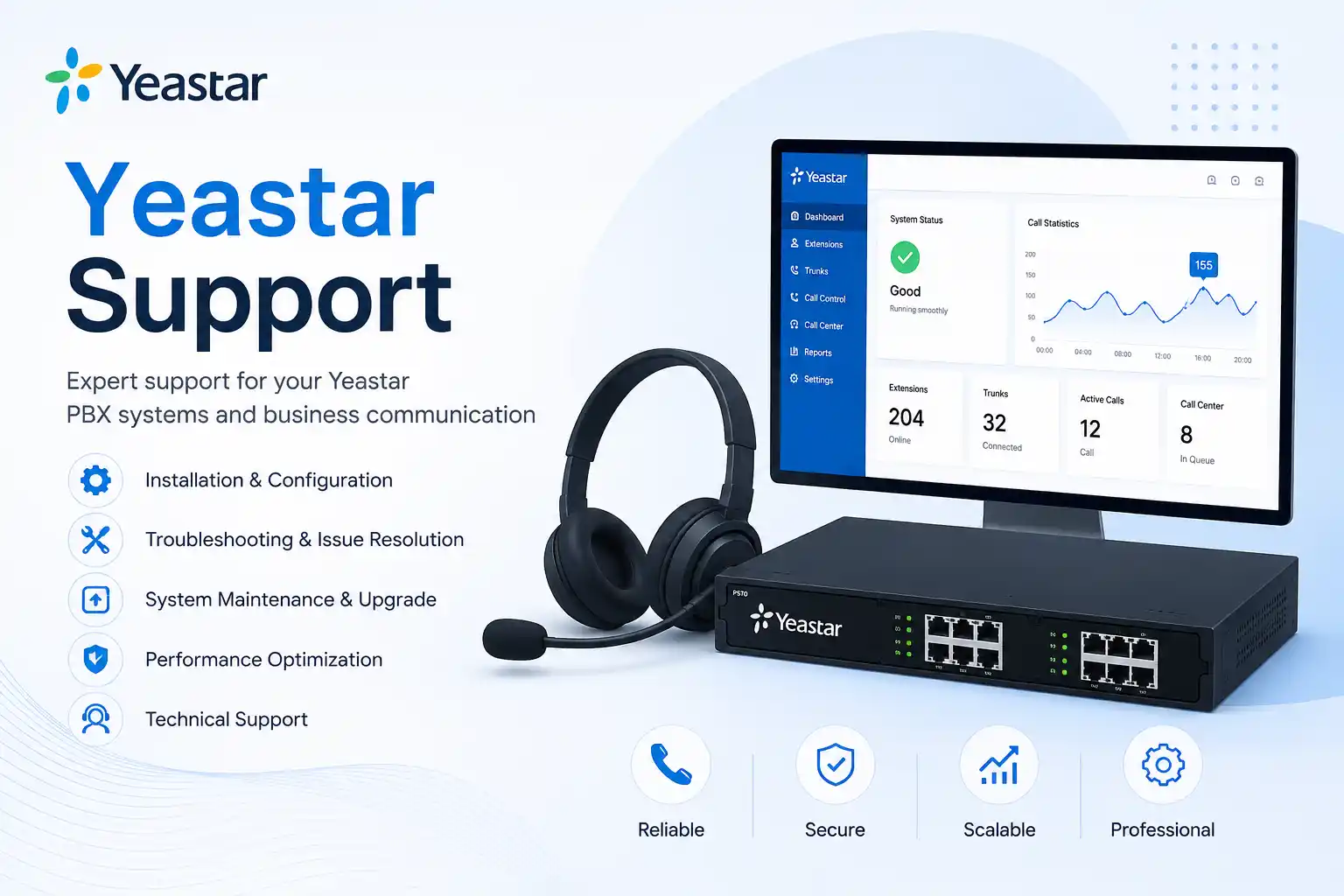
What does Yeastar IP PBX maintenance involve?
Yeastar IP PBX maintenance is a controlled review and care process for the business telephone system and the supporting services it depends on. It may include checking system status, administrator access, backups, storage, logs, extensions, SIP trunks, inbound and outbound routing, time settings, voicemail or prompts, connected IP phones, network reachability and relevant software or firmware maintenance. The exact work depends on the PBX deployment, current version, configuration, business call flow and maintenance objective. Organisations should consider maintenance when telephone service is business-critical, faults repeat, records are incomplete, the system has not been reviewed for a long period, a change is planned, or there is uncertainty about backup and recovery readiness. Before work is confirmed, prepare the PBX model or edition, approximate extension count, affected locations, trunk/provider details, recent changes, administrator access availability, backup status and a suitable change window. Maintenance should be planned, authorised and tested rather than treated as a collection of unchecked changes.
What maintenance can cover
Depending on the confirmed scope, FourTeck may review PBX status and events, configuration consistency, backups, software or firmware maintenance requirements, extension registration, trunk reachability, call routes, scheduled tasks, voicemail, prompts, time synchronisation, network settings, security-related access controls and the condition of connected telephony components. The objective is to understand the current state before deciding which maintenance actions are justified.
Who may need it
The service may suit offices, contact teams, clinics, retail operations, warehouses, schools, property-management offices, hospitality sites and organisations with one or several branches. It is particularly relevant where Yeastar carries customer calls, internal extensions, reception lines, queues, after-hours routing or SIP trunks that managers cannot afford to change casually without understanding dependencies.
Maintenance triggers businesses commonly notice
PBX maintenance is often requested before there is a complete outage. A receptionist may report intermittent registration on one handset, a manager may notice that an old employee still appears in the extension plan, an administrator may be unsure whether recent configuration changes were backed up, or a branch may experience call quality problems after a network change. These situations do not automatically mean that the PBX itself is faulty. The same symptom can be caused by the PBX, phone, switch, VLAN, cabling, router, firewall, DNS, internet connection, SIP provider, remote-office link or configuration between those components.
Repeated registration issues
Phones that repeatedly go offline or show registration errors need a path-based review. Maintenance may examine extension status, addressing, switch connectivity, voice VLAN configuration, firewall rules, remote access design and whether the issue affects one device or a wider group.
Uncertain backup status
If nobody can say when the last usable PBX backup was created or where it is stored, maintenance should include backup readiness review before significant configuration changes. A backup is useful only when its scope, location and restore limitations are understood.
Call-routing drift
Over time, hunt groups, queues, office hours, forwarding rules and DID routes can accumulate exceptions. Maintenance can help compare current routing with the business’s real reception and escalation process so obsolete or risky entries can be identified before changes are approved.
Change or expansion planned
Adding users, branches, trunks, remote workers or new network equipment is easier when the current PBX is documented first. Maintenance can expose capacity, compatibility, addressing or licensing dependencies that should be considered before the project starts.
Why preventive PBX care matters to business operations
Business telephony joins technical configuration to customer-facing workflows. A missed inbound route can affect sales enquiries. A queue problem can delay customer service. Incorrect office-hour routing can send callers to the wrong destination. A failed trunk may block external calling while internal extensions remain available, which can make the incident confusing to staff. Preventive maintenance does not guarantee that outages will never happen, but it can improve understanding of the system, reveal weak documentation, highlight outdated configurations and create a safer basis for future changes.
The maintenance value is therefore broader than checking whether the PBX is currently online. A useful review asks who depends on each call path, what happens when a provider is unavailable, whether emergency or priority contact procedures are understood, how administrator access is controlled, whether configuration backups exist, which handsets or gateways are still required and which changes have been made since the last review. It also asks whether the network supporting voice traffic has changed. An IP PBX depends on reliable IP connectivity, and problems that appear to be telephony faults can begin in switches, power, VLANs, routing or internet service.
For management, this creates clearer decisions. Instead of replacing devices simply because calls are unstable, the organisation can first determine whether the affected layer is a handset, LAN segment, SIP trunk, security policy or PBX configuration. Instead of applying an upgrade because a new release exists, the organisation can review release relevance, compatibility, backup status, change risk and a suitable maintenance window. The result is a more controlled support process even when a third-party telecom, ISP or hardware supplier must eventually take part.
Possible Yeastar IP PBX maintenance scope
The final scope should be confirmed after assessment. A maintenance engagement can be narrow, such as reviewing backups before a planned change, or wider, such as checking the PBX, SIP trunks, extension registration and network dependencies across a business location. Depending on the agreed work, assistance may include the following areas without implying that every item is automatically included.
System health and records
Review available status information, event records, storage condition, time settings, system warnings and recent configuration history where accessible. The aim is to identify evidence that deserves attention rather than assume every warning is a fault.
Backup readiness
Check whether configuration backups exist, whether the relevant data is included, where copies are retained and what restore dependencies apply to the particular Yeastar deployment. Backups should be reviewed before approved maintenance changes.
Extension and endpoint review
Confirm active extension use, registration status, naming consistency and obvious obsolete assignments where the customer authorises review. Connected IP phones, gateways or remote endpoints may need separate checks if symptoms point outside the PBX.
SIP trunk and route checks
Review trunk status, inbound and outbound routing logic, DID handling, office-hour behaviour and relevant provider dependencies. Provider-side account or network issues remain dependent on the telecom service concerned.
Software and firmware planning
Assess whether a maintenance release or firmware change is appropriate for the installed model or edition. Upgrade activity should consider vendor guidance, configuration backups, compatibility, maintenance windows and rollback or recovery planning where applicable.
Network and security dependencies
Review the voice network path when required, including addressing, switch reachability, VLANs, DNS, firewall or NAT dependencies and remote-access design. Security-related changes should be authorised, controlled and tested against required calling functions.
Service-fit matrix for common PBX situations
| Business situation | Relevant maintenance assistance | What must be confirmed |
|---|---|---|
| No recent PBX review | Baseline health, configuration, backup and dependency review. | Model or edition, administrator access, business call flow and maintenance objective. |
| Intermittent call quality | Evidence collection and PBX/network/provider path review. | Affected calls, times, users, sites, network changes and provider details. |
| Planned firmware or platform update | Compatibility, backup, change-window and post-update test planning. | Current version, target version, connected services, supported upgrade path and recovery options. |
| New users or department changes | Extension-plan and routing review before approved changes. | User list, call permissions, queue or group membership and handset availability. |
| Branch or network move | Telephony dependency mapping and migration-readiness maintenance. | IP addressing, firewall, WAN, SIP provider, phone deployment and expected downtime constraints. |
| Recurring trunk or route complaints | Call-path validation, logs and provider coordination. | Sample numbers, direction of failed calls, time of events, provider account contact and authorisation. |
Buyer-focused service information
| Service topic | Yeastar IP PBX maintenance for business telephony environments. |
|---|---|
| Main purpose | Preventive review, maintenance planning, backup readiness, controlled change and investigation of recurring issues. |
| Typical systems involved | Yeastar PBX, IP phones, SIP trunks, gateways, LAN switching, voice VLAN, firewall, router, internet service and remote-office connectivity where relevant. |
| Remote support suitability | Suitable for many configuration, log, backup and status checks when working internet access and authorised secure remote access are available. |
| On-site suitability | Appropriate when appliance, cabling, switch ports, power, physical phones, gateways or local network conditions require inspection. |
| Customer information required | Location, model or deployment type, extension count, symptoms, recent changes, trunk/provider information, access availability, backups and preferred maintenance window. |
| Testing and validation | Scope dependent; may include extension registration, internal calls, inbound and outbound calls, routing, queue or ring-group checks and agreed remote-user tests. |
| Vendor coordination | May be required for SIP service, licensing, vendor-specific issues, ISP faults or manufacturer support. |
| Scheduling dependency | Depends on business impact, change risk, engineer availability, customer access, provider coordination and approved quotation. |
| Quotation requirement | Contact FourTeck to confirm the maintenance scope, exclusions and service method. |
Remote maintenance or an on-site PBX visit?
When remote work may be suitable
Remote assistance can be practical when the PBX is reachable through an approved secure method and a responsible customer contact is available. It may be used to review system status, configuration, extensions, routes, events, backups, maintenance settings or software-related issues. Remote diagnosis is also useful for gathering evidence before deciding whether local physical inspection is justified.
Remote access should be authorised and controlled. Customers should not publish credentials on a public page or send passwords through unapproved channels. Access details should be shared through an agreed secure method after identity and authorisation are confirmed.
When on-site work may be needed
An on-site visit may be more appropriate when the Yeastar appliance, rack, power supply, patching, switch ports, physical phones, gateways or cabling need hands-on inspection. Local work may also be required when the system cannot be reached remotely, when several components share a fault, or when maintenance includes hardware relocation or replacement activity.
On-site scope depends on location, building access, equipment availability, maintenance windows and the agreed quotation. A physical visit does not automatically include replacement parts, third-party cabling work or provider-side repair unless those items are clearly included.
How a structured maintenance assessment can proceed
- Start with business impact. Confirm whether the issue or maintenance need affects one extension, a department, all external calling, inbound customer calls, a branch or the entire telephone environment.
- Identify the deployed PBX environment. Record the Yeastar model or edition, approximate version where known, extension count, trunk providers, remote users, gateways and key call-flow functions.
- Collect evidence before changing settings. Useful evidence can include timestamps, affected numbers, screenshots, call examples, registration status, event logs, recent network changes and the last known good configuration.
- Confirm authorisation, access and backups. Maintenance should not begin with uncontrolled changes. Administrator access, current backups, customer approval and a suitable change window should be established first.
- Review the relevant technical layers. The PBX may need to be considered together with IP phones, switches, voice VLANs, firewall, DNS, internet access, SIP trunks and any remote-office path.
- Separate findings from assumptions. A dropped call does not prove a PBX fault. A failed registration does not prove a handset fault. Evidence should narrow the likely layer before corrective work is approved.
- Plan approved maintenance actions. Configuration changes, firmware work, route corrections or endpoint adjustments should be scoped with dependencies and rollback or recovery considerations where applicable.
- Test against the business call flow. Validation should reflect the functions people actually use, such as internal calling, inbound DIDs, outbound routes, reception, queues, ring groups, voicemail, remote extensions or selected failover procedures.
- Record what changed. Maintenance notes should identify completed actions, observations, outstanding risks, provider dependencies and recommended next checks.
- Decide the next maintenance interval. Frequency should depend on business reliance, change rate, platform lifecycle, incident history and the agreed support plan rather than an invented universal schedule.
Planning maintenance changes without creating unnecessary risk
A maintenance visit is not valuable if the work introduces new uncertainty. Configuration changes should therefore begin with the desired business outcome. If the goal is to change reception hours, add a new branch, update software or retire an old extension range, the current routing and dependencies should first be understood. Where the PBX supports configuration backups, an appropriate backup should be created or verified before significant approved changes. The restore path and version limitations should also be considered because a backup is not a universal substitute for change planning.
Software or firmware maintenance needs similar care. The existence of a newer release does not automatically mean that every live business PBX should be upgraded immediately. The current version, supported upgrade path, release purpose, attached hardware, gateways, phones, remote-user methods, licenses, third-party integrations and maintenance window can influence the decision. Vendor documentation should be checked for the exact system and release involved. If the PBX is business-critical, testing should be defined before the change starts so the organisation knows how it will confirm that calling still works as expected.
Network changes can be equally sensitive. A change to VLANs, addressing, firewall policy, NAT or internet routing may affect extension registration or SIP traffic even when the PBX itself has not been edited. Maintenance should therefore connect telephony with the wider network change process. FourTeck can help review these dependencies, document approved actions and coordinate with the customer, ISP, telecom provider or other technology vendor when the fault or change crosses organisational boundaries.
Testing, validation and handover after maintenance
Testing should be based on the confirmed work rather than a generic statement that the PBX is “working.” A maintenance task involving backups may need verification that the backup completed and is stored where intended. A call-routing change may require sample inbound calls to the affected DIDs, checks of office-hours logic and verification that unanswered calls follow the approved destination. A trunk-related change may require both inbound and outbound testing. An extension or endpoint change may require registration, internal calls, external calls and caller identification checks where relevant.
For queue or ring-group maintenance, a business representative should confirm that membership, sequence, destination and timeout behaviour match the intended workflow. For remote users, testing may depend on the authorised remote-access design and the user’s connectivity. For multi-site environments, the team should determine whether tests are needed from each location or whether the change is limited to one branch.
Handover should identify what was reviewed, what was changed, what remains unresolved, what requires third-party action and what should be monitored after the maintenance window. Where agreed, documentation can cover important extension assignments, provider contacts, backup information, major call-routing logic, network dependencies and future maintenance recommendations. The documentation depth depends on scope; it should not expose credentials or sensitive secrets in general-purpose records.
Capability focus 1: reducing repeat telephony incidents through better evidence
Repeated telephone faults are difficult when every incident starts from zero. One user says calls are breaking up, another says the phone goes offline, and the only available response is to restart equipment. A maintenance-led approach improves the quality of evidence. It records which users are affected, whether problems are internal or external, whether both directions of calling fail, what time events occur, whether network changes happened recently and whether the symptom appears on one phone, one switch, one branch or all users.
This evidence makes support more efficient because it narrows the likely technical layer. If every phone at one branch loses registration together, the investigation is different from a single damaged handset. If only outbound calls fail through one provider route, the investigation differs from a local LAN issue. If audio quality degrades during high network load, the PBX may be only one part of the path that requires review. Maintenance can establish a baseline of the environment so later incidents have something to compare against.
The limitation is that maintenance cannot manufacture evidence that the platform, provider or network never recorded. Some intermittent faults require observation over time or coordination with a telecom provider. FourTeck can help identify what information is available, which tests are safe, and what should be captured during the next occurrence rather than presenting an unsupported guess as a diagnosis.
Capability focus 2: safer PBX changes with backup and rollback thinking
Telephone systems often become difficult to maintain because many small changes accumulate without a consistent record. A new employee is added, then a queue is adjusted, then office hours change, then a provider trunk is replaced. Months later, nobody is certain which settings are still required. Maintenance can help bring structure back to this environment by reviewing the configuration before change, confirming available backups and defining what success looks like after an approved modification.
Yeastar platforms provide backup and restore functions in supported deployments, but the exact content of a backup and the permitted restore path depend on the product edition and software version. That means a backup should be treated as part of a recovery plan rather than as a guarantee that every situation can be reversed instantly. Maintenance planning should consider whether important prompts, call records, contacts or other data need separate treatment and whether a planned software upgrade changes restore compatibility.
FourTeck can help review the maintenance objective, establish the available recovery position, carry out approved changes at an appropriate level and validate the agreed calling functions afterward. Where the customer has strict continuity requirements, the planning discussion should include business communication, provider dependencies, maintenance windows and contingency options. The actual rollback method remains system and scope dependent.
Capability focus 3: clearer telephony ownership across PBX, network and provider
A Yeastar PBX rarely operates alone. External calls depend on a SIP or telecom service. IP phones depend on the LAN. Remote users may depend on internet access, firewall policy, name resolution or approved remote connectivity. Gateways can connect analogue or other interfaces. Power, switching and cabling affect physical availability. When responsibility for these layers is unclear, businesses can spend time moving incidents between vendors without a complete view of the call path.
Maintenance can improve ownership by documenting who manages the PBX, who owns the trunk account, who administers the firewall, which switch ports or voice VLANs are relevant, who can authorise changes and which third-party support contacts are required. This does not mean one service provider controls every system. It means the dependencies are clearer, allowing the right party to receive better evidence when escalation is needed.
FourTeck can assist with the technical handoff between these layers by checking the parts within the approved scope, preparing observations, coordinating with a telecom or ISP where authorised and confirming whether the requested maintenance task requires separate network, cabling or provider work. Clear ownership is especially useful in multi-branch businesses, where a local network issue at one site can otherwise be mistaken for a central PBX fault.
Dependencies, access and customer inputs to confirm
The maintenance outcome depends on what can be observed and what the customer is authorised to change. FourTeck may need administrator-level access to the PBX, but credentials should be shared only through an approved secure method after the customer has confirmed identity and permission. Provider portals, firewall administration or network-switch access may also be relevant when the issue crosses those systems. If access is unavailable, the maintenance scope may be limited to observation, user-side testing or an on-site physical review.
The PBX deployment matters. A physical Yeastar appliance, software-based PBX or hosted environment can have different maintenance responsibilities. The customer or hosting party may control operating-system resources, virtualisation, public addressing, backups or network security outside the PBX application. Licensing or subscription status may affect certain functions, and third-party SIP providers can have their own settings and escalation requirements.
A current call-flow description is also valuable. Technical configuration should reflect the business requirement: which numbers reach reception, where after-hours calls go, who belongs to a queue, which extensions can call internationally, how remote workers connect and what happens when an employee leaves. If the business process is unclear, maintenance cannot safely assume the correct destination. A nominated business contact should therefore be available to approve changes and validate the result.
Maintenance limitations and exclusions to understand
PBX maintenance can reduce uncertainty and improve system care, but it does not guarantee that every telephony incident can be prevented or resolved within one visit. Diagnosis depends on evidence, access and the ability to reproduce or observe the problem. Intermittent SIP, internet or network faults may require monitoring or cooperation from the relevant provider. A successful maintenance test confirms the agreed functions at that time; it does not remove the need for future monitoring and support.
Hardware failure may require replacement parts or a new device outside the maintenance labour scope. Unsupported or legacy components may limit available software changes. A firmware or software update can require a maintenance window and may have compatibility considerations. Third-party licenses, provider subscriptions, telecom account changes, ISP repair, building cabling, electrical work or manufacturer-specific replacement processes are not automatically included unless the quotation says so.
Backup review also has limits. A backup is not the same as a tested disaster-recovery guarantee, and available restore options depend on the Yeastar deployment, version compatibility and the content captured. Where recovery requirements are important, they should be discussed explicitly. Commercial terms, included tasks, service timing, on-site attendance, documentation depth and any follow-up visits depend on the approved quotation or maintenance agreement.
Business environments where PBX maintenance may be useful
Professional offices
Reception, department ring groups and direct extensions often change as staff join, move roles or leave. Maintenance can help compare the active configuration with the current team structure and identify routing that needs business confirmation.
Retail and customer-service sites
Stores and customer-facing teams may depend heavily on inbound calls. Maintenance can focus on trunk availability, branch connectivity, call distribution and clear escalation when a fault belongs to the provider or local network.
Warehouses and logistics operations
Large sites can combine desk phones, remote offices, noisy environments and distributed network equipment. PBX maintenance may need coordination with switches, cabling, power and WAN links rather than a PBX-only review.
Clinics and appointment teams
Call queues, reception coverage and after-hours handling can be operationally important. Maintenance should validate approved workflows while avoiding unplanned changes to live call routing during busy periods.
Hospitality and property operations
Multiple departments, front-desk requirements and third-party systems can create complex dependencies. Scope should be confirmed before maintenance because some functions may involve gateways, provider services or separate application integrations.
Multi-branch organisations
A central PBX or connected branch environment can make local network issues appear central. Maintenance can help map sites, remote endpoints, WAN dependencies and escalation contacts so future incidents are easier to separate by location.
Operational, security and lifecycle considerations
PBX maintenance should include practical attention to access control because the telephone system holds routing rules, extension information and provider settings. Administrator accounts should be controlled, obsolete access removed when appropriate and remote administration restricted to authorised methods. This is not a claim that one maintenance action makes a PBX fully secure. Telephony security also depends on network design, internet exposure, account practices, vendor updates, trunk policies and operational monitoring.
Lifecycle planning matters because PBX platforms, phones, gateways and supporting network equipment do not remain unchanged forever. A business may encounter aging hardware, unsupported firmware, discontinued endpoints, an expanding extension count or new requirements that the original design did not anticipate. Maintenance is a suitable time to identify these conditions and decide whether the next step is continued care, a targeted upgrade, a network improvement or a broader migration assessment.
Documentation should evolve with the system. Useful records can include device models, extension ranges, trunk providers, main inbound numbers, important routing logic, network placement, backup responsibility and vendor contacts. The aim is not to publish sensitive configuration. It is to ensure that authorised administrators and decision-makers can understand the environment without relying on one person’s memory. Better records also help when the business relocates, opens a branch, changes provider or needs a quotation for future work.
Before you contact FourTeck for Yeastar PBX maintenance
A clear request helps FourTeck decide whether the first step should be remote review, an on-site visit or a more detailed maintenance assessment. Prepare what you can from the following list; missing items do not prevent you from making an enquiry, but they can affect how quickly the scope can be defined.
- The Dubai or UAE service location and whether the PBX serves any additional branches.
- The Yeastar model, edition or deployment type if known.
- Approximate number of extensions, IP phones and remote users.
- Main SIP, telecom or internet providers involved in external calling.
- A short description of the maintenance objective or recurring problem.
- Examples of affected inbound or outbound calls, including date and time where relevant.
- Any recent PBX, network, firewall, ISP or office changes.
- Whether administrator access can be authorised for the assessment.
- Whether current configuration backups exist and who manages them.
- Known maintenance windows or business periods when calls must not be interrupted.
- The key call flows that must be tested, such as reception, queues, direct numbers or after-hours routing.
- Whether physical appliance, rack, cabling or switch access is available if on-site work is required.
- A nominated technical or business contact who can approve changes.
- Any security restrictions that affect remote access or provider portals.
- The preferred outcome: preventive review, fault investigation, upgrade planning, documentation or an ongoing maintenance proposal.
Checklist for defining the maintenance quotation
✓ Confirm the exact maintenance objective and business priority.
✓ Confirm the Yeastar platform, model or deployment type.
✓ Confirm how many users, phones, trunks and sites are involved.
✓ Decide whether the first assessment can be remote or must be on site.
✓ Identify required administrator, network or provider access.
✓ Define whether backups need creation, review or recovery planning.
✓ State whether firmware or software maintenance is being considered.
✓ Identify any network, firewall or SIP-provider dependencies.
✓ Confirm the functions that must be tested after maintenance.
✓ Define whether documentation or administrator handover is required.
✓ Identify hardware, cabling or replacement tasks that may need separate scope.
✓ Confirm the preferred maintenance window and site-access constraints.
✓ Clarify whether ongoing preventive maintenance is required after the initial review.
How FourTeck can assist with the maintenance engagement
FourTeck can begin by clarifying what the business wants to protect or improve: day-to-day calling reliability, a planned PBX change, better backup readiness, fewer repeat incidents, cleaner extension records, improved documentation or a maintenance plan for a system that has grown over time. The assessment then focuses on the relevant parts of the environment rather than assuming that every PBX requires the same checklist.
Where remote access is appropriate, FourTeck can review available status, configuration, logs and maintenance information with the customer’s authorisation. When the issue requires physical inspection, on-site work can be considered for the PBX appliance, IP phones, gateway, rack, power, switches or cabling. Where a third-party SIP provider, ISP, firewall administrator or other vendor is involved, FourTeck can help organise the technical evidence and coordinate the next action within the approved scope.
After assessment, the work can be separated into maintenance that is reasonable to perform now, items that need a planned change window, provider-dependent actions and longer-term recommendations such as network improvement, documentation, hardware replacement or migration planning. Contact FourTeck through the IT services contact page to share the current environment and request a scope-based quotation.
Dubai and UAE service coordination
For businesses in Dubai, Yeastar IP PBX maintenance can begin with a remote discussion and evidence review when authorised access and working connectivity are available. An on-site visit may be recommended when the maintenance requires physical PBX access, switch or cabling checks, phone testing, rack work or coordination with local staff. The service method depends on the issue, location, urgency, available access and approved quotation.
Maintenance timing also depends on the business call schedule. A system serving reception, customer service or multiple branches may need work planned outside a busy period or in a clearly defined change window. Engineer availability, customer access, required equipment, provider support and site conditions can influence scheduling. FourTeck does not assume that every maintenance task can be completed remotely or in one visit before the environment has been assessed.
Businesses that need broader infrastructure help can review FourTeck IT support across Dubai and the UAE or the business IT services overview. Telephony maintenance is often connected to networking, internet connectivity and endpoint support, so related requirements can be discussed as part of the same assessment without assuming they are automatically included.
Coordinating service for Dubai, Abu Dhabi, Sharjah and Ajman
FourTeck can discuss Yeastar IP PBX maintenance requirements for businesses in Dubai, Abu Dhabi, Sharjah and Ajman as part of UAE service coordination. Depending on the confirmed requirement, the first stage may involve remote troubleshooting, review of system information, maintenance planning or a planned on-site visit. Multi-site organisations should identify which branches are affected and whether they use one central PBX, separate systems or remote extensions, because this changes both diagnosis and testing.
On-site arrangements are subject to scheduling, travel, building access, security procedures, local contact availability and the approved work scope. A branch in another emirate may also involve different ISP circuits, firewalls, voice VLANs, switches or SIP-routing conditions. This is why the maintenance plan should distinguish central PBX work from branch-specific network or hardware checks. Required replacement equipment or third-party provider actions can also affect the timeline.
The customer should confirm which locations need physical attendance, which sites can provide an authorised contact, and whether testing must include calls between branches. FourTeck can then define a practical combination of remote review and on-site activity instead of assuming identical work at every location.
Related FourTeck IT services
PBX maintenance can reveal dependencies outside the telephone system. If the assessment shows that the root requirement is broader, FourTeck can discuss related IT support as a separately confirmed scope.
Office network support
Useful when extension registration, voice VLANs, switching, IP addressing or branch connectivity may be contributing to the telephony issue.
Business IT support
Relevant when PBX maintenance forms part of a wider review involving users, servers, networks, internet services and other connected business systems.
On-site technical assistance
Appropriate when physical phones, switches, rack equipment, cabling, power or gateway hardware requires inspection at the premises.
Maintenance planning
Useful for organisations that want recurring checks, documentation and a clearer support process rather than waiting for faults to become urgent.
Why businesses contact FourTeck for PBX maintenance assistance
Businesses often need more than a technician who can open a PBX interface. They need someone to connect the reported telephone symptom to the wider environment, ask the right questions before making a change, coordinate remote and on-site work, and explain when a provider or network dependency must be involved. FourTeck approaches maintenance from that practical service perspective.
The initial discussion is used to identify the affected users, phones, trunks, branches and business call flows. Maintenance actions can then be aligned with available access, backup readiness, change risk and testing requirements. Where an issue extends into the LAN, internet connection, firewall or remote site, that dependency can be identified rather than hidden behind a generic “PBX fault” label. Where a provider must act, relevant observations can be prepared for escalation.
FourTeck can also help customers turn maintenance into better records. Documentation, completed-change notes and next-step recommendations can reduce uncertainty during later incidents, staff changes or office moves. To learn more about the service provider and its UAE technology-support orientation, visit About FourTeck IT Services.
Questions businesses ask before choosing Yeastar PBX maintenance
The following decision guidance addresses common searches and conversations that arise before a business requests maintenance. The answers are intentionally scope dependent because the correct action changes with the PBX edition, network, provider, available access and operational priorities.
Can our Yeastar PBX be checked remotely?
Many maintenance checks can begin remotely when the customer has a working internet connection, can authorise secure remote access and has an administrator or responsible user available. Remote work may include reviewing system status, extension registration, trunk status, routing, logs, configuration records and backup information. It can also help determine whether an on-site visit is actually needed. Remote access is less suitable when the PBX itself is unreachable, power or cabling is suspect, several phones are physically offline, a switch or gateway needs inspection, or local testing is required. The next action should therefore be based on evidence rather than a preference for remote or on-site support alone.
How often should an IP PBX receive maintenance?
There is no single maintenance interval that fits every business. A small office with a stable configuration may need a different plan from a contact team that changes queue membership frequently or a multi-branch business with remote phones, multiple trunks and regular network changes. The interval should reflect business reliance on voice, system age, change frequency, incident history, backup policy, vendor lifecycle and internal administration capability. FourTeck can review the current state and help define a practical maintenance approach, but the actual schedule should be written into the agreed service plan rather than assumed from a generic recommendation.
Do we need a firmware update as part of maintenance?
Not automatically. Firmware or software maintenance should be considered against the exact Yeastar model or edition, current release, vendor guidance, security and functional relevance, compatibility, connected devices and the business’s maintenance window. A newer release can contain important fixes or features, but an update is still a change to a live communication system. Before proceeding, backups and recovery considerations should be reviewed, the supported upgrade path should be confirmed and post-change calling tests should be defined. If the current system includes older phones, gateways or integrations, compatibility may need additional checking before approval.
What should we do if calls are dropping or audio is poor?
Start by recording affected call examples rather than assuming the PBX is the cause. Note whether the problem happens on internal calls, external calls or both; whether it affects one phone or many; whether it is inbound, outbound or bidirectional; and the approximate time of occurrence. IP voice quality can be influenced by the handset, Ethernet link, switch, VLAN, routing, internet connection, firewall behaviour, SIP provider or remote endpoint as well as the PBX. FourTeck can use this evidence to decide which layers need review and whether network testing or provider escalation should be included in the maintenance scope.
Is a PBX backup enough before making changes?
A current backup is an important safeguard, but it is not the whole change plan. The team should know what the backup includes, where it is stored, whether the relevant Yeastar deployment can restore it under the current software conditions and what other systems would still need recovery if a wider outage occurred. Some maintenance work may also affect external providers, phones, firewalls or networks that are not fully represented in a PBX backup. Significant changes should therefore combine backup readiness with authorisation, documented settings, a defined maintenance window, validation steps and realistic rollback or recovery planning.
Should we repair the current setup or plan an upgrade?
That decision should follow an assessment of business requirements and the actual condition of the environment. Continued maintenance may be sensible when the PBX is supported, stable, appropriately sized and compatible with current phones and provider services. Upgrade or migration planning may be more appropriate when hardware is aging, software support is limited, expansion needs exceed the design, required features are unavailable, repeated incidents are linked to legacy components or documentation is so weak that change becomes increasingly risky. FourTeck can help separate immediate maintenance needs from a longer-term replacement or migration discussion without assuming that new hardware is always the answer.
What information should we prepare before requesting a quotation?
Prepare the location, Yeastar model or edition, approximate user and phone count, number of sites, trunk or telecom provider, current problem or maintenance goal, any recent configuration or network changes, availability of administrator access, backup status and preferred maintenance window. If the request relates to a fault, include sample dates, times and affected numbers where possible. If it relates to preventive maintenance, explain what has or has not been reviewed recently. A simple network diagram, call-flow document or list of critical numbers can also help. Do not send passwords publicly; credentials should be shared only through an approved secure method after authorisation is confirmed.
When is an on-site visit usually worth arranging?
An on-site visit is usually valuable when physical conditions are part of the problem or maintenance scope. Examples include checking a PBX appliance, rack, power source, patching, switch ports, PoE, handsets, gateways or cabling. It can also help when the system is inaccessible remotely or when multiple local components must be tested together. By contrast, a call-routing review or configuration audit may start remotely. For Dubai and other UAE locations, the visit plan depends on confirmed scope, building access, engineer scheduling and whether equipment or third-party coordination is required.
Can maintenance stop every future PBX outage?
No. Preventive maintenance can identify weaknesses, improve documentation, verify backups and support safer changes, but it cannot guarantee uninterrupted service. Outages can originate from hardware failure, internet service, telecom providers, switches, power, firewall changes, remote-site connectivity, software defects or other external dependencies. A strong maintenance plan focuses on reducing avoidable uncertainty, improving recovery readiness and making future incidents easier to diagnose. Businesses with strict continuity requirements should discuss broader resilience, provider redundancy and recovery planning as separate requirements rather than assuming routine maintenance alone provides them.
Can FourTeck maintain a PBX used by several branches?
Multi-branch maintenance can be assessed, but the scope should identify how the branches connect and which systems are central or local. One branch might use remote extensions to a central PBX, while another may have its own gateway, firewall or network path. A problem that affects only one location can therefore require local network evidence even when the PBX is central. FourTeck can review the topology, identify which sites need remote checks or physical attendance and define testing across branches. Scheduling, access and travel requirements should be included in the quotation rather than assumed.
Frequently asked questions
What does FourTeck check during Yeastar PBX maintenance?
The exact checklist depends on the agreed scope. It may include system status, configuration, backups, logs, extensions, trunks, routing, update requirements, network dependencies and post-maintenance calling tests.
Can maintenance include backup verification?
Yes, backup readiness can be included when appropriate. What is backed up, where copies are stored and which restore options are valid depend on the Yeastar deployment and version, so this should be confirmed during assessment.
Will you update the PBX during every maintenance visit?
No. Updates should be evaluated against the installed platform, vendor guidance, compatibility, business need, backup position and maintenance window. A live PBX should not be changed simply because a newer release exists.
Can you investigate SIP trunk problems?
Trunk status, call routing and available evidence can be reviewed within scope. Provider-side faults, account changes or carrier network issues may require coordination with the SIP or telecom provider.
Does maintenance include IP phone repair?
Phone registration and connectivity may be checked when relevant, but physical handset repair or replacement parts are separate requirements unless the quotation specifically includes them.
Do you need administrator access?
Many meaningful PBX checks require authorised administrator access. The exact access level depends on scope. Credentials should be shared only through an approved secure method, not through public page content.
Can the service cover multiple UAE offices?
It can be assessed for multi-site environments. The quotation should confirm which locations, PBX systems, remote extensions, network dependencies and on-site visits are included.
What happens after maintenance is completed?
FourTeck can validate agreed calling functions, record completed actions and identify remaining risks or third-party dependencies. Documentation depth and ongoing maintenance recommendations depend on the approved scope.
Can you guarantee that no calls will be interrupted?
No. Maintenance can be planned to reduce risk, but live changes can require a maintenance window and external failures can still occur. Downtime expectations should be discussed for the actual work before approval.
How is the final price determined?
Commercial terms depend on the confirmed maintenance scope, service method, number of systems or sites, access requirements, expected testing, on-site work, provider coordination and any additional project tasks.
Request a Yeastar PBX maintenance assessment
Share the Yeastar PBX model or deployment type, your Dubai or UAE location, approximate user count, current maintenance concern, recent changes, access availability and preferred service window. FourTeck can review the information, recommend whether the first stage should be remote or on site, and prepare a quotation based on the work that can actually be confirmed.
Maintenance can be requested as a focused one-time review or discussed as part of wider business IT support. Inclusions, exclusions, scheduling and follow-up activity should be confirmed in the approved scope.