
Business IP telephony configuration and user administration
Grandstream UCM Extension Configuration in Dubai, UAE
A new extension is more than a number on a phone. It can affect user identity, registration, voicemail, outbound permissions, call forwarding, department routing, endpoint provisioning and the way the wider Grandstream UCM environment handles everyday calls. FourTeck helps Dubai businesses plan and carry out extension changes with attention to the existing PBX configuration, connected phones, network conditions and the business result expected from each change.
Before configuration is confirmed, the UCM model and firmware, administrative access, current extension range, endpoint type, user requirements and any existing call-flow dependencies should be reviewed. Where a change could affect active users, a configuration backup and a suitable change window may also be appropriate.
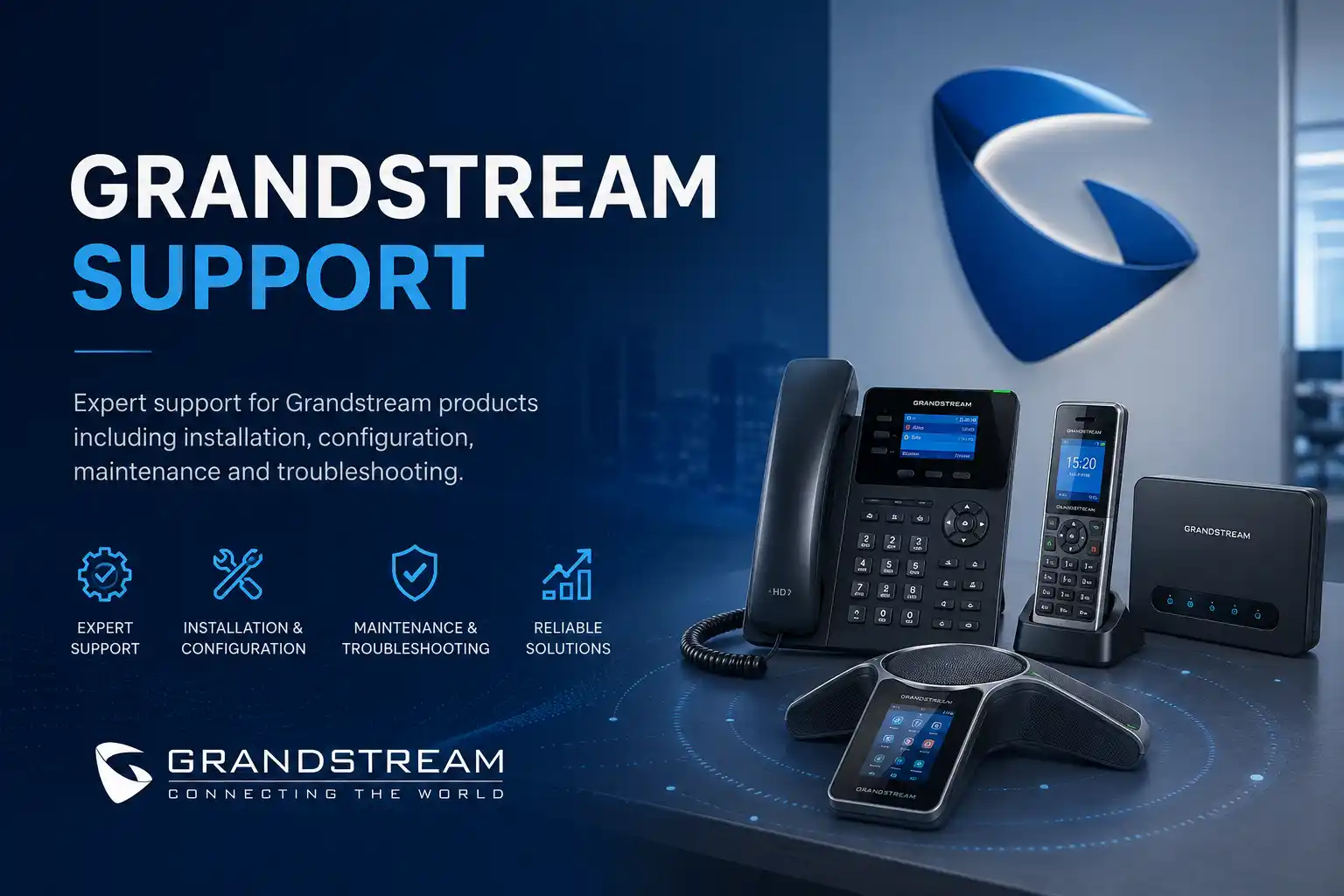
Extensions, users, registration and call permissions.
Backup, authorisation and testing where appropriate.
Remote or on-site according to access and physical requirements.
UCM model, firmware, phones, network and provider conditions.
What does Grandstream UCM extension configuration involve?
Grandstream UCM extension configuration is the process of creating or adjusting user accounts and the settings that allow endpoints to register to a UCM IP PBX and participate in the organisation’s call flow. Depending on the approved scope, this may involve the extension number, user identity, authentication settings, voicemail, call permissions, forwarding, phone assignment, provisioning and testing. Grandstream documentation supports both single and batch creation of SIP extensions on applicable UCM systems, but the available fields and administration path can vary by model and firmware. Businesses should consider the service when adding staff, reorganising departments, moving phones, correcting failed registrations or cleaning up an undocumented extension plan. Before work begins, prepare the UCM model, authorised administrative access, affected users, current extension list, connected phone models and the business result expected from the change.
What the service can cover
The purpose of the service is to make approved extension changes in a way that fits the existing UCM environment rather than treating each phone as an isolated device. Depending on the confirmed requirement, assistance may include creating a new SIP extension, updating the user name, assigning a suitable authentication identity, reviewing voicemail requirements, applying the correct outbound permission level, preparing registration details for a Grandstream desk phone or approved softphone, and checking whether the extension must participate in a ring group, queue, IVR destination or forwarding rule.
The same request can also require network or endpoint work. A correctly created extension will not register if the phone cannot reach the PBX, the device is on the wrong VLAN, the provisioning path is incorrect, credentials do not match, the firewall blocks required traffic or the endpoint is not compatible with the intended method. FourTeck therefore confirms the technical path before assuming that the PBX entry is the only item needing attention.
Who may need this configuration service?
The service suits organisations already using a Grandstream UCM PBX and needing a controlled user change rather than a full telephone-system replacement. Typical cases include a new employee who needs a desk phone, a department that requires a new extension range, a reception user moving to another handset, a branch or remote user being added, an old extension being reassigned, or an existing phone showing registration errors after network or account changes.
It can also help businesses that inherited a UCM system with limited documentation. In that situation, the first task may be to identify the current numbering plan, confirm which extensions are active, understand how phones are provisioned and record any links to queues, ring groups, voicemail or external call permissions. Cleaning up the administration records before adding more users can reduce duplicated numbers, unclear ownership and later troubleshooting delays.
Common reasons a Dubai business requests UCM extension changes
New employee onboarding
A staff member needs an extension, identity, phone registration and the call permissions appropriate to the role. The required department routing, voicemail and forwarding behaviour should be confirmed before activation.
Phone will not register
The account may exist but the endpoint remains unavailable. Possible layers include credentials, endpoint settings, provisioning, IP addressing, network reachability, VLANs, firewall behaviour or PBX configuration. The symptom does not prove a single cause.
Office move or desk change
A phone or user is moving to another desk, floor or site. The extension may remain the same, but network ports, PoE, voice VLAN assignment, handset identity and local cabling need to support the move.
Department expansion
Sales, support, operations or reception needs more users. A planned range helps keep numbering understandable and makes future queue, group and reporting changes easier to administer.
Permission correction
An extension can make internal calls but not the external calls required for the job, or its current permissions are broader than necessary. Outbound rules and user permission levels need to be reviewed together.
Undocumented legacy setup
The business has extensions that no longer match current staff or departments. A review can identify active accounts, old assignments and call-flow dependencies before controlled clean-up is approved.
These situations can affect more than one user. An extension tied to a queue, ring group, direct number or after-hours route may participate in several call paths. Changing or deleting it without understanding those relationships can send calls to the wrong destination, remove a user from a department workflow or leave voicemail unattended. The business requirement should therefore be written clearly before settings are changed.
How extension problems can affect daily operations
An extension issue can look small while creating a visible customer-service problem. A new sales employee may be unable to receive transferred calls. Reception may see a user as unavailable. An external call can be blocked because the extension does not have the required permission. Voicemail may be attached to the wrong user. A reassigned handset can display an old employee name or place calls with the wrong internal identity. When the extension participates in a ring group or queue, one incorrect setting can affect how a whole department answers calls.
Registration faults can also waste support time if the wrong layer is investigated. Recreating an extension repeatedly will not correct a disconnected cable, missing PoE, incorrect switch VLAN, blocked network path or a handset that still holds old account details. Conversely, replacing a phone will not help if the user account is disabled or misconfigured on the UCM. A structured review separates the PBX account from the endpoint and network path so corrective work targets the actual fault.
For managers, the practical outcome is clarity: who owns the number, which device uses it, what calls the user is allowed to place, where unanswered calls go and how the extension participates in department routing. That information also supports future onboarding, offboarding, office moves and migration planning.
Possible service scope for Grandstream UCM extension work
The final scope depends on the current environment, the number of users, the UCM model and firmware, the endpoint type, access available and the business outcome requested. Depending on the confirmed quotation, assistance may include some of the following activities.
Extension creation and identity
Create an approved extension or batch of extensions, assign user names and confirm numbering against the existing plan. The exact options available are model and firmware dependent.
Authentication and registration
Prepare account information for the authorised endpoint, verify registration status and investigate mismatches between PBX credentials and phone settings without publishing sensitive credentials.
Voicemail and user options
Confirm whether voicemail is required, align the mailbox with the user and test the approved access method. Email delivery or notification depends on the wider PBX and mail configuration.
Outbound permission review
Check that the extension’s permission level and the relevant outbound rules support the calls the user is authorised to make, while avoiding unnecessary privilege.
Endpoint assignment
Associate the user with a Grandstream phone or other approved SIP endpoint using a supported provisioning or manual method, subject to compatibility and access.
Call-flow dependency checks
Review whether the extension is part of a queue, ring group, IVR, forwarding rule or direct-dial route before making changes that could alter inbound call handling.
Functional testing
Test registration, internal calling and the approved external or routing scenarios. Test coverage should be agreed so business-critical call paths are not assumed to work.
Documentation and handover
Record useful extension ownership, endpoint assignment, key dependencies and any remaining actions so future changes do not rely on memory or undocumented settings.
Service-fit matrix: what should happen next?
| Business situation | Relevant assistance | What must be confirmed |
|---|---|---|
| One new employee needs a phone extension. | Extension creation, identity, phone registration, voicemail and permission checks. | Numbering plan, endpoint model, department routing and authorised call privileges. |
| Several new users are joining one department. | Batch planning, consistent user settings, endpoint provisioning and group or queue review. | Available extension range, user list, phones, queue membership and rollout window. |
| An existing phone shows an unavailable or registration-failed state. | PBX account review, endpoint settings, network reachability and registration testing. | Whether one phone, one VLAN or multiple users are affected; recent changes; authorised access. |
| A user can call internally but not externally. | Permission and outbound-rule review, followed by controlled call testing. | Required destination types, carrier status, outbound route policy and management authorisation. |
| Old users and numbers need to be cleaned up. | Inventory, dependency review, deactivation or reassignment planning and documentation. | Ownership, voicemail retention expectations, queue or ring-group membership and management approval. |
Service information to confirm before configuration
| Service topic | Grandstream UCM extension configuration and related endpoint registration support. |
|---|---|
| Main purpose | Create, adjust or troubleshoot approved user extensions so the phone system reflects current staff and call-handling requirements. |
| Typical systems involved | Grandstream UCM IP PBX, SIP extensions, Grandstream phones or other approved endpoints, LAN switches, voice VLANs, firewall and SIP provider services where relevant. |
| Remote support suitability | Often suitable for PBX administration, account review, call-flow checks and endpoint configuration when secure authorised access and a working network are available. |
| On-site support suitability | Useful when phones must be physically installed, cabling or switch ports require testing, PoE is unavailable, the voice VLAN needs local verification or remote access cannot reach the affected environment. |
| Customer access required | Authorised UCM administration and, where needed, endpoint, switch, firewall or provider access. Credentials should be exchanged only through an approved secure method after authorisation is confirmed. |
| Information required | UCM model, firmware, extension plan, user names, phone models, symptoms, recent changes, required calling permissions and business call-flow expectations. |
| Testing and validation | Scope dependent. May include registration, internal calls, approved external calls, voicemail, transfers, group participation and selected inbound routing tests. |
| Backup consideration | A current configuration backup may be appropriate before material changes, subject to the UCM model, access and existing backup practice. |
| Service location | Dubai and wider UAE coordination, subject to the confirmed scope, scheduling, access and engineer availability. |
| Important scope note | Configuration options and troubleshooting steps depend on the exact UCM model, firmware, endpoint, network and third-party voice services. Contact FourTeck to confirm the quotation and service plan. |
Remote configuration or an on-site visit?
When remote assistance may be suitable
Remote support can be efficient when the UCM is reachable through an approved secure method, the internet connection is working and the change mainly concerns PBX settings or a phone that can be accessed with the help of a local user. Extension creation, name changes, voicemail settings, permission review, registration checks and selected call-flow adjustments can often be assessed remotely.
A local contact is still useful. The person can confirm what appears on the handset, place test calls, check cables or restart a phone if required. Remote access does not remove the need for authorisation, a suitable backup where necessary or clear testing after the change.
When on-site assistance may be better
An on-site visit may be recommended when the work includes physical phone deployment, cabinet access, PoE or switch-port checks, patching, voice VLAN verification, local handset programming, cabling faults or multiple devices that cannot be reached remotely. It can also be useful during a department rollout when many phones must be assigned, labelled and tested in one coordinated window.
Attendance and timing depend on site location, building access, confirmed scope, engineer availability and any equipment or third-party coordination required. A remote review can sometimes be used first to narrow the problem and prepare the visit more effectively.
A controlled assessment and configuration process
1. Define the business result
Start with what the user must be able to do. Confirm whether the requirement is a new extension, a phone move, a replacement handset, external calling, voicemail, queue membership, forwarding or a wider department change. A clear outcome prevents technically valid settings from producing the wrong business behaviour.
2. Identify the current UCM environment
Confirm the UCM model, firmware, active extension range, connected phone models and provisioning approach. The available administration fields, security options and endpoint-management methods can differ across generations and firmware releases, so the exact platform matters.
3. Review dependencies before changing anything
Check whether the extension already appears in queues, ring groups, IVR destinations, inbound routes, forwarding rules or reports. If it is being reassigned, confirm whether old voicemail or user-specific settings must be retained, removed or transferred according to management instructions.
4. Protect the existing configuration
Where the change could affect current service, confirm that an appropriate UCM configuration backup is available or create one if included and supported. Record the original settings that may need to be restored. A rollback path is especially useful when several users or routing rules will be changed together.
5. Configure the approved extension settings
Create or modify the user account using the agreed extension number, identity, authentication method, voicemail and call privileges. Grandstream systems can provide generated credentials and support multiple extension-management options, but sensitive details should remain protected and should not be copied into public documentation.
6. Register or provision the endpoint
Apply the authorised account to the desk phone or softphone using a method appropriate to the endpoint and UCM. If registration fails, verify network reachability, addressing, VLAN, provisioning and account state instead of repeatedly recreating the same user.
7. Test from the user’s perspective
A green registration state is not the final test. Place calls that reflect the agreed requirement: internal dialling, receiving a transferred call, voicemail, approved outbound calls and participation in a queue or ring group where applicable. Confirm caller identity and destination behaviour rather than relying on configuration screens alone.
8. Record the result and remaining actions
Document the extension owner, device assignment, important routing relationships and any unresolved provider, network or licensing dependencies. If the change reveals wider issues such as an inconsistent numbering plan or unsupported phones, those can be separated into a later improvement project.
Capability 1: make user changes without losing sight of call flow
An extension belongs to a wider communication design. The user may receive a direct inbound number, appear in a ring group, sign in to a queue, receive calls from an IVR choice, forward unanswered calls to another destination or use voicemail outside office hours. A configuration change that looks harmless at the account level can therefore change customer-facing behaviour. FourTeck approaches extension work by linking the user request to these call-flow relationships before implementation.
For example, when an employee leaves, simply deleting the extension may cause a queue to lose an agent or a direct number to reach a dead destination. A better plan may be to confirm who should receive future calls, whether voicemail contains business information, whether the phone will be reassigned and which records management wants to retain. When a replacement employee starts, the business can decide whether the old extension number should remain or whether a new number better suits the numbering structure.
The limitation is that not every relationship can be understood without sufficient access and documentation. If provider-side routing, external SBC configuration or a third-party application participates in the call path, additional coordination may be needed. The exact service should therefore be confirmed from the current environment rather than assuming all call behaviour is controlled from one UCM screen.
Capability 2: separate PBX configuration from phone and network faults
A failed extension registration is a symptom, not a diagnosis. The account can be correct while the phone cannot reach the UCM. The handset may receive an IP address on the wrong network, a switch port may lack the intended voice VLAN, PoE may be unstable, DNS or routing may be incorrect, or a firewall policy may affect remote registration. The opposite is also possible: the network path is healthy but the endpoint uses the wrong authentication details or the extension is disabled.
This distinction matters because replacing devices or recreating accounts at random can hide the real cause and create additional configuration drift. A structured check starts with the scope of the fault. If one user is affected, compare the endpoint with a working user. If a whole department is affected, examine the shared switch, VLAN, uplink or PBX service path. If only external calls fail, inspect call permissions, outbound rules and provider status rather than focusing only on registration.
Where the network requires deeper investigation, FourTeck’s wider business IT support approach can connect telephony checks with switching, cabling, firewall and internet dependencies. Physical faults may require an on-site visit, while configuration and log review can often begin remotely.
Capability 3: create extension records that are easier to maintain
Telephone systems become harder to manage when extension numbers, users and devices are changed without updating records. Over time, names no longer match staff, spare phones contain old accounts, numbers are duplicated in informal spreadsheets and no one is sure which extension belongs to a queue or direct number. A small amount of documentation during each configuration task can prevent future support work from starting with discovery every time.
Useful records can include the extension number, user or role, assigned device, phone model, department, direct number if relevant, queue or ring-group participation, and any special permission or forwarding requirement. Sensitive passwords should not be stored in ordinary shared documents. Administrative credentials and account secrets need an approved secure handling process with clear ownership.
Documentation does not replace the UCM configuration itself, and it must be kept current. For larger changes, the business may benefit from a simple extension plan that separates reception, departments, shared areas and reserved future ranges. This makes onboarding easier and supports later migration if the organisation changes PBX platforms or opens another site.
Dependencies, access and customer inputs
Configuration work depends on access to the correct systems and on clear authorisation. FourTeck may need the customer to confirm the UCM model and firmware, provide authorised administrative access, identify the affected users, explain the required calling behaviour and make a local contact available for testing. If phones are being installed or moved, endpoint models, MAC addresses, network-port locations and PoE availability may also be relevant.
Some UCM extension changes depend on systems outside the PBX. External calling can involve a SIP trunk or telecom provider. Remote users can depend on internet quality, firewall policy and the UCM’s supported remote-connectivity method. Provisioning can depend on endpoint compatibility and the way the organisation manages device templates. Email-related voicemail functions depend on correct mail settings and the organisation’s email environment. These relationships should be confirmed when they are part of the requested outcome.
Customers should never publish passwords or send credentials through an unapproved public channel. Access information should be shared only after the service request and authorisation are confirmed, using a secure method agreed for the engagement. Where an administrator account belongs to a former provider or employee, access recovery may become a separate dependency before configuration can proceed.
Risks, limitations and exclusions to understand
Grandstream UCM configuration is not risk-free when the PBX is already carrying active business calls. A change to an extension can affect a queue, ring group, inbound destination or outbound permission. Larger modifications may therefore need a planned maintenance window, a backup and agreed rollback steps. Testing should cover the required business scenarios, but a successful test does not remove the need for ongoing monitoring and accurate administration.
Diagnosis depends on available evidence and access. If the UCM cannot be administered, the phone is physically damaged, the switch has failed, cabling is faulty or the SIP provider is unavailable, extension configuration alone cannot resolve the full issue. Hardware replacement, cabling work, provider charges, licences or third-party services may sit outside the initial labour scope and should be quoted or approved separately.
Legacy or unsupported equipment can limit available options. Firmware changes should not be undertaken only because an update exists; compatibility, release notes, current configuration and recovery planning should be reviewed. FourTeck does not assume that every endpoint, remote user method or third-party SIP service is compatible without assessment. Final commercial terms and included work depend on the approved quotation or service agreement.
Business environments where extension configuration may be useful
Professional offices
Consultancies, legal teams, accounting offices and administration-heavy businesses often need clear extension ownership, reception transfers, voicemail and role-based external calling as employees join or change departments.
Retail and showrooms
Front desks, sales desks and back-office users may share a common incoming number while needing individual extensions. Reliable call transfer between customer-facing and administrative staff is usually more important than a complicated feature set.
Warehouses and logistics
Extensions may be distributed among office users, supervisors, loading areas and shared locations. Network and PoE availability can matter as much as the PBX settings when phones are moved into operational spaces.
Clinics and service centres
Reception, appointment desks and internal teams may depend on predictable transfer and queue behaviour. Extension changes should be planned around operational hours and tested against the actual call path used by customers.
Hospitality and food service
Reception, reservations, management and back-office users may have different calling permissions and routing needs. Shared or cordless endpoints can add extra provisioning and coverage considerations.
Multi-branch businesses
A consistent numbering convention can make interoffice calling and support easier, but branch connectivity, firewall policy and remote endpoint design must be assessed before assuming that all users can be managed identically.
Operational, security and maintenance considerations
Extension administration should follow the organisation’s user lifecycle. When an employee joins, the extension, phone, voicemail and call privileges should match the role. When the employee changes department, routing and permissions may need revision. When someone leaves, management should decide what happens to the number, voicemail, direct inbound destination, phone and queue membership. A documented process reduces the chance that former users remain active or customer calls reach unattended destinations.
Strong authentication and controlled administrator access are important because SIP accounts and PBX administration affect business communications. Grandstream documentation recommends securely generated credentials for user extensions, and current UCM platforms include security features that should be considered within the supported environment. The exact security settings depend on the model, firmware and deployment design. Account secrets should not be reused unnecessarily or stored in public files.
Maintenance should also include periodic review of active extensions, device ownership, backups and outdated entries. If the organisation grows quickly, a planned numbering structure and standard endpoint configuration can reduce inconsistent settings. Where phones are centrally managed or provisioned, templates can help consistency, but a template should still reflect the role of the user and must be tested before broad deployment.
Before you contact FourTeck
Preparing a small amount of information can make the first assessment more useful and reduce unnecessary back-and-forth. Share only non-sensitive information at the enquiry stage; access credentials can be handled securely after authorisation is confirmed.
- The Dubai or UAE service location.
- The Grandstream UCM model and, if known, firmware version.
- How many users or extensions are involved.
- The existing extension range or numbering plan.
- Names or roles of users being added, moved or removed.
- Grandstream phone or softphone models involved.
- Current symptoms, error messages or registration status.
- Recent network, phone, provider or PBX changes.
- Required internal and external calling permissions.
- Voicemail, forwarding, queue or ring-group requirements.
- Whether authorised UCM administrator access is available.
- Whether a current configuration backup exists.
- A local contact who can place test calls if support is remote.
- Any building-access or maintenance-window restrictions.
- The business impact and preferred completion window.
- The result you expect after the change is complete.
Checklist for defining the quotation and engagement
How FourTeck can assist with the configuration request
FourTeck can begin by clarifying the user change and identifying whether the issue belongs mainly to the UCM, the endpoint, the local network or an external voice service. For planned work, the current extension structure and the intended call behaviour can be reviewed before the configuration window. For faults, available evidence such as registration status, error messages, recent changes and affected users can be used to narrow the diagnostic path.
Depending on the confirmed scope, assistance may include creating or adjusting extensions, preparing phones, checking call permissions, reviewing group membership, testing voicemail, verifying selected call paths and documenting completed changes. If an issue requires switch, firewall, internet or provider action, FourTeck can separate that dependency from the PBX work and coordinate technical information where agreed.
The quotation can then reflect the number of users, service method, on-site requirements, testing depth, documentation and any wider network or telephony work. For company background and the broader support approach, visit About FourTeck IT Services.
Dubai and UAE service coordination
For a Dubai office, the first question is whether the extension request can be completed through secure remote administration or whether the endpoint and network need physical attention. A straightforward user creation on an accessible UCM may be handled remotely, while a rollout involving desk phones, patching, PoE, local network ports or multiple work areas may justify an on-site plan. The selected approach depends on the issue, access, urgency, site conditions and approved quotation.
Service timing depends on engineer availability, customer access, building procedures, the number of devices, third-party providers and whether any hardware or cabling is required. A business moving into a fitted office may also need time to identify inherited phone and network connections before extension configuration begins. Contact FourTeck to confirm the service scope and scheduling options rather than assuming a fixed attendance or completion time.
Dubai, Abu Dhabi, Sharjah and Ajman coverage planning
FourTeck can review Grandstream UCM configuration requirements for businesses in Dubai and coordinate suitable support for Abu Dhabi, Sharjah and Ajman according to the confirmed scope. Remote troubleshooting may be practical for UCM administration and call-flow checks, while planned on-site visits may be required for handset deployment, physical inspection, local switch work or cabling. Travel, building access, site conditions, equipment availability and provider dependencies can affect the service plan. Multi-site businesses should identify which users, UCM systems and network paths belong to each location so the change can be planned consistently without assuming every branch is configured the same way.
Related FourTeck IT services that may support the same environment
IP phone support
Useful when the extension exists but the handset has registration, audio, transfer, display, headset or provisioning issues.
IP PBX support
Relevant when the requirement extends beyond one user into queues, IVR, office hours, SIP trunks, inbound routes, call permissions or migration planning.
Office network support
Appropriate when phones depend on switch ports, PoE, VLANs, addressing, cabling, gateways or wider connectivity that must be checked alongside the UCM.
Business IT support
Useful for offices that want telephony changes coordinated with user onboarding, desktops, networks, internet, firewalls and other connected business systems.
See the FourTeck services overview to understand the wider support areas that can be coordinated around an IP telephony environment.
Why businesses contact FourTeck for this type of work
Businesses often need more than someone who can type an extension number into a PBX. They need the change to fit the user’s role, the existing call flow, the endpoint and the network. FourTeck’s service approach is to begin with the operational requirement, check the technical dependencies, make approved changes in a controlled way and verify the outcome using real calls or registration tests where applicable.
This approach is useful when responsibility is split between a telephone provider, an IT administrator, a network contractor and office staff. FourTeck can help gather the relevant facts and identify which layer needs action instead of assuming every telephone symptom belongs to the PBX. Documentation and handover can also be included so the next user change starts with better information.
The service does not rely on unsupported promises about fixed response, fixed project duration or guaranteed resolution. The scope is based on the real UCM environment, access, site conditions and the work approved by the customer.
Questions Dubai businesses ask before requesting Grandstream UCM extension configuration
Can a Grandstream UCM extension be created remotely?
Often, yes, provided the business has authorised secure access to the UCM and the platform can be reached without requiring physical work at the site. Remote administration can be suitable for creating a SIP extension, updating a user name, reviewing voicemail settings, checking call permissions and verifying whether the account is registered. The actual endpoint still needs to receive the correct account or provisioning information. If a local user can assist with the phone, many endpoint checks can also be completed remotely. An on-site visit becomes more likely when the phone has no network connection, PoE is missing, a switch port or voice VLAN needs testing, cabling is uncertain or several handsets must be installed and labelled.
Why does a new extension show as unavailable after it is created?
An unavailable extension means the endpoint has not successfully registered or is not currently reachable in the expected way; it does not by itself identify the cause. The PBX account may be correct while the handset has old credentials, the wrong server address, no IP connection or the wrong VLAN. The phone may also be connected to a switch port without the required power or network path. For remote users, firewall and internet conditions can become part of the registration path. The right next step is to compare the account, endpoint and network state rather than creating duplicate extensions or resetting equipment without a plan.
Should we reuse an old employee’s extension or create a new number?
That is a business and administration decision rather than a purely technical one. Reusing the old number can be practical when customers already know it or when the number belongs to a role instead of a person. Creating a new number can be cleaner when extension ownership, voicemail history, queue reporting or department structure should remain distinct. Before reassigning an extension, identify its inbound routes, group membership, voicemail, forwarding and device assignment. Management should decide what information needs to be retained and where future calls should go. The PBX configuration should then follow that approved decision.
Can one extension be moved to another Grandstream phone?
In many environments, an extension can be assigned to another compatible endpoint, but the method depends on the UCM model, phone model, firmware and provisioning design. The new phone needs the correct account and network settings, and the old endpoint should be handled so duplicate registration or identity confusion does not remain. If automatic provisioning is used, device assignment and templates may need to be updated. If the phone is moved to another desk, the new switch port, PoE and voice VLAN also need to support the handset. Testing should confirm not only registration but also the required call features.
Why can an extension call internally but not make external calls?
Internal calling and outbound calling can be governed by different rules. On Grandstream UCM systems, user permission settings can interact with outbound route privilege. An extension that registers and reaches colleagues may still be prevented from using a route to local, national or international destinations if its permission level does not meet the route requirement. Provider status, dial patterns and trunk configuration can also affect external calls. The fix should not be to grant the broadest permission automatically. Confirm which destinations the user is authorised to call, review the relevant route and then test the approved call types.
Do we need to back up the UCM before adding extensions?
A backup is sensible when the change could affect an established system, especially if several extensions, provisioning assignments or call-flow relationships will be modified. The exact backup method and what it captures depend on the UCM model and firmware. For a single low-impact change, the practical requirement may differ from a wider department rollout, but the existing backup status should still be known. A backup is only one part of change control: the original settings, approved outcome, test plan and rollback steps should also be clear when service interruption would affect users.
What information should we prepare for ten or twenty new extensions?
Prepare a structured user list rather than sending names one at a time. Useful fields include employee or role name, department, desired extension number if already planned, phone model, device identifier where needed, voicemail requirement, external calling level, queue or ring-group membership, direct number if applicable and work location. Also identify the UCM model, current extension range, spare phone inventory, provisioning method and required completion window. If the users are part of one new department, document how incoming calls should reach them. This allows the configuration to be planned as a consistent rollout rather than a set of unrelated changes.
Is batch extension creation the same as complete user deployment?
No. Grandstream documentation provides methods for adding multiple SIP extensions in a batch on applicable UCM systems, which can reduce repetitive account creation. That does not automatically complete the rest of the deployment. Each user may still need the correct identity, endpoint assignment, call permissions, voicemail, group membership, direct routing and testing. Phones may need provisioning and the network must support their connection. Batch creation is therefore an administration tool, not a substitute for planning the user experience or validating the finished call flow.
What is the difference between an extension problem and a phone problem?
An extension is the logical user account on the PBX, while the phone is an endpoint that registers to that account. If the extension is disabled, has incorrect credentials or lacks required permission, changing the handset may not help. If the extension is healthy but the phone has a damaged network port, failed power, incorrect server address or stale configuration, recreating the extension may not help. Testing should separate these layers. A useful comparison is to register a known working endpoint or compare settings with a working user, but any changes should be authorised and should not expose another employee’s credentials.
When should the network team be involved in a UCM extension issue?
The network team should be involved when the symptom suggests that the endpoint cannot reliably reach the PBX or when several phones share the same fault. Examples include phones with no IP address, devices on the wrong subnet, missing PoE, incorrect voice VLAN assignment, unstable switch links, branch routing problems or packet loss affecting calls. Network involvement can also be useful when the UCM is being moved, new phones are being deployed across many desks or remote users are being added. The goal is to define ownership clearly so the PBX, endpoint and network are tested as connected parts of one service.
Can configuration include voicemail, forwarding and department call groups?
It can, when those items are included in the approved scope and supported by the current UCM environment. Voicemail, forwarding, ring groups and queues are separate functions that interact with an extension but may need their own configuration and testing. A user joining a sales queue, for example, should not be treated the same as a simple desk-phone extension. The queue may have its own agent settings, time conditions and overflow behaviour. FourTeck can review these dependencies so the quotation reflects the actual work rather than assuming every extension has identical requirements.
Can we keep the same extension when moving office?
Often the numbering can remain, but the ability to keep the same extension depends on where the PBX stays, how the new site connects to it and whether the endpoint can register from the new network. If the UCM moves with the office, the new internet, firewall, switch, VLAN and cabling environment must be prepared. If the PBX stays at another location, branch connectivity or the supported remote-registration design becomes important. A telephone move should therefore be planned with the network move rather than assuming the handset will work as soon as it is plugged into a new desk.
What should be tested after a Grandstream UCM extension is configured?
Testing should reflect what the user is expected to do. At minimum, confirm that the endpoint registers and can place and receive an internal call. If external calling is required, test the approved outbound destinations and confirm caller identity according to the carrier and route configuration. If voicemail is enabled, test the mailbox and the expected unanswered-call behaviour. For users in queues or ring groups, confirm that they receive calls in the intended sequence. Transfer, hold, forwarding and direct inbound routes should be checked when they are part of the user’s role. A clear test list makes sign-off more reliable than a single successful call.
How do we know whether to request one-time configuration or ongoing telephony support?
One-time configuration can be appropriate when the environment is stable and the business needs a defined change such as adding a few users or correcting a specific registration problem. Ongoing support becomes more useful when the company frequently onboards staff, changes departments, opens branches, depends on queues or contact-centre functions, or has an undocumented telephone environment that repeatedly needs attention. The decision should consider how often changes occur, how critical voice communication is, who currently administers the UCM and whether network or provider coordination is regularly required. FourTeck can quote the immediate task separately and discuss maintenance only if it adds practical value.
What can affect the final cost and service scope?
The main factors are the number of extensions, complexity of the existing configuration, endpoint count, UCM model, access quality, whether the work is remote or on-site, how much testing is required and whether network, firewall, cabling or provider coordination is included. A single new user on a well-documented PBX is different from cleaning up dozens of extensions across multiple departments and sites. Hardware, licences, replacement phones, cabling and third-party provider charges may need separate approval. A useful quotation should define the expected outcome, included work, dependencies and exclusions rather than relying on an assumed fixed package.
What is the best next action before requesting support in Dubai?
Identify the UCM model, the number of affected users, the extension or range involved and the exact business result you want. Note whether the issue is a new configuration or a fault, whether phones are already connected, and whether the problem affects one user or several. Confirm that authorised administration access is available and identify a local contact for testing. Then send the non-sensitive details through the FourTeck contact page. FourTeck can use that information to determine whether remote assessment is suitable, whether an on-site visit may be required and what should be included in the quotation.
Frequently asked questions
Does FourTeck support Grandstream UCM extension creation in Dubai?
FourTeck can assess and configure approved Grandstream UCM extension requirements in Dubai, subject to the UCM model, firmware, access and confirmed service scope. Work can include user creation, endpoint registration, permissions, voicemail and testing where included in the quotation.
Can you configure several extensions at once?
Applicable UCM systems support batch addition of SIP extensions, but a multi-user rollout still requires planning for names, devices, permissions, voicemail, groups and testing. FourTeck can confirm whether batch creation is suitable after reviewing the model and user list.
Do you need the UCM administrator password before quoting?
No password should be sent in a public enquiry. For initial scoping, the model, user count, symptoms and required outcome are more useful. Authorised credentials can be shared through an approved secure method after access and service arrangements are confirmed.
Can you troubleshoot a Grandstream phone that will not register?
Yes, subject to access and scope. Troubleshooting can include the UCM extension state, endpoint account details, provisioning, IP connectivity, VLAN, PoE and network reachability. The exact cause should be isolated before settings or hardware are changed.
Can outbound permissions be adjusted for individual users?
Grandstream UCM extension permissions can interact with outbound route privilege. FourTeck can review the user requirement and relevant route so access matches the approved calling need. Broader permissions should not be enabled without business authorisation.
Will an extension change interrupt other users?
A simple isolated change may have limited impact, but extensions can participate in groups, queues and routes. Wider changes should be assessed for dependencies and may need a planned window, backup and rollback approach. The expected impact is scope dependent.
Can you configure voicemail for the extension?
Voicemail configuration can be included when supported by the current UCM and agreed in the scope. The mailbox, access method and unanswered-call behaviour should be tested. Email notifications may depend on separate mail settings.
Do you provide on-site phone configuration in Dubai?
On-site assistance can be coordinated when physical phones, switch ports, cabling, PoE, voice VLANs or local testing need attention. Scheduling depends on the site, access, approved work scope and engineer availability.
Can a UCM extension be added to a queue or ring group?
Yes, where supported and included in the approved configuration. Queue or ring-group membership should be treated as a call-flow change and tested with the intended department behaviour, not assumed from extension registration alone.
What if the problem is with the SIP provider rather than the UCM?
FourTeck can gather the relevant PBX and network evidence and identify when provider action appears necessary. Provider-side changes, charges and service availability remain dependent on the third party and may fall outside the initial configuration labour.
Do you document the completed extension changes?
Documentation can be included in the scope. Useful records may cover extension ownership, device assignment, important call-flow relationships and remaining actions, while sensitive passwords remain protected through the customer’s approved credential-management process.
How do we request a quotation?
Send the UCM model, approximate extension count, required changes, Dubai or UAE location, current symptoms if any, access availability and preferred service method. FourTeck can then confirm what needs assessment and prepare a scope-based quotation.
Plan the extension change before it affects users
If your Dubai office needs new Grandstream UCM extensions, user moves, registration troubleshooting or a clearer extension plan, FourTeck can review the current environment and define the appropriate remote or on-site scope. Share the UCM model, affected users, required call behaviour and site details without sending passwords in the initial enquiry. The next step can then be an assessment, controlled configuration task or quotation that clearly identifies dependencies and testing.