
BUSINESS IP TELEPHONY CONFIGURATION
IP PBX Voicemail Configuration in Dubai, UAE
Voicemail is most useful when it follows the way your business actually handles missed, busy, after-hours, and overflow calls. FourTeck helps organisations review existing IP PBX settings, define the required mailbox and call-flow behaviour, apply authorised changes, test the result, and leave the configuration easier to support.
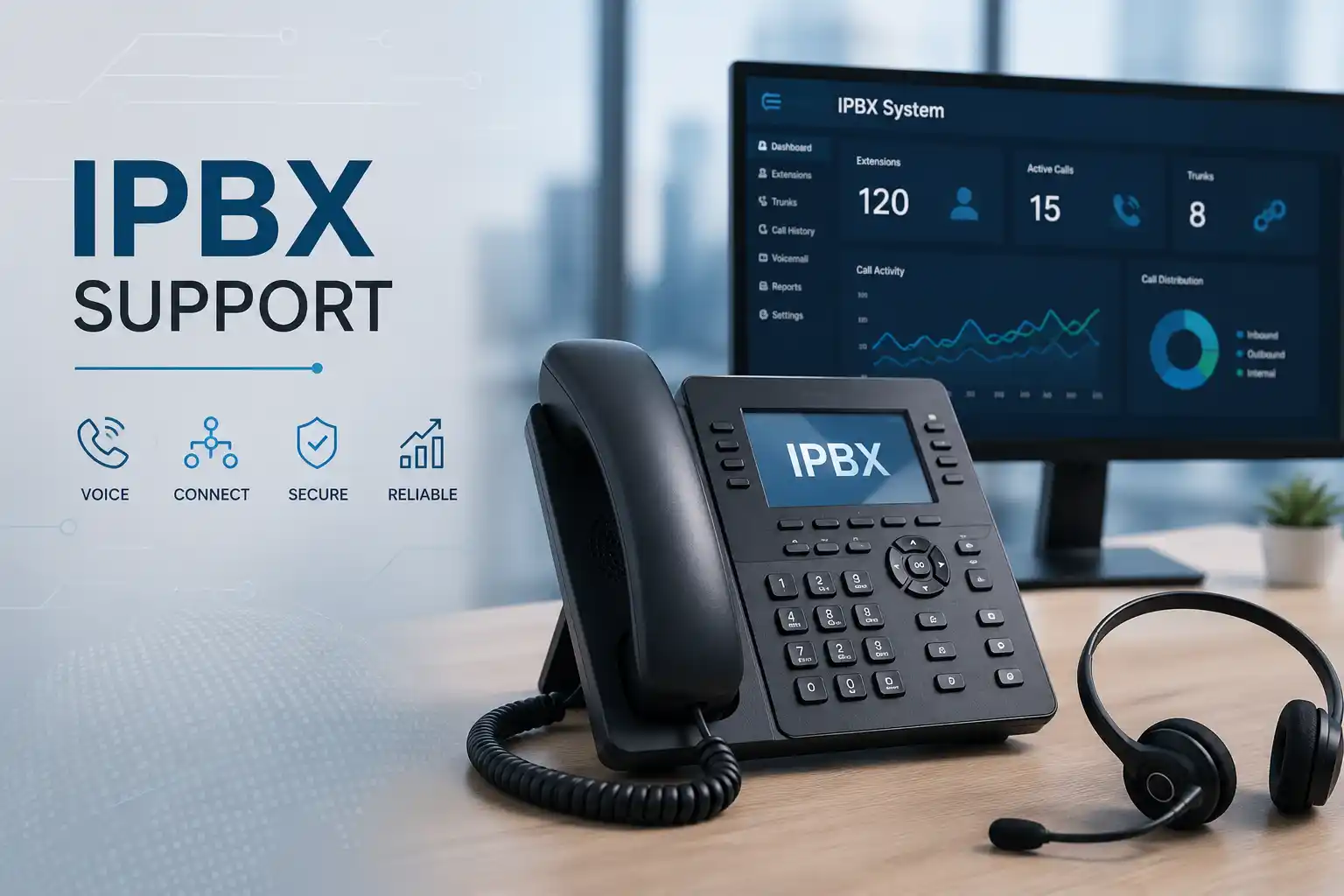
Individual, shared, group, or role-based use is defined around the actual PBX capability.
Unanswered and after-hours routes are checked before settings are changed.
Administrator and user permissions are confirmed without publishing credentials.
Internal and external test calls help confirm the intended caller and user experience.
What does IP PBX voicemail configuration involve?
IP PBX voicemail configuration is the controlled setup of mailbox behaviour, greetings, unanswered-call handling, access rules, notification options, and related call routing on a business telephone system. It is mainly used to make sure missed calls reach the right destination and can be handled by the right person or team. Businesses should consider it when voicemail is not working as expected, when extensions or departments change, when office-hours routing is being redesigned, or when a new PBX is being introduced. Before work begins, the customer should confirm the PBX platform, affected extensions, desired call journey, business hours, authorised access, current backup position, and any provider or licensing dependencies. The exact configuration depends on the system in use, its version, existing call rules, and the features enabled for that environment.
Why voicemail configuration is a business process, not just a mailbox setting
A voicemail mailbox sits inside a wider call path. An incoming customer call may first reach a main business number, an auto attendant, a reception extension, a queue, a ring group, or a direct user. The point at which voicemail becomes active changes the caller experience and the operational responsibility for the message. If a sales queue sends unanswered calls to one employee’s personal mailbox, important enquiries may be missed when that employee is away. If every extension sends calls to voicemail after only a few seconds, colleagues may not have enough time to answer. If an after-hours route is not aligned with office hours, callers may hear a daytime greeting at night or reach a closed department without a useful message option.
For this reason, FourTeck begins with the intended business outcome rather than changing voicemail timers in isolation. The questions are practical: Which calls should be offered voicemail? Who owns the messages? Should a caller hear a personal, departmental, or company greeting? Should messages remain inside the PBX, trigger an email notification, or follow another method supported by the system? How should reception handle overflow? What should happen during lunch breaks, public holidays, temporary closures, or a department meeting? The answers determine which PBX objects, extension settings, time conditions, forwarding rules, queue destinations, or user permissions may need review.
The same service is also useful when an existing voicemail setup has become difficult to maintain. Staff changes can leave old mailboxes active, greetings can become outdated, generic PINs may remain in use, and call routes may no longer match the current organisation chart. A controlled configuration review can identify what still serves a business purpose, what should be renamed or removed, what should be documented, and what requires a separate migration or upgrade decision.
What the service may cover
Depending on the confirmed scope, assistance may include mailbox creation or review, extension-to-mailbox mapping, greeting configuration, no-answer and busy behaviour, group or departmental voicemail planning, office-hours and after-hours routing, voicemail access from supported phones or clients, user permission review, notification settings, storage awareness, prompt updates, backup of relevant configuration, test calls, user guidance, and documentation of the final flow.
Where voicemail is only one part of a larger telephony problem, the work may also involve checking ring groups, queues, auto attendants, SIP trunk behaviour, extension registration, phone provisioning, network reachability, or provider dependencies. Those tasks are included only when they are part of the approved service scope.
Who may need this configuration
Professional offices, clinics, retail operations, property teams, logistics companies, hospitality offices, schools, showrooms, warehouses, project sites, and multi-branch organisations can all have different voicemail requirements. A small office may need simple personal mailboxes and a general reception mailbox. A customer-service team may need shared responsibility for missed queue calls. A business with remote users may need clear access methods and notification rules. A multi-site company may need consistent naming and handling so callers receive the same standard regardless of which branch is unavailable.
The service is especially relevant after staff changes, office relocation, PBX replacement, extension renumbering, new department creation, call-flow redesign, or repeated complaints that customers leave messages but staff do not receive or recognise them.
Common voicemail symptoms and what they may indicate
A voicemail complaint is a symptom, not a diagnosis. The same user report can come from different technical layers, and changing the first visible setting may not solve the real problem. FourTeck uses the reported behaviour to decide which parts of the call path should be tested.
Calls never reach voicemail
The no-answer destination may be unset, another forwarding rule may take priority, the queue or ring group may have a different timeout, or the mailbox may not be active for that user. External call routing should be tested separately from internal extension calls.
Wrong greeting plays
The call may be reaching a different mailbox, an old auto-attendant prompt, a shared mailbox, or an after-hours destination. Time conditions and route order can matter as much as the recording itself.
Messages exist but users cannot retrieve them
Access permissions, mailbox identity, PIN policy, phone feature keys, client configuration, or user training may be involved. Secure access should be restored without exposing credentials publicly or using shared passwords as a shortcut.
Email notifications stopped
The issue may involve PBX mail settings, DNS, sender configuration, authentication, a changed mail platform, spam filtering, mailbox limits, or a licensing dependency. The exact notification path should be identified before changes are made.
Business impact when voicemail does not match the call flow
Voicemail problems can look minor because live calling may still work, yet they affect the period when staff cannot answer. A customer who calls during a meeting, after office hours, while reception is busy, or while a department is handling another call still needs a clear path. If the message destination is wrong, responsibility is unclear. If greetings are outdated, callers may receive inaccurate instructions. If the mailbox is full or unmanaged, new messages may not be stored. If a message is delivered to a former employee’s mailbox, the business may not realise that an enquiry has effectively disappeared.
The operational effect varies by organisation. Sales teams can lose enquiry follow-up. Service desks can miss customer requests. Clinics or professional practices can delay non-emergency callbacks. Property and logistics teams may fail to capture site or delivery information. Management may believe the phone system is providing coverage when the actual message workflow is incomplete. A well-defined voicemail configuration does not guarantee that every caller will leave a message, but it can make the handling path understandable, testable, and maintainable.
Service-fit matrix for common voicemail requirements
| Business situation | Relevant assistance | What must be confirmed |
|---|---|---|
| One employee does not receive voicemail | Mailbox status, extension mapping, no-answer route, user access and test call review | Affected extension, internal versus external behaviour, recent changes, PBX access |
| Reception needs overflow voicemail | Ring timing, overflow route, shared mailbox ownership, greeting and notification planning | Reception call path, acceptable ring time, message owner, office-hours rules |
| After-hours callers hear the wrong message | Time-condition review, prompt selection, holiday logic and destination testing | Business hours, holiday handling, current route order and approved greeting |
| Department wants one shared message point | Shared mailbox or supported group workflow, access controls, message ownership and user guidance | PBX capability, authorised users, retention expectations and notification method |
| Voicemail must be redesigned during PBX migration | Current-state documentation, target design, prompt migration, mailbox mapping and cutover testing | Source and target platforms, compatibility, backups, migration window and provider dependencies |
IP PBX voicemail service information
| Main purpose | Configure and validate how unanswered, busy, overflow, and after-hours calls are offered to voicemail within the supported IP PBX environment. |
|---|---|
| Typical systems involved | IP PBX, extensions, IP phones or clients, queues, ring groups, time conditions, auto attendants, SIP trunks, local network, email notifications and user access. |
| Assessment method | Current call-flow review, mailbox and user mapping, configuration inspection, authorised test calls and evidence collection. Environment dependent. |
| Remote support suitability | Often suitable when secure remote administration is authorised, the PBX is reachable, and physical phone or network work is not required. |
| On-site suitability | Useful when phones, gateways, cabling, network equipment, local access, or user-side testing must be inspected in person. |
| Customer information required | PBX platform or model, affected users, extension list, desired call behaviour, business hours, recent changes, access availability, provider information and current backup position. |
| Testing and validation | Internal and external calls, no-answer tests, after-hours logic, mailbox retrieval and approved notification paths where relevant. |
| Documentation and handover | Scope dependent. Useful records can include mailbox ownership, call destinations, prompts, access method, key timers and remaining dependencies. |
| Quotation requirement | Final commercial scope depends on the PBX, number of users, access, complexity, remote versus on-site work, required changes and third-party dependencies. |
Can voicemail configuration be completed remotely?
Many configuration tasks can be handled remotely when the customer authorises secure administrative access, the PBX is reachable, and someone is available to make or receive test calls. Remote work can be efficient for reviewing call routes, adjusting mailbox settings, changing prompts, checking user mappings, updating no-answer behaviour, and validating notification settings. It can also help identify whether a wider problem involves the SIP provider, firewall, DNS, or mail delivery.
Remote work is not automatically the best fit. If the PBX cannot be reached, phones are not registering, a gateway has physical alarms, cabling is uncertain, or a network fault affects voice traffic, an on-site assessment may be needed. The service method is selected from the evidence, business impact, access and approved scope rather than from a fixed rule.
When is an on-site visit more appropriate?
An on-site visit may be appropriate when configuration depends on equipment that must be physically inspected or when the customer cannot provide reliable remote access. Examples include checking an IP phone that does not show voicemail status, confirming analogue gateway behaviour, verifying switch connectivity, tracing cabling, reviewing rack equipment, testing local network conditions, or coordinating several users during a larger call-flow change.
A planned visit also helps when the business wants voicemail changes combined with phone provisioning, extension moves, office relocation work, user handover, or a wider PBX assessment. Scheduling depends on location, building access, engineer availability, site conditions and the confirmed quotation.
How FourTeck approaches voicemail assessment and diagnosis
1. Define the caller problem
The first step is to describe what the caller experiences and whether the behaviour affects one extension, one department, a specific time period, or the whole business. A useful report says where the call starts, what destination is expected, and what actually happens.
2. Map the call path
Incoming number, auto attendant, queue, ring group, extension, forwarding rule, time condition and voicemail destination may all form one chain. Mapping that chain reduces the chance of changing the wrong object.
3. Confirm access and safety
Authorised administration, configuration backup where supported, maintenance-window needs, and rollback considerations are reviewed before changes that could affect broader call handling.
4. Test before assuming
Internal calls, external calls, busy conditions, no-answer timing and after-hours behaviour can produce different results. Tests are chosen to isolate the failing stage rather than relying only on a user description.
5. Apply approved changes
Only the settings needed for the agreed outcome should be changed. Wider call routing, provider configuration, licensing, or network work is treated as a separate dependency when it falls outside the initial request.
6. Validate and document
The final result is checked from both caller and user perspectives. Useful documentation records the intended destination, ownership, access method, key timing and any outstanding provider or maintenance action.
Planning a safe voicemail configuration change
A configuration change is safer when the business requirement is written before the PBX is edited. For example, a clear requirement might state that reception should ring for a defined period during office hours, overflow to a shared reception mailbox if unanswered, and use a separate after-hours greeting outside business hours. That statement can then be translated into platform-specific settings. Without it, users may ask for a technical change such as “increase voicemail” or “send calls to mailbox 200” without considering which incoming numbers or departments will be affected.
Existing settings should be reviewed before they are replaced. A forwarding rule that looks unnecessary may be handling a branch, a public holiday, or a temporary remote user. A mailbox name may not match the person who now owns it. A prompt may be used in more than one route. A notification address may belong to a shared operational mailbox rather than an individual. Configuration backup or export should be taken where the platform provides a suitable method, especially when the change affects a main business number or several users.
The implementation itself should be staged when practical. One test extension or one route can be used to confirm the intended behaviour before a broader change. Time conditions should be checked against the correct timezone and business schedule. Message ownership should be explicit. Access should be limited to authorised users. Any email or external notification should be treated as another system dependency and tested separately. If the PBX or its voicemail storage has capacity limits, retention expectations should be reviewed instead of assuming unlimited message history.
Testing, validation and user handover after changes
A voicemail configuration is not complete because the administration page saved successfully. The required caller journey should be tested. This may include an internal call to the extension, an external call through the provider trunk, a deliberate no-answer condition, a busy condition if relevant, a call during the active office-hours rule, and a test of the after-hours route. The greeting should identify the correct person or department without exposing unnecessary information. The caller should have enough time to understand the prompt and leave a message. The message should appear in the expected mailbox, and the authorised user should be able to retrieve it through the supported method.
Where notifications are enabled, the notification path should be tested as a separate function. A message stored successfully in the PBX does not automatically prove that an email notification can be delivered. Mail relay settings, domain controls, authentication, spam filtering, destination rules, or service limitations can affect the result. FourTeck can help identify whether the notification problem belongs to the PBX, network, mail platform, or another provider, subject to the authorised scope.
Handover should focus on what users actually need. A receptionist may need to know how to identify new shared messages and clear them responsibly. An individual user may need to know how to record a personal greeting and protect mailbox access. An administrator may need a short record of mailbox ownership, extension mapping, relevant timers, and the place where future prompts are managed. Clear ownership is as important as the technical setting because unmanaged voicemail tends to become inaccurate over time.
Capability: clearer ownership of missed calls
The strongest voicemail design is one where each message has an obvious owner. Personal mailboxes work when the call belongs to one person. Shared or departmental handling may be more suitable when responsibility belongs to a team. Reception overflow may need a different workflow from direct calls to management. FourTeck can help translate those ownership rules into the supported PBX functions, but the customer must confirm who is authorised to access each message set and what should happen when staff roles change.
This reduces dependence on informal arrangements such as one employee checking another person’s mailbox or staff forwarding PINs by chat. It also makes onboarding and offboarding easier because mailbox responsibility can be reviewed as part of user changes.
Capability: more controlled after-hours handling
After-hours routing can be simple or complex. A business may want one company greeting, different departmental greetings, public-holiday prompts, or an emergency instruction that directs callers elsewhere. The correct design depends on the organisation’s real operating hours and how quickly staff need to review messages. FourTeck can review time conditions, destinations and prompts so the behaviour is easier to understand and test.
Time-based rules should not be assumed correct simply because they exist. Office hours change, public holidays vary, and temporary closures happen. The business should have a clear process for who updates prompts and schedules when operations change.
Capability: better supportability through documentation
Voicemail often becomes difficult to support because no record exists of which mailbox belongs to which user, which routes use a shared destination, or which prompt is attached to a particular schedule. Basic documentation can reduce future troubleshooting time and make staff changes more controlled.
Documentation does not need to expose passwords. It can record extension numbers, mailbox purpose, authorised owner, greeting purpose, route relationship, notification destination, important timing and any provider dependency. Sensitive credentials should be shared only through an approved secure method after identity and authorisation are confirmed.
Dependencies that can affect voicemail configuration
The PBX is the central system, but voicemail behaviour can depend on other components. Extension registration determines whether calls reach a user before the no-answer timer expires. Queue and ring-group settings can decide whether voicemail is offered at all. Time conditions influence which greeting or destination is active. SIP trunks and provider routes affect how external calls enter the PBX. The local network and firewall can affect remote administration, phone registration, audio, or hosted-PBX reachability. Email configuration matters when the PBX sends message notifications or attachments. Licensing or subscription level may determine which voicemail or notification functions are available on a particular platform.
Access is another dependency. FourTeck needs authorised administrative access appropriate to the task. The public page should never be used to share passwords. Where access belongs to a previous supplier, hosted provider, or internal administrator, the customer may need to coordinate approval before work can start. If the current configuration is undocumented, discovery may take longer because routes and mailboxes must be traced before safe changes can be planned.
Storage and retention should also be considered. Some systems keep voicemail on local storage, some use hosted storage, and some can send or copy messages through other services. The available capacity, retention behaviour, backup method and privacy requirements depend on the platform and customer policy. FourTeck can review the practical configuration within scope but does not assume that voicemail recordings are backed up, archived, or retained indefinitely unless that arrangement is specifically confirmed.
Risk, limitation and exclusion guidance
Diagnosis depends on the evidence and access available. A successful voicemail test does not prove that every call path, provider route, holiday schedule, or user device has been validated. Changes to a main number, queue, or after-hours route can affect many callers and may require a planned maintenance window. Unsupported or legacy PBX platforms may have limited configuration, backup, or notification options. A hosted PBX may require the hosting provider to perform part of the work. Email delivery may depend on a separate mail service. Hardware failure in a PBX appliance, gateway, phone, switch, storage device, or power source may require repair or replacement outside the configuration labour scope.
Voicemail recordings can contain business or personal information. Access should therefore be limited to authorised users, and retention or forwarding rules should be decided by the customer according to its own operational and compliance requirements. Security improvements reduce risk but do not guarantee complete protection. Final commercial terms, scheduling and included tasks depend on the approved quotation or service agreement.
Suitable business environments and practical use cases
A professional office may use voicemail to capture direct calls to consultants, finance staff, salespeople or managers while reception handles the main line. The useful configuration is not necessarily a mailbox for every extension; it depends on whether callers know those direct numbers and whether each user is expected to return messages. A shared departmental mailbox may be more manageable for teams with rotating staff.
Retail and showroom environments often need predictable handling when front-line staff are serving customers and cannot answer immediately. A queue or ring group can continue trying available staff before offering a message option. The voicemail prompt should explain what information the caller should leave and who will receive the request without promising an unsupported response time.
Warehouses, logistics operations and project offices may have staff spread across desks, mobile phones and site areas. Calls can move between reception, operations and supervisors. Voicemail configuration may need to work alongside call forwarding, mobile clients, or branch extensions. Network and internet quality become more important when the PBX is hosted or users connect remotely.
Clinics, schools, training centres, hospitality offices and property-management teams may have periods when staff cannot take calls even though the organisation remains operational. Clear role-based greetings and ownership can help separate administrative messages from urgent operational channels. FourTeck can configure supported telephone functions, but the customer remains responsible for defining the operational process, privacy expectations, and any sector-specific obligations.
Multi-branch businesses may use a central PBX or separate systems. A consistent voicemail structure can simplify user training and support, but branch differences such as office hours, languages, departments, provider numbers and local staffing should still be respected. Standardisation is useful when it reflects real operations rather than forcing every site into an identical call flow.
Operational, security and maintenance considerations
Voicemail should be reviewed when employees join, leave or change roles. An old mailbox attached to a former staff member can continue collecting messages unless it is redirected, renamed or removed. A shared mailbox may need its authorised users updated. Personal greetings should not remain in service when the role has changed. These tasks fit naturally into user onboarding and offboarding procedures.
Access controls also need attention. Mailbox PINs or credentials should not be shared widely, and administrator credentials should not be stored in public documents. Where the PBX supports stronger user authentication or role-based administration, the available options can be considered as part of a wider security review. Remote administration should be authorised and protected according to the platform and network design.
Maintenance should include more than checking that voicemail exists. Important routes can be tested periodically, particularly after PBX updates, provider changes, office-hour changes, number porting, queue redesign, firewall replacement or network migration. Backups of the PBX configuration should be reviewed according to the platform’s supported method. The business should know who owns the backup, where it is stored, and how current it is. A backup that has never been reviewed may not provide the recovery path management assumes.
For organisations using voicemail-to-email or other notification features, changes to Microsoft 365, mail servers, DNS, authentication requirements or security filtering can break a previously working notification path. The voice system and email system therefore need coordinated ownership when this feature is business critical.
Before you contact FourTeck
Providing a small amount of structured information helps FourTeck determine whether the request can begin remotely, whether an on-site visit is more suitable, and what should be included in a quotation.
- Confirm the Dubai or UAE site location and the main technical contact.
- Identify the IP PBX platform, appliance model, hosted service, or software name if known.
- List the extensions, departments, queues, or incoming numbers affected by the voicemail requirement.
- Describe what callers currently hear and what you want them to experience instead.
- Provide the normal business hours and any regular after-hours or holiday handling requirements.
- Explain whether the requirement concerns new configuration, a fault, a staff change, or a wider call-flow redesign.
- Note when the issue began and whether any PBX, network, provider, email, or user change happened around the same time.
- Confirm whether authorised PBX administrator access is available.
- Confirm whether a current PBX configuration backup exists or whether backup needs to be reviewed before changes.
- State whether voicemail notifications by email or another supported method are required.
- Identify who should own and access shared or departmental messages.
- Provide SIP provider or hosted-PBX contact details if third-party coordination may be required.
- Tell us whether remote access is possible or whether physical phone, network or rack inspection is expected.
- Share any preferred maintenance window or business period that should not be interrupted.
- Describe the required result in business language, not only as a technical setting.
Service evaluation and quotation checklist
How FourTeck can assist with the complete voicemail change
FourTeck can begin by clarifying the reported issue or the new business requirement. That includes identifying which users, extensions, numbers, departments and operating periods are involved. The current call path can then be reviewed so voicemail is treated as one destination inside the PBX rather than as an isolated feature. Where the environment is accessible remotely, configuration assessment and many changes may be completed without an initial site visit. Where physical phones, network equipment, gateways, cabling, racks or local testing are part of the problem, on-site assistance can be scoped.
The service can include reviewing current mailbox use, correcting extension relationships, configuring supported no-answer behaviour, aligning voicemail with ring groups or queues, updating office-hours destinations, changing prompts, checking authorised user access, testing external and internal calls, and recording the final arrangement. If the request reveals a wider issue such as provider routing, hosted-PBX limitations, call-quality problems, phone registration faults, unsupported software, email-notification failure, or an ageing PBX, FourTeck can explain the dependency and prepare the next action or separate quotation.
For organisations that are also planning an upgrade or migration, documenting the current voicemail structure can protect useful business logic. Existing greetings, extension ownership, message destinations, after-hours behaviour and call-routing relationships can be captured before the new platform is configured. The target system may not reproduce every legacy feature in exactly the same way, so migration planning should compare required outcomes rather than assume settings can simply be copied.
Businesses can learn more about FourTeck’s wider communication and infrastructure support through the IT services overview, understand the company’s connected support approach on the About FourTeck IT Services page, or start a scoped request through the FourTeck support contact page. The FourTeck IT Services home page also provides the broader Dubai and UAE service context.
Dubai and UAE service coordination
For Dubai businesses, IP PBX voicemail work may begin with a remote review when secure access is available and the task is mainly configuration. This can help determine the affected call path, current mailbox setup, and whether additional information is required. An on-site visit may be recommended when physical phone testing, local network inspection, gateway access, cabling checks, rack work, or face-to-face user coordination is needed. Installation, configuration, migration, documentation and maintenance tasks should be clearly stated in the quotation so each party understands what is included.
Service timing depends on engineer availability, customer access, site conditions, required equipment, the availability of administrators, and any third-party provider action. A hosted PBX provider may need to grant access or make a change. A telecom provider may need to confirm number routing. A building may have restricted access times. A main business line may require work outside a busy period. These dependencies are considered when the service plan is prepared rather than hidden behind a fixed promise.
Coordinating IP PBX voicemail work across Dubai, Abu Dhabi, Sharjah and Ajman
FourTeck can coordinate telephone-system support requirements for businesses in Dubai, Abu Dhabi, Sharjah and Ajman, subject to the confirmed scope. Configuration work may be suitable for remote handling when the PBX is securely reachable, while planned on-site visits can be considered for local equipment inspection, installation, network checks, user handover, migration support or broader telephone-system assessment. A multi-site organisation may also benefit from reviewing whether mailbox naming, after-hours handling and message ownership can be standardised without ignoring branch-specific operating hours or call routes.
Scheduling and travel are not the only variables. Building access, security procedures, availability of the local contact, provider maintenance windows, internet quality, equipment condition, and the current state of documentation can affect the plan. Where several sites depend on one central or hosted PBX, a configuration change at the main system can affect users in more than one emirate. The impact therefore needs to be understood before work begins. Contact FourTeck to confirm the service method, location requirements, authorised access and quotation for the specific environment.
Related FourTeck IT services that may be relevant
IP PBX support
For wider call routing, extensions, queues, auto attendants, office hours, SIP trunks, backup and migration planning beyond voicemail alone.
IP phone support
Useful when voicemail access problems are linked to phone provisioning, feature keys, registration, PoE, voice VLANs or user-side device behaviour.
Network support
Relevant when hosted PBX reachability, voice quality, phone registration, VLANs, switches, internet, DNS or firewall behaviour affects the telephone system.
Managed IT support
For businesses that want telephony changes documented alongside user support, networks, servers, email, security and ongoing maintenance planning.
Why businesses contact FourTeck for PBX configuration work
Voicemail changes can cross several ownership boundaries: the PBX administrator, phone users, network team, telecom provider, hosted service, email platform and office management may all be involved. FourTeck’s role is to bring those dependencies into one technical view and keep the work tied to the business requirement. The first objective is to understand the call behaviour and the impact, not to make broad configuration changes.
Businesses also contact FourTeck when they want a clearer handover after a change. A technician may be able to make voicemail work, but the organisation still needs to know who owns the mailbox, what route feeds it, how the greeting is updated, how users retrieve messages, which third party is involved, and what to check if the behaviour changes again. Practical documentation and user guidance help turn a one-time adjustment into a supportable configuration.
Where the issue points to a larger project, FourTeck can help separate immediate corrective work from future improvement. A temporary voicemail problem may reveal an unsupported PBX, weak documentation, shared administrator accounts, an unreliable email relay, or a call-routing design that no longer matches the organisation. Those findings can be prioritised rather than being hidden inside an urgent repair.
Questions Dubai businesses ask before requesting IP PBX voicemail configuration
Can you configure voicemail without changing our main call routing?
Often the task can be limited to voicemail-related settings, but the existing route must be reviewed first because voicemail may be reached through queues, ring groups, forwarding rules or time conditions. A small mailbox change can still affect the caller path if the PBX uses shared destinations. The safest approach is to document the required result and identify which configuration objects feed the mailbox. FourTeck can then define whether the work is truly isolated or whether a broader route change is necessary. The final scope remains configuration dependent.
Our callers hear voicemail too quickly. Is that just a timer?
It may be a no-answer timer, but other timing layers can apply. A ring group can have its own duration, a queue can use separate timeout and overflow settings, an extension can have forwarding rules, and the carrier or endpoint may introduce different behaviour. The important detail is whether the problem affects direct calls, main-number calls, internal calls, or only one department. Testing those paths identifies which timer is relevant instead of increasing values blindly.
Can we create one shared voicemail box for a department?
A shared or departmental workflow may be possible depending on the PBX platform and enabled features. The business should first decide who owns the messages, who is authorised to access them, how staff know that a new message arrived, and what happens when a team member leaves. Some systems provide shared mailbox features directly; others may achieve a similar outcome through a group destination or notification arrangement. FourTeck can review the available platform capability and configure the supported method rather than promise a feature before the environment is confirmed.
Can voicemail messages be sent to email?
Many IP PBX platforms support some form of email notification or voicemail delivery, but the exact behaviour is platform, version, licence and mail-service dependent. The PBX must be able to send through an approved mail path, and the receiving mailbox or security system must accept the message. If notifications stopped after an email-platform change, the issue may not be inside the voicemail mailbox itself. FourTeck can review the PBX side and coordinate the mail dependency within the agreed scope.
What should we prepare before a remote configuration session?
Prepare the PBX platform details, affected extension numbers, current symptoms, desired caller experience, business hours, a list of authorised mailbox owners, and confirmation that administrator access can be provided securely. It is also useful to know whether a recent PBX update, provider change, network change or email change occurred. If a current configuration backup exists, confirm its date. Do not send passwords through public page fields or unsecured messages; credentials should be exchanged using the approved secure method agreed for the support session.
Is remote support or on-site support better for voicemail issues?
Remote support is usually efficient when the PBX is reachable and the problem is clearly within call routing, mailbox settings, user access or notification configuration. On-site support is more appropriate when phones, gateways, switches, cabling, local network behaviour or physical access must be checked. Some cases begin remotely so the likely scope can be identified before a visit. This can help ensure the correct information and tools are available when local work is actually required.
Should we repair the current voicemail setup or redesign the call flow?
The answer depends on whether the current design still matches the business. If one mailbox is misconfigured but the rest of the route is understood and useful, a focused correction may be enough. If staff roles have changed, multiple old mailboxes exist, callers reach inconsistent greetings, or after-hours rules are unclear, a redesign may be more maintainable. FourTeck can separate immediate fault correction from a larger improvement plan so management can decide what is necessary now and what can be scheduled later.
Can you change voicemail during working hours?
Minor user-level changes may be possible during normal hours, but changes affecting a main number, queue, office-hours route or shared mailbox can interrupt callers if they are not planned. A maintenance window may be appropriate for higher-impact changes. The decision depends on the current PBX, backup options, number of affected users, call volume and rollback method. FourTeck confirms the change risk and scheduling dependency before the work is approved.
What happens if our PBX is old or unsupported?
Older systems can limit safe configuration options, backup methods, mail integration, browser compatibility, storage, user security or vendor support. FourTeck can assess what is still practical, document the existing voicemail structure and identify whether a repair, restricted change, upgrade or migration is the more supportable direction. It would be unsafe to promise that every legacy platform can be modified exactly as requested without first checking its condition, version, access and compatibility.
Can you preserve our greetings when we migrate to a new PBX?
Existing prompts may be reusable, but migration depends on file format, access to the source system, quality of the recordings, and how the target PBX handles prompts and call flow. The more important task is to capture which greeting belongs to which business state and destination. FourTeck can document the source arrangement, prepare the target mapping, test the new route and retain a rollback path where the project allows. A migration should not assume that every old object has a one-to-one equivalent on the new platform.
How do we know whether callers are actually reaching the new voicemail route?
Validation should include test calls that reproduce the real call path. Calling an extension internally may not prove that the main public number follows the same route. External testing should confirm the correct incoming number, office-hours rule, ringing stage, voicemail greeting, message recording and user retrieval. Where several departments or time conditions are involved, a test plan can record which route has been verified and which remains outside the change window.
What can affect the final cost or quotation?
The main factors are the PBX platform, number of users and mailboxes, complexity of the existing call flow, quality of documentation, availability of administrator access, need for backups, whether prompts must be created or replaced, email-notification dependencies, provider coordination, remote versus on-site work, testing requirements and whether the request expands into network, phone, migration or wider PBX work. FourTeck confirms the quotation from the actual scope rather than using a fixed assumption for every environment.
When should we contact FourTeck instead of making the change ourselves?
A simple user greeting may be safe for an authorised user to update if the PBX provides a supported self-service method and the business is comfortable with it. Technical assistance is more appropriate when the change affects shared routes, main numbers, queues, after-hours logic, SIP trunks, email integration, several users, or a system that lacks a reliable backup. It is also worth requesting help when the current call flow is not documented, when previous changes created unexpected behaviour, or when the business cannot risk trial-and-error configuration during operating hours.
Frequently asked questions about IP PBX voicemail configuration
What does FourTeck need to configure a new voicemail mailbox?
The usual starting information includes the PBX platform, extension, user or department name, required greeting, no-answer behaviour, access ownership and any notification requirement. Administrator access and a current backup position should also be confirmed before higher-impact changes.
Can voicemail be enabled only after office hours?
It may be possible when the PBX supports time-based call routing. The business hours, holiday behaviour, current incoming route and desired after-hours destination must be checked so the voicemail rule does not interfere with daytime handling.
Can different departments use different greetings?
Yes where the platform and call design support separate destinations or prompts. The configuration should map each greeting to the correct number, queue, ring group, extension or time condition and then be tested through the real external call path.
Do you support voicemail on 3CX, Grandstream or Yeastar systems?
FourTeck’s services include support for IP PBX environments such as 3CX, Grandstream and Yeastar. The exact voicemail configuration available depends on the specific platform, version, licence, hosting model and current system access, so scope is confirmed before changes.
Can a full mailbox cause missed messages?
Storage limits or retention settings can affect whether new messages are accepted, but the exact behaviour varies by PBX. A review can check mailbox status, storage conditions and system settings before concluding that capacity is the cause.
Can you record the voicemail greeting for us?
Prompt preparation can be included where agreed, but the customer should approve the wording, language, business information and ownership. Existing platform format requirements and how the prompt is uploaded or recorded must also be confirmed.
Will voicemail changes affect live calls?
They can if the change touches a shared route, main number, queue, time condition or system-wide setting. Lower-impact mailbox changes may be isolated. FourTeck reviews the risk and may recommend a maintenance window for changes with broader consequences.
Can users access voicemail from remote phones or apps?
This depends on the PBX platform, user client, licensing, security configuration and remote connectivity. The available supported access method can be reviewed, but it should not be exposed by weakening authentication or bypassing access controls.
Do you provide documentation after configuration?
Documentation can be included in the agreed scope. Useful records may cover mailbox ownership, affected extensions, call-route destinations, office-hours behaviour, prompt purpose, user access method and remaining third-party dependencies without publishing sensitive credentials.
Can voicemail configuration be part of an IP PBX migration?
Yes. Current mailboxes, greetings, routes and ownership can be documented before migration, then recreated or redesigned according to the target platform’s supported features. Compatibility, access, backups, downtime and testing should be planned rather than assumed.
Do you offer one-time voicemail configuration without a maintenance contract?
A specific configuration requirement can be assessed as a one-time service. Ongoing maintenance may be useful for businesses that expect regular user changes, queue updates, prompt changes or broader PBX administration, but inclusions depend on the agreed service plan.
How do we request a quotation in Dubai?
Provide the PBX platform, site location, affected users or numbers, desired call behaviour, available access, and whether you expect remote or on-site work. FourTeck can then clarify dependencies and prepare a quotation based on the confirmed scope.
Plan a voicemail configuration that matches your business call flow
If voicemail is going to the wrong user, callers hear an outdated prompt, messages are not reaching the right team, or you are redesigning after-hours handling, FourTeck can review the current IP PBX environment and define the next step. Share the PBX platform, affected extensions, desired caller experience, authorised access availability and any recent changes. Remote or on-site assistance can then be scoped according to the technical requirement, location and approved quotation.