
Business telephony configuration and controlled call collaboration
IP PBX Conference Configuration in Dubai, UAE
Conference calling on an IP PBX is not only a button on a telephone. It can depend on the PBX platform, conference resources, extension rights, dial plans, SIP trunk behaviour, codecs, network quality, firewall handling and the way internal and external participants are expected to join. FourTeck helps businesses assess those dependencies, define the required call experience and make controlled configuration changes that can be tested and documented before wider use.
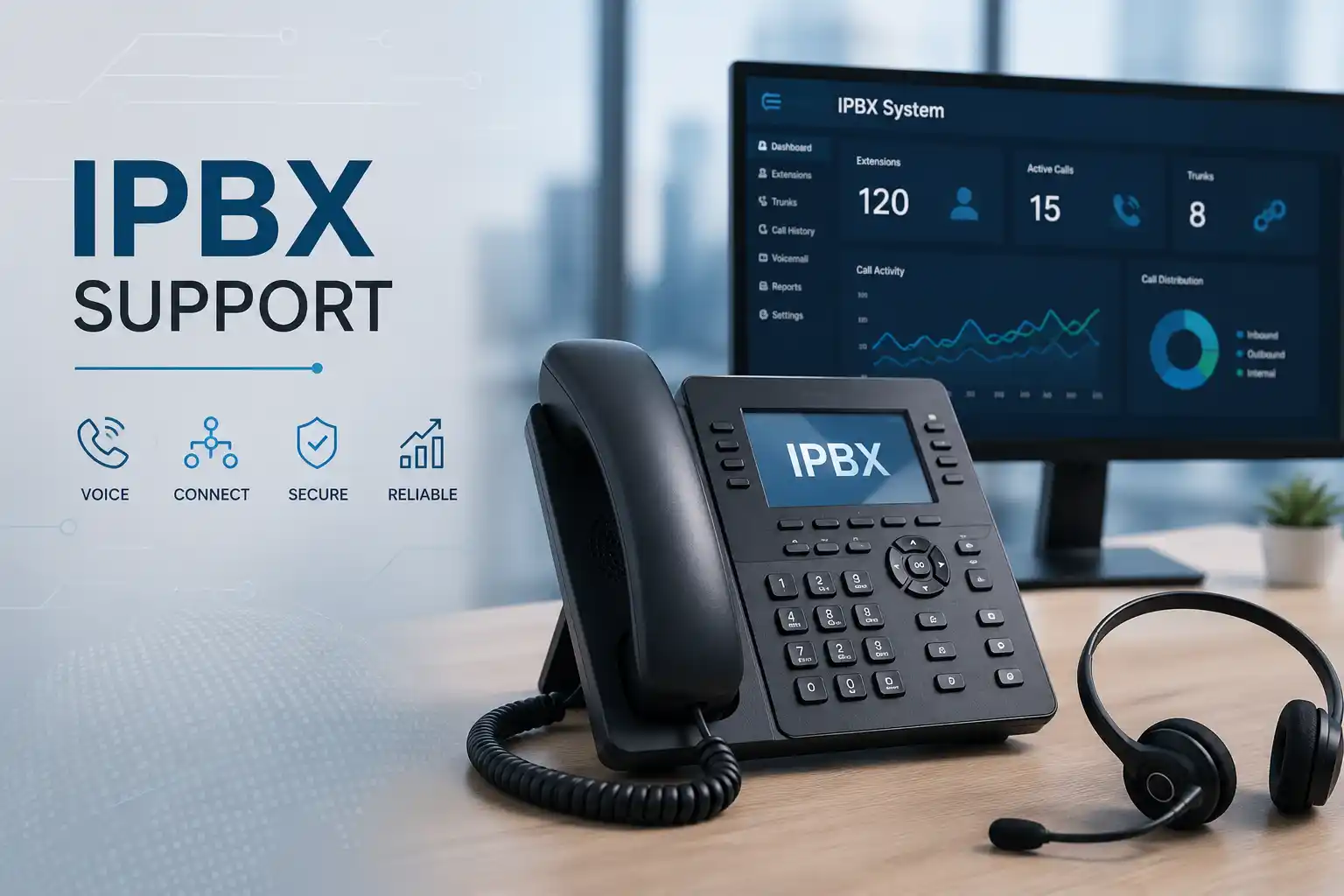
Define how participants should join, leave, mute and reach the conference.
Voice quality can depend on switching, bandwidth, latency, packet loss and firewall behaviour.
Administrative access, provider details and approved change authority may be required.
Changes should be validated with real call scenarios and recorded for future support.
What does IP PBX conference configuration involve?
IP PBX conference configuration is the process of preparing a business telephone system so authorised users can bring several participants into the same voice call in a controlled, usable and supportable way. Depending on the PBX, this may involve a built-in conference bridge, ad-hoc conference features on desk phones or soft clients, scheduled meeting rooms, dial-in access, participant permissions or carrier-dependent external calling. It is mainly used by businesses that need team discussions, customer calls, supplier coordination or multi-location voice meetings through their telephony platform. Before work begins, the customer should confirm the PBX platform, expected number and type of participants, internal and external calling requirements, available administrative access, network condition and whether any existing call routes must remain unchanged. The final configuration is environment dependent and should be backed by testing, documented settings and a clear rollback path where a change could affect normal business calling.
What the service can cover
The exact scope depends on the PBX platform and the result the business wants. Assistance may include reviewing current conference settings, confirming whether the system uses a dedicated conference bridge or phone-based merge feature, checking extension privileges, reviewing dial plans, testing external participant access, validating SIP trunk behaviour and confirming that the change does not disrupt reception, queues, voicemail or normal extension-to-extension calling.
Where conference problems are already present, the work may include call trace review, registration checks, codec and media-path investigation, network quality checks, NAT or firewall review, phone provisioning checks and controlled test calls. The purpose is to identify which layer is creating the problem before making broad changes.
Who may need this configuration
The service can suit businesses that rely on voice calls for sales, operations, project coordination, customer discussions, management meetings, branch communication or supplier conversations. It may be relevant when employees cannot add a third participant, external callers fail to join, a conference drops after another leg is added, audio becomes poor with several callers, the wrong caller ID is presented, or staff are unsure which conference method the PBX is designed to support.
It can also help organisations preparing an office move, adding a new branch, changing SIP providers, standardising phone settings, migrating from an older PBX, introducing softphones or enabling remote users. Each scenario changes the dependencies, so the service should begin with discovery rather than a generic template.
Business situations that often trigger a conference configuration request
A conference feature is frequently noticed only when a real business call fails. A manager may place a customer on hold, dial a colleague and discover that the merge function is unavailable. A sales team may find that an external participant can hear one person but not another. A branch office may be able to dial the conference number internally but not over the public network. In another environment, the conference works on desk phones but not on a mobile or web client. None of these symptoms proves a single cause. The same visible problem can come from permissions, phone firmware, PBX resources, extension class of service, SIP trunk rules, routing, media handling, network quality or provider restrictions.
Users cannot add another caller
The user interface may not expose the expected feature, the endpoint may be provisioned differently, the extension may lack permission, or the PBX may require a conference room rather than an ad-hoc merge. The first task is to confirm the supported workflow for the actual environment.
Audio fails after the conference starts
One-way audio, silence or poor quality can involve NAT, firewall policies, RTP media paths, codec negotiation, packet loss, insufficient bandwidth or carrier handling. A configuration change should follow evidence from calls and network tests.
External participants cannot join
External dial-in or dial-out can depend on inbound numbers, DID mapping, outbound rules, call permissions, trunk capacity and provider services. The required conference design should be mapped against the voice service that is actually available.
Meetings are inconsistent across devices
Desk phones, softphones, mobile apps and browser clients may expose different functions. Phone templates, application versions, account rights and PBX capabilities should be compared before user training or replacement decisions are made.
Why an unresolved conference issue can affect more than one meeting
Conference calling often touches the same resources used by ordinary business calls. An incorrect outbound rule can block a participant and also affect other extensions. A media or firewall problem can create intermittent audio across different call types. Unclear extension permissions can cause staff to improvise by using personal devices or external meeting tools without an agreed process. When important project, sales or management conversations depend on voice, unreliable conference behaviour can delay decisions, complicate customer communication and create repeated help-desk requests.
The goal of configuration work is therefore not simply to make one test conference connect. It is to establish a repeatable method, confirm who may use it, verify the expected participant paths, keep normal call handling intact and document the settings so future changes can be assessed safely. If the PBX is approaching capacity, using an unsupported endpoint, dependent on an ageing gateway or tied to provider limitations, those factors should be made visible rather than hidden by temporary workarounds.
Possible IP PBX conference configuration scope
Depending on the confirmed requirement, FourTeck assistance may include the activities below. They are not automatically included in every engagement, and some depend on platform features, licensing, carrier support, hardware condition, secure access and an approved change window.
Clarify whether users need ad-hoc three-way calls, larger conference rooms, internal-only meetings, external dial-in, dial-out invitations or a defined moderator workflow.
Review extensions, phone provisioning, call permissions, dial plans, conference resources, trunks, inbound numbers, outbound rules and available backups where authorised.
Confirm how supported desk phones, soft clients or mobile applications expose hold, add, transfer and conference functions, and whether user templates match the intended workflow.
Check trunk registration, channel availability, number mapping and provider dependencies when external participants or public numbers form part of the conference design.
Investigate voice VLANs, switches, PoE, latency, packet loss, jitter, firewall paths, NAT and RTP handling when call quality or media flow is unstable.
Apply approved changes after confirming backups or rollback options, affected users, maintenance considerations and the expected business outcome.
Test internal and external participants, mute and hold behaviour, caller presentation, transfer or merge flow, audio in both directions and return to normal calling.
Record relevant settings, user steps, dependencies, provider information and any remaining limitations so future support does not rely on memory.
Service-fit matrix for common conference requirements
| Business situation | Relevant assistance | What must be confirmed |
|---|---|---|
| Staff need to add a third party to existing calls | Endpoint workflow, extension rights, provisioning and PBX conference method | Phone or client type, PBX capability and required participant count |
| External customers should dial a conference number | Inbound number mapping, conference room access, prompts and security review | Available DID, carrier support, licence or resource requirements and access policy |
| Conference audio becomes unstable with several callers | Call trace, codec, RTP, network quality, firewall and bandwidth investigation | Affected sites, internet paths, call examples and whether the issue is reproducible |
| A branch or remote user cannot participate | Registration, remote access, firewall, DNS, internet and call routing checks | Remote deployment model, security policy, client type and connection quality |
| The business is changing PBX or voice provider | Current-state documentation, feature mapping, test plan and migration support | Target platform, numbers, trunks, licences, endpoints, cutover plan and fallback |
Service information to confirm before configuration
| Service purpose | Configure, troubleshoot or document business voice conference functions on an existing or planned IP PBX environment. |
|---|---|
| Typical systems involved | IP PBX, extensions, desk phones, soft clients, mobile apps, SIP trunks, gateways, switches, firewalls, voice VLANs and internet connectivity. |
| Remote support suitability | Often suitable for authorised settings review, logs, call-flow analysis and controlled testing when secure access is available. |
| On-site support suitability | May be required for phones, gateways, cabling, PoE, switching, rack work, local network testing or inaccessible systems. |
| Customer access required | Administrative or delegated access is access dependent and should be provided only through an approved secure method after authorisation is confirmed. |
| Testing and validation | Scope dependent; may include internal, external, branch, remote-user and multi-participant test scenarios. |
| Provider dependencies | Carrier features, SIP trunk capacity, public numbers and upstream restrictions are vendor dependent. |
| Service location | Dubai and UAE coordination, subject to issue type, site access, scheduling and approved quotation. |
| Quotation requirement | The final commercial scope depends on the platform, access, number of users, required changes, testing needs and third-party involvement. |
Can conference configuration be completed remotely?
When remote assistance may be practical
Remote work can be suitable when the PBX administration interface is securely reachable, the customer authorises access, internet connectivity is working and a user or administrator can help with test calls. Configuration review, log inspection, extension rights, dial plans, conference room settings, phone provisioning templates, SIP trunk status and many call-flow tests can often be assessed without touching physical equipment.
Remote work still requires change control. FourTeck may need a current configuration backup, a confirmed maintenance window and an agreed test sequence. If a change affects active reception, sales, support or emergency calling, the business impact should be understood before implementation.
When an on-site visit may be recommended
On-site assistance may be more appropriate when physical phones behave differently from the PBX configuration, a voice gateway or analogue interface is involved, cabling must be traced, switch ports need testing, PoE is unstable, the system is not remotely accessible or call quality changes by room, floor or device. Local testing can also be useful when several users report inconsistent behaviour that cannot be reproduced from a remote session.
An on-site visit may include coordination with the office contact, access to the rack or network cabinet, representative handsets, the PBX appliance if local, provider equipment and the network path. Attendance timing depends on scheduling, access, location and confirmed scope.
How the assessment and configuration journey may proceed
- Define the business outcome. Confirm whether the objective is an ad-hoc conference, a reusable meeting room, external dial-in, external dial-out, branch participation, remote-user access or troubleshooting of a feature that already exists.
- Identify affected users and call paths. Record which extensions, locations, phone models, clients and public numbers are involved, and whether the issue affects all users or only selected roles.
- Collect evidence. Gather error messages, failed call examples, approximate times, screenshots, current extension settings, provider details and recent changes. This helps distinguish a configuration problem from a network or carrier issue.
- Confirm access and backup. Verify authorised administration access, current backups or export options, rollback considerations and the operational window in which a change can be tested.
- Review the PBX design. Examine conference resources, extension permissions, dial plans, inbound and outbound routes, SIP trunks, number presentation, endpoint provisioning and any limits that are visible in the installed platform.
- Check the voice network where relevant. If audio is unstable, review switch connectivity, voice VLANs, firewall paths, NAT behaviour, latency, packet loss and bandwidth rather than changing PBX settings blindly.
- Plan the change. Explain the proposed configuration, affected users, dependencies, expected test cases and fallback method. If carrier or licensing work is needed, it should be separated from the local configuration scope.
- Apply approved settings. Make the agreed changes carefully, preserving unrelated call flows and avoiding broad resets that could remove useful settings or evidence.
- Validate real calling scenarios. Test internal calls, external participants, adding and removing callers, audio in both directions, hold or mute behaviour and normal call routing after the conference ends.
- Document and hand over. Record the supported user method, important settings, provider dependencies, known limitations and next actions so the business has a practical reference.
Planning configuration changes without disrupting normal calling
Conference functionality is part of a wider call-control environment. Before changing a route, permission, trunk or extension class, the business use of the existing setting should be understood. A rule that appears unnecessary may support an after-hours route, a remote branch, a receptionist workflow or a specialist application. For this reason, configuration work should begin with a current-state review and, where the platform allows, a backup or export of the relevant settings.
The planned design should also distinguish user experience from technical mechanism. A manager may simply say, “I want to bring two colleagues into a customer call.” One platform may support that directly from the handset, another may use a conference room, and another may expose the feature through a soft client. The correct solution is the one supported by the installed system and appropriate for the organisation’s security and workflow requirements.
If the change includes external dial-in, public numbers, SIP trunk channels or provider-side services, FourTeck may need to coordinate with the telecom or SIP provider. If it includes remote users, internet reachability, firewall rules, DNS, certificates or secure remote access may become relevant. These dependencies should be confirmed before promising a specific outcome or schedule.
Testing, validation and user handover
A successful configuration test should represent the way the business will actually use the feature. If the conference is intended for internal management calls, internal extensions and representative phone types should be tested. If customers or suppliers will join from outside, the test plan should include external mobile or fixed-line participants and, where relevant, different carrier paths. For multi-branch use, a branch or remote participant should be included instead of assuming that an office-only test proves the whole design.
Validation may check call establishment, two-way audio, participant addition and removal, hold and mute behaviour, caller identification, call duration, transfer or merge behaviour, conference access controls and the ability of normal business calls to continue afterward. The exact checks depend on the platform and scope.
Handover should be practical. Users need to know which method applies to their phones or clients, what happens if an external party does not connect, and who to contact if the service depends on a provider. Administrators benefit from a concise record of configuration areas changed, relevant backups, number mappings and any limits that may influence future expansion.
Capability 1: Create a repeatable conference workflow for staff
A conference feature is more useful when staff can follow a consistent process rather than experimenting during important calls. FourTeck can help map the intended user workflow to the actual PBX and endpoint capabilities. That may involve deciding whether users start with a normal call and add participants, dial a fixed conference room, receive a scheduled access number or use a PBX client that manages participants. The correct method depends on what the installed system supports and what the organisation is prepared to administer.
Consistency can reduce avoidable mistakes. When reception, sales and management use different phones or client applications, the interface may not look identical. A concise handover can explain the approved method for each supported user group. If certain devices cannot provide the required function reliably, that limitation can be documented so management can decide whether re-provisioning, client changes or endpoint replacement should be considered.
Capability 2: Separate call-flow problems from network and carrier problems
Conference faults can be misleading because the PBX may signal the call correctly while the audio path fails, or the endpoint may present a conference button even though external channel or provider conditions prevent the expected result. A structured assessment separates signalling, media, endpoint and carrier layers. For example, if the third participant rings and answers but cannot hear the others, the investigation should not stop at extension permissions. RTP media flow, NAT, firewall policy, codec negotiation and network quality may need review.
If the failure occurs only with one destination or provider route, trunk evidence and carrier coordination may be more relevant. If the issue affects only one handset, provisioning, firmware, switch port or local cabling may deserve attention. This layered approach reduces the risk of changing unrelated settings and gives the customer a clearer explanation of what must happen next.
Capability 3: Document conference settings for future support and growth
Telephone systems often become difficult to maintain when numbers, extensions, provider details and special call flows exist only in one person’s memory. Conference configuration is a useful point to improve documentation because it touches several related areas. A practical record may include the conference method, extensions or rooms involved, public numbers where applicable, relevant trunk information, user groups, phone or client requirements, test results and known dependencies.
This information is valuable when staff change, branches are added, a PBX is upgraded or a SIP provider is replaced. It can also help the next support engineer distinguish an intentional configuration from an accidental change. Documentation does not remove the need for ongoing maintenance, but it reduces uncertainty and supports safer troubleshooting when the environment evolves.
Dependencies, access and customer inputs
The final configuration depends on the environment that already exists. FourTeck may need the PBX brand and model or hosted platform name, software or firmware version where available, extension list, phone models, client types, conference requirement, participant count, public numbers, SIP trunk or telecom provider, recent configuration changes, current backup status and examples of failed calls. For a multi-site environment, the business should also identify which branches, remote users or internet connections are involved.
Administrative access should be authorised by the customer and shared only through an approved secure method after identity and permission are confirmed. Public webpage content should never be used to exchange passwords. If the system is managed by another vendor, hosting provider or telecom operator, their cooperation may be needed for information or changes outside FourTeck’s direct scope.
A maintenance window may be required if a change could interrupt active calling. Customers should identify critical numbers, reception routes, emergency or priority lines and business periods that should not be disturbed. Where a backup or configuration export is available, it should be confirmed before broad changes. If the PBX is unsupported, damaged, inaccessible or undocumented, the discovery stage may take longer and the available options may be limited.
Risk, limitation and exclusion guidance
Conference configuration cannot be treated as risk free when the wider telephone system is carrying live business traffic. Diagnosis depends on available evidence and access. Some faults may require telecom provider, SIP carrier, internet provider, hosting company or PBX vendor action. A conference feature may also depend on licences, platform capacity, trunk channels, endpoint support or firmware that is outside the labour scope of a configuration request.
Network changes may require a planned window, especially when firewall, routing, VLAN or switch settings are involved. Unsupported or legacy systems can have limited configuration and security options. A successful test confirms the scenario that was tested; it does not guarantee that every future destination, carrier path or network condition will behave identically. Where hardware failure is suspected, replacement parts or new equipment may need a separate quotation.
The approved quotation or service agreement should clearly identify the work included, customer responsibilities, third-party dependencies and any exclusions. FourTeck can explain the practical next step when the assessment shows that the issue sits outside the immediate PBX configuration.
Business environments where conference calling may matter
Professional and consulting offices
Teams may need to bring clients, advisers and internal specialists onto one call. A consistent conference method helps staff avoid transferring callers repeatedly or moving discussions to personal devices.
Sales and customer-facing teams
A sales representative may need a manager or technical colleague to join an active customer call. The configuration should support the expected external path without interfering with queues, call recording policy or outbound permissions.
Warehouses and operations sites
Operational teams may coordinate with transport partners, suppliers and office management. If the site uses gateways, mixed phone models or a separate network segment, those dependencies should be part of the test plan.
Multi-branch organisations
Branches may use site-to-site connectivity, cloud PBX access or remote registration. Conference quality should be tested across the actual branch paths rather than only inside head office.
Hybrid and remote teams
Remote users may participate through mobile or desktop clients. Internet quality, secure access, application permissions, firewall settings and headset or endpoint configuration can influence the experience.
Project and temporary offices
Temporary sites can depend on variable internet, quickly deployed networks and changing staff. A simple documented conference method can be more maintainable than several improvised calling arrangements.
Operational, security and maintenance considerations
Conference access should match the business requirement. If external dial-in is enabled, the organisation should decide who is allowed to join, whether an access code or moderator control is supported and appropriate, and how unused conference rooms are handled. The exact security controls depend on the PBX platform. Shared administrator accounts and undocumented changes should be avoided where more controlled access is available.
Maintenance is also relevant. PBX updates, phone firmware, certificate changes, SIP provider changes, internet upgrades and firewall replacements can alter previously working call behaviour. After a significant infrastructure change, representative conference calls may be included in a broader validation plan. Backups and configuration records should be kept current so support engineers can see what changed.
Call quality should be viewed in context. A conference carries multiple media streams and may reveal network weaknesses that are not obvious on short two-party calls. If users report choppy audio, delay or intermittent silence, the investigation should consider LAN congestion, uplinks, Wi-Fi use, internet path and carrier performance. The solution may not be a PBX setting alone.
Before you contact FourTeck
Preparing a few details can make the first assessment more useful. You do not need to diagnose the problem yourself.
- Office or site location and the main on-site contact.
- PBX brand, model or hosted platform name if known.
- Number of users who need the conference function.
- Whether participants are internal, external, remote or multi-branch.
- The exact user action that currently fails or behaves unexpectedly.
- Examples and approximate times of failed conference calls.
- Phone models or client applications used by affected staff.
- Recent PBX, network, firewall, provider or phone changes.
- SIP trunk or telecom provider details where external calls are involved.
- Whether an authorised administrator account is available.
- Current configuration backup or export status if known.
- Any critical reception, queue or priority routes that must remain unchanged.
- Preferred remote or on-site assistance, if there is a preference.
- Business impact and any practical maintenance-window restrictions.
Service evaluation checklist for a quotation
- Confirm the intended conference workflow and participant count.
- Confirm the PBX platform, phones, clients and sites involved.
- Identify whether external dial-in or dial-out is required.
- Identify provider, SIP trunk, public-number or licensing dependencies.
- Confirm the administrative access available for assessment.
- Decide whether network, firewall or voice VLAN checks are part of the scope.
- Confirm the required test scenarios and representative users.
- Confirm whether user guidance or administrator handover is required.
- Confirm whether configuration backup and documentation are included.
- Confirm the suitable maintenance window and any restricted business periods.
- Record any third-party work that must be quoted or approved separately.
How FourTeck can assist with the requirement
FourTeck can help turn a broad request such as “we need conference calling” into a defined technical scope. The process may begin by clarifying the desired user experience, identifying the PBX and phone environment, checking whether the issue is new or existing, and gathering the information needed to understand the call path. If remote assessment is suitable, FourTeck can review authorised settings and logs, coordinate test calls and outline any changes that require approval. If physical inspection is needed, an on-site visit can be considered for phones, switching, gateways, cabling or network conditions.
Where the work depends on a telecom provider, SIP carrier, hosting company or other system vendor, FourTeck can help organise the technical information and separate local configuration tasks from third-party responsibilities. After approved changes, the service may include validation, user guidance, documentation and recommendations for remaining issues or future expansion. The final scope and quotation should reflect the actual environment rather than a fixed package.
For more information about FourTeck’s broader business technology approach, visit the FourTeck IT Services home page or learn more about FourTeck IT Services.
Dubai and UAE service coordination
Businesses in Dubai can request remote assessment or planned on-site assistance depending on the nature of the conference requirement. A settings or call-flow problem may be suitable for remote work when secure access and a representative user are available. Physical phone, gateway, switch, cabling or local network issues may require site attendance. Installation, configuration, provider coordination and testing should be clearly included in the approved quotation before work begins.
Service timing depends on engineer availability, customer access, site conditions, third-party providers, required licences or parts and the confirmed work scope. FourTeck does not assume that every conference issue can be resolved from the PBX alone. The first assessment should identify whether the next action is configuration, network investigation, carrier coordination, endpoint work or a broader telephony upgrade discussion.
Coordination across Dubai, Abu Dhabi, Sharjah and Ajman
For organisations with offices in Dubai, Abu Dhabi, Sharjah and Ajman, a conference requirement may involve more than one PBX, branch network, internet path or user group. FourTeck can help define whether the work should begin remotely across the affected sites or whether selected locations need planned physical inspection. Multi-site testing may include representative extensions, branch connectivity and remote users so the result is not based only on the head-office network.
Scheduling, travel, building access, local contact availability, site conditions, equipment readiness and provider dependencies can affect the service plan. A phased approach may be appropriate where one site can be validated before the same method is applied elsewhere. The exact arrangement is scope dependent and should be confirmed before implementation.
Related FourTeck IT services
Extension administration, call routing, queues, voicemail, SIP coordination and business telephony troubleshooting.
Office network support
Switching, routing, cabling, VLAN and connectivity checks when voice quality depends on the LAN.
Firewall and secure connectivity support
Firewall, NAT, VPN and access review when remote phones or SIP media paths require investigation.
Business IT support
Connected support across users, networks, servers and communication systems when the issue crosses several technical layers.
Why businesses contact FourTeck for PBX configuration work
Businesses often need more than a setting changed. They need the requirement translated into a safe and testable plan. FourTeck’s service approach can connect the PBX configuration with phone provisioning, switching, firewalls, internet connectivity and telecom-provider dependencies so each technical area is considered in context. That is useful when several vendors are involved and each part of the call path must be checked before responsibility is clear.
FourTeck can also help create a clearer handover. Instead of leaving the business with only a working demonstration, the engagement can record the intended conference method, important configuration areas, test results and outstanding dependencies. This supports future user onboarding, office changes, provider discussions and system upgrades. The value is practical visibility and controlled change rather than unsupported claims about guaranteed outcomes.
Questions businesses ask before requesting IP PBX conference configuration
Can our existing IP PBX support conference calling?
It may already support conference calling, but the exact method and capacity are platform dependent. Some systems provide ad-hoc conferencing from a phone or client, while others use dedicated conference rooms or bridges. The assessment should confirm the PBX model or hosted platform, software version, endpoint types, existing licences or resources and the number of participants the business expects. If the current platform cannot support the required workflow, FourTeck can explain what is limiting it and whether a different configuration, client, licence, provider feature or upgrade path should be considered.
Why does a three-way call fail even when normal calls work?
A successful two-party call does not prove that every conference path is healthy. Adding another participant can use additional PBX resources, trunk channels and media streams. The failure may relate to extension rights, endpoint behaviour, dial plans, SIP trunk capacity, codec negotiation, firewall handling or network quality. The best next step is to capture a failed example, note which users and destinations were involved, and review the call path instead of assuming the phone is defective.
Can external customers join the same conference as internal extensions?
Possibly, if the PBX, public-number routing, trunk service and security policy support the required design. External participation can be created in different ways: the business may dial out to add a participant, or an external caller may dial a public number that reaches a conference room. Each method has different number, permission, provider and security requirements. FourTeck can help map the desired experience to the available system and identify any carrier-side dependency before configuration is approved.
Is a conference room better than using the phone’s merge button?
Neither method is automatically better. A phone-based merge can be convenient for small, spontaneous calls, while a dedicated room can provide a consistent access point for larger or planned discussions. The choice depends on participant count, user roles, PBX design, external dial-in requirements, security controls, endpoint consistency and administrative effort. A business with several phone models may prefer a method that is less dependent on a specific handset interface.
Can the issue be checked remotely before arranging a site visit?
Often yes. If the PBX is securely reachable and the customer can provide authorised access, remote assessment can review configuration, logs, extensions, trunks and test calls. It is especially useful when the symptom is related to permissions, routing, provisioning or a reproducible call-flow problem. On-site work becomes more useful when physical handsets, gateways, switch ports, cabling, PoE or room-specific network conditions need inspection. Beginning remotely can help define whether physical attendance is necessary rather than assuming it from the start.
What information should we prepare for a faster assessment?
Prepare the PBX platform name, affected extensions, phone or client types, the expected conference workflow, external numbers if relevant, provider details, examples of failed calls, recent changes and the number of sites involved. It also helps to know whether a configuration backup is available and whether an authorised administrator can support the session. Do not send passwords through a public form or normal page content; credentials should be exchanged only through an approved secure process after authorisation is confirmed.
What can make conference audio poor even when everyone connects?
Poor audio can result from packet loss, delay, jitter, congested internet, weak Wi-Fi, overloaded network links, incorrect media handling, codec issues or provider problems. A conference can reveal these weaknesses because several voice streams are active at once. The investigation should compare affected and unaffected users, locations and call types. If the problem occurs only from one branch, one wireless area or one remote connection, the local network path may be more relevant than the central PBX.
Do we need a separate SIP trunk or additional channels?
That depends on how external participants are added and on the current voice-service capacity. Some conference designs consume multiple simultaneous external call legs. If the business already uses most available channels during busy periods, a conference may fail or compete with normal calls. Carrier terms and platform behaviour vary, so the actual trunk configuration and service agreement should be reviewed before assuming extra capacity is required.
Can remote or branch employees join the conference?
They may be able to, but their registration method, internet connection, security policy and PBX reachability must be considered. A branch connected through a site-to-site network has different dependencies from a mobile client on public internet. Testing should include the real remote path and representative devices. If the design requires firewall or VPN changes, those changes should be planned with backup and rollback considerations rather than introduced during an active business call.
Should we repair the existing conference setup or plan a PBX upgrade?
The decision should follow assessment. If the platform is supported, documented and capable of the required workflow, a focused configuration change may be appropriate. If it is unsupported, short of resources, incompatible with current phones, dependent on failing hardware or difficult to secure, a broader upgrade discussion may be more practical. FourTeck can help document the current state and compare corrective work with migration or replacement considerations without assuming that a new system is always necessary.
How should we test the conference after configuration?
Use scenarios that reflect actual business use. Test at least one typical internal participant path and, where needed, external, branch or remote paths. Confirm two-way audio, participant addition and removal, caller identification, mute or hold behaviour and normal calling after the meeting ends. If a conference room uses a public number, test the dial-in path from outside the organisation. Record the result and any known limitation so future support can distinguish a working baseline from a new issue.
What can affect the final service scope and quotation?
The main factors include PBX platform, number of users and sites, administrative access, the amount of existing documentation, whether the issue is reproducible, the need for on-site inspection, network or firewall work, provider coordination, licensing, endpoint compatibility, the number of test scenarios and whether user training or formal documentation is required. A configuration-only request is usually different from a multi-site troubleshooting project. FourTeck can use the discovery information to prepare a scope that separates included work from third-party or additional requirements.
When should we contact FourTeck instead of continuing to troubleshoot ourselves?
Contact FourTeck when the problem affects important calls, repeats across users, involves several technical layers, requires administrator access that should be handled carefully, or risks disrupting working call routes. It is also sensible to request assistance before a planned provider change, PBX upgrade, office move or branch rollout where conference calling is a business requirement. Share the desired outcome and available evidence rather than making irreversible changes. That gives the assessment a clearer starting point and preserves useful diagnostic information.
Frequently asked questions
Does the service include every PBX brand?
No blanket compatibility should be assumed. The PBX brand, model, software version, hosting arrangement and access available should be confirmed first. FourTeck can then advise whether the requested configuration is within scope.
Can FourTeck create conference access for external callers?
It may be possible when the PBX, available public numbers, SIP trunk, provider service and security requirements support that design. The exact method is vendor and configuration dependent.
Will configuration interrupt existing calls?
Some changes can affect active call handling, so the impact should be assessed before implementation. A maintenance window may be recommended when a setting affects trunks, routes, firewalls or shared PBX services.
Can conference problems be caused by the network?
Yes. Voice quality and media flow can depend on switches, VLANs, internet connectivity, firewall behaviour, NAT, latency, packet loss and bandwidth. The same symptom can also come from PBX or provider settings, so evidence is needed.
Do you need our PBX administrator password?
Administrative access may be required, but credentials should be shared only through an approved secure method after the customer confirms identity and authorisation. Passwords should not be posted in public page content.
Can you configure conference calling for remote employees?
Remote participation can be assessed where the PBX and client support it. Internet quality, remote registration, security controls, firewall rules and application configuration may form part of the requirement.
Is user training part of the configuration?
Basic handover or user guidance can be included if specified in the scope. The amount of training depends on phone types, user roles, conference method and the number of people involved.
Can you coordinate with our telecom provider?
FourTeck can help gather technical evidence and coordinate relevant information when provider-side numbers, trunks, channels or routing affect the conference requirement. Provider actions remain subject to that provider’s own service and approval processes.
What documentation can be provided?
Documentation can be agreed in the scope and may record the supported conference method, important configuration areas, relevant numbers, user groups, test results, provider dependencies and remaining limitations.
How do we request a quotation?
Contact FourTeck with the PBX platform, location, desired conference workflow, affected users, available access and any current problem examples. The quotation can then be based on the confirmed scope rather than a generic assumption.
Plan your IP PBX conference configuration with a defined scope
If your business needs a new conference workflow, has an existing conference feature that behaves inconsistently, or wants to confirm what the current PBX can support, FourTeck can begin with the environment and the required call experience. Share the PBX platform, users, participant types, sites and any failed call examples so the next step can be assessed. Remote or on-site assistance depends on access, issue type, location and approved quotation.
Request a Conference Configuration Quote
You can also review the wider FourTeck business IT service scope before discussing related network, firewall or telephone-system requirements.