
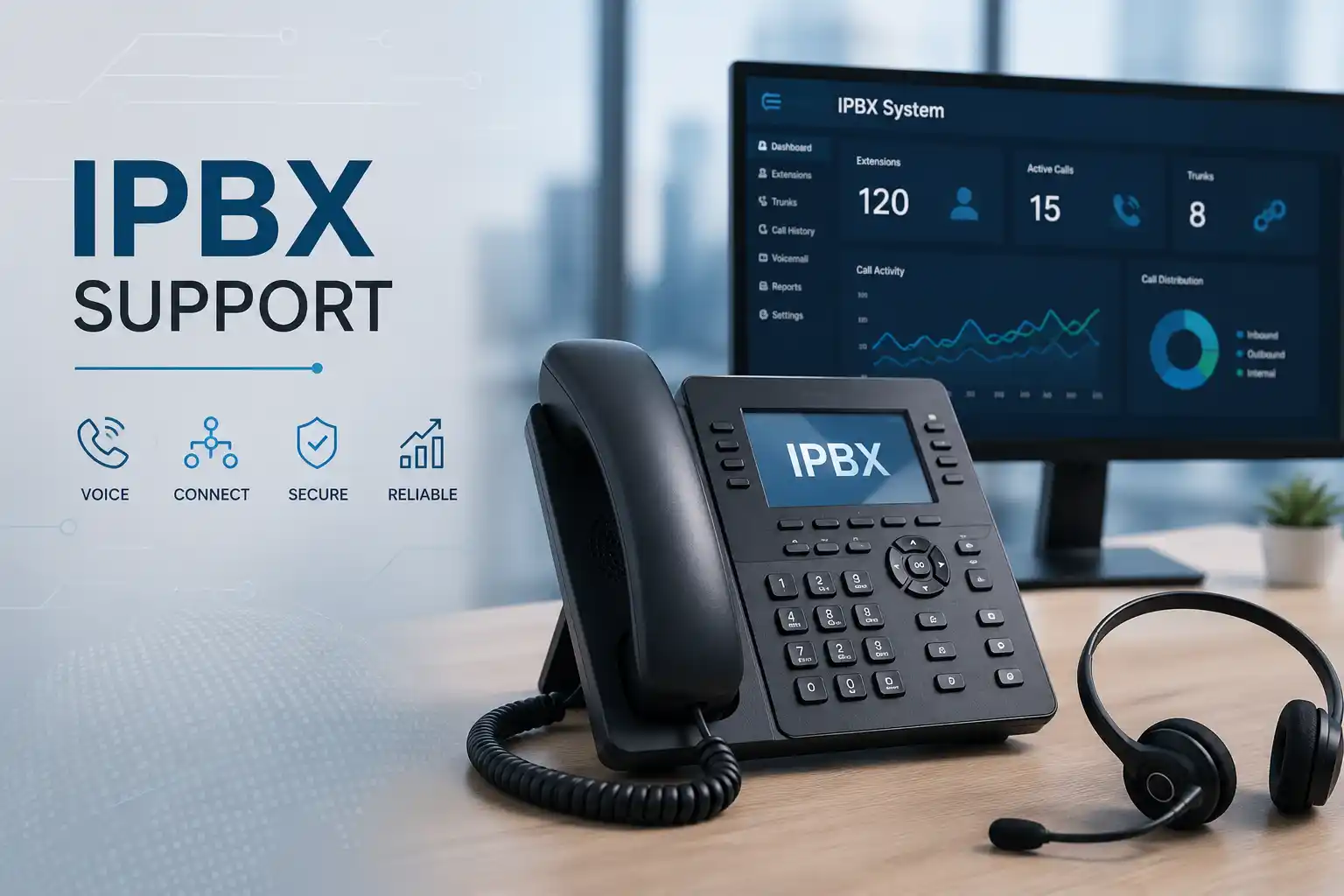
PBX, phones, network, firewall and carrier dependencies reviewed together.
The support method depends on access, symptoms and whether physical checks are required.
Routing, trunks and extensions should be changed with backup and rollback considerations.
Support planning can combine secure remote work with scheduled site assistance.
What does 24×7 IP PBX support mean for a business?
IP PBX support is technical assistance for the system that manages business extensions and call flow over an IP network. It is mainly used when calls fail, route incorrectly, have poor audio, do not reach the right department, or when the organisation needs approved changes to extensions, queues, office-hour rules, voicemail, auto attendants, SIP trunks or related network settings. It can also support maintenance, documentation, migration preparation and recurring fault reduction.
Businesses that depend on telephone availability for reception, sales, customer care, booking, operations, branch coordination or internal communication should consider structured support. Before work is confirmed, provide the PBX platform, site location, number of affected users, example call failures, recent changes, network or provider details if known, and confirmation that authorised administrative access can be made available securely. A 24×7 requirement should also define the agreed support channel and commercial coverage because around-the-clock availability does not by itself define engineer attendance, response targets or included work.
What IP PBX support can cover
Call routing and user functions
Assistance may include extension creation or review, ring groups, hunt behaviour, queues, auto-attendant menus, office-hours rules, holiday routing, voicemail, forwarding, caller identification, outbound permissions and reception flows. The intended business outcome should be written down before configuration so that a change for one department does not unexpectedly affect another.
SIP trunks and external calling
Inbound or outbound calling problems can involve registration, trunk settings, credentials handled through secure channels, number presentation, provider routing, firewall behaviour, network address translation or service-provider conditions. FourTeck can collect evidence and coordinate technical findings with the relevant voice or internet provider when their action is required.
Phones and network dependencies
An IP phone depends on power, cabling, a switch port, IP addressing, DNS or gateway reachability, the voice network design and PBX registration. Poor audio can also be affected by packet loss, delay or unstable internet paths. Support therefore checks the complete communication route rather than treating the PBX as an isolated appliance.
Maintenance and documentation
Depending on scope, recurring support can include configuration backup review, extension records, call-flow documentation, administrator notes, maintenance recommendations, capacity observations, firmware or software planning, provider details and an action record for completed changes. Actual inclusions depend on the approved service plan.
Who may need ongoing IP PBX assistance?
The service can suit an office where reception must route customers to several departments, a call-handling team that depends on queues, a warehouse that uses phones across operational areas, a clinic that manages appointment calls, a hospitality site with front-desk and back-office extensions, or a multi-branch company that needs consistent numbering and call rules. The need is strongest when telephone configuration is business-critical but internal documentation is limited or several vendors are involved.
A smaller organisation may request one-time troubleshooting after a call failure or provider change. A larger or multi-site environment may require a defined maintenance and support arrangement covering users, trunks, handsets, network dependencies, approved change windows and escalation contacts. Neither model should be assumed to include unlimited tasks. The practical starting point is to define which PBX systems, sites, extensions, providers and business functions are in scope, then agree how incidents and planned changes will be handled.
Common symptoms that trigger an IP PBX support request
Telephone faults often look simple to users but can come from different technical layers. A failed inbound call might be caused by the carrier, trunk registration, number routing, an office-hours condition, a firewall change or the PBX itself. A handset that says unregistered could point to the phone, the local network, DHCP, DNS, VLAN configuration, switch power, credentials or PBX reachability. For that reason, symptoms should be recorded without assuming the cause.
Check whether all numbers are affected, whether the issue follows office hours, and whether the provider reports a service event.
Permissions, dial rules, trunk state, account conditions, number format or upstream service can all be relevant.
Network path, firewall handling, NAT, bandwidth, packet loss, carrier media routing and endpoint conditions may need review.
Power, switching, address assignment, voice VLANs, connectivity, PBX service status and handset configuration can contribute.
Recent edits, time conditions, prompts, destinations and user availability should be compared with the intended call flow.
The change history is valuable evidence because voice depends on network reachability and controlled security rules.
Business impact when telephone faults remain unresolved
A PBX fault can affect more than the ability to make a call. Reception may be unable to transfer customers, sales enquiries may not reach the correct team, support queues may fail to distribute callers, managers may lose visibility of call handling, remote staff may become unreachable, and a branch may depend on mobile workarounds that are difficult to manage. Repeated small failures also consume staff time because users report the same issue, administrators test temporary fixes and providers are contacted without a shared diagnostic record.
The appropriate response is proportional rather than alarmist. First identify which business functions are affected and what temporary communication method is acceptable. Then isolate the failing layer and confirm whether corrective work is safe during operating hours or needs a planned maintenance window. After service is restored, recurring incidents should be reviewed for common causes such as undocumented routing, aging hardware, unstable network links, provider dependency, weak change control or incomplete configuration backups. This turns a single repair into useful operational knowledge without assuming that every telephone fault requires a major replacement.
Possible support scope after assessment
Depending on the confirmed scope, FourTeck assistance may include the activities below. The list describes possible work, not an automatic inclusion in every request or contract.
- Initial incident or service consultation and business-impact review.
- Secure remote diagnosis where authorised access and connectivity are available.
- On-site inspection for phones, cabling, switches, power, racks or local equipment.
- Extension, registration and endpoint checks.
- Ring group, queue, auto-attendant, voicemail and time-condition review.
- Inbound and outbound call-path testing using approved test numbers.
- SIP trunk status and provider coordination.
- Firewall, NAT and voice-network dependency review where relevant.
- Voice VLAN, switch-port, addressing and connectivity checks.
- Configuration backup or export review where the platform supports it.
- Approved corrective configuration with change and rollback planning.
- User or reception guidance for changed call handling.
- Documentation of call routes, extensions, providers and completed actions.
- Maintenance, upgrade or migration recommendations where the current environment indicates a need.
Is this service the right fit for the problem?
| Observed situation | Possible technical areas | Recommended next step |
|---|---|---|
| All external calls fail but internal extensions still work. | SIP trunk, provider service, firewall path, outbound rules or account conditions. | Collect failed number examples and timestamps, then review trunk and provider evidence. |
| Only one phone is unregistered. | Handset, cable, PoE, switch port, local addressing, extension credentials or device configuration. | Compare the affected device with a working phone and decide whether remote or physical testing is needed. |
| Calls connect but audio works in one direction only. | Firewall, NAT, media path, provider routing or network conditions. | Capture call direction, time and parties, then review network and carrier dependencies without broad security changes. |
| Reception wants a new call flow. | Ring groups, queues, office hours, overflow, voicemail and user availability. | Document the desired sequence, approve the change window, back up where possible and test every route. |
| Faults started after a firewall or ISP change. | Routing, NAT, allowed traffic, public addressing, service-provider handoff or DNS. | Review the change record and validate the exact voice path before modifying the PBX. |
| The company is preparing to replace an old PBX. | Extensions, trunks, numbers, prompts, queues, phones, network readiness, licensing and provider dependencies. | Create a current-state inventory and migration plan before changing the live environment. |
IP PBX service information for quotation planning
| Service topic | 24×7 IP PBX support, troubleshooting, maintenance and approved configuration assistance. |
|---|---|
| Main purpose | Restore or improve business calling, reduce repeated faults and manage telephony changes with clearer evidence and documentation. |
| Typical systems involved | IP PBX platform, IP phones, SIP trunks, switches, routers, firewalls, internet services, voice VLANs and provider services. |
| Remote support suitability | Suitable for many configuration, log, registration and call-flow checks when secure authorised access and working connectivity are available. |
| On-site support suitability | May be required for phones, cabling, power, switch ports, racks, physical equipment faults or inaccessible systems. |
| Customer information required | Location, affected users, PBX platform, symptoms, example call failures, recent changes, provider details and authorised access availability. |
| Testing and validation | Scope dependent; may include extension registration, inbound and outbound test calls, routing, voicemail, queue and user acceptance checks. |
| 24×7 coverage detail | Contract dependent. Support channels, priority handling, included activities, remote availability and on-site scheduling should be confirmed in the service agreement. |
| Service location | Dubai and UAE coordination, with remote or planned on-site work subject to location, access, schedule and approved scope. |
| Quotation requirement | Required to confirm scope, commercial terms, coverage, exclusions, site work and any project or recurring support arrangement. |
Remote IP PBX support versus an on-site visit
When remote support may be appropriate
Remote assistance is often practical when the PBX is reachable through an approved secure method and the problem concerns settings, registrations, logs, call routing, user configuration, trunk status or a change that can be validated without touching physical equipment. A local user or administrator may still be needed to place test calls, confirm screen messages or restart a specific device under guidance.
Remote work should not depend on sharing passwords through an unsecured public channel. Access should be authorised, traceable and limited to the task. If the internet connection itself is failing, remote access may not be possible even when the PBX configuration is the suspected area.
When on-site assistance may be needed
A site visit is more suitable when phones have no power, cabling or patching must be inspected, switch ports need hands-on testing, a rack or PBX appliance is physically inaccessible, local network behaviour cannot be reproduced remotely, or a replacement or installation requires equipment access. It may also be preferable when several users are affected and coordinated tests across reception, departments and network infrastructure are required.
On-site timing depends on location, building access, engineer availability, approved quotation, site conditions, required tools or parts and third-party coordination. The page does not imply an immediate or fixed attendance time.
How IP PBX diagnosis should proceed
- Define the business impact. Confirm whether the issue affects reception, one user, one department, all external calls, a branch or the whole office. This sets priority and prevents broad changes before the pattern is known.
- Collect reproducible examples. Record the direction of failed calls, numbers involved, approximate timestamps, handset messages and whether the fault is constant or intermittent. Evidence is especially useful when a carrier must investigate.
- Review recent changes. Ask whether the PBX, firewall, switch, router, ISP, office hours, SIP provider, phones or cabling changed before the problem began. A change history can shorten diagnosis without proving causation by itself.
- Confirm authorised access and backup options. Before modifying live telephony, determine how the current configuration can be recorded or backed up and what rollback method is available.
- Test the relevant layers. Depending on the symptom, review phone registration, extension status, trunk reachability, call rules, network addressing, switch connectivity, firewall path, internet status and provider evidence.
- Isolate the likely fault domain. The objective is to determine whether the action belongs to the PBX, local network, security gateway, endpoint, carrier, ISP or another dependency.
- Explain the proposed correction. The customer should understand the expected change, business risk, maintenance-window need and any third-party requirement before work proceeds.
- Validate and record the result. Test the affected call paths, note what changed and identify any remaining risk or follow-up maintenance action.
Planning corrective configuration without creating a second fault
PBX settings are interconnected. A change to a time condition can alter after-hours routing. A queue adjustment can affect overflow behaviour. An outbound rule can change which users reach external destinations. A firewall change intended to fix audio can expose or block unrelated services if it is applied too broadly. Corrective work should therefore begin with a written objective, a current-state review and a practical rollback method where supported.
For planned changes, FourTeck can help document the desired call journey before implementation. A typical call-flow statement may describe where a main number should ring during office hours, how long it should ring, where unanswered calls should overflow, what happens after hours, which voicemail box receives messages and who is responsible for checking them. This business description is easier for managers to approve than a list of technical menu settings.
Implementation should be proportionate to risk. A small user change may be tested immediately with the affected person. A trunk, firewall, queue or company-wide routing change may justify a planned window and a broader test set. Where a carrier, hosted platform provider or licensing portal controls part of the change, completion depends on their access and process as well as the local PBX configuration.
Testing, validation and handover after PBX work
A configuration screen showing the expected setting is not enough to prove that business calling works. Validation should follow the real communication paths that matter to the organisation. Depending on scope, this may include test calls to and from selected external numbers, extension-to-extension calls, transfers through reception, queue entry and overflow, voicemail deposit and retrieval, office-hours and after-hours destinations, caller identification, outbound permissions, remote or branch extensions and any critical hunt group.
Users should also confirm the practical result. Reception may need to verify transfer keys and busy-line behaviour. A department manager may need to confirm the order in which a ring group calls users. An administrator may need a copy of the updated extension list and a note of the provider or trunk details. When a change affects many people, a short user communication can prevent normal new behaviour from being reported as a fault.
Handover can include a concise record of completed work, tests performed, any unresolved provider dependency, backup location or method, and recommended next actions. The exact documentation depends on the engagement, but keeping a usable record reduces uncertainty when the next incident, user move, office expansion or migration occurs.
Capability 1: isolate voice faults across connected systems
A business telephone call crosses several components. The handset must have power and network access. It needs valid addressing and a route to the PBX. The PBX must recognise the extension and apply the correct call rules. External calling depends on a SIP trunk or other carrier connection, and that traffic may cross a firewall or internet service. Audio can travel differently from signalling, which is why a call may ring successfully while speech fails in one direction.
The useful support outcome is not simply to reset every device. It is to narrow the failing path. If one handset fails while others work, start locally. If all phones lose registration, examine the shared PBX or network path. If internal calls work but every external call fails, investigate trunk and provider dependencies. If the issue appears only at one branch, compare that location’s network and firewall path with working sites.
This layered approach can reduce unnecessary configuration changes, but it still depends on evidence, access and the ability to reproduce the problem. Intermittent carrier or internet faults may require timestamps, call examples and provider logs that are outside FourTeck’s direct control. The service can organise those findings so the correct party receives a clearer technical case.
Capability 2: make call-flow changes easier to understand and maintain
Many PBX problems are actually business-process problems expressed through technical settings. A company may say that calls are “not going to sales,” but the real requirement may be that the main number rings reception first, then a sales group, then a backup user, and finally a shared voicemail box after a defined period. If that requirement is not written clearly, each administrator may interpret it differently.
FourTeck can help translate the required user journey into a configuration plan and then validate it with practical calls. The same method applies to office-hour schedules, public holidays, overflow handling, queue membership, new starters, leavers and branch routing. This supports change control because the business can approve an intended outcome before the PBX settings are edited.
The limitation is that not every platform exposes the same features or licensing model. Existing phones, trunks, prompts or integrations may also constrain the preferred flow. Where the request depends on a platform feature, provider service or licence, that dependency must be confirmed before promising the result. A maintainable design is one that fits both the business need and the capabilities of the current environment.
Capability 3: improve support continuity through useful documentation
Telephone environments often become difficult to support after years of staff changes, office moves and small routing edits. Extension numbers may no longer match current users, provider account details may be known by only one person, old prompts may remain active, spare phones may have unknown configurations, and call flows may exist only in the memory of a former administrator. This increases the time needed to understand an incident.
Practical documentation does not need to be a large manual. A useful support record may include PBX platform and version where available, extension assignments, key hunt groups or queues, main inbound numbers, trunk or carrier reference information, office-hour rules, network addressing notes, voice VLAN details, backup method, administrator ownership and recent change history. Credentials should not be published in ordinary documents; they should remain in an approved secure credential-management method.
Documentation is especially valuable before a migration or office relocation. It gives the project team a current-state reference and helps identify hidden dependencies before equipment is disconnected. The quality of any record depends on access and the accuracy of the existing environment, so unknown or unverified items should be marked for confirmation rather than guessed.
Access, compatibility and customer inputs that can affect the scope
Support is faster when the customer can identify the affected site, PBX platform, administrative contact, voice provider and recent change history. Secure administrative access may be necessary to review settings or logs. Network or firewall access may also be required if the call fault crosses those systems. Where the PBX is managed by a third-party hosted provider, some settings may only be visible or changeable through that provider.
Compatibility is environment dependent. IP phones can use standards-based protocols, vendor-specific provisioning or platform-specific features. SIP trunks may have provider requirements. Firewalls and routers handle voice traffic differently depending on configuration. A legacy PBX may have limited software support or backup options. The correct support plan should therefore use the actual platform and network evidence rather than assume that one method applies to every system.
Customers should never publish passwords or private credentials on a public service page or send them through an unapproved channel. Access can be shared only through an authorised secure method after identity, responsibility and scope are confirmed. If the organisation has change-control rules, security approvals or a required maintenance window, provide those constraints before configuration work begins.
Risks, limitations and exclusions to understand
Diagnosis depends on the evidence and access available. A failed call can require action from the voice carrier, internet provider, hosted PBX vendor, building network provider or hardware supplier. FourTeck can help isolate and document the problem, but a third party may control the final correction.
Hardware failure may require replacement parts or new equipment that is separate from support labour. Legacy phones or PBX software may have limited compatibility or maintenance options. A configuration change can require a maintenance window because even a correct change can interrupt active sessions while services reload or devices re-register. A successful test after one incident does not remove the need for monitoring or preventive maintenance where repeated instability has been observed.
The 24×7 description should not be interpreted as a guaranteed response time, guaranteed on-site attendance, unlimited labour or guaranteed resolution unless those terms are explicitly present in the approved support agreement. Service timing can depend on the fault, access, site, engineer availability, third-party action and required equipment.
Final commercial terms, included systems, excluded tasks, maintenance frequency, project work and after-hours handling are defined by the quotation or service contract. These boundaries make support responsibilities clearer for both the customer and the technical team.
Business environments where IP PBX support is useful
Professional offices
Reception, sales, finance and management may rely on different call routes, forwarding rules and extensions. Support helps keep user changes aligned with the real office structure.
Retail and customer-facing sites
Stores and showrooms may need a main number, branch routing and reliable inbound handling while local internet or network conditions differ between locations.
Clinics and appointment teams
Call queues, reception transfer behaviour and voicemail can directly affect appointment handling. Changes should be tested around real staff workflows.
Warehouses and logistics operations
Phones may span offices, loading areas and operational zones, making PoE, switching, cabling and branch connectivity part of the telephony support picture.
Hospitality and service desks
Front-desk communication can involve internal extensions, departments, external numbers and after-hours handling, so call-flow documentation becomes important.
Multi-branch businesses
Branches may share providers, numbering plans or central call handling while depending on separate internet and firewall paths. Support should distinguish central faults from location-specific issues.
Operational, security and maintenance considerations
Business telephony should be maintained as part of the wider network environment. Phone and PBX management interfaces need controlled access. Administrator accounts should be assigned to authorised people rather than shared casually. Remote management should use secure methods appropriate to the platform. Firewall rules should be limited to the required traffic rather than opened broadly to make troubleshooting easier. Backups or configuration exports should be reviewed where the platform supports them, especially before planned changes.
Maintenance also includes operational records. Extension lists should reflect current staff. Leavers should not retain unnecessary telephony access. Call groups should be checked when teams change. Office-hour and holiday rules should be reviewed before they become urgent. Provider contacts and account ownership should be known to more than one authorised business contact. Spare phones and replacement processes should be understood for critical positions such as reception.
Software or firmware updates can improve supportability and security, but they should be planned against vendor guidance, phone compatibility, backups and change windows rather than applied automatically to an unknown production system. If the existing PBX is unsupported or increasingly difficult to maintain, FourTeck can help document the environment and prepare options for a controlled upgrade or migration instead of forcing a disruptive change during an incident.
Before you contact FourTeck for IP PBX support
The following information helps define the first diagnostic step and whether remote or on-site assistance is more appropriate:
- The Dubai or UAE service location and the main on-site contact.
- The PBX platform or system name, if known.
- How many users, extensions, departments or branches are affected.
- Whether inbound calls, outbound calls, internal calls or audio are affected.
- Example failed numbers and approximate timestamps where available.
- Any message shown on the handset or PBX interface.
- When the problem began and whether it is constant or intermittent.
- Recent PBX, network, firewall, ISP, cabling or office changes.
- The voice carrier, SIP provider or hosted PBX provider, if applicable.
- Whether secure authorised remote access can be arranged.
- Whether a local person can place test calls or inspect a handset.
- Any available configuration backup, extension list or call-flow document.
- The business impact and which call functions are most critical.
- Any required maintenance window or change approval process.
- Whether the request is a one-time incident, planned change, migration or recurring support requirement.
Checklist for defining the support or maintenance quotation
How FourTeck can assist with the support journey
FourTeck can begin by clarifying what the user experiences and which business process is interrupted. From there, the service can identify whether the likely investigation belongs to the PBX, phone, network, firewall, internet connection or voice provider. This avoids treating the telephone system as an isolated box when the fault path crosses several systems.
For incidents, assistance may combine remote review with local tests or an on-site visit where physical work is necessary. For planned changes, FourTeck can help document the desired call flow, review dependencies, plan configuration, test approved work and record the result. For recurring support, the engagement can focus on clearer extension records, configuration backups, provider ownership, incident history and maintenance priorities, subject to the agreed service plan.
Customers who want a broader understanding of FourTeck’s approach can review the FourTeck IT services company information. For the PBX request itself, the quotation should identify the service window, covered sites and systems, support channels, access method, remote and on-site scope, third-party responsibilities and any project work that sits outside recurring incident support.
Dubai and UAE service coordination
IP PBX support can often start remotely because configuration, logs, trunk status and call routing may be reviewable without a site visit. Physical assistance becomes more important when cabling, switch ports, phones, racks, power, local network conditions or an inaccessible appliance must be checked. FourTeck can coordinate the method according to the reported issue, authorised access, location, urgency and approved quotation.
For businesses in Dubai, planned on-site work can be arranged subject to engineer availability, site access and confirmed scope. For wider UAE requirements, the same principle applies: start with the information that can be assessed securely, then decide whether physical attendance is necessary. A support request should include the site location and any building-access, parking, security desk, equipment-room or maintenance-window requirements that could affect the visit.
Support timing can also depend on a voice carrier, internet provider, hosted service, licence, replacement phone or network part. A 24×7 operational requirement is most useful when the contract clearly defines how incidents are raised and what the support arrangement covers rather than relying on an undefined assumption of immediate attendance.
Coordinating IP PBX support across Dubai, Abu Dhabi, Sharjah and Ajman
A company with offices in Dubai, Abu Dhabi, Sharjah and Ajman may use the same PBX platform while each site has different internet links, firewalls, switches, cabling and local access arrangements. That distinction matters during diagnosis. If every branch loses external calling at the same time, the investigation may focus on a shared trunk, central platform or provider. If one office alone has poor audio, the local internet path, firewall, switch or cabling may be more relevant.
FourTeck can coordinate remote troubleshooting, planned site visits, configuration work, assessment, maintenance or migration support according to the confirmed requirement. Scheduling and travel depend on the service type, location, building access, site conditions, engineer availability and any third-party work. Physical tasks should be identified in the quotation so that the visit is prepared with the right access information and expected test scope.
For multi-site support, a shared extension and provider record can make future incidents easier to classify. It is also useful to identify the person authorised to approve telephony changes for each location and the person who can assist with local test calls. These simple operational details can be as important as the technology when a problem must be reproduced across several sites.
Related FourTeck IT services around business telephony
IP PBX faults can overlap with networks, internet connectivity, endpoints and wider office technology. The FourTeck IT services overview explains related assistance for office networks, Wi-Fi, firewalls, servers, user devices and communication systems. Businesses planning a broader infrastructure review can also start from the FourTeck business IT support home page to understand how connected systems are approached together.
Office network support
Useful when voice problems involve switching, VLANs, addressing, cabling, routing or unstable local connectivity.
Firewall and internet troubleshooting
Relevant when SIP registration, media flow, remote extensions or external calling depend on gateway and provider conditions.
IP phone support
Appropriate for handset registration, PoE, cabling, provisioning, user configuration and desk-phone replacement assessment.
Business IT support
Useful when telephony is one part of a wider office issue involving users, servers, networks, security and providers.
Questions businesses ask before requesting IP PBX support
Can an IP PBX problem be checked remotely?
Often yes, provided the PBX and relevant network systems can be reached through an approved secure access method. Remote support is especially useful for reviewing extension registrations, trunk state, call routing, time conditions, queues, logs and configuration history. It can also help determine whether the issue is likely to sit with the PBX or an upstream provider before an on-site visit is arranged. Remote support is less suitable when phones have no power, cabling is damaged, switch ports need physical testing, the PBX appliance cannot be reached over the network, or the internet connection required for remote access is itself down. The customer should identify whether a local user can assist with test calls or device checks.
When is an on-site PBX visit usually necessary?
An on-site visit is usually considered when the problem requires physical evidence. Examples include unpowered handsets, uncertain patching, damaged cables, PoE issues, rack access, switch-port testing, local appliance alarms or a need to install or replace equipment. A site visit may also be helpful when several departments are affected and coordinated tests must be performed across phones and network infrastructure. The visit should be prepared with building access, rack location, on-site contact details and a clear description of the fault. Attendance timing is subject to location, access, engineer availability and approved scope rather than being assumed from the 24×7 support topic.
Why can phones ring but have no audio?
Call signalling and audio can depend on different network paths, so ringing does not prove that the complete voice path is working. One-way or missing audio may involve firewall handling, network address translation, provider media routing, internet quality or endpoint conditions. The safe approach is to capture the direction of the call, time, external number and whether the symptom happens on all phones or only selected users. Broadly disabling security settings is not an appropriate diagnostic shortcut. The investigation should identify the required traffic path and change only what is authorised and necessary.
What should we check when all outbound calls suddenly fail?
First determine whether internal extension calls still work and whether inbound calls are also affected. If only outbound calling fails, useful evidence includes the dialled number format, any recorded announcement or error, which users are affected, trunk status and whether a provider or firewall change occurred recently. The cause may involve outbound rules, permissions, SIP trunk state, provider restrictions, account conditions, network reachability or routing. Do not change multiple settings at once. A staged check preserves evidence and makes it easier to determine which action actually restores service.
Is one-time troubleshooting enough, or do we need ongoing maintenance?
One-time support can be appropriate for an isolated, clearly scoped incident or planned change. Ongoing maintenance becomes more useful when the PBX is business-critical, the company has frequent user changes, several sites share the system, past faults recur, documentation is weak, or the organisation wants a defined process for support requests and approved changes. The maintenance plan should specify covered systems and sites, support channels, preventive tasks, exclusions, provider coordination and any 24×7 coverage conditions. It should not be assumed to include unlimited project work or replacement equipment unless the contract states that explicitly.
What information helps when a SIP provider says the line is working?
A provider statement is only one part of the diagnosis. Prepare failed call examples with approximate timestamps, source and destination numbers, call direction, the symptom experienced and whether internal calls work. PBX trunk status, registration information and relevant logs may help. If the provider uses an IP-based handoff, firewall or internet changes can also matter. FourTeck can help organise evidence from the local environment and identify whether the next action belongs to the provider, network or PBX. The objective is to replace general reports such as “calls are not working” with a reproducible technical case.
Can support include new extensions and staff moves?
Yes, planned user changes can form part of IP PBX assistance when included in the agreed scope. A request should specify the employee, extension number or numbering preference, phone or soft client, department, outbound permissions, queue membership, voicemail requirement and any call-forwarding rules. For a leaver, access and call destinations should be reviewed so that customer calls continue to reach the correct team. For larger onboarding waves, standardised templates and an updated extension list can reduce repeated configuration effort and make future support easier.
What can affect the final service quotation?
The quotation can depend on the number of sites, PBX platforms, users and trunks; the availability of administrative access; whether network and firewall systems are included; the level of existing documentation; the need for on-site work; the service window; third-party coordination; and whether the request is incident support, maintenance, migration or a larger call-flow redesign. Legacy systems can require more discovery because current records or vendor support may be limited. If hardware, licences or provider charges are required, they should be identified separately rather than assumed to be included in technical support labour.
How should a business prepare for an IP PBX migration?
Start by inventorying the current environment before selecting a cutover date. Record main numbers, DIDs where relevant, extensions, departments, phones, queues, hunt groups, voicemail, auto attendants, office hours, prompts, SIP trunks, remote users, branch connections and network dependencies. Confirm which features are truly used rather than simply copying every old setting. Review backups, number-porting or carrier requirements, licensing, phone compatibility and user communication. A migration should include test calls, rollback considerations and post-change validation. Zero downtime should not be assumed because the actual interruption depends on platform, carrier and project design.
Does 24×7 support mean an engineer will always arrive immediately?
No fixed attendance or response commitment should be inferred unless it is stated in the approved service agreement. Around-the-clock support can describe the operational requirement or agreed ability to raise incidents outside normal office hours, but the actual handling model can distinguish remote triage, priority categories, escalation, on-site work and project tasks. Site visits depend on location, access, engineer availability, safety, parts and the confirmed scope. Businesses that require a specific service level should make that requirement explicit during quotation so the commercial agreement can define it clearly.
When should we contact FourTeck instead of changing the PBX ourselves?
Contact support when the change affects company-wide routing, trunks, firewall behaviour, remote access, multiple departments or any function that is not clearly understood and documented. Also seek assistance when there is no current backup, the platform is unfamiliar, the fault is intermittent, a provider dispute requires technical evidence, or the system is already unstable. A small, authorised user change may be routine for an experienced administrator, but production telephony changes should not be made by trial and error. The safest next action is to explain the intended business result, current symptom and access available so the work can be scoped before settings are altered.
Frequently asked questions about 24×7 IP PBX support in Dubai
What does IP PBX support include?
Depending on the approved scope, it may include fault diagnosis, extension and registration checks, call routing, queues, voicemail, office-hour rules, SIP trunk coordination, phone and network dependency checks, configuration work, testing and documentation.
Can FourTeck troubleshoot one-way audio?
The service can investigate the relevant PBX, firewall, NAT, network and provider layers. The exact cause cannot be assumed before call examples and environment details are reviewed.
Can an unregistered IP phone be supported remotely?
Sometimes. Remote checks may identify extension or network issues, but physical testing can be required when the problem involves power, cabling, a switch port, the handset or local connectivity.
Do you support call queues and auto attendants?
These functions can be reviewed or changed when supported by the current PBX and included in scope. The desired call sequence should be confirmed before configuration.
Can support involve our SIP or telecom provider?
Yes. Where external calling depends on a third party, FourTeck can collect local evidence and coordinate technical information, while the provider remains responsible for systems under its control.
Should we back up the PBX before a change?
Where the platform supports a reliable backup or configuration export, it should be considered before significant changes. Rollback planning depends on the platform and the risk of the work.
Can FourTeck assist with an old or undocumented PBX?
An assessment can identify what information and access remain available. Legacy systems may have limited support, backup or compatibility options, so documentation and replacement planning may be part of the recommendation.
Is IP PBX support only for large companies?
No. A small office may need help with a single incident or call-flow change, while a larger organisation may require multi-site support, documentation and recurring maintenance. Scope should match the environment.
What areas can be coordinated in the UAE?
Requirements in Dubai, Abu Dhabi, Sharjah and Ajman can be reviewed for remote or planned on-site support. Scheduling, travel, access and the technical scope affect the service plan.
How do we request a quotation?
Provide the location, PBX platform, number of affected users or sites, symptoms or planned change, provider details, access availability and required support window. FourTeck can then review the requirement and define the next step.
Request an IP PBX support assessment or quotation
Tell FourTeck what is not working, which site and users are affected, which PBX platform is involved, whether the issue affects inbound, outbound, internal or audio paths, and what changed recently. For planned 24×7 support, include the sites, support channels, remote-access requirements, expected coverage arrangement and any need for on-site assistance. This information allows the service scope, dependencies, exclusions and commercial terms to be defined before work begins.
FourTeck can review whether the first action should be remote diagnosis, a planned site visit, provider coordination, configuration work, maintenance planning or a broader telephony assessment. Contact the team to confirm the applicable service scope and scheduling options.