
Business telephony troubleshooting, configuration and maintenance
IP PBX Support in Dubai, UAE
When calls fail, extensions behave unpredictably or voice quality drops, the problem may sit in the PBX, the SIP service, a gateway, a phone, the LAN, the internet path or several of these layers at the same time. FourTeck helps businesses investigate IP PBX problems in context, define safe corrective work and verify the calling functions that matter to daily operations.
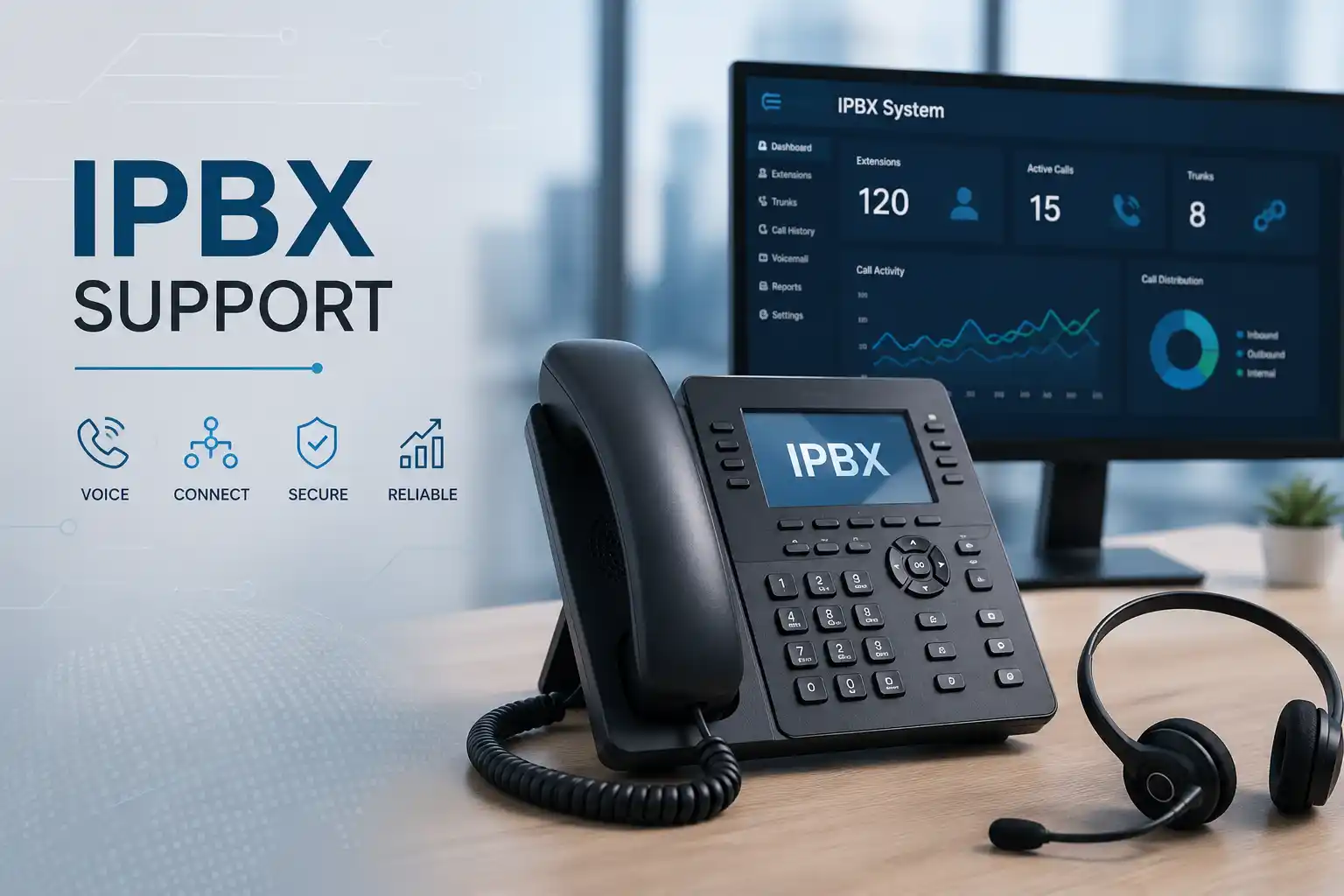
PBX, phone, network and provider layers reviewed together.
Method selected according to access and physical work required.
Configuration work planned with authorisation, backup and testing in mind.
Final work depends on the environment, urgency, access and quotation.
What does IP PBX support mean for a business?
IP PBX support is the technical assessment, troubleshooting, configuration, maintenance and change assistance used to keep an internet-protocol-based business telephone system operating as intended. It can address call failures, extension registration, inbound and outbound routing, SIP trunk behaviour, voicemail, ring groups, auto attendants, call forwarding, gateways, desk phones, softphones and the network services that connect them.
Businesses should consider support when a calling problem affects one user, several departments, a branch, or the wider telephone environment; when a planned change needs controlled implementation; or when repeated incidents indicate that documentation and maintenance need improvement. Before work is confirmed, prepare the affected numbers or extensions, examples of failed calls, approximate times of incidents, recent changes, site details, provider information and authorised administrative access. The exact scope depends on the current PBX platform, network design, licenses, telecom provider, device condition and whether physical work is required.
What the service can cover
Depending on the confirmed scope, assistance may include call-path testing, extension and endpoint review, SIP account or trunk checks, dial-plan and routing review, hunt group or ring group checks, voicemail and auto-attendant testing, call-forwarding validation, time-condition review, gateway inspection, registration analysis, codec and media-path investigation, quality-of-service review, voice VLAN checks, firewall and NAT considerations, backup review, approved configuration corrections, upgrade planning, documentation and vendor coordination.
The objective is not to change every setting. It is to identify which layer is affecting the required business outcome and make only the changes that are authorised, understood and testable.
Who may need IP PBX assistance
The service can suit organisations that rely on desk phones, softphones, mobile extensions, reception consoles, SIP trunks, analogue or digital gateways, call queues or branch-to-branch telephony. Common environments include professional offices, clinics, retail sites, warehouses, hospitality operations, training centres, property-management teams and businesses with several UAE locations.
It may also be useful during an office move, internet-provider change, firewall replacement, network redesign, extension expansion, remote-work rollout or PBX upgrade because these changes can alter how signalling and voice traffic reach users and providers.
Common symptoms that lead businesses to request IP PBX support
A telephone fault should be described by what users actually experience rather than by assuming a cause. “No audio” does not automatically mean the PBX is defective, and “phone offline” does not automatically mean the handset needs replacement. The same user symptom can result from several technical layers. Useful examples include the following situations.
Calling and routing
Inbound calls fail, outbound calls are rejected, selected destinations cannot be reached, callers enter the wrong queue, calls ring the wrong extension, time-based routing does not follow the intended schedule, or forwarding behaves differently from the documented workflow.
Audio and quality
Users report one-way audio, silence after answering, clipping, delay, jitter, robotic sound, intermittent voice, calls that drop after a repeatable interval, or call quality that changes according to location or network load.
Endpoint registration
Desk phones show registration errors, remote users disconnect, softphones cannot sign in, recently moved phones fail to obtain the expected network settings, or an extension works from one device but not another.
Features and user experience
Voicemail notifications fail, call transfer does not complete, hold or pickup functions are inconsistent, caller identification appears incorrectly, recordings cannot be located, conference features fail, or users report a change after an upgrade or provider modification.
Why a telephony problem can affect more than the phone
An IP PBX connects business calling to the data network. A typical call may depend on the PBX application, an extension account, a handset or softphone, switch connectivity, power over Ethernet, VLAN assignment, IP addressing, DNS or time services, firewall rules, internet access, a SIP trunk, a gateway, and the far-end carrier. Because these elements are connected, a change outside the telephone system can create a calling symptom. A firewall replacement may change how voice traffic passes. A switch configuration change may place phones on the wrong VLAN. An internet issue may affect external calls while internal calls continue to work. A provider fault may leave local extension calling unaffected.
For the business, the impact can include missed customer calls, delayed sales or support responses, reception overload, employees using personal mobiles as a workaround, inconsistent caller identity, unavailable voicemail, difficulty contacting branches or suppliers, and reduced visibility of call handling. The support process should therefore consider both the technical symptom and the operational function that needs to be restored. Priority can be very different when one spare extension is affected compared with a reception number, emergency contact route, customer service queue or multi-site trunk.
A structured assessment helps avoid unnecessary equipment replacement and uncontrolled settings changes. It also creates evidence that can be shared with an internet, telecom or platform provider if the issue sits outside the customer-controlled environment.
Possible IP PBX support scope
The final work should be agreed after the current environment and required outcome are understood. Depending on the confirmed scope, FourTeck assistance may include some of the following activities.
| Service area | Possible assistance | Scope dependency |
|---|---|---|
| Call routing | Review inbound destinations, outbound rules, ring groups, queues, time conditions, forwarding and numbering logic. | PBX platform, business workflow and authorised configuration access. |
| SIP trunks | Check registration or trunk status, routing symptoms, provider details and call examples. | Telecom provider cooperation, account status and service configuration. |
| Extensions and phones | Investigate registration, provisioning, device network settings and user-specific behaviour. | Endpoint model, firmware, credentials, network availability and device condition. |
| Voice quality | Review affected call direction, media path, latency symptoms, packet loss indicators, network congestion and QoS context. | Network visibility, provider path, internet quality and reproducible examples. |
| Gateways | Assess analogue, digital or VoIP gateway connectivity where it forms part of the call path. | Hardware model, port access, provider circuit and existing configuration. |
| Network integration | Review VLAN, DHCP, DNS, routing, firewall, NAT and switch considerations relevant to voice services. | Network administrator approval, topology and maintenance-window requirements. |
| Maintenance and documentation | Review backups, change history, extension records, provider contacts, diagrams and recurring incident patterns. | Existing records, platform capabilities and agreed maintenance plan. |
Which type of assistance fits the situation?
| Observed situation | Technical areas worth checking | Recommended next step |
|---|---|---|
| One extension cannot make calls | Endpoint registration, user permissions, dial rules, phone profile, local network connection. | Collect the extension number, device status and a failed call example before changing configuration. |
| All external calls fail | SIP trunk, gateway, internet path, provider service, outbound routing, firewall or NAT. | Confirm whether internal calls work and gather timestamps and called numbers for provider-side comparison. |
| Calls connect but audio is missing | Media path, firewall policy, NAT, routing, endpoint network, remote-user path. | Avoid broad firewall changes; identify the direction of missing audio and the affected call types first. |
| Quality degrades during busy periods | Internet utilisation, LAN congestion, QoS design, wireless usage, switching errors and provider path. | Correlate call-quality complaints with network load and locations instead of changing codecs without evidence. |
| New office or branch needs extensions | Licensing, numbering, LAN readiness, PoE, internet service, VPN or secure inter-site design, phones and call workflow. | Treat the requirement as a planned deployment with prerequisites, testing and user handover. |
| Repeated faults return after quick fixes | Change history, unsupported components, inconsistent provisioning, network instability, undocumented provider dependencies. | Request a wider health and documentation review rather than another isolated reset. |
Service information to confirm before work begins
Remote IP PBX support versus an on-site visit
When remote support can be practical
Remote assistance may be efficient when the internet connection is working, secure remote access is authorised and the affected components can be reached without touching equipment. Typical work can include reviewing PBX status, extension configuration, call routes, logs, trunk settings, user permissions, queue logic, voicemail rules, endpoint registration information and recent configuration changes. A local user or administrator may still be needed to make test calls, read a phone display, restart an endpoint or confirm whether a change produces the expected result.
Remote access does not remove the need for change control. Before a significant modification, the available backup or rollback method should be understood, and changes that could interrupt business calls should be scheduled appropriately.
When on-site assistance may be needed
An on-site visit may be more suitable when the PBX or gateway is inaccessible remotely, when phones are not receiving power, when cabling or switch ports must be tested, when a rack or patch panel needs inspection, when physical replacement or installation is required, or when the symptom cannot be reproduced without observing the local environment. On-site work can also help when several users report different symptoms and the relationship among phones, VLANs, switches, firewall connections and provider equipment needs to be mapped.
Attendance timing depends on location, site access, engineer availability and the approved scope. The visit should have a clear purpose so the required access, contacts and equipment information are ready before work starts.
How an IP PBX support assessment can proceed
- Define the business impact. Confirm whether the issue affects one user, a department, reception, a customer-facing queue, a branch or all external calling.
- Map the affected call path. Identify whether the symptom occurs on internal calls, inbound calls, outbound calls, transfers, remote extensions or selected destinations.
- Collect evidence. Record failed numbers, extension IDs, approximate timestamps, error messages, screenshots and user observations that can be matched with system logs.
- Review recent changes. Check whether the issue followed an internet, firewall, switch, PBX, provider, number-routing, firmware or office-network change.
- Confirm access and rollback options. Establish authorised access to the PBX and related systems and confirm whether current settings can be backed up before material changes.
- Test the relevant technical layers. Check endpoint status, signalling, media behaviour, network reachability, routing logic and provider dependencies according to the symptom.
- Separate evidence from assumptions. A failed test should narrow the likely area rather than trigger unrelated configuration changes.
- Agree corrective work. Explain the finding, expected effect, possible interruption and any third-party action before applying approved changes.
- Validate the required call scenarios. Re-test the functions that matter to the business, not just the single condition that originally failed.
- Record the result. Document what was checked, what changed, what remains dependent on another provider and what follow-up is recommended.
Planning corrective configuration without creating a second problem
PBX troubleshooting often leads to configuration work, but a change should have a defined reason and a way to verify the result. Before adjusting trunks, routing, firewall behaviour, codecs, network settings or provisioning, it is useful to record the current state and understand which users depend on it. A setting that fixes one call path can affect another. For example, changing a route intended for one department may alter how callers reach a queue; modifying a firewall rule without understanding the media path can create or expose different traffic; reprovisioning a phone can overwrite local settings a user relies on.
Where the platform allows it, configuration backups and exports can support recovery from an incorrect change. The usable rollback method still depends on the specific PBX, version and environment. The change window should reflect business dependence on calling, especially if reception, contact-centre users or customer-facing numbers are involved. Changes may also need coordination with a telecom provider when number presentation, trunk parameters, routing or circuit behaviour is outside the customer PBX.
After an approved change, testing should cover the agreed scenarios. This may include internal calling, selected inbound numbers, outbound destinations, transfer, hold, voicemail, queue delivery, call forwarding, caller identification and remote extensions where relevant. The final test set is scope dependent. A successful test at one moment does not remove the need for monitoring if the original fault was intermittent.
Faster fault isolation through call-path evidence
A useful support record connects the user report to a specific call example. The extension, called or calling number, time, direction of the call, location and observed symptom can help distinguish a local endpoint issue from a wider routing or provider problem. Repeated examples also reveal patterns, such as faults affecting only international destinations, only a branch, only remote phones or only calls that pass through one gateway. This evidence can reduce unnecessary trial-and-error and makes third-party escalation more productive when a provider needs timestamps or call references.
The limitation is that evidence must be available. Old incidents with no timestamps, no logs and no reproducible test may require observation over time before the cause can be narrowed confidently.
Better maintainability through network and PBX documentation
Telephony becomes easier to support when extension ranges, trunk providers, key business numbers, gateways, voice VLANs, switch connections, administrator ownership and call-flow logic are documented. During an office move or staff change, clear records help identify what must be updated. During an outage, they help distinguish normal design from an unexpected condition. Documentation is also useful when the person who originally configured the system is unavailable.
Documentation should describe the environment accurately rather than create false certainty. It may need updating after network changes, provider migrations, handset replacements, new branches or PBX upgrades. FourTeck can include relevant records and handover notes when this is part of the agreed scope.
More controlled expansion for users and branches
Adding extensions is not always limited to creating accounts. Capacity, licensing, numbering, internet connectivity, switch ports, PoE availability, voice VLAN design, remote connectivity, security policy and user workflow may all affect a successful expansion. A new branch may also need a decision about whether calling is centralised through the existing PBX, connected through a secure inter-site design, or handled through another supported architecture.
The correct design depends on the PBX platform, provider services, site connectivity and business priorities. Planning these dependencies before deployment reduces the risk of discovering network or licensing constraints after users are ready to move.
Dependencies, access and customer inputs
IP PBX support is often connected to systems owned or managed by different parties. The telephone platform may be maintained by one provider, the SIP trunk by another, the internet circuit by an ISP, the firewall by an IT team and the building cabling by a facilities contractor. A support request is easier to progress when ownership and access are clear.
Useful customer inputs can include the business location, affected users, extension numbers, main public numbers, call examples, approximate incident times, network or PBX diagrams, current provider details, device models, license information, recent change history, backup status, maintenance-window restrictions, building access requirements and the name of a person who can authorise testing. If the issue affects a third-party service, the corresponding account or support reference may also be useful.
Passwords and private access details should not be posted on a public webpage or shared casually. Credentials should be exchanged only through an approved secure method after identity and authorisation are confirmed. If administrator access is unavailable, the assessment may need to begin with observable behaviour, available documentation and coordination with the current system owner.
Risks, limitations and exclusions to understand
Intermittent call faults may need examples, logs or monitoring before the technical cause can be narrowed.
Carrier routing, number provisioning, internet circuits, hosted services or vendor-locked systems can require provider action.
Failed phones, power supplies, gateways or network equipment may require separate parts, replacement or manufacturer support.
Unsupported software, obsolete hardware or unavailable licenses may restrict safe configuration and upgrade paths.
Routing, trunk, firewall or network modifications may require a planned maintenance window and a rollback approach.
On-site attendance, provider coordination, replacement hardware, migration work and ongoing maintenance depend on the approved quotation or service agreement.
Business environments where IP PBX support can be useful
Different organisations use telephony in different ways, so the support priority should reflect the workflow rather than apply one generic configuration to every site. In a professional office, the main concern may be direct-dial numbers, transfers, voicemail and conference calling. In a clinic, reception and appointment calls may make selected queues or handsets operationally important. A warehouse may depend on cordless or mobile endpoints, loading-area coverage and reliable calls between office staff and operations. Retail sites may need straightforward branch calling, central numbers and consistent extension plans. Hospitality environments can involve reception, back office, guest-service workflows and integration dependencies that need careful assessment before changes are made.
Multi-branch organisations add another layer. A problem may be local to one site, follow a shared internet or firewall design, or affect central call routing. Clear site labels, branch numbering, provider ownership and network diagrams help identify whether a fault should be investigated locally or at the shared PBX. Remote and hybrid teams can also depend on softphones, mobile applications, VPNs or other secure connectivity methods supported by the installed platform. The correct design and support method depend on the existing system and authorised architecture.
For all of these environments, the aim is to understand how telephony supports the business process. That makes it easier to define which call scenarios must be restored first, which tests prove the service is usable, and which improvements can be planned after the immediate issue is stabilised.
Operational, security and maintenance considerations
Business voice systems need operational discipline as well as working call routes. Administrator access should be limited to authorised personnel, and default or shared credentials should be reviewed where the platform supports stronger account management. Remote administration should be exposed only through an approved security design. Configuration changes should be documented so later troubleshooting does not depend on memory. Where backups are supported, the business should know when they were created, where they are stored and whether they can be used for the intended recovery method.
Network segmentation can help organise voice devices and traffic, but VLAN and firewall design must match the real environment. Incorrect segmentation can prevent phones from reaching DHCP, the PBX, a gateway or required services. Quality-of-service settings can be useful when correctly designed, but they do not repair a congested or unstable internet circuit by themselves. Likewise, changing codecs is not a substitute for diagnosing packet loss, latency or path instability. Maintenance should therefore look at the PBX and the network together.
A recurring maintenance plan may include review of backups, software or firmware support status, extension records, unused accounts, provider details, call-flow documentation, storage or recording capacity where relevant, network dependencies and repeated incidents. Actual inclusions depend on the agreed service plan; ongoing support should not be assumed to include unlimited changes, replacement hardware or vendor charges.
Before you contact FourTeck
A short preparation step can make the first support discussion more useful. You do not need to diagnose the system yourself. The goal is to provide enough context to identify the affected call path, likely support method and access requirements.
- Confirm the Dubai or UAE site where the problem is occurring.
- Name the main contact who can describe the business impact.
- List the affected extensions, departments or public telephone numbers.
- Provide one or more failed call examples with approximate time and direction.
- Note whether internal, inbound, outbound or remote-user calls are affected.
- Record any messages shown on desk phones, softphones or the PBX interface.
- Mention recent changes to the PBX, firewall, switch, internet service or telecom provider.
- Identify the PBX platform and key phone or gateway models if known.
- Confirm whether authorised administrative access is available.
- Check whether a recent configuration backup exists if material changes may be required.
- Share provider contact or account references when third-party coordination is likely.
- Explain whether secure remote access can be authorised.
- State any building-access, security-desk or rack-access requirements for an on-site visit.
- Identify business hours or maintenance windows when call-impacting tests are acceptable.
- Describe the expected result, such as restoring a number, stabilising audio or adding approved extensions.
Service evaluation checklist for a quotation or engagement
The items below help define the work that should be included. Not every item applies to every support case, and inclusion should be confirmed in the quotation or service agreement.
- Exact business objective and current symptom.
- Number of users, extensions and affected sites.
- Current PBX platform, version and hosting model where known.
- SIP trunk, gateway or telecom-provider dependencies.
- Remote-support access and security approval.
- On-site inspection, cabling or device work required.
- Configuration changes to be reviewed and approved.
- Backup and rollback expectations.
- Required test cases and user acceptance checks.
- Documentation or administrator handover needed.
- Third-party coordination responsibilities.
- Preferred maintenance window and business constraints.
- Follow-up maintenance or monitoring requirement.
- Explicit exclusions such as replacement parts, licenses or provider charges.
How FourTeck can assist with an IP PBX support request
FourTeck can begin by clarifying the reported problem and separating the user experience from the assumed technical cause. This can include identifying the affected call direction, extension groups, business numbers, branches, endpoints and provider dependencies. Once the likely technical layers are understood, remote or on-site assistance can be planned according to access, physical requirements and the approved scope.
For troubleshooting, the work may involve reviewing system status, logs, endpoint registration, call routing, network connectivity, SIP or gateway behaviour and recent changes. For planned work, FourTeck can help define prerequisites, configuration tasks, testing, documentation and a maintenance window. Where the problem involves a telecom provider, ISP, PBX vendor or another technology supplier, the support process can include gathering useful technical evidence and coordinating the information required for escalation.
FourTeck can also help businesses move from repeated reactive fixes toward a more maintainable telephony environment. Depending on scope, that can mean improving diagrams, extension records, call-flow notes, backup practices, network documentation and ownership of provider details. The value of documentation becomes particularly clear during staff turnover, office relocation, emergency troubleshooting or migration planning.
A quotation should be based on the confirmed environment and required work rather than an assumed one-size-fits-all package. Contact FourTeck with the symptoms, location, affected users, access conditions and desired outcome so the next assessment step can be defined.
Dubai and UAE service coordination
IP PBX support in Dubai may begin remotely when secure access is available and the fault can be investigated through system status, logs, configuration and guided user testing. An on-site visit may be recommended when the issue involves phones, gateways, switch ports, cabling, racks, PoE, physical connectivity or an environment that cannot be assessed remotely. Installation, configuration, migration and maintenance tasks should be clearly included in the approved quotation before work begins.
Service timing depends on engineer availability, customer access, site conditions, maintenance windows, required hardware, third-party providers and the confirmed scope. Businesses should share location and access constraints early, particularly where building security, parking, loading access, after-hours entry or coordination with a telecom room is required.
Coordinating IP PBX work across Dubai, Abu Dhabi, Sharjah and Ajman
Businesses operating across Dubai, Abu Dhabi, Sharjah and Ajman may have a central PBX serving several branches or different telephone systems at each location. The service plan should reflect that topology. Remote troubleshooting can be useful for configuration, logs and call-path comparison across sites, while planned on-site visits may be needed where physical equipment, local network infrastructure, cabling, gateways or branch-specific symptoms require inspection.
Multi-site coordination benefits from a clear list of locations, branch contacts, extension ranges, internet providers, firewall or VPN arrangements, public numbers and local equipment. A change that appears small at the central PBX can affect branch routing or remote users, so testing should include the sites and call scenarios relevant to the agreed change. If different telecom providers serve different emirates or branches, escalation paths and account ownership should also be identified before troubleshooting depends on third-party action.
Scheduling, travel, building access, equipment availability and provider dependencies can affect the final service plan. Contact FourTeck to confirm whether the issue is best approached remotely, through a planned site visit, or as a broader assessment covering several UAE locations.
Questions businesses often ask before requesting IP PBX support
The questions below reflect practical decisions that come up before a business approves telephony troubleshooting, maintenance or change work. They are intended to help managers, office administrators and IT teams prepare useful information and understand which parts of the environment may influence the final scope.
Can an IP PBX problem be checked remotely?
Many PBX issues can be assessed remotely when the system is reachable through an authorised secure method and the internet connection is stable enough for diagnosis. Configuration, trunk status, extension registration, logs, routing rules, queue settings and recent changes can often be reviewed without an immediate site visit. Remote work is less suitable when phones have no power, cabling or switch ports need testing, a gateway has a physical fault, the network path is inaccessible, or no authorised remote access exists. A local user may still need to place test calls, read a display or confirm a result. The right first step is to describe the symptom and available access rather than assume that remote or on-site support is always required.
Why can internal calls work while external calls fail?
Internal extension calls can remain available because they may stay inside the PBX and local network, while external calls depend on a SIP trunk, gateway, internet service, telecom provider, outbound route and related security or network rules. This does not prove that the provider is at fault; it only narrows the path that needs to be checked. Useful evidence includes whether inbound and outbound calls fail in the same way, whether only selected destinations are affected, whether the trunk shows an error, and whether the issue began after a provider, firewall or routing change. Support should compare those facts before configuration is altered.
What should we provide when calls have one-way audio?
Start with the direction of the missing audio and a few call examples. Note whether the problem affects internal calls, inbound calls, outbound calls, remote users or only selected phones. One-way audio often requires attention to the media path rather than the dial plan alone, so network routing, firewall or NAT behaviour, endpoint connectivity and provider handling may be relevant. It is useful to provide timestamps, affected extensions, the number called, site location and any recent firewall or network change. Broadly opening firewall access is not a safe diagnostic shortcut. Changes should be limited, authorised and tested against the specific call path.
Why do calls sometimes sound clear and sometimes break up?
Intermittent voice quality can relate to network congestion, internet instability, packet loss, latency, wireless conditions, switch errors, overloaded links or provider-path variation. The pattern matters. If the problem appears only during busy periods, only at one branch or only on Wi-Fi-connected endpoints, that evidence can guide the investigation. If it affects every user and coincides with internet performance issues, the wider connection may need review. A single good test does not eliminate an intermittent problem. Keeping a short log of call times, locations, users and symptoms can help correlate voice complaints with network conditions.
Is a slow or unstable phone always a PBX issue?
No. An IP phone depends on more than the PBX. It may require power, switch connectivity, a suitable VLAN, IP addressing, DNS or other local services, reachability to the PBX, provisioning and a working extension profile. A problem on one handset can be local to that device or port. A problem affecting many phones can point toward shared network, power, PBX or provider dependencies. The support process should compare a working phone with an affected one, check whether the issue follows the handset or the location, and review recent network changes before hardware is replaced.
Should we repair the current system or plan an upgrade?
That decision should follow an assessment of the existing PBX, hardware condition, software support status, licensing, provider compatibility, network readiness, business features and recurring fault history. A stable system with a correctable configuration issue may not need replacement. An unsupported platform, unavailable parts, licensing limitations, repeated failures or a business requirement the current environment cannot meet may justify upgrade planning. The comparison should include migration risk, downtime coordination, phone compatibility, number routing, user training, backups and rollback options rather than focusing only on the PBX itself.
What is the difference between a one-time support call and ongoing PBX maintenance?
A one-time support request is normally focused on a defined fault or change. Ongoing maintenance is broader and may include periodic review of backups, system health, software support status, extension records, provider information, security settings, documentation and recurring incidents. The actual maintenance tasks, frequency, remote or on-site balance and exclusions depend on the agreed service plan. Businesses with many users, multiple branches or repeated telephony changes may benefit from better documentation and planned maintenance, but this should be scoped according to actual requirements rather than assumed to be unlimited support.
Can a firewall or network change affect the telephone system?
Yes, because signalling and voice media need network connectivity, but the effect depends on the architecture. A new firewall policy, NAT behaviour, routing change, VLAN modification, switch replacement or internet migration can alter how phones, the PBX and providers communicate. If calling problems begin immediately after such a change, record that timing and avoid making several unrelated PBX changes at once. The best approach is to compare the expected call path with the new network state, identify what changed, and validate one controlled correction at a time with an available rollback method.
What information helps with a quotation for PBX support?
A useful quotation starts with the service objective, site location, number of affected users, PBX platform, provider dependencies, access availability and whether physical work is likely. For a fault, provide symptoms and call examples. For an expansion, provide the number of new users, branches, devices and required call flows. For a migration or upgrade, include the current system, target outcome, number ranges, phone inventory, network readiness and acceptable maintenance window. These details help separate remote troubleshooting from on-site work, project planning, third-party coordination, replacement hardware and documentation requirements.
When is an on-site visit more useful than remote troubleshooting?
On-site assistance is usually more useful when the fault cannot be reproduced remotely, the PBX or network is inaccessible, phones or gateways need physical inspection, cabling or switch ports must be tested, PoE needs checking, rack equipment must be traced, or a local installation is part of the work. It can also help when several systems were installed over time without clear documentation. Before scheduling the visit, confirm the site contact, building access, equipment location, maintenance restrictions and which call scenarios should be tested so the visit is focused on the actual business requirement.
Can FourTeck coordinate with our telecom or internet provider?
Provider coordination may form part of the support scope when evidence points to a telecom trunk, number-routing issue, internet circuit or another third-party dependency. FourTeck can help organise call examples, timestamps, observed errors, local test results and configuration context so the provider receives relevant technical information. The provider remains responsible for services and systems under its control, and access to account-specific support may require the customer or authorised account holder to participate. Confirm provider-coordination requirements when requesting the quotation.
What should be tested after a PBX configuration change?
Testing should be based on the changed function and business workflow. A routing change may require inbound calls to key numbers, outbound calls to representative destinations, transfers, forwarding, queues and time conditions. A network change may require phone registration, audio in both directions and remote-user connectivity. A new extension may need direct calling, voicemail, caller identity and group membership checked. The complete test set is scope dependent. Results should be recorded, and any remaining dependency on a carrier or external system should be clearly noted during handover.
How should we prepare for an IP PBX migration or major upgrade?
Start by inventorying extensions, public numbers, trunks, gateways, phones, queues, auto attendants, voicemail requirements, recordings where relevant, branch links and user workflows. Identify which functions are business critical, confirm current backups and exports, review endpoint compatibility, map provider dependencies and agree a maintenance window. A staged or pilot approach may be suitable for some environments, but this depends on platform capabilities and project scope. There should also be a validation plan, user communication, rollback consideration and post-change support arrangement. Zero downtime or complete legacy compatibility should not be assumed before the source and target environments are assessed.
What if we do not know who originally configured the PBX?
Support can still begin, but the available evidence and access will shape what can be done safely. Gather the PBX model or platform name, provider invoices or service references, extension list, main numbers, network information, any exported configuration, administrator records and contact details for existing telecom or IT suppliers. If authorised access cannot be recovered immediately, the first stage may focus on observing system behaviour, mapping devices and dependencies, and identifying which party controls each component. Avoid resetting equipment or credentials without understanding the impact, because an undocumented reset can remove working configuration.
How can a business reduce repeat PBX incidents?
Repeat incidents are easier to reduce when the organisation keeps current documentation, records significant changes, maintains configuration backups where supported, reviews unused accounts, identifies provider ownership, labels voice-network components and investigates recurring symptoms rather than repeatedly restarting devices. Network health also matters because IP telephony depends on switching, routing, power and internet connectivity. Maintenance cannot guarantee that faults will not occur, but it can make the environment easier to diagnose and reveal unsupported equipment, capacity issues or missing records before they complicate an urgent incident.
Related FourTeck IT service areas
IP telephony depends on the wider business technology environment. These FourTeck pages can help when the support requirement extends beyond the PBX itself.
Review connected support areas that may be involved in telephony, networking, servers and user systems.
IT Support Across the UAE
See FourTeck’s broader support approach for business users, infrastructure and connected technology.
FourTeck IT Services
Learn how the service approach brings infrastructure, support and technical coordination together.
Technical Support Request
Share the affected site, symptoms, access conditions and desired result for scope review.
Why businesses contact FourTeck for telephony assistance
A telephone fault can sit between several owners: the PBX administrator, network team, internet provider, telecom carrier, handset supplier or building contractor. FourTeck approaches the request by first clarifying the business symptom and then tracing the relevant dependencies. This helps the customer understand what can be checked directly, what needs local access, what requires an approved change and what may need escalation to another provider.
The same approach is useful for planned work. Adding users, moving an office, changing internet service, replacing a firewall or upgrading the PBX can affect call routing and endpoint connectivity. Defining prerequisites, maintenance windows, test scenarios and rollback considerations before implementation creates a clearer change plan. Documentation and handover can then record the environment for later support.
FourTeck’s role can include assessment, troubleshooting, configuration planning, remote or on-site coordination, testing, documentation and quotation preparation according to the agreed scope. Specific timing, coverage and outcomes depend on access, the current environment, third parties and the approved work.
Frequently asked questions about IP PBX support
What does IP PBX support normally include?
It may include diagnosis, call routing review, extension checks, trunk or gateway assessment, phone registration, network integration, approved configuration changes, testing and documentation. Final inclusions depend on the assessed environment and quotation.
Can you troubleshoot inbound and outbound call failures?
Yes, the support process can assess affected call paths and related PBX, network, gateway and provider dependencies. Provider-side faults may require escalation to the telecom company.
Can support cover desk phones and softphones?
Endpoint registration, provisioning context, user settings and connectivity can be reviewed where the device and platform are within the agreed scope. Hardware faults may require separate replacement or vendor action.
Do we need administrator access?
Administrative access is often required for detailed configuration review or change work. If it is unavailable, an initial assessment may still be possible using user symptoms, network observations and existing documentation.
Can an IP PBX issue be caused by the network?
Yes. Phones and voice traffic depend on switching, addressing, routing, firewall policies, VLANs and internet services. The assessment should test the relevant layers instead of assuming the PBX is the only possible cause.
Will support require downtime?
Not every diagnostic task interrupts service, but some configuration changes, upgrades or hardware work may require a maintenance window. Downtime expectations depend on the confirmed scope and should be discussed before implementation.
Can FourTeck help after an office move?
Yes, support can include assessment of phone registration, call routing, network connections, switch ports, VLANs, gateways and provider dependencies after relocation, subject to the agreed scope.
Can the service include documentation?
Documentation can be included when agreed, such as extension records, call-flow notes, network dependencies, provider contacts, completed changes, test results and recommended follow-up actions.
What if replacement hardware or licenses are needed?
Required parts, devices, subscriptions or licenses should be identified separately and confirmed before purchase or implementation. They are not automatically included in support labour.
Do you support businesses outside Dubai?
FourTeck coordinates business technology support across the UAE. Remote or on-site suitability, scheduling and travel depend on the site, issue, access and approved quotation.
Can support include recurring maintenance?
Ongoing maintenance can be discussed for environments that need periodic review, documentation and incident support. Actual tasks, frequency, exclusions and commercial terms depend on the agreed service plan.
How do we start?
Share the site location, affected numbers or extensions, symptoms, call examples, recent changes, access availability and desired outcome. FourTeck can then help identify the next assessment step and quotation requirements.
Testing, validation and handover after support work
The end of a support task should answer more than “does the phone ring?” Validation should reflect the original issue and the agreed business workflow. If inbound routing was changed, test the relevant public numbers and destinations. If an extension was repaired, verify registration and the required call types. If a network change was made, check that signalling and two-way audio work from the affected location. If a queue or auto attendant was adjusted, verify the path callers are expected to follow. If a provider was involved, note which result is confirmed locally and which remains dependent on the provider.
Handover can record the problem statement, evidence reviewed, changes made, test results, remaining risks and recommended follow-up. For significant changes, the record may also identify backup location, rollback notes, updated extension lists or provider references where those items are part of the scope. User guidance can be included when a new calling procedure, extension, queue or device workflow affects staff.
Intermittent problems may require observation after the initial repair because a short successful test cannot prove that a condition will never return. Where suitable, the next step can be a scheduled review, provider follow-up or broader network assessment rather than repeated untracked changes.
Discuss your IP PBX issue with FourTeck
For a useful first assessment, share the location, affected extensions or numbers, a description of the symptom, recent network or telecom changes, available system access and the business outcome you need. FourTeck can review whether the next step is remote troubleshooting, a planned on-site visit, configuration assistance, provider coordination, maintenance review or a wider telephony assessment.
The exact service scope, scheduling and commercial terms depend on the current environment, access, urgency, site conditions, third-party providers and approved quotation. No support action should depend on guesswork when the affected call path can be documented and tested.