
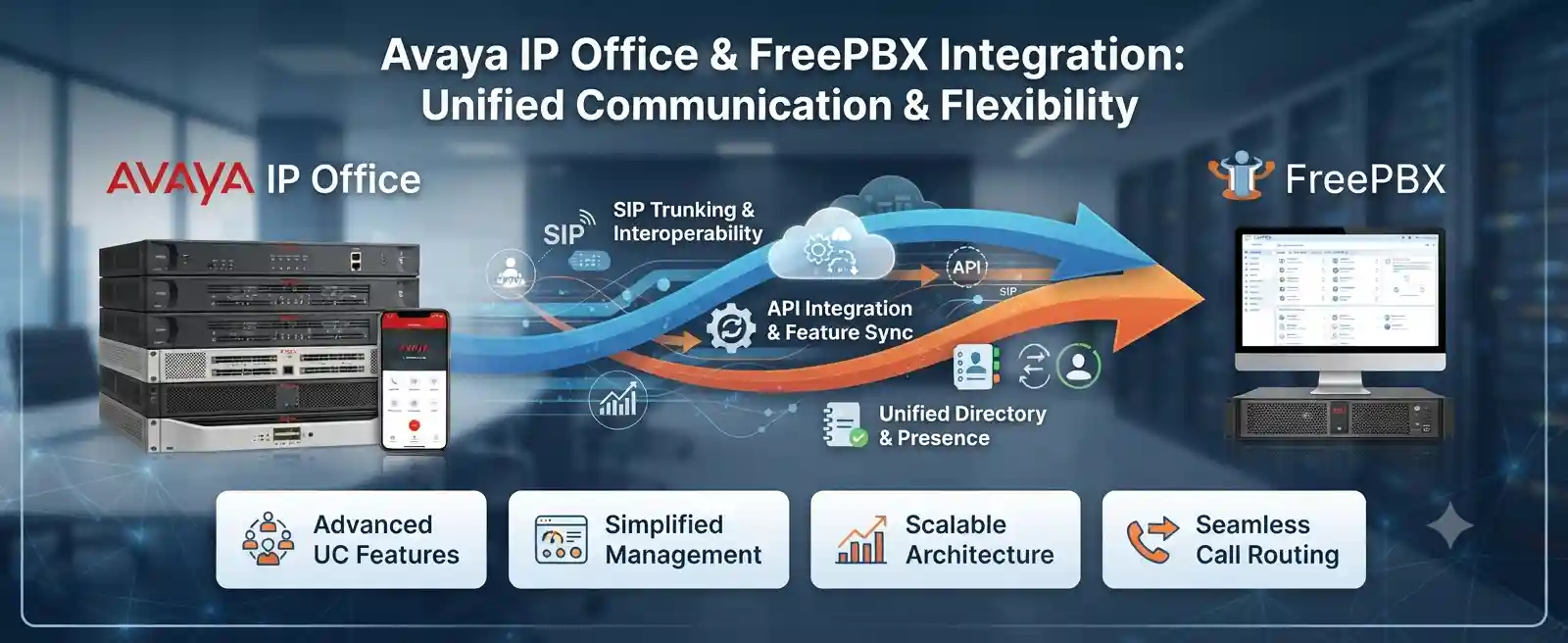
Controlled call exchange between two PBX environments
SIP trunking where platform and network conditions permit
Numbering, codecs, routes, firewall, caller ID and transfers
Remote review plus on-site work when physical access is required
What does this integration service actually do?
Avaya IP Office and FreePBX integration is the controlled technical process of allowing two independent telephone systems to exchange selected calls and follow an agreed business dial plan. It is mainly used when a company wants both platforms to coexist, connect sites, retain an existing Avaya environment while introducing FreePBX, or prepare a staged migration without changing every user at once. The customer should be ready to confirm the Avaya IP Office version and topology, the FreePBX version and hosting location, extension ranges, provider trunks, required inbound and outbound call paths, network addressing, firewall ownership and a suitable test or maintenance window. The exact design remains subject to platform capability, licensing, access and interoperability testing.
Why businesses connect Avaya IP Office with FreePBX
A mixed PBX environment is often the result of a business change rather than a single technical decision. One office may already rely on Avaya IP Office for established extensions, reception routing, hunt groups, analogue interfaces or existing telecom services, while another team or new site may be using FreePBX. In other cases, the organisation may be evaluating a longer-term migration but cannot move every extension, number, handset or workflow during one maintenance window. Integration creates a controlled bridge so the business can test, transition or operate selected functions across both systems.
The important point is that two PBXs do not automatically behave like one unified system merely because SIP connectivity is established. Each platform retains its own users, dial plan, voicemail logic, permissions, routing decisions, security model and feature implementation. A good integration project therefore starts with business call flows. The technical configuration should be built around questions such as which extensions need to call each other, which PBX should receive specific public numbers, where outbound calls should leave the organisation, what happens after hours, how reception transfers calls, whether call recording is required, and what users should experience during a failure.
FourTeck can help translate those business requirements into a practical integration scope. Where SIP trunking is suitable, the project may use an IP-based trunk between the systems, with route patterns on both sides to direct the correct number ranges. Avaya IP Office supports SIP Line configuration, while FreePBX provides trunk and routing functions for connecting to other VoIP systems. The exact parameters should still be reviewed for the actual releases, licensing, network design and security requirements in use. A configuration that works for one site should not be copied blindly into another environment.
What the service may cover
Depending on the confirmed scope, assistance may include an inventory of both PBXs, configuration backups, SIP trunk planning, route design, extension-range mapping, network and firewall review, codec alignment, caller-ID checks, DTMF validation, transfer testing, provider coordination, cutover planning, troubleshooting and final documentation.
The project may be limited to a single inter-PBX route, or it may involve several branches, public numbers, gateways and different user groups. The final work list is confirmed after the existing environment and required call behaviour are understood.
Who may need it
This service can suit businesses running Avaya IP Office in a main office while introducing FreePBX in a branch, technical lab, call-flow project or migration stage. It may also be useful after an acquisition where two teams use different PBXs, or when an organisation wants to preserve an established Avaya call environment while evaluating a different platform for selected users.
It is not automatically the right choice for every legacy telephone system. Unsupported software, unavailable administration access, restricted licensing or incompatible call requirements may lead to a different recommendation.
Common situations that trigger an integration request
A new branch uses FreePBX
Head office continues to use Avaya IP Office, but employees need short-dial calling, controlled transfers or shared access to external telephony routes between sites.
A staged migration is preferred
Management wants to move users in phases instead of changing all extensions, phones, numbers and call flows during one cutover.
Two business units must communicate
Separate departments or recently combined companies retain their existing PBXs but need a defined path for extension-to-extension calling.
A special call flow is being introduced
A FreePBX-based application, queue, route or test environment needs to exchange calls with selected Avaya IP Office users without redesigning the entire voice estate.
External calling needs consolidation
The business wants to assess whether selected calls can use a controlled central route, subject to carrier terms, emergency-calling requirements, numbering policy and capacity.
The existing design is undocumented
Calls already pass between systems, but nobody has a reliable map of trunks, route patterns, extension ranges, gateways, public numbers or failure behaviour.
What can happen when two PBXs are connected without a clear plan?
A poorly defined interconnection can create confusing failures even if the trunk itself shows as available. Users may dial the wrong number format, outbound calls may loop between systems, transfers may lose caller information, DTMF may fail in IVR menus, one-way audio may appear because of network address translation or firewall handling, and the wrong PBX may attempt to process a public number. These symptoms can be intermittent and difficult to diagnose if there is no record of which system owns each route.
Business impact can include missed calls, delayed reception handling, failed transfers to another department, inconsistent caller ID, poor voice quality, inaccessible voicemail destinations, difficulty tracing a call, and uncertainty during an outage. A migration project can also stall if users discover late that a legacy analogue device, door phone, fax interface, recording function or provider route depends on the old platform.
The objective of the integration service is therefore not to make the two systems appear identical. It is to create an understood, testable boundary between them. Each routing decision should have an owner, each critical call path should have a test case, and the customer should know what happens if the trunk or one PBX becomes unavailable.
Possible integration scope
The final scope depends on the current configuration, platform releases, licences, user count, sites, network path, provider arrangements and the business outcome. A project may include some of the following activities, but no individual item should be assumed to be included until it appears in the approved quotation or work plan.
Current-state discovery
Review both PBXs, installed software releases, site roles, connected phones, extension ranges, current trunks, public numbers, gateways, voicemail handling, recording dependencies and available administration access.
Number and dial-plan mapping
Define which number ranges belong to Avaya IP Office, which belong to FreePBX, how users dial across systems, how external numbers are normalised and how overlapping ranges will be avoided.
SIP trunk design
Assess whether direct IP-based SIP connectivity, registration, trusted peer addressing or another supported arrangement is appropriate for the environment. Authentication and security expectations should be agreed before configuration.
Network and firewall checks
Confirm routing, VLANs, addressing, NAT, firewall ownership, required ports, bandwidth, latency considerations and whether a session border controller or other edge control is part of the design.
Media and signalling alignment
Review codec overlap, DTMF method, SIP header handling, call transfer behaviour, caller identity, hold and re-invite behaviour, and any special provider or gateway constraints that affect end-to-end calls.
Testing and documentation
Run an agreed test matrix for internal calls, transfers, inbound and outbound routes, IVR interaction, after-hours behaviour and failure scenarios, then record the final routes, dependencies and outstanding limitations.
Service-fit matrix
| Business situation | Relevant assistance | What must be confirmed |
|---|---|---|
| Avaya users need to call FreePBX extensions | Inter-PBX trunk and route planning | Unique extension ranges, dial format, network path and supported SIP behaviour |
| A branch is moving to FreePBX | Staged coexistence, site routing and cutover planning | Branch numbering, WAN connectivity, local calling requirements and fallback plan |
| Selected DIDs should reach users on the other PBX | Inbound route mapping and controlled onward routing | Carrier delivery, DID ownership, expected destination and caller-ID presentation |
| Transfers work internally but fail across systems | Signalling trace, transfer-method review and call-flow testing | Transfer type, SIP header behaviour, endpoint capabilities and provider involvement |
| Calls connect but audio is one-way | RTP path, NAT, firewall and network troubleshooting | Addressing, media path, firewall handling, site connectivity and codec negotiation |
| The business plans to retire Avaya IP Office later | Dependency inventory, pilot migration and rollback planning | Legacy devices, voicemail, recordings, trunks, licences, user readiness and migration stages |
Service information to confirm before work begins
| Service topic | Avaya IP Office and FreePBX integration, coexistence, routing and troubleshooting |
|---|---|
| Main purpose | Allow selected call paths between two PBXs while preserving controlled routing and clear ownership of each service |
| Typical systems involved | Avaya IP Office, FreePBX/Asterisk, IP phones, SIP trunks, gateways, routers, firewalls, switches, WAN or VPN links and telecom-provider services |
| Assessment method | Configuration review, business call-flow mapping, network checks, controlled test calls, logs and signalling evidence where available |
| Remote support suitability | Often suitable for authorised configuration review, route planning, log analysis and testing when secure remote access and a local contact are available |
| On-site support suitability | May be required for physical gateways, cabling, rack access, local phones, network troubleshooting, branch coordination or systems not safely reachable remotely |
| Customer access required | Authorised administrative access to relevant PBX and network components, shared through an approved secure method after identity and authorisation are confirmed |
| Configuration support | Scope dependent; may include SIP trunk, route, numbering, caller-ID, codec and firewall-related changes |
| Migration support | Available as a separate or combined scope for phased movement of users, numbers, routes and services, subject to compatibility and planning |
| Testing and validation | Test matrix should be agreed around extension calls, inbound and outbound routes, transfers, IVR or DTMF use, caller identity and other business-critical paths |
| Documentation and handover | Can include route ownership, extension ranges, trunk roles, dependencies, provider contacts, test results and remaining limitations |
| Security considerations | Firewall exposure, trusted peers, credentials, remote administration, encryption capability, logging and access control are environment dependent |
| Scheduling dependency | Depends on customer access, engineer availability, maintenance-window approval, business hours, third-party coordination and the approved scope |
| Quotation requirement | Required after the technical objective and environment are sufficiently defined |
Remote support or on-site integration work?
When remote assistance may be practical
Remote work can be effective when both PBXs are online, secure administration access is authorised, the network path is understood and a customer contact can place test calls. Configuration review, route mapping, log inspection, SIP status checks, dial-plan changes and controlled call tests can often be handled without physical access to the equipment.
Remote access does not remove the need for change control. Backups, authorisation, rollback planning and a clear test sequence remain important because a routing change can affect many users at once.
When an on-site visit may be needed
On-site support may be appropriate if the systems are not remotely reachable, physical gateways or analogue interfaces are involved, the network is undocumented, cabling or switch ports must be traced, local packet capture or phone testing is required, or several teams need coordinated testing at the same location.
A site visit can also help during a planned cutover when reception, branch links, gateways and user phones must be validated together. Attendance timing depends on the confirmed work scope, location, site access and scheduling.
How the assessment and discovery process usually begins
A reliable integration starts with evidence rather than assumptions. The first stage is to understand the business outcome and the existing call environment before changing either PBX. The depth of the assessment varies, but the following sequence provides a practical framework.
- Define the required call experience. Identify which users need to call between systems, which public numbers are involved, where external calls should originate, how reception should transfer calls, what after-hours behaviour is required and which functions are business critical. This prevents the technical design from being reduced to a trunk-status test.
- Inventory both telephone platforms. Record Avaya IP Office release information, system type, FreePBX version, underlying deployment details where relevant, active extensions, trunks, gateways, voicemail or recording components and connected sites. Unsupported or unusually old software may require additional caution.
- Map numbers and ownership. List extension ranges, direct numbers, hunt groups, queues, IVR destinations, emergency-call requirements, analogue devices and external routes. Overlapping extension ranges should be identified before any inter-PBX dial pattern is created.
- Review connectivity. Confirm whether the PBXs are on the same LAN, separated by VLANs, connected across a routed WAN, linked by VPN or exposed through an edge device. Check address plans, firewalls, NAT, DNS where used and quality of the network path.
- Check available SIP capability and constraints. Avaya IP Office can use SIP Lines, and FreePBX includes trunk modules for connecting to other VoIP systems. The exact interconnection still needs to match the installed versions, licences, authentication model and security design. Existing carrier configuration should not be assumed to be reusable for a PBX-to-PBX connection.
- Protect the current configuration. Where supported and appropriate, configuration backups or exports should be obtained before changes. The customer should also understand what will be changed, what could affect active calls and how the system can be returned to the previous state if testing exposes an issue.
- Create a test plan before implementation. Define example calls in both directions, expected caller ID, transfer cases, external call routes, DTMF interaction, voicemail or queue destinations and any special device scenarios. This turns acceptance testing into a repeatable process rather than a subjective impression.
- Agree the maintenance window and responsibilities. Identify who will approve changes, who can test from each department, who controls the firewall or WAN, and which telecom provider must be available if public-number routing is involved. Integration work is easier to manage when responsibilities are clear before configuration begins.
Planning the SIP interconnection without creating a routing maze
A SIP trunk between two PBXs should have a clearly defined purpose. In a simple design, Avaya IP Office might route a specific extension range toward FreePBX, while FreePBX routes the Avaya extension range back through the same interconnection. Public numbers may continue to terminate on their current platform, or selected numbers may be forwarded across the inter-PBX route according to an agreed migration plan. The important part is that each route has a single intended destination.
Dial-plan design deserves careful attention. If one system uses four-digit extensions beginning with 2 and the other also has local extensions beginning with 2, a direct range match can create ambiguity. A prefix, translated range or renumbering plan may be needed. Number normalisation should also be considered for external calls. Users may dial local, national or international formats differently, while the carrier or other PBX may expect a specific presentation. It is safer to define the required format at each boundary than to rely on multiple hidden transformations.
SIP signalling and media are related but separate. A call can signal successfully yet have no audio, one-way audio or poor audio because the RTP media path is blocked, translated incorrectly or forced through an unsuitable network route. Firewalls, NAT, VPNs and session border controllers can affect this behaviour. The design should therefore consider both signalling reachability and media reachability, especially when the two systems are in different sites or networks.
Codec alignment also matters. Both systems need a compatible media format for a call to establish cleanly without unnecessary transcoding. The chosen codec should suit network conditions, endpoint support and any provider requirements. DTMF method must also be checked because an ordinary voice conversation may sound fine while keypad input fails in an IVR, voicemail or external automated service.
Finally, transfer, diversion and caller-identity behaviour should be treated as test cases rather than assumptions. A blind transfer, attended transfer, forwarded call and call routed through an IVR can produce different SIP headers and routing outcomes. If the business depends on seeing the original caller number, preserving a presented identity or supporting transfer across both systems, that behaviour should be validated in the actual environment.
Implementation and controlled change process
Once the design is agreed, implementation should be staged so that each change can be isolated and tested. The exact sequence varies, but a practical project often follows the steps below.
Capture relevant configuration and note the existing trunk, route and network state so the team can distinguish new behaviour from pre-existing issues.
Confirm IP reachability, required firewall policy, trusted addresses and any VPN or SBC dependencies before building dial routes.
Create the approved SIP connection on both sides using parameters appropriate to the platforms and agreed authentication or trusted-peer model.
Start with a narrow extension range or dedicated test destinations where possible. This helps verify signalling and media before broader production routing is introduced.
Check Avaya-to-FreePBX and FreePBX-to-Avaya calls separately. Confirm ringback, answer, audio, hang-up, caller ID and expected number presentation.
Run transfer, hold, IVR, queue, voicemail, forwarding and external route tests only where those functions are part of the agreed integration requirement.
After limited testing is successful, apply the approved dial-plan ranges or DID routes and repeat acceptance testing for the affected departments.
Record the final design, known limitations, responsibilities and rollback information. Early operational feedback can reveal edge cases not present in the initial test set.
Testing, validation and handover
Successful integration is demonstrated by business call scenarios, not by a green status indicator alone. A SIP trunk can appear reachable while a dial pattern, caller-ID rule, firewall path or feature interaction still produces incorrect results. The acceptance plan should therefore reflect how people actually use the telephone system.
Typical tests may include a FreePBX extension calling an Avaya extension, the reverse direction, transfers in both directions, incoming public calls that must cross from one PBX to the other, outbound calls that use a shared or designated carrier route, calls to IVR menus that require DTMF, calls that are forwarded after no answer, and calls during after-hours conditions. If call recording, fax, analogue gateways, paging, door access, conference features or remote users are in scope, they should be tested separately because they may rely on different signalling or media behaviour.
Handover should explain which PBX owns each extension range and public route, where the interconnection is configured, which network path it uses, what provider or firewall dependency exists, what backup was taken, and what symptoms should trigger escalation. Administrators also need to understand that a future dial-plan change on one side can affect the other side. Documentation reduces the risk that a later technician removes a route that appears unused but is actually carrying cross-platform calls.
Testing cannot prove that every future call scenario will work indefinitely. Software updates, network changes, provider configuration, firewall replacement, number changes and new extensions can alter the environment. A maintainable design includes a clear baseline and a process for reviewing changes that touch the inter-PBX boundary.
Capability: safer phased migration
An inter-PBX connection can support a staged migration when changing every user at once would create unnecessary operational risk. A pilot group can move first, while existing Avaya users continue working on the current platform. The business can validate call quality, internal dialling, public-number routing and user workflows before expanding the migration.
This approach still requires discipline. The organisation must know which users live on which PBX, avoid duplicate number assignments, maintain routing in both directions and define what happens if the new platform becomes unavailable. Migration stages should be documented, and legacy dependencies should be removed only after they are confirmed no longer in use.
Capability: clearer branch connectivity
For multi-site businesses, integrating Avaya IP Office with FreePBX can provide a defined call path between locations. Staff may be able to use extension-style dialling or centrally planned number formats instead of relying only on public PSTN calls between offices. This can simplify internal communication when the network and call plan are designed correctly.
Branch integration depends on WAN quality, routing, firewall control and a stable media path. If the branch internet or VPN is unreliable, voice quality can suffer even when both PBXs are configured correctly. The design should separate telephony configuration from network performance so the real source of a problem can be identified.
Capability: better support visibility
A documented integration gives support teams a clearer boundary for troubleshooting. When a call fails, the technician can check the originating extension, local PBX route, inter-PBX trunk, remote PBX route and destination in sequence. That is much more efficient than treating the fault as an undefined “phone problem.”
Useful documentation can include extension ranges, trunk names, peer addresses, route patterns, provider ownership, firewall dependencies, test numbers and a simple escalation path. It does not need to expose sensitive credentials. Credentials should remain in an approved secure system rather than in general service notes.
Dependencies, access and customer inputs
Integration quality depends heavily on the information available before changes begin. The customer does not need to know every SIP parameter, but the project moves more efficiently when platform ownership, network ownership and business call requirements are clear.
Avaya IP Office model or topology, software release, FreePBX version, hosting arrangement and connected gateways or additional telephony components.
Extension ranges, direct numbers, queue or hunt-group numbers, main reception numbers and any prefixes already used for external or branch calling.
PBX IP addresses or subnets, firewall ownership, site-to-site connectivity, VPN details at a high level, voice VLANs and who can authorise network changes.
Which telecom provider delivers the public numbers or SIP trunks, where those services terminate, and who can raise a provider ticket if routing changes are required.
Reception handling, office hours, transfers, queues, IVR menus, voicemail, forwarding, recording and any high-priority numbers that must be included in testing.
Named technical approver, secure administrative-access method, maintenance-window expectations, local contact and any building or site-access restrictions.
Credential guidance: do not send passwords, private keys or administrator secrets through a public page or ordinary unsecured message. Credentials should be shared only through an approved secure method after identity and authorisation are confirmed.
Risks, limitations and exclusions to understand
A successful SIP call between the platforms does not guarantee that every advanced feature will operate identically across both systems. Presence, busy-lamp behaviour, voicemail integration, proprietary endpoint features, recording, mobile applications, call pickup, transfer methods and other functions may depend on platform-specific implementation. Feature expectations should be listed explicitly and tested rather than assumed.
Compatibility is release and configuration dependent. Older Avaya IP Office or FreePBX deployments may have support, licensing, security or software-maintenance constraints. Existing phones, gateways and analogue devices can add additional dependencies. If an unsupported or undocumented component is critical to the business, the safest option may be to preserve it temporarily, replace it, or create a separate migration workstream.
Network conditions can also limit results. Packet loss, high latency, jitter, asymmetric routing, incorrect NAT, blocked media ports, overloaded VPNs or unsuitable firewall behaviour may cause call-quality problems that cannot be corrected solely through PBX settings. Internet service providers, telecom carriers, hosted service providers or other vendors may need to participate in resolution.
Configuration changes can interrupt active calls or alter routing for multiple users. A maintenance window, configuration backup and rollback plan may therefore be required. The amount of downtime cannot be fixed before the scope and current state are understood.
Hardware replacement, new licences, carrier changes, structured cabling, major firewall work, new WAN services and user-device replacement may fall outside an integration-only quotation unless they are specifically included. Final commercial terms and inclusions depend on the approved quotation or service agreement.
Business environments where coexistence may be useful
The integration can be relevant across different operating environments, but the reason for connecting the systems should shape the technical design.
Professional offices
A main office may retain Avaya IP Office for reception and established users while a new department pilots FreePBX. Integration can keep internal communication practical during the evaluation period.
Warehouses and logistics sites
A warehouse branch may have different local telephony requirements from head office. Cross-PBX routing can support selected internal calls if the WAN and local network are suitable for voice traffic.
Retail and showroom groups
Branches acquired at different times may use different systems. A structured interconnection can support a transition plan while number ownership and branch call flows are standardised.
Clinics and service centres
Reception, appointment teams and back-office users may have call-routing requirements that cannot be disrupted casually. A phased approach allows important routes to be tested before users are moved.
Education and training locations
Campuses or training centres can have separate administration and classroom communications environments. Integration may help during site consolidation or platform renewal.
Multi-branch organisations
Businesses with several UAE locations can use the project to clarify extension ranges, branch dialling and telephony ownership before a wider standardisation or migration programme.
Operational, security and maintenance considerations
Telephony integration should be maintainable after the initial project. A trunk that depends on undocumented firewall exceptions, shared credentials or a single technician’s memory can become a future outage risk. The customer should know how the two systems connect, which IP addresses or interfaces are involved, who owns firewall changes, where configuration backups are stored and which team is responsible for each PBX.
Security should follow the actual deployment rather than a generic checklist. If SIP signalling crosses an untrusted network, additional protection may be required. If the systems communicate over a private routed network or VPN, that path still needs appropriate access control. Where TLS, SRTP, session border controllers or other security options are being considered, support must be confirmed for the installed platforms, endpoints and providers. Encryption should not be promised without verifying end-to-end capability.
Administrative access also needs control. Named accounts, restricted management access, documented ownership and secure credential handling are preferable to shared credentials circulated through email or chat. When staff or vendors change, access should be reviewed so former users do not retain unnecessary administration rights.
Maintenance planning should include software lifecycle, configuration backups and periodic route validation. A new firewall, ISP migration, IP address change, VPN redesign or PBX update can affect the interconnection. Changes should be reviewed against the documented telephony path before they are implemented.
The customer may also want a recurring check of critical call scenarios after major infrastructure work. This does not need to be a large project: a documented list of representative calls can quickly confirm that extension routing, external calling and key reception paths still behave as expected.
Before you contact FourTeck
Preparing the following information helps turn an initial enquiry into a useful technical discussion. Exact details can be refined during assessment.
- Business location and number of sites involved.
- Main contact person for telephony and network decisions.
- Avaya IP Office version or available system information.
- FreePBX version and where it is hosted.
- Current extension ranges on both systems.
- Public numbers or SIP trunks involved in the project.
- Required cross-system call flows and transfer behaviour.
- Any queues, IVRs, voicemail, recording or analogue devices that matter.
- Whether the PBXs are on the same site or different networks.
- Firewall, VPN or WAN ownership and available technical contacts.
- Administrative access availability, without sending passwords publicly.
- Recent changes if the request is for troubleshooting.
- Business impact and which call paths are most critical.
- Preferred remote or on-site assistance.
- Maintenance-window or change-freeze restrictions.
- Target outcome: coexistence, branch link, troubleshooting or phased migration.
Integration scope checklist for quotation planning
Before a quotation is finalised, it is useful to confirm which of these items belong inside the engagement and which should be treated as separate work.
- Number of PBX systems and physical sites included.
- Exact call flows and extension ranges to connect.
- Whether public inbound or outbound calls will cross the inter-PBX trunk.
- Required changes to Avaya IP Office, FreePBX, firewall or site-to-site connectivity.
- Whether telecom-provider coordination is required.
- Whether a staged migration is part of the project.
- Whether analogue gateways, fax, door phones or other non-standard devices must be tested.
- Required call-quality, DTMF, transfer and caller-ID validation.
- Remote versus on-site work and location access.
- Configuration backup and rollback expectations.
- Documentation and administrator handover requirements.
- Post-change monitoring, follow-up support or ongoing maintenance expectations.
How FourTeck can assist with the project
FourTeck’s role is to help the customer turn a broad integration request into a defined technical and operational plan. The process can begin with an initial discussion about the desired outcome, followed by a review of the available PBX information, extension plan, network topology and provider dependencies. Where the environment is sufficiently understood, a technical scope can be prepared for approval.
Depending on that scope, assistance may include remote or on-site discovery, configuration backup, trunk and route planning, network coordination, implementation, test-call support, troubleshooting, documentation and handover. If a carrier, internet provider, firewall administrator or another PBX vendor controls part of the path, FourTeck can help collect evidence and coordinate the technical requirements, while recognising that third-party actions remain outside FourTeck’s direct control.
The quotation should clearly identify the systems and sites included, expected customer access, planned configuration work, testing requirements, documentation, any travel or on-site dependencies and exclusions such as new hardware, licences or provider charges unless specifically listed. This makes it easier for management to compare the proposed work with the business objective.
For a wider view of workplace technology support, customers can visit the FourTeck IT Services home page, review the company service approach, or use the contact page to request an assessment.
Dubai and UAE service coordination
For businesses in Dubai and other UAE locations, the integration service can be coordinated remotely, on site or through a combination of both methods. Remote work may suit configuration review, trunk and route changes, log inspection and joint test calls. An on-site visit may be recommended when physical PBX hardware, gateways, network equipment, branch links or local phones require direct inspection.
Service timing depends on the confirmed scope, engineer availability, customer access, site conditions, maintenance-window approval and any third-party provider actions. If a carrier must change number routing or an ISP must modify connectivity, the project plan should include that dependency rather than assuming it can be completed within the PBX configuration window.
Contact FourTeck to confirm the service scope and scheduling options. Installation, configuration, migration and troubleshooting tasks should be clearly included in the approved quotation before work begins.
Coverage across Dubai, Abu Dhabi, Sharjah and Ajman
Businesses in Dubai, Abu Dhabi, Sharjah and Ajman may have different site-access, travel, branch-connectivity and maintenance-window requirements. FourTeck can review requests for remote troubleshooting, planned on-site assessment, PBX configuration, migration support and related telephony project work according to the location and confirmed scope.
A multi-site project should identify which systems are physically located in each emirate, how the sites connect, who can provide local access, where provider services terminate and which locations need simultaneous testing. Scheduling, travel, building access, equipment availability and third-party dependencies can affect the service plan. The final arrangement should be confirmed through the approved quotation rather than assumed from location alone.
Related FourTeck IT services
Call routing, extension administration, SIP trunk coordination and PBX troubleshooting.
IP phone support
Registration, provisioning, voice VLAN, PoE, user settings and call-quality investigation.
Network support
Routing, switching, WAN, VLAN and connectivity checks that can affect VoIP traffic.
Firewall support
Policy, NAT, VPN and secure connectivity review for voice and other business services.
Business IT support
Connected assistance across users, devices, servers, networks, communications and infrastructure.
Why businesses contact FourTeck for mixed PBX environments
Mixed telephony projects sit across several technical boundaries. A call may begin at a phone, pass through a local switch and voice VLAN, reach one PBX, traverse a SIP trunk and firewall or WAN, enter the second PBX and then continue to another extension or an external carrier. Troubleshooting becomes easier when these dependencies are considered as one service path rather than as isolated products.
FourTeck can help structure the initial assessment, clarify the intended call behaviour, identify which technical layer needs attention, coordinate remote and on-site work, collect evidence for provider escalation, plan controlled changes and record the final outcome. The goal is practical visibility: management should understand what is changing, administrators should know the new dependency, and users should have clear expectations about the call flows being introduced.
The service does not depend on unsupported claims of universal compatibility. Each integration is assessed against the actual versions, licences, network design and required features. Where a requested behaviour cannot be confirmed safely, the next step may be additional testing, vendor review, a different routing approach or a wider migration plan.
Questions businesses ask before integrating Avaya IP Office and FreePBX
These are practical decision-stage questions that often determine whether an integration project should proceed as a simple inter-PBX link, a troubleshooting engagement or a wider migration project.
Can Avaya IP Office and FreePBX call each other directly?
They can potentially exchange calls through SIP-based trunking when the installed systems, licences, network and configuration support the required arrangement. The correct answer for a specific business depends on release details, addressing, authentication, route design and the features that must work across the boundary. A successful basic call should be treated as the start of validation, not the end.
Do we need to replace Avaya IP Office to start using FreePBX?
Not necessarily. A coexistence design may allow selected users, sites or call flows to move in stages while the existing Avaya system remains operational. Whether this is sensible depends on the age and supportability of the current platform, user requirements, licence costs, phone compatibility and how much duplicated administration the business is prepared to maintain during the transition.
Can we keep our existing extension numbers?
Often some numbering can be preserved, but overlapping ranges are a major design constraint. If both PBXs already use the same extension numbers, the project needs a translation rule, prefix strategy, temporary renumbering or another controlled approach. Public DID numbers are a separate issue because their delivery depends on the telecom carrier and where the trunks terminate.
Can this integration be checked remotely?
Yes, many parts can be assessed remotely if secure administration access is authorised, both systems are reachable and a local user can help with test calls. Remote support is well suited to configuration review, route checks, trunk status, logs and controlled call testing. On-site assistance becomes more useful when physical gateways, cabling, network ports or local devices need inspection.
Why do calls connect but have one-way audio?
One-way audio usually points to the media path rather than the fact that the call signalled successfully. NAT, firewall rules, VPN routing, incorrect advertised addresses, asymmetric paths or codec handling can all contribute. Diagnosis should trace both signalling and RTP media rather than repeatedly changing dial patterns on the PBX.
Can we send all outbound calls through one PBX?
Possibly, but centralising outbound calls changes capacity, failure behaviour, emergency-calling responsibilities, caller-ID presentation and carrier routing. The design should confirm whether the provider permits the intended call origin and identity, whether the central path has enough voice capacity, and what users should do if the inter-PBX link is unavailable.
Will transfers and caller ID work across both systems?
They may work, but they should be tested explicitly. Blind transfer, attended transfer, forwarding and diverted calls can use different signalling behaviours. Caller ID can also be modified by either PBX or by the carrier. If reception depends on seeing the original caller or transferring calls across systems, those scenarios belong in the acceptance plan.
What information should we prepare before asking for a quotation?
Provide platform versions, site locations, extension ranges, public numbers involved, network relationship between the systems, the call flows you want, any known issues and whether a migration is planned. Also identify who controls the firewall and telecom account. This allows the quotation to describe real work instead of relying on assumptions.
Should we integrate or migrate completely?
Integration is useful when coexistence has a clear operational purpose or migration must be staged. A complete migration may be simpler to maintain over the long term if the business no longer needs the old system. The decision should compare feature requirements, device compatibility, licences, supportability, downtime tolerance, user training, provider changes and the cost of running two platforms.
Do we need a session border controller?
Not every internal integration requires one, but an SBC can be relevant where security policy, NAT traversal, interoperability control, topology hiding or external SIP exposure requires it. The need depends on where the PBXs are located, how the traffic crosses networks, what the vendors support and the organisation’s security architecture.
Can we connect the systems across two UAE offices?
Yes, a multi-site design may be possible if the locations have suitable IP connectivity and the voice path is stable. The project should assess WAN quality, VPN or routed connectivity, firewall policy, address plans and how the systems behave if the link fails. Physical distance is less important than the reliability and design of the network path.
How should we test after the integration?
Use a written test matrix based on real users and call paths. Test calls in both directions, transfers, external inbound and outbound calls, IVR keypad input, caller ID, voicemail or queues where relevant, after-hours behaviour and failure conditions. Record the result and any known limitation so later changes can be compared against a known baseline.
More decision guidance for UAE businesses planning PBX coexistence
Is a simple SIP trunk enough for a migration project?
A SIP trunk is usually only the transport layer. A migration also needs an inventory of users and numbers, route ownership, device compatibility, voicemail and recording decisions, provider planning, user communication, rollback steps and post-cutover verification. If those items are ignored, the trunk can work while the migration still fails operationally.
What if both PBXs already have the same extension range?
Overlapping numbering is one of the clearest reasons to pause and design before configuration. The systems need a way to distinguish local extensions from remote destinations. Depending on the business, this might involve a temporary prefix, digit translation, a new range for migrated users or a longer-term numbering standard. The choice should minimise user confusion while avoiding route loops.
Can we preserve all Avaya features for FreePBX users?
That should not be assumed. SIP provides a standards-based way to exchange calls, but each PBX implements applications and advanced features differently. Proprietary presence, desk-phone functions, voicemail integration, recording behaviour, mobility features and management tools may remain local to their own platform. Define the features that matter and validate them individually.
What causes DTMF problems after an integration?
A call can carry voice correctly while keypad digits fail because the systems disagree on how DTMF is transported, or because a media or transcoding component changes the path. This becomes visible when users call an IVR, voicemail or banking system and the menu does not recognise digits. DTMF method is therefore a useful test item even when ordinary extension calls sound normal.
How do we know whether the problem is Avaya, FreePBX or the network?
Start from the direction of the failed call and follow the path. Confirm the originating extension works locally, check the local PBX route, inspect the inter-PBX trunk status and signalling, verify network reachability and media flow, then check the receiving PBX route and destination. Logs and call traces can show where the call changes or stops. The same symptom can have different causes, so evidence is more useful than assuming one platform is at fault.
When is on-site support more valuable than remote troubleshooting?
On-site work becomes valuable when the integration depends on physical gateways, analogue circuits, undocumented patching, local network ports, rack equipment or several groups that need coordinated testing. It can also help when remote access is unavailable or when the problem only appears on certain phones or network segments. If the issue is purely in configuration and all systems are accessible, remote support may be faster to organise.
What should we confirm before changing production call routes?
Confirm the current configuration backup, maintenance window, person authorised to approve changes, expected route behaviour, rollback path, test users and provider contacts. Critical reception and emergency-call requirements deserve particular attention. The goal is to avoid discovering the rollback plan only after live calls are affected.
What can affect the final service scope?
The scope can change based on software age, licensing, number of sites, whether public-number routing is involved, network quality, firewall complexity, undocumented gateways, overlapping numbers, required advanced features, migration depth and access. Third-party carrier or ISP work may add coordination tasks. A short discovery stage is often the most accurate way to separate configuration work from wider infrastructure changes.
What does good handover look like?
Good handover tells the customer’s administrator what changed, which systems and routes are now dependent on each other, what was tested, where the relevant backups are stored, which limitations remain and who owns third-party services. It should also explain how future extension or route changes could affect the integration. This makes later support safer and reduces dependence on one individual.
When should we contact FourTeck?
Contact FourTeck when the business has a clear need for the two PBXs to coexist, when an existing interconnection is unstable or undocumented, or when a staged migration needs technical planning. Share the current systems, site relationship, required call flows and business impact. From there, the next step can be a remote review, on-site assessment, troubleshooting session or quotation for a defined integration project.
Frequently asked questions
1. What does Avaya IP Office and FreePBX integration normally involve?
It normally involves discovery of both PBXs, numbering and call-flow mapping, network and firewall review, an approved SIP interconnection where suitable, route configuration, controlled call testing and documentation. The exact tasks depend on the installed versions, licences, sites and required features.
2. Is SIP the normal method for connecting the systems?
SIP is a common standards-based method for PBX interconnection, and both Avaya IP Office and FreePBX have SIP trunking capabilities. The specific trunk model, authentication, security, codec and routing configuration must still be matched to the actual environment.
3. Can FourTeck troubleshoot an existing connection that already works intermittently?
Yes, subject to access and scope. Troubleshooting may include call-path review, SIP status, route logic, logs, caller ID, DTMF, codec negotiation, network reachability, NAT, firewall behaviour and test calls. The aim is to isolate the failing layer rather than assume the cause from the symptom.
4. Can the integration support a phased migration away from Avaya IP Office?
It can be used as part of a phased migration when the technical environment supports the required routing. A migration plan should also cover user groups, numbers, devices, voicemail, recording, carrier services, fallback and user communication. The inter-PBX trunk is only one part of the transition.
5. Will existing Avaya phones register directly to FreePBX?
That should not be assumed. Phone compatibility depends on the exact handset model, firmware, provisioning method, licensing and supported protocols. If reusing phones is part of a migration, each model should be assessed before the project scope is confirmed.
6. Do you need administrator passwords before providing a quotation?
Not necessarily. An initial quotation discussion can begin with system versions, extension ranges, required call flows and site information. Detailed assessment or implementation may later require authorised administrative access. Credentials should be shared only through an approved secure method after identity and authorisation are confirmed.
7. Can the work be completed without downtime?
Zero downtime should not be guaranteed before the current environment and change plan are known. Some preparation and testing may be done without service interruption, but route changes, restarts, provider changes or migration steps may require a maintenance window. The expected impact should be defined in the project plan.
8. What happens if the two PBXs are in different offices?
The integration needs reliable IP connectivity between the sites. The assessment should review WAN or VPN design, firewall policy, addressing, latency, packet loss, available bandwidth and failure behaviour. On-site work may be required at one or both locations if physical network or telephony equipment needs inspection.
9. Can the integration include public SIP trunks and DIDs?
Yes, public-number routing can be part of the scope, but provider terms and existing trunk delivery must be understood first. A carrier may need to make changes, and the project should confirm caller-ID, emergency-calling and failover expectations before public routes are moved between systems.
10. What will we receive after the integration is completed?
Depending on the agreed scope, handover may include confirmation of the implemented routes, extension ranges, trunk roles, test results, network or provider dependencies, configuration backup references, known limitations and recommended next actions. Ongoing maintenance can be discussed separately if required.
Plan the integration around your real call flows
Share the two PBX environments, extension ranges, required call routes, site relationship and any migration objective. FourTeck can review the information, identify the main dependencies and confirm whether the next step should be remote assessment, on-site discovery, troubleshooting or a scoped integration quotation.