
Direct answer
What Is Onsite IT Support?
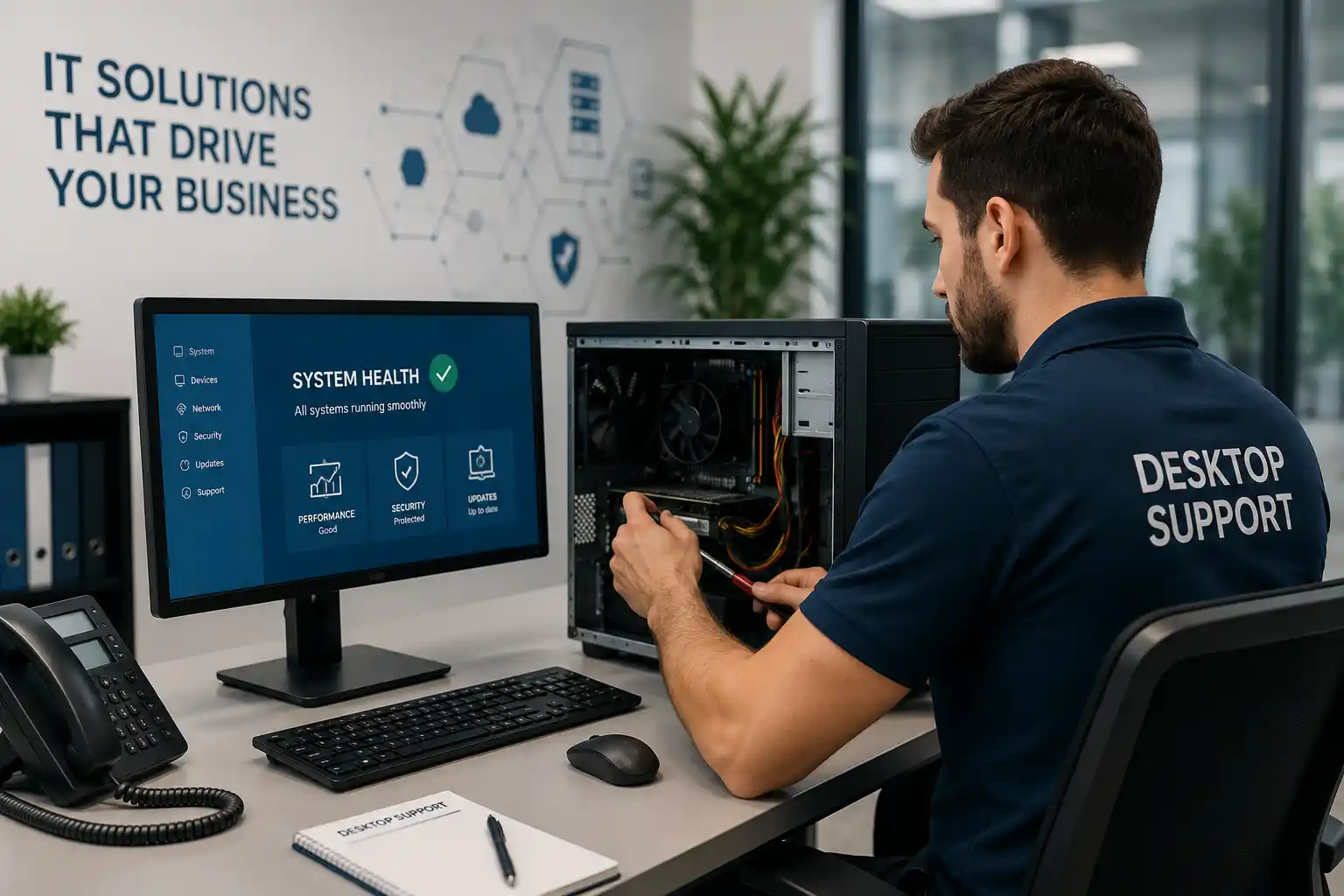
Onsite IT support is technical assistance delivered at the customer’s business location when the engineer needs physical access to equipment, cabling, network cabinets, user workstations, wireless areas, telephony, surveillance systems, or other connected infrastructure. It is mainly used to investigate faults that cannot be confirmed remotely, perform approved installation or configuration work, support several affected users, and test systems in their real operating environment. Offices, retail locations, warehouses, clinics, schools, hospitality sites, construction offices, and multi-branch organisations may consider it when technology problems are interrupting daily work or when a planned change requires local coordination. Before proceeding, the customer should confirm the site address, main contact, affected users and systems, symptoms, recent changes, access restrictions, administrator availability, backup status where relevant, and the preferred service window. The final visit scope remains subject to assessment, scheduling, location, access, safety, required parts, vendor dependencies, and the approved quotation.
What an Onsite Visit May Cover
A site visit can be narrow or broad. A narrow visit may focus on one computer that will not start, a printer that has stopped responding, a phone that will not register, or one camera that has gone offline. A broader visit may involve an office network interruption, unstable wireless coverage, several user complaints, an equipment cabinet with unclear connections, a server alert, a power-related interruption, or a planned relocation. The first responsibility is to establish the confirmed objective rather than assuming every visible symptom belongs to the same cause.
Depending on the approved scope, assistance may include user interviews, device inspection, cable and port checks, operating-system review, application testing, network connectivity checks, switch and router inspection, access-point assessment, firewall or VPN review, printer and scanner troubleshooting, IP phone and PBX checks, server and storage observations, CCTV and recorder testing, basic equipment labelling, configuration review, vendor coordination, installation, replacement support, and functional validation.
Not every activity is included automatically. Work involving specialist repair, replacement components, licenses, civil work, structured cabling installation, elevated access, manufacturer service, data recovery, telecom-provider changes, or major project implementation should be identified and quoted separately when relevant.
Who Usually Needs Local Technical Assistance?
Onsite support is useful for businesses without a full internal IT team, organisations whose internal staff need additional hands for a project, and companies that need an independent technical assessment before deciding what to repair or replace. It can also help multi-site operations that require consistent checks at a branch, a new office that needs devices and connections verified before opening, or a busy workplace where several users are affected at the same time.
Office managers may request a visit because staff are losing time across several workstations. Operations teams may need help where networked equipment supports billing, inventory, customer calls, access to shared files, or surveillance. IT managers may use onsite assistance for physical implementation, evidence collection, rack work, handover checks, or coordination with an ISP, telecom company, software vendor, landlord, facilities team, or cabling contractor.
The service is not limited to emergencies. Preventive inspections, office expansions, user moves, new equipment rollouts, documentation work, and maintenance planning can also benefit from an engineer seeing the real environment rather than relying only on descriptions.
Common Reasons Businesses Request an Onsite IT Visit
The same business symptom can come from several technical layers. A computer that appears slow may have a local hardware problem, an operating-system issue, an application fault, a network delay, a server dependency, or an overloaded internet connection. A careful visit separates evidence from assumption.
Several users lose access at once
Shared folders, cloud applications, printers, internet access, phones, or business software may stop working for a department or the whole office. The investigation may need to follow power, switches, addressing, firewall rules, servers, authentication, and provider services before any change is made.
A fault returns after temporary fixes
Repeated restarts may restore service briefly without explaining why it failed. Onsite evidence can reveal loose connections, heat, power instability, damaged cabling, capacity limits, aging equipment, incorrect physical placement, or a dependency that remote checks did not expose.
Hardware needs hands-on testing
Startup failures, unusual noise, overheating, damaged ports, unstable power, failed storage, display faults, physical printer errors, dead network links, offline cameras, and unresponsive rack equipment normally require local inspection before repair or replacement can be confirmed.
The office network is unclear
Unlabelled cables, unknown switch ports, unmanaged devices, duplicate connections, and undocumented changes can make every incident slower. A visit can map the affected path, identify obvious risks, and define what additional documentation or remediation is needed.
WiFi works differently across rooms
Weak signal, interference, building materials, device density, access-point placement, cabling, switch power, authentication, and roaming configuration can all influence the user experience. Physical coverage testing may be necessary to distinguish a radio problem from an internet or network issue.
A move or expansion is approaching
New desks, staff, rooms, branches, cameras, phones, printers, and applications place new demands on cabling, switch capacity, power, internet service, addressing, security, and support documentation. An onsite review helps expose prerequisites before the change window begins.
A provider needs local coordination
Internet, telephone, cloud, software, and equipment vendors may need test results, console access, equipment serial details, local reboots, cable changes, or an authorised person at the site. FourTeck can help collect evidence and coordinate technical actions within the agreed scope.
Users need a consistent setup
New employee onboarding, workstation replacement, printer access, shared resources, email profiles, phones, and approved applications may require local preparation and testing. Consistency reduces avoidable differences that later make support more difficult.
How Unresolved Site Problems Affect Daily Operations
A technical fault becomes a business problem when staff cannot complete ordinary work. One failed workstation may delay an invoice, quotation, design, report, booking, or customer response. A wider network interruption can disconnect shared folders, cloud platforms, printers, IP phones, cameras, and remote access at the same time. The cost is not limited to the minutes when the system is unavailable; employees may repeat work, use unapproved workarounds, miss communications, or wait for another department to restore access.
Recurring faults create a different risk. Users may stop reporting short interruptions because they expect them to return. Temporary cables, shared accounts, unmanaged devices, undocumented changes, and repeated restarts can gradually become normal. This makes the next serious incident harder to diagnose because the current state no longer matches the intended design.
An onsite assessment helps create a common view of what is affected, what has been tested, what remains uncertain, and which action is proportionate. The objective is not to replace every older component. It is to restore essential work safely, identify repeated causes where evidence supports them, and give management a practical choice between repair, configuration, upgrade, vendor escalation, documentation, or planned replacement.
Possible Onsite IT Support Scope
Depending on the confirmed requirement, FourTeck assistance may include selected activities from the areas below. The quotation or approved service instruction should identify the systems, locations, users, deliverables, exclusions, and any work that depends on parts, licenses, third-party approval, or a maintenance window.
User and workstation support
Desktop and laptop checks, startup faults, performance investigation, application errors, user profiles, account access, approved software, updates, peripherals, docking stations, displays, keyboard and mouse issues, local storage, printing, scanning, and basic user guidance.
Network and internet support
Routers, switches, patch panels, wall outlets, cables, DHCP, DNS, addressing, VLANs, gateway tests, internet equipment, provider handover points, branch connections, performance evidence, port status, cabinet organisation, and fault isolation along the connection path.
WiFi and mobile connectivity
Coverage observations, access-point placement, switch power, wired uplinks, signal conditions, interference indicators, authentication problems, roaming behaviour, guest access, user-device testing, and recommendations for a deeper wireless survey when needed.
Servers, storage and backup checks
Physical inspection, power and UPS observations, alerts, storage capacity, connectivity, shared access, operating-system condition, backup status, service availability, rack connections, and evidence collection for specialist vendor or replacement work.
Printers and office devices
Network connectivity, local connections, drivers, queues, shared access, scanning paths, paper settings, power, visible hardware errors, workstation mapping, and coordination where mechanical repair, consumables, or manufacturer parts are required.
Business telephony
IP phone registration, handsets, cabling, PoE, switch ports, voice VLANs, PBX connectivity, extensions, call routing, gateways, local testing, and evidence collection for SIP, telecom, or platform-provider escalation.
CCTV and IP camera assistance
Camera power, cabling, PoE, switch links, addressing, recorder connectivity, display, storage alerts, recording checks, time settings, mobile-viewing dependencies, and the distinction between a camera fault and a wider network or recorder issue.
Installation and office changes
Device installation, workstation moves, user rollout support, connection verification, equipment replacement, site-readiness checks, new-office assistance, relocation tasks, labelling, testing, documentation, and administrator or user handover within the agreed project scope.
Service-Fit Matrix
| Business situation | Relevant onsite assistance | What must be confirmed |
|---|---|---|
| One user has a hardware or connection fault | Physical device, cable, port, peripheral and local software checks | Device details, symptoms, data considerations, access and replacement options |
| Several staff lose the same service | Shared infrastructure assessment across network, server, internet, authentication or application layers | Affected users, start time, recent changes, critical services and administrator access |
| WiFi is weak or unstable in selected areas | Local signal observations, access-point, cabling, switch power and user-device checks | Affected rooms, device types, busy periods, floor plan and whether a formal survey is required |
| A branch or office is moving | Current-state review, equipment inventory, site readiness, installation, connection and handover planning | Move dates, new-site access, cabling, ISP status, users, devices, dependencies and downtime tolerance |
| Network cabinet connections are undocumented | Port tracing, labelling observations, equipment identification and documentation planning | Permitted outage, access, existing diagrams and the depth of tracing required |
| A provider or vendor needs local technical help | Evidence collection, local testing, authorised changes and coordination during escalation | Ticket reference, provider instructions, access authority, contact availability and responsibility boundaries |
Onsite IT Support Information
When Remote Support Still Helps
Onsite service does not remove the value of remote support. A secure remote session may be used before a visit to confirm symptoms, collect logs, review settings, identify the affected users, and determine whether the required equipment is reachable. This can prevent an engineer arriving without the right access information, vendor contact, replacement component, or business contact.
Remote assistance may also be suitable when the issue concerns software, user accounts, email profiles, permissions, application settings, operating-system behaviour, cloud services, logs, or configuration that can be reviewed safely without physical tests. A user or administrator normally needs to be available, the internet connection must work, and the customer must authorise the remote-access method.
After a visit, remote follow-up can help verify that a repaired device remains stable, complete approved configuration work, review monitoring information, support a user who was unavailable during the visit, or coordinate with a third-party provider. Remote support cannot confirm every hardware, cable, signal, power, or environmental condition.
When Physical Attendance Is More Appropriate
An onsite visit is normally considered when the work requires touching or seeing the equipment, tracing a connection, testing a wall outlet, moving a device, accessing a rack, checking power, inspecting damage, observing wireless coverage, or comparing the experience across several user locations. It may also be needed when the affected system is completely offline and cannot be reached securely from outside.
Local coordination is important for installations, office moves, equipment replacement, new-user rollout, provider handover, camera positioning, phone deployment, printer setup, network cabinet work, and faults involving several departments. The engineer may need a customer representative to approve downtime, unlock rooms, identify critical devices, contact vendors, or confirm that the business process works after testing.
Attendance time and final work duration cannot be confirmed from the topic alone. They depend on the location, urgency, engineer availability, building access, parking or security procedures, number of systems, availability of parts, maintenance windows, and any action required from another provider.
How an Onsite Assessment and Diagnostic Visit Usually Progresses
The visit begins by understanding what staff cannot do, which business function is affected, whether there is a safe workaround, and how urgent the interruption is. This prevents technical testing from overlooking the workflow that must be restored.
The engineer distinguishes one user from one department, one location, or the wider environment. A comparison between working and non-working devices often provides better evidence than testing the failed device alone.
New equipment, moved cables, password changes, updates, provider work, office maintenance, power events, account changes, and configuration edits can narrow the investigation. A recent change is a clue, not automatic proof of cause.
Visible errors, event logs, device lights, port status, connection information, screenshots, timestamps, performance readings, and user reports may be recorded. Evidence should be collected before disruptive changes remove useful clues.
Administrator rights, vendor portals, backups, configuration copies, maintenance windows, business approvals, and rollback options are reviewed before changes. Credentials should be shared only through an approved secure method after authorisation is confirmed.
Testing may move from physical power and cabling through switching, addressing, routing, authentication, operating systems, applications, servers, cloud services, and providers. The sequence is adapted to the actual symptom and risk.
The goal is to identify whether the evidence points to a local device, connection path, shared infrastructure, configuration, capacity issue, environmental condition, provider service, or specialist repair requirement.
The customer should understand what can be corrected during the visit, what carries risk, what requires downtime, what needs approval, and what depends on equipment, licensing, warranty, or another vendor.
Changes are limited to the agreed scope. Where appropriate, existing settings are recorded, a backup is taken, and a rollback route is considered before configuration, replacement, reconnection, installation, or repair support begins.
Testing should reflect the real workflow: login, application access, printing, calls, file access, internet use, recording, remote access, or another agreed business task. A device light alone is not a complete acceptance test.
Unresolved vendor tickets, required parts, unsupported systems, capacity risks, missing documentation, security concerns, and future maintenance needs should be separated from the work completed during the visit.
The customer receives a practical explanation of findings, actions, tests, user guidance, and recommended priorities. Further project work can then be quoted against a defined outcome rather than a vague technical concern.
Planning Corrective Work Without Creating a Second Problem
A successful diagnosis does not automatically mean the change should be made immediately. Replacing a switch may interrupt phones, cameras, servers, printers, wireless access, and internet connectivity. Changing a firewall rule may restore one application while affecting remote access or another published service. Moving a cable may disconnect an undocumented device. The engineer and customer should consider the business window, affected departments, configuration backup, rollback method, user communication, and the person authorised to approve the change.
Where the problem can be contained safely, a temporary measure may keep staff working while a permanent correction is planned. That temporary measure should be documented with its limitations. Where equipment is failing, the customer may need a replacement recommendation, compatibility check, warranty decision, or vendor quotation before work can continue.
FourTeck can help translate the technical finding into an action plan that identifies the objective, prerequisites, risk, expected interruption, tests, customer responsibilities, and excluded work. This is particularly important when several systems share the same infrastructure or when the site has limited documentation.
Testing, Validation and Handover After the Visit
Technical work should finish with evidence that the agreed business function operates, not merely with confirmation that a device powers on. The validation plan depends on the request. A workstation repair may require startup, login, application, network, printer, audio, display, and user-profile checks. A network correction may require tests from more than one desk and confirmation that phones, cameras, printers, servers, cloud access, and guest services still behave as expected. A PBX change may need inbound, outbound, internal, voicemail, queue, and failover tests. A CCTV correction may need live view, recording, playback, time, user access, and storage checks.
Where a user or manager is available, user acceptance helps confirm that the technical test matches the actual workflow. Some services need observation after the visit because an intermittent fault may not return during a short test. Monitoring, follow-up, or a second-stage recommendation may therefore be appropriate.
Handover can include a summary of work completed, settings changed, equipment touched, tests passed, open risks, vendor actions, required parts, user guidance, and documentation updates. The depth of the report should be agreed in the scope, especially for projects, regulated environments, multi-site operations, or businesses that need a clear record for internal IT staff.
Three Practical Outcomes of a Well-Scoped Onsite Service
Faster fault isolation through physical evidence
Remote descriptions are useful, but they may miss a damaged connector, unlabelled patch lead, loose power adapter, overheated cabinet, obstructed access point, incorrect wall outlet, failing fan, or device connected somewhere different from the documented design. Seeing the site allows the engineer to compare the reported symptom with the physical path.
The outcome is not a promise that every fault will be repaired during one visit. It is a stronger evidence base for deciding whether the next step is configuration, repair, replacement, monitoring, cabling work, or escalation. Access, test equipment, documentation, user availability, and the condition of the environment can still limit diagnosis.
Safer changes across connected systems
Office technology is connected. A switch powers phones and cameras, carries server traffic, supports access points, and provides user connectivity. A firewall affects internet access, VPNs, cloud applications, and published services. Onsite work can identify these relationships before a seemingly small change causes a wider interruption.
Safer change depends on authorisation, configuration backups, a defined maintenance window, rollback planning, and suitable testing. Legacy or undocumented environments may need additional discovery before work can proceed. The practical benefit is a clearer understanding of what else must be checked when one component is changed.
Better documentation for future support
A visit creates an opportunity to record device names, locations, ports, visible serial details, ownership, connection paths, key dependencies, and unresolved gaps. Even limited notes can reduce repeated investigation when a user moves, a provider attends, equipment is replaced, or another incident affects the same area.
Documentation must match the agreed scope. A full asset inventory, network diagram, cabinet schedule, configuration archive, or procedure manual requires more time than a basic service note. FourTeck can help define which records will provide the most operational value and which require a separate assessment or project.
Dependencies, Access and Customer Inputs
The quality of an onsite visit depends on more than the engineer’s technical work. The customer should arrange a knowledgeable contact who can describe the business impact, identify critical users, approve changes, provide access to rooms and cabinets, and coordinate with managers or vendors. Where the site has building security, visitor registration, loading restrictions, parking requirements, work permits, or limited operating hours, these details should be provided before scheduling.
Technical access may include local administrator rights, network or server administration, vendor portals, ISP or telecom account references, software support tickets, configuration backups, diagrams, warranty details, and licence information. Passwords should not be published in an inquiry or shared through an unapproved channel. Secure credential handling should be agreed only after the requester’s identity and authority are confirmed.
Some tasks depend on a working internet connection, access to email or cloud portals, a valid subscription, vendor support entitlement, compatible replacement equipment, or a third party who can approve changes. A site visit cannot override a provider outage, expired licence, blocked vendor account, warranty process, inaccessible building area, or missing customer approval.
For changes that may affect operations, the customer should confirm a maintenance window, backup status, recovery expectations, and who will accept the completed work. These inputs help FourTeck define a realistic service scope and avoid assumptions that create delay or unnecessary risk.
Risk, Limitation and Exclusion Guidance
Diagnosis depends on evidence
Intermittent faults may not appear during a visit. Missing logs, unavailable users, incomplete access, undocumented changes, or equipment that has already been restarted can reduce the evidence available. Further monitoring or another service stage may be required.
Hardware may require separate repair or parts
A visit can identify likely hardware failure, but replacement components, specialist repair, manufacturer service, warranty processing, and new equipment are outside the labour scope unless expressly included in the quotation.
Third parties may control the final action
Internet circuits, telephone numbers, SIP trunks, cloud services, line-of-business applications, building systems, licences, and manufacturer platforms may require provider approval or action. FourTeck can coordinate evidence but cannot guarantee another party’s timing or decision.
Legacy systems can limit options
Unsupported operating systems, old hardware, unavailable drivers, expired subscriptions, weak documentation, and proprietary applications may prevent a normal repair or upgrade. A controlled replacement or migration plan may be more appropriate.
Changes may need downtime
Restarting equipment, replacing a switch, changing network settings, updating firmware, moving services, or repairing shared infrastructure can interrupt users. The maintenance window and rollback approach should be confirmed before work.
Successful testing is not a guarantee
A passed test confirms the conditions observed at that time. It does not remove the need for backups, monitoring, patching, preventive maintenance, security management, or replacement planning where equipment remains at risk.
Business Environments Where Onsite Support Can Be Useful
The practical value of a visit depends on how technology supports the site’s daily work. The examples below show different operational contexts rather than fixed service packages.
Professional offices
Staff may rely on shared files, email, printers, video meetings, business applications, phones, and secure remote access. A local visit can investigate connected problems across desks, meeting rooms, cabinets, servers, and internet equipment while coordinating changes around client work.
Retail and showrooms
Connectivity may support billing, inventory, customer WiFi, printers, cameras, payment-related devices, and branch communication. Work often needs to be planned around trading hours, restricted equipment areas, and the need to keep essential transactions available.
Warehouses and logistics sites
Wireless scanners, workstations, printers, cameras, gates, offices, and wide coverage areas may depend on long cable paths and network cabinets in operational zones. Site access, safety procedures, building layout, and working shifts influence the support plan.
Clinics and customer-service locations
User access, appointments, records, printing, communication, and internet availability can affect front-desk operations. Changes should be controlled around privacy, authorised access, application vendors, and the need to avoid unnecessary interruption to service.
Schools and training centres
Classrooms, administration, staff devices, wireless networks, printing, displays, cameras, and internet controls may be distributed across a large site. A visit can compare affected rooms, inspect physical infrastructure, and help define whether the need is troubleshooting, capacity improvement, or a planned upgrade.
Hospitality and restaurants
Guest access, point-of-service workflows, offices, phones, printers, cameras, and back-of-house systems may share infrastructure. Timing, vendor coordination, busy periods, and physical access to ceiling or cabinet equipment need to be considered before work begins.
Construction and project offices
Temporary buildings, changing layouts, mobile connections, environmental exposure, power conditions, and short project timelines create a different support environment. The service should identify which equipment is temporary, what must move later, and what depends on the main contractor or site facilities.
Multi-branch organisations
A branch fault may involve local devices, the internet circuit, central servers, cloud services, VPN links, telephony, or company-wide policy. Onsite evidence from the affected location can be combined with remote checks from the wider environment to avoid treating every branch issue as an isolated event.
Operational, Security and Maintenance Considerations
Onsite troubleshooting should respect the way the business operates. Equipment may support reception, finance, production, logistics, customer communication, surveillance, or access to shared data. The person approving the work should understand which users will be interrupted, whether there is a fallback method, and how the result will be tested. Sensitive systems may require supervision, access records, or restrictions on photography and documentation.
Security should not be weakened simply to make a service work. Broad firewall changes, shared administrator accounts, default passwords, unnecessary internet exposure, disabled protection, and unmanaged remote access can create new risk. Where a security control appears to block a business application, the correct response is to identify the exact requirement, authorise the change, limit its scope, test the intended function, and record the result. One setting change cannot guarantee complete protection.
Maintenance planning reduces the chance that the next incident begins with no information. Useful routines may include reviewing backups, storage capacity, operating-system and firmware status, equipment health, UPS condition, internet failover, documentation, access ownership, warranty position, and recurring incident history. Actual tasks and frequency depend on the agreed plan.
FourTeck can use visit findings to distinguish immediate corrective work from preventive recommendations. This helps management prioritise actions according to business impact, likelihood, cost, compatibility, and the remaining life of the system rather than treating every observation as an emergency.
Before You Contact FourTeck
Preparing the following information can make the initial assessment more useful and reduce delays before a visit is confirmed:
Checklist for Defining the Quotation or Engagement
A quotation should describe the required outcome and the boundaries of work. These confirmation points help distinguish a troubleshooting visit from a larger project:
- Exact service objective and the business process that must be restored or changed.
- Number of users, devices, departments, rooms and sites included.
- Current environment, critical systems and known technical dependencies.
- Remote triage, onsite assessment, implementation and follow-up boundaries.
- Required administrator, vendor, building and physical-equipment access.
- Installation, configuration, migration, replacement or cabling tasks requested.
- Maintenance window, user communication and approved downtime.
- Backup, rollback, recovery and data-handling responsibilities.
- Functional testing, user acceptance and post-change observation required.
- Documentation, diagrams, asset records or handover notes expected.
- Third-party provider coordination and responsibility for external charges.
- Replacement parts, licences, equipment, consumables and specialist repair exclusions.
- Preferred schedule, site-access limitations and customer contact availability.
- Need for preventive maintenance or ongoing support after the initial work.
How FourTeck Can Assist
FourTeck can help turn a broad report such as “the office network is down” or “several computers are not working” into a structured support request. The initial discussion identifies the business impact, affected users, systems, location, recent changes, available evidence, access conditions, and whether remote triage is possible before attendance.
During an approved visit, assistance may include physical inspection, user testing, device and connection checks, configuration review, fault isolation, controlled corrective work, installation, replacement support, vendor coordination, functional validation, and practical documentation. The scope can focus on one incident or form part of a wider office move, rollout, upgrade, maintenance review, or infrastructure assessment.
After the visit, FourTeck can explain what was completed, what remains dependent on parts or third parties, which risks need management attention, and what additional work should be planned. A quotation can then be prepared around a confirmed outcome, required deliverables, site conditions, schedule, and customer responsibilities.
Requesting a Service Quotation
Use the FourTeck contact page to share the location, affected systems, symptoms, urgency, preferred schedule, and expected result. Include enough detail to distinguish a user issue from a network, server, communications, surveillance, or wider infrastructure problem.
The initial scope may identify whether remote assessment should happen first, whether an onsite visit is appropriate, what access should be prepared, and whether parts, vendor support, licenses, or a maintenance window may be needed.
Contact FourTeck to confirm service scope and scheduling options. Attendance depends on location, engineer availability, customer access, site conditions, urgency, approved quotation, and third-party requirements.
Dubai and UAE Service Coordination
For a Dubai business location, the service plan should identify the building, floor or unit, visitor process, equipment area, local contact, preferred work window, and whether parking, permits, security clearance, or facilities coordination is required. Remote triage may be used to prepare the visit, especially when logs, user symptoms, vendor tickets, or configuration information can be reviewed in advance.
Onsite assistance may be recommended when physical inspection, cabling, device access, coverage testing, rack work, equipment installation, replacement, or local provider coordination is required. Installation, configuration, migration, maintenance, and documentation tasks should be clearly listed in the quotation rather than assumed to be included in a general visit.
Service timing depends on engineer availability, customer access, site conditions, required parts, third-party providers, and the confirmed work scope. Businesses can review FourTeck’s wider IT service coverage when the onsite requirement involves several connected systems rather than one isolated device.
Coordinating Support Across Dubai, Abu Dhabi, Sharjah and Ajman
Businesses operating in Dubai, Abu Dhabi, Sharjah, and Ajman may need a combination of remote troubleshooting, planned onsite visits, installation assistance, maintenance, migration support, or project coordination. The most suitable method depends on whether the issue can be accessed securely, whether physical equipment must be inspected, how many users or sites are affected, and whether a local contact can support testing.
Multi-location requests benefit from a common incident description and a clear comparison between sites. One branch may have a local cabling or ISP problem while another is affected by a central application, cloud service, VPN policy, or shared configuration. Coordinated evidence helps avoid repeating the same checks without understanding the wider dependency.
Scheduling, travel, building access, site conditions, equipment availability, customer work windows, and third-party providers can affect the service plan. The approved scope should state which locations are included, what can be handled remotely, what requires attendance, how testing will be performed, and whether follow-up documentation or maintenance is needed.
Related FourTeck IT Services
Desktop and Laptop SupportBusiness workstation troubleshooting, user setup, peripherals, applications and device-health assessment.
Network and WiFi SupportRouters, switches, cabling, wireless coverage, internet paths and connected office systems.
Server SupportPhysical and virtual server assessment, storage, access, backup and migration planning.
New Office IT SetupSite-readiness review, device rollout, connection testing, documentation and handover planning.
Preventive MaintenanceScope-based health checks, documentation review, risk identification and improvement planning.
Why Businesses Contact FourTeck for Onsite Assistance
A business may have several technology providers but still need one technical view of what is happening at the site. A phone problem can involve a switch, cabling, PoE, firewall, internet connection, PBX, or telecom provider. A camera problem can involve power, addressing, storage, the recorder, or the local network. A workstation problem can depend on the user account, server, printer, application, or cloud service. FourTeck’s service framing considers these connections rather than assuming the visible device is the complete problem.
Businesses also contact FourTeck when they need help defining the work before committing to a larger change. A clear initial assessment can separate urgent restoration from documentation, replacement, capacity, security, or maintenance improvements. This gives decision-makers a practical basis for approval and helps internal IT staff, office managers, vendors, and facilities teams understand their responsibilities.
The focus is on structured troubleshooting, safe change planning, remote and onsite coordination, vendor communication, testing, handover, and a quotation based on the confirmed scope. For broader company and service information, review FourTeck IT Services in the UAE.
Frequently Asked Questions
What does onsite IT support include?
It may include physical inspection, user interviews, device checks, cabling and port tests, network assessment, configuration review, troubleshooting, installation, replacement support, testing, documentation, and vendor coordination. The exact activities depend on the reported problem, systems involved, access, location, risk, and approved quotation. A general visit does not automatically include parts, licences, major cabling, specialist repair, migration, or extended project work.
How do I know whether I need remote or onsite support?
Remote support is often suitable for software, account, email, settings, logs, cloud services, and configuration when secure access and a working connection are available. Onsite support is more appropriate for hardware, power, cabling, cabinets, physical installation, WiFi coverage, equipment replacement, several affected users, or a system that cannot be reached remotely. FourTeck can review the symptoms before the service method is confirmed.
Can one visit cover computers, networks and other systems?
A visit can consider connected systems when they form part of the confirmed issue, but the breadth of work must be realistic. Diagnosing a desktop, tracing network connections, checking a server, testing phones, and inspecting cameras may require different access, tools, time, and expertise. Share the full list before scheduling so the quotation can identify priorities, included systems, likely dependencies, and any follow-up work.
What information should we provide before the engineer attends?
Provide the site location, contact person, number of users affected, symptoms, start time, recent changes, device or platform details, business impact, preferred work window, access restrictions, vendor tickets, and expected outcome. Confirm whether administrator access and backups are available where relevant. Do not place passwords in a public message; credentials should be shared only through an approved secure method after authorisation is verified.
Will the problem always be resolved during the first visit?
Resolution cannot be guaranteed before assessment. Some faults require replacement parts, manufacturer repair, provider action, software-vendor support, a licence, a maintenance window, deeper monitoring, data recovery, or a larger project. The first visit may restore service, isolate the likely cause, collect evidence, apply an approved correction, or define the next stage. FourTeck should explain completed actions and remaining dependencies.
Can onsite support help with an office move?
Yes, subject to a confirmed project scope. Assistance may include current-state review, equipment inventory, new-site readiness, cabling coordination, internet and telecom dependencies, workstation and phone rollout, network installation, testing, documentation, and handover. Move timing depends on access, provider readiness, building conditions, equipment availability, business downtime, and coordination with other contractors. Zero downtime should not be assumed.
Does the service include replacement hardware or licences?
Not unless the approved quotation specifically includes them. An engineer may identify that a drive, power supply, switch, cable, printer component, access point, phone, camera, server part, subscription, or software licence is required. Availability, compatibility, warranty, provider terms, and commercial approval must be confirmed separately. Temporary measures may have limitations and should be documented.
What testing is performed after a change?
Testing should match the affected business workflow. It may include startup, login, application access, printing, shared folders, internet use, calls, WiFi connectivity, VPN access, camera recording, playback, or communication between systems. The required tests depend on the change and should be agreed in scope. User acceptance is helpful because a technical connection test may not confirm the complete operational process.
Can FourTeck coordinate with our ISP or software vendor?
FourTeck can help collect evidence, perform local tests, follow authorised provider instructions, and communicate technical findings within the agreed scope. The customer may need to provide the account reference, support ticket, authorised contact, portal access, and permission for changes. The provider remains responsible for services and actions under its control, and its response or resolution time cannot be guaranteed by FourTeck.
Is documentation included after the visit?
A basic service note may record findings, actions, tests, and recommendations. More detailed deliverables such as an asset register, network diagram, cabinet schedule, configuration archive, operating procedure, risk report, or multi-site standard require a defined documentation scope. Tell FourTeck what internal teams or managers need to receive so the required detail can be included in the quotation.
Can a visit include preventive maintenance?
Preventive checks can be included when agreed. They may cover device health, storage, backups, updates, firmware, UPS condition, network cabinets, capacity, security settings, access ownership, warranties, and recurring incidents. The systems covered, depth of checks, reporting, exclusions, and frequency depend on the service plan. Replacement parts, licences, and major corrective work should not be assumed to be included.
Do you coordinate onsite support outside Dubai?
FourTeck can review requirements across the UAE, including Dubai, Abu Dhabi, Sharjah, and Ajman. The service method may combine remote triage with a planned visit. Scheduling depends on the exact location, travel, access, site conditions, engineer availability, equipment, urgency, third-party providers, and approved scope. Contact FourTeck with the location and requirement to confirm the available service plan.
Discuss the Site, Symptoms and Required Outcome
Share the business location, affected users and systems, recent changes, access requirements, urgency, and preferred service window. FourTeck can review whether remote triage, an onsite assessment, corrective work, installation, documentation, or a separate project quotation is the appropriate next step.