
CCTV Camera Support in Dubai, UAE
A camera fault is rarely just a camera problem. Power, cabling, PoE, network addressing, recorder settings, storage, time configuration, user permissions, or remote-viewing paths may all affect what the customer sees and what the system actually records. FourTeck helps businesses investigate these connected layers before repair, replacement, or configuration work is approved.
Support can begin with a reported symptom such as an offline camera, missing playback, unclear night images, unstable remote access, incorrect date and time, or repeated storage warnings. The final action depends on evidence, authorised access, equipment condition, site conditions, and the confirmed service scope.
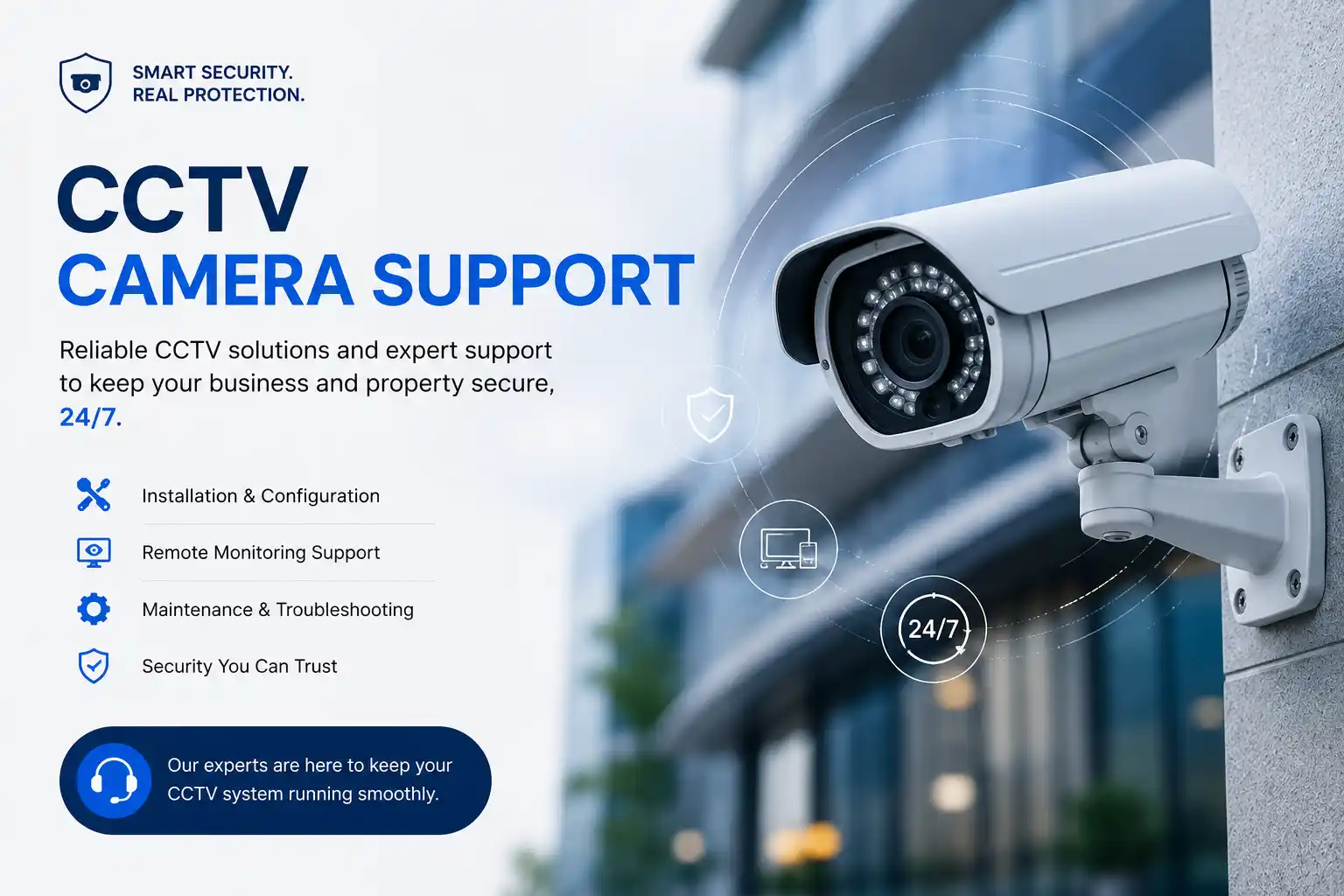
Camera, power, cabling, network, recorder and storage are assessed as one path.
The service method depends on access, symptoms and whether physical testing is required.
Inherited, mixed-age and partially documented installations can be assessed before changes.
Repair, replacement, configuration and maintenance tasks are confirmed after assessment.
What CCTV Camera Support Means for a Business
CCTV camera support is the structured assessment and technical assistance used to investigate surveillance-system faults, maintain recording availability, correct approved configuration problems, and plan practical repairs or upgrades. It is mainly used when a business has cameras that are offline, unstable, unclear, incorrectly positioned, not recording as expected, difficult to play back, or unavailable to authorised viewers. It may also be useful before expanding an existing installation or taking responsibility for an inherited system. Businesses should prepare the site location, affected camera count, recorder information, recent changes, examples of the problem, current access details, and the required operational outcome. The first objective is to identify which technical layer is actually involved rather than assuming that the visible symptom proves a camera failure. Remote work can be suitable for authorised configuration and viewing checks, while physical inspection is often required for power, cabling, mounting, connectors, camera condition, recorder hardware, or switch ports.
What the Service May Cover
Depending on the confirmed scope, assistance may include camera status checks, image and stream review, DVR or NVR checks, recording-schedule verification, playback testing, storage-health review, time and date checks, network connectivity, PoE and switch-port investigation, cabling and connector inspection, remote-viewing configuration, authorised user access, camera naming, maintenance planning, and repair-versus-upgrade guidance.
Not every activity is required for every site. A single offline camera, a recorder-wide problem and an expansion project require different evidence, access and planning.
Who May Need This Support
The service may suit organisations that rely on surveillance for operational visibility, site monitoring, access-area review, stock-area observation, reception coverage, loading zones, parking, or general property oversight. It is especially relevant when the system has grown over time, several vendors have worked on it, documentation is incomplete, or responsibility has moved to a new facilities or IT team.
Office managers, IT teams, facilities managers, security coordinators, property operators and business owners can use the assessment to understand what is working, what is uncertain, and what should be addressed next.
Common Symptoms and Why the Cause Must Be Confirmed
A surveillance problem often appears simple at first. One camera may show “offline,” the recorder may display a black tile, footage may skip during playback, or a mobile viewer may stop connecting. The same symptom can come from several technical layers. An offline IP camera may have lost PoE power, a cable may be damaged, a switch port may be disabled, the address may have changed, the recorder may no longer reach the device, or the camera itself may have failed. An analogue image can also be affected by power, connectors, cable condition, recorder input, or camera electronics.
Offline or intermittent camera
Check the full path: power, cabling, connectors, PoE delivery, switch link, network addressing, recorder registration and device condition.
Blurred, dark or washed-out image
The issue may involve lens condition, focus, angle, lighting, reflections, dirt, exposure settings, mounting position or the limits of the installed camera.
Missing or incomplete recordings
Recording schedules, storage health, retention settings, recorder resources, time configuration and camera connectivity all need consideration before conclusions are made.
Remote viewing no longer works
The cause may sit with account access, application configuration, network changes, firewall policy, internet connectivity, recorder settings or a third-party service dependency.
Business Impact When Surveillance Faults Remain Unchecked
A camera system can appear operational while important functions are degraded. Live video may be visible even though recording has stopped, timestamps may be wrong, storage may be overwriting sooner than expected, or one critical view may be too unclear for the intended purpose. These problems can reduce the usefulness of the system when management needs to review an incident, confirm a delivery, check a restricted area, investigate a stock discrepancy, or understand what happened outside normal working hours.
Repeated faults also create support cost and uncertainty. Staff may spend time restarting equipment, swapping cables, calling different vendors, or changing settings without a record of what was done. A structured assessment helps separate component faults from design limitations and documentation gaps. It can also reveal when a repair is sensible, when an unsupported or degraded component should be replaced, and when a wider network, storage or power issue is affecting several cameras at once.
Possible CCTV Support Scope
The exact scope depends on the reported problem, system type, available access, device condition, site layout, business priority and quotation. A support engagement can be narrow, such as diagnosing one unstable camera, or broader, such as assessing an inherited recorder, multiple cameras, storage, network links and remote access. Depending on the confirmed requirement, assistance may include the following activities.
Clarify affected views, users, recording impact, site conditions, recent changes and urgency.
Review status, angle, focus, image visibility, night behaviour, stability and device condition where accessible.
Review DVR or NVR status, recording schedules, playback, time, available storage and storage warnings.
Investigate power supply, PoE delivery, switch links, cabling, connectors, addressing and connectivity.
Review user permissions, local display, approved remote viewing and related connectivity dependencies.
Apply approved changes where a safe rollback path and necessary administrative access are available.
Identify recurring checks for camera visibility, connectors, recorder health, storage, time, user access and documentation.
Explain when a component appears serviceable, when replacement may be needed, and what compatibility must be confirmed first.
Service-Fit Matrix: From Observed Problem to Next Step
| Observed issue | Possible technical areas | Recommended next step |
|---|---|---|
| One camera repeatedly drops offline | Power, PoE port, cable, connector, address, recorder registration or camera hardware | Check the complete device path before replacing the camera. |
| Several cameras fail together | Shared power, switch, uplink, recorder, network segment or broader site issue | Assess shared dependencies and change history first. |
| Playback is missing for an expected period | Recording schedule, storage health, retention settings, time, recorder state or camera availability | Preserve available evidence and review recorder and storage status without assuming recovery is possible. |
| Night image is poor | Lighting, reflection, lens condition, angle, exposure, mounting or device capability | Test in the real night condition and compare the image with the required viewing objective. |
| Remote viewing works for some users only | Accounts, permissions, application setup, network path, device registration or endpoint settings | Confirm authorised users and compare working and non-working configurations. |
| Inherited CCTV system has little documentation | Recorder type, camera inventory, network, power, storage, credentials, naming and cable routes | Create a current-state assessment before major configuration or expansion work. |
CCTV Camera Support Information
| Service topic | CCTV camera troubleshooting, maintenance, configuration assistance and system assessment. |
|---|---|
| Main purpose | Identify faults, restore approved functions where practical, verify recording and viewing, and define repair or upgrade actions. |
| Typical systems involved | IP or analogue cameras, DVRs, NVRs, storage drives, PoE switches, power supplies, cabling, monitors, networks and authorised viewing applications. |
| Remote support suitability | Suitable for some configuration, access, playback, log and network checks when secure authorised access and working connectivity are available. |
| On-site support suitability | Often required for camera, cabling, connector, power, mounting, switch-port, recorder hardware and real-condition image checks. |
| Customer access required | Authorised site access and relevant administrative access are access dependent. Credentials should be shared only through an approved secure method. |
| Testing and validation | Scope dependent; may include live view, recording, playback, timestamp, image condition, selected user access and connectivity. |
| Documentation and handover | May include camera naming, basic location records, completed actions, unresolved dependencies and recommended next steps. |
| Service location | Dubai and UAE coordination subject to issue, location, scheduling, access and approved quotation. |
| Important dependency | Hardware condition, vendor support, compatibility, required parts, building access, third-party services and existing configuration can affect the final action. |
When Remote CCTV Support May Be Suitable
Remote assistance can be useful when the recorder and network are reachable, the customer authorises secure access, and a user or administrator can help identify the affected views. Configuration checks, user permissions, recording schedules, playback behaviour, time settings, network addressing and some remote-viewing problems can often be investigated without immediate physical work.
Remote diagnosis still has limits. A technician cannot confirm cable damage, connector corrosion, loose mounting, local power problems, lens contamination, physical water damage, switch-port condition under load, or actual viewing angles from configuration screens alone. If the evidence points to a physical layer, an on-site assessment may be the practical next step.
When an On-Site Visit Is Usually Needed
On-site work is commonly appropriate when cameras, cabling, connectors, power supplies, PoE switches, recorder hardware, monitors, racks, mounting positions or real-world lighting conditions need to be checked. It may also be required when the recorder is inaccessible remotely, the network is unstable, several connected components are affected, or the site has an inherited system with uncertain topology.
Site access, ladder or height requirements, building permissions, equipment-room access, safety restrictions, customer representatives and any specialist access arrangements should be confirmed before attendance. The quotation should clearly distinguish assessment work from replacement parts, additional cabling, new cameras, recorder upgrades or wider project activity.
How CCTV Fault Diagnosis Should Progress
A useful diagnostic process moves from business impact to evidence, then from shared dependencies to individual components. Random resets or broad configuration changes can hide symptoms, remove useful evidence or affect other cameras. FourTeck therefore approaches the system as a connected path and plans changes according to authorised scope.
- Define the operational problem. Identify whether the issue affects live view, recording, playback, remote access, image quality, one location or a wider site.
- Identify the affected equipment. Record camera names or physical locations, recorder channels, switches, power sources and any related network segment where known.
- Collect evidence. Note error messages, screenshots, timestamps, frequency, environmental conditions, recent outages and configuration or network changes.
- Confirm authorisation and access. Determine who can approve changes, provide site access and supply administrative access through a secure method.
- Check shared dependencies. Where several cameras are affected, review power, switching, uplinks, recorder status, storage and network changes before focusing on individual devices.
- Test the camera path. Review power, cable link, address, reachability, registration and video path according to the system type.
- Review recorder and storage behaviour. Confirm that the expected channels are recording, timestamps are useful, playback works and storage does not show obvious health or capacity concerns.
- Explain findings before major changes. Separate confirmed faults, suspected areas, access limitations and design constraints so the customer can approve the right next action.
- Apply controlled corrective work. Back up settings where practical, keep a rollback route, make approved changes and avoid unrelated configuration adjustments.
- Validate from the user perspective. Confirm live view, recording, playback, time, image condition and authorised access that are relevant to the original complaint, then record remaining risks and recommendations.
Planning Corrective Work Without Creating New Problems
CCTV systems can support many cameras from one recorder or network segment, so a change intended to fix one channel can affect other views if the wider configuration is not understood. Before changing addressing, recorder settings, storage configuration, user access or network rules, the current state should be recorded and the expected result should be clear. Where practical, configuration backups or screenshots can provide a rollback reference. Changes that could interrupt recording should be scheduled with the customer so the business understands the temporary impact.
Replacement work also requires compatibility checks. A new camera must be suitable for the recorder or management environment, available power method, network capacity, mounting position, viewing objective and environmental conditions. A recorder replacement may affect camera support, storage sizing, viewing applications, user access and existing cabling. These dependencies should be reviewed before equipment is ordered or installed.
The objective is not to avoid change; it is to make change explainable and testable. The final work package should state what will be altered, what will remain untouched, what access is needed, whether downtime is expected, what will be tested, and which third-party or hardware dependencies remain outside the confirmed labour scope.
Testing, Validation and Handover After CCTV Work
A camera showing a live picture is not enough to prove that the original problem has been resolved. Testing should match the reported issue and the approved scope. For a recording problem, the technician may need to confirm that new footage is written, retained for the expected configuration period, and available in playback. For an image-quality issue, the camera should be reviewed under the lighting conditions that caused the complaint. For remote viewing, the test should use an authorised user path rather than only the recorder’s local monitor.
Confirm the affected live views, recording, playback, timestamps and approved viewing functions relevant to the ticket.
Where applicable, check mounting, connectors, power, link condition, image angle and basic camera cleanliness after work.
Ask the responsible customer contact to confirm that the required view, playback or authorised access works for the business purpose.
Document completed actions, changed settings, replaced components if any, unresolved dependencies and recommended follow-up work.
Capability 1: Separate Camera Faults from Shared Infrastructure Faults
One of the most valuable outcomes of structured CCTV support is knowing whether a problem belongs to one device or to infrastructure shared by several devices. If multiple cameras on the same switch, power supply, recorder or network path fail together, replacing individual cameras can waste time and budget. FourTeck can trace the relationship between camera endpoints, cabling, PoE, switching, recorder connectivity and storage so the recommended action follows evidence. This approach is especially useful in expanded systems where camera additions were made over several years and the network layout is no longer obvious.
Capability 2: Improve Recording Confidence, Not Just Live Viewing
A live picture can create false confidence if the recorder is not writing usable footage. Support therefore needs to consider recording schedules, storage condition, channel status, timestamps, playback and the system’s actual retention settings. When storage is unhealthy or capacity is insufficient for the configured cameras, resolution and recording mode, the limitation should be explained rather than hidden. FourTeck can help verify the recording path and identify whether the issue is a configuration problem, a storage concern, a connectivity interruption or a broader recorder limitation. Data recovery or historical footage availability cannot be guaranteed.
Capability 3: Make the System Easier to Support Next Time
Recurring CCTV problems are harder to solve when camera names do not match real locations, spare switch ports are unknown, recorder ownership is unclear, or no one knows which credentials and applications are approved. A support visit can therefore add value by improving basic documentation. Camera labels, location notes, recorder details, network dependencies, storage observations and authorised contact information can reduce guesswork during future incidents. Documentation does not need to be complex. Even a simple, current record can help new staff, facilities teams and future technicians understand the system faster and reduce the risk of uncontrolled changes.
Dependencies, Access and Customer Inputs
The quality of a CCTV assessment depends on access to the right evidence. A technician may be able to see that a camera is unavailable without knowing whether the fault is physical, network based or configuration related. The customer can help reduce uncertainty by identifying the system owner, making the relevant equipment accessible, and providing current information about recent changes. Administrative credentials should never be posted publicly or sent through an unapproved channel; they should be shared only after identity and authorisation are confirmed using an agreed secure method.
Recorder make and model where known, camera count, approximate age, IP or analogue type, previous installer information and recent changes.
Authorised administrator availability, building access, equipment-room access, network administrator contact and any landlord or facilities restrictions.
Which views matter most, whether recording is affected, how often the problem occurs, what changed recently and when the customer can allow testing.
Internet provider, network provider, building security requirements, vendor support, device licensing or cloud-viewing service dependencies where applicable.
Risk, Limitation and Exclusion Guidance
CCTV troubleshooting is evidence dependent. Missing administrative access, undocumented wiring, damaged devices, unsupported equipment or unavailable vendor support can limit what can be confirmed. Some faults require replacement parts, specialist mounting access, new cabling, storage replacement, network changes, vendor assistance or internet-provider action outside the initial support scope. Hardware condition can also change during testing, especially where equipment is already unstable.
Historical footage cannot be assumed to be recoverable. If a recorder or storage device has failed, the availability of old video depends on what was actually recorded, storage condition, file-system state, overwrite behaviour and device design. Support can assess the situation, but data recovery and complete restoration cannot be guaranteed. Similarly, improving access controls or network configuration can reduce avoidable exposure but does not make a surveillance system completely secure.
On-site work depends on confirmed location, safe physical access, scheduling, equipment availability and the approved quotation. Any building, landlord, privacy, authority or sector-specific requirements that apply to camera placement or surveillance use remain a customer responsibility unless compliance assistance is expressly included in the scope.
Business Environments Where CCTV Support Can Be Useful
The value of a camera depends on the work occurring around it. Different sites therefore need different troubleshooting priorities. A retail outlet may care most about entrances, payment areas, stock rooms and customer-flow views. A warehouse may need stable coverage around loading bays, aisles, dispatch points and external yards. A professional office may focus on reception, access doors, common areas and equipment rooms. A property-management site may need a practical way to distinguish tenant-area issues from shared building infrastructure.
Support may focus on reception, entrances, common areas, server or equipment rooms and authorised remote viewing by management.
Image detail, camera angle, recording continuity, stock areas and customer-facing zones can be important operational concerns.
Long cable runs, PoE capacity, outdoor conditions, loading areas, storage retention and multiple network cabinets may affect support scope.
Access rules, privacy expectations, busy public spaces and multiple operational teams can make authorisation and documentation especially important.
Standard camera naming, common recorder practices, secure central viewing and consistent support records can reduce cross-site confusion.
A current-state survey can help determine which cameras, recorder channels, cables, storage and credentials remain usable before expansion.
Operational, Security and Maintenance Considerations
Surveillance systems usually operate continuously and can be forgotten when they appear stable. Preventive attention should therefore focus on the functions that may fail quietly. Recording status, storage warnings, date and time, image clarity, camera obstruction, remote-viewing access and user ownership are practical examples. Outdoor cameras and exposed connectors may face heat, dust, moisture and physical movement. Indoor cameras can also be affected by cleaning, renovation, furniture changes, new lighting or altered partitions.
IP-based cameras introduce network and account considerations. Device passwords should not be shared casually, default or unused accounts should be reviewed where the system allows, management access should be restricted to authorised users, and remote viewing should not be exposed more broadly than necessary. Network changes should be coordinated because a switch replacement, VLAN change, firewall rule or address-plan update can affect cameras even when the surveillance equipment itself has not changed.
Maintenance frequency is scope dependent. A small office with a few indoor cameras has different needs from a warehouse with many outdoor views and multiple network cabinets. FourTeck can help identify a practical review plan based on equipment count, environmental exposure, business criticality, known recurring faults, storage behaviour, age and documentation quality.
Before You Contact FourTeck
Providing a clear first description helps FourTeck decide whether remote assessment may be useful or whether the issue is likely to require a planned site visit. You do not need perfect documentation; share what is known and identify what is uncertain.
- The service location and main on-site contact.
- The number of affected cameras and whether other cameras still work.
- Whether live view, recording, playback, image quality or remote access is affected.
- The approximate time the issue began and whether it is constant or intermittent.
- Any recent power outage, network change, office work, cable work or equipment replacement.
- Recorder type and camera type where known.
- Screenshots or photos of visible errors, channel names or recorder warnings when safe to collect.
- Whether authorised administrative access is available.
- Whether network or firewall administrator assistance may be needed.
- Known storage warnings, disk alarms or retention concerns.
- The business importance of the affected camera or recording period.
- Any height, restricted-area, landlord, facilities or building-access conditions.
- Preferred remote or on-site service method, if there is a preference.
- The outcome required: restore service, assess condition, add cameras, improve image quality, document the system or plan an upgrade.
Service Evaluation and Scope Checklist
Before a quotation is approved, the engagement should be clear enough that both sides understand the objective and dependencies. Relevant confirmation points may include:
- Exact support objective and the business impact of the current issue.
- Number of cameras, recorders, viewing stations and sites included in the assessment.
- Whether the work is diagnosis only, corrective configuration, maintenance, repair coordination, expansion or upgrade planning.
- Remote versus on-site tasks and who will be available to assist at the site.
- Required physical, recorder, network and administrative access.
- Any maintenance window or recording interruption that must be coordinated.
- Whether replacement parts, new cameras, storage, switches, cabling or mounting work are inside or outside the quotation.
- Testing requirements for live view, recording, playback, image conditions and approved remote access.
- Documentation or camera-naming updates required at handover.
- Third-party vendor, internet provider, building or network-team coordination.
- Any recurring maintenance or follow-up support expectations after the initial work.
How FourTeck Can Assist and Prepare a Quotation
FourTeck can begin by clarifying the reported CCTV problem, the affected business function and what the customer already knows about the installation. The support discussion can distinguish between a single-camera incident, a recorder or storage concern, a network dependency, an access problem, a preventive-maintenance requirement or an expansion project. This helps determine whether an initial remote session is worthwhile, whether a site visit is more appropriate, or whether discovery should be completed before corrective work is quoted.
Where an assessment identifies a defined corrective action, FourTeck can explain the practical next step, expected dependencies and what should be included in the quotation. This may involve configuration changes, cable or power work, device replacement, storage work, camera repositioning, recorder changes, network coordination, testing, documentation or follow-up maintenance. The customer can then approve a scope that matches the actual requirement instead of paying for unrelated tasks.
For wider business-technology support, visitors can review the FourTeck IT Services home page, learn more about the company on the FourTeck IT services profile, or use the technical support contact page to provide the initial CCTV details.
Dubai and UAE CCTV Service Coordination
For Dubai customers, the service method should follow the fault rather than a fixed template. Remote troubleshooting may be suitable when the recorder or management interface is reachable and the issue relates to configuration, accounts, playback or network settings. An on-site visit may be recommended when cameras, cabling, power, PoE, switches, mounting, recorder hardware or actual image conditions need physical inspection. Contact FourTeck to confirm the service scope and scheduling options before assuming that a specific attendance time or completion window applies.
Across the UAE, support planning depends on the issue, location, urgency, customer access, site restrictions, engineer scheduling, required equipment, third-party providers and the approved quotation. Installation, replacement, cable work, configuration, maintenance and documentation should be stated clearly in the agreed scope. Where the system is business critical, the customer should also identify which views and recording functions must remain available during planned work so the change sequence can be organised accordingly.
Coordinating CCTV Work Across Dubai, Abu Dhabi, Sharjah and Ajman
Businesses with one or more sites in Dubai, Abu Dhabi, Sharjah and Ajman may need a mix of remote troubleshooting, planned on-site assessment, maintenance, installation support or upgrade planning. The useful starting point is to identify which sites share the same recorder platform, network design, viewing process or support contact and which sites are completely independent. A multi-site fault that appears similar may still have different local causes, so each location should be verified before a common fix is applied.
Scheduling and the practical service plan can be affected by travel, building access, working-hour restrictions, security procedures, equipment-room availability, parking or loading arrangements, required ladders or specialist access, replacement-part availability, network-team coordination and third-party providers. Remote pre-checks can sometimes reduce the amount of on-site discovery, but physical work remains location dependent. FourTeck can help organise the information into a clear scope so the customer knows which site, camera group, recorder and activity are included before work begins.
Related FourTeck IT Services
Network support for camera connectivityUseful when IP cameras depend on switches, cabling, addressing, VLANs or broader office network changes.
Firewall and remote-access supportRelevant when authorised remote viewing interacts with internet connectivity, firewall policy or controlled external access.
Business IT supportUseful where surveillance faults are part of a wider office network, server, power, user-access or infrastructure issue.
Why Businesses Contact FourTeck for CCTV Support
Businesses often need more than a quick device restart. They need someone to connect the surveillance problem with the network, recorder, storage, power and user-access environment and then explain the findings in business terms. FourTeck’s role is to help clarify what is affected, what evidence is available, what can be checked remotely, what requires physical inspection, and what work should be placed into a quotation.
This approach is particularly useful when several vendors are involved or the system has changed over time. The goal is clearer ownership of the next step: repair a serviceable component, correct an approved configuration, replace a failed part, improve documentation, plan a controlled expansion, or coordinate with another provider. The outcome remains subject to assessment, access, equipment condition and third-party dependencies, but the customer receives a more structured route from symptom to decision.
Questions Businesses Ask Before Requesting CCTV Camera Support
The following decision guidance addresses practical questions that often arise before a business books troubleshooting, maintenance or an assessment. The answers are deliberately scope dependent because the same visible problem can come from different cameras, recorders, storage devices, network paths or site conditions.
Can an offline CCTV camera be checked remotely?
Sometimes. If the recorder or network remains reachable, remote checks may show whether the camera is registered, has an expected address, is reachable through the network, or disappeared after a configuration change. Remote evidence can help narrow the fault, but it cannot physically test a cable, connector, PoE output, local power supply, mounting condition or damaged camera. If the camera is completely unreachable and the problem appears physical, an on-site visit is usually the more useful next step. Share whether other cameras on the same switch or recorder are working, because that comparison can reveal whether the fault is isolated or shared.
Why can I see live video but find no recording later?
Live view and recording are separate functions. A camera can stream successfully while the recorder is not writing footage because of a recording schedule, storage condition, channel setting, time configuration, recorder resource issue or an interruption that occurred after the live image was checked. The first action should be to preserve any available evidence and review recording status without making unnecessary changes. FourTeck can assess the recorder, channel settings, playback behaviour and storage indicators. Historical footage availability cannot be promised because it depends on whether data was recorded and the condition of the storage system.
Should a blurry camera be repaired or replaced?
The answer depends on the cause and the required view. A dirty lens cover, poor focus, vibration, reflection, bad lighting, incorrect angle or loose mounting may be correctable. If the installed camera cannot provide the required detail at the actual distance and lighting condition, replacement may be more practical than repeated adjustment. The useful question is not simply whether the picture looks sharp on a monitor; it is whether the image serves the business purpose at the time and location that matter. A real-condition assessment helps distinguish maintenance, configuration, mounting and device-capability issues before a replacement decision is made.
What if the CCTV system was installed by another company?
An existing or inherited system can still be assessed, but access and documentation may affect the scope. Useful information includes recorder details, known camera types, network information, previous support contacts and authorised credentials. If documentation is missing, the first visit may need to focus on discovery: identifying cameras, recorder channels, network links, power arrangements, storage and viewing methods. Missing administrator access can limit configuration work and may require vendor-specific recovery or reset options. The customer should confirm ownership and authorisation before any credential or reset process is attempted.
How do we know whether poor CCTV performance is actually a network problem?
Patterns are important. If several IP cameras connected through the same switch or uplink freeze together, if the problem began after network changes, or if remote viewing and other network-dependent functions fail at the same time, the network deserves attention. The assessment can compare link status, PoE delivery, addressing, switch behaviour and recorder connectivity. A single failing camera on an otherwise stable segment points in a different direction. FourTeck can help trace the path so a network issue is not blamed on the camera and a camera fault is not hidden behind unnecessary network changes.
Can remote viewing be restored without exposing the CCTV system unnecessarily?
Remote access should be designed around authorised users and the methods supported by the existing system. The correct approach depends on the recorder, application, network, firewall and any vendor service involved. The assessment should review which users actually need access, how they authenticate, whether old accounts remain active, and whether a recent internet or firewall change interrupted the working path. The objective is to restore the approved business function without opening broader access than required. Security improvement reduces avoidable risk but cannot guarantee complete protection.
Is one-time troubleshooting enough, or should we plan CCTV maintenance?
A one-time support visit is appropriate when the business has a defined fault and wants diagnosis or corrective work. Maintenance becomes useful when cameras operate in demanding conditions, the system has many devices, storage is critical, faults repeat, documentation is weak or management wants periodic checks before an incident occurs. Maintenance scope can include selected checks for camera visibility, recording, storage warnings, time, power, connectors, remote access and documentation. Frequency should be based on site conditions and service agreement rather than assumed to be the same for every customer.
What should we confirm before adding more cameras?
Expansion should start with the viewing objective and existing capacity. The customer should identify what area needs coverage, what level of detail is useful, when the view matters most, and who will review it. Technical checks may include recorder channel support, storage capacity, network bandwidth, switch ports, PoE capacity, cabling route, mounting access, power, user permissions and compatibility with the existing environment. Adding a camera without reviewing these dependencies can create recording, network or support problems elsewhere. A scoped assessment can show whether the current system can expand or whether related infrastructure also needs change.
How should we prepare a CCTV support request for a Dubai office or warehouse?
Start with the business symptom rather than a diagnosis. State which camera or area is affected, whether live view and recording are both impacted, when the issue began, whether recent electrical or network work occurred, and whether the recorder remains accessible. Add photos of visible errors or the equipment layout when appropriate, but do not publish credentials. For warehouses or larger premises, identify where the network cabinet, recorder and affected cameras are located and whether specialist access is needed. These details help determine whether remote checks are worthwhile and what an on-site engineer may need to access.
What can affect the final quotation?
The quotation depends on the number of cameras and sites, system condition, access, documentation quality, whether the issue is isolated or shared, the need for network or cabling work, parts or storage replacement, working-height requirements, vendor coordination, maintenance windows, testing and documentation. An initial diagnostic visit may reveal work that could not be confirmed from the first description. That additional work should be explained before it is treated as part of the engagement. Customers can reduce uncertainty by sharing accurate camera counts, recorder details, known symptoms and the result they want to achieve.
Can a CCTV fault be caused by a recent office network change?
Yes, depending on how the system is connected. IP cameras may rely on switch ports, VLANs, addressing, gateways, firewall policies or uplinks that can change during network upgrades. A recorder can also lose access to cameras if addressing or segmentation is altered without accounting for surveillance traffic. The safe approach is to compare the fault timing with the change record and test the affected path. Do not automatically reverse every network change; first identify which element could plausibly affect the camera system and protect any wider business services that depend on the same infrastructure.
When is replacement more sensible than repeated repair?
Replacement becomes a stronger option when a component is physically damaged, repeatedly fails, is no longer supportable, cannot meet the required image or recording objective, or blocks a wider upgrade because of compatibility limits. That conclusion should come from system condition and business requirements, not age alone. Some older components remain serviceable; some newer devices may still be unsuitable for the site. FourTeck can help compare the likely repair path, compatibility, future maintenance burden, storage or network impact and the expected operational result before the customer approves replacement.
Frequently Asked Questions
Do you support both IP and analogue CCTV systems?
Support can cover IP and analogue environments, subject to the installed equipment, available access, system condition, vendor limitations and the confirmed scope. The diagnostic path differs because IP cameras depend more directly on networking and PoE, while analogue systems use different signal and power arrangements.
Can FourTeck help if camera names do not match their locations?
Yes, camera naming and basic location documentation can be included where access allows. Clear names make future incident review and troubleshooting faster, especially when a recorder has many channels or the installation has been extended over time.
Can you guarantee recovery of missing footage?
No. Historical footage depends on whether it was recorded, whether it was overwritten, and the condition of the recorder and storage. FourTeck can assess the system and explain available options, but complete recovery cannot be guaranteed.
What happens if administrator credentials are unavailable?
Missing access can limit diagnosis and configuration. Recovery or reset options depend on the device, ownership evidence and vendor process, and a reset may affect existing settings. The customer should confirm authorisation before any credential-related action is attempted.
Can you replace a recorder but keep the existing cameras?
Possibly, but compatibility must be assessed first. Camera technology, supported streams or signal type, channels, resolution, network requirements, storage, viewing applications and existing cabling can affect whether cameras can remain in service.
Can a PoE switch problem make cameras fail?
Yes. IP cameras may depend on PoE for power and network connectivity. A failed port, insufficient power delivery, uplink issue or switch configuration problem can affect one or several cameras. The switch should be assessed as part of the camera path.
Do you provide preventive CCTV maintenance?
Preventive checks can be planned as part of an agreed service scope. Relevant tasks may include image review, recording verification, storage observations, time checks, connectors, visible camera condition, user access and documentation. Frequency and inclusions depend on the environment and service agreement.
Will CCTV support require downtime?
Some checks can be completed without interrupting service, while recorder restarts, storage work, network changes, component replacement or major configuration may require a planned interruption. Any expected downtime should be confirmed before approved work begins.
Can FourTeck coordinate with our network or internet provider?
Vendor coordination can be included when the fault crosses system boundaries. FourTeck can help gather technical evidence and explain the CCTV dependency, while provider actions, account authority, contractual matters and external service availability remain third-party dependent.
How do we request a CCTV support quotation?
Use the FourTeck contact page and describe the site, number of affected cameras, main symptom, recorder information where known, recent changes, access availability and the result you need. FourTeck can then confirm the appropriate assessment route and quotation dependencies.
Request an Assessment for Your CCTV Camera Issue
Share the affected camera or area, what users can and cannot see, whether recording or playback is involved, recent changes, the site location and any known recorder or network details. FourTeck can use that information to decide whether remote checks, an on-site assessment, maintenance work or a broader upgrade discussion is the appropriate starting point. The final service scope, scheduling and commercial terms depend on confirmed access, system condition, required tasks and the approved quotation.